

 100% Security Verified | No Subscription Required | No Malware


 ChatGPT
 Perplexity
 Gemini
 Claude
 Grok
Grok
Sea green sits between blue and green on the spectrum, so it naturally feels fresh, calm, and slightly sophisticated. It evokes ocean water, glassy harbors, and clean air, which is why it works so well for wellness, travel, and minimalist tech aesthetics. In video and branding, sea green instantly softens harsh visuals and gives your thumbnails, intros, and overlays a more inviting, trustworthy look.
For creators and Filmora users, the right sea green color palette helps keep your channel visuals consistent across thumbnails, lower thirds, titles, and full video grades. Below are 15 ready to use sea green color palettes with HEX codes you can copy straight into your design tools or Filmora projects for YouTube, vlogs, brand videos, and social content.
In this article
Calm And Coastal Sea Green Color Palettes
Calm Coastal Tide
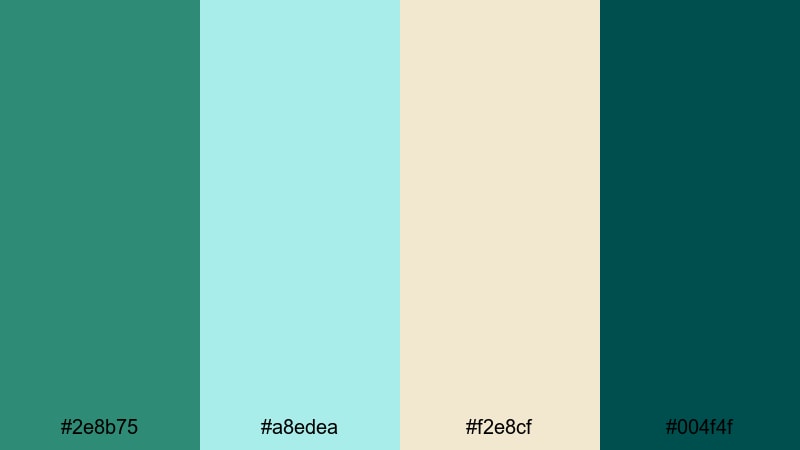
- HEX Codes: #2e8b75, #a8edea, #f2e8cf, #004f4f
- Mood: Serene, refreshing, and gently uplifting like a quiet morning by the ocean.
- Use for: Ideal for peaceful vlog openers, spa or wellness brand intros, and calm lifestyle thumbnails.
Soft aqua and sand tones wrap around a deep sea green accent, creating a palette that feels like walking along the shoreline just after sunrise. The contrast between the gentle pastels and the darker teal gives you enough structure for legible titles without losing the tranquil mood.
Use the lighter shades for backgrounds in your YouTube thumbnails or lower thirds, and let the rich sea green (#2e8b75) or deep teal (#004f4f) carry your key text and icons. Wellness channels, slow living vlogs, and mindful productivity content can all use this scheme to keep visuals soothing while still looking polished and professional.
Pro Tip: Build A Cinematic Sea Green Look In Filmora
When working with a calm sea green palette like Calm Coastal Tide, consistency is everything. In Filmora, you can color pick your main sea green tone from a reference card and apply it to title templates, shapes, and overlays so that your intro, b roll, and outro all share the same hero color.
Try using sea green for lower third bars and callout boxes, while keeping backgrounds closer to the soft sand and aqua tones. Reuse these custom presets across projects in Filmora so your channel feels cohesive, whether you are posting long vlogs, Shorts, or promo teasers.
AI Color Palette
If you already designed this palette in a thumbnail or still image, you can use Filmora's AI Color Palette feature to push the same calm sea green treatment across your entire video. Import your reference frame, let AI analyze the colors, and instantly match the look to other clips in your timeline.
This is especially useful for creators who mix different cameras or lighting conditions. AI Color Palette helps unify your sea green tones so every shot in your vlog, intro sequence, and social cutdowns feels like part of one clean visual brand.
 secure download

HSL, Color Wheels & Curves
Even within a fixed palette, you might want to nudge sea green toward cooler or warmer tones depending on your footage. In Filmora, the HSL and color wheels tools let you push greens slightly more blue for a crisp coastal feel, or more yellow for a softer, spa like look, while curves help you deepen shadows without crushing detail.
Combine these tools with guidance from Filmora's color correction tutorials to refine skin tones and keep whites neutral, so your sea green accents stay the star. This way your titles, overlays, and B roll all sit in the same cinematic mood instead of feeling mismatched.
secure download1000+ Video Filters & 3D LUTs
Once your base sea green palette is locked in, you can quickly stylize it using Filmora's video filters and 3D LUTs. Add soft matte filters for dreamy coastal vlogs, or use modern teal and orange LUTs to push your sea green into a more cinematic space without manual grading from scratch.
Stack gentle filters at low opacity to preserve your HEX based palette while giving clips a subtle filmic texture. This keeps your Calm Coastal Tide colors recognizable in thumbnails and on social feeds, while still looking professionally graded.
secure downloadSeaside Morning Mist
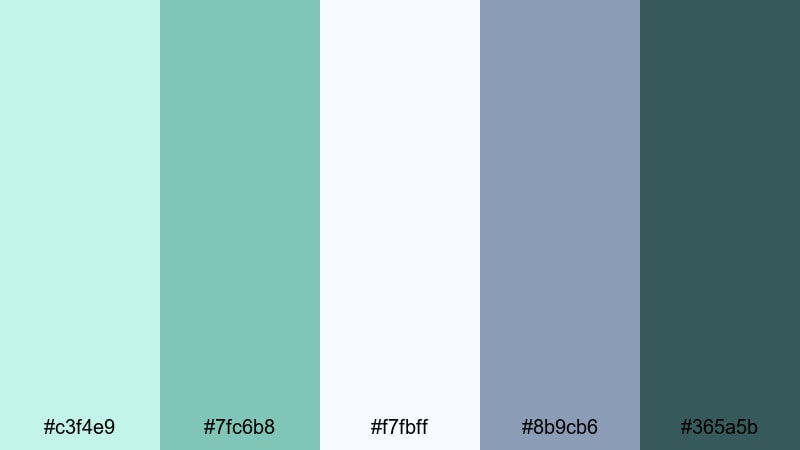
- HEX Codes: #c3f4e9, #7fc6b8, #f7fbff, #8b9cb6, #365a5b
- Mood: Airy, cool, and contemplative with a gentle seaside haze.
- Use for: Perfect for cinematic b roll sequences, opening title cards, and dreamy travel montage lower thirds.
This palette layers soft mints and pale blues with slightly moody blue gray shadows. It feels like fog drifting over the water, which makes it perfect for slower edits, reflective voiceovers, and travel diaries with emotional storytelling.
Use the lighter tones as gradients behind elegant typography in your title screens, while the darker teal blue (#365a5b) grounds navigation bars, subtitles, or logo marks. In Filmora, this mix works beautifully when you slow your footage, add gentle transitions, and keep on screen graphics minimal and airy.
Driftwood Shoreline
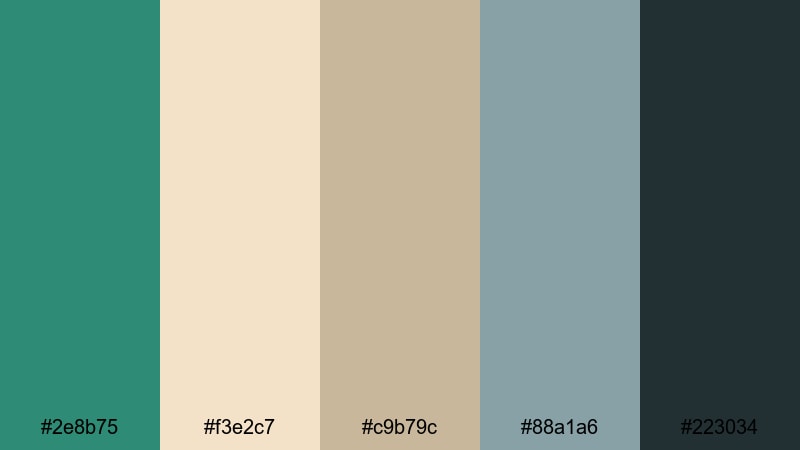
- HEX Codes: #2e8b75, #f3e2c7, #c9b79c, #88a1a6, #223034
- Mood: Earthy, grounded, and subtly nostalgic with coastal warmth.
- Use for: Works well for nature documentaries, eco brand bumpers, and lifestyle channels with a natural aesthetic.
Balanced sea green meets driftwood beiges and muted teal, giving you a grounded but still coastal mood. It is less glossy and more organic than brighter aqua palettes, which makes it feel authentic, sustainable, and story driven.
Use the warm neutrals as background colors for text slides or product shots, and let the deep charcoal (#223034) handle body copy or UI elements that need clarity. Eco friendly brands, cabin by the sea vlogs, and DIY or homestead content can all use this palette to highlight nature while keeping visuals stylish and cohesive.
Harbor Glass Reflections
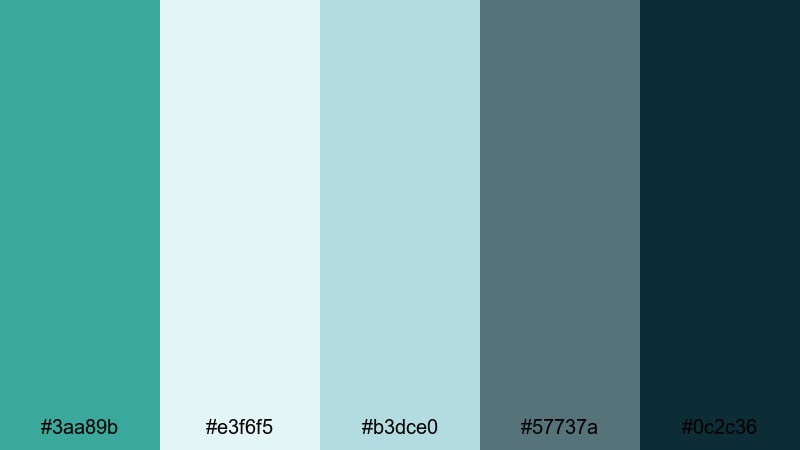
- HEX Codes: #3aa89b, #e3f6f5, #b3dce0, #57737a, #0c2c36
- Mood: Cool, reflective, and slightly cinematic like light on harbor water.
- Use for: Great for elegant logo reveals, subtle animated lower thirds, and minimalist channel branding.
Glassy greens and cool blues in this palette capture reflections dancing on calm harbor water. The tones feel clean, slightly techy, and very modern, but still soft enough for lifestyle and design content.
Use the lighter shades as subtle gradients behind logos, then accent with the deep navy green (#0c2c36) for outlines, frames, or bold type. Pair this scheme with gentle camera motion, smooth transitions, and restrained motion graphics in Filmora to create a sleek, design focused channel identity.
Modern And Minimal Sea Green Color Palettes
Clean Studio Glow
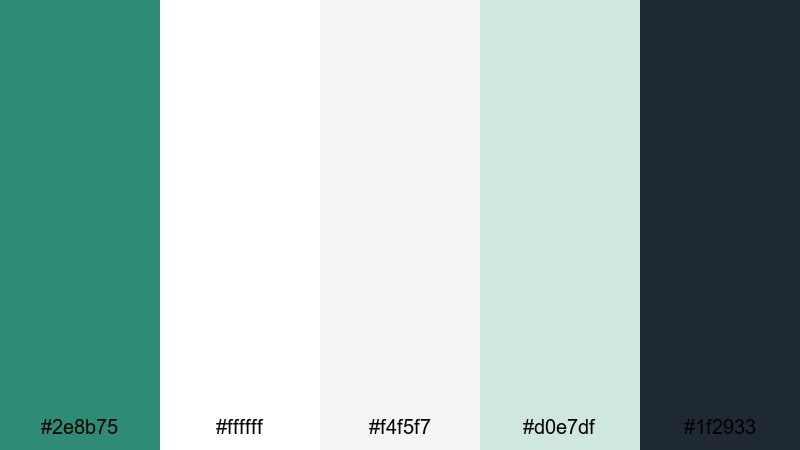
- HEX Codes: #2e8b75, #ffffff, #f4f5f7, #d0e7df, #1f2933
- Mood: Fresh, professional, and confidently minimal.
- Use for: Ideal for modern product explainer videos, SaaS intros, and portfolio openers with crisp on screen text.
Here, pure white and soft gray neutrals give sea green room to shine as the main accent. The palette feels like a bright studio with plants and clean desks, perfect for startups and creators who want a trustworthy but contemporary look.
Use sea green on key buttons, call to action text, and logo marks in your intros and outros, while keeping backgrounds almost white for maximum clarity. In Filmora, this palette is easy to apply to title packs, chapter cards, and UI mockup overlays so your product demos look sharp and consistent.
Soft Interface Neutrals
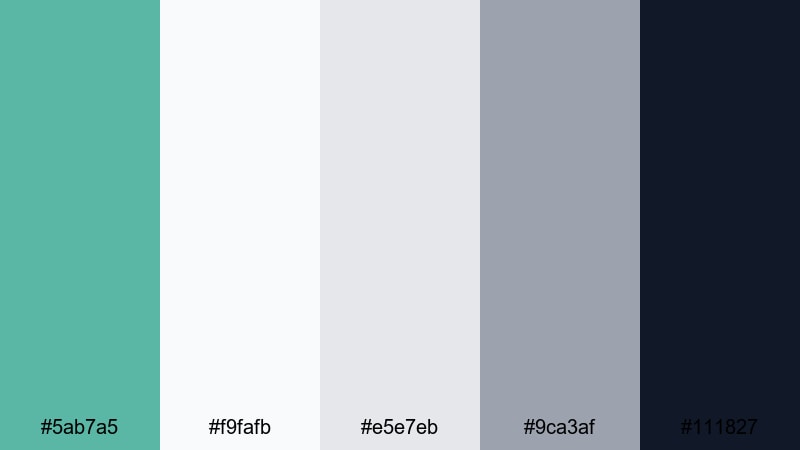
- HEX Codes: #5ab7a5, #f9fafb, #e5e7eb, #9ca3af, #111827
- Mood: Calm, orderly, and tech forward with a soft edge.
- Use for: Great for interface mockups, overlay graphics in app walkthroughs, and minimalist title screens.
This palette pairs a gentle teal green with layered grays and a deep charcoal. It feels like a modern app UI: clean, organized, and easy to read, without harsh contrast.
Use the sea green (#5ab7a5) to highlight buttons, progress bars, and callouts in your tutorial edits, while text stays mostly in dark gray or near black for readability. For YouTube tech channels or SaaS explainers, this combination helps your viewers focus on information while still giving your brand a signature color.
Glass UI Gradients
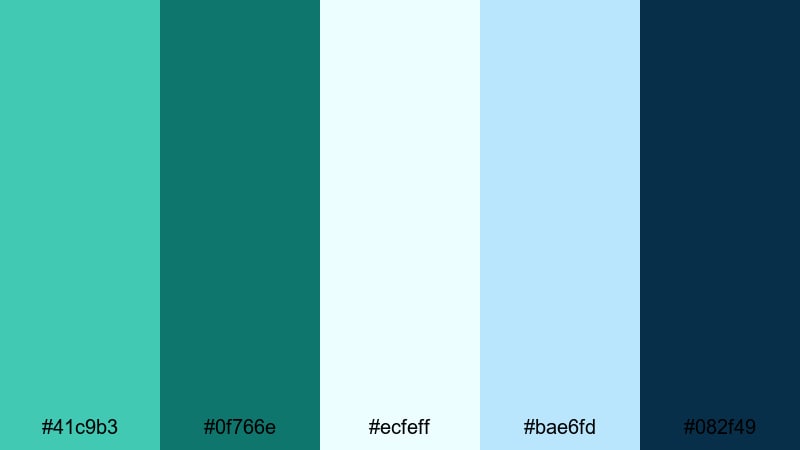
- HEX Codes: #41c9b3, #0f766e, #ecfeff, #bae6fd, #082f49
- Mood: Sleek, futuristic, and slightly techy with a glassmorphism feel.
- Use for: Perfect for gradient overlays, dynamic title cards, and futuristic UI themed video scenes.
Translucent aquas and icy blues in this palette make sea green feel high tech and polished. It works especially well with glassmorphism style overlays, blurred backgrounds, and animated neon edges.
In Filmora, use these HEX codes for gradient title backgrounds and semi transparent panels over your footage. Combine the bright aqua (#41c9b3) with the deep blue (#082f49) for striking gradient bars behind bold typography in gaming intros, crypto explainers, or app previews.
Monochrome Sea Layers
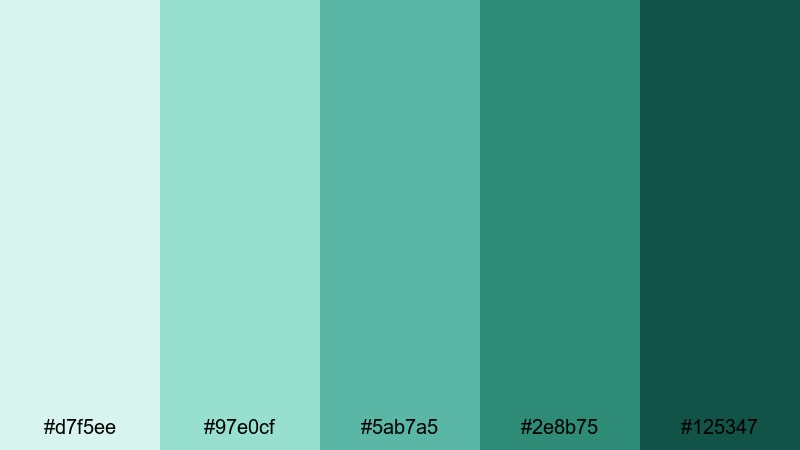
- HEX Codes: #d7f5ee, #97e0cf, #5ab7a5, #2e8b75, #125347
- Mood: Balanced, focused, and cohesive with gentle depth.
- Use for: Works nicely for brand systems, cohesive thumbnail grids, and unified lower thirds packs.
This is a fully monochrome sea green story, from light foam to deep ocean. Because all shades live in the same color family, your visuals automatically feel unified and brandable.
Use lighter tones for backgrounds and mid tones for accents, reserving the deepest green (#125347) for logos, titles, and key icons. This is a strong choice if you want instantly recognizable YouTube thumbnails or a series of tutorials that all share a distinctive, sea green signature.
Playful And Vibrant Sea Green Color Palettes
Tropical Pool Party
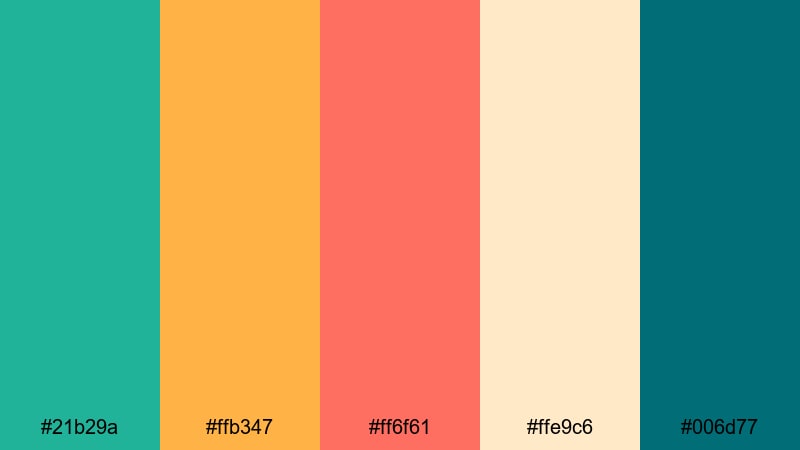
- HEX Codes: #21b29a, #ffb347, #ff6f61, #ffe9c6, #006d77
- Mood: Lively, sunny, and full of vacation energy.
- Use for: Ideal for travel vlogs, summer product launches, and energetic channel trailers.
Punchy corals, mango orange, and creamy sand amplify the freshness of sea green in this high energy palette. It instantly feels like cocktails by the pool, beach parties, and golden hour adventures.
Use the sea green tones for frames and UI accents, while corals and oranges highlight important text or timestamps in your edits. For summer campaigns or festival recaps, this mix makes your thumbnails pop in crowded feeds and keeps your intros feeling bright and clickable.
Candy Surf Pop
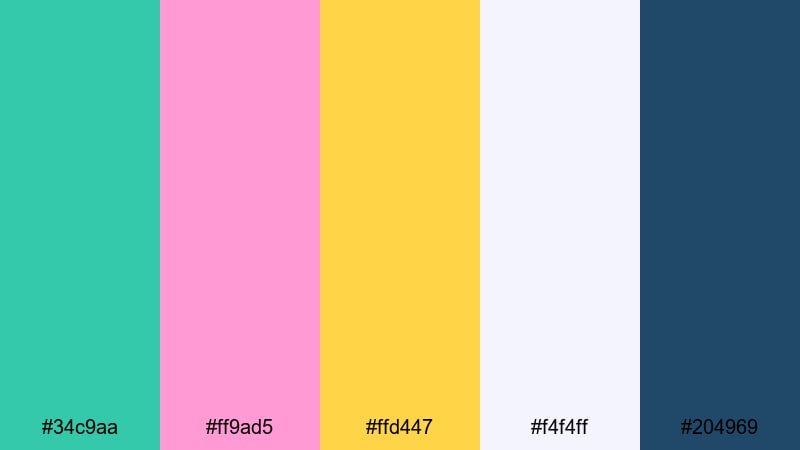
- HEX Codes: #34c9aa, #ff9ad5, #ffd447, #f4f4ff, #204969
- Mood: Cute, bubbly, and irresistibly clickable.
- Use for: Perfect for fun thumbnails, lifestyle shorts, and playful intro animations aimed at younger audiences.
Sea green meets candy pink and lemon yellow to create a sweet, surf shop inspired palette. It is playful without being chaotic, thanks to the navy teal (#204969) anchoring the brighter tones.
Use the soft off white (#f4f4ff) as your canvas in banners and end screens, layer on pastel shapes, and pop important buttons or text with sea green or pink. This palette is especially strong for lifestyle, beauty, stationery, or craft channels, where you want a joyful, youthful feel.
Aqua Neon Glow
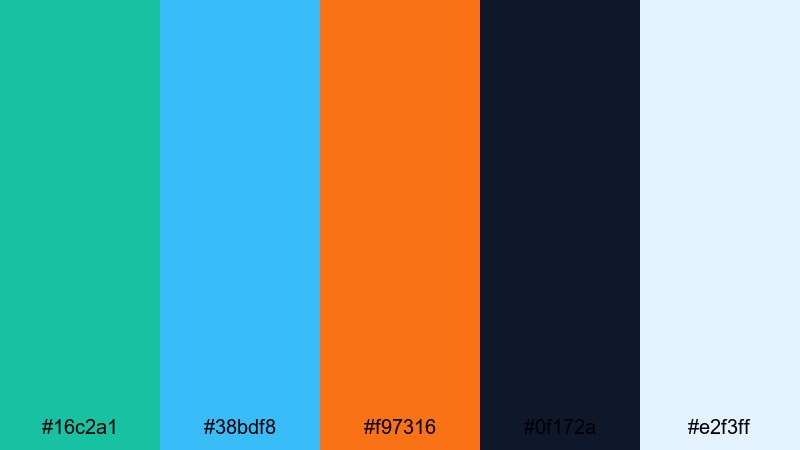
- HEX Codes: #16c2a1, #38bdf8, #f97316, #0f172a, #e2f3ff
- Mood: Electric, modern, and eye catching with late night energy.
- Use for: Great for music videos, gaming intros, and fast paced edit sequences with bold typography.
Glowing aquas and neon orange give sea green a nightclub sign attitude in this palette. The deep navy background (#0f172a) helps bright tones feel like they are lit from within, perfect for high contrast, high energy designs.
Use the dark shade as your base in Filmora, then layer animated shapes or light streaks in sea green and cyan. Let neon orange highlight calls to action or key beats in your edit. This palette is ideal when you want your thumbnails and titles to stand out immediately against darker YouTube or TikTok interfaces.
Festival Beach Lights
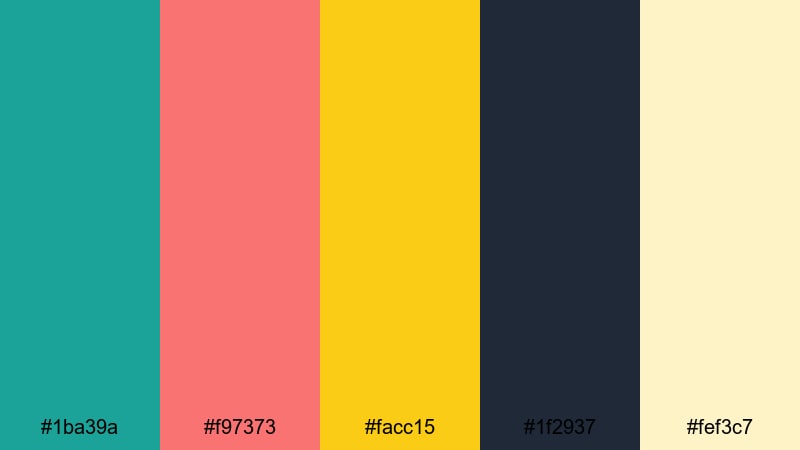
- HEX Codes: #1ba39a, #f97373, #facc15, #1f2937, #fef3c7
- Mood: Festive, warm, and full of sunset energy.
- Use for: Use for event promos, festival recaps, and lively vlogmas or summer series branding.
Warm yellows and coral reds spark against grounded sea green and charcoal, echoing string lights at the beach. The result feels celebratory but still structured enough for readable text and UI elements.
Use the creamy light yellow (#fef3c7) as a background behind your hand lettered titles or countdown timers, and accent with sea green for logos and frames. For event highlight reels or seasonal vlog series, this palette helps viewers quickly recognize your episode thumbnails as part of one fun collection.
Elegant And Moody Sea Green Color Palettes
Emerald Cinema Noir
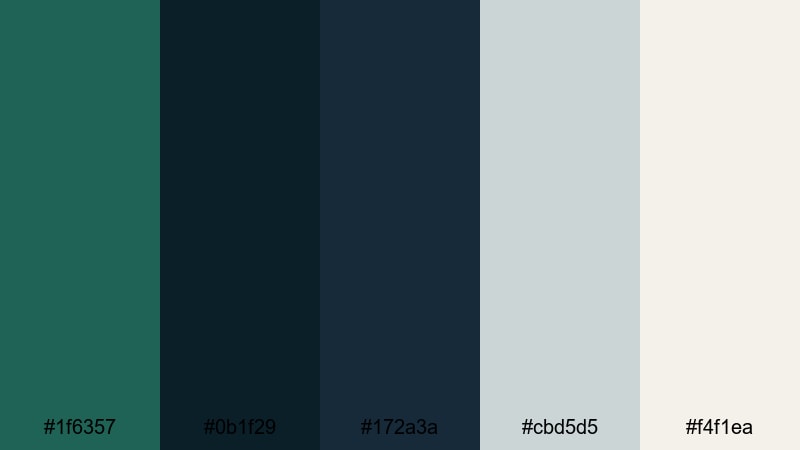
- HEX Codes: #1f6357, #0b1f29, #172a3a, #cbd5d5, #f4f1ea
- Mood: Dramatic, cinematic, and luxuriously moody.
- Use for: Perfect for film style title sequences, documentary branding, and high end product teasers.
Deep sea greens and inky blues form the core of this palette, balanced by pale cool neutrals. It feels like a modern noir film: rich shadows, soft highlights, and just enough color to feel intentional and stylish.
Use the darkest shades for backgrounds and frames, then let muted emerald accents guide attention to titles or logos. In Filmora, combine this palette with slow, elegant transitions and gentle film grain to create premium feeling intros, product reveals, or documentary series branding.
Gilded Tidal Evening
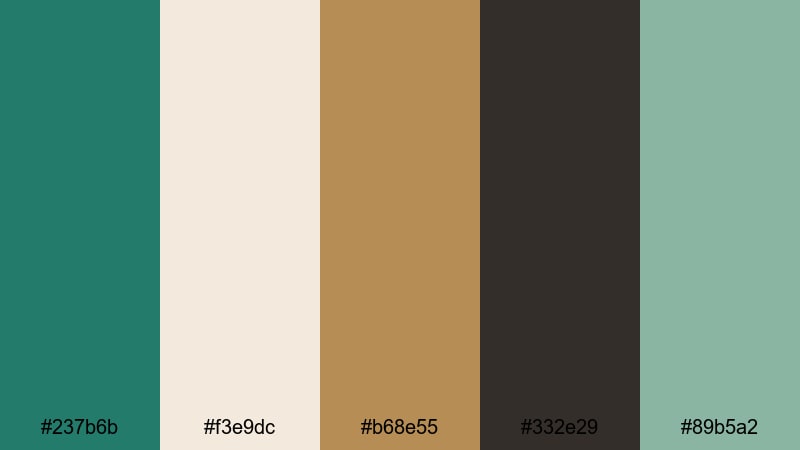
- HEX Codes: #237b6b, #f3e9dc, #b68e55, #332e29, #89b5a2
- Mood: Warm, sophisticated, and quietly luxurious.
- Use for: Great for brand films, jewelry or fashion promos, and elegant logo animations.
Sea green here is wrapped in soft cream and brushed gold, creating a coastal palette with luxury overtones. It feels like sunset light hitting polished metal and stone, making it perfect for upscale brands.
Use the gold tone (#b68e55) sparingly for borders, icons, or key words, and keep most layouts in sea green, cream, and deep brownish charcoal. This combination works beautifully for logo stings, brand story videos, and fashion or jewelry lookbooks edited in Filmora.
Vintage Harbor Film
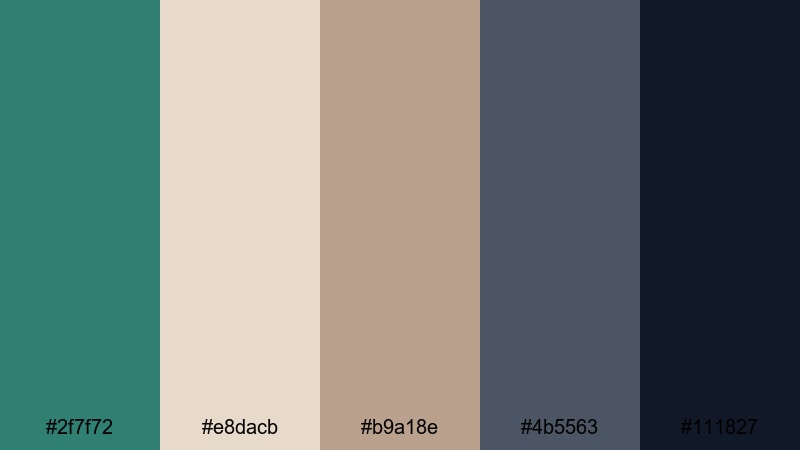
- HEX Codes: #2f7f72, #e8dacb, #b9a18e, #4b5563, #111827
- Mood: Nostalgic, grounded, and slightly cinematic with a vintage lens feel.
- Use for: Use for travel diaries, documentary intros, and aesthetic montage sequences with a story driven tone.
Muted neutrals and soft sea green give this palette the feel of faded harbor photographs. It is emotional and grounded, ideal for stories about memory, place, and everyday life.
Use the warm beige tones for textured backgrounds in title cards, and reserve the deep charcoal (#111827) for key typography. Add subtle vignette and a little film grain in Filmora to complete the retro inspired mood in your montage sequences, narrative vlogs, or documentary openers.
Tips for Creating Sea Green Color Palettes
Whether you are designing thumbnails, lower thirds, or full brand systems, combining sea green with the right supporting colors will keep your visuals both beautiful and functional in video.
- Pair sea green with warm neutrals (cream, sand, beige) for calming lifestyle, travel, and wellness content that feels approachable.
- Use deep charcoal or navy instead of pure black to keep text readable over sea green backgrounds without making the image feel harsh.
- Pick one hero sea green HEX code and repeat it across thumbnails, intros, and end screens so your audience instantly recognizes your brand.
- Check contrast on small screens: overlay a semi transparent dark layer between sea green footage and white text in Filmora to maintain legibility.
- For playful content, add one or two saturated accent colors (coral, yellow, raspberry) but keep the rest of the palette muted so it does not feel overwhelming.
- Match your grade to your graphics: if your LUT pushes greens toward teal, adjust your illustrated sea green HEX codes slightly cooler for a cohesive look.
- Use lighter sea green tints for backgrounds and darker shades for icons and headings; avoid using strong, mid tone sea green behind small text.
- Build palette presets inside Filmora by saving title and overlay templates with your chosen HEX codes so you can reuse them across series and seasons.
Sea green is one of the most versatile colors for creators, shifting easily from calm and coastal to vibrant and neon or elegant and moody. With the 15 palettes above and their HEX codes, you can shape how your videos feel, strengthen your brand identity, and keep your thumbnails and intros visually consistent.
Try dropping these palettes into your next Filmora project, from logo stings and lower thirds to full color grades. Experiment with different combinations for your channel banner, video covers, and Shorts, and do not be afraid to adjust tones slightly so they match your footage and lighting.
Once you find a sea green palette that fits your brand, save it as your go to look in Filmora and build a recognizable, professional presence across every platform you publish on.
secure downloadNext: Raspberry Color Palette
