

 100% Security Verified | No Subscription Required | No Malware


 ChatGPT
 Perplexity
 Gemini
 Claude
 Grok
Grok
Spring Green sits between green and cyan on the spectrum, and instantly signals freshness, growth, and new beginnings. It feels optimistic but still grounded in nature, which makes it perfect for eco-conscious brands, tech-forward startups, and lifestyle creators who want their visuals to feel clean and energizing rather than harsh or neon-heavy.
In video editing and design, Spring Green works especially well in YouTube thumbnails, animated intros, lower thirds, call-to-action buttons, and social media covers. Below you will find 15 ready-to-use Spring Green color palettes with HEX codes, designed for creators and Filmora users who want cohesive looks for vlogs, cinematic edits, product promos, and modern branding.
In this article
Fresh & Natural Spring Green Color Palettes
Forest Canopy Breeze
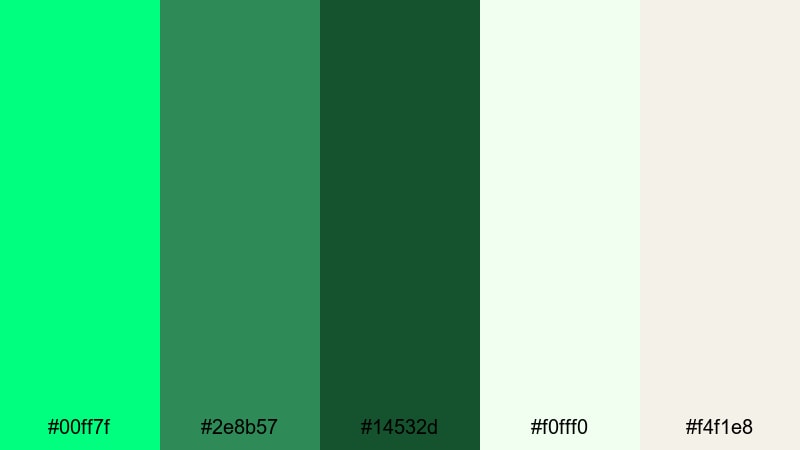
- HEX Codes: #00ff7f, #2e8b57, #14532d, #f0fff0, #f4f1e8
- Mood: Airy, organic, and rejuvenating like a walk under forest trees after rain.
- Use for: Works beautifully for nature vlogs, hiking montages, eco brand intros, and outdoor travel titles.
This palette mixes vivid Spring Green with deeper foliage tones and soft off-whites, giving you the feeling of fresh air under a tree canopy. The contrast between bright accents and grounded greens keeps shots feeling natural but not dull, ideal when you want viewers to sense real outdoor freshness.
Use the lighter shades for backgrounds, title cards, or lower thirds, while the darker greens sit well in overlays, buttons, and logo marks. In Filmora, this palette works perfectly for nature vlogs, hiking and camping b-roll, eco brand intros, and YouTube thumbnails that need a crisp but organic Spring Green color story.
Pro Tip: Build Cinematic Spring Green Forest Looks in Filmora
To keep a forest-inspired Spring Green look consistent, design a simple style guide with these HEX codes and use it across your entire edit. In Filmora, you can apply the same color values to title text, shapes, overlays, and end screens, so your channel art, thumbnails, and video graphics all feel like one unified brand.
Combine the deep greens for shadows and text with lighter Spring Green accents on call-to-action buttons or subscribe animations. This contrast helps important elements stand out without breaking the natural mood of your hiking or travel footage.
AI Color Palette
If you grade one hero shot of your forest footage to match Forest Canopy Breeze, you do not need to redo every clip manually. Filmora's AI Color Palette feature lets you use that shot as a reference and automatically transfer the same Spring Green mood across your entire timeline.
You can also import a still image of your chosen palette or a forest photo, then have Filmora analyze the colors and apply them to different scenes. This makes it easy to keep your hiking intro, B-roll, talking head segments, and end screen all in the same fresh Spring Green world.
 secure download

HSL, Color Wheels & Curves
Even within one palette, real forest footage can vary a lot. Use Filmora's HSL, color wheels, and curves tools to nudge all your greens toward the same Spring Green hue, while slightly desaturating distracting tones like overly yellow grass or blue-tinted shadows. This keeps your visuals clean and cinematic instead of chaotic.
For a more advanced look, follow Filmora's color correction tips and gently lift the highlights while deepening shadows in the darker greens. This adds depth and contrast, so your titles and graphics in Spring Green sit on top of a rich, moody background without losing readability.
secure download1000+ Video Filters & 3D LUTs
Once your greens are balanced, Filmora's video filters and 3D LUTs make it easy to push the look in a specific direction. Add a soft matte filter for gentle outdoor storytelling, or a more contrast-heavy LUT for dramatic hiking trailers and cinematic travel films.
You can also stack subtle https://filmora.wondershare.com/templates/spring-video-filters.html on top of your color-corrected footage to create a signature Spring Green style for your channel. Save these combinations as custom presets so every new upload reuses the same fresh, forest-inspired visual identity with just a few clicks.
secure downloadGarden Herb Medley
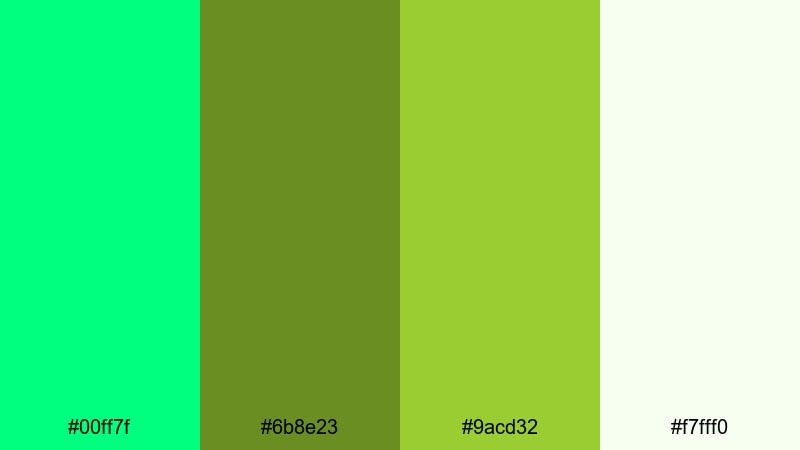
- HEX Codes: #00ff7f, #6b8e23, #9acd32, #f7fff0
- Mood: Wholesome, earthy, and appetizing like a fresh herb garden in sunlight.
- Use for: Perfect for cooking channels, farm-to-table promos, recipe shorts, and healthy lifestyle reels.
Garden Herb Medley pairs crisp Spring Green with olive and lime tones, supported by a soft, almost edible off-white. The palette feels like cutting fresh basil and parsley on a sunny kitchen counter, which makes food shots look vibrant and clean rather than heavy.
Use the lighter background tone for recipe cards, ingredient lists, and overlay panels in Filmora, while the deeper olives add structure to text, borders, and logo locks. This is a great Spring Green color combination for health-focused thumbnails, step-by-step recipe sequences, and minimal branding for wellness or nutrition channels.
Riverside Moss Glow
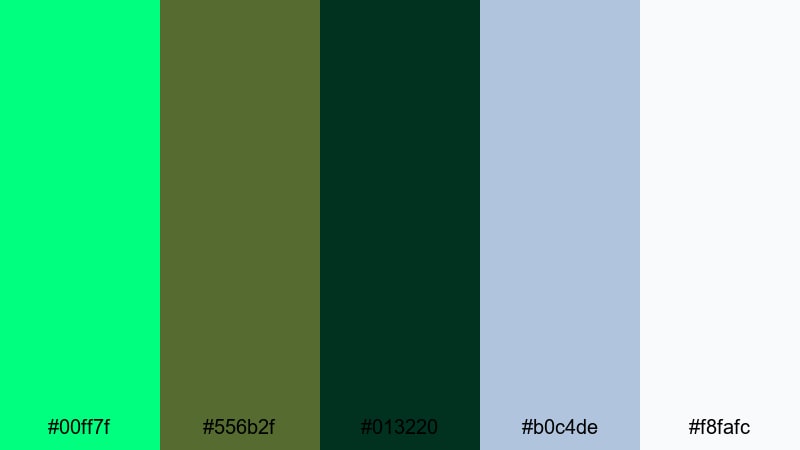
- HEX Codes: #00ff7f, #556b2f, #013220, #b0c4de, #f8fafc
- Mood: Calm, reflective, and slightly mysterious like shaded riverbanks at dusk.
- Use for: Use for cinematic travel films, slow B-roll sequences, or reflective storytelling pieces.
Riverside Moss Glow sets bright Spring Green highlights against mossy greens and gentle river blues. The result is calm and immersive, ideal for storytellers who want a quieter, more contemplative energy instead of loud saturation.
In Filmora, use the dark greens and deep teal for background plates, gradient overlays, and lower third bars, then reserve Spring Green for small accents such as icons, progress bars, or subtle glows behind text. This palette fits perfectly with travel shorts, slow B-roll of water and forests, or documentary-style vlogs with a reflective tone.
Vernal Meadow Light
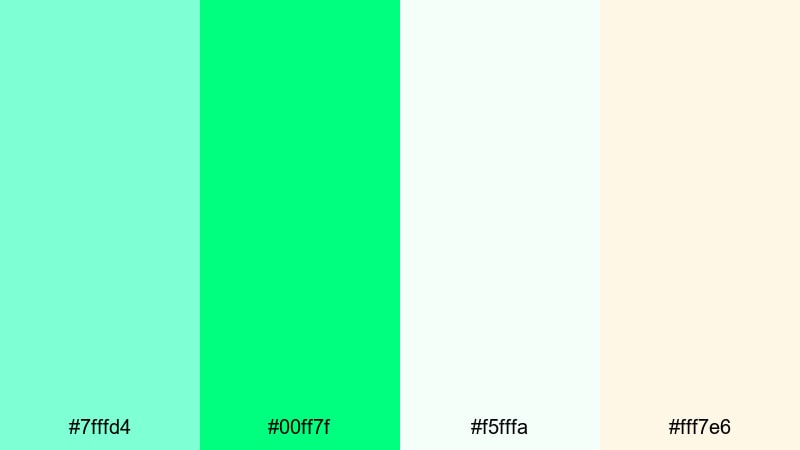
- HEX Codes: #7fffd4, #00ff7f, #f5fffa, #fff7e6
- Mood: Bright, gentle, and hopeful like the first warm day of spring.
- Use for: Great for family vlogs, picnic scenes, seasonal promos, and uplifting lifestyle edits.
Vernal Meadow Light leans into airy aquas, Spring Green, and warm creams for a soft, sunlit mood. Nothing feels heavy or over-saturated, which keeps faces flattering and scenes looking breezy and welcoming.
Use the warm cream and mint tones as main backgrounds for intros, end cards, and text blocks, while Spring Green provides a cheerful pop for titles, subscribe buttons, and small graphic elements. This aesthetic color palette works beautifully in Filmora for family vlogs, picnic footage, spring-themed promos, and any lifestyle content that should feel optimistic and light.
Playful & Pastel Spring Green Color Palettes
Mint Macaron Dreams
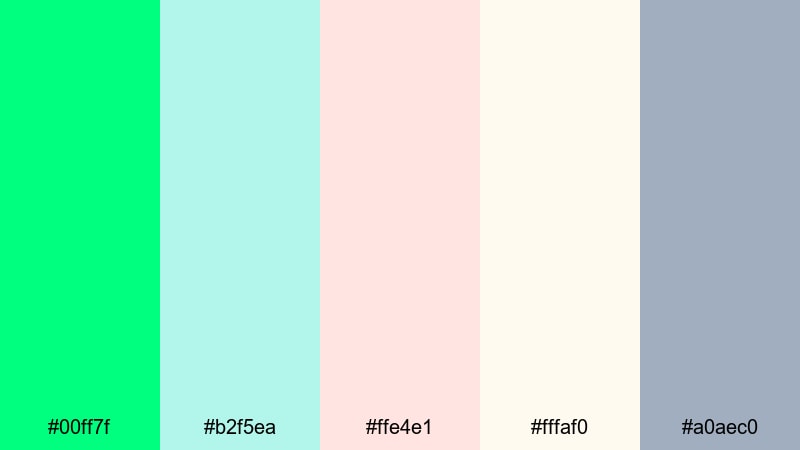
- HEX Codes: #00ff7f, #b2f5ea, #ffe4e1, #fffaf0, #a0aec0
- Mood: Sweet, dreamy, and lighthearted with a dessert shop charm.
- Use for: Perfect for beauty channels, baking shorts, stationery brands, and soft product reveals.
Mint Macaron Dreams combines bright Spring Green with pastel teal, blush, cream, and a soft gray anchor. It feels like stepping into a pastel bakery or a cozy stationery shop, which makes it ideal for visually gentle yet clickable designs.
In Filmora, you can use the lighter shades for backgrounds in vertical shorts, product close-ups, and Instagram Reels layouts, while Spring Green becomes your accent for buttons, stickers, and subtle outlines around text. This palette makes beauty tutorials, baking videos, and unboxing content look friendly and Instagram-ready without overwhelming the viewer.
Soft Citrus Splash
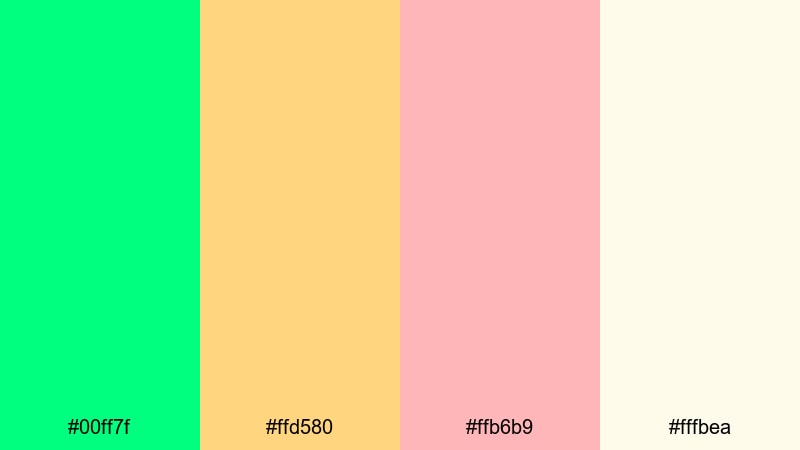
- HEX Codes: #00ff7f, #ffd580, #ffb6b9, #fffbea
- Mood: Zesty yet gentle, like pastel lemonade on a sunny porch.
- Use for: Use for lifestyle shorts, DIY tutorials, upbeat ads, and kids content with a fun, non-intimidating energy.
Soft Citrus Splash balances the zing of Spring Green with pastel peach, lemon, and a creamy off-white. It keeps the energy high but soft on the eyes, avoiding the harshness of stronger neon palettes.
Try this scheme for lifestyle montages, DIY tutorials, or playful ads in Filmora. Use Spring Green for key calls to action and thumbnails, while the citrus tones support your backgrounds, chapter cards, and lower thirds. The combination looks especially good on kids content, crafting channels, and upbeat reels where friendly color is more important than heavy contrast.
Candy Studio Pop
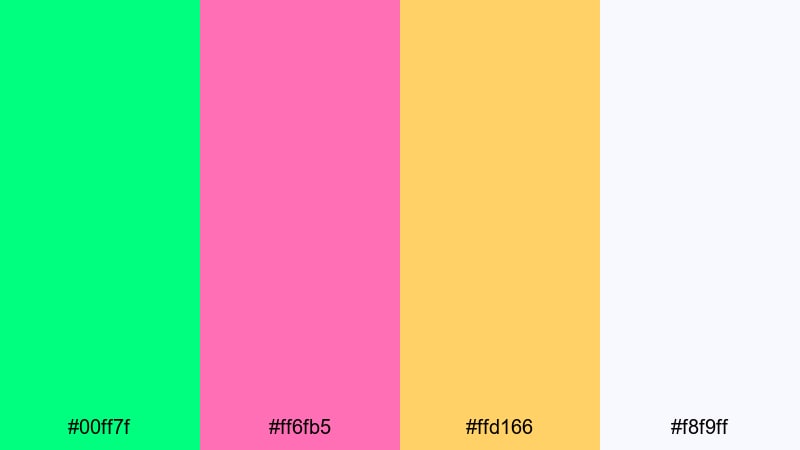
- HEX Codes: #00ff7f, #ff6fb5, #ffd166, #f8f9ff
- Mood: Colorful, energetic, and poppy like candy packaging and arcade lights.
- Use for: Great for gaming intros, channel logos, challenge videos, and viral short-form content.
Candy Studio Pop pushes Spring Green into a bold, playful direction alongside bright pink and candy yellow. The soft off-white keeps everything readable, so you can still use large titles and numbers without visual clutter.
In Filmora, this palette is perfect for gaming intros, challenge countdowns, and TikTok-style edits. Use Spring Green as a main brand color in your logo or subscribe animations, while pink and yellow bring in extra energy for transitions, split-screen borders, and reaction stickers. It is a strong choice if you want thumbnails that stand out in crowded YouTube or Shorts feeds.
Bubble Tea Morning
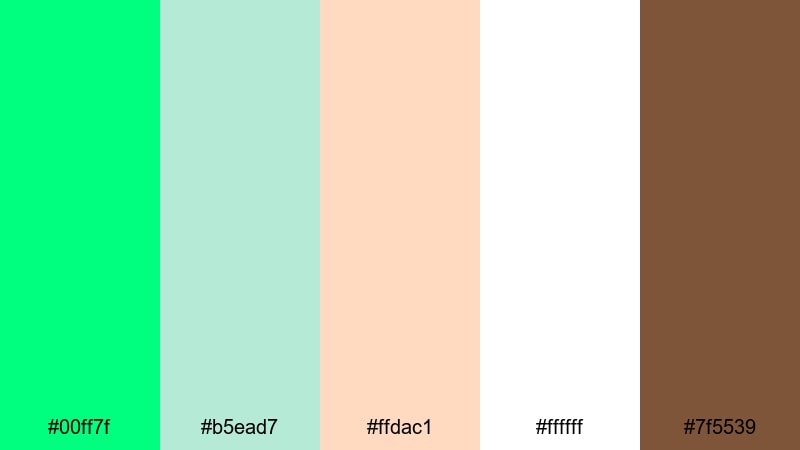
- HEX Codes: #00ff7f, #b5ead7, #ffdac1, #ffffff, #7f5539
- Mood: Cozy, cute, and social like meeting friends for milk tea.
- Use for: Perfect for cafe vlogs, study-with-me videos, cozy lifestyle branding, and social app UI.
Bubble Tea Morning blends Spring Green with milk-tea neutrals, peachy pastels, pure white, and a warm brown accent. The palette feels soft and social, like chatting over drinks or filming a relaxed study session.
Use white and the pastel tones as your default canvas for titles, overlays, and UI-style graphics in Filmora, then sprinkle Spring Green on key icons, timestamps, or subscribe prompts. The deep brown is ideal for text, logo marks, or thin lines that frame your shots. This palette suits cozy cafe vlogs, study-with-me edits, lifestyle carousels, and even minimalist app-style lower thirds.
Bold & Modern Spring Green Color Palettes
Neon Studio Energy
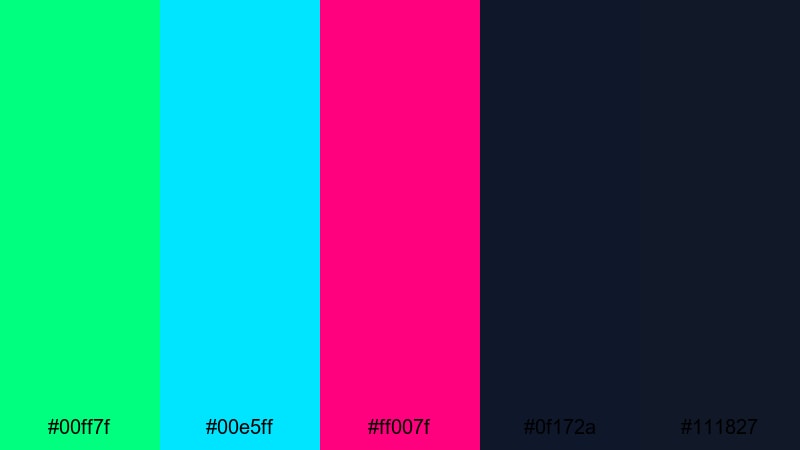
- HEX Codes: #00ff7f, #00e5ff, #ff007f, #0f172a, #111827
- Mood: High-voltage, urban, and futuristic like a neon-lit studio set.
- Use for: Use for tech intros, music videos, esports streams, and motion graphics where you want maximum impact.
Neon Studio Energy throws Spring Green together with cyan and magenta on a deep navy backdrop. It imitates neon tubes and LED strips, perfect for content that should feel digital, futuristic, or club-like.
In Filmora, build bold title sequences, glitch transitions, and animated overlays with the dark blues as your canvas and Spring Green as the hero color. Cyan and magenta can pulse in your waveform visualizers, lower thirds, and stinger transitions, making this palette ideal for esports branding, music channels, and tech intros that need serious impact.
Tech Startup Fresh
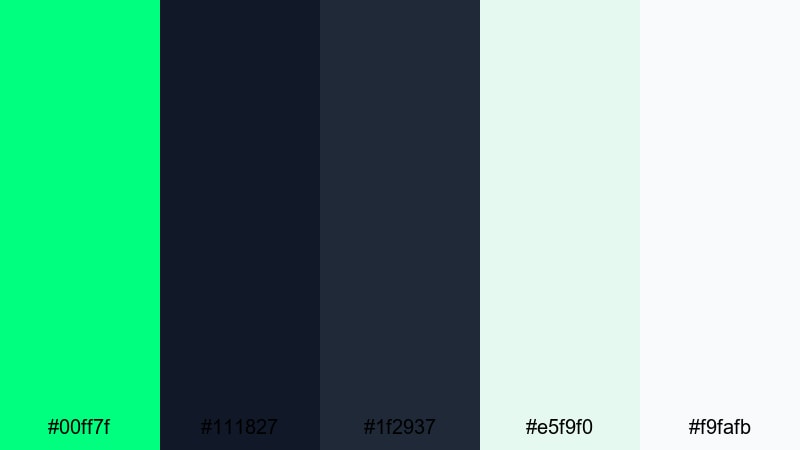
- HEX Codes: #00ff7f, #111827, #1f2937, #e5f9f0, #f9fafb
- Mood: Clean, confident, and innovative like a modern SaaS brand launch.
- Use for: Ideal for pitch decks, explainer videos, app promos, and product UI mockups.
Tech Startup Fresh frames Spring Green against inky charcoals and gentle off-whites, a combination that feels both eco-aware and cutting-edge. It is the type of palette you see in modern SaaS websites and product launch decks.
Use the darkest shades for text, nav bars, and backgrounds in your Filmora title templates. The light neutrals make strong panels for feature lists and app screenshots, while Spring Green acts as your main accent for buttons, progress bars, and data callouts. This is a strong choice for explainer videos, startup promos, and branded intros where clarity and trust matter.
Digital Retro Arcade
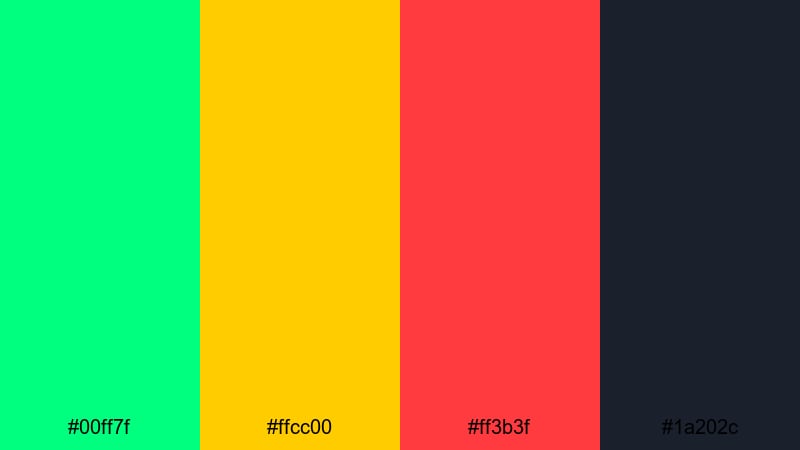
- HEX Codes: #00ff7f, #ffcc00, #ff3b3f, #1a202c
- Mood: Nostalgic yet electric, inspired by retro games and synthwave posters.
- Use for: Great for gaming highlights, retro edit packs, channel branding, and event promos.
Digital Retro Arcade places Spring Green, hot red, and bold yellow on a dark charcoal base, echoing arcade cabinets and old-school HUDs. The palette is loud and nostalgic, perfect for creators who love retro gaming aesthetics.
In Filmora, use the charcoal background for main frames, then draw in pixel-style text, health bars, and score counters using Spring Green and yellow. Red is ideal for warnings, critical hits, or event highlight titles. This color combination can shape your entire gaming brand across overlays, webcam frames, and YouTube thumbnail designs.
Urban Graffiti Spritz
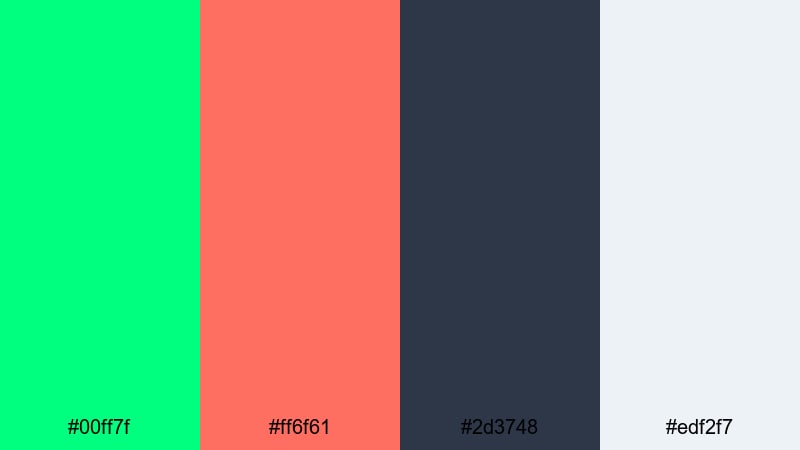
- HEX Codes: #00ff7f, #ff6f61, #2d3748, #edf2f7
- Mood: Street-smart, expressive, and edgy like fresh mural paint.
- Use for: Use for skate edits, fashion lookbooks, behind-the-scenes reels, and bold title cards.
Urban Graffiti Spritz splashes Spring Green against coral red and graphite gray, creating a street-style aesthetic that feels modern and expressive. It is edgy without being too dark, good for fast cuts and energetic edits.
Use the gray and light neutral as your primary backgrounds, letting Spring Green and coral pop on text, stickers, and dynamic shapes in Filmora. This palette sells movement, making it ideal for skate reels, city fashion lookbooks, BTS content for shoots, and punchy title cards for Instagram or TikTok edits.
Elegant & Cinematic Spring Green Color Palettes
Emerald Title Sequence
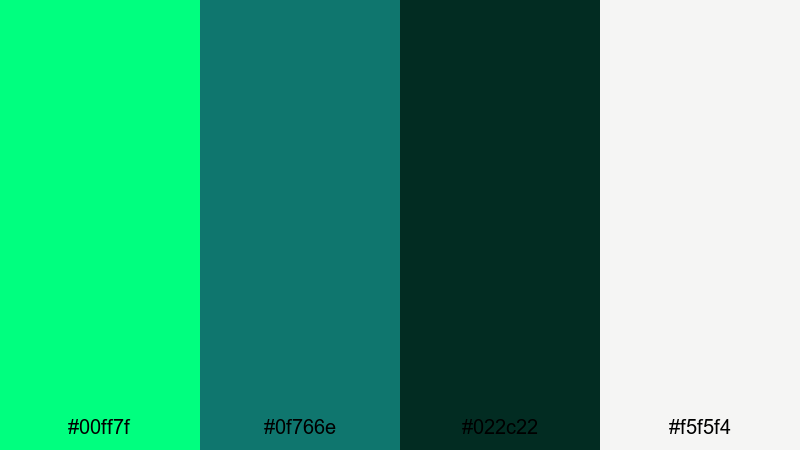
- HEX Codes: #00ff7f, #0f766e, #022c22, #f5f5f4
- Mood: Luxurious, cinematic, and slightly mysterious like an art film opening.
- Use for: Perfect for opening titles, dramatic trailers, fashion films, and premium brand reels.
Emerald Title Sequence refines Spring Green with sophisticated teal, deep jade, and a soft ivory highlight. The palette feels premium and cinematic, like polished title cards for a stylish brand film or fashion piece.
In Filmora, use the dark greens for gradient backgrounds and vignette overlays, then bring in ivory for elegant typography and minimal UI elements. Spring Green should appear sparingly as a highlight on key words, logo marks, or accent lines. This palette works well for moody trailers, fashion lookbooks, cinematic teasers, and upscale brand intros.
Minimal Sage Credits
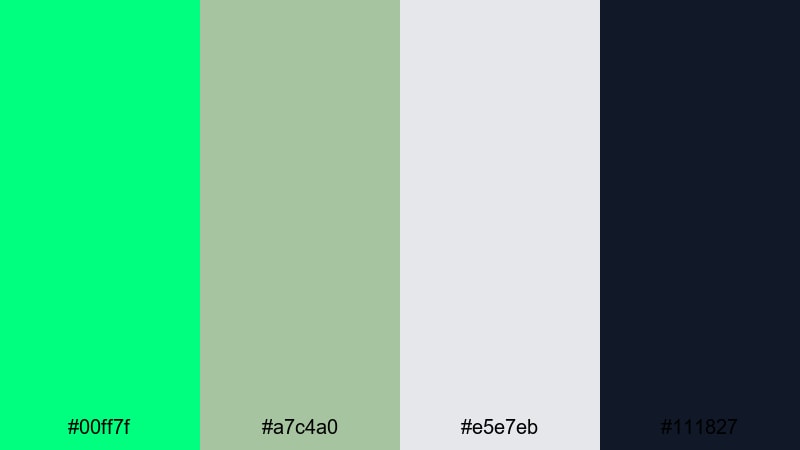
- HEX Codes: #00ff7f, #a7c4a0, #e5e7eb, #111827
- Mood: Calm, understated, and polished with a modern editorial feel.
- Use for: Use for end credits, portfolio reels, brand guidelines, and minimalist UI design.
Minimal Sage Credits combines Spring Green accents with muted sage, neutral grays, and inky text. It is quiet and refined, perfect for creators who prefer minimalist layouts and editorial-style pacing.
Use the pale sage and gray tones as clean backgrounds, let the dark navy-black handle all of your text, and then introduce Spring Green in tiny doses for important names, icons, or section headers. This palette is especially strong for end credits, showreels, brand guideline videos, and minimalist UI mockups built inside Filmora.
Art House Gallery Wash
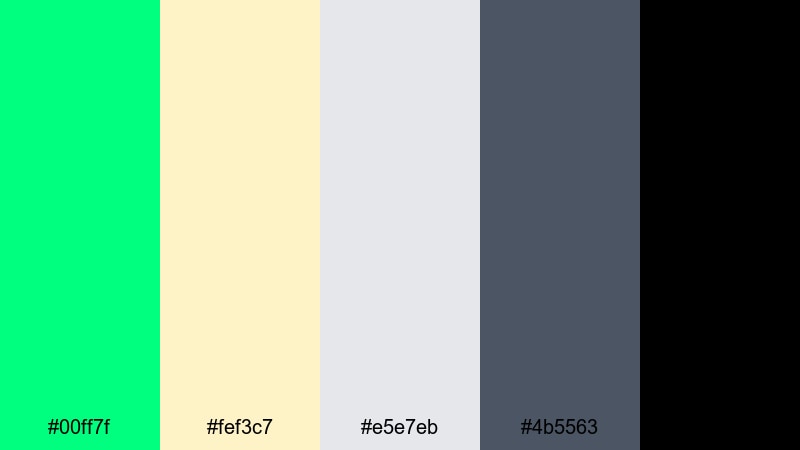
- HEX Codes: #00ff7f, #fef3c7, #e5e7eb, #4b5563, #000000
- Mood: Curated, quiet, and thoughtful like a modern gallery opening.
- Use for: Perfect for documentary lower thirds, photography slideshows, brand films, and title cards.
Art House Gallery Wash uses Spring Green as a subtle accent against warm cream, cool gray, and deep charcoal tones. The result feels curated and modern, ideal for content that leans more artistic or documentary-style.
In Filmora, keep most of the frame in creams and grays, using black for impactful typography and only small hits of Spring Green to highlight key labels, chapter titles, or interactive elements. This palette is excellent for photography slideshows, case study videos, documentary lower thirds, and portfolio reels where the focus should stay on the imagery, not the interface.
Tips for Creating Spring Green Color Palettes
When building your own Spring Green color combinations for video and design, it helps to plan around contrast, readability, and how colors behave once they are on real footage instead of a static color card.
- Pair Spring Green with at least one dark anchor color (charcoal, deep green, or navy) so text and icons stay readable on small screens and thumbnails.
- Add a warm neutral (cream, beige, or soft peach) if you want Spring Green to feel friendly and lifestyle-focused rather than purely techy or neon.
- Use Spring Green mostly as an accent color for CTAs, key words, and icons; keep large backgrounds in softer neutrals to avoid eye strain.
- Check your palette on both light and dark modes: test overlays, lower thirds, and end screens in Filmora against bright and dark footage to ensure enough contrast.
- Limit the number of saturated accent colors in one layout; one strong partner (like coral or yellow) plus Spring Green is usually enough for clean, modern branding.
- Save HEX codes as presets in Filmora for text, shapes, and borders so your intros, B-roll captions, and outros always match your brand palette.
- When color grading, gently push greens toward your chosen Spring Green hue but keep skin tones natural by protecting them with masks or selective adjustments.
- Preview your edits on mobile size to confirm that Spring Green elements like subscribe buttons and small labels remain clear and vibrant without bleeding into the background.
Conclusion
Spring Green is one of the most versatile colors you can use in video and design. It can feel natural, pastel, bold, or cinematic depending on the colors you pair with it, which makes it a powerful tool for shaping mood and brand identity across your channel or campaign.
Whether you are building earthy travel vlogs, playful lifestyle shorts, neon gaming intros, or refined brand films, the 15 Spring Green palettes above give you ready-made combinations with clear HEX codes. Drop them into Filmora as your go-to colors for titles, overlays, and graphic elements, then refine the look with grading tools, AI Color Palette, and LUTs.
Experiment with a few different palettes on the same footage, export test thumbnails, and see which look best matches your story and audience. Once you find your signature Spring Green style, Filmora makes it easy to repeat it in every edit with just a few clicks.
secure downloadNext: Rust Color Palette
