

 100% Security Verified | No Subscription Required | No Malware


 ChatGPT
 Perplexity
 Gemini
 Claude
 Grok
Grok
Teal sits between blue and green, so it naturally feels calm, clean, and balanced. It suggests clarity, trust, and creativity, which is why you see teal everywhere from wellness brands to tech startups. In video, teal can soften a frame, add a modern edge, or create a cinematic teal-and-orange contrast that instantly feels polished.
Below are 15 ready-to-use teal color palettes with HEX codes, curated for creators and Filmora users. Use them for thumbnails, intros, lower thirds, overlays, and full visual identities so your vlogs, reels, and YouTube channels look cohesive across every frame.
In this article
Soft & Dreamy Teal Color Palettes
Morning Mist Lagoon
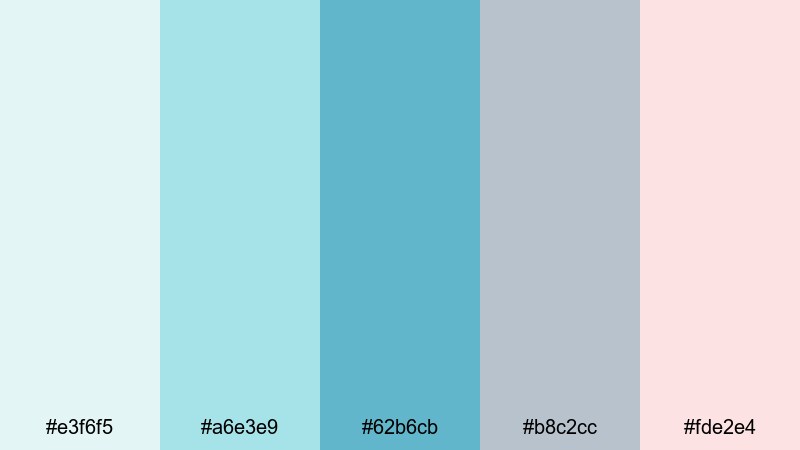
- HEX Codes: #e3f6f5, #a6e3e9, #62b6cb, #b8c2cc, #fde2e4
- Mood: Calm, airy, and reassuring, like a quiet morning by the water.
- Use for: Use for vlog openings, wellness intros, and calm lifestyle thumbnails that need a soft, welcoming vibe.
Morning Mist Lagoon wraps your visuals in a light, cinematic haze. Pale aqua and gentle teal sit next to soft gray and blush, creating that just-after-sunrise feeling where everything looks clean and hopeful. Nothing here shouts; it all whispers calm and comfort.
This palette works beautifully for self-care routines, study-with-me videos, ASMR, and minimalist lifestyle channels. Use the lighter tones for backgrounds and text boxes on thumbnails, and reserve the deeper teal #62b6cb for titles, callouts, or logo marks. In intros and lower thirds, this palette helps your footage feel soothing and consistent, especially when paired with slow transitions and soft music.
Pro Tip: Build A Soft Teal Aesthetic In Filmora
To keep a gentle teal mood across an entire edit in Filmora, start by designing your key elements around Morning Mist Lagoon. Set your title presets, lower thirds, and subscribe buttons to reuse the same HEX codes, then save them as custom templates so every vlog in a series shares the same soft identity.
Balance your footage so that no single element overpowers the calm palette: keep overlays and shapes in the lighter tones and use the mid teal only for emphasis. With Filmora, you can quickly duplicate this look across intros, b-roll, talking-head clips, and vertical exports, so your brand feels unified on YouTube, Instagram, and TikTok.
AI Color Palette
If you have a still frame or mood board that captures this misty teal look, you can use Filmora's AI Color Palette feature to spread that style across every clip. Filmora analyzes the colors in your reference image and automatically matches contrast, tints, and saturation to your sequence.
This is perfect when you shoot in different locations or lighting but still want a consistent teal aesthetic. Apply the AI Color Palette to your main clips, tweak intensity, and your vlog will feel like it was shot in the same calm lagoon atmosphere from start to finish.
 secure download

HSL, Color Wheels & Curves
Morning-style teal looks best when skin tones stay natural and the teal sits mainly in backgrounds and accents. Use Filmora's HSL controls to gently desaturate blue and cyan ranges while nudging teal toward green or blue until it matches your chosen HEX codes. The color wheels help separate cool shadows and warm midtones, while curves let you lift highlights for that airy, low-contrast look described in this Filmora color correction guide.
Once you like the result, save it as a custom preset. You can then apply the same teal-friendly adjustments to b-roll, talking-head segments, and even vertical cuts, keeping the palette soft and cinematic across your whole channel.
secure download1000+ Video Filters & 3D LUTs
To push this palette in a more stylized direction, you can start from Morning Mist Lagoon and then layer Filmora's filters and LUTs. Subtle film-look LUTs or soft fade filters reduce contrast and add a pastel wash that fits perfectly with this kind of teal.
Filmora's video filters and 3D LUTs make it easy to experiment: test a few teal-friendly presets, lower the strength slider, and combine them with your custom color grading. In a couple of clicks you can move from natural teal to a dreamy, stylized look that makes thumbnails and intros immediately recognizable.
secure downloadVintage Sea Glass
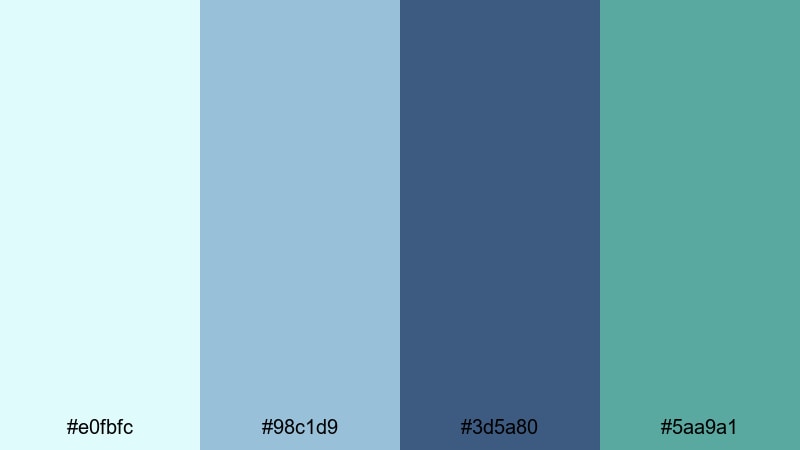
- HEX Codes: #e0fbfc, #98c1d9, #3d5a80, #5aa9a1
- Mood: Nostalgic, coastal, and slightly retro.
- Use for: Use for travel diaries, nostalgic montage sequences, and channel art with a soft seaside character.
Vintage Sea Glass feels like faded postcards and sun-bleached beach houses. The muted teals and dusty blues create a gentle, retro seaside mood without going full vintage sepia, so your content still looks modern and clean.
Use the lighter blues as background washes for travel story titles or end screens, and let the deeper #3d5a80 carry your main text for contrast. This palette is especially strong for nostalgic travel edits, recap montages, and banner art where you want viewers to feel like they are flipping through warm, coastal memories.
Cloudy Coastal Haze

- HEX Codes: #f5f7fa, #cbeff0, #7fd1c3, #6c7a89
- Mood: Dreamy, overcast, and reflective.
- Use for: Use for cinematic b-roll, reflective voiceover videos, and minimalist title cards.
Cloudy Coastal Haze captures the feeling of a quiet, overcast day by the sea. Soft whites and mutes teals create a low-contrast, dreamy look, while the slate gray #6c7a89 anchors text and UI elements without feeling harsh.
It is ideal for narrative vlogs, voiceover essays, and acoustic music videos. Use the pale tones for full-screen titles and chapter cards, then mix the mid-teals into lower thirds and subtle shapes. The overall effect is introspective and cinematic, perfect when you want viewers to slow down and really listen.
Pastel Harbor Drift
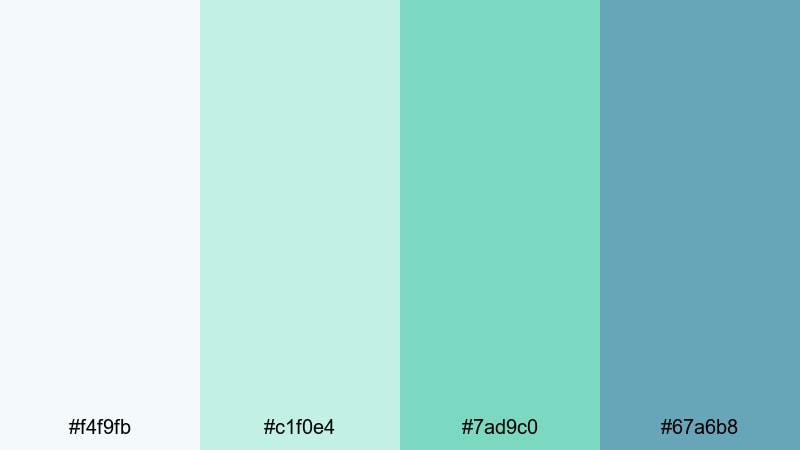
- HEX Codes: #f4f9fb, #c1f0e4, #7ad9c0, #67a6b8
- Mood: Light, uplifting, and subtly playful.
- Use for: Use for lifestyle channels, DIY content, and gentle product showcases that need pastel freshness.
Pastel Harbor Drift is bright without being loud. The airy whites and pastel teals make your frames feel open and optimistic, like a breezy harbor morning with pastel boats and reflections in the water.
This palette works well for DIY tutorials, stationery or craft videos, and friendly lifestyle branding. Place the softest tones behind text and product shots, then use #7ad9c0 and #67a6b8 for buttons, icons, and key text so your thumbnails stay readable while still feeling pastel and light.
Mint Tide Whisper
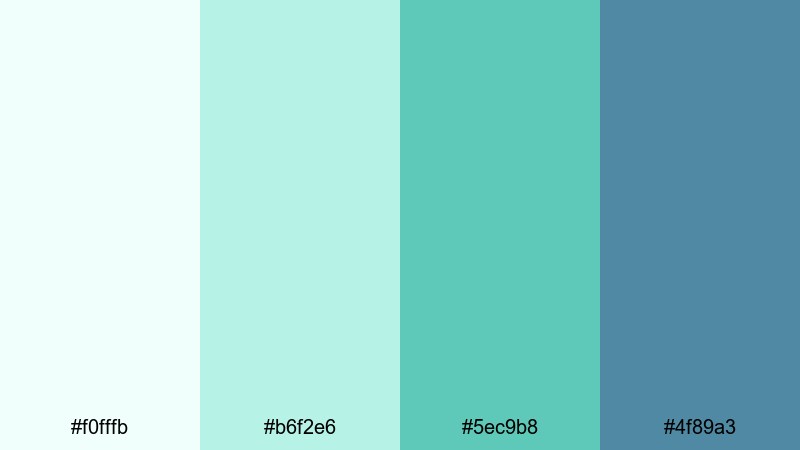
- HEX Codes: #f0fffb, #b6f2e6, #5ec9b8, #4f89a3
- Mood: Fresh, clean, and quietly optimistic.
- Use for: Use for tech explainers, productivity videos, and clean channel branding with a light minty twist.
Mint Tide Whisper blends minty teals with cool blue accents, giving your project a fresh, clean look that still feels friendly. The bright base shades keep layouts uncluttered and modern, while the darker blue #4f89a3 adds just enough depth for titles and key icons.
It is an excellent choice for productivity channels, tech explainers, and app demos where you want clarity with a hint of personality. Build clean dashboards, screen overlays, and chapter markers with the light tones, then pop action buttons and CTAs in the richer teal #5ec9b8.
Bold & Tropical Teal Color Palettes
Neon Reef Splash
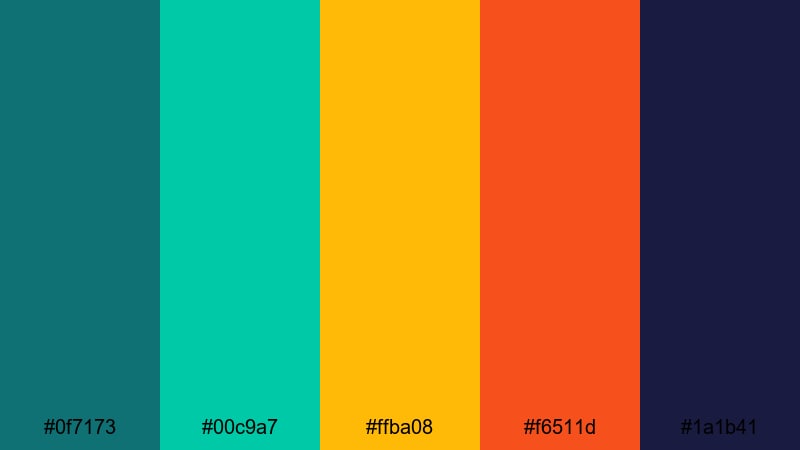
- HEX Codes: #0f7173, #00c9a7, #ffba08, #f6511d, #1a1b41
- Mood: High-energy, adventurous, and vivid.
- Use for: Use for gaming highlights, travel shorts, and bold title cards that must pop in crowded feeds.
Neon Reef Splash is like diving into a glowing coral reef at night. Electric teals crash into bright orange and yellow accents, while deep navy #1a1b41 grounds everything so your visuals stay bold but not chaotic.
Use the dark navy for backgrounds, the bright teal #00c9a7 for main brand accents, and the warm oranges for critical CTAs or score counters. This palette shines in gaming montages, event promos, and high-energy travel shorts where you want your thumbnail and motion graphics to stand out instantly in a busy feed.
Cyberwave Teal Punch

- HEX Codes: #0b5351, #00a9a5, #f25f5c, #ffe066
- Mood: Futuristic, punchy, and confident.
- Use for: Use for tech reviews, motion graphics, and kinetic typography with a digital, cyber-surf feel.
Cyberwave Teal Punch mixes deep digital teal with neon accents for a modern, techy vibe. The cool base tones feel sleek and professional, while the coral red and sunny yellow add energy and urgency.
It is ideal for tech reviews, app launches, and fast-paced kinetic typography. Use the dark teal #0b5351 as the background of your titles, then animate bold type in #00a9a5 with accent streaks of #f25f5c and #ffe066 for notification pings, progress bars, or subscribe prompts.
Jungle Night Carnival
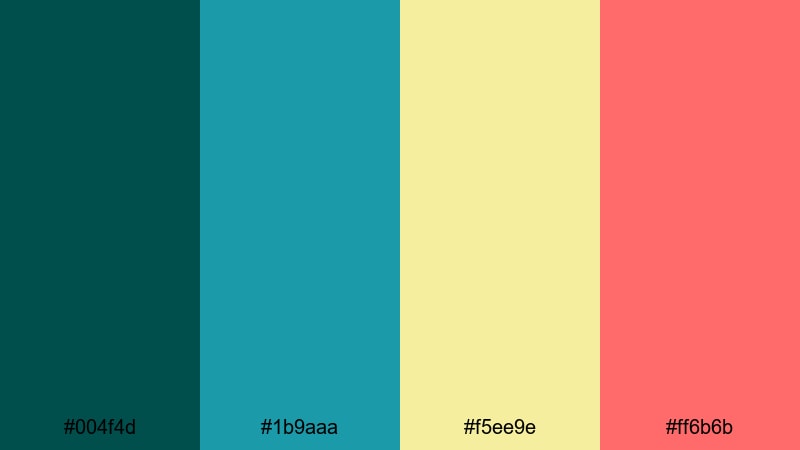
- HEX Codes: #004f4d, #1b9aaa, #f5ee9e, #ff6b6b
- Mood: Exotic, festive, and dramatic.
- Use for: Use for festival recaps, dance videos, and travel content that blends nightlife with nature.
Jungle Night Carnival combines deep jungle teal with bright festival lights. Dark #004f4d sets a lush nighttime base, while the turquoise, soft yellow, and hot pink mimic stage lights, lanterns, and fireworks.
This palette excels in dance performances, music festival recaps, and nightlife travel vlogs. Build lower thirds and animated frames with the dark teal, then highlight performers, locations, and dates using #ff6b6b and #f5ee9e to capture that party-in-the-rainforest feel.
Digital Surf Energy
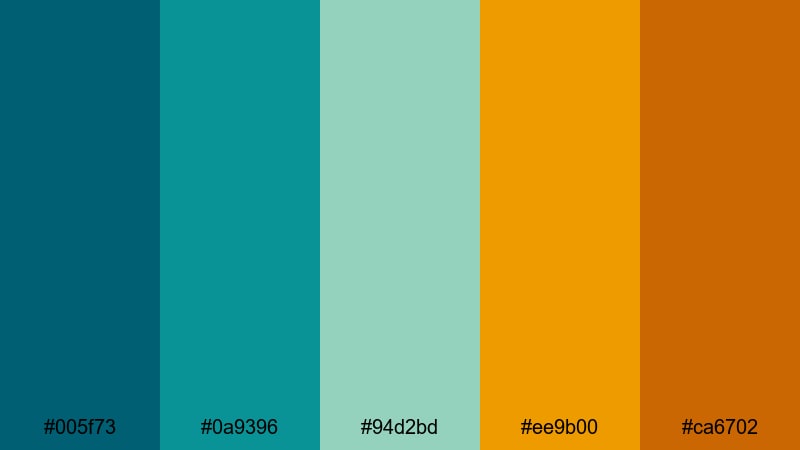
- HEX Codes: #005f73, #0a9396, #94d2bd, #ee9b00, #ca6702
- Mood: Dynamic, outdoorsy, and modern.
- Use for: Use for surfing reels, sports edits, and energetic brand intros that mix nature with tech flair.
Digital Surf Energy blends oceanic teals with warm sunset oranges, giving you a palette that feels both natural and high-tech. The gradient from deep teal to pale aqua suggests waves and spray, while the oranges bring in sunset and adrenaline.
Use this combination for action sports edits, fitness intros, and surf-or-skate branding. Let the teals dominate backgrounds and overlays while the oranges call out scores, timers, or key messages so information feels urgent but still on-brand.
Tropical Teal Sunset

- HEX Codes: #006d77, #83c5be, #edf6f9, #ffddd2, #e29578
- Mood: Warm, relaxed, and vacation-ready.
- Use for: Use for travel vlogs, resort promos, and lifestyle edits with a dreamy golden-hour mood.
Tropical Teal Sunset feels like the end of a perfect beach day. Rich teal shadows mix with soft off-whites and warm corals, echoing sunlight sliding off the water and onto sand and skin.
Apply this palette to travel vlogs, resort ads, and dreamy lifestyle reels. Use #edf6f9 and #ffddd2 as backgrounds for text and price tags, bring #006d77 into your logos and titles, and finish with #e29578 as a warm accent for icons and buttons to keep everything feeling sun-kissed and inviting.
Elegant & Modern Teal Color Palettes
Teal & Gold Minimal Luxe
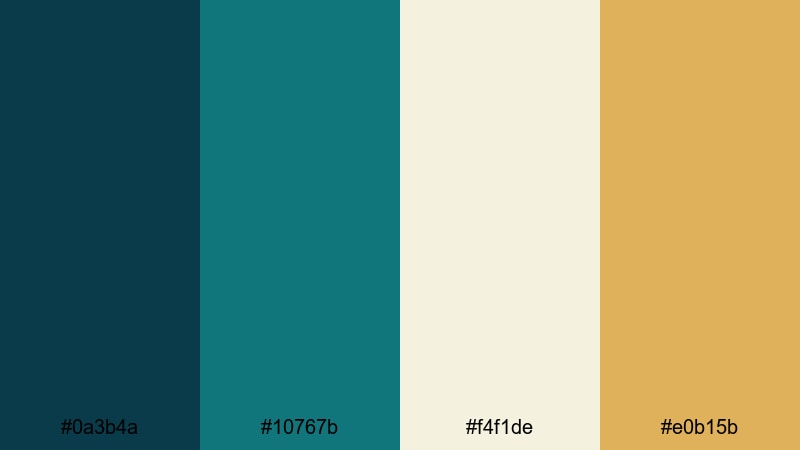
- HEX Codes: #0a3b4a, #10767b, #f4f1de, #e0b15b
- Mood: Sophisticated, premium, and polished.
- Use for: Use for brand intros, product launches, and luxury logo animations.
Teal & Gold Minimal Luxe pairs deep teal with creamy neutrals and warm metallic gold for a high-end, editorial look. It feels like a modern boutique or premium skincare brand, balancing richness with minimalism.
Use the darker teals as backgrounds for logo reveals and product close-ups, keeping plenty of negative space in #f4f1de. Apply #e0b15b sparingly to accent key details like product names, prices, or limited edition tags so your visuals read as luxurious without becoming flashy.
Urban Teal Concrete
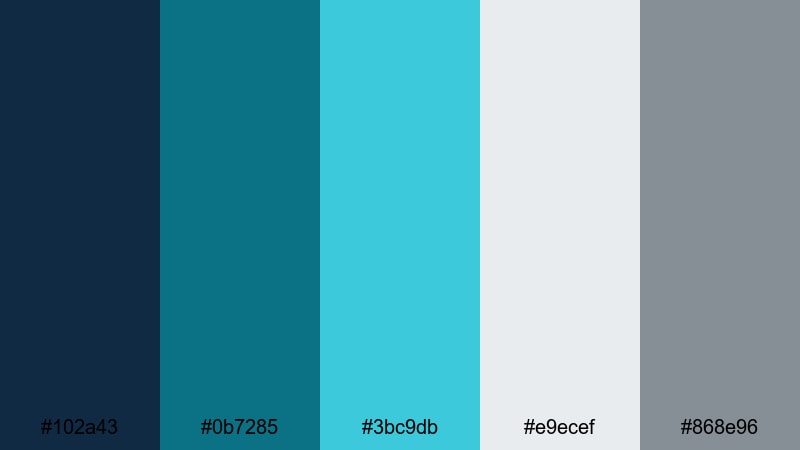
- HEX Codes: #102a43, #0b7285, #3bc9db, #e9ecef, #868e96
- Mood: Sleek, metropolitan, and cool.
- Use for: Use for city vlogs, tech channels, and documentary-style openers with an urban edge.
Urban Teal Concrete combines glassy teals with concrete greys, mirroring skyscraper reflections and wet pavement. It is cool and precise, perfect when you want your project to feel modern and urban without going neon.
Use #102a43 and #868e96 for text and structural elements like borders or grids, while #0b7285 and #3bc9db bring in teal accents on maps, data graphics, or callouts. This palette is great for city walk-throughs, architecture features, and tech or finance explainers.
Nordic Teal Calm
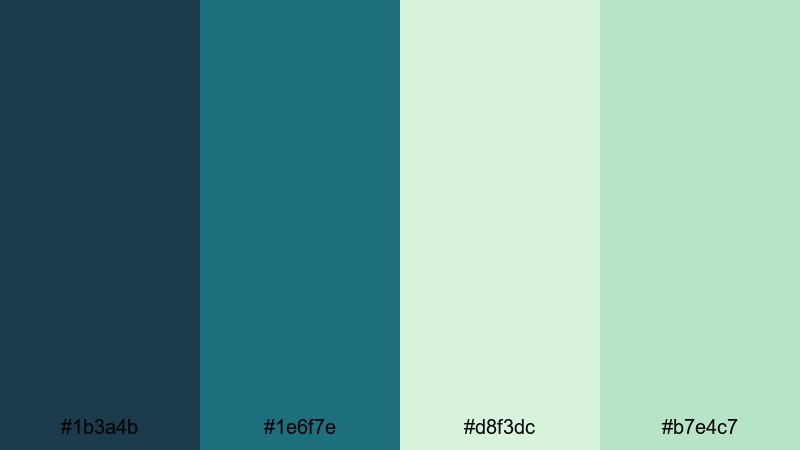
- HEX Codes: #1b3a4b, #1e6f7e, #d8f3dc, #b7e4c7
- Mood: Minimal, natural, and serene.
- Use for: Use for slow living content, nature documentaries, and calming brand identities.
Nordic Teal Calm brings together cool, foresty teals with soft herbal greens. The palette feels like misty pine forests and clean Scandinavian interiors, giving your visuals a peaceful and grounded atmosphere.
Apply the deeper shades #1b3a4b and #1e6f7e to backgrounds and text, using the pale greens for highlight panels, infographics, or overlay shapes. It works especially well for eco brands, slow living vlogs, and mindfulness or meditation content where understated calm is the goal.
Teal Monochrome Studio
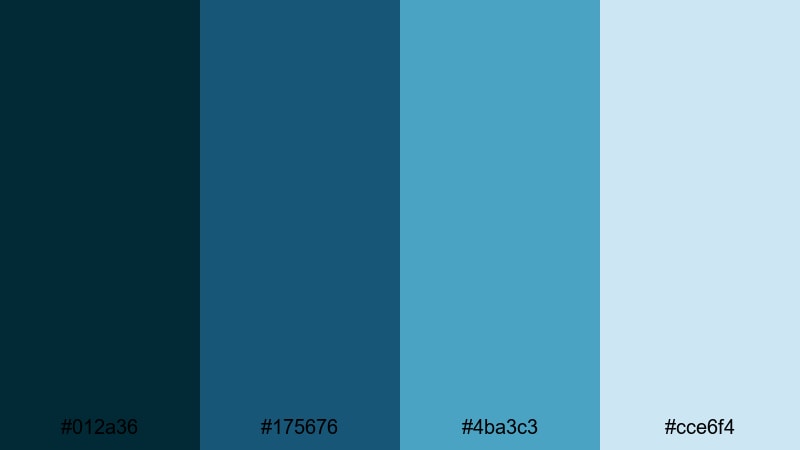
- HEX Codes: #012a36, #175676, #4ba3c3, #cce6f4
- Mood: Focused, creative, and contemporary.
- Use for: Use for studio shoots, tutorial overlays, and cohesive brand systems that rely on one hue family.
Teal Monochrome Studio is a pure teal stack, stepping from deep inky blue-green up to a pale highlight. Because everything is in the same color family, your branding feels extremely cohesive and easy to recognize.
Use the darkest tone #012a36 for backgrounds, mid-tones for titles and icons, and #cce6f4 for panels behind text to ensure readability. This palette is excellent for tutorials, educational content, and channels that want a clean, studio-like identity that is easy to maintain over time.
Corporate Teal Accent

- HEX Codes: #0b3c49, #117a8b, #d9e2ec, #f5f7fa, #627d98
- Mood: Professional, trustworthy, and clear.
- Use for: Use for presentations, SaaS promos, and corporate explainers that still feel fresh and modern.
Corporate Teal Accent balances fresh teal with soft greys and whites, giving presentations and explainers a professional but approachable feel. It avoids the coldness of pure blue while staying serious enough for business contexts.
Use #f5f7fa and #d9e2ec as chart and slide backgrounds, #0b3c49 and #627d98 for typography, and #117a8b as your accent color for buttons, highlights, and key metrics. This palette is ideal for SaaS demo videos, pitch decks, and dashboard walk-throughs created in Filmora.
Tips for Creating Teal Color Palettes
Working with teal is all about balance: pairing its calm, cool energy with neutrals or warm accents so your videos stay readable, on-brand, and easy on the eyes.
- Pair teal with warm accents (peach, coral, gold) to avoid a clinical or overly cold look, especially in lifestyle or travel content.
- Keep text contrast high: use dark teal or charcoal on light backgrounds, and light teal or white on dark teal backdrops for clear thumbnails and titles.
- Choose one or two anchor teals and repeat them in your logo, lower thirds, and end screens so your channel identity feels consistent.
- Test palettes on mobile first, since most viewers watch on phones; zoom out on your thumbnails to ensure text is still readable over teal areas.
- Watch skin tones when grading: push backgrounds toward teal, but use HSL controls to keep skin warm and natural so people do not look sickly.
- Use neutral greys, off-whites, or soft beige with teal when designing UI overlays, dashboards, or infographics to keep data easy to scan.
- For cinematic vibes, reduce saturation slightly and add a gentle teal tint to shadows while keeping highlights warm and soft.
- Create and save presets in Filmora so your favorite teal combinations can be applied quickly to future projects and social aspect ratios.
Teal is one of the most versatile colors for video and design: it can feel soft and dreamy, bold and tropical, or sleek and corporate depending on how you combine it. By starting from a clear palette, you give your thumbnails, intros, overlays, and brand assets a consistent mood that viewers recognize instantly.
Use these 15 teal color palettes as ready-made starting points for your next vlog series, brand refresh, or campaign. Drop the HEX codes into Filmora, build a few reusable templates, and let AI tools, HSL controls, and LUTs do the heavy lifting to keep everything on-brand.
The more you experiment with teal inside Filmora, the faster you will find a signature look that fits your story, from calm morning edits to neon night montages.
secure downloadNext: Blue Color Palette
