

 100% Security Verified | No Subscription Required | No Malware


 ChatGPT
 Perplexity
 Gemini
 Claude
 Grok
Grok
Teal green blue sits right between ocean water and digital cyan, which is why it feels both natural and modern at the same time. It suggests calm, clarity, trust, and freshness, but can also look high-tech and cinematic when paired with deep shadows. That makes teal green blue perfect for content that needs to feel relaxing yet polished, from wellness vlogs and productivity channels to sleek tech explainers and cinematic travel edits.
Used well, a teal green blue color palette can unify your video intros, YouTube thumbnails, overlays, channel branding, logos, and motion graphics. Below you will find 15 curated teal green blue color combinations with HEX codes so you can copy them straight into your design tools or into Filmora. These palettes are designed for creators and Filmora users who want consistent, aesthetic visuals across vlog covers, shorts, reels, titles, and full edits.
In this article
Soft & Calm Teal Green Blue Color Palettes
Sea Glass Morning
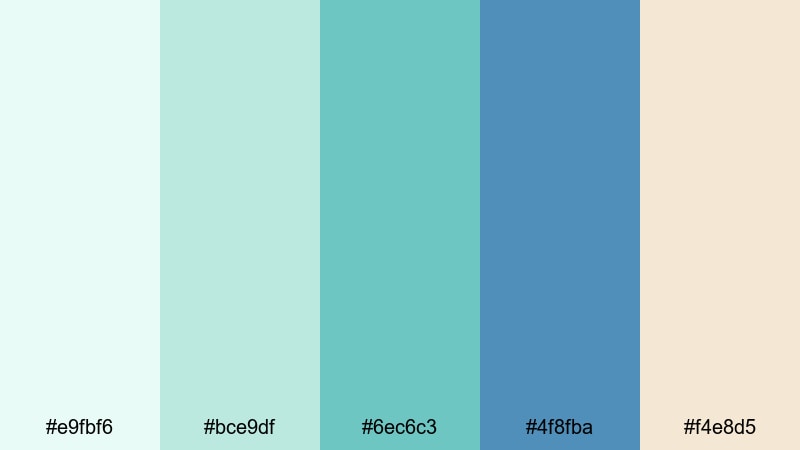
- HEX Codes: #e9fbf6, #bce9df, #6ec6c3, #4f8fba, #f4e8d5
- Mood: Gentle, airy, and refreshing like a quiet walk by the shoreline at sunrise.
- Use for: Ideal for soothing vlog intros, wellness channels, and minimalist travel thumbnails.
Sea Glass Morning blends soft seafoam, muted teal green blue, and a hint of sandy warmth. It feels like early light on calm water, perfect when you want your channel to look approachable, peaceful, and clean. The subtle contrast between the pale background tones and the medium teals keeps visuals readable without ever feeling harsh.
Use the lightest colors for backgrounds, lower thirds, and YouTube thumbnail spaces around your subject. The mid teals and blue (#6ec6c3, #4f8fba) work well for titles, icons, and simple logo marks. This palette is a great match for morning routines, skincare or wellness branding, soft travel vlogs, or any aesthetic intro that should look airy and relaxing across Filmora projects.
Pro Tip: Build a Soft Teal Green Blue Aesthetic in Filmora
With a gentle palette like Sea Glass Morning, consistency is everything. In Filmora, you can start by designing your title card using these HEX codes, then reuse the same colors in lower thirds, subscribe buttons, and end screens. This keeps your teal green blue aesthetic cohesive from the first frame of your intro to the last frame of your outro.
You can also save this palette as a custom color set inside Filmora's text and shape tools. That way, every time you add captions, chapter markers, or simple graphic overlays, you can apply the exact same teal tones in one click, whether you are editing a YouTube vlog, Instagram Reel, or TikTok highlight.
AI Color Palette
If you create a reference frame with these five HEX colors or capture a still from your favorite teal green blue shot, Filmora's AI Color Palette feature can spread that look across your entire video. The AI analyzes your reference and matches the overall tones, making it easy to give b-roll, A-roll, and cutaway shots the same soft seaside atmosphere.
This is especially useful when your footage comes from different cameras or lighting conditions. Instead of matching each clip by hand, apply the AI palette once and then fine-tune intensity. Your thumbnails, intros, and full-length uploads will share the same teal green blue vibe without hours of manual grading.
 secure download

HSL, Color Wheels & Curves
To refine a gentle teal green blue look, use Filmora's HSL and Color Wheels controls. You can slightly desaturate greens while keeping blues more vibrant, or push shadows toward deep teal while protecting skin tones. Tools like these, demonstrated in this Filmora color correction guide, help you keep your palette cohesive even when the lighting changes during a shoot.
Curves let you lift the highlights for a fresh, airy feel while keeping contrast low enough to stay soft. Try adding a subtle S-curve for depth, then nudge the blue and green channels to match your chosen HEX codes. With a bit of fine-tuning, talking-head footage, b-roll, and screen captures will all carry the same Sea Glass Morning mood.
secure download1000+ Video Filters & 3D LUTs
Once your teal green blue base is set, Filmora's video filters and 3D LUTs make it easy to stylize the look. You can add a soft film glow, fade the blacks for a pastel aesthetic, or apply a teal-focused LUT that deepens shadows while keeping highlights creamy and bright.
Try stacking a gentle cinematic LUT with a light vignette and a blur or bokeh overlay in your b-roll sections. This keeps your Sea Glass Morning palette intact but adds a professional finish that works beautifully for title sequences, chapter cards, and mood-driven reels.
secure downloadMisty Lagoon Drift
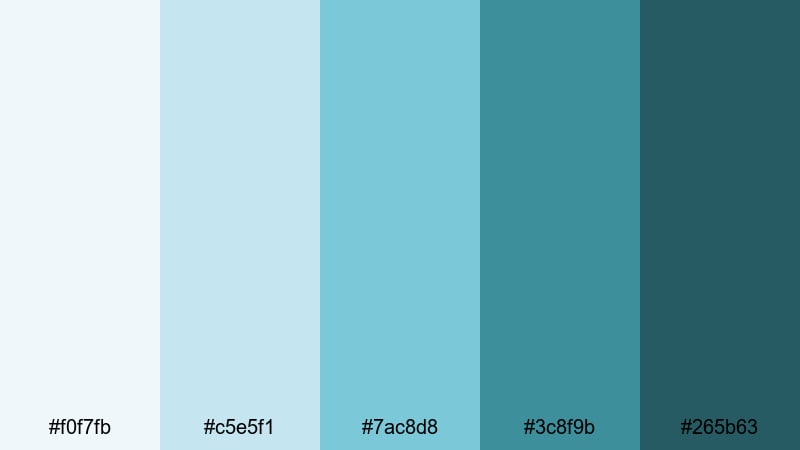
- HEX Codes: #f0f7fb, #c5e5f1, #7ac8d8, #3c8f9b, #265b63
- Mood: Dreamy and tranquil with a cool, mist-covered water vibe.
- Use for: Great for cinematic b-roll overlays, study-with-me videos, and ambient music visuals.
Misty Lagoon Drift leans into hazy aqua and teal blues, creating a cinematic mist effect on screen. The lighter tones are perfect for subtle gradients behind title text, while the deeper teal green blue shades (#3c8f9b, #265b63) ground the frame with a moody base.
Use this palette when you want your study-with-me videos, slow travel diaries, or ambient music loops to feel dreamy and immersive. Pair soft background colors with simple white text, and reserve the darkest teal for key elements like play buttons, chapter labels, or your watermark in Filmora.
Quiet Tidal Shore
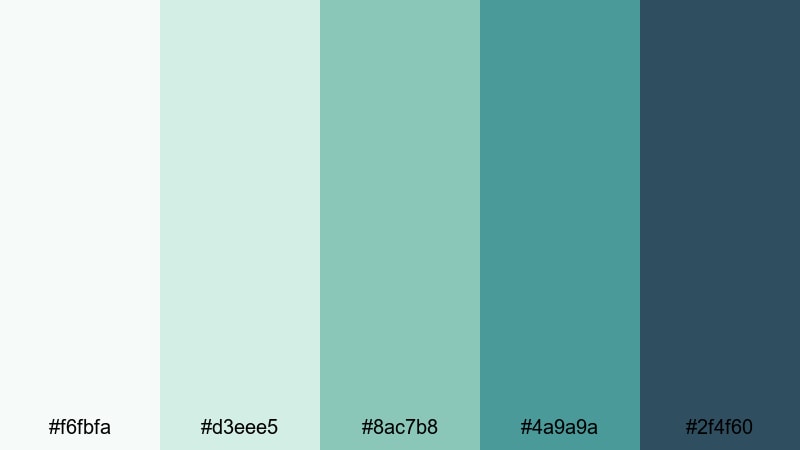
- HEX Codes: #f6fbfa, #d3eee5, #8ac7b8, #4a9a9a, #2f4f60
- Mood: Balanced, serene, and slightly nostalgic like an overcast day by the sea.
- Use for: Perfect for lifestyle vlogs, calm talking-head setups, and understated logo stings.
Quiet Tidal Shore mixes muted sea greens with a deeper slate blue to create a calm, slightly nostalgic feel. The palette is soft enough for lifestyle and journaling content, yet the darker anchor color (#2f4f60) keeps it from feeling washed out on smaller screens.
Use the light tones as backgrounds for talking-head layouts and the mid teals for lower thirds and subtitles. The deepest blue is ideal for small but important elements like your logo, subscribe badges, or end-screen buttons, helping them stand out without breaking the calm teal green blue aesthetic.
Eucalyptus Breeze
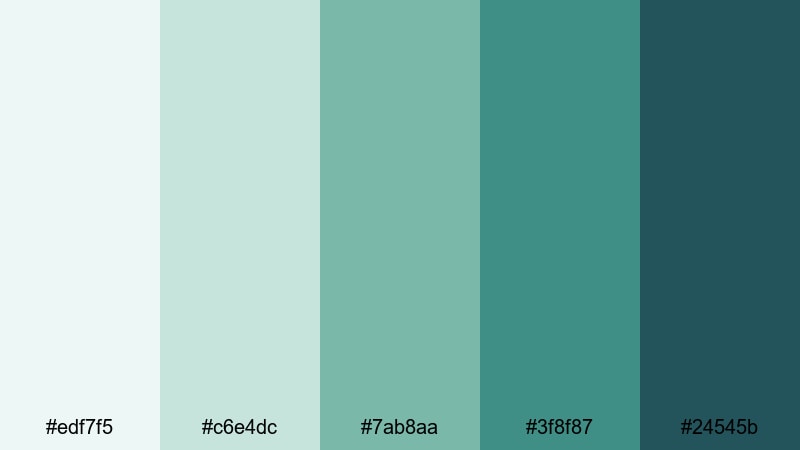
- HEX Codes: #edf7f5, #c6e4dc, #7ab8aa, #3f8f87, #24545b
- Mood: Fresh, botanical, and restorative with a spa-like cleanliness.
- Use for: Ideal for self-care content, eco-friendly product videos, and clean UI overlays.
Eucalyptus Breeze is inspired by botanical greens and soft teals, giving your visuals a clean, spa-like atmosphere. The palette feels restorative and natural, perfect when you want to communicate wellness, sustainability, or minimalism without harsh contrast.
Use the paler shades for background cards in product demos, ingredient callouts, or tip pop-ups. Reserve the richer teal green blue colors (#3f8f87, #24545b) for logo marks, CTA buttons, and section dividers in your Filmora overlays, so viewers can easily spot what to click or focus on.
Bold & Tropical Teal Green Blue Color Palettes
Coral Reef Adventure
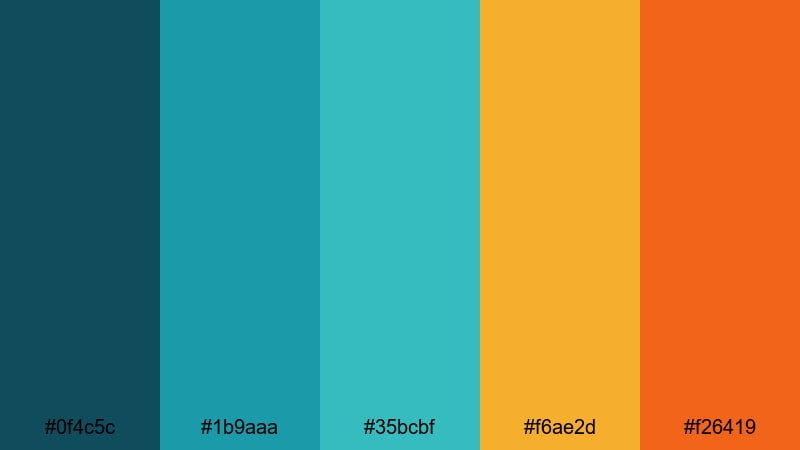
- HEX Codes: #0f4c5c, #1b9aaa, #35bcbf, #f6ae2d, #f26419
- Mood: Energetic, adventurous, and sun-drenched like a tropical dive trip.
- Use for: Great for travel vlogs, upbeat intros, and eye-catching YouTube thumbnails.
Coral Reef Adventure combines punchy teal greens with warm coral oranges, giving your visuals instant energy. The contrast between cool water tones and bright sunlit accents makes thumbnails and titles pop in crowded feeds.
Use the teals (#0f4c5c, #1b9aaa, #35bcbf) as your base for backgrounds, frames, and overlay shapes, then add the coral accents (#f6ae2d, #f26419) to highlight key words, time stamps, and subscribe CTAs. This palette is ideal for travel vlogs, water sports, beach content, and any teaser intro that should scream adventure.
Neon Surf Break
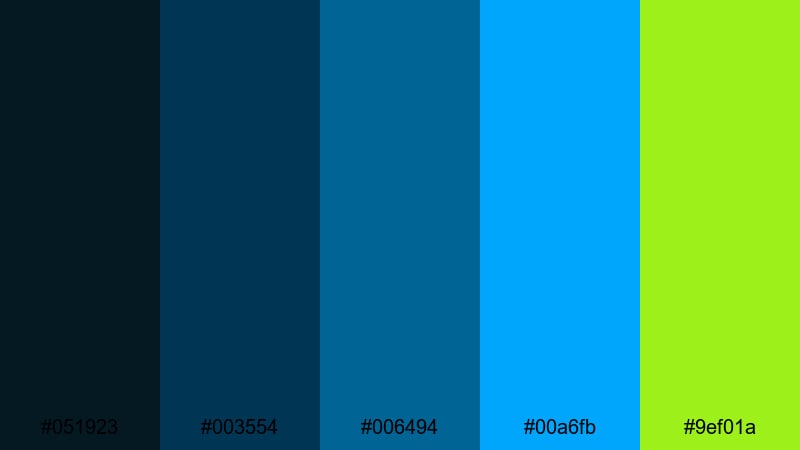
- HEX Codes: #051923, #003554, #006494, #00a6fb, #9ef01a
- Mood: High-contrast, neon, and playful with a retro surf arcade feel.
- Use for: Perfect for gaming overlays, sports montages, and fast-cut TikTok edits.
Neon Surf Break is all about impact. Deep navy blues create a dark canvas so electric teal and neon lime can glow like arcade lights. This teal green blue combination works best when you want a bold, high-energy vibe on screen.
Use the darkest tones for your background or letterbox bars, then layer animated text and HUD-style graphics in the bright teal and lime. It works especially well for gaming overlays, extreme sports highlight reels, or punchy TikTok edits where you need viewers to notice key stats and captions at a glance.
Jungle Pool Party
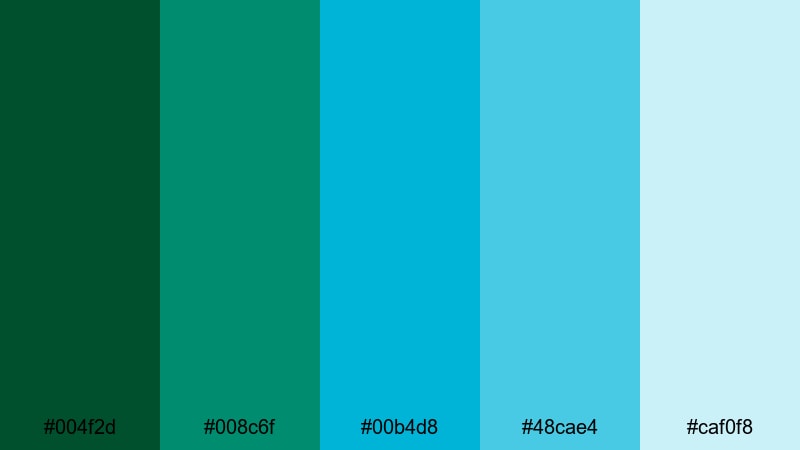
- HEX Codes: #004f2d, #008c6f, #00b4d8, #48cae4, #caf0f8
- Mood: Lush, playful, and refreshing like a pool hidden in the tropics.
- Use for: Ideal for summer campaigns, resort promos, and fun creator intros.
Jungle Pool Party merges dense jungle greens with sparkling pool blues, giving your visuals a vibrant yet natural mood. The darker greens feel lush and organic, while the brighter teals and aquas look refreshing and fun.
Use the deep greens for backgrounds or frames, the mid teals for main typography, and the light aqua (#caf0f8) for highlight boxes, borders, or captions. This teal green blue palette is perfect for summer launches, resort or Airbnb promos, and any creator intro focused on fun, sun, and outdoor adventures.
Electric Harbor Night
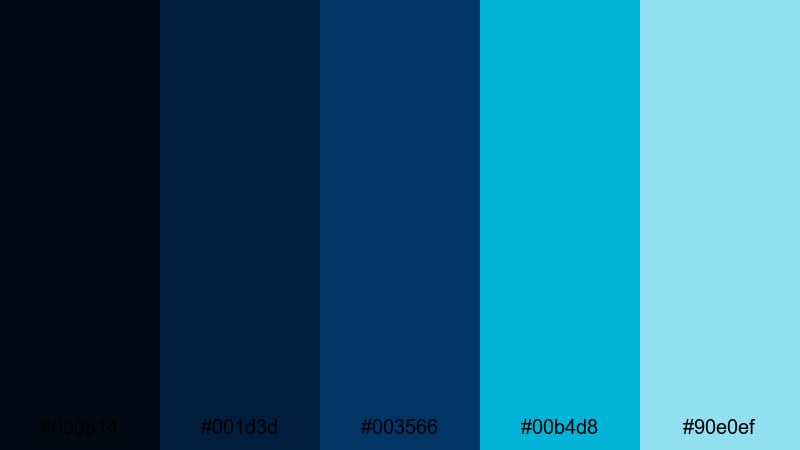
- HEX Codes: #000814, #001d3d, #003566, #00b4d8, #90e0ef
- Mood: Moody yet vivid, like neon lights reflecting on a midnight harbor.
- Use for: Great for tech channels, nightlife promos, and cinematic title cards.
Electric Harbor Night balances inky navy tones with bright teal highlights. The result is a night-city look that feels both cinematic and modern, with just the right amount of drama for intros and title cards.
Let the almost-black blues (#000814, #001d3d) carry your background plates and frame bars, then introduce teal green blue highlights (#00b4d8, #90e0ef) for animated accents, logo reveals, and UI-style elements. This palette fits tech channels, DJ or nightlife promos, cyber-style montages, and any video that needs a cool, urban edge.
Modern & Minimal Teal Green Blue Color Palettes
Nordic Teal Interface
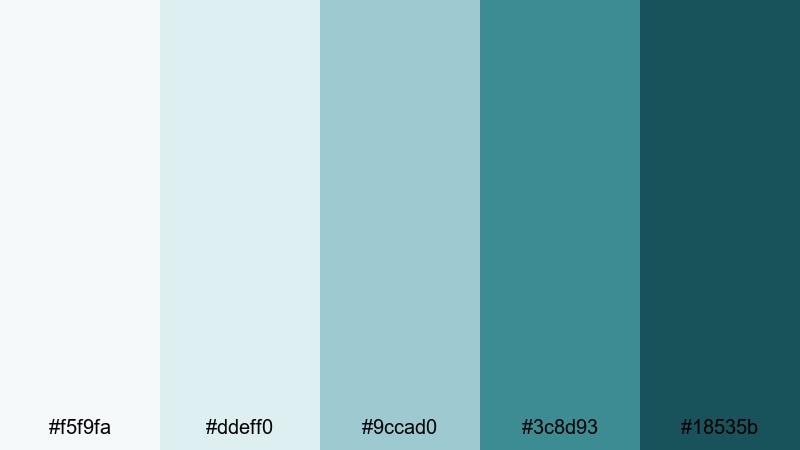
- HEX Codes: #f5f9fa, #ddeff0, #9ccad0, #3c8d93, #18535b
- Mood: Clean, modern, and balanced with a Scandinavian-inspired clarity.
- Use for: Ideal for UI mockups, SaaS product demos, and minimalist brand kits.
Nordic Teal Interface uses soft off-whites and cool teal green blue tones to create a neat, professional look. It feels like a modern dashboard or app interface, with enough contrast for clarity but no visual clutter.
Use the lightest shades for backgrounds and card surfaces, the mid teal (#9ccad0) for secondary buttons or icons, and the darker teals (#3c8d93, #18535b) for primary CTAs and titles. This palette works perfectly in Filmora when you are showcasing screen recordings, app explainer videos, or any minimalist brand identity.
Clean Coastal Dashboard
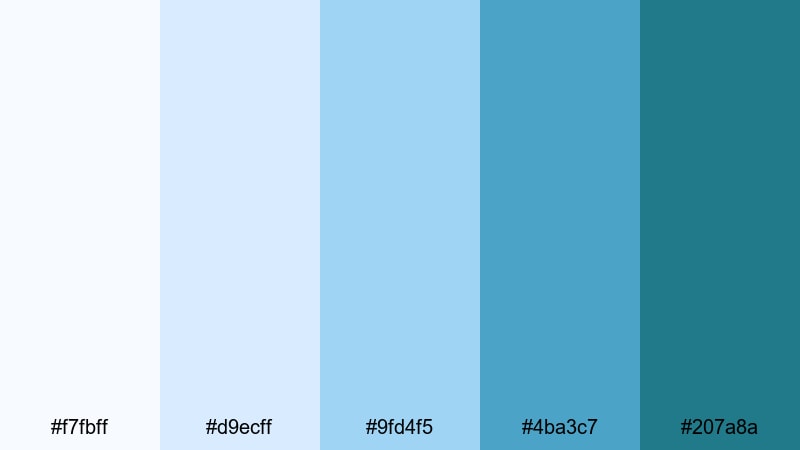
- HEX Codes: #f7fbff, #d9ecff, #9fd4f5, #4ba3c7, #207a8a
- Mood: Bright, professional, and breezy like a seaside startup office.
- Use for: Perfect for infographics, tutorial overlays, and product walk-throughs.
Clean Coastal Dashboard is light, bright, and easy to read. The combination of pale sky blues and teal accents gives your layouts a breezy, professional personality that still feels friendly.
Use the light blues for backgrounds behind graphs, stats, and pointers in your tutorials. The deeper teal green blue tones (#4ba3c7, #207a8a) are great for main headings, key numbers, and navigation labels in overlay panels. This palette helps educational content, SaaS explainers, and business walkthroughs look polished and trustworthy in Filmora.
Glassy App Chrome
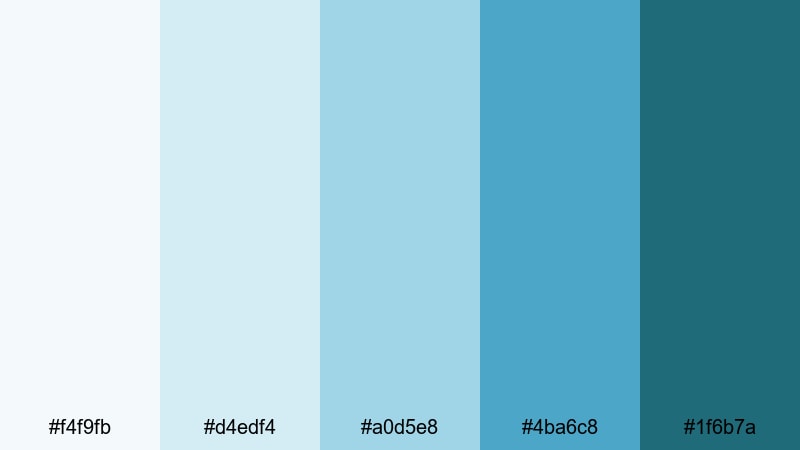
- HEX Codes: #f4f9fb, #d4edf4, #a0d5e8, #4ba6c8, #1f6b7a
- Mood: Sleek, digital, and understated with a glassy UI finish.
- Use for: Great for app previews, motion UI demos, and brand systems.
Glassy App Chrome layers icy blues and controlled teals to mimic frosted glass UI elements. It feels sleek, neutral, and digital, which is ideal for tech brands that want a refined teal green blue accent without going neon.
Use the paler tones for translucent panels, blur-backed cards, and background gradients. The darker teals (#4ba6c8, #1f6b7a) should highlight important buttons, selection states, and brand logos in your motion graphics. Apply this palette across app preview sequences and on-screen annotations so your entire video system feels unified.
Urban Aqua Branding
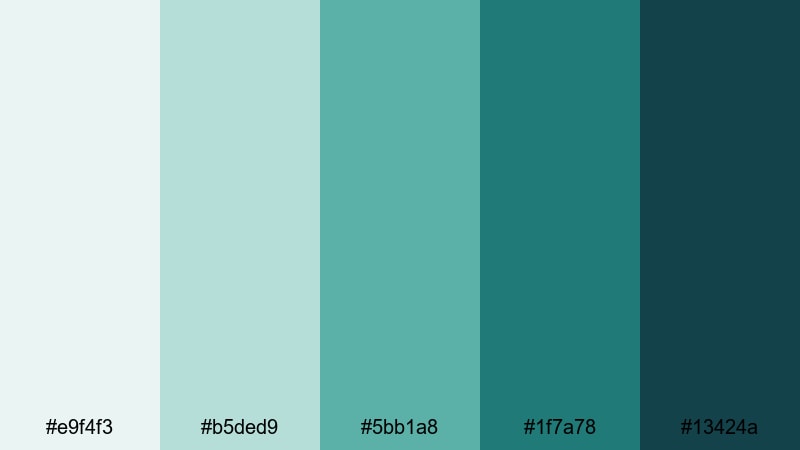
- HEX Codes: #e9f4f3, #b5ded9, #5bb1a8, #1f7a78, #13424a
- Mood: Contemporary, grounded, and confident with a city-cool edge.
- Use for: Ideal for brand identity packs, logo animations, and channel rebrands.
Urban Aqua Branding feels like a modern agency palette: muted aquas, strong teals, and a deep anchoring blue. It is fresh without being loud, giving your brand a confident teal green blue identity that works across platforms.
Use the mid and dark teals (#5bb1a8, #1f7a78, #13424a) for logos, wordmarks, and key graphic shapes. The lighter tones provide subtle backgrounds for intros, about sections, and quote cards. When you rebrand your channel in Filmora, adopt this palette in your openers, lower thirds, and end screens so viewers instantly recognize your content.
Moody & Cinematic Teal Green Blue Color Palettes
Deep Ocean Title Card
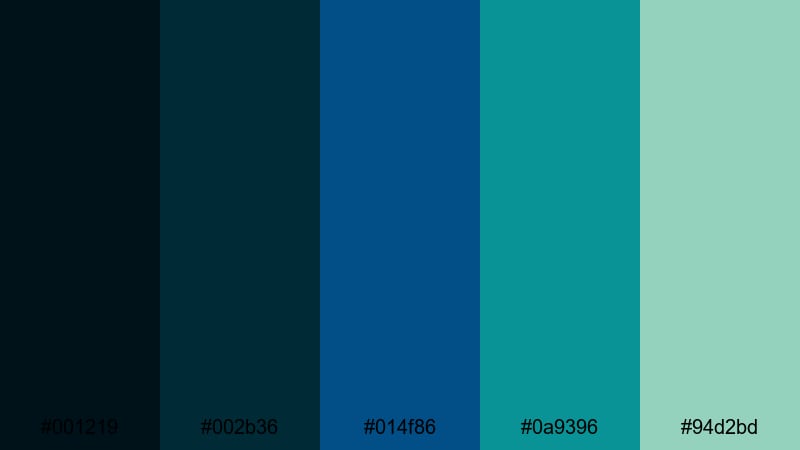
- HEX Codes: #001219, #002b36, #014f86, #0a9396, #94d2bd
- Mood: Dramatic, immersive, and cinematic like plunging into deep water.
- Use for: Perfect for film-style title cards, trailers, and dramatic story arcs.
Deep Ocean Title Card dives into dark blues and luminous teals, giving your visuals a strong cinematic presence. The deep base tones mimic the ocean at depth, while the lighter teal green blue highlights add just enough glow to guide the eye.
Use the darkest hues for background plates and letterbox bars, then layer titles and minimalist graphics in the brighter teals (#0a9396, #94d2bd). This palette works beautifully for trailers, story-driven vlogs, documentary intros, and any Filmora project where you want drama and immersion.
Rainy Neon Alley
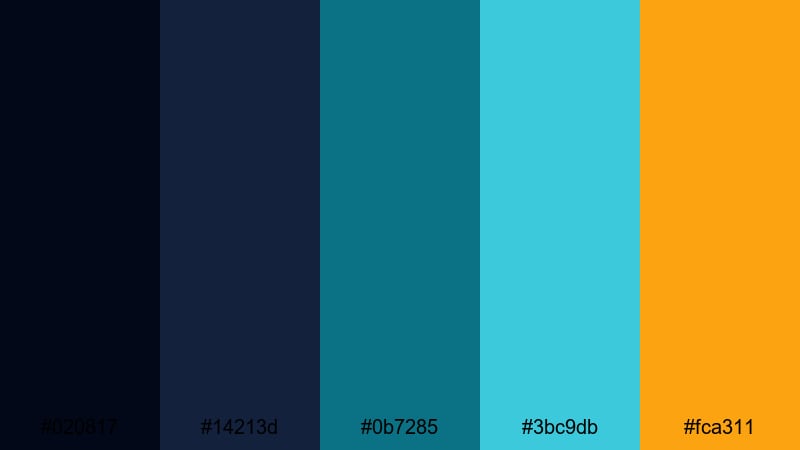
- HEX Codes: #020817, #14213d, #0b7285, #3bc9db, #fca311
- Mood: Atmospheric, cyberpunk, and edgy like neon signs in the rain.
- Use for: Great for music videos, urban montages, and stylized gaming edits.
Rainy Neon Alley mixes inky shadows with teal highlights and a single warm neon accent. The contrast between cool teal green blue tones and bright amber (#fca311) creates an instantly cinematic, cyberpunk-inspired story world.
Use the darkest blues for backgrounds and vignettes, the teal shades (#0b7285, #3bc9db) for animated lines, UI frames, or lyric text, and the warm accent for key words or logo elements. This palette fits synthwave music videos, city montages, or stylized gaming edits where mood and atmosphere are just as important as the content itself.
Midnight Teal Noir
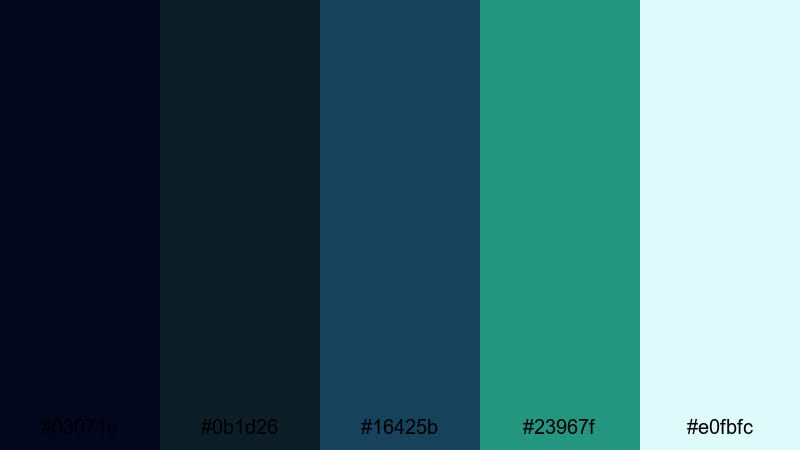
- HEX Codes: #03071e, #0b1d26, #16425b, #23967f, #e0fbfc
- Mood: Mysterious, sophisticated, and slightly vintage with a noir twist.
- Use for: Ideal for introspective vlogs, documentaries, and narrative shorts.
Midnight Teal Noir brings together shadowy blues and rich teals, lifted by a pale highlight. It feels introspective and refined, with a subtle vintage noir character that works well for more serious storytelling.
Use the dark tones as your main background and letterbox color, then introduce teal green blue accents (#16425b, #23967f) for titles and chapter labels. The lightest color (#e0fbfc) is perfect for legible text or soft glow effects. This palette suits narrative shorts, reflective vlogs, and documentary intros edited in Filmora when you want a sophisticated, moody finish.
Tips for Creating Teal Green Blue Color Palettes
Teal green blue works across many styles, from soft wellness content to neon gaming edits. A few practical guidelines will help you combine it with other colors while keeping your videos readable, on-brand, and cinematic.
- Define the mood first. Decide if you want calm, corporate, tropical, or cyberpunk, then adjust saturation and contrast of your teal green blue tones to match.
- Use contrast for readability. Pair light teal backgrounds with dark navy or charcoal text, or dark teal backgrounds with white or pale aqua text so captions stay clear on mobile.
- Limit bright accents. Choose one warm accent (like coral or amber) to pair with teal green blue so your CTAs stand out without overwhelming the frame.
- Keep branding consistent. Reuse the same 3 to 5 HEX codes in your thumbnails, intros, lower thirds, and end screens so viewers instantly recognize your channel.
- Match your footage. If your raw clips lean too yellow or too magenta, use Filmora color correction to neutralize them before pushing toward your chosen teal green blue palette.
- Balance skin tones. When adding teal to shadows or midtones, protect skin by using HSL or masks so people still look natural next to stylized backgrounds.
- Test on small screens. Export a frame and check it on your phone to ensure text, icons, and subtle teal shades are still visible and not too low-contrast.
- Create presets. In Filmora, save your favorite teal green blue settings as presets or custom LUTs so you can apply the same look quickly to new projects.
Teal green blue color palettes are powerful tools for shaping mood and brand identity. Soft pastel teals can make your wellness or study content feel calm and inviting, while bold neon teal blue combinations bring energy to travel, gaming, and nightlife videos. By choosing a palette that fits your story, you make every frame feel intentional.
With Filmora, it is easy to turn these HEX codes into real-world visuals. You can build matching intros, overlays, and titles, then push your footage toward the same teal green blue tones using AI Color Palette, HSL controls, curves, and LUTs. Over time, this consistent look becomes part of your visual signature.
Pick one or two palettes from this list, try them on a short video, and refine them until they match your brand. Once you are happy with the result, save your settings and use them across thumbnails, shorts, and long-form edits so your whole presence feels cohesive and cinematic.
secure download