

 100% Security Verified | No Subscription Required | No Malware


 ChatGPT
 Perplexity
 Gemini
 Claude
 Grok
Grok
Teal green sits between blue and green, mixing the calm of ocean water with the balance and growth associated with nature. It feels modern and trustworthy, which is why you see teal green everywhere in app interfaces, lifestyle branding, and cinematic color grades. On screen, teal green often reads as clean, refreshing, and slightly sophisticated, especially when paired with warm highlights.
For video creators, teal green is a powerful accent for YouTube thumbnails, title cards, lower thirds, logo reveals, and even full color grades. Whether you edit vlogs, travel films, gaming intros, or aesthetic reels, a clear teal green color palette keeps your visuals consistent and memorable. Below are 15 teal green color palettes with HEX codes you can copy directly into your designs or apply inside Filmora.
In this article
Calm & Coastal Teal Green Color Palettes
Seaside Studio Glow
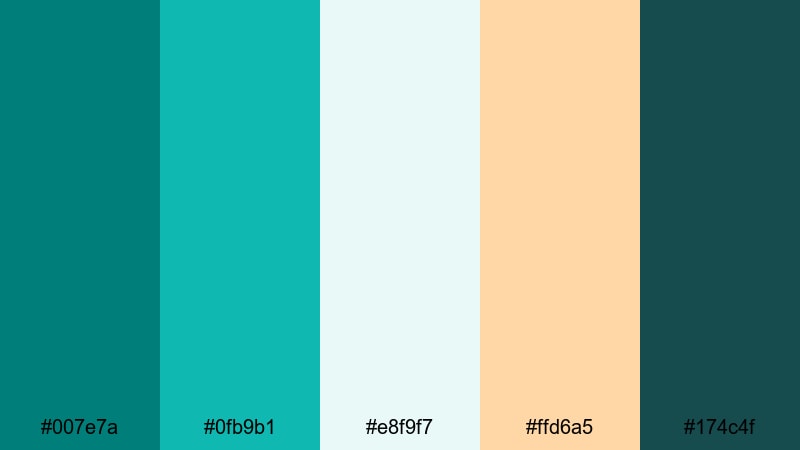
- HEX Codes: #007e7a, #0fb9b1, #e8f9f7, #ffd6a5, #174c4f
- Mood: calm, refreshing, gently optimistic
- Use for: Ideal for beach vlogs, travel montages, or chill B-roll overlays that need a relaxed coastal vibe.
Seaside Studio Glow feels like golden hour in a quiet beach town. The deep teal green and soft aqua echo ocean water, while pale foam and warm sand tones add a cozy, sunlit finish. It is soothing without looking washed out, which makes it great for slow, relaxing edits.
Use this palette for beach vlogs, day-in-the-life videos shot near the water, or any channel that leans into calm coastal branding. In thumbnails, place text over the light aqua or foam color for maximum readability, and keep the deeper teal and dark navy for borders, titles, or intro animations in Filmora.
Pro Tip: Enhance Coastal Teal Green Visuals With Filmora
To keep this soft coastal teal green look consistent, build a simple style guide inside Filmora. Use the darkest teal (#174c4f) for title bars and lower thirds, the mid teals (#007e7a and #0fb9b1) for shapes and logo accents, and the light tones (#e8f9f7 and #ffd6a5) as backgrounds. Once you set up a few title and transition presets, you can reuse them across beach vlogs, shorts, and community posts.
You can also stack this palette on your overlays and callouts so every piece of text, subscribe button, or chapter marker feels part of one unified coastal brand. Save those customized elements as presets in Filmora so future edits stay on-brand with just a few clicks.
AI Color Palette
If you already graded a perfect seaside shot or designed a thumbnail card with these colors, you do not need to recreate the look by hand. Filmora's AI Color Palette feature can analyze that reference frame and transfer the same teal green balance to the rest of your clips.
Just choose your best coastal frame as the source, then match the rest of your timeline. The AI keeps skin tones natural while pushing water, skies, and shadows toward your chosen teals, so your intro, B-roll, and outro all share the same breezy mood without hours of manual grading.
 secure download

HSL, Color Wheels & Curves
To fine-tune your teal greens, use Filmora's HSL controls to selectively adjust the cyan and green ranges. You can deepen water or sky tones while keeping sand and skin looking natural. Then, use color wheels to add a slight teal tint to shadows and a warm, peachy tone to highlights for that classic teal+warm look.
If you want a more advanced color correction workflow, you can study how curves gently shift contrast and color balance, similar to techniques shown in Filmora's YouTube tutorials on an advanced color correction workflow in Filmora. This helps you keep teal greens rich while avoiding color banding or crushed blacks.
secure download1000+ Video Filters & 3D LUTs
If you want to stylize this teal green palette faster, start from Filmora's built-in looks. Filmora’s video filters and 3D LUTs make it easy to add gentle teal washes, vintage fades, or cinematic contrast on top of your chosen HEX colors.
Combine a soft film LUT with your Seaside Studio Glow palette to create dreamy coastal vlogs, or pick a cleaner, modern filter for travel thumbnails and shorts. Once you like the result, save that filter and color combo as a custom preset to keep every new upload on the same visual wavelength.
secure downloadTropical Tide Rush
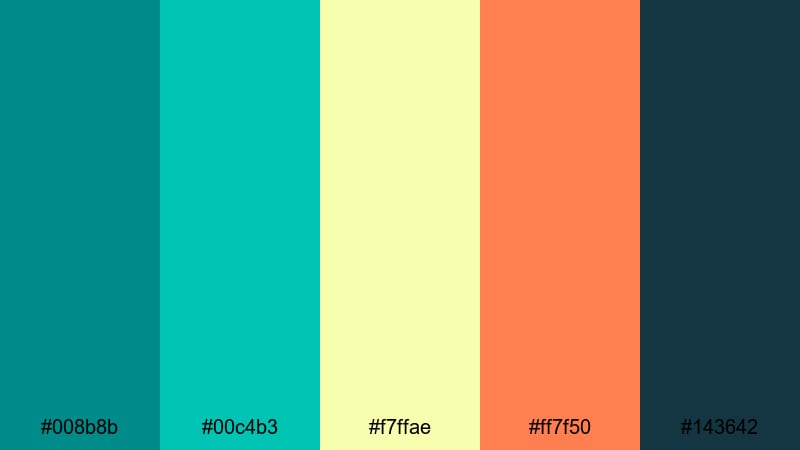
- HEX Codes: #008b8b, #00c4b3, #f7ffae, #ff7f50, #143642
- Mood: energetic yet laid back, tropical escape
- Use for: Perfect for energetic travel intros, resort promos, and upbeat vacation highlight reels.
Tropical Tide Rush combines punchy teal greens with citrusy yellow and coral accents. It feels like pool reflections, fruity drinks, and summer playlists all in one screen, keeping things bright but still rooted in teal green.
Use the deep teal (#008b8b) and navy (#143642) for text and logo elements, then let the neon-like yellow and coral (#f7ffae and #ff7f50) highlight buttons, arrows, and key words in thumbnails. This palette is ideal for resort promos, fast-cut travel intros, and any video where you want audiences to feel that instant vacation hit.
Harbor Mist Morning
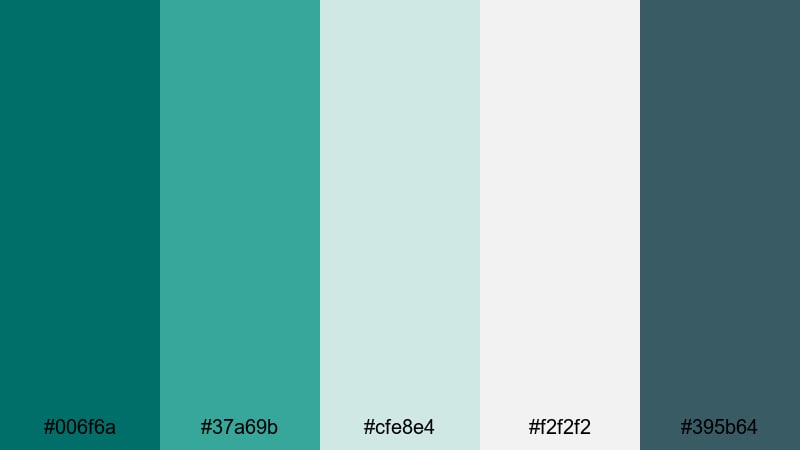
- HEX Codes: #006f6a, #37a69b, #cfe8e4, #f2f2f2, #395b64
- Mood: serene, contemplative, slow morning calm
- Use for: Great for cinematic B-roll, minimal lifestyle channels, and aesthetic productivity vlogs.
Harbor Mist Morning softens teal green with misty grays and white, creating a quiet, cinematic atmosphere. It has the feel of fog lifting over calm water, perfect for reflective or mindful content.
Use this palette for long, slow B-roll sequences, workspace setups, or minimal productivity channels. Light grays and whites make excellent backgrounds for subtle text, while the darker teal and slate tones help titles, timers, and callouts in Filmora stand out without breaking the peaceful mood.
Lagoon Drift Vibes
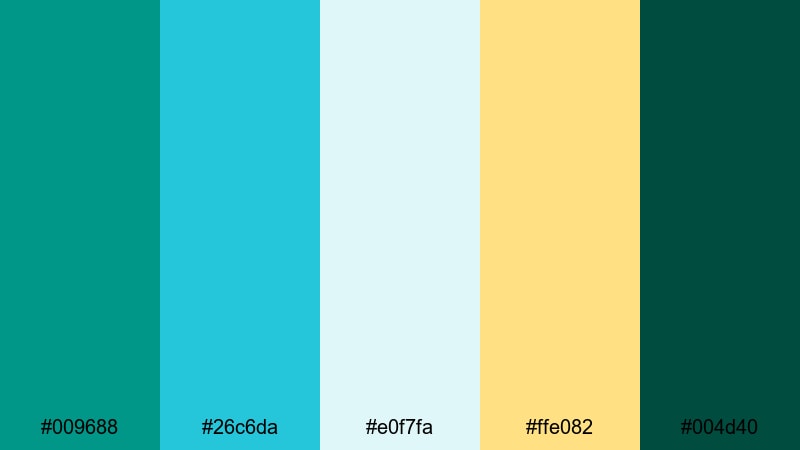
- HEX Codes: #009688, #26c6da, #e0f7fa, #ffe082, #004d40
- Mood: cool, airy, softly adventurous
- Use for: Use this palette for travel channel branding, transition cards, and clean lower thirds.
Lagoon Drift Vibes pairs lagoon teals and pale sky blues with a gentle sunlit yellow. It feels open, breezy, and lightly adventurous, like drifting on a boat toward the horizon.
For travel channels, this palette can drive your entire brand: use the darkest teal (#004d40) for logo outlines and timelines, light teal and sky (#009688, #26c6da) for icons and bullets, and the pale yellow (#ffe082) to highlight prices or key text in intros and outros. In thumbnails, this mix reads instantly fresh and outdoor-focused.
Coral Reef Horizon
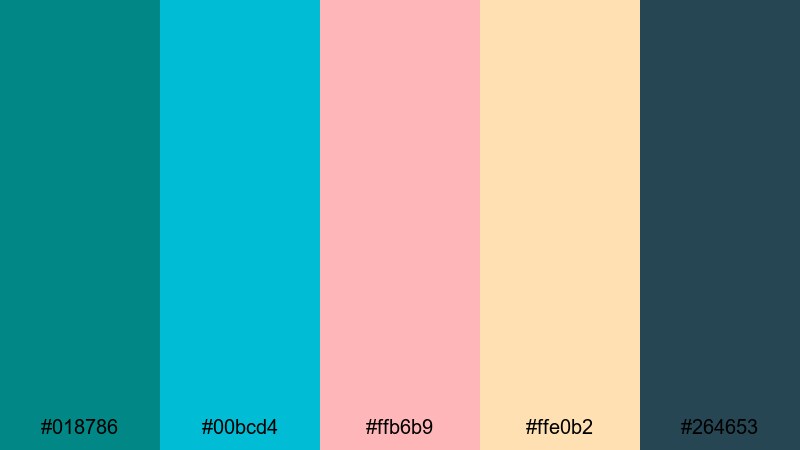
- HEX Codes: #018786, #00bcd4, #ffb6b9, #ffe0b2, #264653
- Mood: romantic, coastal, softly vibrant
- Use for: Perfect for destination weddings, honeymoon films, and romantic travel edits.
Coral Reef Horizon mixes teal and aqua bases with blush coral and peach, capturing the feeling of a warm coastal sunset. It stays romantic and soft while still offering enough contrast to be practical in design.
This palette works beautifully for destination wedding films, proposal stories, or romantic travel diaries. Use the teal greens (#018786, #00bcd4) to unify your lower thirds and chapter titles, then let the blush and peach shades frame key moments in thumbnails, cover images, and end screens created in Filmora.
Bold & Modern Teal Green Color Palettes
Neon Teal Pulse

- HEX Codes: #00ffc8, #00b8a9, #111827, #ff006e, #f9f871
- Mood: high energy, futuristic, electric
- Use for: Best for gaming intros, tech reviews, and glitchy motion graphics that need a vibrant punch.
Neon Teal Pulse is all about high-voltage contrast. Electric teals collide with neon magenta and acid yellow on a dark, near-black base, creating a sharp, futuristic glow that jumps off the screen.
Use the deep background (#111827) as your canvas, then let neon teal (#00ffc8), magenta (#ff006e), and yellow (#f9f871) drive strokes, outlines, and animated accents in Filmora. This palette is ideal for gaming intros, tech reviews, or cyberpunk-inspired motion graphics where you want your thumbnails and titles to look instantly clickable.
Urban Tech Wave

- HEX Codes: #00a8a8, #1de9b6, #0f172a, #ffd60a, #f5f5f5
- Mood: confident, techy, urban cool
- Use for: Great for app promos, SaaS explainers, and modern brand intros focused on innovation.
Urban Tech Wave brings crisp teal greens together with deep navy and a sharp yellow accent. It feels like a sleek app interface or fintech dashboard, making any project look more innovative and polished.
Use the navy (#0f172a) as your main background in animations or explainer slides, then layer teal (#00a8a8, #1de9b6) for icons, charts, and highlight shapes. The yellow (#ffd60a) is perfect for key numbers, CTAs, or arrows in thumbnails and end cards, helping important information stand out without cluttering the frame.
Cinematic Teal Noir
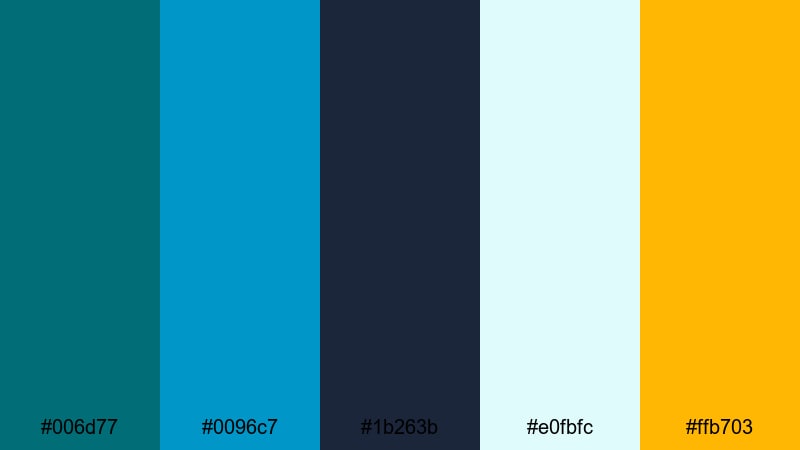
- HEX Codes: #006d77, #0096c7, #1b263b, #e0fbfc, #ffb703
- Mood: dramatic, cinematic, moody yet polished
- Use for: Ideal for film-style trailers, short narratives, and dramatic documentary teasers.
Cinematic Teal Noir leans into the classic teal-plus-warm cinema look, but with a refined, contemporary twist. Deep teal and inky blues control the overall mood, while a soft highlight yellow adds just enough warmth to guide the eye.
This palette is made for trailers, narrative shorts, and dramatic documentary teasers. Use dark blues (#1b263b) as your main background and shadow color, with teal greens (#006d77, #0096c7) for midtones, overlays, and gradient wipes. The yellow (#ffb703) works as a sparing accent for key words in thumbnails, chapter titles in Filmora, and important frames you want viewers to remember.
Digital Surf Pop
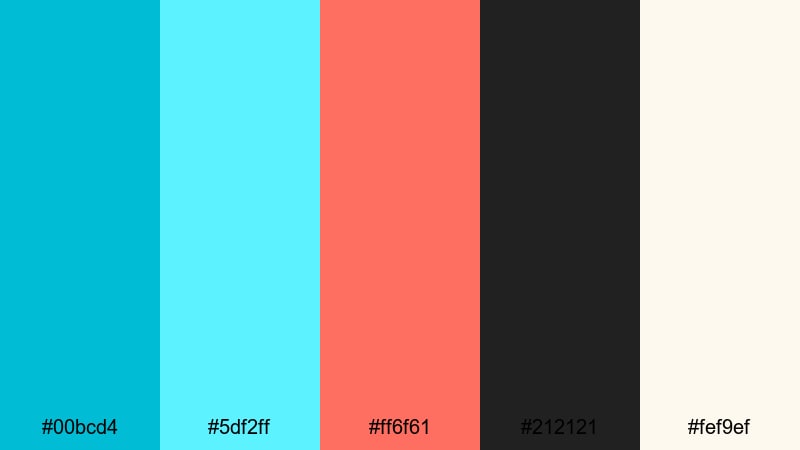
- HEX Codes: #00bcd4, #5df2ff, #ff6f61, #212121, #fef9ef
- Mood: playful, energetic, social ready
- Use for: Perfect for short-form content, Reels, TikToks, and bold YouTube thumbnails.
Digital Surf Pop is bright, playful, and built for social feeds. Surf-inspired teals mix with a punchy coral accent and clean neutrals, giving your edits a bold, youth-focused feel that still stays organized.
Use the off-white (#fef9ef) for background blocks in vertical videos or thumbnail layouts, then drop in teal (#00bcd4, #5df2ff) for borders, icons, and pattern elements. Coral (#ff6f61) becomes your attention magnet for like buttons, subscribe prompts, or price tags in Filmora animations, making it perfect for fast-paced Reels and TikToks.
Teal Spotlight Intro
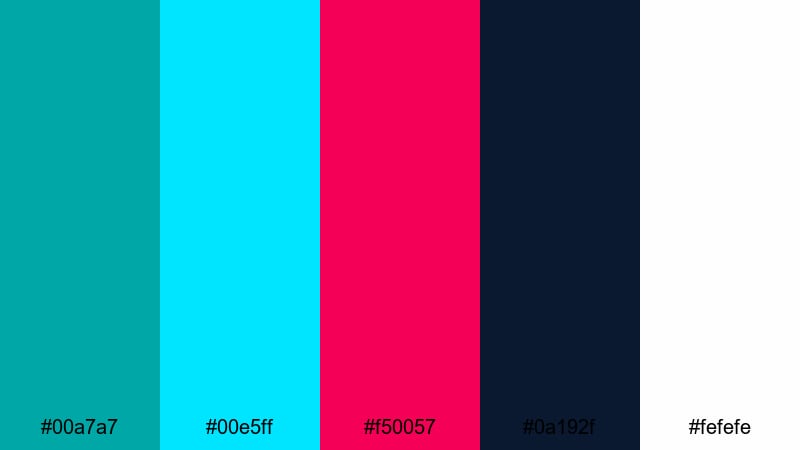
- HEX Codes: #00a7a7, #00e5ff, #f50057, #0a192f, #fefefe
- Mood: bold, premium, showtime energy
- Use for: Use this for channel intros, logo stings, and product reveals that need a modern spotlight look.
Teal Spotlight Intro sets your brand on a dark stage. Vivid teal and cyan highlights cut through deep navy, while a bold fuchsia accent adds showtime energy that feels premium and modern.
Use navy (#0a192f) as your base, then animate teal strokes (#00a7a7, #00e5ff) around your logo or product in Filmora. Reserve the fuchsia (#f50057) for one or two key moments such as the final logo lockup or CTA text in your intro, and use white (#fefefe) to keep titles sharp and readable across any screen size.
Soft & Dreamy Teal Green Color Palettes
Mint Foam Whispers
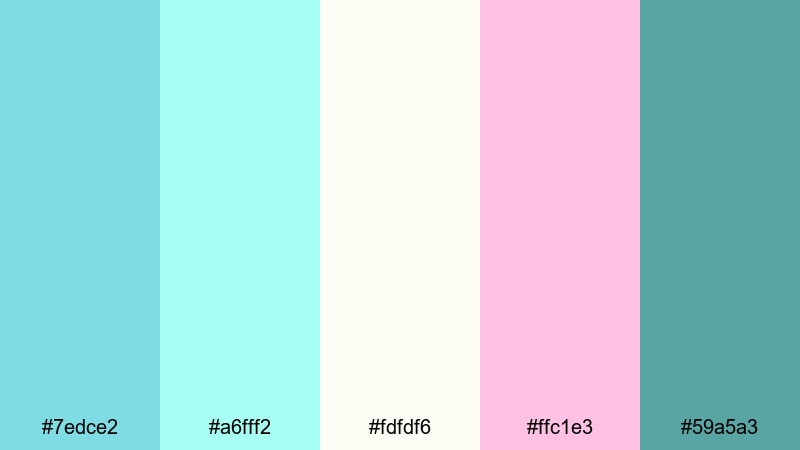
- HEX Codes: #7edce2, #a6fff2, #fdfdf6, #ffc1e3, #59a5a3
- Mood: gentle, dreamy, light-hearted
- Use for: Great for aesthetic lifestyle vlogs, morning routines, and cozy study sessions.
Mint Foam Whispers layers soft teal and minty greens with blush and cream, creating a cloudlike, airy feeling. It is gentle and friendly, perfect when you want your content to feel safe, cozy, and a little whimsical.
Use the palest tones (#a6fff2, #fdfdf6) as backgrounds for text overlays, timers, or to-do lists in your vlogs. The deeper teal (#59a5a3) anchors your titles and icons, while the blush pink (#ffc1e3) adds warmth to thumbnails, chapter labels, and animated stickers inside Filmora.
Vintage Teal Postcard
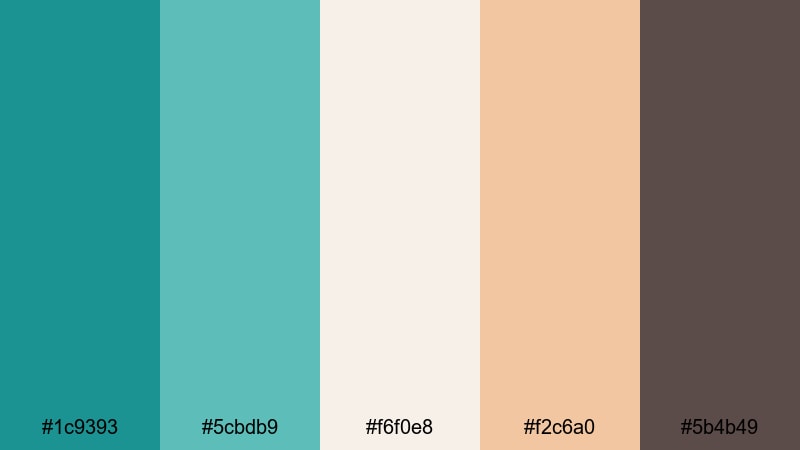
- HEX Codes: #1c9393, #5cbdb9, #f6f0e8, #f2c6a0, #5b4b49
- Mood: nostalgic, warm, softly cinematic
- Use for: Ideal for travel diaries, memory montages, and retro-inspired brand stories.
Vintage Teal Postcard softens teal greens with warm beige, tan, and a muted brown, recreating the texture of old postcards or faded film. It feels timeless and nostalgic rather than overly retro or grungy.
Use the light beige (#f6f0e8) as a base for titles and captions, and lean on teal (#1c9393, #5cbdb9) for maps, stamps, or frame borders in Filmora. The tan and brown (#f2c6a0, #5b4b49) give you great options for subtle vignettes, film borders, and handwritten-style text, perfect for storytelling edits and travel memory albums.
Pastel Tidal Candy

- HEX Codes: #7fd8be, #b2f7ef, #eff7f6, #ffceed, #f6c28b
- Mood: sweet, whimsical, light and playful
- Use for: Perfect for cute channel branding, kids content, and pastel aesthetic edits.
Pastel Tidal Candy is sugar-sweet but still readable. Pastel teal sits next to soft pink and apricot, giving your visuals a lighthearted, candy-like charm that works especially well for younger audiences.
Use the lightest tones (#b2f7ef, #eff7f6) for backgrounds and speech bubbles, then save the slightly deeper teal (#7fd8be) and apricot (#f6c28b) for borders and heading text to keep legibility high. This palette is ideal for kids channels, K-pop-inspired edits, or any pastel aesthetic look you build in Filmora thumbnails and overlays.
Soft Ocean Storytime

- HEX Codes: #5ac2c2, #9ee7e7, #f9fbff, #ffe4c4, #4f6d7a
- Mood: soothing, narrative, bedtime calm
- Use for: Great for calming voiceovers, ASMR channels, and gentle storytelling animations.
Soft Ocean Storytime blends mellow teal greens with pale blue and warm beige, wrapping everything in a muted, bedtime calm. It feels like a quiet story told beside the sea, ideal for audio-focused content.
Use the very light tones (#9ee7e7, #f9fbff) as backgrounds that do not distract from voiceovers, and anchor your key elements with the darker blue-gray (#4f6d7a). Beige (#ffe4c4) makes an excellent highlight color for subscribe prompts, chapter cards, and end-screen titles in Filmora without breaking the tranquil mood.
Dreamy Aqua Skyline
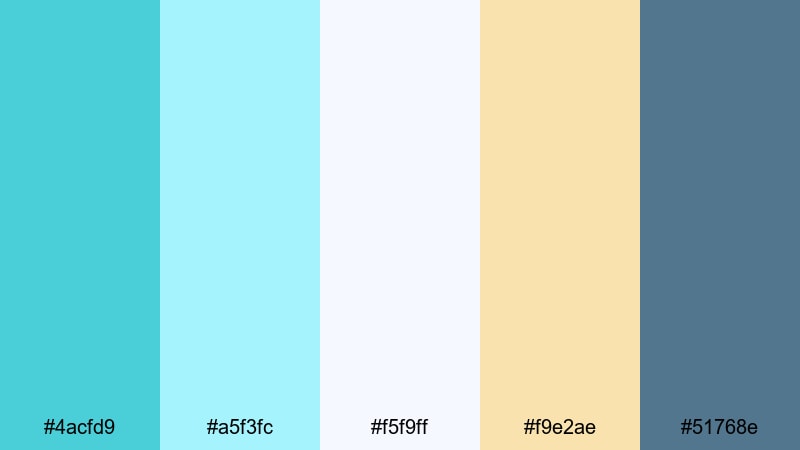
- HEX Codes: #4acfd9, #a5f3fc, #f5f9ff, #f9e2ae, #51768e
- Mood: uplifting, airy, hopeful
- Use for: Use this for inspirational reels, travel drone shots, and cinematic time-lapses.
Dreamy Aqua Skyline is all about open skies and hopeful mornings. Airy teal and pale aqua fade into creamy light, with a slate accent to keep the palette grounded and cinematic.
Use the bright aqua (#4acfd9) and light blue (#a5f3fc) for gradients behind titles in your intros, then add the soft cream (#f9e2ae) to highlight key phrases or milestones in inspirational reels. The slate blue (#51768e) is perfect for logo text, subtitle bars, and minimal lower thirds in Filmora, especially over drone and time-lapse footage.
Tips for Creating Teal Green Color Palettes
When you build your own teal green color palette for video and design, focus on balance: teal should lead the mood, while supporting colors handle contrast, readability, and emotional tone.
- Pick one hero teal green HEX code and build around it with lighter tints for backgrounds and darker shades for text or outlines.
- Always check contrast on mobile screens by testing white and near-black text over your chosen teal and accent colors.
- Limit each design or thumbnail to 3–5 main colors (one teal, one dark neutral, one light neutral, one accent) to avoid clutter.
- Use warm accents (peach, coral, soft yellow) when you want teal to feel inviting; use cool accents (navy, slate) for more serious, cinematic looks.
- Match your color palette to your footage by sampling real colors from your environment (water, sky, interiors) and then harmonizing them in Filmora.
- Keep branding consistent by reusing the same teal HEX codes across intros, lower thirds, channel art, and social media templates.
- Adjust saturation for each platform: stronger teal for small, fast-scrolling thumbnails and softer teal for long-form viewing on TVs or monitors.
- Save your gradients, title styles, and LUT settings as presets in Filmora so every new project automatically follows your teal green brand look.
Teal green palettes are a flexible way to shape mood and identity, from calm coastal vlogs to bold tech intros and dreamy storytelling edits. By combining teal with the right neutrals and accents, you can make your videos feel consistent and recognizably yours across YouTube, TikTok, Instagram, and more.
Use the 15 palettes above as ready-made starting points, or mix and match HEX codes to suit your footage. Inside Filmora, you can turn these palettes into reusable presets for titles, overlays, and color grades so your entire workflow stays fast and on-brand.
Experiment with a few of these teal green combinations in your next project, then refine them with Filmora's color tools until your channel has a signature teal aesthetic that viewers remember.
secure downloadNext: Yellow Color Palette
