

 100% Security Verified | No Subscription Required | No Malware


 ChatGPT
 Perplexity
 Gemini
 Claude
 Grok
Grok
Teal lime green sits between ocean-cool teal and zesty lime on the color wheel, giving it a unique mix of freshness, energy, and modern calm. It can feel tropical and playful when paired with warm accents, or sleek and high-tech when balanced with deep charcoals and neutrals. Because it is both eye-catching and clean, teal lime green works beautifully for channels that want to feel creative, optimistic, and slightly futuristic without overwhelming the viewer.
For video creators and designers, teal lime green is a powerful choice for YouTube thumbnails, intros, overlays, vlogs, gaming graphics, and brand systems. The palettes below give you ready-made teal lime green color combinations with HEX codes, so you can match titles, transitions, graphics, and even your color grading in Filmora. Use them as starting points for your branding, lower-thirds, and cinematic edits.
In this article
Fresh & Energetic Teal Lime Green Palettes
Tropical Surf Burst
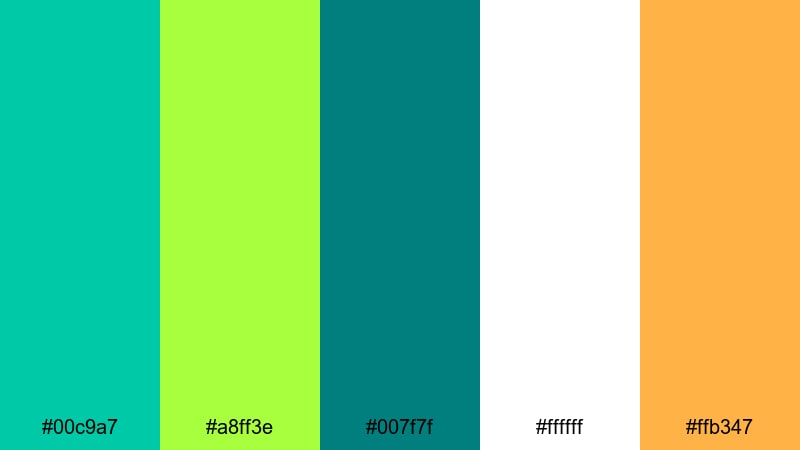
- HEX Codes: #00c9a7, #a8ff3e, #007f7f, #ffffff, #ffb347
- Mood: High-energy, sunny, and adventurous like a beach day with crashing waves.
- Use for: Use for bold YouTube intros, travel vlog titles, and upbeat social ads that need instant impact.
This palette blends bright teal and electric lime with crisp white and a warm sunshine orange accent. It feels like diving into clear tropical water while the sun hits your skin, making it perfect for creators who want their visuals to feel fast-paced, fun, and full of motion.
Apply these colors to big, legible titles in your travel vlogs, animated overlays on reels, and bold subscribe or call-to-action buttons on your YouTube thumbnails. In branding, let teal and lime be your hero tones, while white and orange handle backgrounds, buttons, and highlight strokes for a cohesive teal lime green theme across all your Filmora edits.
Pro Tip: Make Teal Lime Green Intros Pop in Filmora
To keep a palette like Tropical Surf Burst consistent, build a simple style guide inside Filmora. Save title presets using the teal and lime HEX codes for your headlines, and use the warm orange as a highlight color for key words, icons, or progress bars. Reusing these presets across intros, B-roll captions, and end screens helps your channel look instantly recognizable.
When you design motion graphics like animated shapes or frames, use teal for larger blocks, lime for accents, and white as a clean base. Then copy and paste attributes between clips in Filmora so your teal lime green look stays perfectly matched from your hook to your final CTA screen.
AI Color Palette
You can quickly translate this teal lime green palette from a mood board or thumbnail into your video using Filmora's AI Color Palette feature. Import a still frame or graphic that already uses #00c9a7 and #a8ff3e, then let AI analyze the colors and apply a similar look across all your footage.
Filmora's AI Color Palette feature helps you keep your intros, talking-head segments, and B-roll aligned, even if they were shot in different lighting conditions. The result is a unified, tropical surf vibe that makes your editing feel intentional instead of random color chaos.
 secure download

HSL, Color Wheels & Curves
Once your teal lime green colors are in place, refine them with HSL, color wheels, and curves in Filmora. Slightly boosting the saturation of teals while keeping limes under control can stop skin tones from looking too green, especially in bright outdoor travel footage.
Use the color wheels to push shadows toward deep teal and keep highlights closer to neutral white for a cinematic contrast, then adjust curves for a subtle S-curve that adds punch without crushing detail. If you want more guidance, check out Filmora tutorials on color correction in Filmora to see how pros balance stylized palettes with natural-looking footage.
secure download1000+ Video Filters & 3D LUTs
If you want to stylize your teal lime green visuals fast, lean on Filmora's library of filters and LUTs. Start with a preset that suits your genre, then adjust intensity so your hero colors (#00c9a7 and #a8ff3e) stay vivid without looking artificial.
Filmora's video filters and 3D LUTs make it easy to give your travel vlogs a sun-kissed warmth, your social ads a punchy neon vibe, or your intros a polished studio finish, all while keeping your chosen teal lime green palette as the star of the frame.
secure downloadCitrus Wave Intro
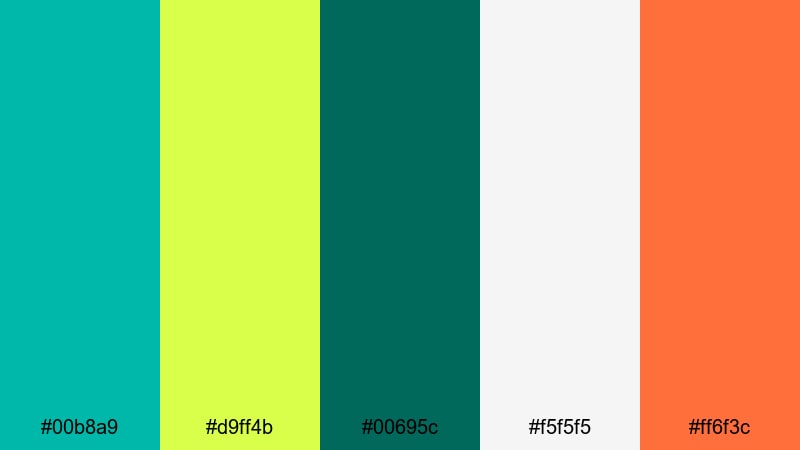
- HEX Codes: #00b8a9, #d9ff4b, #00695c, #f5f5f5, #ff6f3c
- Mood: Crisp, zesty, and refreshing with a clean modern edge.
- Use for: Perfect for startup brand videos, app launch promos, and energetic lower-thirds in tutorials.
Citrus Wave Intro mixes cool teal with a vivid lime highlight, polished off by soft white and a fresh citrus orange. It feels like a cold drink on a hot day, but with a tech-forward twist, giving your visuals both clarity and energy.
Use teal and deeper green for your logo, UI mockups, or device frames, while lime and orange pick out key buttons, icons, and progress bars in your Filmora titles and overlays. This palette suits SaaS demos, health or fitness explainers, and any YouTube thumbnail that needs to look clean, clever, and instantly clickable.
Neon Lagoon Pop
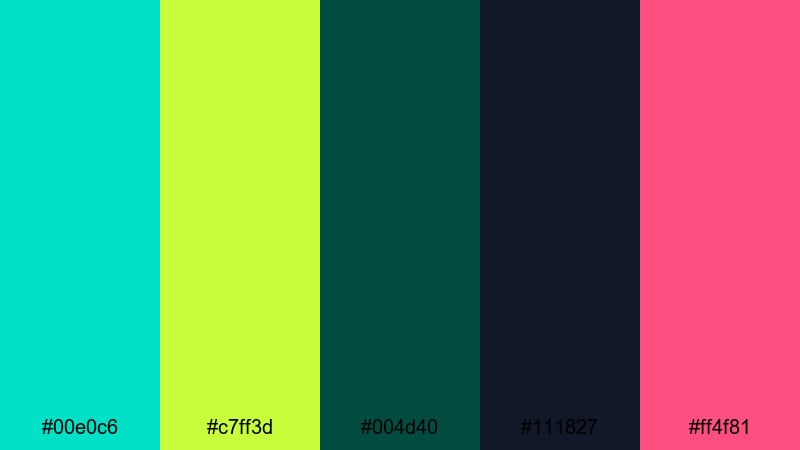
- HEX Codes: #00e0c6, #c7ff3d, #004d40, #111827, #ff4f81
- Mood: Vibrant and slightly edgy, like neon lights over deep water.
- Use for: Use in gaming overlays, music visualizers, and bold stream graphics where you want high contrast and drama.
Neon Lagoon Pop pushes teal and lime into glowing territory, backed by deep teal and near-black shadows. A punch of hot pink lifts the whole palette into nightlife and esports territory, ideal for high-contrast, high-drama visuals.
In Filmora, lean on the dark tones for your backgrounds and overlays, then let teal and lime define health bars, score counters, or animated borders on webcam frames. Use the pink sparingly for alerts, donation notifications, or key beats in music visualizers so your teal lime green theme stays dominant but never flat.
Electric Island Sunset
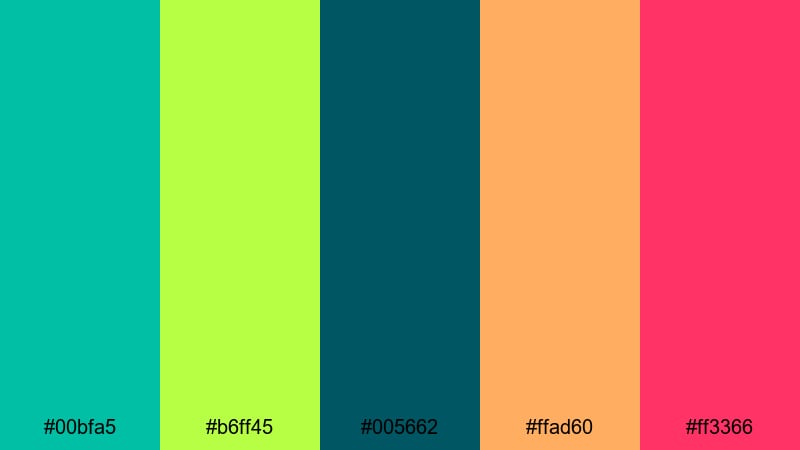
- HEX Codes: #00bfa5, #b6ff45, #005662, #ffad60, #ff3366
- Mood: Playful, tropical, and cinematic with festival energy.
- Use for: Great for travel montages, summer event promos, and dynamic openers that blend nature with nightlife.
Electric Island Sunset combines lush teal and lime with warm peach and magenta, creating a glowing, festival-ready atmosphere. It feels like sunset over the ocean while city lights are starting to flicker on, giving you both natural and nightlife energy.
Use the deeper teal and blue for lower-thirds and transitions, then let lime, peach, and magenta drive gradients, light leaks, and text highlights. This palette works especially well for event reels, beach vlogs, and destination highlight videos where you want your Filmora edit to feel like a trailer for a dream vacation.
Soft & Minimal Teal Lime Green Palettes
Calm Coastal Breeze
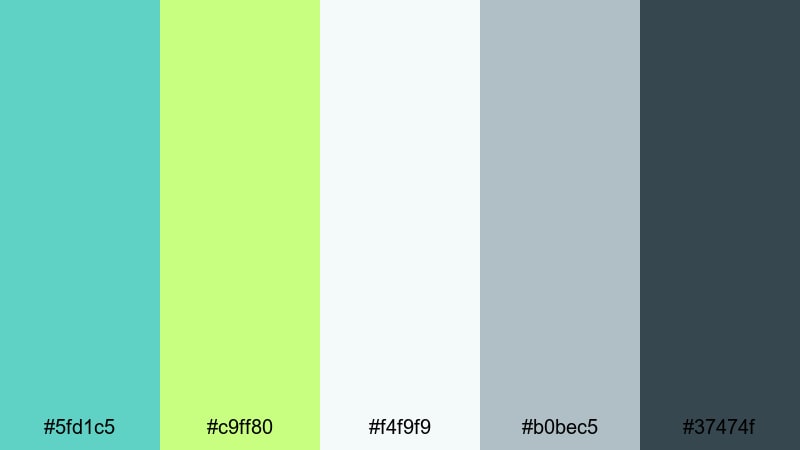
- HEX Codes: #5fd1c5, #c9ff80, #f4f9f9, #b0bec5, #37474f
- Mood: Soft, airy, and relaxed with a hint of modern sophistication.
- Use for: Best for minimalist channel branding, calm lifestyle vlogs, and clean UI overlays in tutorials.
Calm Coastal Breeze pairs gentle teal and lime with misty whites and cool grays, capturing the feeling of a quiet morning by the sea. It is light, breathable, and slightly refined, making it ideal when you want your content to feel relaxing instead of loud.
In your Filmora projects, keep backgrounds pale and airy, using teal for subtle dividers, frames, and iconography, and lime as a delicate accent for buttons or key phrases. This palette suits wellness channels, home tours, and productivity vlogs where clear, readable titles matter just as much as a soft, uncluttered aesthetic.
Mint Studio Glow
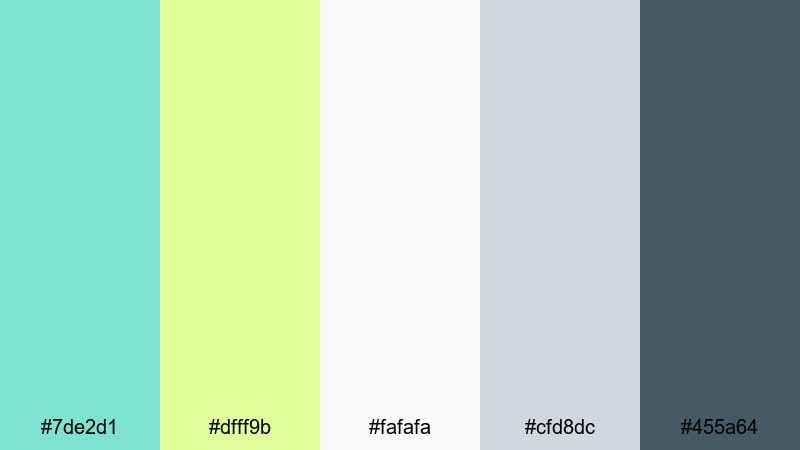
- HEX Codes: #7de2d1, #dfff9b, #fafafa, #cfd8dc, #455a64
- Mood: Clean, optimistic, and studio-ready with a gentle glow.
- Use for: Ideal for talking-head videos, course intros, and creator branding that needs to feel polished but friendly.
Mint Studio Glow softens teal and lime into pastel tones, supported by bright neutrals and a slate accent. It feels like a bright, well-lit studio with plenty of negative space, projecting clarity and confidence without harsh contrast.
Use the light teals as backgrounds for your title cards and chapter screens in Filmora, while the deeper gray handles text for maximum readability. Lime can highlight key terms, section numbers, or callouts in tutorials and online course intros, giving your brand a soft, educational teal lime green identity.
Morning Matcha Screen
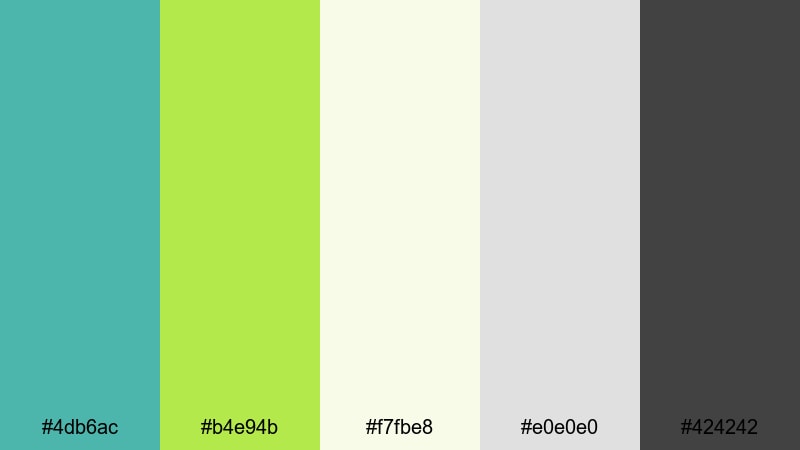
- HEX Codes: #4db6ac, #b4e94b, #f7fbe8, #e0e0e0, #424242
- Mood: Gentle, refreshing, and grounded like a slow morning routine.
- Use for: Use for productivity vlogs, journaling reels, and minimal overlays in how-to videos.
Morning Matcha Screen blends a muted teal with a fresh matcha lime, set against soft off-white and neutrals. It feels calm yet awake, perfect for slow living content, desk setups, and routines that focus on balance and clarity.
In overlays, turn the off-white into card backgrounds or timeline markers, then use teal for icons and lime for progress indicators or subtle animated underlines. This palette keeps your Filmora titles and motion graphics minimal while still giving them a distinct, refreshing teal lime green character.
Nordic Aqua Light
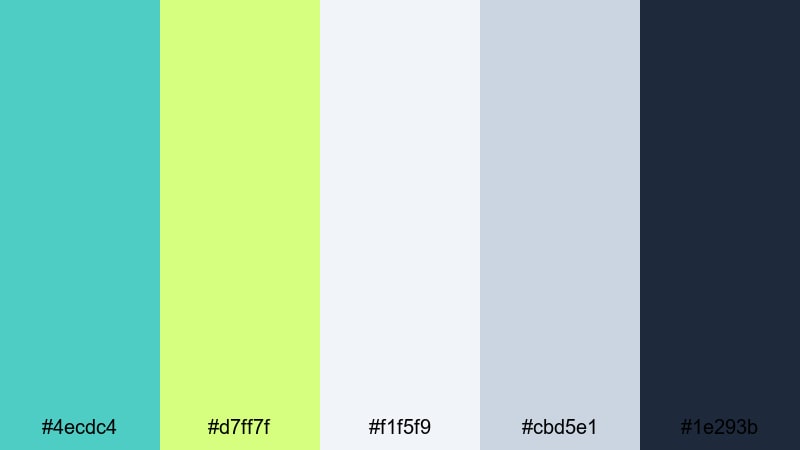
- HEX Codes: #4ecdc4, #d7ff7f, #f1f5f9, #cbd5e1, #1e293b
- Mood: Scandi-inspired, bright, and uncluttered with crisp contrast.
- Use for: Great for brand explainers, UI demos, and channel identities that lean into modern minimalism.
Nordic Aqua Light brings cool teal and pale lime together with soft blue-grays and a deep slate anchor, capturing a Scandinavian-inspired, minimal mood. It feels fresh and structured, ideal if your brand is about design, tech, or smart living.
Use the light tones for full-screen backgrounds and slide layouts, with teal and lime for key accents on charts, icons, and call-to-action text. The deep navy-gray is perfect for body copy and logo marks, giving your Filmora edits a crisp teal lime green identity that still feels professional and easy to read.
Retro & Playful Teal Lime Green Palettes
Arcade Splash Neon
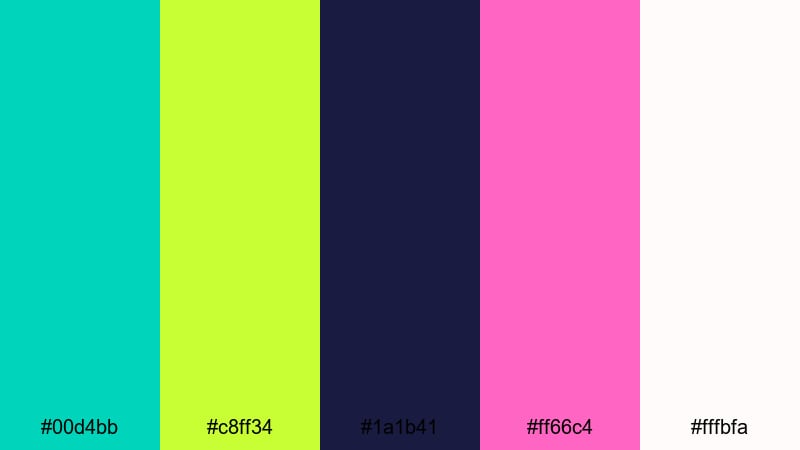
- HEX Codes: #00d4bb, #c8ff34, #1a1b41, #ff66c4, #fffbfa
- Mood: Retro-futuristic and playful like an 80s arcade reboot.
- Use for: Perfect for gaming intros, synthwave edits, and nostalgic title cards with bold motion graphics.
Arcade Splash Neon throws teal and lime against a deep indigo base, with neon pink adding a playful, nostalgic hit. It instantly evokes arcade cabinets, glowing screens, and synth music, making it perfect for retro-inspired edits.
In Filmora, use the dark background color for full-screen plates and lower-thirds, then layer teal and lime for animated shapes, grids, and HUD-style elements. Pink can highlight kill streaks, level titles, or music drops, while the soft off-white balances text for thumbnails and end screens so your teal lime green neon world stays readable.
Skater Park Fizz
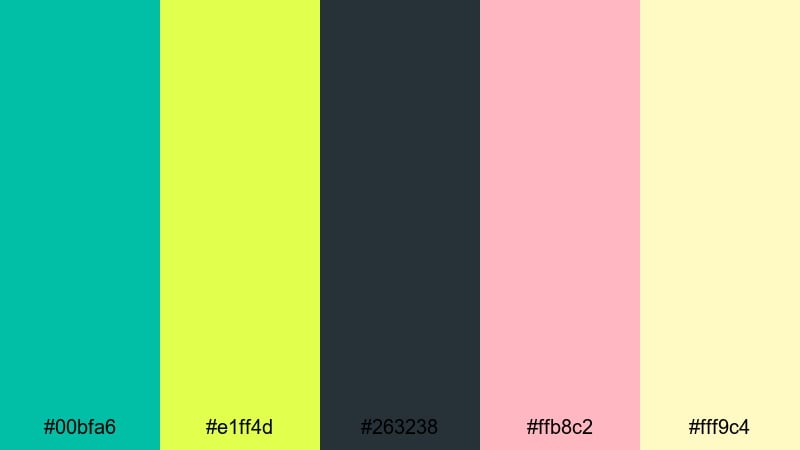
- HEX Codes: #00bfa6, #e1ff4d, #263238, #ffb8c2, #fff9c4
- Mood: Youthful, rebellious, and fun with a sunny urban edge.
- Use for: Use for skate edits, streetwear lookbooks, and social clips that need a bold, playful punch.
Skater Park Fizz mixes teal and lime with soft pink and buttery yellow, set on a dark urban slate. It feels like stickers on a skateboard, sun on concrete, and grainy VHS vibes rolled into one colorful palette.
Try using teal and lime for bold typography and outline graphics, while pink and yellow become sticker-style elements and doodles you animate in Filmora. Keep the dark tone for shadows, drop shadows, and frame edges so your teal lime green accents feel like they are popping off the screen in reels and TikTok clips.
Roller Disco Tide
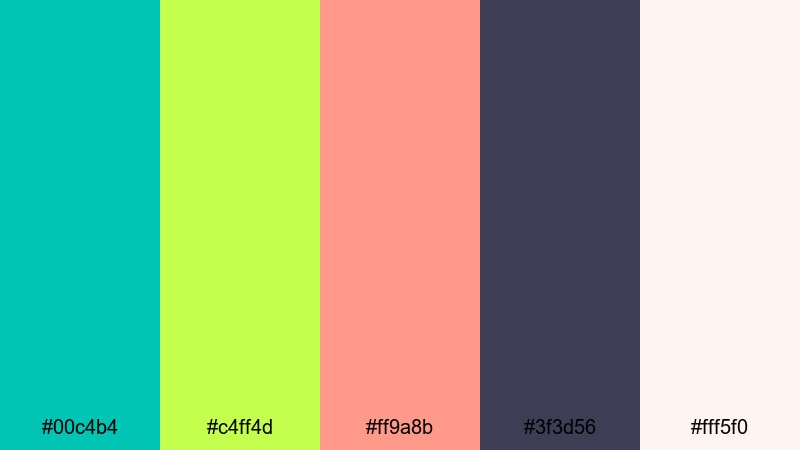
- HEX Codes: #00c4b4, #c4ff4d, #ff9a8b, #3f3d56, #fff5f0
- Mood: Groovy, nostalgic, and upbeat like a retro disco by the sea.
- Use for: Great for dance videos, fashion edits, and fun product promos that lean into vintage flair.
Roller Disco Tide brings together teal, lime, and coral pink with a deep purple-gray, creating a chic yet playful retro atmosphere. It feels like roller skates, vinyl records, and seaside sunsets all at once.
Use teal and lime for geometric frames and kinetic typography, while coral and off-white handle backgrounds and gradients. The darker purple-gray is ideal for drop shadows and outlines that make your titles and stickers stand out in Filmora transitions, especially for fashion lookbooks and fun product promos.
Pixel Jungle Quest
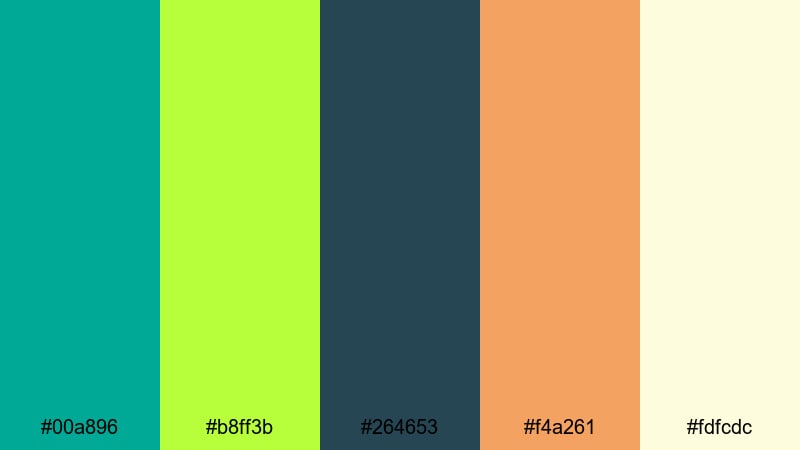
- HEX Codes: #00a896, #b8ff3b, #264653, #f4a261, #fdfcdc
- Mood: Adventurous, game-like, and whimsical with a hint of nostalgia.
- Use for: Ideal for indie game trailers, animated explainers, and playful tutorials that feel like a quest.
Pixel Jungle Quest blends jungle teal and bright lime with deep blue shadows and warm sand tones. It feels like a retro adventure game map, full of hidden paths and treasure, but still light and approachable.
In Filmora, use the dark blue for map-style backgrounds or frame borders, then place teal and lime on icons, badges, and level markers. The warm accent and off-white keep UI elements friendly and readable, making this teal lime green palette great for chiptune edits, coding tutorials, and gamified learning content.
Elegant & Moody Teal Lime Green Palettes
Emerald Studio Noir
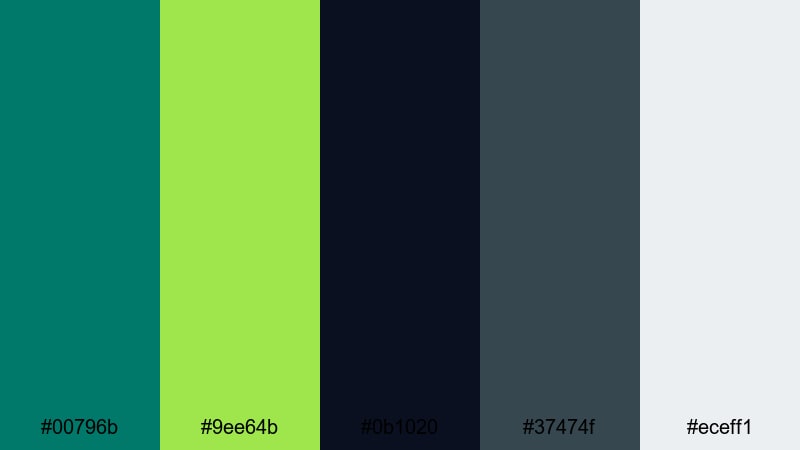
- HEX Codes: #00796b, #9ee64b, #0b1020, #37474f, #eceff1
- Mood: Moody, cinematic, and refined with a subtle electric twist.
- Use for: Use for cinematic trailers, luxury brand intros, and dramatic title sequences.
Emerald Studio Noir pairs deep teal and charcoal with a sharp lime highlight, giving you a luxe, cinematic look that still feels modern and digital. The near-black tones create a rich stage for titles and product shots.
In Filmora, use the darkest shade for widescreen letterbox bars, background plates, and fade-to-black transitions, while teal shapes and frames guide the eye. Lime becomes your precision highlight on logo reveals, HUD graphics, and key words in title cards, turning teal lime green into a high-end, studio-quality identity.
Glass Garden Night
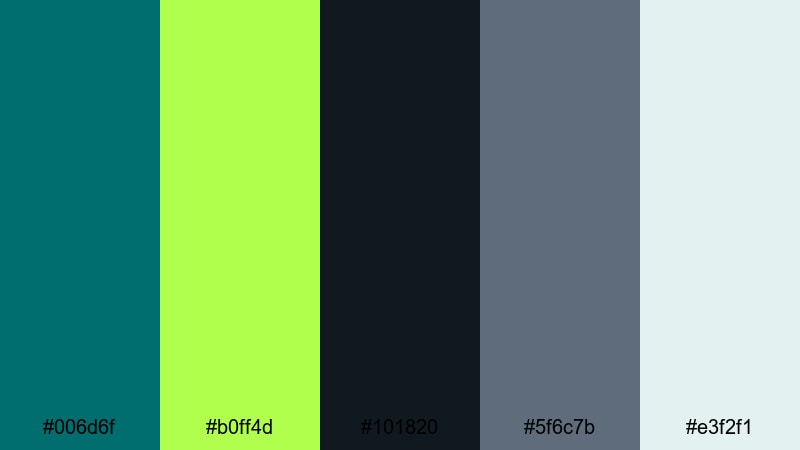
- HEX Codes: #006d6f, #b0ff4d, #101820, #5f6c7b, #e3f2f1
- Mood: Sophisticated and mysterious, like a greenhouse lit after dark.
- Use for: Great for documentary titles, ambient music visuals, and high-end product showcases.
Glass Garden Night layers inky teal and deep navy with glowing lime and frosted neutrals. It feels atmospheric and intimate, as if plants and glass are catching soft light in the dark.
Use the darker shades to grade your footage toward a night-time teal mood, then add lime as a subtle highlight on line art, progress bars, or logo strokes. The pale neutral works well for thin typography and captions in Filmora, keeping your teal lime green aesthetic elegant and easy to watch in longer videos and ambient music loops.
Urban Neon Mist
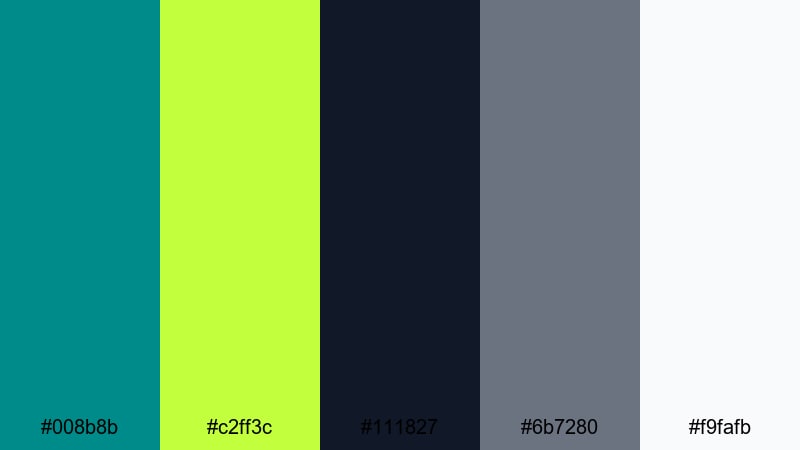
- HEX Codes: #008b8b, #c2ff3c, #111827, #6b7280, #f9fafb
- Mood: Urban, sleek, and atmospheric with a restrained neon accent.
- Use for: Perfect for cityscape B-roll, tech reviews, and moody vlog intros that still feel polished.
Urban Neon Mist combines smoky teal and grays with a precise lime highlight. It feels like city lights in the mist, cinematically understated but clearly modern and digital.
Grade your shadows slightly toward teal in Filmora, keep midtones neutral, and save lime for small accents on graphs, subscribes, and key phrases in your tech reviews. The near-white tone is great for minimalist titles, giving your teal lime green overlays a refined, editorial quality that fits city vlogs and gadget breakdowns.
Tips for Creating Teal Lime Green Color Palettes
Teal lime green is flexible but powerful, so a few smart rules help you keep it readable, on-brand, and consistent across your videos and designs.
- Let teal carry most of the weight and use lime as an accent. Too much lime can overpower skin tones and backgrounds, especially in thumbnails.
- Always test text on both light and dark backgrounds. Combine teal or lime with strong neutrals (white, charcoal, navy) so titles, captions, and buttons remain easy to read.
- Use one or two warm accent colors (like peach or soft orange) if your palette feels too cold or clinical, especially for lifestyle and travel content.
- Match your color grading to your graphics: tilt shadows slightly teal and keep highlights closer to neutral or warm, so footage and overlays feel like one cohesive palette.
- Save HEX codes for teal, lime, and your main neutral inside Filmora presets. Reuse these for titles, lower-thirds, and transitions to build strong visual branding.
- Adjust saturation based on platform. Go bolder for small mobile thumbnails and slightly softer for long-form desktop viewing so colors do not cause eye fatigue.
- Use lime strategically to guide attention: highlight CTAs, timelines, key stats, or tutorial steps, while teal defines your base UI and overall mood.
- When in doubt, limit yourself to 3 active colors per frame (teal, lime, and one neutral) and keep the rest of the palette in supporting roles.
Teal lime green palettes can make your channel feel fresh, adventurous, and distinctly modern, whether you lean into soft minimalism or bold neon contrasts. The right combination of teal, lime, and supporting neutrals will shape how viewers feel about your brand within the first few seconds.
Use these 15 palettes as ready-to-go recipes for thumbnails, intros, overlays, and color grading in Filmora. Save your favorites as presets, experiment with HSL and LUTs, and keep refining until your teal lime green look feels uniquely yours.
Once your palette is locked in, apply it consistently across intros, B-roll, social cuts, and end screens so every video feels like part of the same visual universe.
secure downloadNext: Dreamy Color Palette
