

 100% Security Verified | No Subscription Required | No Malware


 ChatGPT
 Perplexity
 Gemini
 Claude
 Grok
Grok
Teal Rust is a powerful mix of cool blue-green and warm, weathered orange-brown. Teal brings calm, clarity, and a cinematic feel, while rust adds warmth, grit, and nostalgia. Together, they create a high-contrast look that feels mature, stylish, and filmic, perfect for storytelling and modern branding.
In video editing, Teal Rust works beautifully for vlogs, travel films, wedding highlights, gaming intros, and YouTube thumbnails. It also makes a strong base for logos, channel art, and social posts. Below you will find 15 Teal Rust color palettes with HEX codes that you can quickly apply to your branding, thumbnails, and video edits in Filmora.
In this article
Cinematic Teal Rust Color Palettes
Coastal Iron Reel
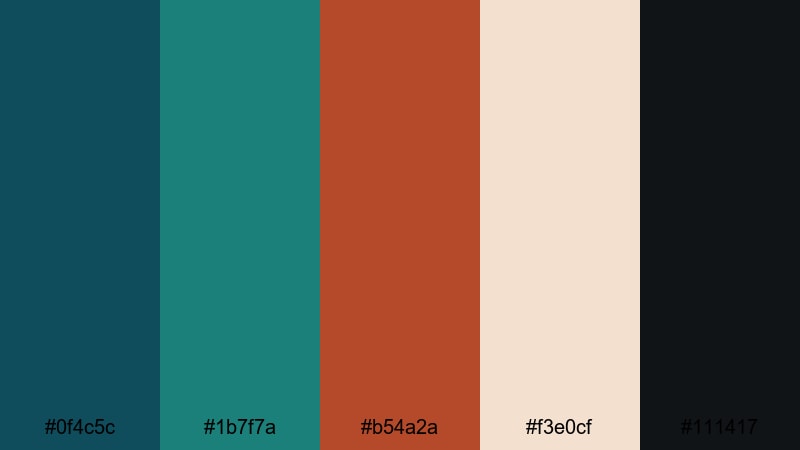
- HEX Codes: #0f4c5c, #1b7f7a, #b54a2a, #f3e0cf, #111417
- Mood: Moody, cinematic, and grounded like a seaside drama at golden hour.
- Use for: Perfect for cinematic Filmora timelines, trailer titles, and moody travel vlogs.
Coastal Iron Reel combines deep teal and weathered rust with soft cream and near-black, creating a grounded, filmic mood. The teal tones (#0f4c5c, #1b7f7a) feel like cold ocean water and shadows, while #b54a2a adds a hit of oxidized metal warmth. The neutral #f3e0cf and #111417 keep everything balanced and readable.
Use this palette when you want your video to feel like a coastal drama or introspective travel film. Apply the teal to your shadows and backgrounds, keep rust for titles, callouts, and key props, and let the cream tone handle lower thirds or thumbnail text. It works especially well for cinematic intros, story-driven reels, and channel branding that leans into a serious, movie-like aesthetic.
Pro Tip: Build a Cinematic Teal Rust Look in Filmora
To keep a consistent Coastal Iron Reel look across your edit, treat teal as your global environment color and rust as your storytelling accent. In Filmora, you can set your title templates, lower thirds, and overlays to use the same HEX codes, then save them as custom presets. This way, your cold teal shadows and warm rust highlights repeat from intro to end screen, making your channel feel instantly recognizable.
For thumbnails and social cutdowns, duplicate your main sequence and reuse the same teal background and rust text styles. Filmora makes it easy to drag your saved titles and elements onto new projects, so your cinematic Teal Rust identity stays consistent on YouTube, Instagram, and TikTok.
AI Color Palette
When your footage already has great natural color, Filmora's AI Color Palette feature can help you match everything to a single Teal Rust reference. Export a still frame that nails the Coastal Iron Reel mood, or design a simple color card using the HEX codes above.
Import that image into Filmora, then use AI Color Palette to transfer its tones to the rest of your clips. The tool intelligently adjusts hues and contrast so your entire video inherits the same teal shadows, warm rust accents, and soft neutral highlights, without manually grading every shot.
 secure download

HSL, Color Wheels & Curves
To push the Teal Rust look even further, use Filmora's HSL, Color Wheels, and Curves tools. Target blues and cyans in HSL and shift them slightly toward teal, then deepen their saturation for a stronger cinematic contrast. In the Color Wheels, cool down shadows and gently warm up midtones and highlights to echo the teal-versus-rust balance.
With Curves, you can add a soft S-curve for contrast, then tweak individual RGB curves to lean your shadows slightly cyan and your highlights a touch red-orange. Filmora's color correction tools make these adjustments straightforward, even if you are new to grading.
secure download1000+ Video Filters & 3D LUTs
If you want a fast Teal Rust finish without manual tweaking, explore Filmora's presets. Many of Filmora's video filters and 3D LUTs already emphasize teal shadows and warm highlights, so you can start from a cinematic base and then fine-tune individual colors with HSL.
Apply a teal-and-orange style LUT to your timeline, then adjust saturation and contrast so your Teal Rust palette feels natural with your footage. This approach works perfectly for editors who want a filmic, teal-heavy grade on travel vlogs, B-roll packs, or moody channel trailers in just a few clicks.
secure downloadHarbor Night Grade
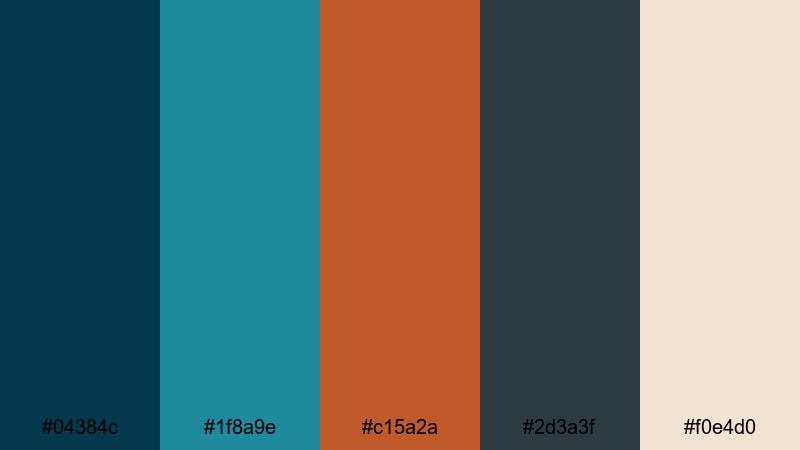
- HEX Codes: #04384c, #1f8a9e, #c15a2a, #2d3a3f, #f0e4d0
- Mood: Noir, tense, and atmospheric like a harbor at midnight.
- Use for: Great for thriller intros, title cards, and color grading references in Filmora.
Harbor Night Grade leans into deep, inky teals (#04384c, #1f8a9e) paired with a sharp rust accent (#c15a2a). The muted charcoal #2d3a3f and soft cream #f0e4d0 keep the palette readable while still feeling nocturnal and cinematic.
Use this combination for suspenseful intros, documentary cold opens, or urban night sequences. Apply the darkest teal as your background or shadow tint, use rust for key titles or glitch effects, and reserve the cream tone for subtitle text or logo marks. It also works well for noir-style thumbnails where you want strong contrast without neon colors.
Desert Teal Horizon
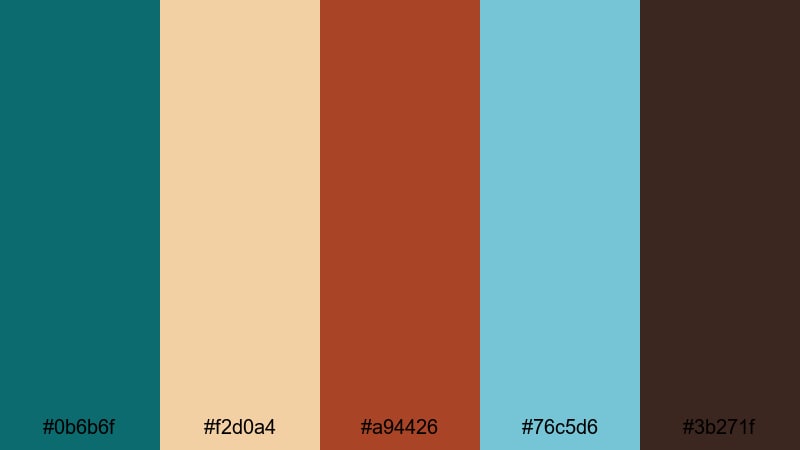
- HEX Codes: #0b6b6f, #f2d0a4, #a94426, #76c5d6, #3b271f
- Mood: Sun-baked, adventurous, and expansive with a touch of indie grit.
- Use for: Use for road trip films, documentary lower thirds, and cinematic LUT references.
Desert Teal Horizon contrasts a strong teal sky (#0b6b6f, #76c5d6) with dusty sand and bold rust (#f2d0a4, #a94426). The dark brown #3b271f adds earthy depth, giving the palette an indie road-movie feeling.
Apply this palette to travel vlogs, van-life content, or festival recaps. Teal tones are great for skies and cool shadows, while the rust and brown shades highlight sun flare, typography, and map graphics. In Filmora, you can build lower thirds using the pale sand color as a base bar, rust for the main name, and teal for secondary text or icons.
Stormy Ship Sequence
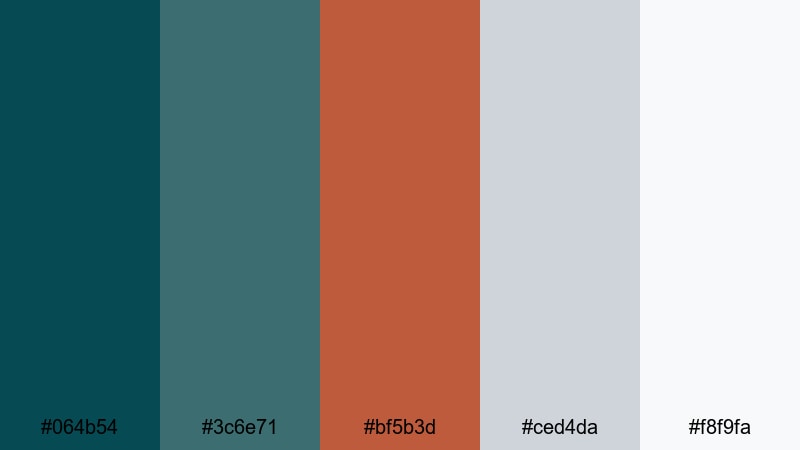
- HEX Codes: #064b54, #3c6e71, #bf5b3d, #ced4da, #f8f9fa
- Mood: Dramatic, windswept, and tense with a polished cinematic finish.
- Use for: Ideal for epic b-roll sequences, title overlays, and cinematic end screens.
Stormy Ship Sequence pairs brooding sea-teals (#064b54, #3c6e71) with refined rust (#bf5b3d) and clean grays (#ced4da, #f8f9fa). The result is a stormy, high-end cinematic look that feels suited to trailers and epic B-roll.
Use teal as your dominant image color and rust as your accent for typography, icons, or transition graphics. The light neutrals make perfect backgrounds for end screens, subscribe prompts, or chapter markers in your video. This palette keeps things intense but still polished enough for branded content or cinematic channel packages.
Soft & Warm Teal Rust Color Palettes
Weathered Cottage Glow
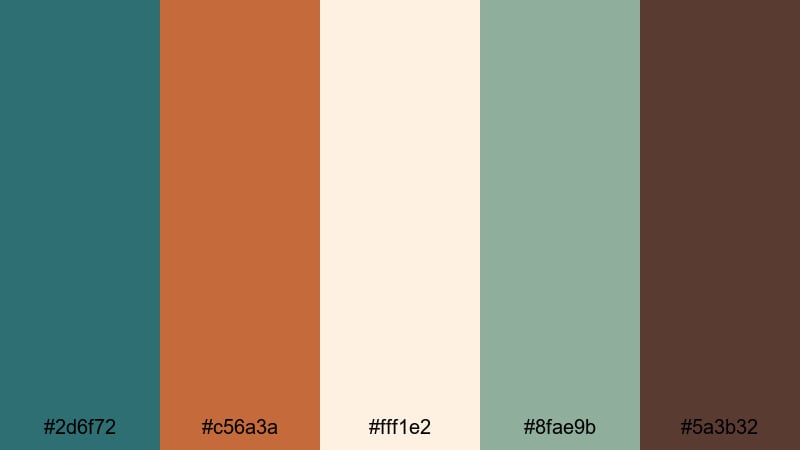
- HEX Codes: #2d6f72, #c56a3a, #fff1e2, #8fae9b, #5a3b32
- Mood: Cozy, nostalgic, and welcoming like an old seaside cottage.
- Use for: Perfect for lifestyle vlogs, homestead channels, and warm overlay graphics.
Weathered Cottage Glow softens teal (#2d6f72) and rust (#c56a3a) with creamy light (#fff1e2), sage green (#8fae9b), and a rich brown (#5a3b32). It feels like warm light spilling into a rustic kitchen or a quiet reading corner by the sea.
Use this palette for lifestyle content, cozy vlogs, homestead or craft channels. Let the cream tone be your background for titles and info cards, use teal for subtle accents and interface elements, and bring in rust for buttons, key phrases, and thumbnail highlights. The green and brown tones are ideal for overlays, doodles, or logo marks that support a natural, grounded brand.
Vintage Patio Afternoon
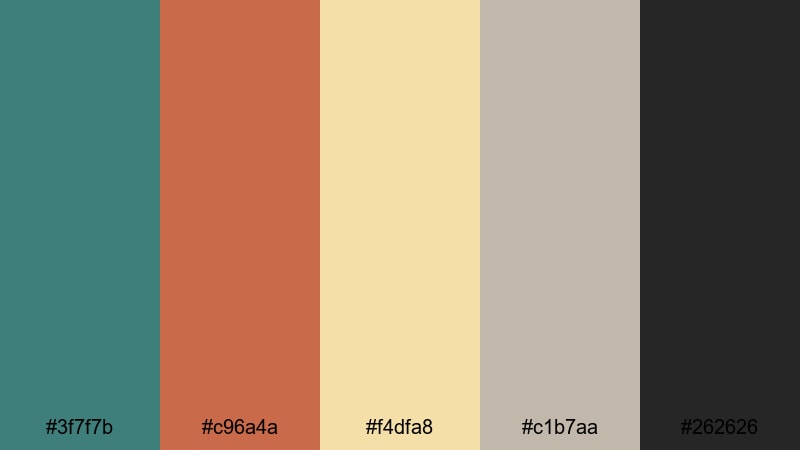
- HEX Codes: #3f7f7b, #c96a4a, #f4dfa8, #c1b7aa, #262626
- Mood: Relaxed, sunlit, and slightly retro with a filmic warmth.
- Use for: Use for lifestyle reels, recipe videos, and warm-toned YouTube covers.
Vintage Patio Afternoon combines a faded teal (#3f7f7b) with terracotta rust (#c96a4a) and mellow yellows (#f4dfa8). Rounded out by warm gray (#c1b7aa) and deep charcoal (#262626), it delivers a retro, sun-soaked feeling.
This palette is perfect for brunch content, recipe videos, day-in-the-life vlogs, and any channel wanting a relaxed, nostalgic charm. Use the yellow and warm gray as background cards in Filmora titles, teal for decorative shapes and frames, and rust for CTAs and key words on thumbnails. The dark charcoal ensures your text always stays legible.
Sun-Faded Pier Memories
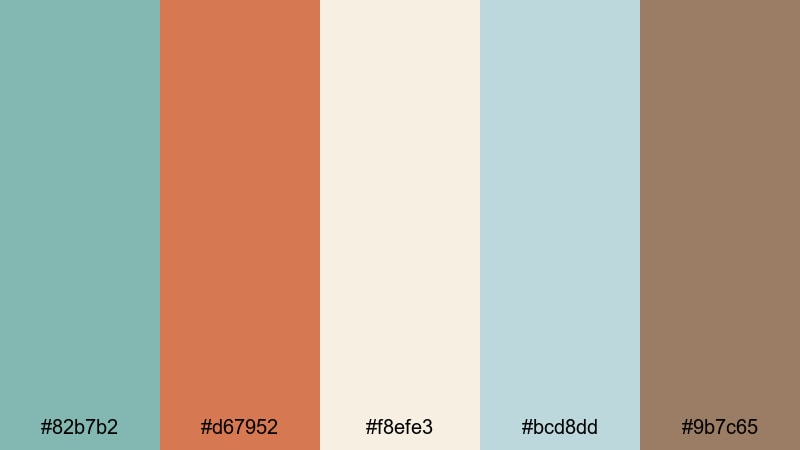
- HEX Codes: #82b7b2, #d67952, #f8efe3, #bcd8dd, #9b7c65
- Mood: Gentle, sentimental, and airy with a washed seaside feel.
- Use for: Great for memory montages, wedding highlight films, and nostalgic vlogs.
Sun-Faded Pier Memories uses pale teal (#82b7b2), coral rust (#d67952), and linen-like neutrals (#f8efe3, #bcd8dd, #9b7c65) to create a gentle, washed-out seaside atmosphere. It feels like looking at old photos printed on matte paper.
Choose this palette for memory montages, engagement and wedding highlights, or nostalgic travel edits. Use the light neutrals as full-frame title cards or soft lower thirds, then accent with coral rust for names and chapter titles. Pale teal and blue-gray are ideal for subtle overlays, line art, and logo watermarks that do not distract from emotional footage.
Rustkissed Surf Mist
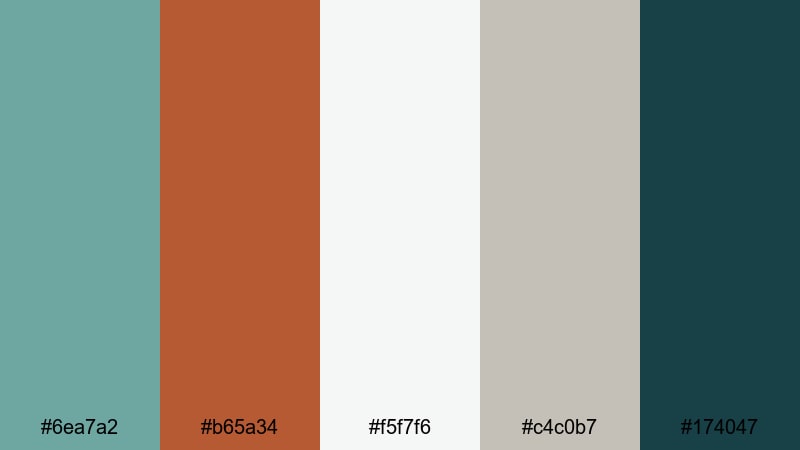
- HEX Codes: #6ea7a2, #b65a34, #f5f7f6, #c4c0b7, #174047
- Mood: Calm, airy, and slightly rustic with a coastal twist.
- Use for: Perfect for calm ASMR channels, beauty content, and soft brand intros.
Rustkissed Surf Mist balances misty teal (#6ea7a2) and clay rust (#b65a34) with cloud whites and pebble grays (#f5f7f6, #c4c0b7). The deep teal #174047 anchors the palette so it never feels too washed out.
This is ideal for gentle ASMR, self-care, or beauty videos where you want soft visuals with a hint of rustic personality. Use the light neutrals for backgrounds in intros and end screens, bring in misty teal for buttons and icons, and reserve rust for occasional emphasis on product names, prices, or key timestamps.
Bold & Urban Teal Rust Color Palettes
Graffiti Harbor Pop
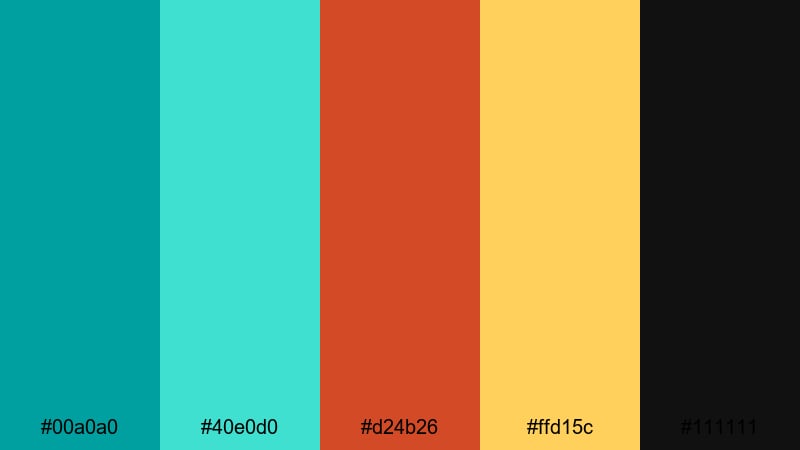
- HEX Codes: #00a0a0, #40e0d0, #d24b26, #ffd15c, #111111
- Mood: Energetic, urban, and punchy with street-art attitude.
- Use for: Great for hype intros, short-form social edits, and bold thumbnail text.
Graffiti Harbor Pop goes all-in on saturation: bright teals (#00a0a0, #40e0d0), hot rust (#d24b26), and neon yellow (#ffd15c) over deep black (#111111). It feels like street art, sneakers, and city lights.
Use this palette for high-energy intros, gaming content, dance edits, or any short-form post that must grab attention in a scroll. Black makes a perfect background for titles and text animations, while neon yellow and rust work well for strokes, outlines, and call-to-action buttons. The vibrant teals are great for animated shapes, glitch effects, and bold logo locks.
Industrial Neon Dock
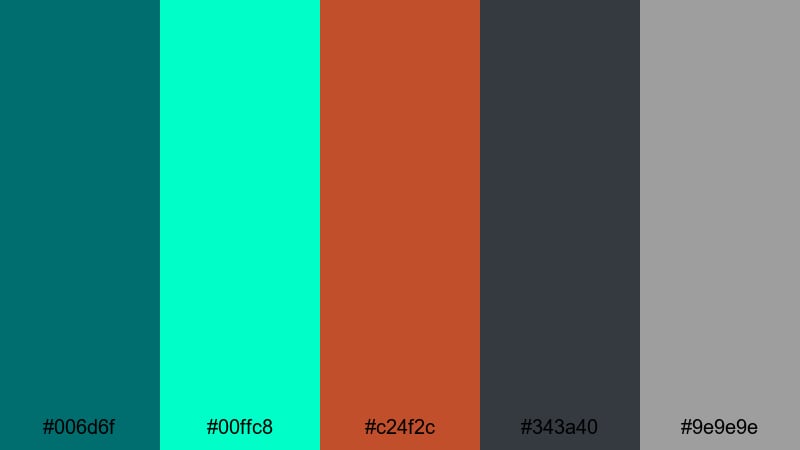
- HEX Codes: #006d6f, #00ffc8, #c24f2c, #343a40, #9e9e9e
- Mood: Gritty yet futuristic with a neon industrial edge.
- Use for: Use for tech reviews, gaming intros, and bold motion titles in Filmora.
Industrial Neon Dock combines dark cyan (#006d6f) and oxidized rust (#c24f2c) with electric teal (#00ffc8) and steel neutrals (#343a40, #9e9e9e). It feels like a cyberpunk port or nighttime factory lit by LEDs.
This palette works perfectly for tech reviews, product showcases, and gaming intros. Use the dark gray as your background, dark cyan for panels and HUD-style overlays, and neon teal for glowing accents and animated strokes. Rust makes a striking secondary highlight for buy buttons, scores, or important numbers on thumbnails.
Metro Rail Sunset
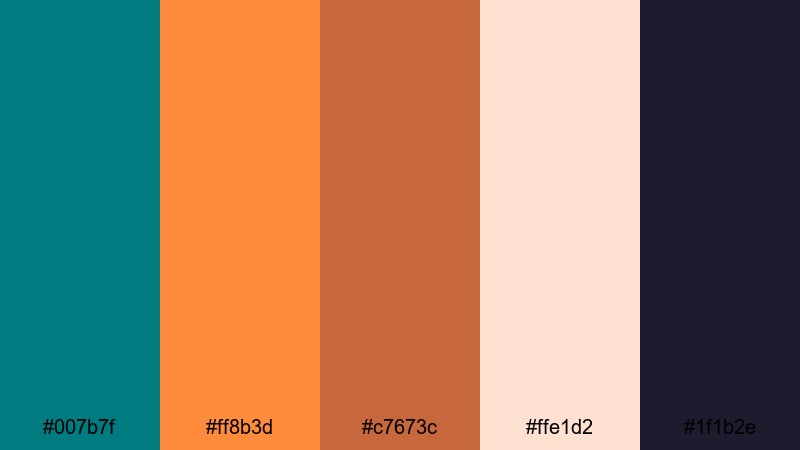
- HEX Codes: #007b7f, #ff8b3d, #c7673c, #ffe1d2, #1f1b2e
- Mood: Dynamic, modern, and cinematic like a city sunset commute.
- Use for: Perfect for travel vlogs, city b-roll packs, and modern title cards.
Metro Rail Sunset mixes rich teal (#007b7f) with layered sunset rusts and oranges (#ff8b3d, #c7673c). Soft blush (#ffe1d2) and deep indigo (#1f1b2e) bring sophistication and contrast.
Choose this palette for urban travel vlogs, cinematic B-roll packs, or stylish channel trailers. Use deep indigo as your title card and end-screen backdrop, teal for lines and dividers, and rust tones for main headings and icons. The blush shade is ideal for minimal backgrounds on Instagram story covers or YouTube playlist thumbnails.
Street Market Alloy
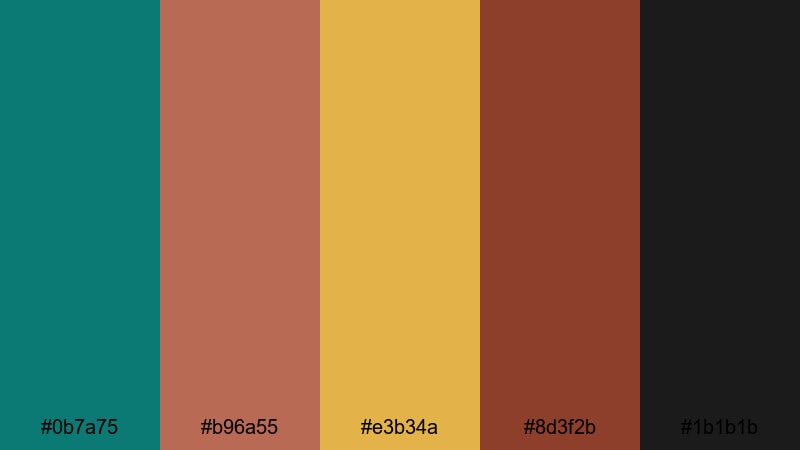
- HEX Codes: #0b7a75, #b96a55, #e3b34a, #8d3f2b, #1b1b1b
- Mood: Lively, textured, and busy with a global street market feel.
- Use for: Great for food content, travel shorts, and bold lower thirds on social clips.
Street Market Alloy brings together punchy teal (#0b7a75), spiced rust (#b96a55, #8d3f2b), mustard yellow (#e3b34a), and near-black (#1b1b1b). The palette feels like food stalls, spices, and crowded alleys.
Use this for food vlogs, market tours, and travel shorts. The dark background is ideal for strong lower thirds, while mustard yellow and teal can highlight dish names, prices, or locations. Rust works well for logo marks, badge-style overlays, and animated labels that sit on top of colorful plates and busy crowd shots.
Minimal Teal Rust Color Palettes
Clean Studio Patina
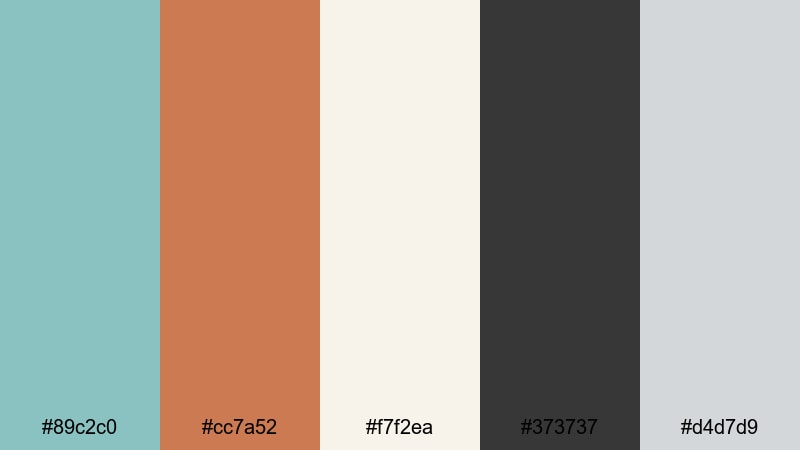
- HEX Codes: #89c2c0, #cc7a52, #f7f2ea, #373737, #d4d7d9
- Mood: Calm, professional, and airy with a subtle vintage edge.
- Use for: Perfect for tutorials, product explainers, and clean brand kits in Filmora.
Clean Studio Patina uses soft teal (#89c2c0) and refined rust (#cc7a52) against a backdrop of bone and graphite neutrals (#f7f2ea, #373737, #d4d7d9). It feels professional, light, and slightly vintage without being distracting.
This palette is excellent for tutorials, software explainers, and any channel that needs a clean, trustworthy look. Use the light neutral as your main background for text and UI frames, teal for highlights and buttons, and rust for emphasis on key steps or CTAs. The dark gray keeps body text comfortable and readable on both thumbnails and in-video graphics.
Sparse Loft Ember
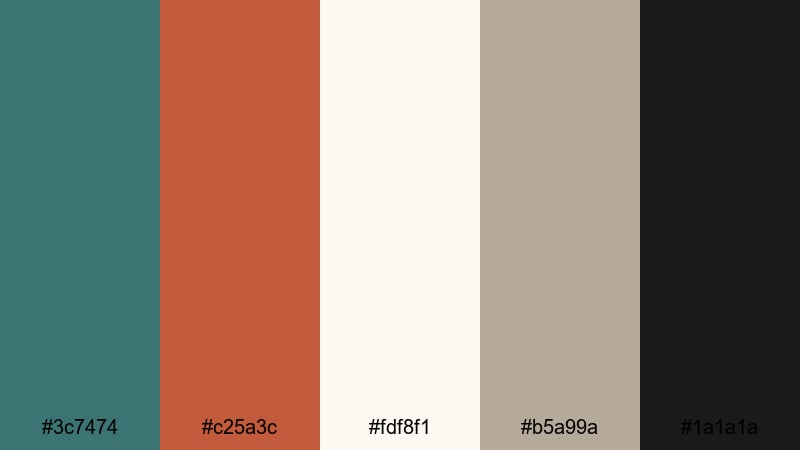
- HEX Codes: #3c7474, #c25a3c, #fdf8f1, #b5a99a, #1a1a1a
- Mood: Modern, restrained, and stylish with loft apartment vibes.
- Use for: Use for design portfolios, architecture reels, and minimalist title sequences.
Sparse Loft Ember matches muted teal (#3c7474) with ember rust (#c25a3c), soft stone (#fdf8f1, #b5a99a), and crisp black (#1a1a1a). It feels like a modern loft with concrete walls and warm light fixtures.
Pick this palette for design-forward portfolios, architecture reels, or minimal motion graphics. Let off-white and stone colors dominate backgrounds, then use teal for fine lines, grid overlays, and captions. Rust is your focal color for titles, logo reveals, and key thumbnail text, while black can frame content or serve as a bold accent bar.
Nordic Rust Tide
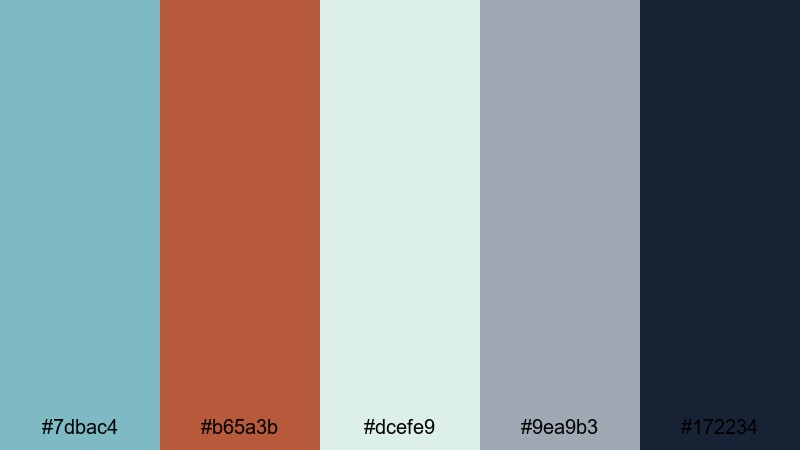
- HEX Codes: #7dbac4, #b65a3b, #dcefe9, #9ea9b3, #172234
- Mood: Cool, refined, and balanced with a Nordic coastal mood.
- Use for: Ideal for brand intros, calm productivity content, and subtle overlay graphics.
Nordic Rust Tide blends icy teal (#7dbac4) and cinnamon rust (#b65a3b) with seafoam and cool stone neutrals (#dcefe9, #9ea9b3). Deep navy #172234 adds grounding and contrast, giving the palette a calm, Nordic coastal feel.
Use this for productivity content, study-with-me videos, calm brand intros, or SaaS explainer videos. The light neutrals create airy spaces for text and UI mockups, while teal and rust highlight key stats, progress markers, or logo details. Deep navy works well for navigation bars, bottom banners, or subtle gradient overlays in Filmora.
Tips for Creating Teal Rust Color Palettes
Teal Rust works best when you balance cool and warm tones, support them with good neutrals, and keep readability in mind. Here are some practical tips for using these palettes in video and design.
- Pick a dominant side: decide whether teal or rust will be the main color, then use the other as an accent for titles, buttons, or key objects.
- Use neutrals generously: pair Teal Rust with off-whites, grays, or dark charcoals so your frames do not feel overcrowded with color.
- Check text contrast: in Filmora, zoom out on your timeline and thumbnails to ensure text on teal or rust backgrounds passes a simple eye test for legibility.
- Match footage temperature: if your footage is very warm, lean into teal in your overlays and UI; if your footage is cool, let rust handle most typography and graphic accents.
- Limit accent colors: besides teal and rust, introduce at most one strong additional accent (for example, mustard or blush) to avoid a chaotic look.
- Unify intros, lower thirds, and end screens: reuse the same HEX codes and font pairings across all your Filmora templates so your channel feels cohesive.
- Test on multiple devices: export a short sample and view thumbnails on phone, tablet, and desktop to ensure your Teal Rust combination still pops without oversaturation.
- Use subtle gradients: create gradients from deep teal to navy or from rust to a warm neutral to add depth behind titles without distracting from the main footage.
Teal Rust color palettes can instantly make your edits feel more cinematic, intentional, and on-brand. Whether you prefer moody coastal grades, soft nostalgic vlogs, urban neon looks, or minimal studio vibes, the right teal and rust combination will set the tone for your story.
Try dropping these HEX codes straight into your Filmora titles, overlays, and background solids, then refine the look with AI Color Palette, HSL, and LUTs. Over a few projects, your audience will start to recognize your signature Teal Rust style.
Experiment with different palettes for intros, thumbnails, and full edits until you find a combination that matches your personality and content niche. With Filmora, it is easy to save and reuse your favorite looks so every new upload feels consistent and professional.
secure downloadNext: Ruby Color Palette
