

 100% Security Verified | No Subscription Required | No Malware


 ChatGPT
 Perplexity
 Gemini
 Claude
 Grok
Grok
Turquoise blue sits between blue and green, combining the calm stability of ocean tones with the uplifting energy of tropical water. It feels clean, modern, and refreshing, which is why brands use it for trust, creativity, and a hint of escape. In video, turquoise blue instantly suggests air, water, clarity, and tech, while still staying friendly and human.
Whether you are building YouTube thumbnails, vlog intros, overlays, or a full channel rebrand in Filmora, the right turquoise blue color palette can tie every frame together. Below are 15 ready-made turquoise blue color palettes with HEX codes so creators and Filmora users can match titles, overlays, UI elements, and color grading in a consistent, aesthetic way.
In this article
Soft & Dreamy Turquoise Blue Palettes
Lagoon Sunrise Glow
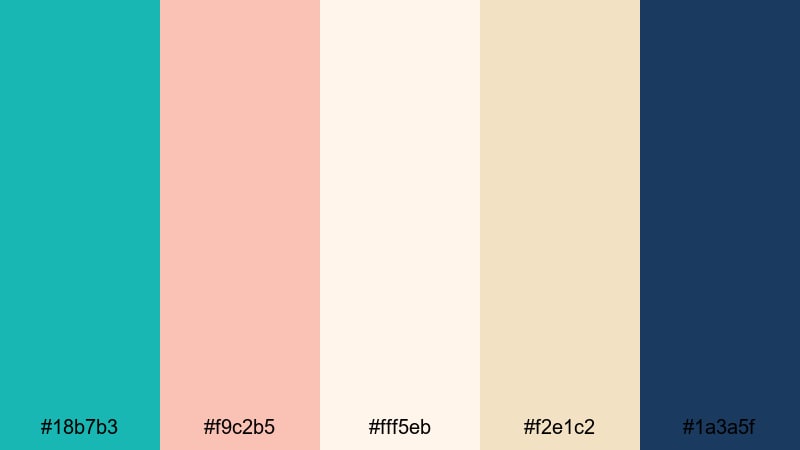
- HEX Codes: #18b7b3, #f9c2b5, #fff5eb, #f2e1c2, #1a3a5f
- Mood: Calm, romantic, and gently uplifting.
- Use for: Ideal for dreamy travel vlogs, sunrise beach montages, and soft cinematic title cards.
Lagoon Sunrise Glow wraps turquoise blue in blush coral, sand, and deep navy, like watching first light hit quiet water. It feels soft and nostalgic, perfect when you want your edit to feel like a warm memory instead of a high-energy commercial.
Use this palette for opening titles on beach vlogs, pastel lower thirds, and Pinterest-ready thumbnails. In Filmora, you can color-pick #18b7b3 for main accents, use #f9c2b5 and #fff5eb for backgrounds, and save the navy #1a3a5f for text and subtle shadows so every frame feels cohesive.
Pro Tip: Build a Soft Turquoise Blue Glow in Filmora
For a gentle palette like Lagoon Sunrise Glow, keep your highlights creamy and your shadows deep but not harsh. In Filmora, combine this palette with light bloom effects and soft vignettes so turquoise blue accents draw the eye without overpowering skin tones or the sky.
Use turquoise (#18b7b3) for key elements like logo stings, subscribe buttons, and important callouts, then repeat the coral and sand tones in lower thirds, transitions, and end screens. Saving this as a custom color set in Filmora ensures every thumbnail, intro, and B-roll overlay feels like part of the same story.
AI Color Palette
If you have a still frame from your sunrise beach video or a design mockup with this palette, you can turn it into a look for the whole edit. Filmora's AI Color Palette feature analyzes the reference image and applies its tones across other clips, so your turquoise blues and warm highlights stay consistent from first shot to final scene.
Simply import your reference image, let AI read the turquoise and pastel hues, and apply the palette to selected clips. This saves time on manual grading and keeps your vlogs, reels, and channel trailer visually unified with a single click.
 secure download

HSL, Color Wheels & Curves
To refine a dreamy turquoise blue look, adjust the blues and cyans in Filmora's HSL panel. Lower the saturation of blues slightly while increasing the luminance of warm tones, so skin and sand stay glowing while turquoise feels silky and cinematic. Color wheels let you tilt shadows toward navy (#1a3a5f) and highlights toward soft coral for a subtle sunrise gradient.
You can also use curves to gently lift shadows and roll off bright highlights, avoiding harsh contrast that would break the soft mood. For more ideas on balancing tones, check out Filmora's color correction tips and tutorials, such as this guide to cinematic color correction that explains curves and color wheels in simple steps.
secure download1000+ Video Filters & 3D LUTs
Once your turquoise blue balance feels right, you can push the style further with Filmora's filters and LUTs. Filmora's video filters and 3D LUTs make it easy to add subtle pastel fades, dreamy glow, or a nostalgic film look on top of this palette, without regrading every clip by hand.
Try soft film LUTs for cinematic travel sequences, or pastel filters for romantic B-roll and overlays. Save your favorite combination as a preset so every vlog or series episode keeps the same Lagoon Sunrise Glow mood with just a few clicks.
secure downloadCoastal Cotton Breeze
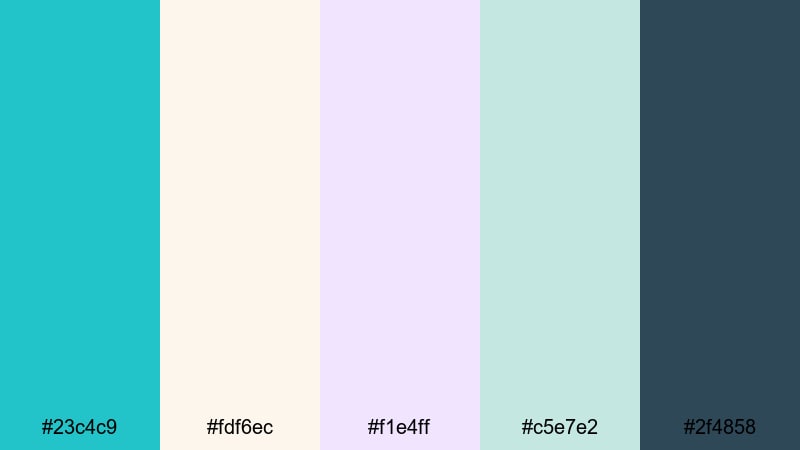
- HEX Codes: #23c4c9, #fdf6ec, #f1e4ff, #c5e7e2, #2f4858
- Mood: Airy, fresh, and comforting.
- Use for: Great for lifestyle channels, minimalist product shots, and cozy morning routines with a coastal twist.
Coastal Cotton Breeze feels like opening a window by the sea. Bright turquoise blue (#23c4c9) stands out against soft cotton whites and lilac haze, while the deep slate #2f4858 anchors everything so it never feels washed out.
Use this palette for clean YouTube banner designs, minimalist thumbnails, and product flat lays. In Filmora, bring the lighter tones into your background graphics and text boxes, then reserve turquoise for buttons, progress bars, and key phrases in your titles for maximum readability.
Misty Reef Pastels
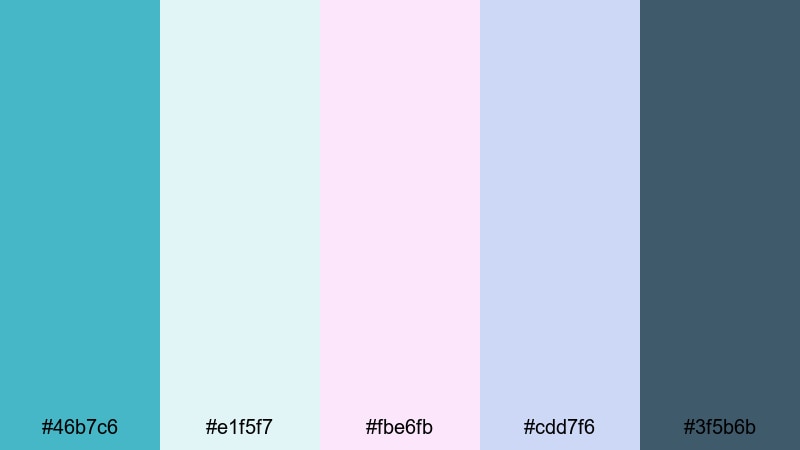
- HEX Codes: #46b7c6, #e1f5f7, #fbe6fb, #cdd7f6, #3f5b6b
- Mood: Ethereal, nostalgic, and soothing.
- Use for: Use in dreamy B-roll sequences, aesthetic reels, and gentle overlays for voiceover content.
Misty Reef Pastels softens turquoise into a hazy reef blue (#46b7c6) surrounded by misty pinks and lavenders. It feels like looking through water at sunrise, with subtle, calming transitions between tones.
This palette works beautifully for aesthetic reels, slow city or nature B-roll, and meditative voiceover videos. Add pastel gradient backgrounds behind text in Filmora, use #3f5b6b for legible captions, and keep animations slow and fluid to match the soothing color story.
Seaglass Storyboard
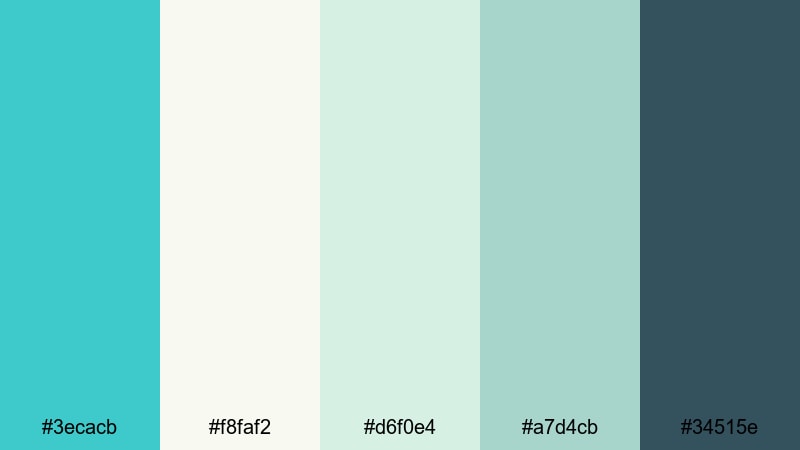
- HEX Codes: #3ecacb, #f8faf2, #d6f0e4, #a7d4cb, #34515e
- Mood: Clean, nostalgic, and quietly optimistic.
- Use for: Perfect for storytelling shorts, brand intros for wellness channels, and calm tutorial backdrops.
Seaglass Storyboard mixes clear turquoise blue with sun-faded greens and gentle foam whites, like a jar of collected seaglass. The muted navy #34515e keeps the palette grounded so it stays usable for text and UI-style elements.
Use this palette for wellness brand intros, soft tutorial backgrounds, or narrative shorts with a hopeful tone. In Filmora, drop #f8faf2 or #d6f0e4 behind your titles, use #3ecacb for accent lines and icons, and rely on #34515e for subtitles and lower thirds that must stay readable on mobile screens.
Cloudy Lagoon Lullaby
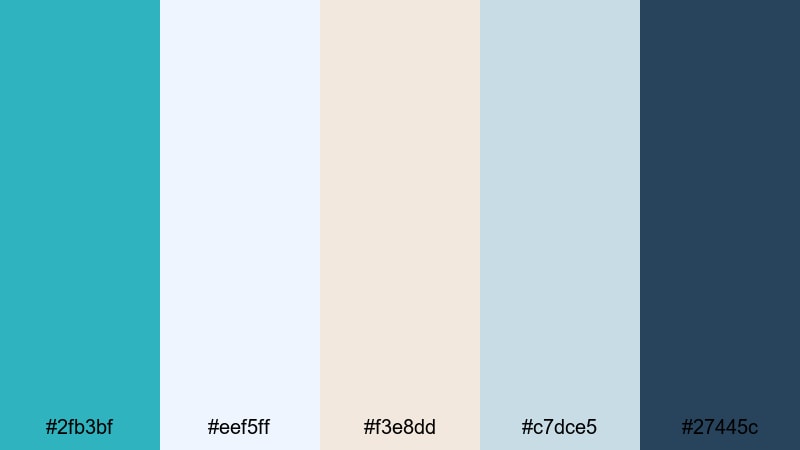
- HEX Codes: #2fb3bf, #eef5ff, #f3e8dd, #c7dce5, #27445c
- Mood: Sleepy, reflective, and cinematic.
- Use for: Best for night-time vlogs, reflective monologues, and slow-paced cinematic edits.
Cloudy Lagoon Lullaby places muted lagoon turquoise (#2fb3bf) inside a world of cloudy blues and warm neutrals. The deep blue #27445c hints at night, while the soft creams and greys keep things cozy instead of cold.
Use this palette for reflective vlogs, journaling videos, or end-of-day montages. In Filmora, apply a slight blue tint to your shadows, keep highlights warm, and use #27445c for solid text so titles remain clear over darker footage without breaking the calm mood.
Bold & Tropical Turquoise Blue Palettes
Neon Reef Splash
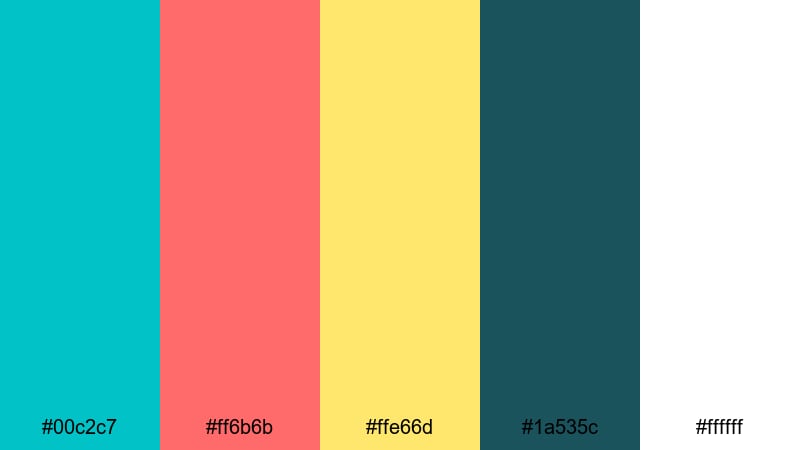
- HEX Codes: #00c2c7, #ff6b6b, #ffe66d, #1a535c, #ffffff
- Mood: Energetic, playful, and attention-grabbing.
- Use for: Use for punchy thumbnails, summer event promos, and fast-cut social edits that need instant impact.
Neon Reef Splash is all about impact. Electric turquoise (#00c2c7) slams into hot coral and sunny yellow, framed by deep teal navy and white. It feels like a neon sign glowing over a beach party.
Use this for high-energy YouTube thumbnails, shorts, and event promos where you need viewers to stop scrolling. In Filmora, place turquoise and coral in bold text, use yellow for badges or countdown timers, and keep backgrounds simple in white or #1a535c so the colors pop without looking chaotic.
Carnival Bay Lights
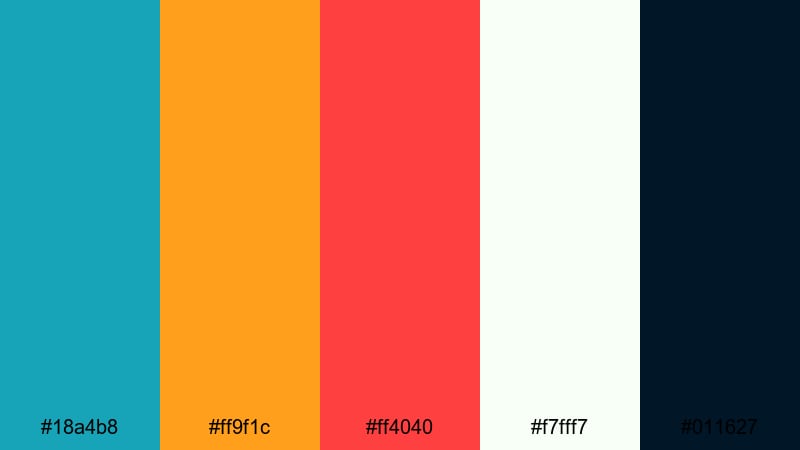
- HEX Codes: #18a4b8, #ff9f1c, #ff4040, #f7fff7, #011627
- Mood: Festive, bold, and high-contrast.
- Use for: Ideal for festival recaps, party highlights, and energetic channel branding.
Carnival Bay Lights blends turquoise blue (#18a4b8) with blazing orange and red, set against crisp off-white and deep midnight navy. It feels like colorful lights reflecting on water during a night festival.
This palette is perfect for festival recaps, club promos, and party highlight reels. In Filmora, use #011627 for dark overlays and frames, then pop key typography and icons in turquoise and orange so your message stands out even on busy footage.
Surfer Brand Pop
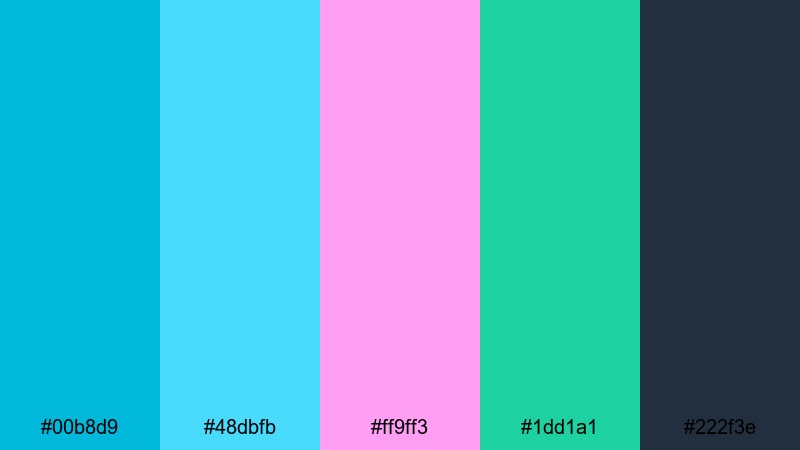
- HEX Codes: #00b8d9, #48dbfb, #ff9ff3, #1dd1a1, #222f3e
- Mood: Youthful, trendy, and confident.
- Use for: Great for surf, skate, or streetwear brands, energetic intros, and creator logos.
Surfer Brand Pop leans into a bold, neon coastline feel. Intense turquoise and aqua mix with punchy pink and fresh green, while #222f3e gives you a strong dark base.
Use this palette for channel branding, logo stings, and kinetic typography intros in Filmora. Put bright blues and pinks in motion graphics, use green for subtle accent lines or progress bars, and always anchor text on #222f3e panels for legibility.
Tropical Channel Opener
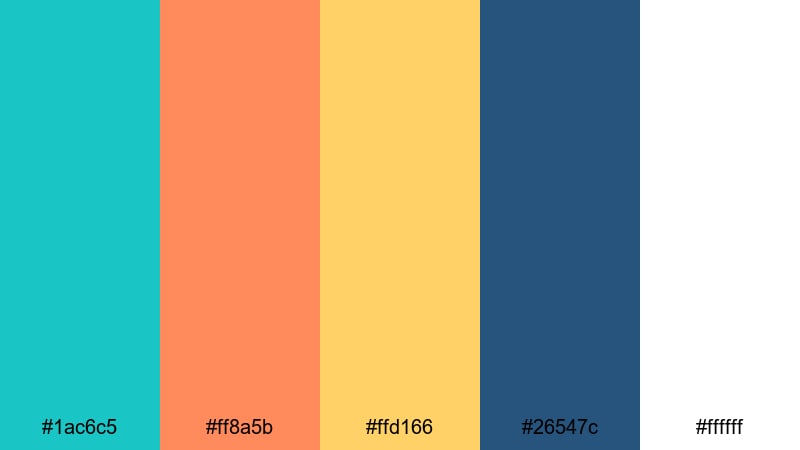
- HEX Codes: #1ac6c5, #ff8a5b, #ffd166, #26547c, #ffffff
- Mood: Warm, adventurous, and inviting.
- Use for: Perfect for channel trailers, travel intros, and upbeat brand bumpers.
Tropical Channel Opener captures turquoise water, warm sunset orange, and banana yellow, backed by navy and white. It feels adventurous and welcoming, great for creators who want a friendly tropical identity.
Use turquoise (#1ac6c5) as your main brand accent, with orange and yellow in animated shapes, badges, and calls-to-action. In Filmora, combine this with upbeat transitions and light leaks so every intro, bumper, and lower third instantly says sunny, fun, and on-brand.
Sunset Pier Energy
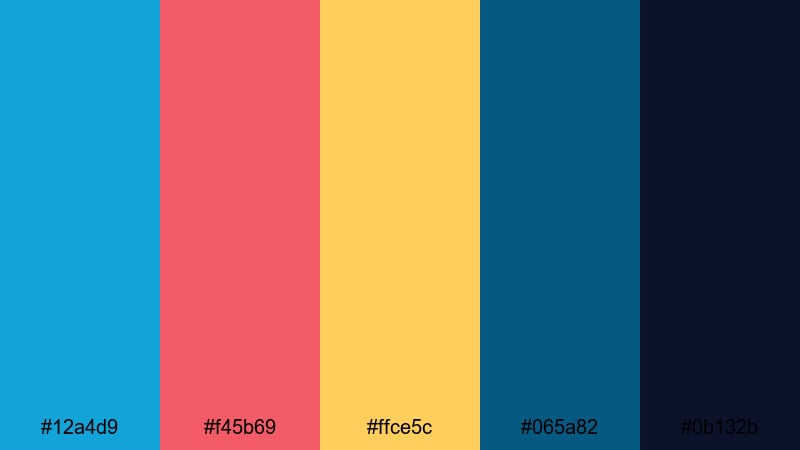
- HEX Codes: #12a4d9, #f45b69, #ffce5c, #065a82, #0b132b
- Mood: Dramatic, dynamic, and cinematic.
- Use for: Use in sports edits, travel teasers, or energetic montage sequences that need bold contrast.
Sunset Pier Energy pairs strong turquoise blue (#12a4d9) with hot pink-red and golden yellow, framed by deep ocean blues. It feels like the last high-energy moments of a day by the water, just before night.
This palette works great for sports highlight reels, fast travel teasers, and energetic montage sequences. In Filmora, lean on #0b132b and #065a82 for letterbox bars or frames, then splash turquoise and pink into motion titles, glitch text, and speed-ramped transitions for a cinematic but playful impact.
Modern & Minimal Turquoise Blue Palettes
Nordic Tech Aqua
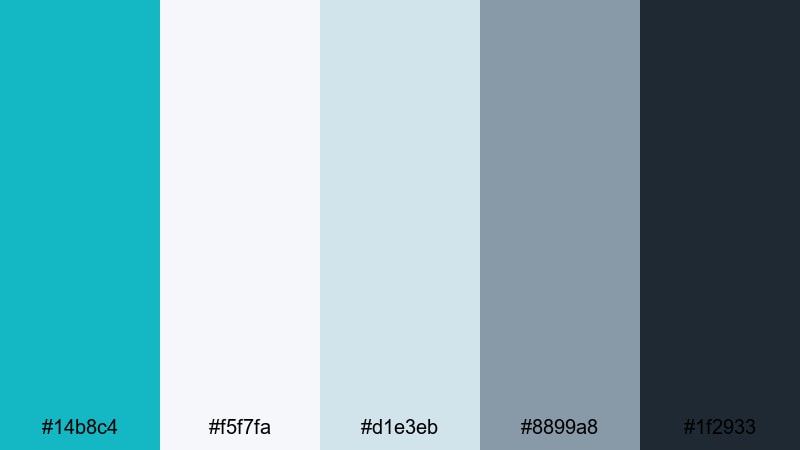
- HEX Codes: #14b8c4, #f5f7fa, #d1e3eb, #8899a8, #1f2933
- Mood: Sleek, professional, and innovative.
- Use for: Ideal for startup explainers, SaaS product demos, and UI-focused motion graphics.
Nordic Tech Aqua combines a crisp turquoise accent (#14b8c4) with cool grays and deep charcoal, echoing modern app interfaces and Scandinavian design. It feels clean, trustworthy, and ready for business.
Use this palette for product demo videos, UI mockups, and dashboard explainers in Filmora. Keep #f5f7fa and #d1e3eb as background cards, apply #1f2933 to headings, and reserve turquoise for key buttons, data points, and highlight animations.
Studio Loft Aqua
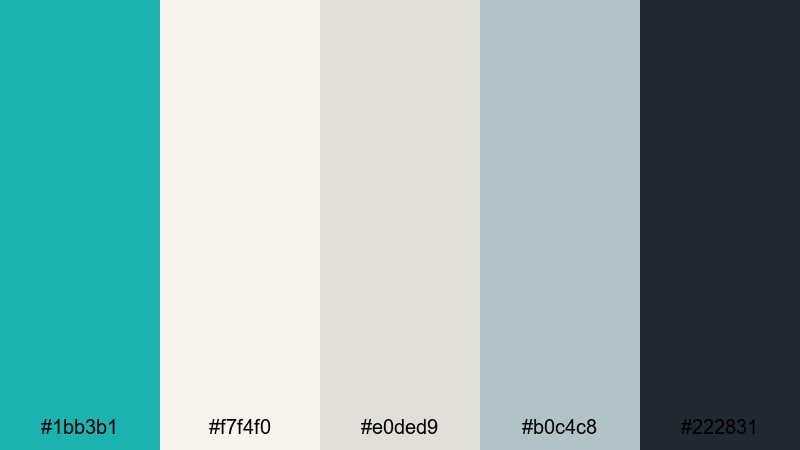
- HEX Codes: #1bb3b1, #f7f4f0, #e0ded9, #b0c4c8, #222831
- Mood: Urban, refined, and balanced.
- Use for: Great for creative studio reels, portfolio titles, and behind-the-scenes content.
Studio Loft Aqua pairs turquoise blue with warm off-whites, soft greys, and a charcoal black. It feels like a bright studio set inside an industrial loft, blending creativity with a professional edge.
Use this palette for portfolio videos, client case studies, and behind-the-scenes edits. In Filmora, style your lower thirds in #f7f4f0 with #222831 text, and use #1bb3b1 for accent lines, logo reveals, and hover-style effects on callouts.
Clean Dashboard Wave
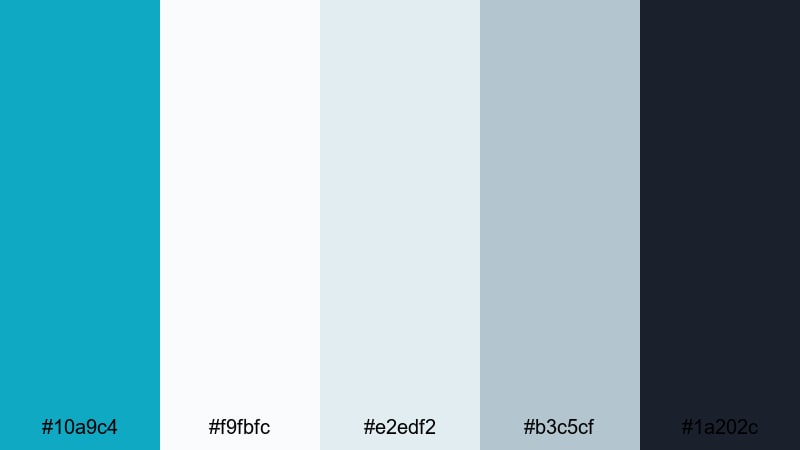
- HEX Codes: #10a9c4, #f9fbfc, #e2edf2, #b3c5cf, #1a202c
- Mood: Orderly, bright, and data-driven.
- Use for: Perfect for analytics dashboards, app previews, and tutorial overlays with clear hierarchy.
Clean Dashboard Wave feels like a modern SaaS UI. Turquoise blue (#10a9c4) highlights important information while pale grays and off-whites keep the overall interface quiet and readable.
Use this palette for tutorial overlays, software walkthroughs, and explainer videos. In Filmora, build simple panels in #f9fbfc and #e2edf2, use #1a202c for main text, and let turquoise draw attention to mouse highlights, callout arrows, and key numbers.
Minimal Title Cards
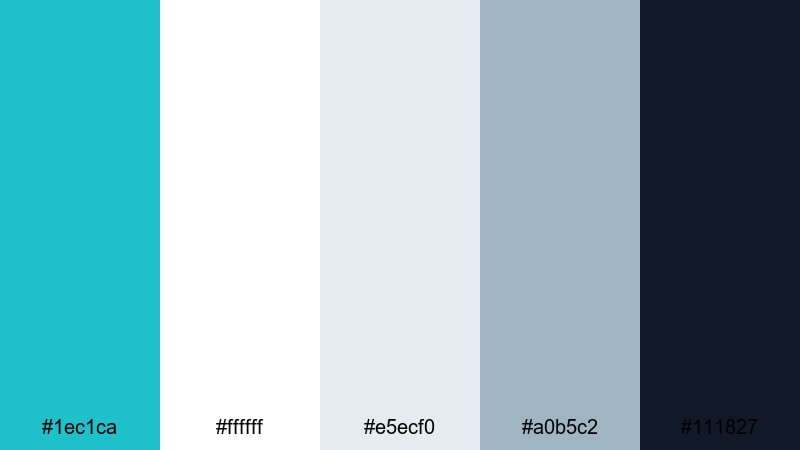
- HEX Codes: #1ec1ca, #ffffff, #e5ecf0, #a0b5c2, #111827
- Mood: Fresh, minimal, and readable.
- Use for: Use for lower thirds, end screens, and typography-led intro sequences.
Minimal Title Cards keeps things stripped back and sharp. Bright turquoise (#1ec1ca) sits on clean white with soft blue-grays and deep slate, giving you maximum contrast without feeling harsh.
Use this palette when your design is mostly type: name cards, chapter titles, end screens, and info-packed overlays. In Filmora, set backgrounds to white or #e5ecf0, use #111827 for text, and drop turquoise into borders, underline animations, and subscribe prompts.
Cinematic Ocean Frame
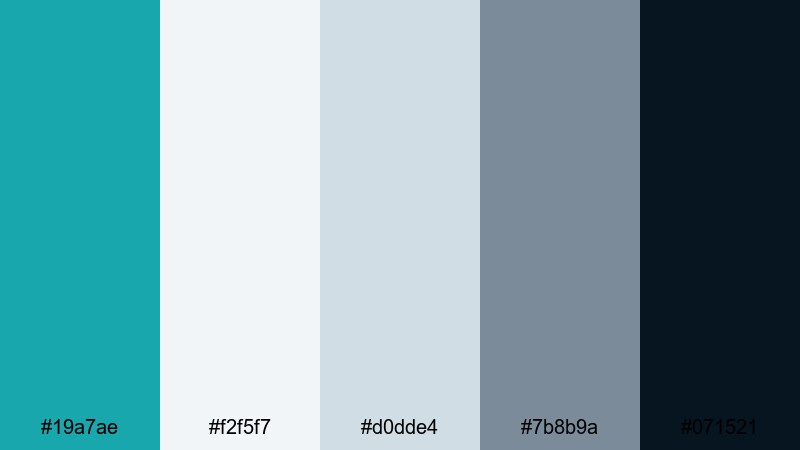
- HEX Codes: #19a7ae, #f2f5f7, #d0dde4, #7b8b9a, #071521
- Mood: Moody, polished, and cinematic.
- Use for: Best for trailers, documentary titles, and stylized grading inspired by ocean scenes.
Cinematic Ocean Frame takes turquoise blue into a more serious, filmic direction. #19a7ae is balanced by misty neutrals and deep navy-black (#071521), creating a polished, documentary-ready mood.
Use this palette for trailers, ocean-inspired stories, and title sequences. In Filmora, use #071521 for letterbox bars and overlays, keep text in #f2f5f7 or #d0dde4 for contrast, and let turquoise appear in subtle lines, icons, or tinted highlights across your footage.
Tips for Creating Turquoise Blue Color Palettes
Turquoise blue is flexible enough to feel dreamy, tropical, or professional, depending on what you pair it with. Use these tips to build your own palettes for videos, thumbnails, and brand assets that still feel consistent inside Filmora.
- Decide the mood first: pair turquoise blue with pastels and warm neutrals for soft, romantic edits, or with saturated corals and yellows for bold tropical energy.
- Protect readability: always test your text colors on mobile; combine turquoise backgrounds with dark navy or charcoal text, and use white text on darker turquoise only if contrast is high.
- Limit accent colors: pick one main turquoise hex and one or two accent colors; too many bright hues can make thumbnails look cluttered and reduce click-through rates.
- Match footage and graphics: in Filmora, sample colors from your footage using the eyedropper tool so overlays, shapes, and titles echo the same turquoise tones already in the scene.
- Use neutrals to breathe: balance intense turquoise blue with soft grays, creams, or off-whites so the viewer has resting space around key information.
- Keep brand consistency: save your HEX codes and reuse them in every intro, lower third, and end screen so viewers instantly recognize your channel.
- Adapt for different platforms: use stronger contrast and bolder turquoise for small-format content like Shorts or Reels, and more subtle palettes for longer cinematic videos watched on bigger screens.
- Test on different devices: export a frame from Filmora and check it on phone, tablet, and monitor; adjust brightness and saturation so turquoise blue looks clean, not neon or muddy, everywhere.
Turquoise blue palettes can completely change how your content feels, from peaceful late-night reflections to high-energy tropical edits or sleek tech explainers. With the right combinations, you can guide your audience's emotions and build a recognizable visual identity around this fresh, modern color.
Use the 15 palettes above as starting points for your thumbnails, titles, overlays, and color grading. Then refine them inside Filmora, saving your favorite looks as presets so every vlog, reel, and tutorial feels like part of the same turquoise blue world.
The more consistently you apply your palette, the more your audience will start to associate that specific shade of turquoise blue with your channel or brand. Experiment, tweak, and let Filmora handle the heavy lifting so you can focus on storytelling.
secure downloadNext: Teal Coral Color Palette
