

 100% Security Verified | No Subscription Required | No Malware


 ChatGPT
 Perplexity
 Gemini
 Claude
 Grok
Grok
Turquoise teal sits between blue and green, blending the calm of the ocean with the clarity of a fresh breeze. It feels clean, intelligent, and slightly playful, which is why brands use it to signal creativity, trust, and modern tech. On screen, turquoise teal can suggest clarity and focus in tutorials, a refreshing vibe in lifestyle vlogs, or a cinematic coastal tone in travel footage.
For video creators, this color is powerful in YouTube thumbnails, intros, lower thirds, logo animations, and full brand systems. Below are ready-made turquoise teal color palettes with HEX codes you can copy directly into your design tools or apply in Filmora. Use them for consistent visuals across channel art, overlays, end screens, and social cutdowns.
In this article
Fresh & Minimal Turquoise Teal Palettes
Coastal Studio Clean
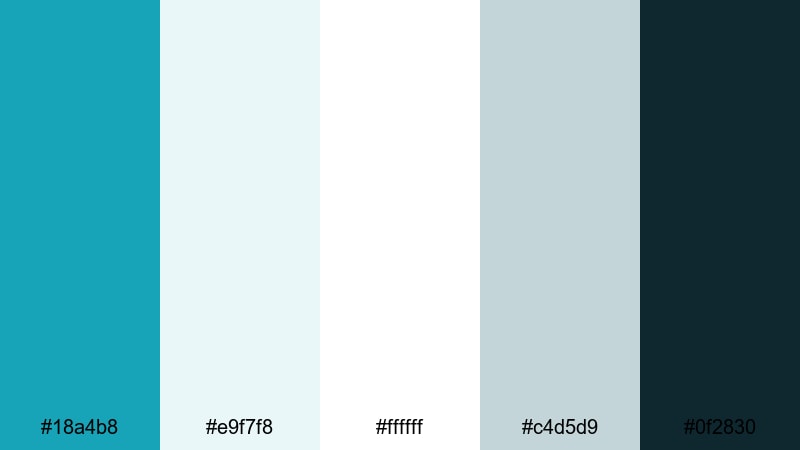
- HEX Codes: #18a4b8, #e9f7f8, #ffffff, #c4d5d9, #0f2830
- Mood: Crisp, airy, and professional with a subtle coastal vibe.
- Use for: Perfect for clean channel branding, app walkthrough videos, and minimalist YouTube intros.
This palette centers on a bright turquoise teal (#18a4b8) framed by soft whites, pale aqua, and a deep slate navy. It feels like sunlight in a modern studio near the sea: clean, breathable, and focused. The contrast between the pure white and the dark #0f2830 accent keeps everything sharp and readable.
Use this combo for sleek tutorial thumbnails, software UI demos, and productivity vlogs where clarity matters. Make turquoise teal your accent for buttons, subscribe CTAs, and logo marks, while the light neutrals support backgrounds, frames, and lower thirds. It works especially well for tech-forward channels that still want a warm, human touch.
Pro Tip: Keep Your Turquoise Teal Brand Consistent in Filmora
Once you pick a signature turquoise teal, you want it to look identical across intros, B-roll, and social clips. In Filmora, you can save your title styles, color values, and overlays so every new video uses the same HEX codes and font treatments. That way your audience instantly recognizes your channel the moment a thumbnail or intro frame appears.
Apply your main turquoise teal to text, shapes, and motion graphics, then reuse that style in end screens, chapter cards, and Shorts. Filmora makes it easy to keep everything on-brand without manually re-entering color codes for every project.
AI Color Palette
If you have a moodboard, brand guide, or screenshot of this Coastal Studio Clean palette, you can use it as a base look for your footage. Filmora's AI Color Palette feature analyzes that reference and transfers its tones across your entire timeline.
Simply choose a clip or image with the turquoise teal vibe you love, then let AI match your other shots to it. This keeps skin tones natural while aligning backgrounds, highlights, and shadows to the same fresh, coastal feel for thumbnails, intros, and long-form edits.
 secure download

HSL, Color Wheels & Curves
To fine-tune turquoise teal in your footage, use Filmora's HSL controls to gently shift blue-green tones toward your chosen HEX value. You can deepen shadows with the color wheels while keeping highlights bright and airy, then use curves to lift midtones for that clean studio look. A good starting point is explained in Filmora's color correction guide, which shows how to balance hues without over-saturating them.
For cinematic intros, push teals a bit cooler in the shadows while warming skin tones in the midtones. This creates professional separation between your subject and background while staying loyal to your turquoise teal brand color.
secure download1000+ Video Filters & 3D LUTs
Once your turquoise teal base is set, style it quickly with Filmora's filter and LUT library. Filmora's video filters and 3D LUTs make it easy to turn a clean palette into a cool tech look, a soft lifestyle grade, or a high-contrast cinematic style in seconds.
Try subtle contrast-enhancing filters for tutorials, or a teal-and-orange style LUT for cinematic B-roll that still respects your original turquoise hue. Save your favorite combinations as presets so future videos match your established brand aesthetic.
secure downloadMinimal Wave Interface
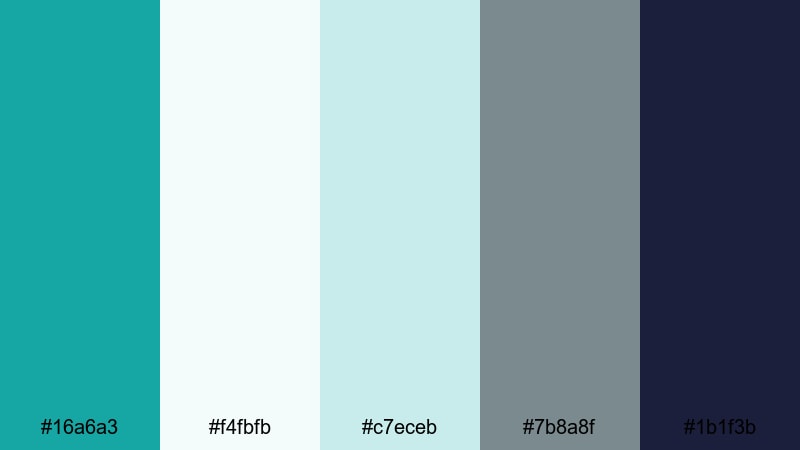
- HEX Codes: #16a6a3, #f4fbfb, #c7eceb, #7b8a8f, #1b1f3b
- Mood: Modern, calm, and efficient with a tech-forward edge.
- Use for: Great for UI mockups, SaaS promo videos, and minimal explainer animations.
Minimal Wave Interface balances a refined turquoise teal (#16a6a3) with very light aquas and cool grays. It feels like a clean dashboard screen: organized, efficient, and easy on the eyes. The deep navy #1b1f3b gives you a strong anchor for typography or buttons without breaking the minimal feel.
Use this palette for app walkthroughs, product demos, or UX case study videos. Teal can highlight key features or callouts, while the soft backgrounds keep graphs, screen captures, and motion graphics readable on both mobile and desktop. It is also a strong choice for LinkedIn visuals and landing page hero sections.
Tech Harbor Breeze
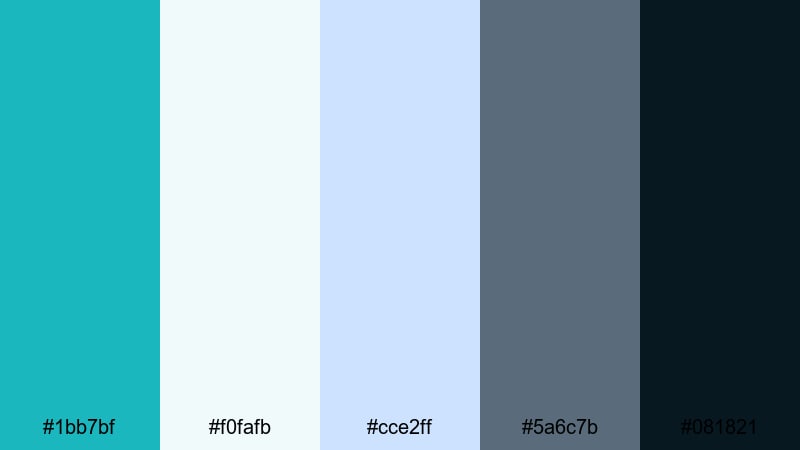
- HEX Codes: #1bb7bf, #f0fafb, #cce2ff, #5a6c7b, #081821
- Mood: Innovative, light, and slightly futuristic.
- Use for: Ideal for tech reviews, gadget unboxings, and channel art for productivity or coding content.
Tech Harbor Breeze mixes bright turquoise teal (#1bb7bf) with airy whites and soft sky blues. The darker slate and midnight tones give it a modern, almost sci-fi grounding. Overall, it feels like fresh sea air meeting a high-tech control room.
Apply the lighter colors to backgrounds, device frames, and screen mockups, and conserve the dark #081821 for titles and overlays. This palette keeps your tech reviews and coding timelapses looking sharp, while the teal accent guides the viewer toward subscribe buttons, labels, and UI highlights.
Modern Workspace Aqua
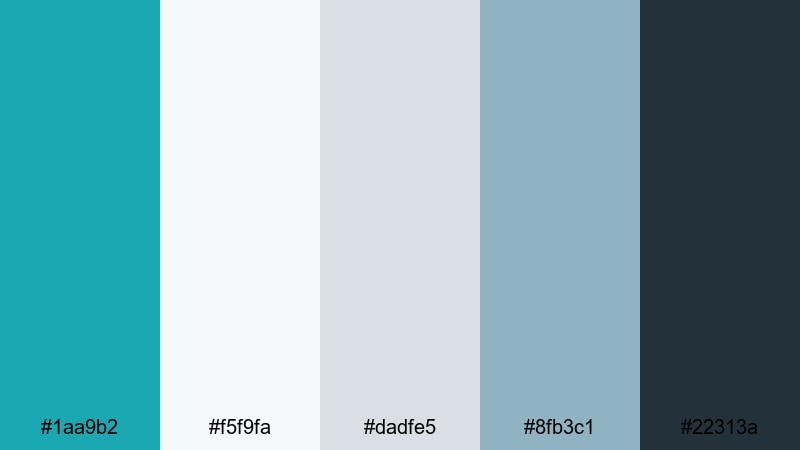
- HEX Codes: #1aa9b2, #f5f9fa, #dadfe5, #8fb3c1, #22313a
- Mood: Organized, sophisticated, and quietly energetic.
- Use for: Use in productivity vlogs, work-from-home setups, and branding for creative agencies.
Modern Workspace Aqua wraps a confident turquoise teal (#1aa9b2) in calm grays and muted blues. It feels like a curated desk setup: tidy, focused, but still creative. The dark blue-gray #22313a anchors the palette, giving you a strong color for key text and navigation elements.
This is a great choice for productivity channels, Notion or workspace tours, and design agency showreels. Use teal for progress bars, checklist icons, and chapter markers. The gentle neutrals make sure your face, desk, or product shots remain the main focus without visual noise.
Clarity Dashboard Teal
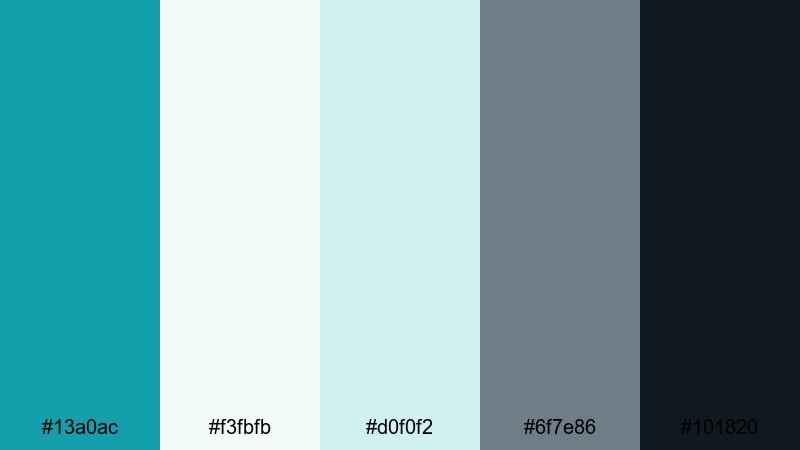
- HEX Codes: #13a0ac, #f3fbfb, #d0f0f2, #6f7e86, #101820
- Mood: Clear, analytical, and trustworthy.
- Use for: Designed for data visualizations, tutorial graphics, and infographic-style video content.
Clarity Dashboard Teal is built around a precise turquoise teal (#13a0ac) that feels analytical but friendly. Icy highlights and muted grays create the impression of a well-designed analytics dashboard. The deep #101820 provides strong contrast for charts, titles, and small UI elements.
Use this palette for metric overlays, transitions that show stats, and timeline graphics in case study videos. The teal shade works perfectly for lines on graphs and key values in your thumbnails, signaling data-driven content that is still approachable.
Dreamy Pastel Turquoise Teal Palettes
Cotton Candy Lagoon
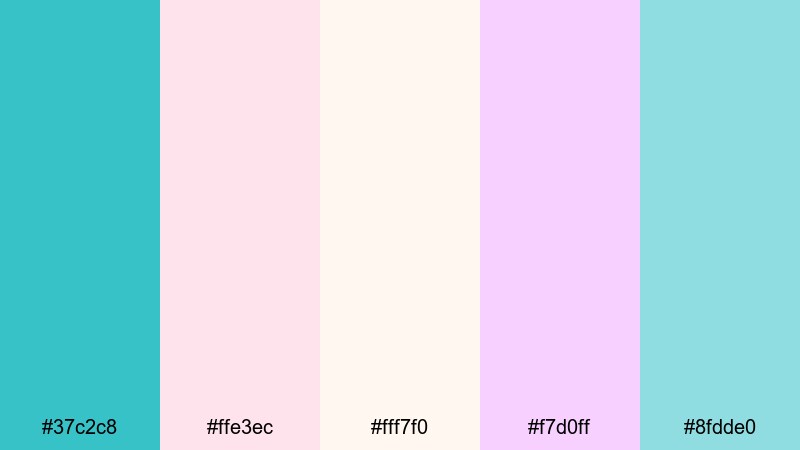
- HEX Codes: #37c2c8, #ffe3ec, #fff7f0, #f7d0ff, #8fdde0
- Mood: Playful, dreamy, and nostalgic like a pastel seaside carnival.
- Use for: Perfect for lifestyle vlogs, travel diaries, and whimsical Instagram Reels graphics.
Cotton Candy Lagoon pairs a bright turquoise teal (#37c2c8) with soft pinks, lilacs, and creamy off-whites. It feels sugary and nostalgic, like cotton candy by a pastel-colored pier. The extra aqua accent #8fdde0 keeps everything cohesive and water-inspired.
This palette is ideal for dreamy travel edits, aesthetic day-in-the-life vlogs, and playful text overlays in shorts. Use teal for outlines or drop shadows on text, and let the pinks and creams fill backgrounds, gradient shapes, and story highlight covers.
Soft Tidal Morning
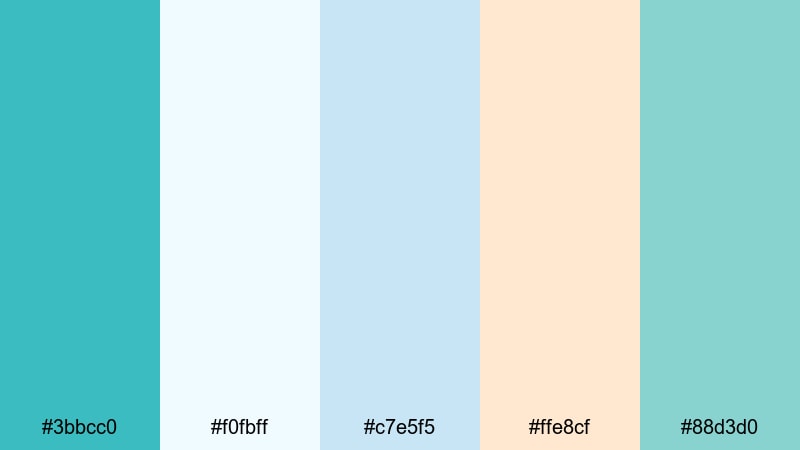
- HEX Codes: #3bbcc0, #f0fbff, #c7e5f5, #ffe8cf, #88d3d0
- Mood: Calm, gentle, and refreshing like a quiet sunrise by the sea.
- Use for: Great for morning routine videos, wellness content, and calm cinematic b-roll grading.
Soft Tidal Morning surrounds a soothing turquoise teal (#3bbcc0) with misty blues and a soft peach highlight. It feels like early light reflecting on calm water. The palette is low-contrast and forgiving, making it perfect for gentle, slow-paced content.
Use it in yoga flows, meditation intros, self-care routines, or journaling videos. Let teal and aqua appear in titles, tickers, and subtle shapes, while the warm peach lights up candles, sun flares, and highlight elements in thumbnails.
Pastel Surf Story
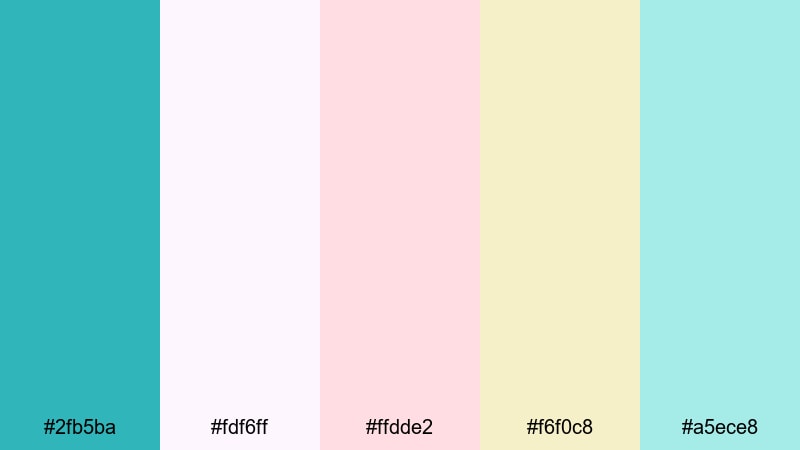
- HEX Codes: #2fb5ba, #fdf6ff, #ffdde2, #f6f0c8, #a5ece8
- Mood: Lighthearted, youthful, and storybook-like.
- Use for: Use for animated explainers, kid-friendly content, and bubbly channel branding.
Pastel Surf Story combines a soft turquoise teal (#2fb5ba) with blush, cream, and minty accents. It feels like a picture book set on a sunny beach, youthful and welcoming without being neon. The delicate #a5ece8 ties the water-inspired tones together.
This palette is made for kid-safe channels, illustrated explainers, and bubbly intro animations. Use teal for character outlines or icon accents, and keep text set in dark versions of the pastels for gentle contrast. In thumbnails, frame your subject with pastel shapes so the overall feed feels light and cohesive.
Dreamy Pool Glow
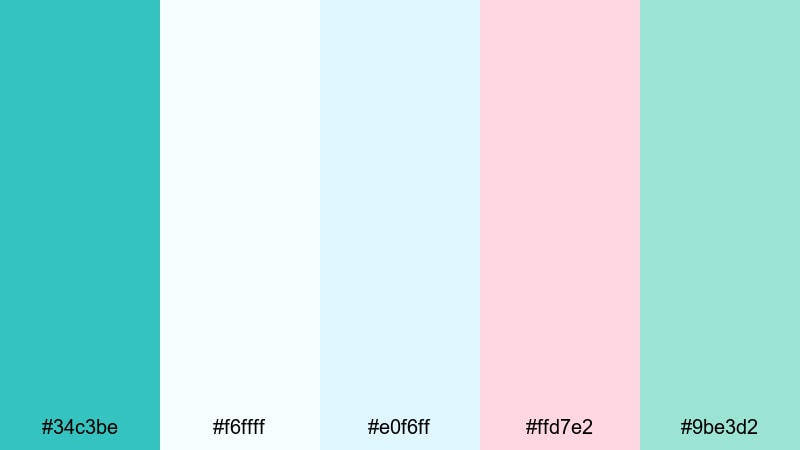
- HEX Codes: #34c3be, #f6ffff, #e0f6ff, #ffd7e2, #9be3d2
- Mood: Ethereal, floaty, and softly luminous.
- Use for: Ideal for dreamy montage sequences, aesthetic edits, and underwater-inspired titles.
Dreamy Pool Glow is built around a shimmering turquoise teal (#34c3be) with pale aqua, soft blue, and blush accents. It looks like sunlight reflecting on a pool surface, giving your visuals a hazy, dreamy aura.
Use it for slow-motion B-roll, underwater shots, or aesthetic TikToks and Reels. Teal works well for title glows and outline strokes, while the blush and pale blues can tint light leaks, gradient overlays, and shapes behind your text.
Sunlit Mint Horizon
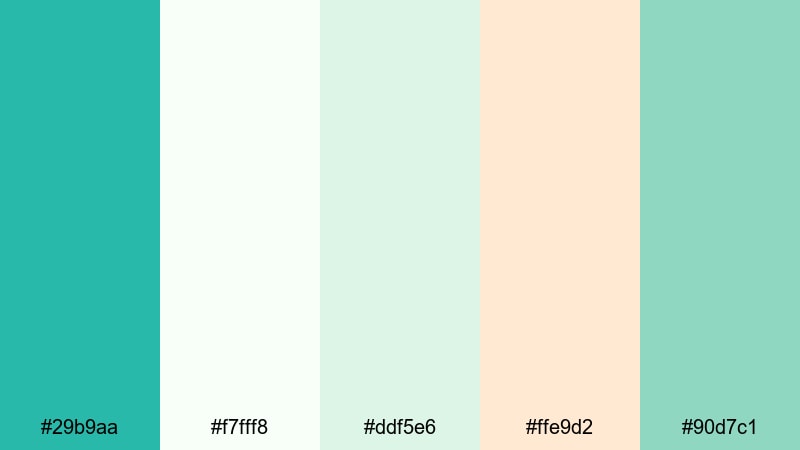
- HEX Codes: #29b9aa, #f7fff8, #ddf5e6, #ffe9d2, #90d7c1
- Mood: Hopeful, breezy, and softly optimistic.
- Use for: Great for nature vlogs, mindful journaling videos, and gentle brand intros.
Sunlit Mint Horizon blends a minty turquoise teal (#29b9aa) with fresh greens and warm peachy light. It feels optimistic and breezy, like a coastal field on a sunny morning. The softness of the off-whites keeps everything relaxed and approachable.
This palette is a strong choice for slow travel vlogs, mindfulness channels, or eco-focused brands. Use teal and mint tones for icons, dividers, and accent shapes, while the peach highlight draws attention to CTAs or important callouts in your title cards and end screens.
Bold & Cinematic Turquoise Teal Palettes
Neon Cyber Reef
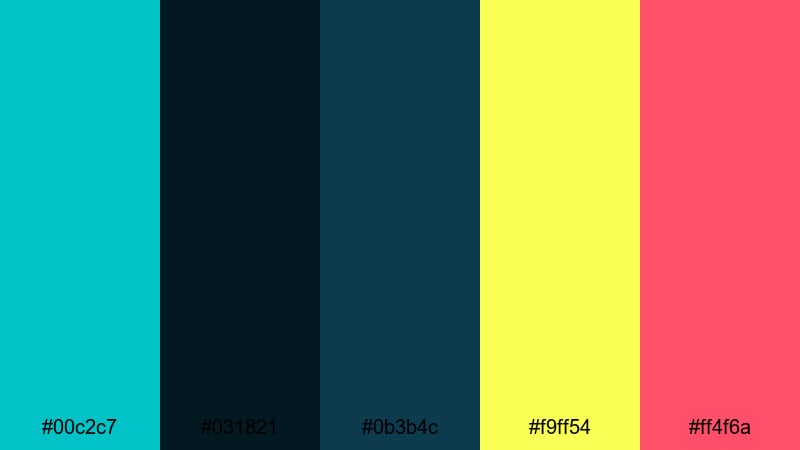
- HEX Codes: #00c2c7, #031821, #0b3b4c, #f9ff54, #ff4f6a
- Mood: High-energy, futuristic, and dramatic like a neon-lit ocean city.
- Use for: Perfect for gaming intros, cyberpunk edits, and fast-paced trailer graphics.
Neon Cyber Reef crashes an electric turquoise teal (#00c2c7) into deep midnight blues, neon yellow, and hot pink. It feels like a sci-fi reef glowing under blacklight, intense and high contrast. The dark backgrounds (#031821, #0b3b4c) make the neon accents explode on screen.
Use this palette for gaming overlays, glitch transitions, and cyberpunk-inspired thumbnails. Let teal and neon yellow guide the eye to your logo or episode number, while the pink adds danger and energy in streaks, borders, or animated accents.
Tropical Noir Titles
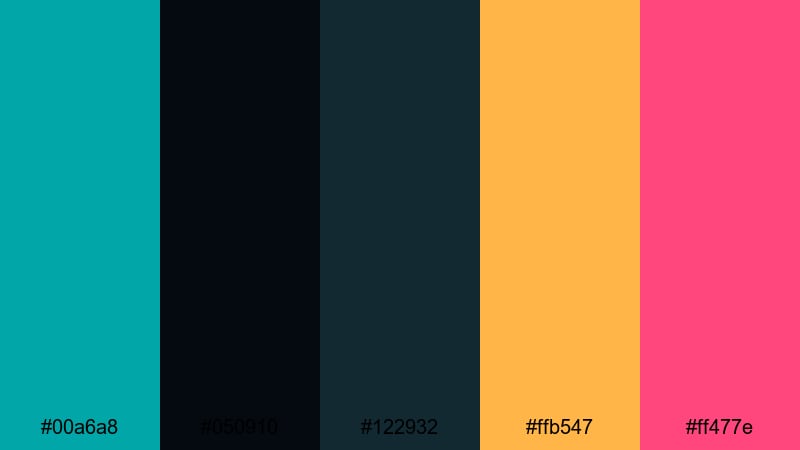
- HEX Codes: #00a6a8, #050910, #122932, #ffb547, #ff477e
- Mood: Moody, exotic, and intense with a nightlife flair.
- Use for: Use in title sequences, music videos, and bold channel openers with a cinematic punch.
Tropical Noir Titles combines a vibrant turquoise teal (#00a6a8) with inky shadows and rich gold and magenta accents. It feels like a neon sign glowing above a tropical street at night, mysterious yet glamorous.
Use it for dramatic title cards, music video lower thirds, or stylized channel openers. Keep text in gold or teal against the nearly-black backgrounds, and add magenta strokes or underlines for extra rhythm and emotion.
Epic Ocean Lensflare
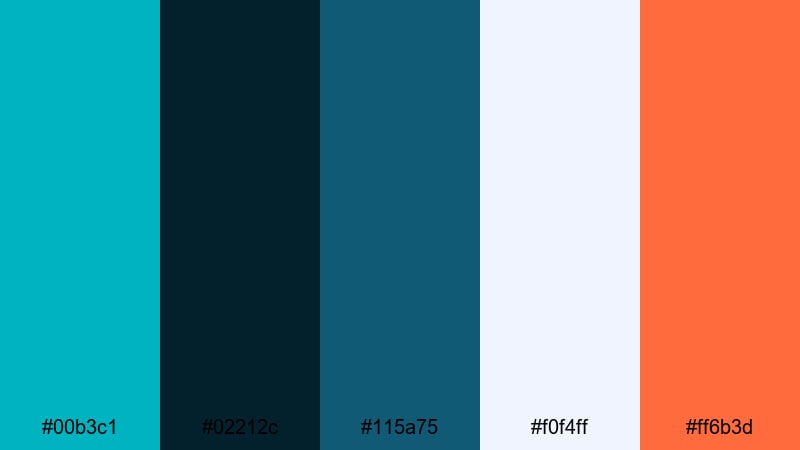
- HEX Codes: #00b3c1, #02212c, #115a75, #f0f4ff, #ff6b3d
- Mood: Adventurous, grand, and filmic like an open-sea blockbuster.
- Use for: Great for travel films, drone footage, and epic B-roll highlight reels.
Epic Ocean Lensflare features rich turquoise teal (#00b3c1) and deep sea blues, contrasted with soft sky tones and a fiery orange highlight (#ff6b3d). It feels like an action trailer set over endless water, with dramatic sun flares and sweeping shots.
Use this palette to grade drone clips, surf footage, or travel montages. Let teal and deep blue dominate shadows and midtones, while the orange accent appears in light leaks, flare overlays, or text highlights that amp up the drama of your titles and transitions.
Midnight Harbor Pulse
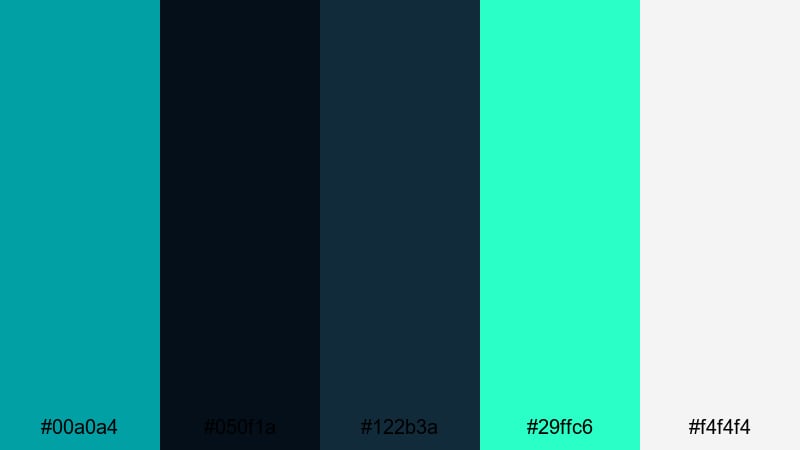
- HEX Codes: #00a0a4, #050f1a, #122b3a, #29ffc6, #f4f4f4
- Mood: Edgy, rhythmic, and modern with a nightclub-at-the-docks feel.
- Use for: Ideal for dance edits, fashion promos, and stylized text animations.
Midnight Harbor Pulse sets a strong turquoise teal (#00a0a4) against dark harbor blues and a neon mint highlight (#29ffc6). A soft off-white keeps the palette versatile for text and UI. The overall feel is energetic and urban, like lights bouncing off water at night.
Use the darker tones as backgrounds for kinetic typography, then let teal and neon mint pulse in beat-synced elements for dance edits or fashion reels. This palette also works for edgy event promos and nightclub-style intro sequences.
Aqua Action Trailer
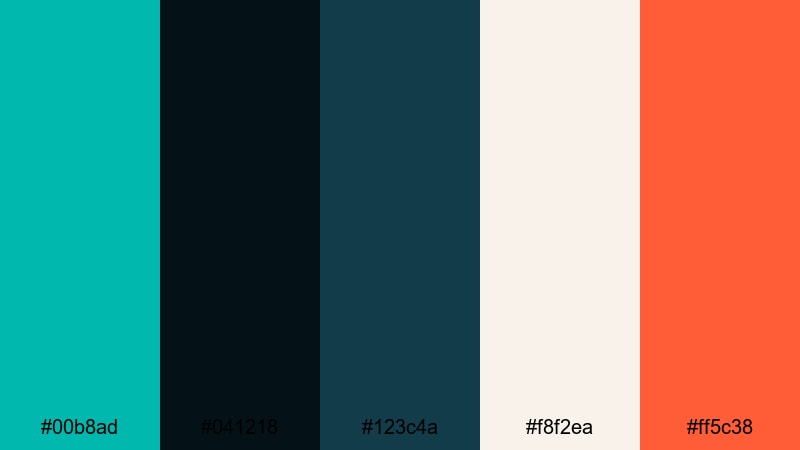
- HEX Codes: #00b8ad, #041218, #123c4a, #f8f2ea, #ff5c38
- Mood: Energetic, heroic, and bold like an action movie teaser.
- Use for: Use for trailers, challenge videos, and intense sports or fitness edits.
Aqua Action Trailer pairs a punchy turquoise teal (#00b8ad) with deep teal shadows and a soft warm highlight, plus a strong orange accent (#ff5c38). It feels like a modern action poster, dynamic and high contrast.
Use teal for main titles, shape wipes, and HUD-style graphics. The orange accent is perfect for countdown timers, subscribe buttons, or impact frames in sports, challenge, or fitness intros. The warm off-white helps keep text legible against darker footage.
Tips for Creating Turquoise Teal Color Palettes
Turquoise teal is flexible, but it looks best when carefully balanced with neutrals, contrast colors, and skin tones. Use these tips to build palettes that work for thumbnails, intros, overlays, and full video grades.
- Pair with clean neutrals: Use white, off-white, and soft gray as your base so turquoise teal can stand out without overwhelming the frame.
- Control contrast for text: Place light teal on dark backgrounds or dark teal on light backgrounds to keep titles and lower thirds readable on small screens.
- Add a warm accent: Introduce a warm color (peach, coral, or orange) to balance teal's coolness, especially for cinematic or vlog-style content.
- Protect skin tones: When grading, keep skin in natural warm tones and push turquoise mainly into backgrounds, clothes, and UI elements.
- Limit main colors: For thumbnails and intros, stick to 1 main teal, 1 neutral, and 1 accent color to avoid visual clutter.
- Match B-roll and graphics: Use the same HEX values across overlays, title cards, and B-roll grades so your whole video feels cohesive.
- Test on mobile: Always check how your teal palette looks on a phone in light and dark mode, especially for text contrast and icon visibility.
- Create reusable presets: In Filmora, save your favorite teal grade and title styles as presets so every new upload automatically matches your brand.
Turquoise teal can make your channel feel modern, trustworthy, and refreshing, whether you lean into minimal dashboards, dreamy pastels, or bold cinematic contrasts. The right palette does more than look pretty; it shapes how viewers feel about your content and brand from the first thumbnail to the final end screen.
Use these 15 turquoise teal color palettes and HEX codes as ready-made starting points for your branding, intros, overlays, and color grading. Experiment inside Filmora, save the looks that match your voice, and keep reusing them so your audience instantly recognizes your style.
Over time, a consistent turquoise teal aesthetic across videos, shorts, and social posts will help you stand out in feeds and build a strong visual identity without needing a full design team.
secure downloadNext: Tropical Color Palette
