

 100% Security Verified | No Subscription Required | No Malware


 ChatGPT
 Perplexity
 Gemini
 Claude
 Grok
Grok
White and yellow together create a bright, confident look that feels both clean and welcoming. White brings clarity and minimalism, while yellow adds sunshine, optimism, and a hint of playfulness. When combined, a white yellow color palette can feel anything from soft and airy to bold and high energy, depending on how saturated the yellows are and how much white space you leave.
For video creators, designers, and Filmora users, white yellow color combinations are perfect for thumbnails, channel branding, intros, lower thirds, and social media graphics. Below you will find 15 ready-made white yellow color palettes with HEX codes so you can quickly match titles, overlays, and footage for a cohesive look across your entire project.
In this article
Soft & Airy White Yellow Color Palettes
Morning Lemon Haze
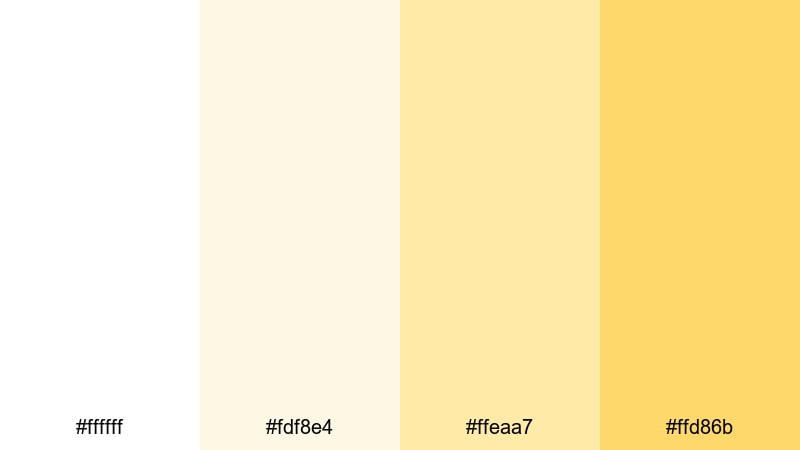
- HEX Codes: #ffffff, #fdf8e4, #ffeaa7, #ffd86b
- Mood: calm, optimistic, and gently energizing
- Use for: Ideal for lifestyle vlogs, wellness intros, and soft morning routine thumbnails.
Morning Lemon Haze feels like sunlight slipping through sheer curtains. The pure white and hazy lemon tones stay bright, but never harsh, which makes faces and text look flattering and easy to read. It delivers a calm, optimistic mood that fits perfectly with mindful content or gentle productivity themes.
Use this palette for YouTube intros, soft B-roll sequences, and Instagram or TikTok covers where you want clean space for typography. In Filmora, you can match your titles, lower thirds, and background cards to these HEX codes so every frame of your white yellow themed video feels cohesive and approachable.
Pro Tip: Keep Your Soft White Yellow Frames Consistent in Filmora
When you build a gentle white yellow look like Morning Lemon Haze, consistency is everything. In Filmora, start by designing a simple title or lower-third template based on these HEX codes, then save it as a preset. Reusing that preset across intros, transitions, and end screens keeps your channel identity clean and recognizable.
You can also create a plain color matte with the lightest yellow in the palette as a background for text or split-screen layouts. Drop this behind your clips for quote cards, step-by-step overlays, or playlist thumbnails so your audience instantly recognizes your brand color story.
AI Color Palette
If you already have a reference still or brand card in this soft white yellow scheme, you can let Filmora do the heavy lifting. Filmora's AI Color Palette feature analyzes your reference frame and applies a similar color balance to the rest of your clips for smooth, unified visuals.
Import a shot that captures your ideal white yellow mood, use it as the source, and then match your A-roll, B-roll, and cutaway shots in a few clicks. This keeps highlights creamy, yellows gentle, and whites clean without manual tweaking on every single clip.
 secure download

HSL, Color Wheels & Curves
To refine a delicate white yellow palette, Filmora's HSL, color wheels, and curves give you precise control. You can gently desaturate strong yellows so they do not overpower skin tones, push highlights slightly warmer for a sunrise feel, or cool down the shadows to keep your whites from looking too creamy. Tools shown in this color grading tutorial help you balance brightness and contrast while protecting the airy mood.
Use the curves panel to lift the midtones for a soft filmic glow, then use the color wheels to nudge shadows toward neutral grey so your light backgrounds stay clean. Small adjustments like this keep your white yellow scheme cinematic instead of flat or washed out.
secure download1000+ Video Filters & 3D LUTs
Once your white yellow balance feels right, you can quickly give it extra style using Filmora's rich effect library. Filmora's video filters and 3D LUTs make it easy to push this palette toward dreamy pastel, glossy commercial, or soft vintage without rebuilding your grade from scratch.
Try a subtle glow or cinematic LUT to add depth to your bright backgrounds while keeping whites crisp and yellows warm. Apply the same filter to your A-roll, B-roll, and titles so your entire video, from opener to end screen, feels like one unified white yellow story.
secure downloadButtercream Daylight
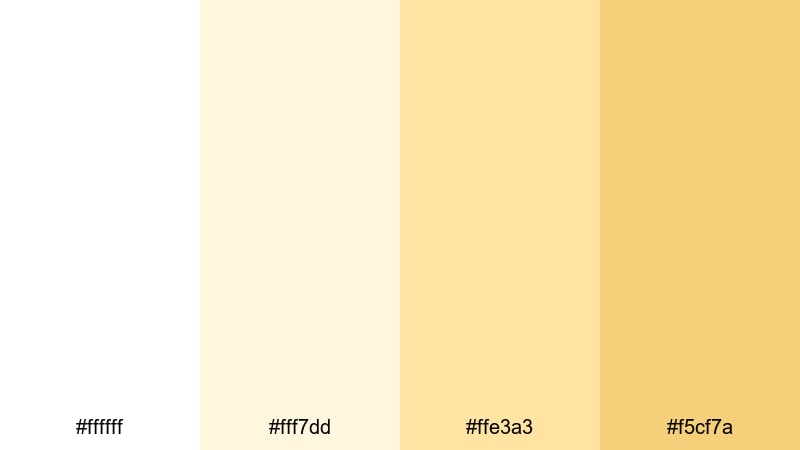
- HEX Codes: #ffffff, #fff7dd, #ffe3a3, #f5cf7a
- Mood: cozy, nurturing, and comforting
- Use for: Great for cooking videos, home decor reels, and warm tutorial slides.
Buttercream Daylight wraps your visuals in a soft, edible warmth, like butter melting on fresh toast. The creamy whites and pastel yellows feel nurturing, making this palette ideal for indoor scenes, tabletop shots, and content that should feel safe and homey.
Use it to frame recipe steps, cozy living room tours, or friendly educational slides. In thumbnails and lower thirds, combine the lightest cream as the background with the deeper yellow for accents, buttons, and subscribe prompts so everything feels warm but still easy to read.
Cotton Cloud Citrus
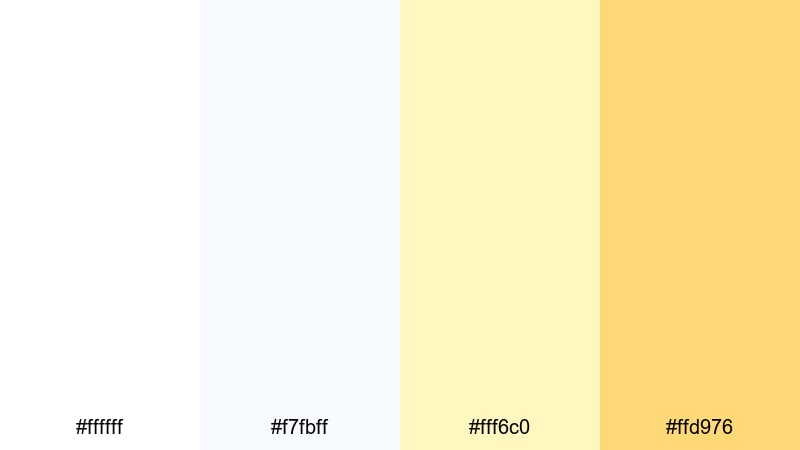
- HEX Codes: #ffffff, #f7fbff, #fff6c0, #ffd976
- Mood: airy, playful, and delicate
- Use for: Perfect for kids content, whimsical title cards, and lighthearted social edits.
Cotton Cloud Citrus mixes fluffy whites with a tiny hint of blue and gentle citrus yellows, creating a feather-light, dreamy atmosphere. It is bright enough to feel cheerful but soft enough that it never looks loud or distracting.
This palette works beautifully for family vlogs, kids crafts, or playful product showcases. Use the palest tones behind line art or doodle-style graphics and reserve the warmer yellow for call-to-action buttons, stickers, and fun animated text in Filmora.
Sunlit Linen Whisper
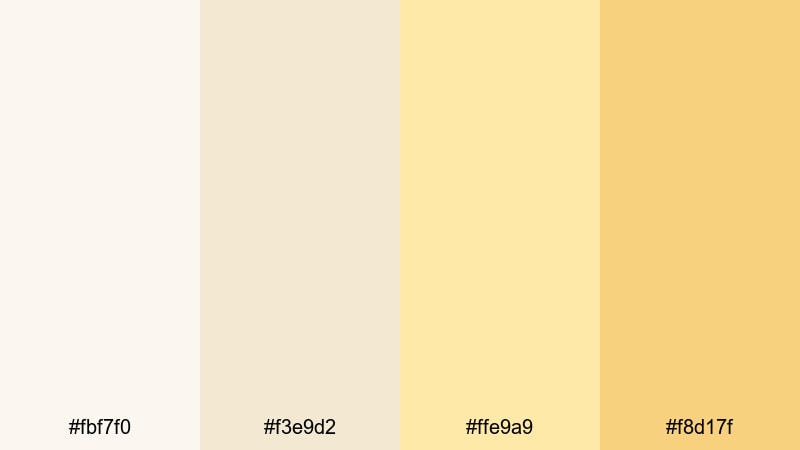
- HEX Codes: #fbf7f0, #f3e9d2, #ffe9a9, #f8d17f
- Mood: relaxed, natural, and understated
- Use for: Use for minimalist vlogs, slow living montages, and subtle lower thirds.
Sunlit Linen Whisper feels like soft fabric in a warm, quiet room. The linen neutrals and gentle yellow glow create a natural, organic atmosphere that suits slow living, minimalism, and mindful storytelling.
Use these tones for simple title cards, chapter labels, and text overlays that do not distract from your footage. In Filmora, apply these HEX values to shapes and backgrounds to give your talking-head clips a subtle frame that looks calm and intentional instead of bare or unstyled.
Vanilla Sunrise Glow
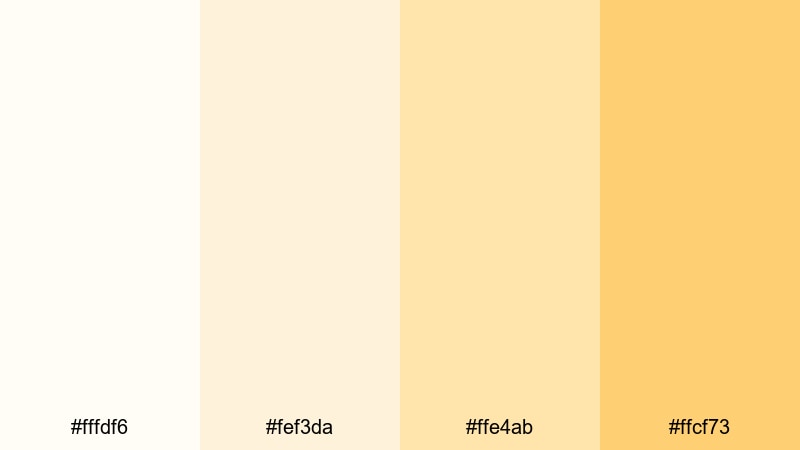
- HEX Codes: #fffdf6, #fef3da, #ffe4ab, #ffcf73
- Mood: gentle, hopeful, and uplifting
- Use for: Best for morning show openers, beauty B-roll, and intro cards for inspirational content.
Vanilla Sunrise Glow combines velvety off-whites with warm sunrise yellows for a look that feels polished yet tender. It instantly signals a fresh start, perfect for motivational intros, daily routine videos, and beauty or skincare clips.
Use the softer tones as a base for quotes, affirmations, or step numbers, and bring in the richer yellow for icons and highlight text. This palette translates well into Filmora as lower thirds, fullscreen title slides, and end screens that feel professional without losing warmth.
Bold & Sunny White Yellow Color Palettes
Neon Citrus Spotlight
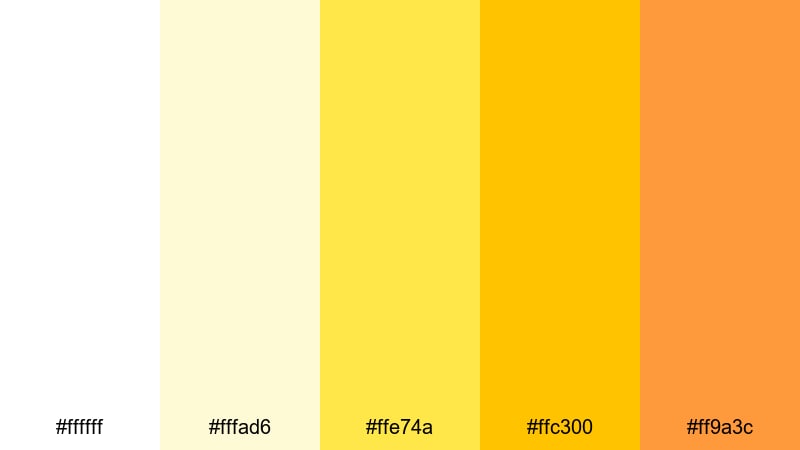
- HEX Codes: #ffffff, #fffad6, #ffe74a, #ffc300, #ff9a3c
- Mood: high-energy, bold, and attention-grabbing
- Use for: Great for gaming thumbnails, promo banners, and dynamic intro animations.
Neon Citrus Spotlight is built to pop in busy feeds. Electric yellows and crisp white create a strong contrast that instantly pulls the eye toward your titles and key visuals. The deeper orange accent adds punch and makes the palette feel more dimensional.
Use it for high-energy gaming intros, challenge announcements, and promo banners where you need maximum visibility at small sizes. In thumbnails, reserve the brightest yellow for key words or countdown numbers and keep the white as your main background to avoid visual overload.
Summer Festival Lights
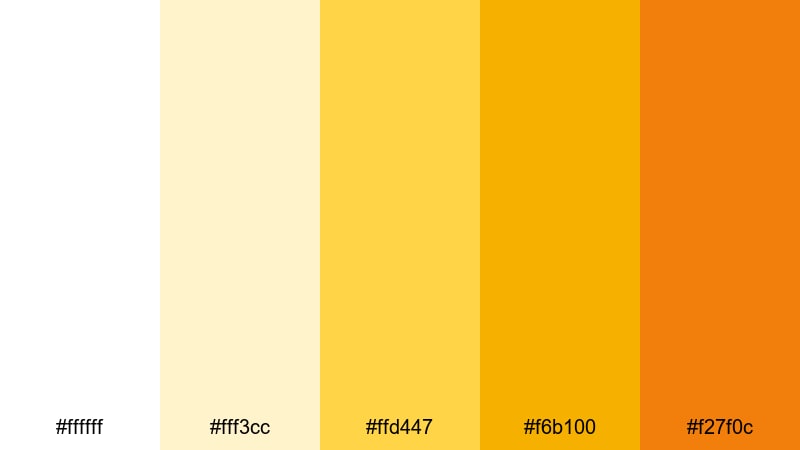
- HEX Codes: #ffffff, #fff3cc, #ffd447, #f6b100, #f27f0c
- Mood: festive, upbeat, and social
- Use for: Ideal for event recaps, travel vlogs, and party highlight reels.
Summer Festival Lights captures the glow of stage lights, food trucks, and golden hour at an outdoor event. The combination of clean white and layered yellows to oranges makes your footage feel warm, busy, and full of life.
Use this palette for festival recaps, party highlight reels, and travel vlogs that focus on people and movement. In your graphics, choose the pale yellow as a soft frame and use the stronger oranges to emphasize event names, locations, and date overlays.
Golden Pop Highlight
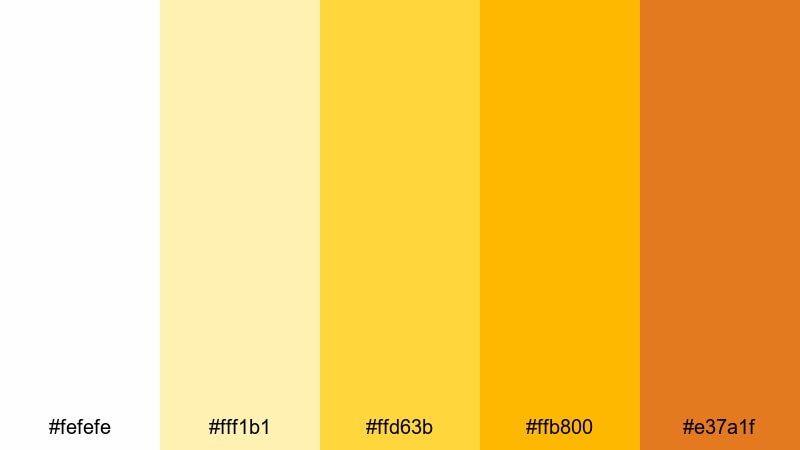
- HEX Codes: #fefefe, #fff1b1, #ffd63b, #ffb800, #e37a1f
- Mood: confident, sharp, and modern
- Use for: Perfect for product launches, app promos, and bold lower third graphics.
Golden Pop Highlight leans into a strong, saturated golden yellow supported by bright white and a deeper amber. It feels confident and modern, making it ideal for tech brands, app launches, and bold on-screen graphics.
Design your key titles, buttons, and feature callouts with the central golden yellow, then use the darker amber shade to add depth and create hierarchy. This palette works especially well for motion graphics in Filmora, like kinetic text and animated shapes, that need to feel premium yet energetic.
Lemon Zest Energy
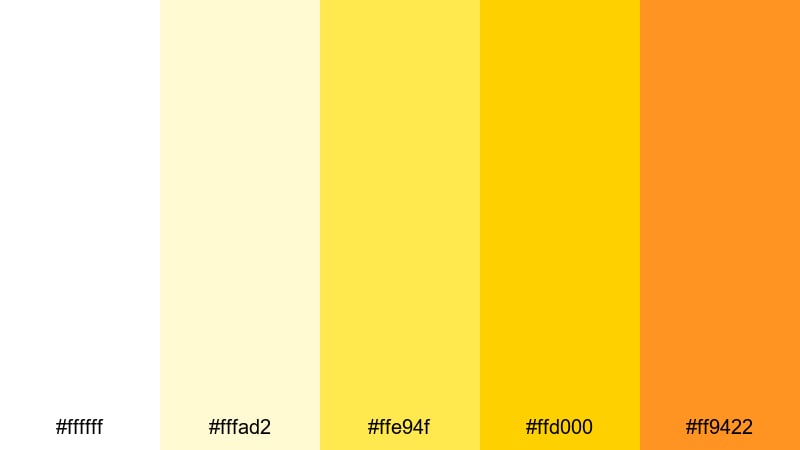
- HEX Codes: #ffffff, #fffad2, #ffe94f, #ffd000, #ff9422
- Mood: zesty, energetic, and motivational
- Use for: Best for fitness intros, challenge videos, and upbeat creator branding.
Lemon Zest Energy hits like a shot of espresso. The vivid lemon tones over crisp white inject instant motivation, perfect for workout content, productivity challenges, or countdowns to a big launch.
Use the bold yellows for timers, progress bars, and animated badges that track goals or achievements. The warm orange accent gives you an extra layer you can apply to emphasis words, arrows, or subscribe prompts without stepping outside your white yellow theme.
Creator Studio Shine
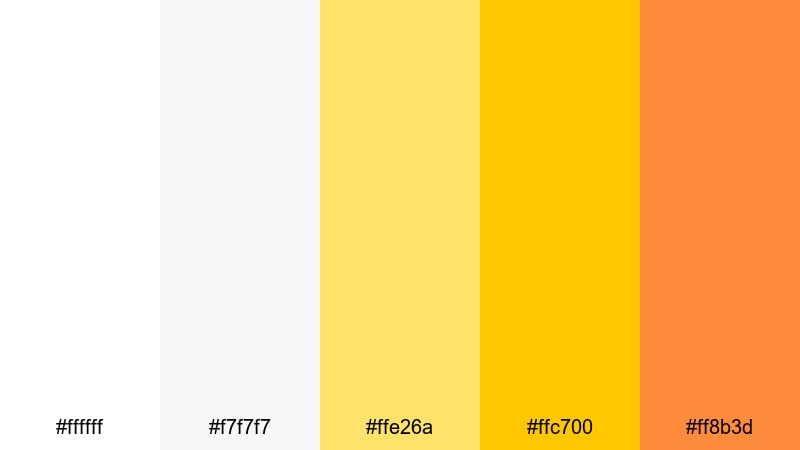
- HEX Codes: #ffffff, #f7f7f7, #ffe26a, #ffc700, #ff8b3d
- Mood: professional, bright, and creator-focused
- Use for: Use for channel branding, YouTube banners, and polished tutorial layouts.
Creator Studio Shine blends studio-clean whites with a strong, saturated yellow accent and a warm orange highlight. The result is a professional but friendly palette that feels right at home on tutorial channels, how-to content, and creator branding.
Use light grey and white as the main canvas for your layout; then let the yellow carry your logo, key words, and subscription prompts. The orange adds a secondary accent for icons or category labels, giving your thumbnails and channel art clear structure and hierarchy.
Elegant & Minimal White Yellow Color Palettes
Marble Loft Accent
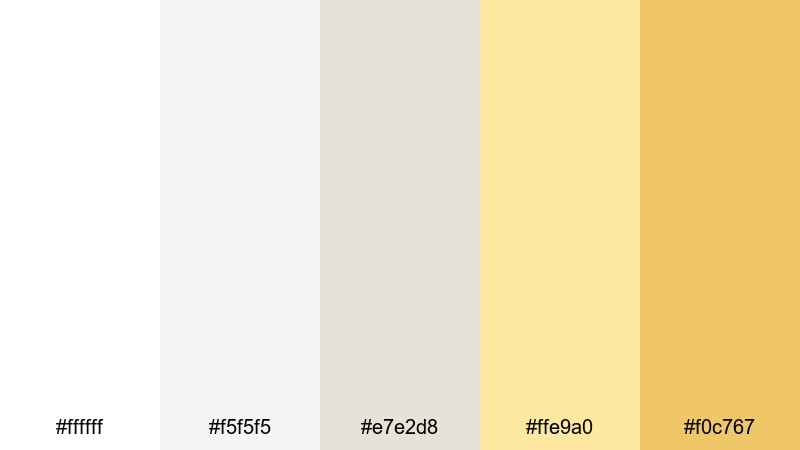
- HEX Codes: #ffffff, #f5f5f5, #e7e2d8, #ffe9a0, #f0c767
- Mood: refined, minimal, and contemporary
- Use for: Ideal for portfolio reels, design case studies, and luxury product showcases.
Marble Loft Accent pairs soft whites and stone-like neutrals with a muted yellow accent. The overall effect is quietly sophisticated, like a gallery or modern loft, with just enough warmth to keep things from feeling sterile.
Use the neutral tones for most of your background and framing elements, then drop in the yellow only where you want attention: product names, price tags, call-to-action text, or logo marks. This palette works especially well for clean portfolio reels cut in Filmora, where your work should stand out more than the interface around it.
Gallery Wall Softlight
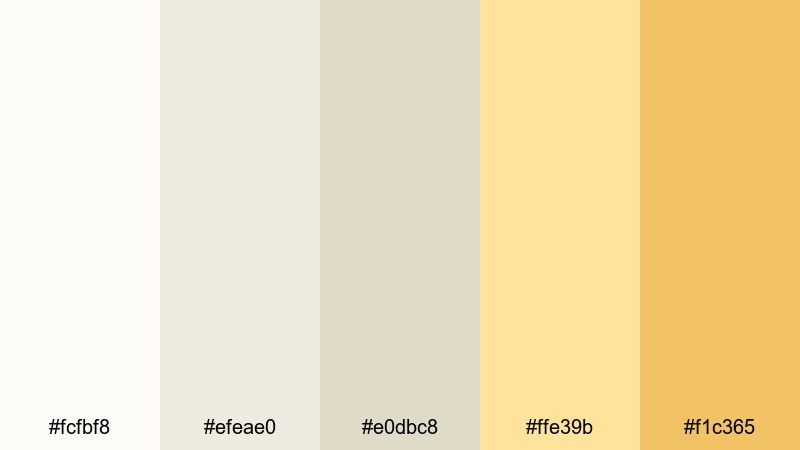
- HEX Codes: #fcfbf8, #efeae0, #e0dbc8, #ffe39b, #f1c365
- Mood: artful, curated, and warm-minimal
- Use for: Great for art channels, creative lookbooks, and slow-pan b-roll sequences.
Gallery Wall Softlight looks like warm daylight in a small exhibition space. Layered neutrals with a gentle yellow highlight create an artful, curated vibe that is perfect for channels focused on craftsmanship, illustration, photography, or handmade products.
Use the beiges and creams for text cards, chapter headings, and negative space; reserve the yellow for sparing accents such as collection titles or subtle underlines. This keeps the audience focused on your work while still providing a recognizable, cohesive visual identity.
Nordic Window Beam
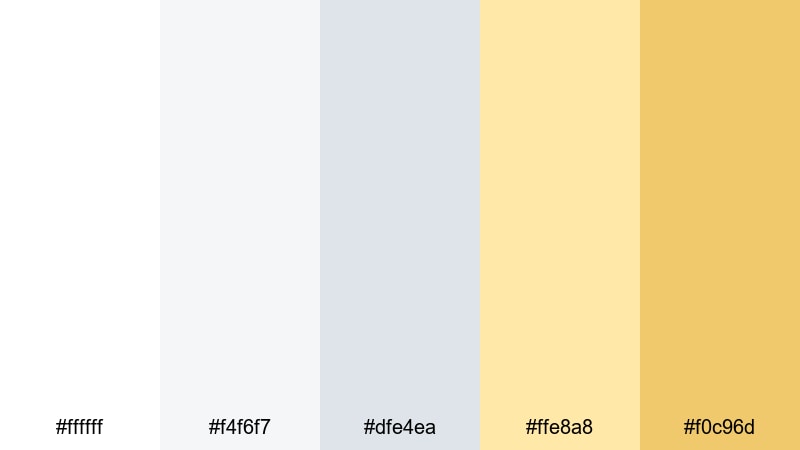
- HEX Codes: #ffffff, #f4f6f7, #dfe4ea, #ffe8a8, #f0c96d
- Mood: clean, airy, and design-forward
- Use for: Best for tech explainers, productivity channels, and UI mockup showcases.
Nordic Window Beam combines cool whites and soft greys with a restrained yellow accent, like a beam of sunrise cutting into a minimal workspace. It feels organized, modern, and very UI friendly.
This palette suits tech explainers, productivity breakdowns, and app or web design showcases. Use the cool tones for diagrams, charts, and screen captures; let the yellow act as an accent color for buttons, highlights, and important numbers in your overlays so the information hierarchy is instantly clear.
Editorial Highlight Fade
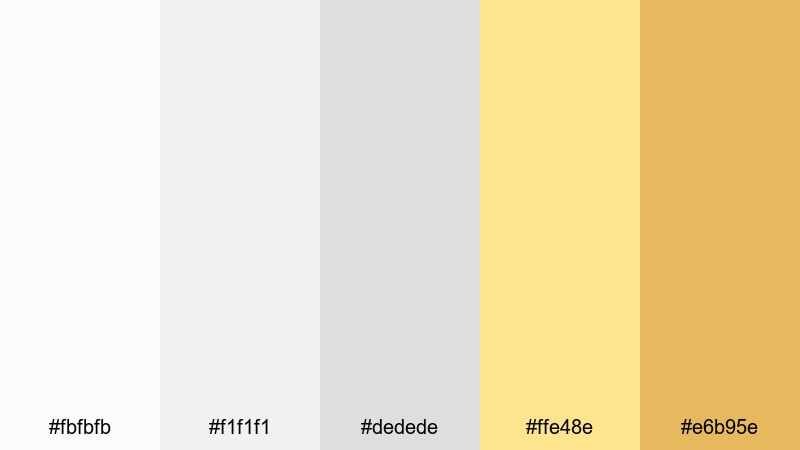
- HEX Codes: #fbfbfb, #f1f1f1, #dedede, #ffe48e, #e6b95e
- Mood: magazine-inspired, sleek, and structured
- Use for: Use for title cards, chapter breaks, and cinematic lower thirds in documentaries.
Editorial Highlight Fade is inspired by clean magazine layouts. A base of layered whites and greys provides a neutral grid, while the yellow highlight acts like a subtle marker pen across your story.
It is ideal for chapter cards, pull quotes, and lower thirds in documentary-style videos. Keep your typography simple and bold, using the soft yellow block or line to frame names, categories, and key statements without overwhelming your footage.
Luxury Label Gleam
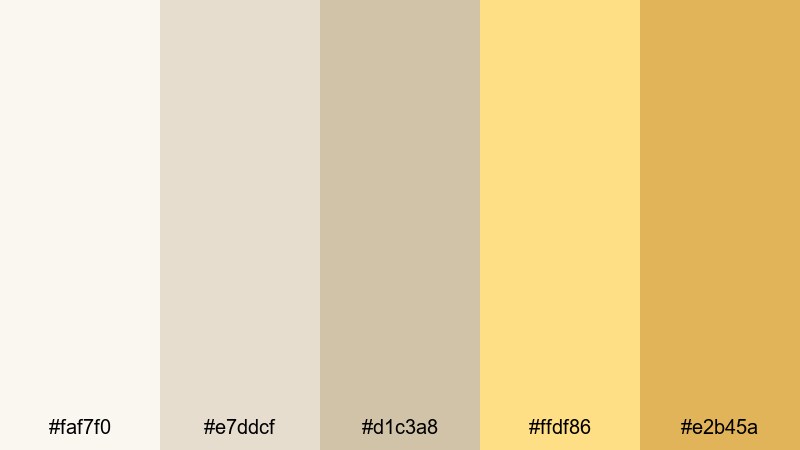
- HEX Codes: #faf7f0, #e7ddcf, #d1c3a8, #ffdf86, #e2b45a
- Mood: luxurious, soft, and premium
- Use for: Perfect for branding videos, perfume or jewelry ads, and premium intro slates.
Luxury Label Gleam layers muted champagne neutrals with a refined golden yellow gleam. It immediately signals premium quality, making it a strong choice for beauty, fashion, jewelry, and boutique brand storytelling.
Use the neutral tones for full-screen backgrounds, product close-up frames, and text cards; then apply the golden shades only to logos, product names, and calls to action. In Filmora, combining this palette with slow, elegant transitions and soft-focus B-roll will help your videos feel like high-end commercials.
Tips for Creating White Yellow Color Palettes
White yellow palettes are flexible, but they still need balance to look good on screens and across different devices. These tips will help you combine white and yellow with other shades while keeping your videos and designs clean, legible, and on-brand.
- Use white and off-white as your main base, and let yellow act as the accent so your layouts do not feel too loud or overwhelming.
- Check text readability: pair bright yellows with darker text (charcoal, deep denim blue, or black) and avoid yellow text on pure white backgrounds unless you add a subtle shadow or outline.
- Limit yourself to one or two yellows per project: a light highlight yellow and a deeper accent yellow are usually enough for consistent branding.
- Test your thumbnails at small sizes to make sure key words and icons still stand out against your white yellow background.
- Combine white yellow palettes with a grounding neutral, such as soft grey, beige, or muted blue, to add depth without breaking your color identity.
- Match your color grade to your graphics: warm up highlights slightly in Filmora so your footage does not clash with your yellow overlays and titles.
- Keep platform differences in mind and preview your content on phone and desktop; bright yellows may appear stronger on some screens, so adjust saturation if needed.
- Save reusable presets for titles, lower thirds, and color mattes that use your chosen HEX codes so every new video automatically follows your brand palette.
White yellow color palettes can make your content feel fresh, optimistic, and highly clickable, whether you lean into soft minimalism or bold, sunny highlights. By choosing the right combination of whites, creams, and yellows, you shape how viewers feel about your channel or brand in just a few seconds.
Experiment with these 15 palettes inside Filmora: build matching titles, overlays, and end screens, then use color tools, AI Color Palette, and filters to keep everything consistent. Small, intentional choices with white and yellow can turn casual uploads into a recognizable, professional visual identity.
As you refine your style, save your favorite white yellow presets so you can apply them to future videos with a couple of clicks. Over time, your audience will start to associate this bright, confident look with your name and your content.
secure downloadNext: Denim Blue Color Palette
