

 100% Security Verified | No Subscription Required | No Malware


 ChatGPT
 Perplexity
 Gemini
 Claude
 Grok
Grok
Yellow and dark blue is a powerful, cinematic pairing. Deep navy tones feel stable, serious, and mysterious, while bright yellow cuts through like a spotlight, symbolizing energy, optimism, and attention. Together, they create dramatic contrast that instantly directs the eye, making this combo perfect for storytelling, branding, and bold visuals.
In video production, you often see yellow and dark blue in movie posters, sports graphics, news intros, and YouTube thumbnails because they stay readable on both desktop and mobile. The palettes below give you ready-made Yellow Dark Blue color combinations with HEX codes you can copy into your thumbnails, intros, lower thirds, titles, and color grading in Filmora or any other design tool.
In this article
Cinematic Yellow Dark Blue Color Palettes
Midnight Marigold Contrast
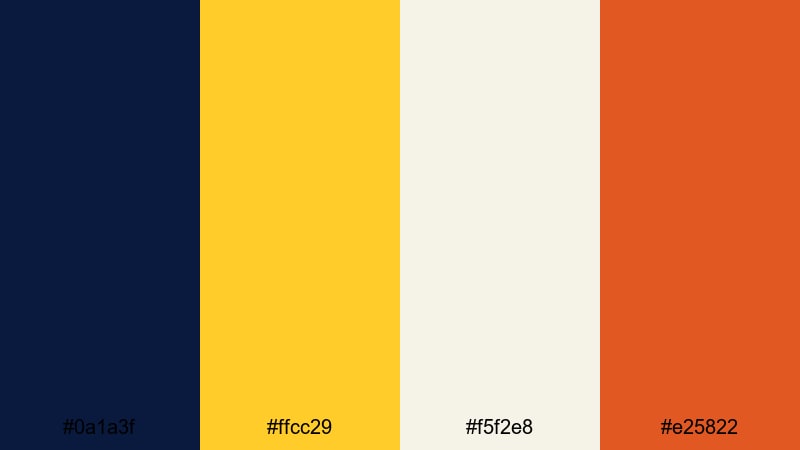
- HEX Codes: #0a1a3f, #ffcc29, #f5f2e8, #e25822
- Mood: Dramatic and energetic with a warm spotlight feel.
- Use for: Use for cinematic YouTube intros, high-impact trailers, and suspenseful storytelling thumbnails.
Midnight Marigold Contrast balances a deep navy base (#0a1a3f) with a vivid marigold yellow (#ffcc29), a soft neutral highlight (#f5f2e8), and a strong accent orange (#e25822). It feels like a spotlight cutting through a dark stage, immediately pulling attention to your subject or title.
This palette is ideal when you want your Yellow Dark Blue visuals to feel like a movie poster. Use navy for backgrounds and shadows, marigold for titles and key icons, the off-white for body text, and orange for call-to-action buttons or important elements in thumbnails, end screens, and lower thirds. In Filmora, this set works beautifully for dramatic intros, music video titles, and trailers with bold, punchy color grading.
Pro Tip: Build a Cinematic Yellow Dark Blue Look in Filmora
To keep a dramatic yellow and dark blue look consistent across your whole edit, start by choosing one clip or thumbnail design as your reference. Use deep navy tones for your shadows and background elements, then repeat the same marigold and orange highlights on titles, overlays, and transitions. This will make your channel feel more branded and cinematic, even if you mix different types of footage.
In Filmora, you can save your preferred title styles, color presets, and overlays, then reuse them on intros, B-roll sequences, and short-form edits. That way, every video feels like it belongs to the same Yellow Dark Blue universe, whether it is a trailer, a vlog, or a highlight reel.
AI Color Palette
If you have a reference image that nails this Midnight Marigold Contrast mood, you can use it to style your entire edit. Filmora's AI Color Palette feature analyzes a source clip or image, then applies the same color balance to the rest of your timeline, saving you from manually matching every shot.
Simply pick your most cinematic frame with rich navy shadows and bright yellow highlights, run AI Color Palette on the rest of your clips, and your whole video will instantly share the same Yellow Dark Blue atmosphere across intros, talking-head shots, and B-roll.
 secure download

HSL, Color Wheels & Curves
To refine this Yellow Dark Blue palette, use Filmora's HSL and color wheels to isolate blues and yellows. You can deepen navy shadows without crushing detail, push midtones slightly toward teal or purple for different cinematic styles, and warm up yellow highlights so skin tones still look natural under strong marigold accents. Filmora's color correction tools guide can help you understand how these controls shape your final look.
With curves, you can gently lift shadows to keep dark blues rich but not muddy, and increase contrast in the highlights so titles and bright UI elements pop. This is especially useful for thumbnails and intros where you want clean, legible text over moody backgrounds.
secure download1000+ Video Filters & 3D LUTs
If you want to stylize this palette even faster, Filmora's video filters and 3D LUTs make it easy to add instant mood. You can start from a cinematic LUT that emphasizes blues, then tweak saturation so your yellows remain vibrant focal points without clipping.
Combine filters like glow, vignette, or film grain with your Yellow Dark Blue base to create different identities: glossy blockbuster, gritty street film, or clean studio branding. Once you find a look you love, save it as a preset and apply it to all your intros and thumbnails for consistent branding.
secure downloadStorm Pier Spotlight
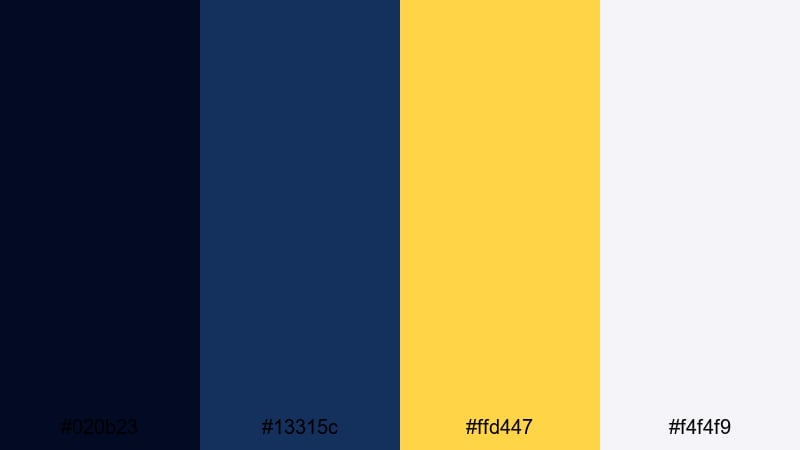
- HEX Codes: #020b23, #13315c, #ffd447, #f4f4f9
- Mood: Moody and tense with a sharp, focused highlight.
- Use for: Use for thriller intros, tech explainers, and dramatic lower thirds in video edits.
Storm Pier Spotlight mixes inky night blues (#020b23, #13315c) with a clean spotlight yellow (#ffd447) and a pale off-white (#f4f4f9). It feels like a single bright light cutting through darkness, which works well for topics that need focus and tension.
Use the darkest blue as your main background, the mid-blue for panels or UI elements, and the yellow for key titles, icons, and progress bars. This palette is great for YouTube tech explainers, true crime intros, countdown screens, and thumbnails where one key phrase or object needs the spotlight.
Indigo Premiere Glow
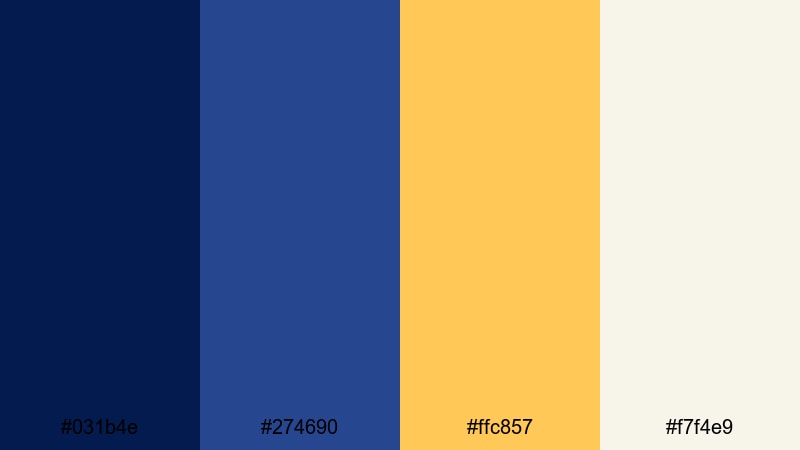
- HEX Codes: #031b4e, #274690, #ffc857, #f7f4e9
- Mood: Refined and professional with a warm cinematic glow.
- Use for: Use for channel branding, documentary titles, and polished logo reveals.
Indigo Premiere Glow layers elegant indigo blues (#031b4e, #274690) with a soft golden yellow (#ffc857) and a warm light neutral (#f7f4e9). The result is polished and studio-ready, less aggressive than pure navy and neon yellow, but still high contrast.
It works well for creators who want their Yellow Dark Blue theme to feel premium: think documentary channels, personal brands, or agencies. Use the dark blue as a base for backgrounds, the mid-blue for overlays and frames, gold for logos and key headings, and the neutral for readable body text in end cards and lower thirds.
Railway Noir Lights
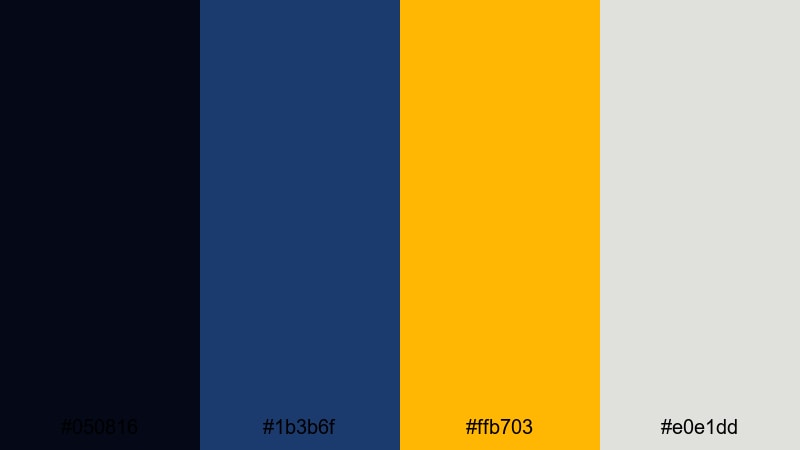
- HEX Codes: #050816, #1b3b6f, #ffb703, #e0e1dd
- Mood: Gritty yet hopeful, like a night city scene lit by signage.
- Use for: Use for urban travel vlogs, street photography edits, and dramatic text overlays.
Railway Noir Lights combines smoky midnight blues (#050816, #1b3b6f) with a rich amber yellow (#ffb703) and a cool gray-white (#e0e1dd). It feels like a city station at night, where harsh lights reflect off dark surfaces.
This palette is a strong choice for travel vlogs, street photography slideshows, and urban storytelling. Use the darkest blue as a vignette or background, the lighter blue for panels and lines, the amber for titles or highlight frames, and the light neutral for captions and subtitles in your Filmora projects.
Deep Ocean Headline
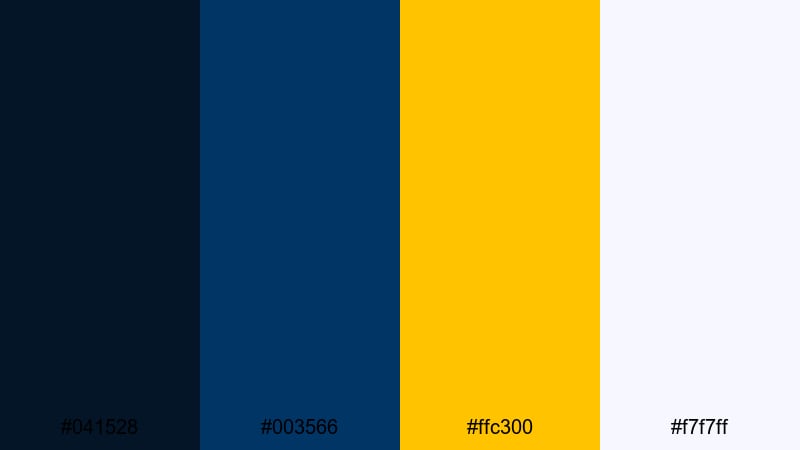
- HEX Codes: #041528, #003566, #ffc300, #f7f7ff
- Mood: Confident and bold with a clear, broadcast-style punch.
- Use for: Use for news-style segments, commentary videos, and bold headline frames.
Deep Ocean Headline uses strong, saturated blues (#041528, #003566) with a sharp headline yellow (#ffc300) and a clean white (#f7f7ff). It has the bold clarity of TV news graphics and sports shows, which instantly suggests authority and structure.
Use deep blue bars and lower thirds for your name tags, commentary labels, and section titles. Reserve the bright yellow for main headlines, ticker-style text, and subscribe CTAs, while the near-white keeps body text crisp. This palette is ideal if you want your Yellow Dark Blue themed video to feel like a professional broadcast.
Soft & Atmospheric Yellow Dark Blue Color Palettes
Twilight Studio Haze
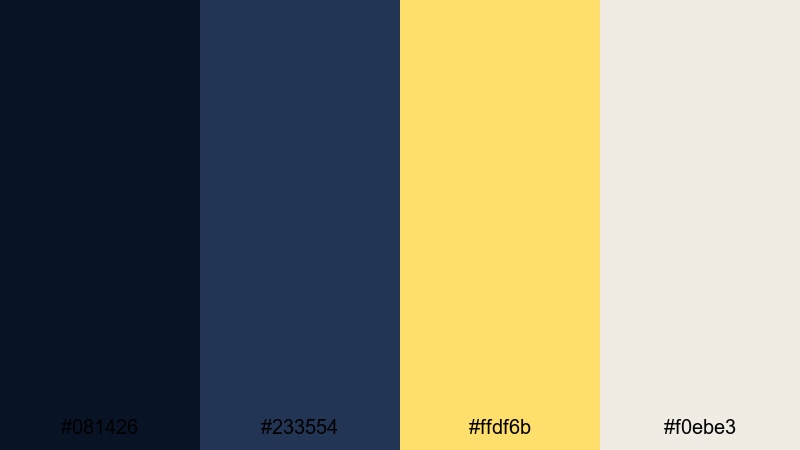
- HEX Codes: #081426, #233554, #ffdf6b, #f0ebe3
- Mood: Gentle and cinematic, like evening light in a quiet studio.
- Use for: Use for aesthetic vlogs, desk setups, and softly lit talking-head videos.
Twilight Studio Haze softens the Yellow Dark Blue idea with smoky blues (#081426, #233554), a muted pastel yellow (#ffdf6b), and a warm beige highlight (#f0ebe3). It feels calm and cinematic, like golden hour light fading in a cozy room.
This palette is perfect for aesthetic desk tours, study vlogs, productivity content, and relaxed talking-head videos. Let the dark blue ground your backgrounds, use the mid-blue for UI frames or overlays, and apply the gentle yellow to titles, bullets, and icons. The beige tint works nicely for subtitles or card backgrounds without being harsh on the eyes.
Dusky Storyboard Calm
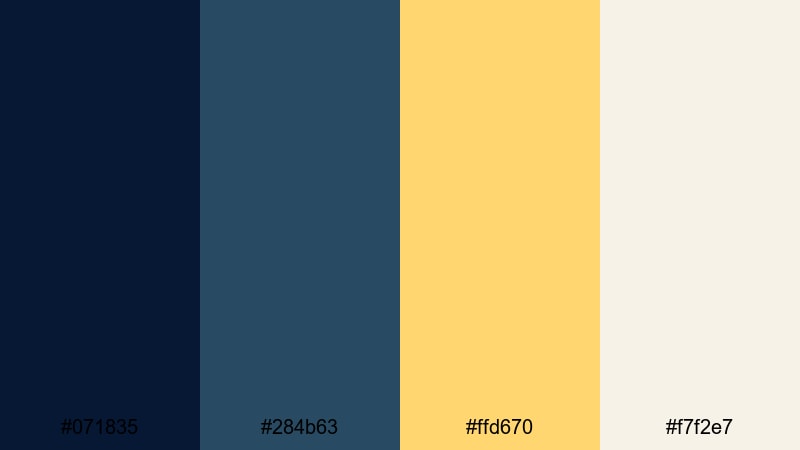
- HEX Codes: #071835, #284b63, #ffd670, #f7f2e7
- Mood: Relaxed and thoughtful with a creative sketchbook feel.
- Use for: Use for behind-the-scenes edits, moodboards, and storyboard-style motion graphics.
Dusky Storyboard Calm blends muted dark blues (#071835, #284b63) with a soft butter yellow (#ffd670) and a parchment-like neutral (#f7f2e7). It feels like quiet planning time: sketchbooks, post-it notes, and slow creative thinking.
Use this palette for behind-the-scenes edits, creative process breakdowns, and moodboard-style animations. The blues frame your scenes and transitions, the yellow highlights key ideas or doodle-style titles, and the off-white works as a subtle background for text cards, scene lists, or storyboard panels in Filmora.
Candlelit Edit Suite
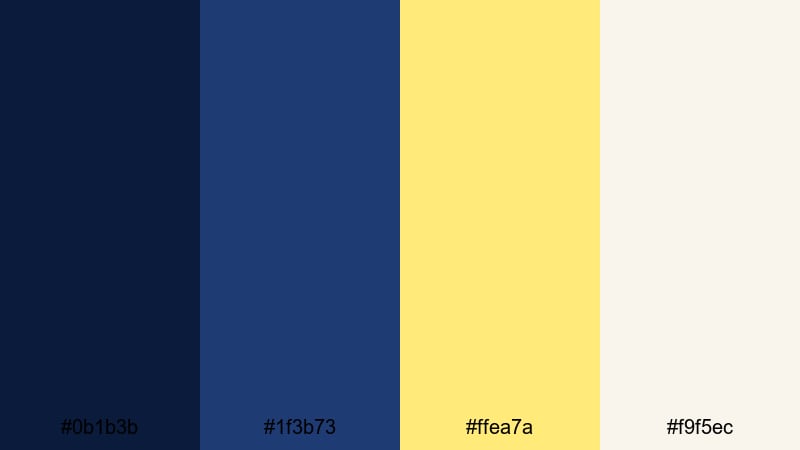
- HEX Codes: #0b1b3b, #1f3b73, #ffea7a, #f9f5ec
- Mood: Cozy and intimate, like late-night editing by warm light.
- Use for: Use for creator diaries, editing timelapses, and study-with-me sessions.
Candlelit Edit Suite pairs rich navy tones (#0b1b3b, #1f3b73) with a candlelike yellow (#ffea7a) and a creamy white (#f9f5ec). It has a warm, intimate feel, as if your screen is the only light in a quiet room.
This palette is ideal for creator diaries, editing timelapses, and study-with-me or work-with-me content. Let the deep blue sit behind your footage or as gradient overlays, use the soft yellow for timestamps, progress bars, and key titles, and keep the cream tone for subtitles and tip callouts so everything remains easy on the eyes during longer videos.
Moonlit Travel Diary
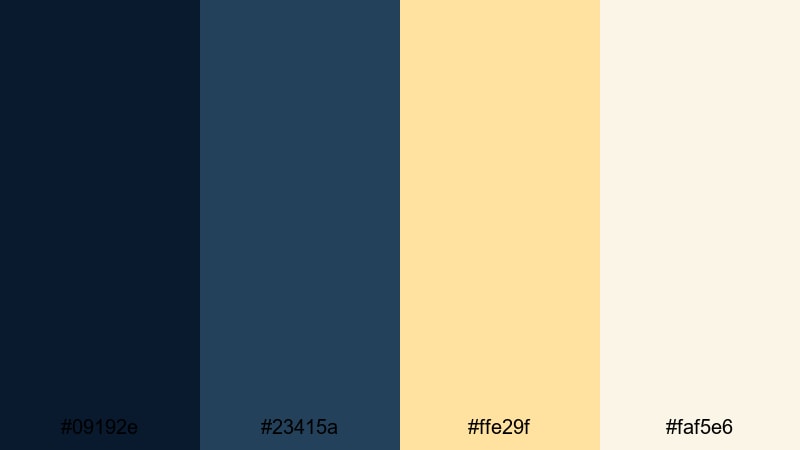
- HEX Codes: #09192e, #23415a, #ffe29f, #faf5e6
- Mood: Dreamy and nostalgic with a gentle road-trip glow.
- Use for: Use for travel montages, slow cinematic b-roll, and memory-style edits.
Moonlit Travel Diary combines soft moonlit blues (#09192e, #23415a) with creamy golden yellow (#ffe29f) and an off-white glow (#faf5e6). It feels nostalgic and slightly faded, perfect for memory-driven storytelling.
Use this palette on travel montages, drone shots, and slow cinematic B-roll. You can grade your footage toward the deeper blues, then add the warm yellow tones in titles, date stamps, and animated doodles. The light neutral works nicely as a background for location cards, maps, or chapter markers in Filmora.
Quiet Harbor Frames
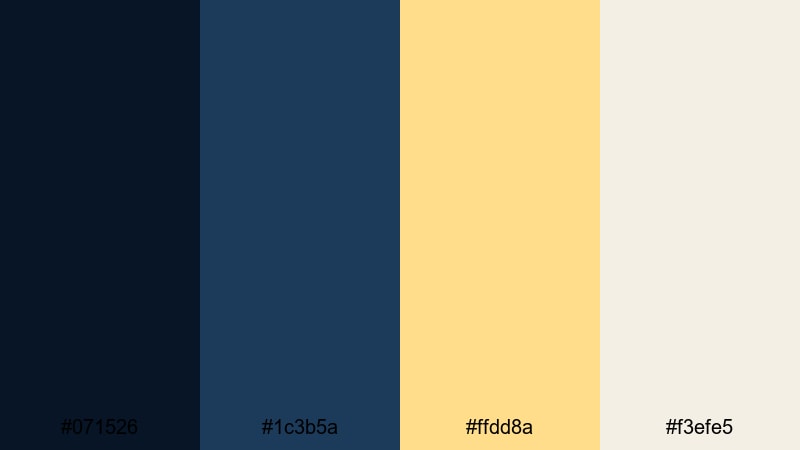
- HEX Codes: #071526, #1c3b5a, #ffdd8a, #f3efe5
- Mood: Serene and steady, like early morning at a calm harbor.
- Use for: Use for minimal titles, calm cinematic openers, and reflective storytelling.
Quiet Harbor Frames features gentle harbor blues (#071526, #1c3b5a) paired with a pale yellow (#ffdd8a) and a soft ivory (#f3efe5). The mood is peaceful and reflective rather than intense.
This palette suits reflective vlogs, minimalistic channel branding, and slow cinematic openers. Use the darker blue for full-frame backgrounds or gradient overlays, the mid-blue for lines and dividers, and the pale yellow sparingly for titles and icons so they stand out without shouting. The ivory tone keeps subtitles and lower thirds subtle yet readable.
Bold & Urban Yellow Dark Blue Color Palettes
Neon Taxi Skyline
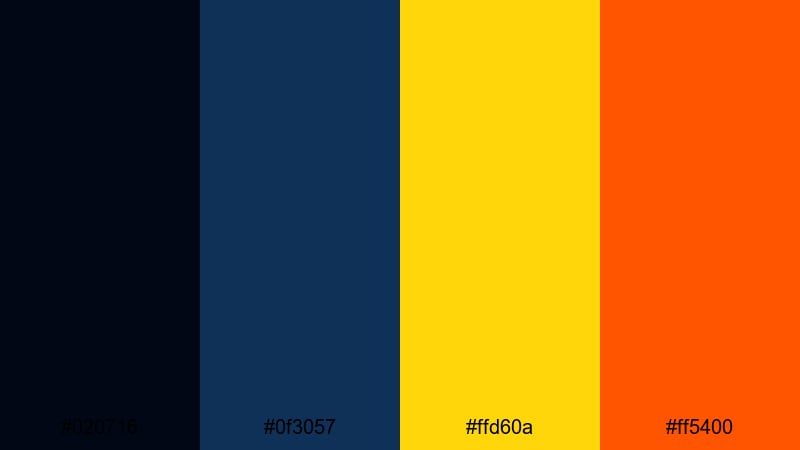
- HEX Codes: #020716, #0f3057, #ffd60a, #ff5400
- Mood: Electric and fast-paced with strong city-night energy.
- Use for: Use for city vlogs, fast cuts, dynamic intros, and bold kinetic typography.
Neon Taxi Skyline pushes Yellow Dark Blue into high-energy territory with inky blues (#020716, #0f3057), a bright taxi-light yellow (#ffd60a), and a neon orange accent (#ff5400). It feels like busy streets, headlights, and glowing billboards.
Use this palette for fast-paced city vlogs, nightlife content, and kinetic typography intros. Let the blues dominate backgrounds and shadows, then slam in yellow and orange for text, icons, social handles, and subscribe buttons. It is a strong choice for thumbnails that need to stand out on crowded feeds.
Streetball Highlight Reel
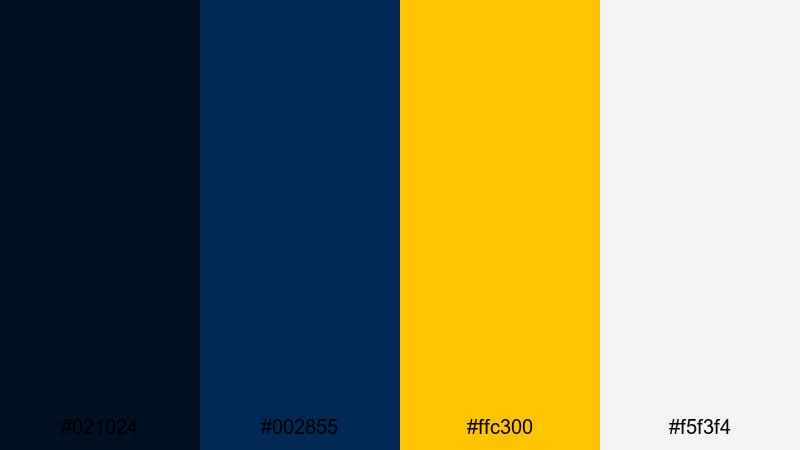
- HEX Codes: #021024, #002855, #ffc300, #f5f3f4
- Mood: Sporty and energetic with a clean, competitive edge.
- Use for: Use for sports highlights, dynamic reels, and upbeat montage sequences.
Streetball Highlight Reel matches punchy navy blues (#021024, #002855) with a court-light yellow (#ffc300) and a crisp off-white (#f5f3f4). It has the energy of stadium graphics and sports branding.
This palette is made for highlight edits, sports reels, fitness content, and competition recaps. Use the dark blue for backgrounds and stat panels, the yellow for scores, timers, and main titles, and the light neutral for player names and captions. On YouTube thumbnails, place bold yellow type over deep blue shapes to make every upload look like a big game.
Graffiti Title Pop
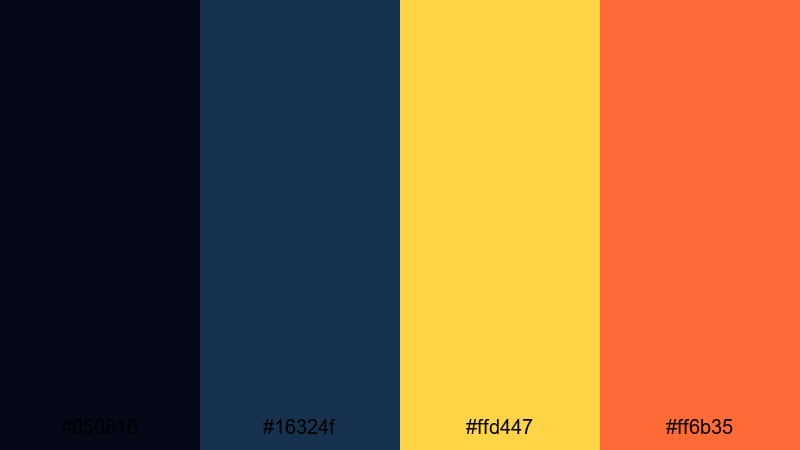
- HEX Codes: #050816, #16324f, #ffd447, #ff6b35
- Mood: Playful and rebellious with eye-catching contrast.
- Use for: Use for bold title cards, channel art, and short-form social clips.
Graffiti Title Pop pairs dark, grungy blues (#050816, #16324f) with bright yellow (#ffd447) and a vivid orange (#ff6b35). It feels playful, rebellious, and a bit street-inspired, like graffiti under a streetlamp.
Use it for bold title cards, TikTok and Shorts templates, and channel art with personality. Set the dark blues as your base, stack chunky typography in yellow, and use orange for outlines, drop shadows, or animated shapes. This Yellow Dark Blue combination is great if your brand voice is loud, fun, and unapologetic.
Cyber City Countdown
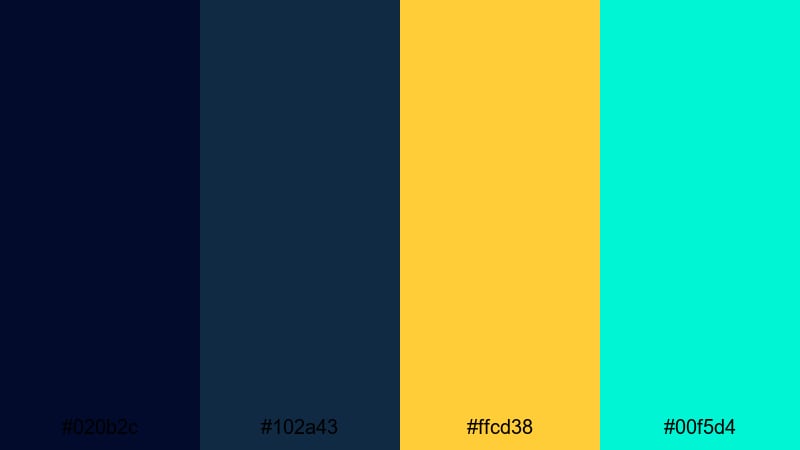
- HEX Codes: #020b2c, #102a43, #ffcd38, #00f5d4
- Mood: Futuristic and high-energy with a techy neon twist.
- Use for: Use for countdown timers, gaming intros, and tech channel visuals.
Cyber City Countdown sets deep digital blues (#020b2c, #102a43) against signal yellow (#ffcd38) and aqua neon (#00f5d4). It feels like a futuristic HUD, perfect for gaming and tech content where motion and UI graphics are in focus.
Use the blues as your base, the yellow for countdown numbers and key labels, and the aqua neon for accents like progress rings or glitch effects. This Yellow Dark Blue scheme looks especially strong in Filmora when you combine it with animated titles, split screens, or overlay elements inspired by user interfaces.
Festival Stage Energy
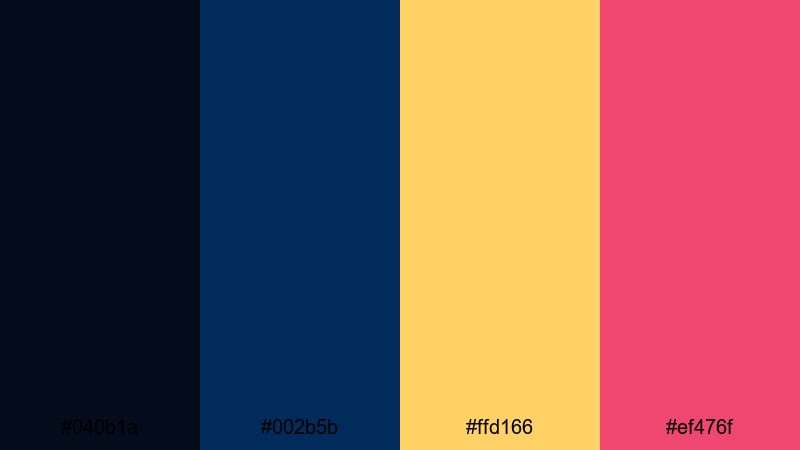
- HEX Codes: #040b1a, #002b5b, #ffd166, #ef476f
- Mood: Loud and celebratory with festival-stage vibrance.
- Use for: Use for concert recaps, festival vlogs, and energetic event trailers.
Festival Stage Energy anchors strong dark blues (#040b1a, #002b5b) with a bright yellow (#ffd166) and a lively magenta (#ef476f). It captures the color of stage lights, confetti, and loud crowds.
This palette is ideal for concert recaps, festival vlogs, party promos, and event trailers. Keep your footage rich and dark, then layer in animated yellow and magenta titles, lines, and shapes to echo stage lighting. It also works well in thumbnails where you want silhouettes, lasers, and big typography to pop against a night sky of deep blue.
Tips for Creating Yellow Dark Blue Color Palettes
When you build your own Yellow Dark Blue color palette for video and design, aim for strong contrast, clear hierarchy, and consistent use across thumbnails, intros, and in-video graphics.
- Decide the hero: choose whether yellow or dark blue is the main color. Use the hero for your most important elements (titles, CTAs) and keep the other as a supportive background or accent.
- Control contrast for readability: pair dark blue backgrounds (#020b23 to #0b1b3b range) with bright yellow or near-white text so mobile viewers can read your titles at a glance.
- Add one accent color only: most palettes above use a fourth accent (orange, magenta, aqua). Stick to one strong accent to avoid visual noise in your thumbnails and overlays.
- Use neutrals for long text: beige, ivory, or soft gray help subtitles and descriptions stay readable over time. Save pure yellow for short words, badges, and icons.
- Match footage with grading: push shadows slightly toward blue and highlights slightly warm so your raw footage fits naturally with your Yellow Dark Blue graphics.
- Test on dark and light mode: check your designs on both dark and light YouTube or browser themes to be sure titles and borders still stand out.
- Keep brand elements consistent: re-use the same HEX codes for logos, lower thirds, and end screens so your channel or brand feels cohesive across every upload.
- Export thumbnail-safe: zoom out to small sizes and preview your thumbnail; if yellow letters or icons blur into the background, increase contrast, add strokes, or darken the blue under them.
Yellow and dark blue color palettes can instantly change how your content feels: from moody and cinematic to bold and urban or calm and nostalgic. With the 15 palettes above, you have ready-made HEX codes to apply to your thumbnails, intros, lower thirds, and color grading so your channel looks intentional and professional.
Try dropping a few of these palettes into Filmora, then build presets for titles, overlays, and color looks that match. Once you lock in a Yellow Dark Blue style that fits your brand, you can reuse it across intros, series formats, and social clips to make your content instantly recognizable.
Experiment, tweak, and refine until the balance of dark blue depth and bright yellow energy feels right for your story or niche, then let Filmora handle the heavy lifting of keeping that look consistent from project to project.
secure download