

 100% Security Verified | No Subscription Required | No Malware


 ChatGPT
 Perplexity
 Gemini
 Claude
 Grok
Grok
Yellow and dark green together create a striking balance of warmth and stability. Yellow brings light, optimism, and attention-grabbing energy, while dark green feels grounded, natural, and cinematic. Combined, a Yellow Dark Green color palette can suggest luxury, nature, or techy futurism, depending on how you tune the tones and contrast.
For video creators, designers, and Filmora users, this duo works beautifully in YouTube thumbnails, title sequences, intros, channel branding, overlays, and color grading. Below are 15 ready-to-use Yellow Dark Green color palettes with HEX codes, so you can quickly build a consistent look for vlogs, cinematic edits, and social posts.
In this article
Cinematic Yellow Dark Green Color Palettes
Forest Gold Title Sequence
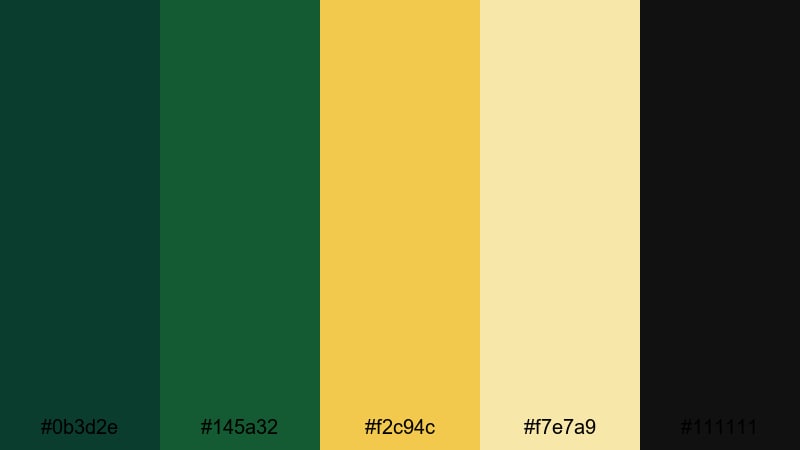
- HEX Codes: #0b3d2e, #145a32, #f2c94c, #f7e7a9, #111111
- Mood: Dramatic, grounded, and cinematic with a luxe golden edge.
- Use for: Perfect for bold title cards, dramatic film trailers, and high-impact YouTube intros.
Deep forest greens (#0b3d2e, #145a32) and rich golds (#f2c94c, #f7e7a9) make this Yellow Dark Green color palette feel like a premium movie poster. The near-black #111111 anchors everything with strong contrast, so your typography and logo marks stay readable even on busy footage.
Use this palette for trailer-style intros, cinematic lower thirds, and YouTube thumbnails where you want drama and luxury. Golden accents can highlight key words or subscribe CTAs, while the dark greens sit beautifully over forest, city-night, or studio-lit backgrounds in Filmora.
Pro Tip: Build a Cinematic Yellow Dark Green Look in Filmora
To keep a dramatic Forest Gold look consistent, set up a simple style system in Filmora. Use the darkest green for background panels, the gold for titles and key callouts, and the near-black for text outlines and drop shadows. Save your favorite text presets and overlays so every intro, b-roll caption, and end screen instantly matches.
When you reuse these colors across timelines, your channel starts to feel like a unified brand instead of a collection of separate videos. This is ideal for film reviews, storytelling channels, or any creator who wants a serious, cinematic identity built around Yellow Dark Green tones.
AI Color Palette
If you have a reference frame or a graphic with this Forest Gold palette, you can turn it into a look for your entire video. Filmora's AI Color Palette feature analyzes the colors in your reference image and applies a matching grade to your clips in just a few clicks.
Import your footage, pick a still frame that captures your ideal Yellow Dark Green balance, and let AI handle the heavy lifting. It is a fast way to match your A-roll, b-roll, and thumbnails so they all share the same forest greens and golden highlights without manual keyframing.
 secure download

HSL, Color Wheels & Curves
To refine this cinematic Yellow Dark Green color combination, use Filmora's HSL controls to deepen the greens and slightly desaturate them for a filmic feel. Then, in the color wheels, warm up the midtones toward gold and cool the shadows toward teal to create rich depth without crushing detail.
You can also shape the contrast curve to keep highlights soft while letting the blacks drop closer to #111111. Subtle S-curves give you punchy thumbnails and intros that still look professional, especially when you pair them with the kind of workflow shown in Filmora's color correction tutorials.
secure download1000+ Video Filters & 3D LUTs
If you want to move even faster, lean on Filmora's built-in looks. Filmora's video filters and 3D LUTs make it easy to push this Forest Gold palette toward vintage, high-contrast, or soft cinematic styles without starting from scratch.
Combine a teal-and-gold LUT with your Yellow Dark Green base colors, then tweak opacity until your footage, overlays, and YouTube thumbnails all share the same stylish tone. Save that as a custom preset so every new project instantly feels on brand.
secure downloadEmerald Spotlight Drama
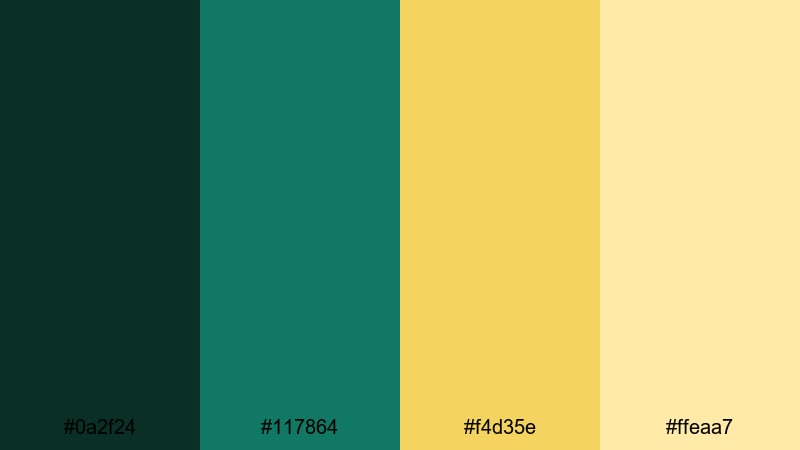
- HEX Codes: #0a2f24, #117864, #f4d35e, #ffeaa7
- Mood: Moody yet inviting, with a theatrical spotlight punch.
- Use for: Great for documentary opens, character spotlights, and cinematic review channels.
Emerald greens (#0a2f24, #117864) give your frames a moody, cinematic base, while buttery yellows (#f4d35e, #ffeaa7) act like soft theater lights. This Yellow Dark Green aesthetic palette feels serious enough for documentaries but still warm enough for creators who want their storytelling to feel human.
Apply the darker greens to backgrounds, frames, and color grading, then use the yellows on names, quotes, and chapter titles. On thumbnails, a green-tinted scene with a soft yellow title bar makes your content stand out in crowded feeds without looking too aggressive.
Noir Canopy Contrast
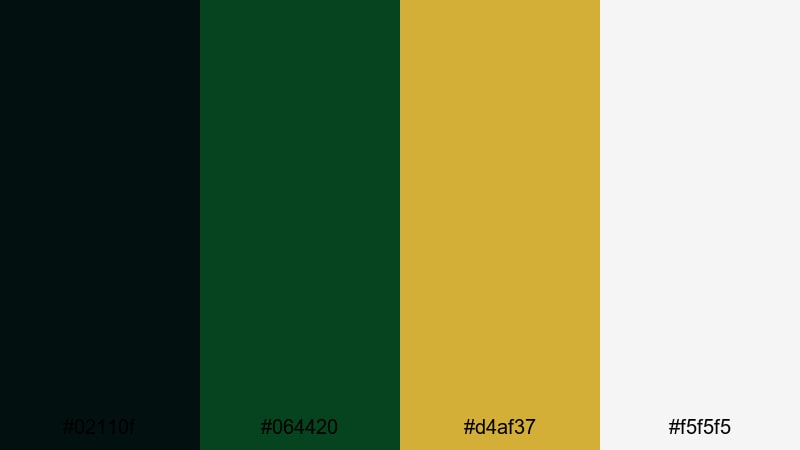
- HEX Codes: #02110f, #064420, #d4af37, #f5f5f5
- Mood: High contrast, mysterious, and stylishly vintage.
- Use for: Use for thriller edits, noir-style commentary channels, and bold thumbnail text treatments.
Inky greens (#02110f, #064420) paired with a sharp gold (#d4af37) and crisp white (#f5f5f5) create a bold, high-contrast Yellow Dark Green color combination. It feels like jungle noir: mysterious, slightly vintage, and instantly eye-catching.
Use the darkest tones as a backdrop for white or gold typography to keep your titles and lower thirds ultra-readable. For YouTube commentary or true-crime style videos, grade your footage a touch cooler, then overlay gold accents for key facts or timestamps to keep viewers focused.
Golden Grove Opening
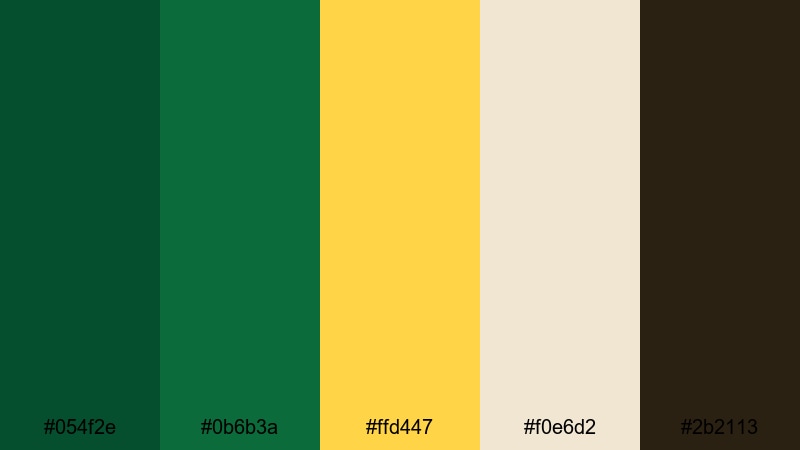
- HEX Codes: #054f2e, #0b6b3a, #ffd447, #f0e6d2, #2b2113
- Mood: Organic, warm, and expansive with a cinematic sunrise glow.
- Use for: Ideal for opening sequences, nature channels, and title overlays on outdoor footage.
Lush greens (#054f2e, #0b6b3a) and a soft golden yellow (#ffd447) capture the feel of sunlight breaking through trees. Neutrals #f0e6d2 and #2b2113 round out the palette so you can mix warm overlays, text backgrounds, and logo marks without clashing.
This palette suits nature channels, travel vlogs, and any intro that starts with morning light or forest shots. Use yellow for subtitles or section headers and the deep brown for subtle dividers or badges in your end cards.
Earthy Yellow Dark Green Color Palettes
Moss Market Morning
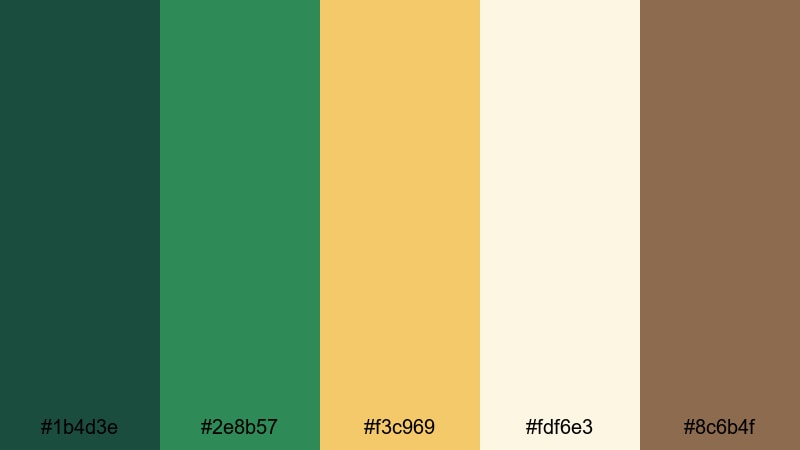
- HEX Codes: #1b4d3e, #2e8b57, #f3c969, #fdf6e3, #8c6b4f
- Mood: Fresh, grounded, and artisan with farmers market warmth.
- Use for: Great for food vlogs, sustainability brands, and lifestyle b-roll overlays.
Natural greens (#1b4d3e, #2e8b57), honey yellow (#f3c969), and soft cream (#fdf6e3) feel like canvas bags, fresh herbs, and morning light. The brown #8c6b4f adds a handmade, craft-paper touch that works well for logos and labels.
Use this Yellow Dark Green color palette for food b-roll labels, recipe cards on screen, and eco-brand intros. Creamy backgrounds keep your text soft on the eyes, while the yellows and greens highlight prices, ingredients, or sustainability claims in thumbnails and shorts.
Olive Harvest Story
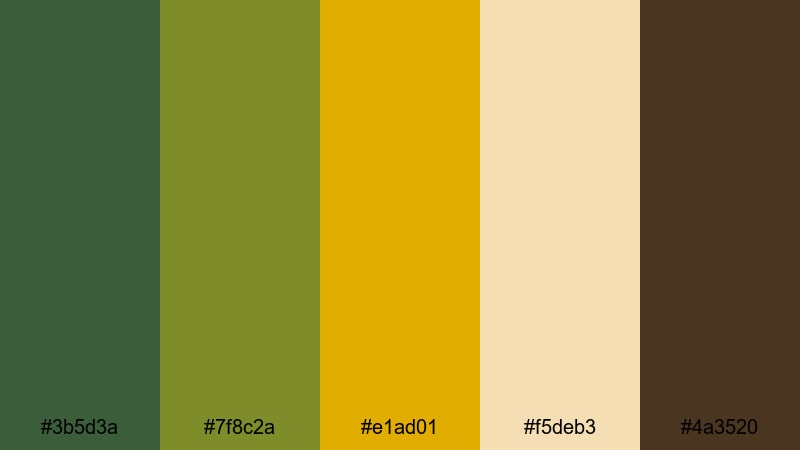
- HEX Codes: #3b5d3a, #7f8c2a, #e1ad01, #f5deb3, #4a3520
- Mood: Rustic, hearty, and story-driven like an autumn documentary.
- Use for: Use for travel logs, culinary storytelling, and brand films with heritage or craft themes.
Olive greens (#3b5d3a, #7f8c2a) and grainy yellows (#e1ad01, #f5deb3) suggest sunlit fields and wooden tables. The dark brown #4a3520 is perfect for serif titles, borders, and logo stamps that feel traditional.
This palette is ideal for slow-paced travel logs, farm-to-table stories, and behind-the-scenes brand films. In Filmora, combine it with gentle push-ins and crossfades to reinforce the nostalgic, handcrafted feeling both in your color grading and your motion graphics.
Trailhead Adventure Map
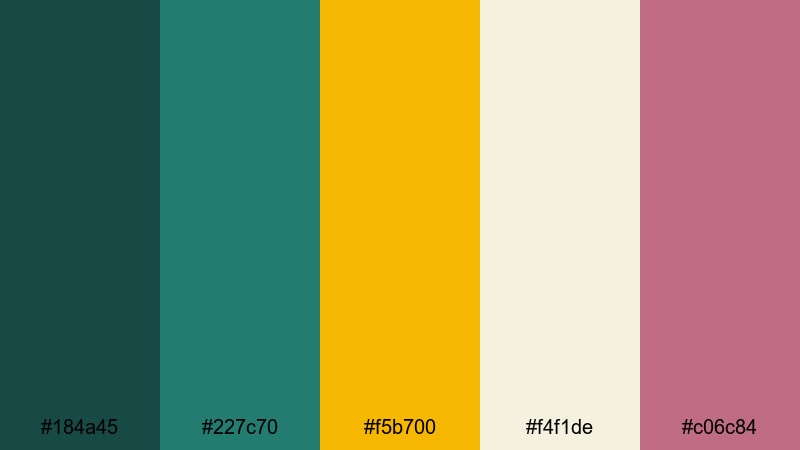
- HEX Codes: #184a45, #227c70, #f5b700, #f4f1de, #c06c84
- Mood: Adventurous, energetic, and slightly playful.
- Use for: Perfect for travel vlogs, hiking channels, and animated map graphics in your edits.
Cool trail greens (#184a45, #227c70) and a punchy yellow (#f5b700) give this palette a fun, adventurous energy. The soft neutral #f4f1de and the accent #c06c84 add personality without stealing focus.
Use yellow for route lines, pins, and icons on animated maps built in Filmora, while the greens color your panels, headers, and transitions. On thumbnails, a yellow route line over a green-tinted mountain scene instantly communicates exploration and movement.
Garden Documentary Calm
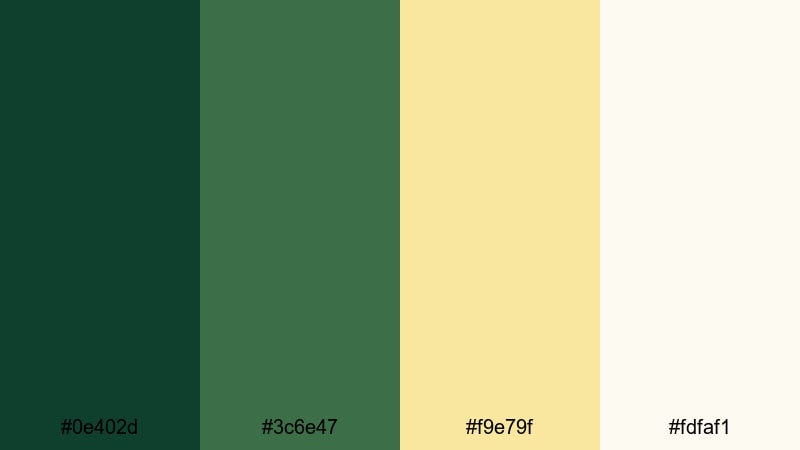
- HEX Codes: #0e402d, #3c6e47, #f9e79f, #fdfaf1
- Mood: Quiet, contemplative, and softly sunlit.
- Use for: Great for documentaries, nature explainers, and calm voiceover content with plant visuals.
Gentle greens (#0e402d, #3c6e47) and pale yellow (#f9e79f) make this Yellow Dark Green color palette feel meditative and real. The off-white #fdfaf1 keeps visuals bright without harsh contrast.
Use it for educational videos, slow gardening vlogs, or meditation channels where you want viewers to relax. In thumbnails and overlays, keep the text soft gray or deep green while using pale yellow only for keywords or timers so the screen never feels too loud.
Modern Yellow Dark Green Color Palettes
Geo Grid Branding
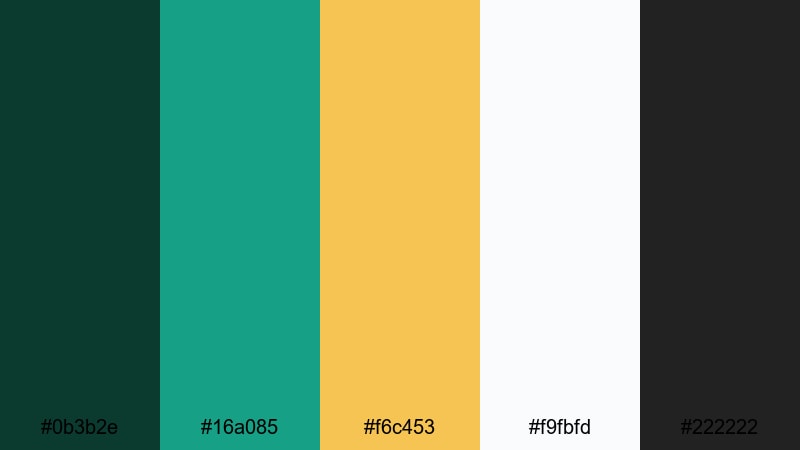
- HEX Codes: #0b3b2e, #16a085, #f6c453, #f9fbfd, #222222
- Mood: Clean, contemporary, and brand-ready with techy polish.
- Use for: Use for logo animations, channel branding, and UI-inspired motion graphics.
Crisp teal greens (#0b3b2e, #16a085), a modern yellow (#f6c453), and bright near-white (#f9fbfd) give this palette a sleek startup vibe. The dark #222222 is ideal for text, icons, and shadows.
Apply this aesthetic color palette for vlog branding, app-style lower thirds, and Instagram reels that need a clean, tech-driven look. Use the yellow sparingly for buttons, subscribe badges, or progress bars to keep the design sharp and focused.
Neon Canopy Tech
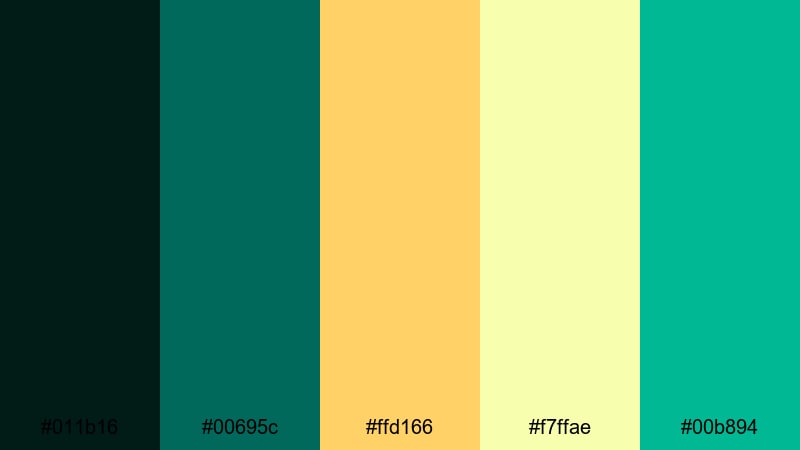
- HEX Codes: #011b16, #00695c, #ffd166, #f7ffae, #00b894
- Mood: Energetic, futuristic, and slightly neon without being harsh.
- Use for: Perfect for gaming intros, motion graphics, and kinetic typography for tech content.
Dark jungle greens (#011b16, #00695c) combine with bright citrus yellows (#ffd166, #f7ffae) and electric teal (#00b894) for a cyber-jungle aesthetic. It feels futuristic, but the green base keeps it grounded.
Use this palette on HUD-style overlays, glitch transitions, and animated titles in Filmora for gaming and tech reviews. Let the darkest green take over the background, while the yellows and teals highlight scores, key specs, and reaction text in thumbnails.
Metro Park Lifestyle
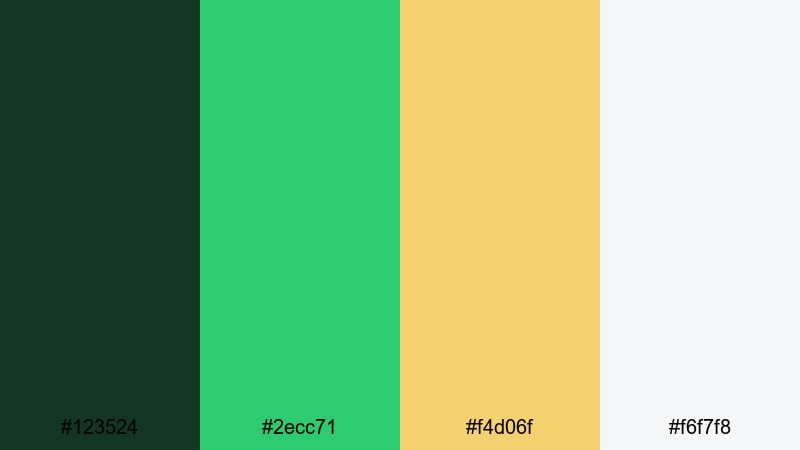
- HEX Codes: #123524, #2ecc71, #f4d06f, #f6f7f8
- Mood: Urban yet natural, optimistic and lifestyle-friendly.
- Use for: Great for city vlogs, fitness content, and modern lifestyle channels with outdoor scenes.
Bright park greens (#123524, #2ecc71) and a soft yellow highlight (#f4d06f) feel like a sunny weekend in the city. The light gray #f6f7f8 helps text and panels stay airy and modern.
This Yellow Dark Green color palette is ideal for fitness intros, everyday vlogs, and shorts filmed in parks or city streets. Use yellow for timers, progress markers, or step counts while greens reinforce your active, outdoorsy brand image.
Streamlined Studio Logo
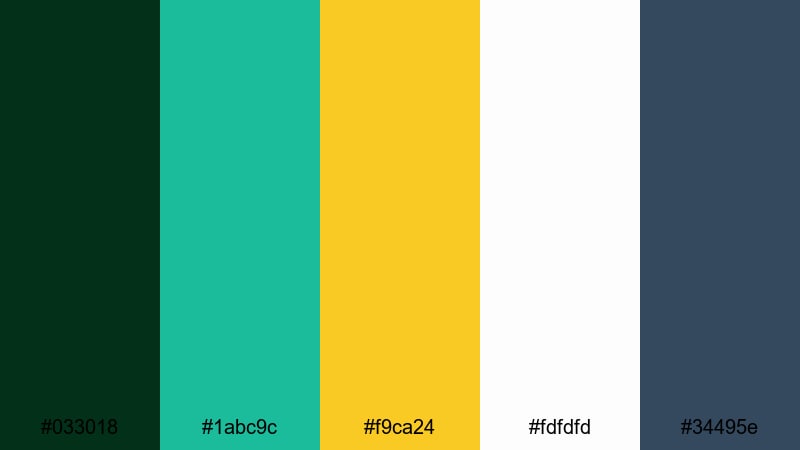
- HEX Codes: #033018, #1abc9c, #f9ca24, #fdfdfd, #34495e
- Mood: Professional, sleek, and versatile for brand systems.
- Use for: Ideal for logo stings, channel idents, and overlay graphics that must feel polished.
Dark studio green (#033018), refined teal (#1abc9c), and a clean yellow (#f9ca24) sit on bright white (#fdfdfd) and slate gray (#34495e) for a professional, minimal look. It is adaptable enough for intros, outros, and full brand kits.
Use white and slate for main backgrounds and body text, while the Yellow Dark Green accents highlight your logo, social handles, and subscribe prompts. In Filmora, you can build a reusable title template with these colors and drop it into every new project.
Soft Yellow Dark Green Color Palettes
Sunlit Fern Vlog
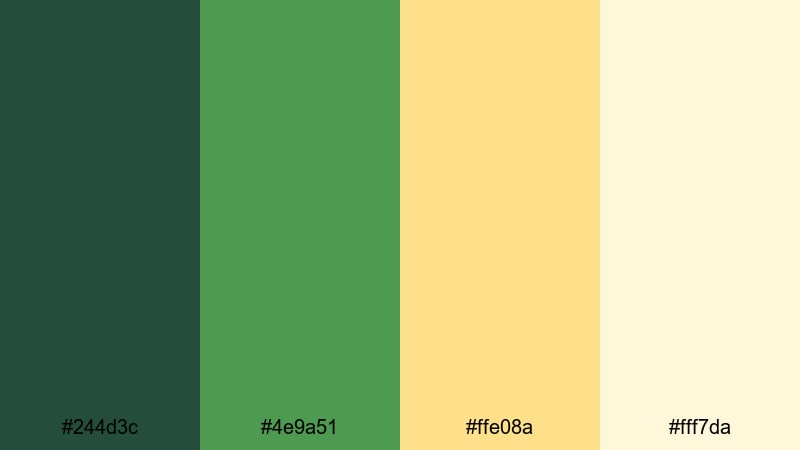
- HEX Codes: #244d3c, #4e9a51, #ffe08a, #fff7da
- Mood: Warm, friendly, and softly natural.
- Use for: Perfect for casual vlogs, creator intros, and lifestyle thumbnails with a cozy vibe.
Fern greens (#244d3c, #4e9a51) and creamy sunlight yellows (#ffe08a, #fff7da) make everything feel approachable and cozy. This Yellow Dark Green palette flatters skin tones while still celebrating leafy, natural backdrops.
Use it for talking-head vlogs, morning routines, and behind-the-scenes content. Apply the brighter yellow to highlight text and emojis in your overlays, and let the mid green sit behind lower thirds for a soft but distinct separation from the footage.
Muted Forest Journals
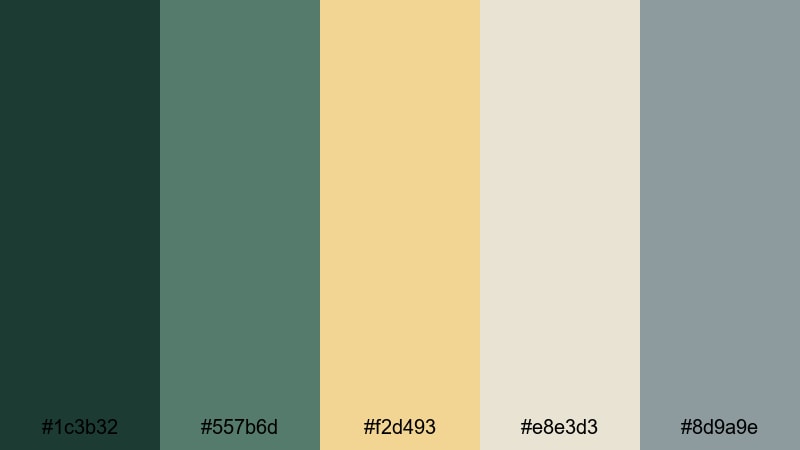
- HEX Codes: #1c3b32, #557b6d, #f2d493, #e8e3d3, #8d9a9e
- Mood: Subtle, introspective, and notebook-soft.
- Use for: Great for study-with-me videos, journaling channels, and calm productivity edits.
Dusty greens (#1c3b32, #557b6d), parchment yellow (#f2d493), and quiet grays (#e8e3d3, #8d9a9e) create a desaturated, analog mood. It feels like a sketchbook or an old library rather than a loud digital feed.
This palette is ideal for study timers, note overlays, and chapter headings in productivity content. Keep the saturation low in your color grading to let the soft Yellow Dark Green accents guide the eye without distracting from text or handwriting shots.
Rainwashed Canopy ASMR
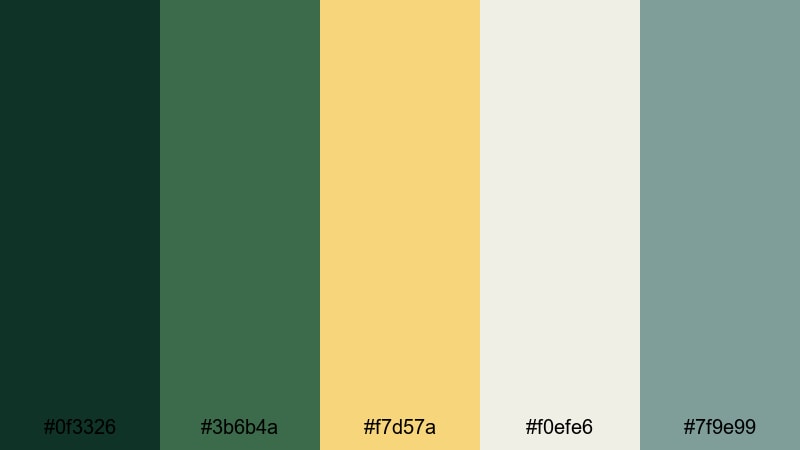
- HEX Codes: #0f3326, #3b6b4a, #f7d57a, #f0efe6, #7f9e99
- Mood: Relaxing, rain-kissed, and whisper-soft.
- Use for: Ideal for ASMR, ambient soundscapes, and slow cinematic b-roll edits.
Rainy greens (#0f3326, #3b6b4a) and softened yellow (#f7d57a) sit on foggy neutrals (#f0efe6, #7f9e99) for a tranquil, washed look. Nothing is too bright or too dark, which suits slow, quiet content.
Use this Yellow Dark Green color palette for ASMR thumbnails, ambient loops, and minimal title cards. Keep fonts light and rounded, and let gentle camera movement and sound design take the lead while the colors provide a calming visual bed.
Tips for Creating Yellow Dark Green Color Palettes
When you build your own Yellow Dark Green color palette for video and design, focus on balance: yellow attracts attention, while dark green stabilizes the frame. The right mix can make your thumbnails pop, your intros feel cinematic, and your branding look intentional.
- Decide on your mood first. For cinematic or thriller content, darken the greens and mute the yellow. For lifestyle and vlogs, keep greens softer and yellows creamier.
- Control contrast for readability. Use the darkest green or near-black for text over light yellows, and light neutrals behind dark green text to keep titles easy to read on small screens.
- Limit the brightest yellow to accents. Use it for buttons, key words, or icons so it draws the eye without overwhelming your footage.
- Add a neutral anchor color. A warm beige, off-white, or slate gray helps separate overlays, lower thirds, and end cards from the actual video.
- Match your footage in Filmora. Use color temperature, tint, and HSL controls to nudge your clips toward your chosen Yellow Dark Green palette, especially skin tones and skies.
- Test thumbnails at small size. Export a draft thumbnail, shrink it down, and make sure text and subject still stand out against your yellow and green background.
- Stay consistent across platforms. Reuse the same HEX codes for channel banners, intros, titles, and Instagram posts so your audience recognizes your brand instantly.
- Save presets in your editor. In Filmora, save title styles, color presets, and overlays with your Yellow Dark Green combinations to speed up future edits.
Yellow Dark Green color palettes can feel luxurious, natural, or modern depending on how you balance your tones. By pairing rich greens with carefully chosen yellows and neutrals, you can shape the mood of your channel, make your thumbnails more clickable, and strengthen your overall brand identity.
Use the 15 palettes above as a starting point, then tweak saturation, contrast, and supporting colors until they match your content style. In Filmora, features like AI Color Palette, HSL and curves, and 3D LUTs make it easy to apply these looks consistently to intros, b-roll, shorts, and social repurposes.
Experiment with a few of these Yellow Dark Green combinations on your next project, save your favorite as a preset, and let your visuals become as recognizable as your voice or logo.
secure download