

 100% Security Verified | No Subscription Required | No Malware


 ChatGPT
 Perplexity
 Gemini
 Claude
 Grok
Grok
Yellow Orange sits right between sunny optimism and fiery energy. It instantly feels warm, friendly, and a little bit cinematic, which is why so many brands, YouTube channels, and social feeds use it to grab attention without feeling too aggressive. Used well, Yellow Orange can suggest creativity, confidence, and warmth all at once, making it perfect for creators who want their content to feel inviting and energetic.
In video editing and design, Yellow Orange works beautifully for thumbnails, intros, lower thirds, logos, and social media graphics. The curated palettes below combine Yellow Orange with neutrals, blues, and accent colors, and every set includes ready-to-use HEX codes. They are especially handy for Filmora users who want consistent color across thumbnails, vlogs, reels, and full edits.
In this article
Warm Cinematic Yellow Orange Palettes
Sunset Studio Glow
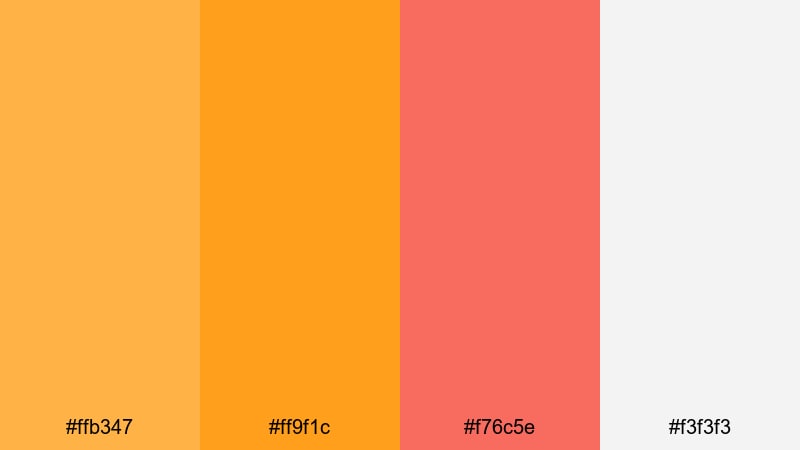
- HEX Codes: #ffb347, #ff9f1c, #f76c5e, #f3f3f3
- Mood: Cinematic, warm, and inviting with a soft studio glow.
- Use for: Ideal for cinematic vlog intros, lifestyle B-roll sequences, and warm product reveals.
Sunset Studio Glow mixes rich Yellow Orange with coral and a soft highlight, creating a cozy, cinematic atmosphere. It feels like standing in front of a big window at golden hour, with just enough brightness to look polished but not harsh.
Use this palette for lifestyle intros, talking-head setups, and product shots where you want viewers to feel at ease. The light neutral (#f3f3f3) is perfect for title text or clean overlays, while the deeper tones make great accents for subscribe buttons, logo animations, and lower thirds in Filmora.
Pro Tip: Build a Cinematic Yellow Orange Look in Filmora
To keep a warm, sunset-like Yellow Orange mood across your entire edit, start by pulling these HEX codes into your channel branding assets, thumbnail templates, and title presets inside Filmora. Use the stronger oranges for buttons and key titles, and reserve the soft highlight tone for backgrounds and panels so everything stays readable.
When cutting between intros, B-roll, and outro screens, reuse the same Yellow Orange for your text, icons, and shapes. In Filmora, you can duplicate styled titles and lower thirds across multiple clips, so your whole video feels like one cohesive, cinematic experience instead of separate pieces.
AI Color Palette
You can turn Sunset Studio Glow into a full video look using Filmora's AI Color Palette feature. Grab a still frame or reference image that uses these HEX colors, then let Filmora analyze it and match the color style across your entire project.
This is especially helpful if you shoot on different cameras or in mixed lighting. Instead of manually tweaking every clip, Filmora transfers the warm Yellow Orange tone to all your footage, keeping your vlog intros, B-roll, and thumbnails visually consistent.
 secure download

HSL, Color Wheels & Curves
If your footage is too cool or flat, use Filmora's HSL, color wheels, and curves tools to push it toward this warm Yellow Orange mood. Gently shift the midtones toward orange, lift the highlights slightly for that soft glow, and deepen the shadows to keep contrast. Filmora's color correction controls make it straightforward to dial in exactly the warmth you want.
You can save these adjustments as a preset, then apply them across your timeline so every clip shares the same cinematic tone. This works especially well for intros, transitions, and end screens that you want to feel like part of one warm visual story.
secure download1000+ Video Filters & 3D LUTs
To speed things up, you can start from Filmora's built-in looks instead of grading from scratch. Filmora's video filters and 3D LUTs make it easy to add warm cinematic contrast, faded film styles, or glowing sunset tones that complement Yellow Orange palettes.
Apply a warm filter or LUT to your footage, then fine-tune saturation and contrast so your HEX colors for text and graphics sit comfortably on top. This is a fast way to make your intros, trailers, and thumbnails feel professionally graded while keeping the Yellow Orange branding consistent.
secure downloadGolden Lens Flare
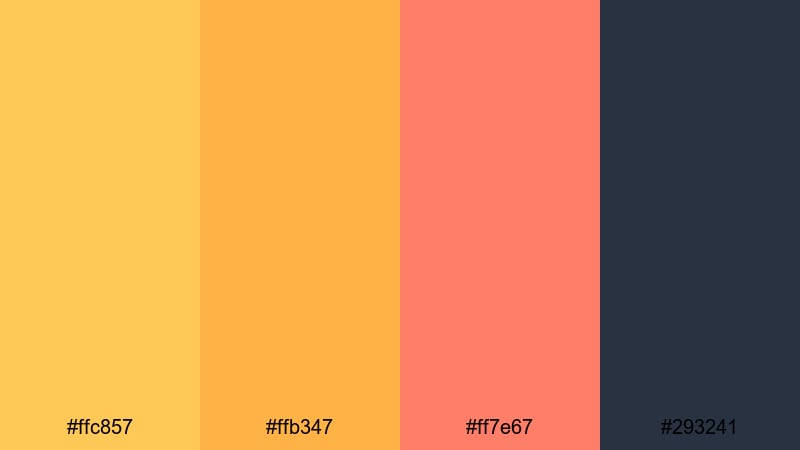
- HEX Codes: #ffc857, #ffb347, #ff7e67, #293241
- Mood: Dramatic and glowing, like warm lens flares over dark frames.
- Use for: Perfect for dramatic trailers, title cards, and lower thirds in short films or travel videos.
Golden Lens Flare contrasts bright, glowing yellows and oranges with a deep navy base. It feels like sunlight bursting across a dark frame, adding drama without losing warmth.
Use the dark navy (#293241) as your background for titles and end cards, then layer the brighter HEX colors as gradients, flares, or highlight strokes around text. This palette works especially well for cinematic trailers, chapter cards, or lower thirds in travel and documentary-style edits.
Desert Film Grade
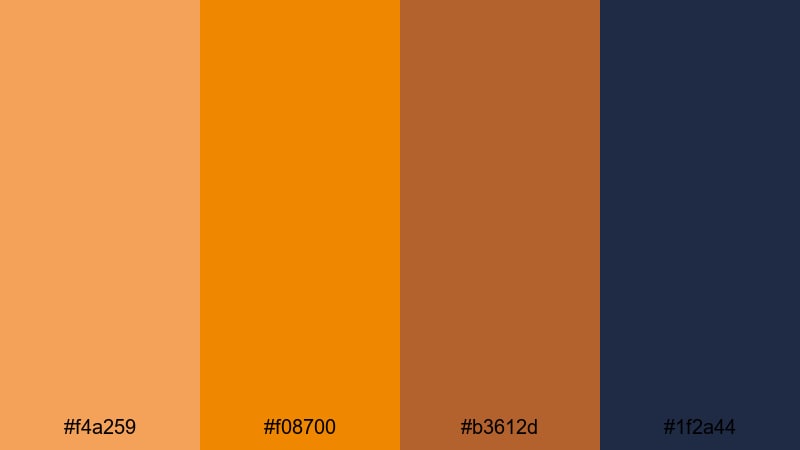
- HEX Codes: #f4a259, #f08700, #b3612d, #1f2a44
- Mood: Earthy, bold, and adventurous, inspired by desert sunsets.
- Use for: Great for travel vlogs, outdoor adventure edits, and cinematic LUT-style color grading references.
Desert Film Grade leans into earthy oranges and copper browns, grounded by a deep blue. It instantly evokes sand, rock, and late-afternoon sun, perfect for adventurous content.
Bring this palette into your travel vlogs, hiking stories, and road trip edits. Use the darker blue (#1f2a44) for text and UI elements, and let the oranges dominate in overlays, maps, and transitions. You can even treat the palette as a reference when building warm, dusty grades in Filmora.
Campfire Story Night
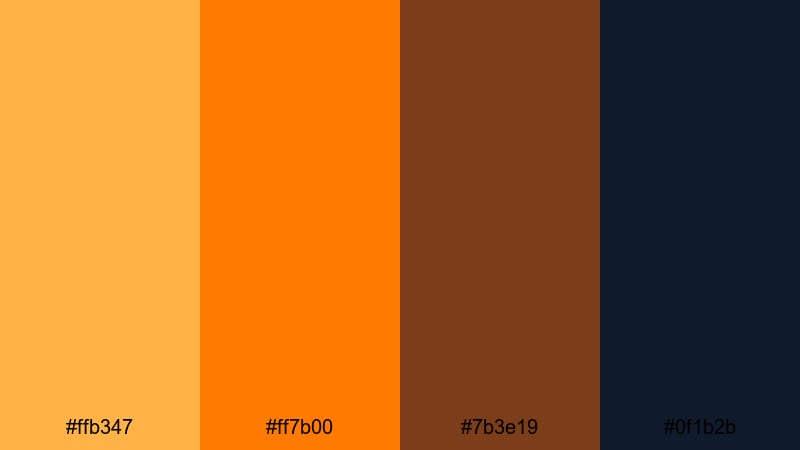
- HEX Codes: #ffb347, #ff7b00, #7b3e19, #0f1b2b
- Mood: Cozy and intimate with a hint of dramatic night contrast.
- Use for: Use in storytelling videos, podcasts on YouTube, and moody intro frames with warm text on dark backgrounds.
Campfire Story Night combines glowing Yellow Orange with deep browns and midnight blue to recreate the feeling of a fire in the dark. It feels intimate and moody, ideal for narrative content.
Use the darkest tone (#0f1b2b) behind your titles or podcast artwork, then highlight key words or icons with the bright Yellow Orange. This palette works well for storytime thumbnails, commentary channels, and intros where you want a cozy but slightly dramatic vibe.
Playful Social Yellow Orange Palettes
Citrus Pop Reels
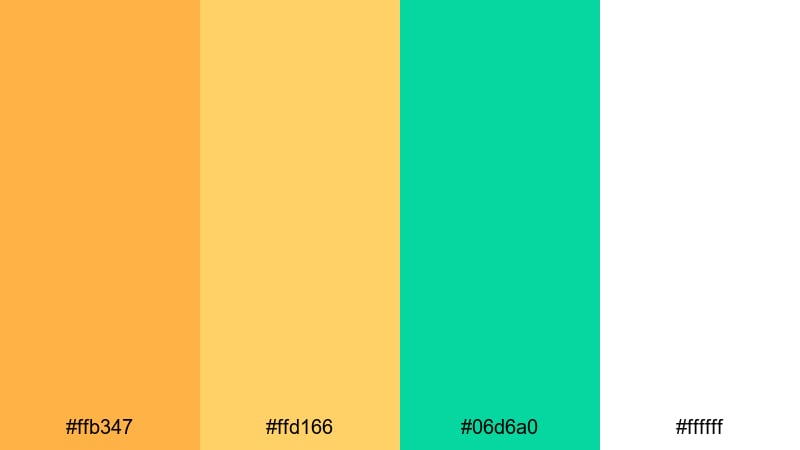
- HEX Codes: #ffb347, #ffd166, #06d6a0, #ffffff
- Mood: Fresh, lively, and energetic like a splash of citrus.
- Use for: Best for Instagram Reels covers, TikTok overlays, and bright channel art aimed at younger audiences.
Citrus Pop Reels is bright and zesty, pairing Yellow Orange with a punchy teal and clean white. It feels fun, fast, and perfect for vertical content that needs to stand out in a feed.
Use the white (#ffffff) background for clarity on small screens, then layer in Yellow Orange and teal shapes for buttons, stickers, and animated text in Filmora. This palette is ideal for short-form content, challenges, quick tutorials, and playlists aimed at younger viewers.
Tropical Vlog Splash
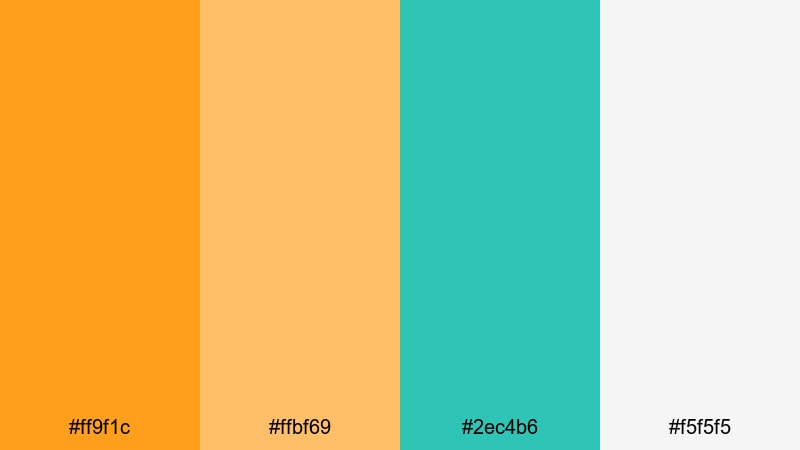
- HEX Codes: #ff9f1c, #ffbf69, #2ec4b6, #f5f5f5
- Mood: Vacation-ready, playful, and sunny with a tropical twist.
- Use for: Perfect for travel vlogs, beach trip thumbnails, and upbeat vacation highlight edits.
Tropical Vlog Splash feels like a day at the beach, mixing sunny Yellow Orange with soft sand tones and aqua teal. It screams holiday and is instantly recognizable as travel content.
Use the teal (#2ec4b6) for accent lines, location pins, or callouts over your travel footage, while the light neutral keeps text easy to read. This palette works great in Filmora for thumbnail frames, map animations, packing list graphics, and upbeat trip recaps.
Mango Sorbet Stories
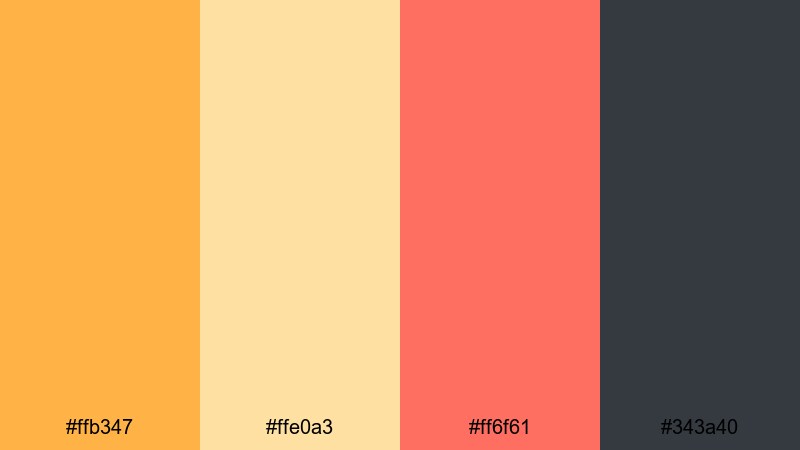
- HEX Codes: #ffb347, #ffe0a3, #ff6f61, #343a40
- Mood: Sweet, playful, and modern with a hint of contrast.
- Use for: Great for story templates, channel banners, and creator logo packs that need a fun but polished feel.
Mango Sorbet Stories softens Yellow Orange with creamy beige and adds a coral accent for a modern, sweet look. The dark gray balances everything so it still feels professional.
Use this palette for Instagram Story covers, channel banners, and simple logo animations in Filmora. The darker gray (#343a40) is perfect for text and icons, while the lighter tones can create soft backgrounds for tutorials, DIY content, and lifestyle reels.
Sunny Creator Toolkit
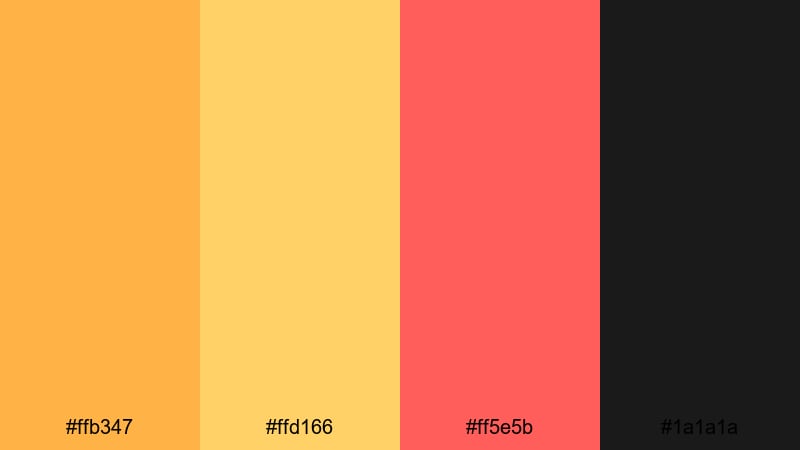
- HEX Codes: #ffb347, #ffd166, #ff5e5b, #1a1a1a
- Mood: Bold, cheerful, and creator-focused with strong contrast.
- Use for: Designed for YouTube thumbnails, subscribe buttons, and dynamic callout graphics.
Sunny Creator Toolkit is built for visibility, with bright Yellow Orange and golden tones, a strong red accent, and a deep black base. It feels bold and clickable, ideal for channels that want high impact visuals.
Use the dark base (#1a1a1a) for backgrounds on thumbnails and end screens, and reserve the Yellow Orange and red for key actions like Subscribe, Watch Next, or Shop Now. In Filmora, you can design reusable title and button presets with these HEX codes so your channel visuals stay consistent from video to video.
Elegant Modern Yellow Orange Palettes
Amber Minimal Branding
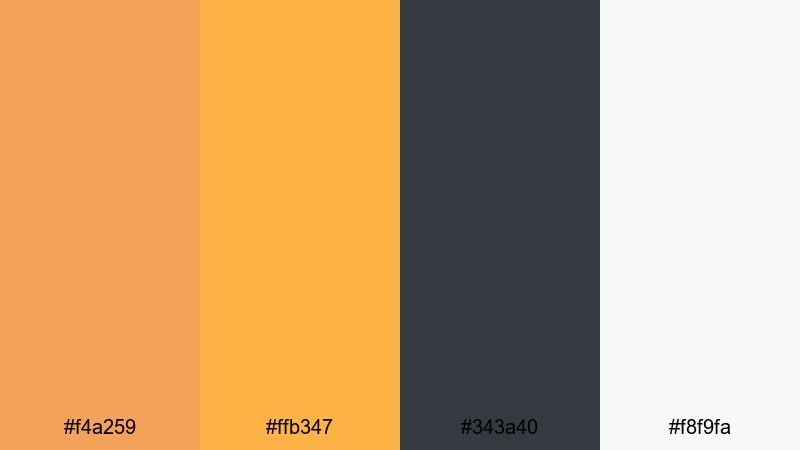
- HEX Codes: #f4a259, #ffb347, #343a40, #f8f9fa
- Mood: Modern, clean, and premium with subtle warmth.
- Use for: Ideal for channel branding, logo animations, and minimalist title cards for professionals.
Amber Minimal Branding pairs refined Yellow Orange shades with charcoal gray and soft white. It feels premium and modern, making it a strong choice for education, business, or creative professional channels.
Use the light background (#f8f9fa) for clean title cards and slides, then highlight key words and icons with Amber and Yellow Orange. This palette works well for logo stings, simple intro animations, and lower thirds in Filmora where you want to look polished without being cold.
Saffron Highlight UI
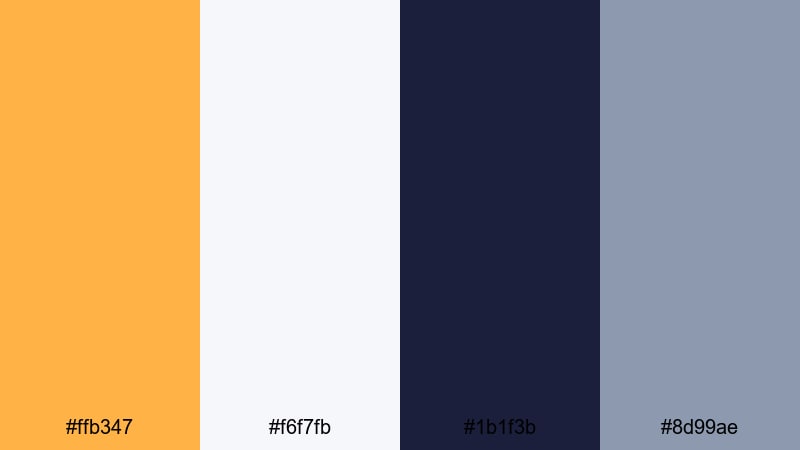
- HEX Codes: #ffb347, #f6f7fb, #1b1f3b, #8d99ae
- Mood: Sleek and techy with warm saffron as a highlight accent.
- Use for: Use for interface-style lower thirds, app promo videos, and motion graphic HUD elements.
Saffron Highlight UI adds a single warm accent to a cool, tech-focused base. The soft grays and blues give a clean digital feel, while the Yellow Orange acts as a precise highlight.
Use the saffron (#ffb347) sparingly to call out buttons, cursor clicks, or key stats in UI demos and app promos. In Filmora, this palette is great for lower thirds, overlays, and HUD-style graphics that need to look modern but not sterile.
Copper Loft Intro
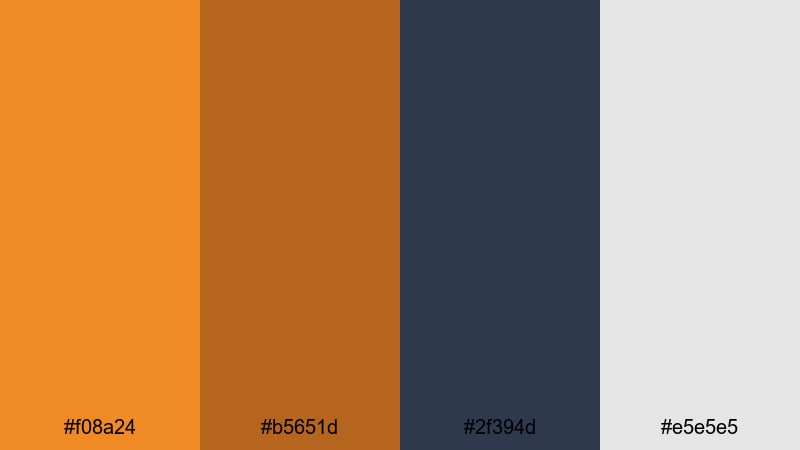
- HEX Codes: #f08a24, #b5651d, #2f394d, #e5e5e5
- Mood: Industrial yet refined, like a stylish loft studio.
- Use for: Great for creator intro templates, gear review channels, and branded end cards.
Copper Loft Intro feels like a modern studio space, with burnished Yellow Orange, copper browns, and cool slate blue. It balances warmth with an industrial edge.
Use the slate (#2f394d) behind your logo or gear shots, then introduce the copper tones in animated frames, text bars, and callouts. This palette suits tech gear reviews, creative studio tours, and branded intros that aim for a chic, grown-up look.
Chrome And Ember
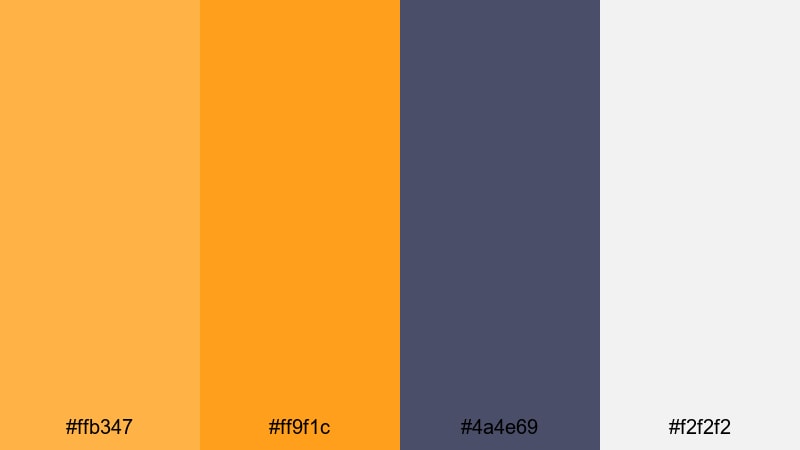
- HEX Codes: #ffb347, #ff9f1c, #4a4e69, #f2f2f2
- Mood: Polished and confident with a glowing ember highlight.
- Use for: Perfect for tech reviews, startup pitch videos, and sleek lower thirds with bold accents.
Chrome And Ember combines enamel-like Yellow Orange highlights with cool steel gray, creating a confident, modern contrast. It feels like glowing embers against a metallic surface.
Use the darker gray (#4a4e69) for text or card backgrounds, then let the ember tones guide buttons, badges, and animated icons. This palette is ideal for pitch decks, app teasers, and tech reviews edited in Filmora that need both energy and professionalism.
Retro Vintage Yellow Orange Palettes
Super 8 Sunburst
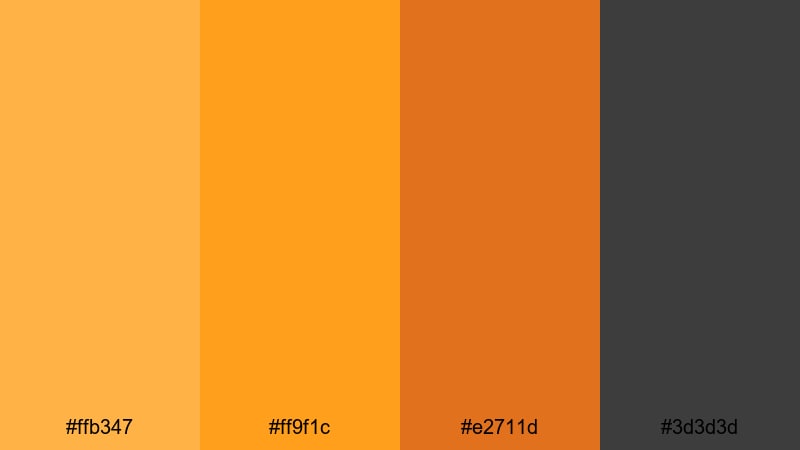
- HEX Codes: #ffb347, #ff9f1c, #e2711d, #3d3d3d
- Mood: Nostalgic, bold, and slightly grainy like old film stock.
- Use for: Use in retro title sequences, film emulation overlays, and throwback vlog edits.
Super 8 Sunburst leans into bold Yellow Orange shades with warm brown and charcoal accents, instantly evoking vintage film reels and retro travel footage.
Use the charcoal (#3d3d3d) as a base for frames and letterbox bars, then let the oranges carry the titles, badges, and transitions. Add a film grain or vignette effect in Filmora to strengthen the retro feel for nostalgia vlogs, family compilations, and throwback edits.
Vintage Travel Poster
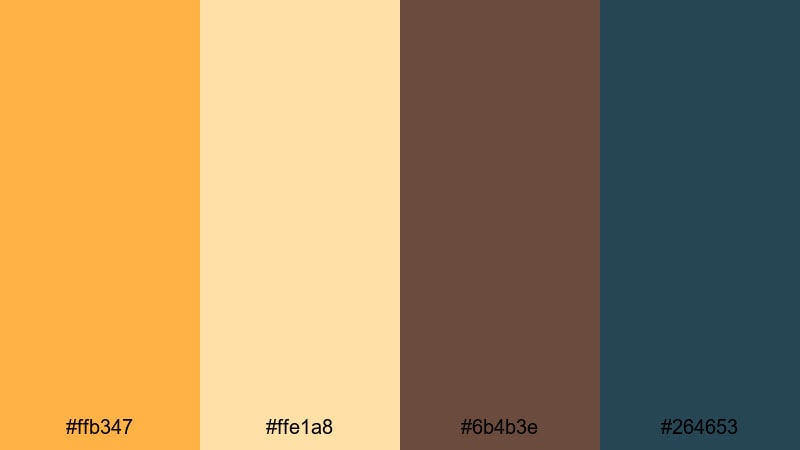
- HEX Codes: #ffb347, #ffe1a8, #6b4b3e, #264653
- Mood: Warm, nostalgic, and poster-like with muted supporting tones.
- Use for: Great for travel title cards, chapter screens, and animated postcards inside videos.
Vintage Travel Poster softens Yellow Orange with cream, cocoa, and teal, recreating the feel of mid-century travel ads and postcards. It is nostalgic but still clean.
Use the cream (#ffe1a8) for background cards, then mix in Yellow Orange and teal for stylized maps, location stamps, and animated postcard transitions. This palette suits chapter screens, itinerary breakdowns, and storytelling segments in travel videos edited with Filmora.
Analog Sunrise Grain
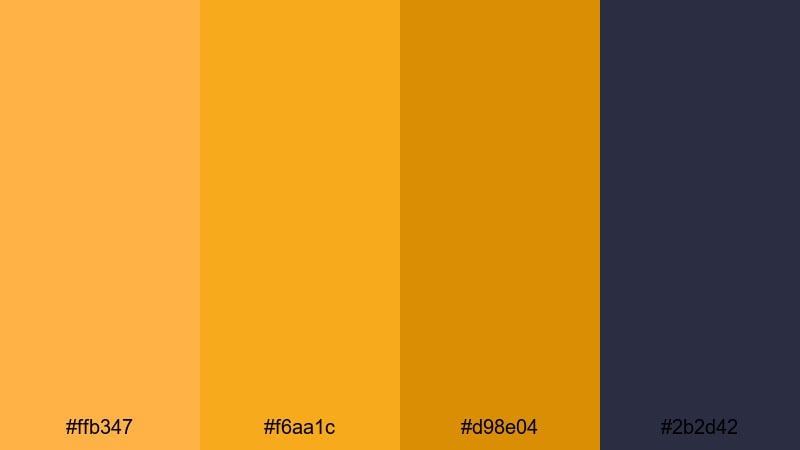
- HEX Codes: #ffb347, #f6aa1c, #d98e04, #2b2d42
- Mood: Softly faded sunrise tones with analog depth.
- Use for: Perfect for nostalgic vlogs, morning routines, and aesthetic montage sequences.
Analog Sunrise Grain layers several close Yellow Orange hues over a deep blue-gray, giving a soft, faded sunrise feel. It is warm but subtle, with an analog mood.
Use the deeper blue-gray (#2b2d42) for text and interface elements, while the varying oranges create gradients, light leaks, and soft overlays in Filmora. This palette works beautifully for morning routines, cozy lifestyle vlogs, or aesthetic compilations where you want a gentle, nostalgic warmth.
Tips for Creating Yellow Orange Color Palettes
When designing your own Yellow Orange color palette for video and branding, aim for a balance between warmth, readability, and contrast so your visuals look great on both large screens and small mobile devices.
- Pair Yellow Orange with a deep contrasting color (navy, charcoal, or dark blue-gray) to keep text and icons readable over bright backgrounds.
- Use Yellow Orange mainly as an accent color for calls to action, highlights, and key titles, rather than filling entire frames with it.
- Add at least one soft neutral (off-white, light gray, or beige) so your layouts have breathing room and do not feel too intense.
- Test your palette on an actual thumbnail or intro frame and view it on a phone to check legibility and how the colors look on smaller screens.
- Keep your brand consistent by reusing the same 2 to 4 HEX codes across your logo, lower thirds, intro, and end screens.
- Match your footage to your palette by slightly warming midtones and highlights so skin tones and backgrounds sit well with your Yellow Orange accents.
- For cinematic looks, use darker companion colors and stronger contrast; for playful social content, lighten the supporting colors and reduce contrast.
- Save your favorite color combinations as presets or templates in Filmora so you can apply the same style to future videos with just a few clicks.
Yellow Orange palettes are powerful tools for shaping how viewers feel about your content. From warm cinematic intros to bold social thumbnails and elegant branding, the right combination of oranges, neutrals, and contrasting blues can make your videos instantly recognizable.
Try a few of these curated palettes in Filmora, then adjust saturation, contrast, and supporting colors until they match your own style. Once you lock in your signature Yellow Orange look, you can reuse it across thumbnails, intros, and social edits to build a strong, memorable brand.
Whether you prefer retro warmth, modern minimalism, or playful social vibes, Filmora gives you the tools to turn these HEX codes into complete visual systems for your channel.
secure downloadNext: Sky Blue Color Palette
