


 TL;DR:
The ChatGPT GPT-5.5 update transforms the platform into an autonomous agent capable of executing multi-step research and coding tasks, offering massive context memory for complex workflows while still requiring users to manually fact-check outputs for logic hallucinations.
● Select the free tier or $8/month Go plan for casual queries using the lighter GPT-5.3 Instant model, upgrade to the $20/month Plus plan for deep reasoning as a freelancer or student, or choose the $100/month Pro plan to unlock the full 1,000,000-token context window for heavy professional data processing.
● While ChatGPT efficiently generates short visual media clips, it falls short on complex video projects; users needing proper pacing, auto-captions, and multi-track editing can utilize Wondershare Filmora to directly access Sora 2 and ChatGPT Image 2.0 within a professional production timeline.
● Strictly download the ChatGPT application from the official Apple App Store or Google Play Store to avoid fake security risks, and always verify critical claims because the AI can still produce fake details, outdated facts, or logic loop errors when handling highly specialized niche problems.
Ask AI for a summary
 ChatGPT
 Perplexity
 Gemini
 Claude
 Grok
Grok
At this point, it is impossible to deny the impact ChatGPT has had on everyday life. This AI chatbot has changed how people write, study, search online, plan work, create content, and even solve problems they used to Google one by one. To keep up with how fast people use AI, OpenAI ChatGPT keeps improving through new models, new tools, and new ChatGPT versions.
But now the question is simple: what actually changes in the latest ChatGPT version? In this review, we will break down what ChatGPT is, how the different versions evolved, how much ChatGPT costs, what GPT-5.5 can do, and whether the new ChatGPT version is useful for everyday users.
Part 1. What is ChatGPT? Everyone's Digital Assistant
For anyone who might need a quick refresher, ChatGPT artificial intelligence is the industry-defining generative AI platform created by OpenAI. Designed as an advanced text, code, and multimedia system, its core purpose is to understand natural language inputs and deliver human-like responses across complex tasks.
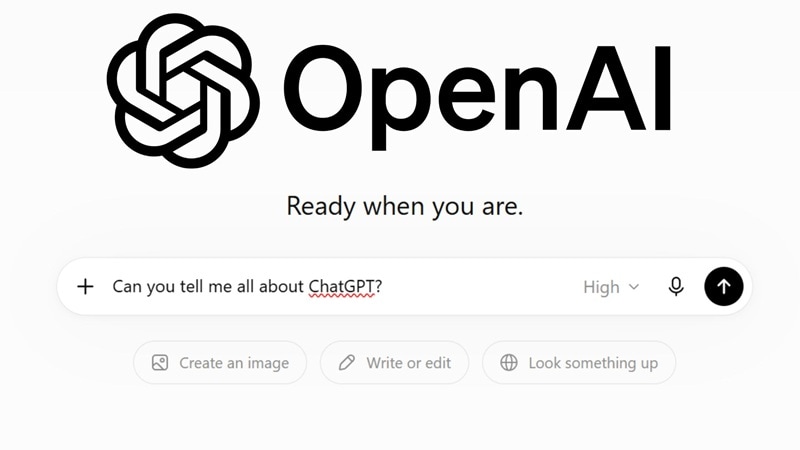
The best part is that you do not need to speak like a programmer. You can type something as simple as “help me make this sentence sound better” or “explain this like I’m new to the topic,” and ChatGPT AI chat will respond in a way that feels more like a conversation than a traditional search result.
Part 2. The Complete Evolution of ChatGPT Versions
ChatGPT AI has gone through several major model upgrades, and each version changed how people interact with AI. Let's have a look.
Key Milestones:
- ChatGPT 3 / 3.0: The foundational text model that introduced mass audiences to conversational AI.
- ChatGPT 3.5: The classic, highly responsive engine that powered the initial wave of ChatGPT download free options across the web.
- ChatGPT 4: A massive leap into premium multimodal processing, advanced logic, and accurate data handling.
- ChatGPT 5 / GPT 5: The major structural upgrade introducing deep-reasoning foundations and highly efficient baseline logic.
- The Latest GPT-5.5 Generation: The current cutting-edge rollout that introduces agentic autonomy, adaptive self-correction, and an expansive context memory.
Here is a simple look at how these different versions compare side-by-side:
| Model Edition | Context Capability | Primary Strength | Why It Matters |
| GPT-3.5 (Nov 2022) | ~4,000–16,000 tokens | Fast, responsive chat at launch | It gave everyone free access to a smart chat tool |
| GPT-4 (Mar 2023) | 8,000–32,000 tokens | Multimodal input, sharper reasoning | First version that could read images |
| GPT-4o (May 2024) | 128,000 tokens | Unified text, voice, and vision in one model | Brought GPT-4-class intelligence to every user for free |
| GPT-5 (Aug 2025) | Expanded reasoning context | Deep-reasoning foundation, agent groundwork | Set the structural base that every GPT-5.x update |
| GPT-5.5 (Apr 2026) | Up to 1,000,000 tokens (Pro tier) | Agentic coding, computer use, research | Help with messy, multi-step tasks instead of just answering one prompt |
Part 3. ChatGPT Cost: Breaking Down ChatGPT Rates and Tiers
Now let’s talk about the ChatGPT price. The good news is that you can use ChatGPT online completely free through the official ChatGPT website or ChatGPT app on the Google Play Store and the Apple App store. However, the free tier comes with some real limitations:
- Limited access to GPT-5.5 (the free tier mostly runs on the lighter GPT-5.3 Instant model).
- Limited messages and uploads per day.
- Limited and slower image generation.
- Limited deep research sessions.
- Limited memory and context window.
- Limited Codex (coding agent) access.
For users who need more access, ChatGPT OpenAI also offers paid plans: Go, Plus, and Pro. See how the ChatGPT rates and features stack up:
| Plan | Monthly Rate | Main Benefits | Main Limits | Best For |
| Free | $0 | No cost, standard chat, web search | Strict caps on high-end models | Casual, occasional use |
| Go | $8 | Faster speeds, more daily messages | No advanced coding sandbox | Light, frequent chatting on a budget |
| Plus | $20 | Deep reasoning, high caps, custom agents | Peak hour caps still apply occasionally | Freelancers, students, everyday power users |
| Pro | $100 | Dedicated processing power, maximum limits | Pricey for a single user | Professionals doing heavy daily AI work |
Part 4. ChatGPT 5.5 Features: What You Can Actually Do in the Latest Version
We all know that ChatGPT is capable of answering your questions, even creating AI images. But the latest ChatGPT model, GPT 5.5, brings a few massive changes to your daily workflow.
Here's what's genuinely different, based on OpenAI's own rollout details:
1. Agent-Style Task Handling
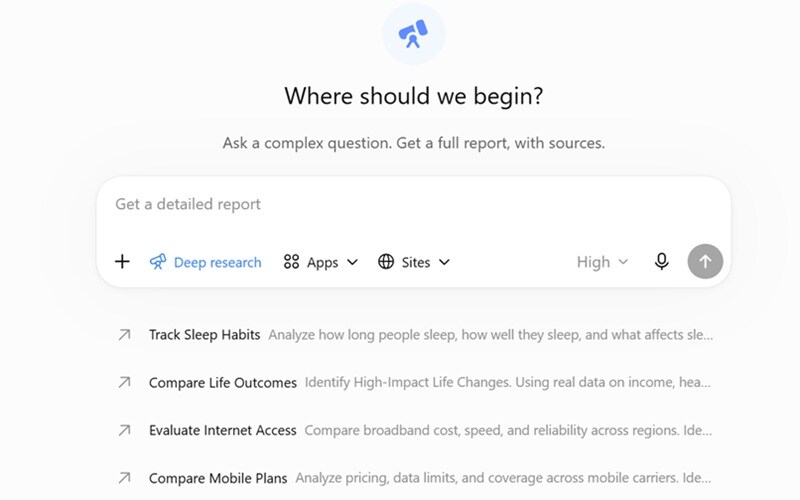
ChatGPT's new chat room in GPT-5.5 is stronger at handling broad, multi-step goals. For example, you can ask it to research a topic, compare options, organize findings, create a table, and turn the result into a draft. This feature is especially useful for:
- Research briefs.
- Coding tasks.
- Document-heavy work.
- Data analysis.
- Content planning.
- Multi-step comparisons.
- Business reports.
- Study guides.
2. A Genuinely Massive Context Window
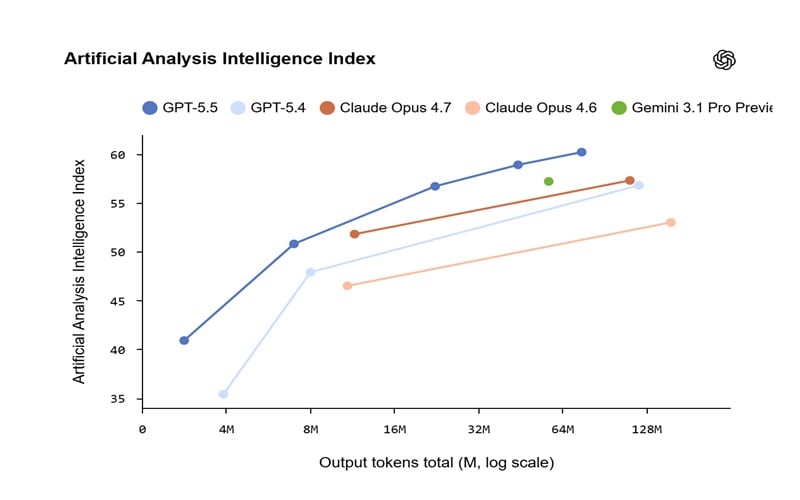
On the higher-tier Pro plan, GPT-5.5 supports up to roughly 1 million tokens of context, which is the rough equivalent of a few hundred pages of text in one go. That means dropping in long data sheets, sprawling codebases, or lengthy scripts without the model losing track of earlier details.
3. Sharper Research and Knowledge Work
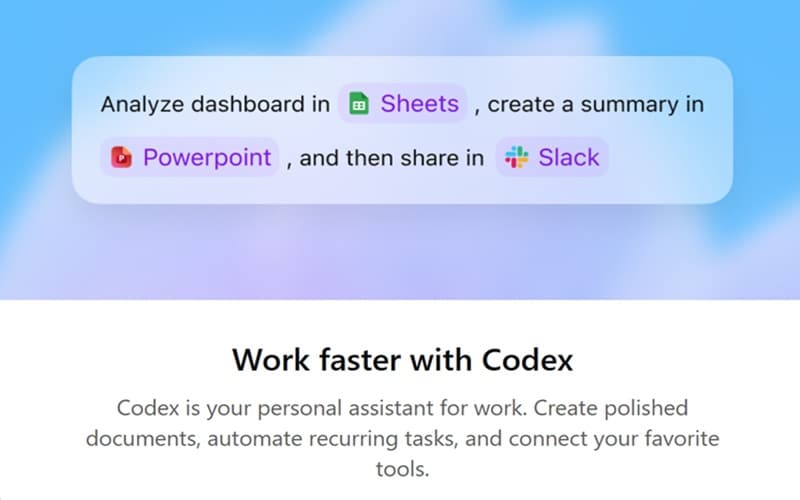
ChatGPT's new version is noticeably better at the full loop of knowledge work: finding information, figuring out what actually matters, using tools to check it, and turning raw material into something usable, like a document, spreadsheet, or summarized report instead of a wall of text.
Part 5. Weighing the Performance: ChatGPT Pros & Cons
Even with all these upgrades, no AI system is flawless, and pretending otherwise would do you a disservice. Knowing exactly where ChatGPT shines and where it still trips up is the difference between using it well and getting burned by it.
- Free Access Is Available: Users can try ChatGPT online without paying, which makes it accessible for casual users, students, and beginners.
- Useful Across Many Tasks: It can help with writing, coding, studying, planning, research, brainstorming, data analysis, image generation, and file review in one place.
- Supports More Than Text: ChatGPT can work with images, files, data analysis, web search, memory, and other tools depending on the selected plan and model.
- Occasional Loop Hallucinations: When faced with highly specialized niche problems, the system can still occasionally repeat invalid logic paths.
- It Can Still Make Mistakes: ChatGPT can produce inaccurate facts, fake details, or outdated information. Important claims still need manual checking.
- Short Media Clips Only: Built-in multimedia engines are perfect for quick visual assets, but they fall short on long-form, complex projects.
Part 6. Elevating Your Media Production: Wondershare Filmora
While using ChatGPT artificial intelligence to generate descriptive prompts and quick visual media clips right inside your chat window is incredibly convenient, creating a complete production is a different story. You may need multiple tries, extra polishing, better pacing, subtitles, transitions, music, effects, and proper export settings.
This is where Wondershare Filmora can be a practical companion. By natively integrating advanced creation tools like Sora 2 and ChatGPT Image 2.0 directly into its professional editing environment, Filmora lets you generate striking, high-fidelity visuals right alongside your main video tracks.

 Secure Download
Why Creators Are Pairing ChatGPT With Filmora
1. Professional Editing Timeline

Filmora gives you a proper multi-track editing timeline. You can drop your AI-generated video clips, images, audio, captions, overlays, and effects into one project and arrange them exactly how you want.
2. Wide Range of Useful AI Features
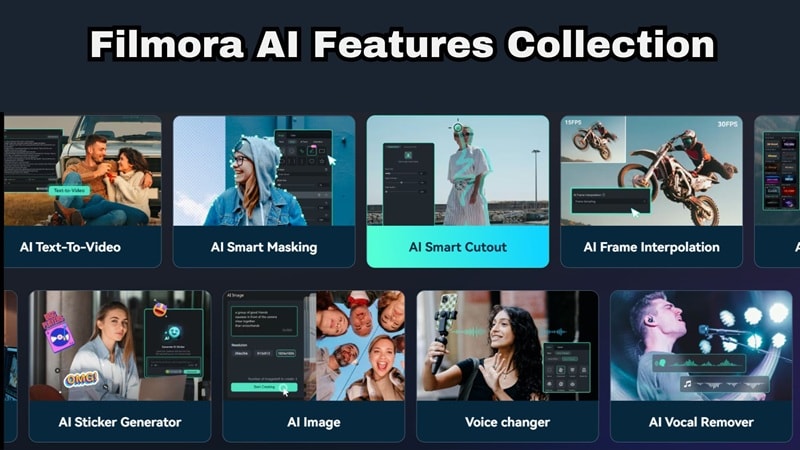
Filmora goes beyond basic trimming. It includes AI tools that can help with tasks like auto-captions, audio cleanup, background removal, silence detection, image-to-video creation, AI music, and more.
3. Extensive Media Library

Sometimes your AI-generated clip still needs extra flavor. Filmora gives you access to built-in effects, transitions, stickers, filters, stock media, music, and title templates.
4. Social Media Friendly Features

Filmora works well for creators who publish on TikTok, Instagram Reels, YouTube Shorts, Facebook, and other platforms. It supports different aspect ratios, short-form editing, quick exports, and even scheduling that make social content easier to manage.
Secure DownloadConclusion
ChatGPT has grown from a simple text tool into a massive digital assistant that can change how you tackle your daily checklist. The GPT-5.5 update makes OpenAI ChatGPT more useful for complex work, especially when users need stronger reasoning, better context handling, and more reliable tool support. Still, it is not perfect, so fact-checking remains important.
If you want to use these AI tools for serious content creation, relying on a text box alone can slow you down. Give Wondershare Filmora a shot to see how easy it is when Sora 2 and ChatGPT Image 2.0 are built right into your timeline. It is the quickest way to turn your ideas into polished, ready-to-share videos.
FAQs About ChatGPT
-
Is ChatGPT the same as Google Search?
No. Google Search gives you a list of webpages, while ChatGPT gives you conversational answers. ChatGPT search can pull fresher web information and summarize it, but you should still check original sources when accuracy matters. -
Can ChatGPT replace writers, editors, or designers?
Not completely. ChatGPT AI can speed up drafting, brainstorming, rewriting, research, and creative planning, but human judgment is still needed for accuracy, tone, originality, brand voice, and final quality. -
Where should I download ChatGPT?
Download ChatGPT only from the official ChatGPT website, the Apple App Store, or the Google Play Store. Avoid random “ChatGPT download free” or “ChatGPT free download” files from unknown websites because they may be unsafe or fake. -
How does the "Thinking" mode differ from the "Instant" mode in daily tasks?
Instant mode gives you quick answers for everyday writing and simple questions. Thinking mode takes an extra moment to process complex logic, heavy coding bugs, or deep data research before it replies.
