


Creating videos for international audiences used to require professional translators and voice actors. Today, AI can simplify this process by translating and dubbing videos automatically. Market.us reported that more than 60% of video content creators use generative AI to translate and localize videos faster.
Among others, Rask AI is one platform that helps with this process. Supporting over 130 languages, it allows you to adapt videos for global audiences more easily. So, to help you get to know this platform better, we’ll explore its features, strengths, and limitations to see if it’s the right fit for your needs.
Part 1. An Overview of Rask AI
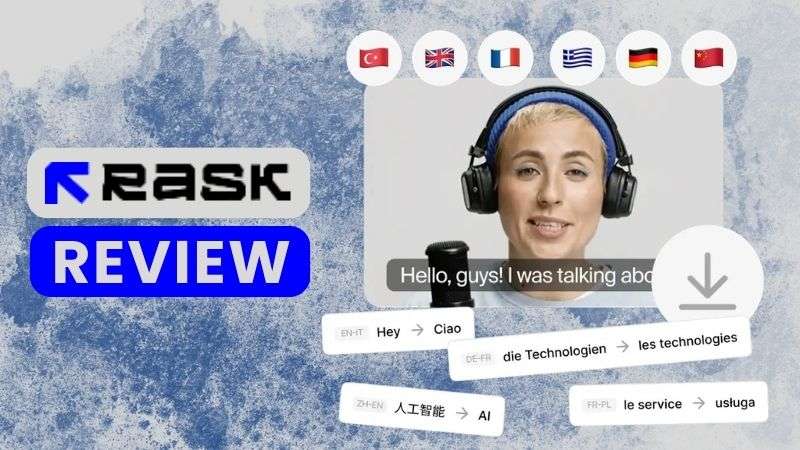
Rask AI is known as an AI-powered video localization platform. It allows you to translate scripts, record new voiceovers, and create subtitles, all in one place. The platform is designed to help creators and businesses make multilingual videos faster while keeping the original speaker's voice and lip movements as natural as possible.
Take a quick overview of Rask AI before we dive into its features.
| Category | Overview |
| Platform Type | AI video localization platform |
| Primary Focus | Translate and dub videos with AI |
| Localization Tools | Translation, dubbing, voice cloning, subtitles, transcription |
| Languages Supported | 130+ |
| Platform | Web-based |
| Ease of Use | Suitable for beginners |
| Best For | Businesses, educators, marketers, creators |
|
Show More
Show Less
|
|
How to Access Rask AI
Currently, Rask AI is available as an online platform that you can access through a web browser. There is no separate Rask AI app download required. To begin, go to https://www.rask.ai and click the Try It Free button.
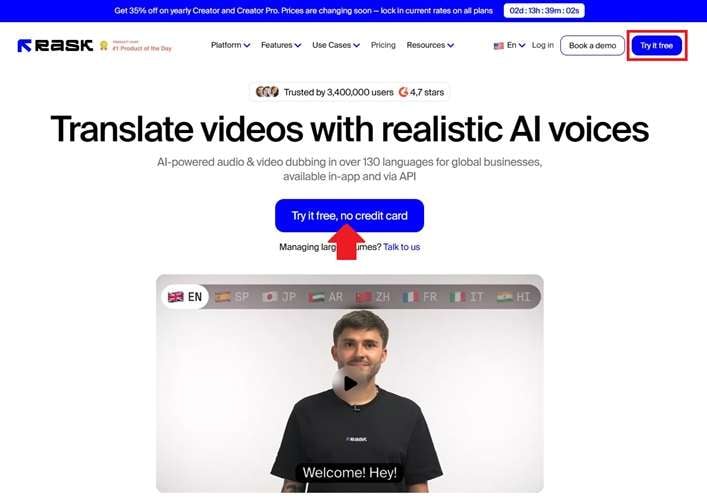
After that, create an account or proceed with the Rask AI login process if you already have one. Once you’re inside, start exploring the Rask AI video translator tools.
Part 2. How Much Does Rask AI Cost?
Is Rask AI free? The short answer is no. While the platform doesn't offer a permanent free plan, you can try it through a free trial. You get to test the Rask AI video translator for up to 3 minutes. It's a good way to see whether the translation quality meets your needs.
After that, you'll need a paid subscription to keep using the service. Rask AI offers three plans: Creator, Creator Pro, and Business. Each higher-tier plan includes more AI minutes and additional features, as shown in the table below.
| Feature | Creator | Creator Pro | Business |
| Monthly Price | $60 | $150 | $750 |
| Team Access | Individual use only | Invite up to 3 team members | Invite up to 5 team members plus guest reviewers |
| Monthly Usage Allowance | 25 minutes | 100 minutes | 500 minutes |
| Saved Voice Clones | Not available | Save up to 3 voice clones | Save up to 10 shared team voice clones |
| Lip Sync for Multiple Speakers | |||
| Subtitle & Voice Editing | Not available | Available | Available |
| Glossary Support | Not included | Personal glossary | Shared team glossary |
| Processing Speed | Standard | Standard | Priority |
|
Show More
Show Less
|
|||
Part 3. Core Features of Rask AI
So, we’ve looked at what Rask AI is all about, but that’s only the beginning. Now, let’s dive into the features that help creators translate and adapt their content more easily.
AI Audio & Video Translator

Let’s start with one of Rask AI’s key features: its AI-powered audio and video translation tools. The Rask AI Video Translator can process files up to 1 GB, while the Audio Translator supports files up to 5 hours long. With support for more than 130 languages, Rask AI makes it easier to create content for global audiences.
AI Voice Cloning
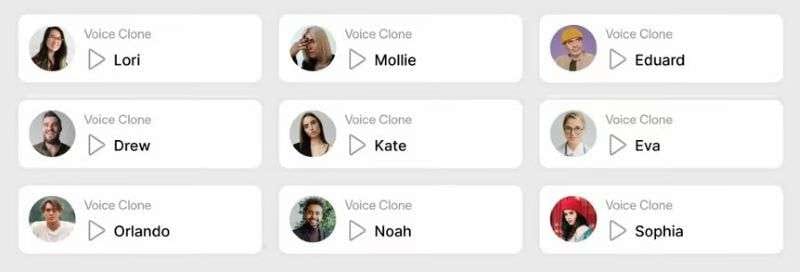
Rask AI’s Voice Cloning feature allows you to clone a voice in up to 32 languages while preserving its natural tone and identity. The AI analyzes the speaker’s tone, emotion, and delivery style, then applies these characteristics to the translated voice. This helps make the content feel more natural instead of sounding like a typical dub.
AI Dubbing Online

If you need a quick way to create multilingual videos, Rask AI Dubbing can simplify the dubbing process. Simply upload a video file or paste a YouTube link, and the AI will automatically detect the original language. The tool supports dubbing into up to 33 languages while preserving a natural and authentic voice.
Audio & Video Transcription
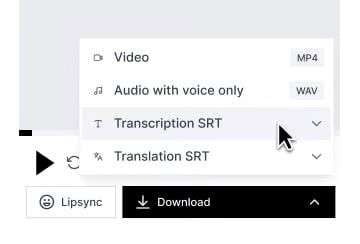
Another useful feature in Rask AI is its transcription tool, which helps turn audio and video files into text. The AI can generate accurate transcripts and manage content in multiple languages. Once processed, your Rask AI videos are easier to review, edit, and share.
Subtitle Generator & Translator

Creating subtitles manually can take a lot of time, especially for longer videos. Rask AI’s Subtitle Generator automatically creates captions, while its Subtitle Translator helps translate them into more than 130 languages.
Part 4. Is Rask AI Right for You?
Rask AI can be used for different types of video projects. However, some workflows will benefit more from its features than others. Here are the users who may find it most useful.
| Best For | What You Can Do with Rask AI | Common Use Cases |
| Content Creators | Reach global viewers without creating separate videos manually | YouTube videos, social media content, podcasts |
| Businesses & Marketing Teams | Deliver marketing messages across different markets | Brand videos, advertisements, product promotions |
| Educators & Trainers | Make educational content accessible to more learners | E-learning videos, workshops, tutorials |
| Entertainment & Media Teams | Localize entertainment content for international viewers | Gaming videos, films, entertainment content |
|
Show More
Show Less
|
||
Part 5. Rask AI Review: Strengths & Limitations
By now, you should have a better idea of what Rask AI can do. The next question is: Is it actually worth using? Let's look at its strengths and limitations.
- Quick to Get Started: The interface is well-organized and easy to navigate, as the features are laid out.
- Supports a Wide Range of Languages: Rask AI supports more than 130 languages, including many regional languages. This gives creators more flexibility when localizing content for different audiences.
- Works Well with Multi-Speaker Videos: Rask AI can recognize different speakers in the same video and assign a separate voice profile to each one.
- Quick Processing Time: It processes videos relatively quickly, allowing you to review and continue editing without long waiting times.
- Voice Output Can Feel Robotic: The generated voices may still sound a bit stiff or lack natural expression, especially in certain languages or speaking styles.
- Lip Sync Can Be Inconsistent: Lip movements may not always match the translated speech perfectly, especially in videos with fast dialogue or complex scenes.
- Some Features Cost Extra: Some advanced features aren't included in every plan and may require an additional purchase or a higher-tier subscription.
- Limited Control After Generation: Once Rask AI finishes generating the dubbed audio, there are only a few options for making detailed manual adjustments.
Part 6. Wondershare Filmora: A More Flexible Alternative to Rask AI
Rask AI makes video translation and dubbing much easier and faster. However, since it is a web-based platform, the processing speed can be affected by your internet connection.
Wondershare Filmora is a strong alternative to Rask AI for both mobile and desktop devices. With support for iOS, Android, Windows, and macOS, you can continue localization videos wherever you work. It also comes with a wide range of editing tools to help polish your videos and prepare them for publishing.
1. Create Natural Voiceovers with AI
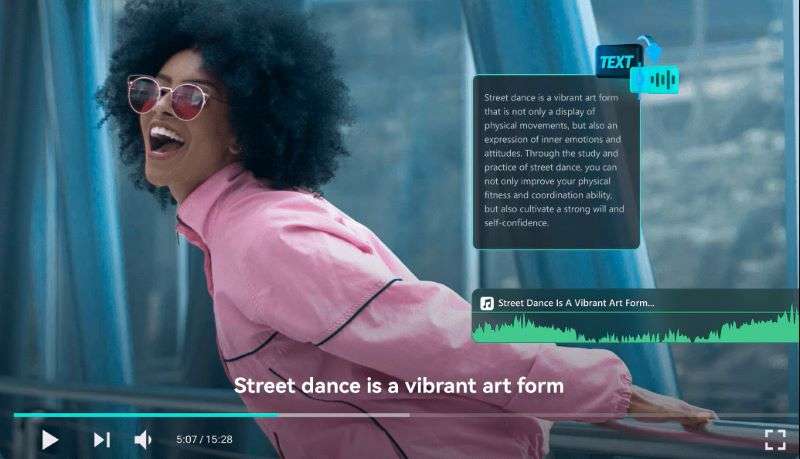
Create voiceovers without recording your own audio. Filmora’s Text-to-Speech turns your script into natural-sounding speech. Write your own script or generate one with the AI Copywriting tool, then choose from 48 voices in 33 languages. The tool also adds and syncs subtitles automatically.
2. Generate Voiceovers Using Your Own Voice
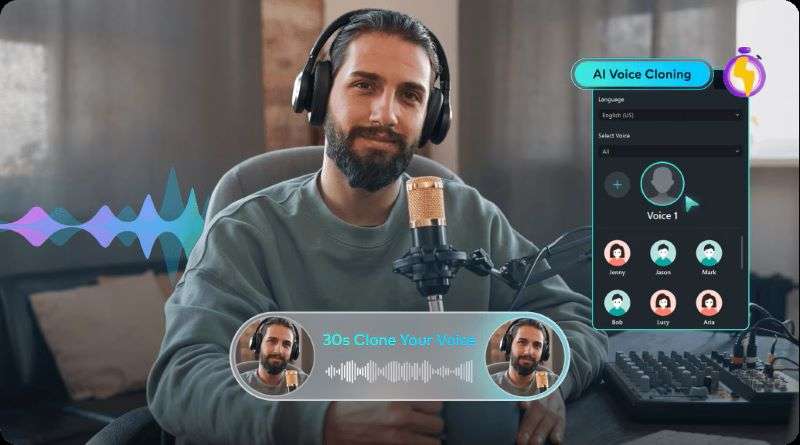
Create a digital version of your own voice with Filmora’s AI Voice Cloning in up to 16 languages. You can adjust the tone and style to match your content, whether you need a calm narration or a more expressive voice. It’s a practical way to create consistent narration without repeating the recording process.
3. Translate Videos While Keeping Natural Speech
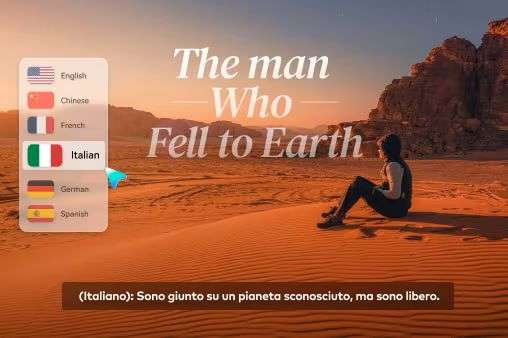
Filmora’s AI Translation feature can translate video audio into 23 languages while keeping the original voice characteristics. It also supports voice cloning and lip-sync, so the speaker’s voice and mouth movements stay more natural after translation.
4. Edit Everything in One Workflow
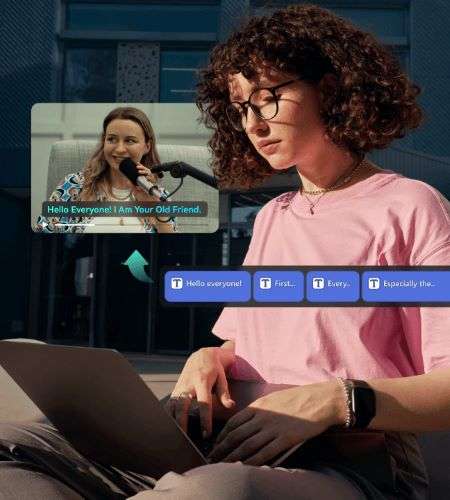
After generating or translating your audio, you can continue editing the video directly in Filmora. Add visuals, trim clips, apply transitions, insert B-roll, and adjust background music without opening another app. Everything stays in one workflow, from editing to final export.
5. AI Tools to Enhance Your Final Video
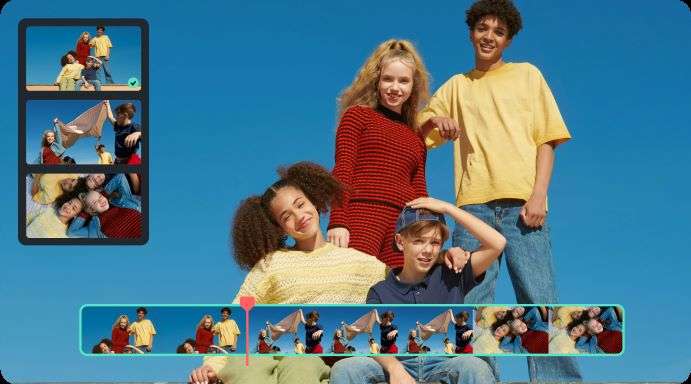
Filmora also comes with other AI tools to help improve your final video. Try AI Audio Adjustment to refine sound quality, Audio Visualizer to create and visualize audiograms, and AI Video Generator to add supporting B-roll. The AI Thumbnail Creator also helps you quickly prepare eye-catching thumbnails for publishing.
 Secure Download
Conclusion
Rask AI is a useful online platform for video localization. It helps you translate videos, generate AI dubbing, clone voices, and create subtitles in different languages. With these features, it’s easier to adapt your content for global audiences without creating separate versions manually.
For a more complete editing workflow, Wondershare Filmora offers AI tools across mobile and desktop. You can create voiceovers, translate videos, generate content, and enhance your edits with various creative features. As a full video editor, Filmora also lets you add the final touches, from adjusting visuals and audio to preparing the video for publishing.
FAQs
-
1. Do Rask AI video downloads include a watermark?
Yes. Videos exported during the free trial include a watermark. To remove it, you'll need to subscribe to one of Rask AI's paid plans. -
2. Is it safe to download Rask AI Mod APK?
No. When searching for the authentic https://app.rask.ai, you may come across unofficial downloads such as Rask AI APK or Rask AI Mod app. These modified APKs are distributed by third parties and often claim to unlock premium features in Rask AI for free. However, they may contain malware or other security risks that could compromise your device and personal data. -
3. Are HeyGen and Rask AI the same?
No. They serve different purposes. HeyGen helps you create videos with AI avatars, while Rask AI helps you translate, dub, and localize videos for international audiences.
