
36+ AI Interior Design Prompts:
Copy, Paste & Surprise
Whether you want to transform empty living rooms into cozy Scandinavian retreats with natural oak flooring and linen sofas, create spa-inspired luxury bathrooms with marble tiles and rainfall showers, design modern farmhouse kitchens with white shaker cabinets and butcher block countertops, or reimagine industrial loft spaces with exposed brick and leather furniture — these Gemini Nano Banana Pro interior design prompts make it effortless.
Simply browse all Nano Banana Pro interior prompts, tap on the image, copy and paste to Nano Banana Pro, and you will get photorealistic before-and-after comparisons soon.
Loading more templates...
 Category:
 Duration:
 Aspect Ratio:
Create Stunning AI Interior Designs
With Nano Banana Pro Prompts
Have a home renovation idea and want to visualize it before spending thousands? Eager to transform your design concepts into professional before-and-after room visualizations using the Nano Banana Pro interior design prompts? Filmora's advanced AI image generator, powered by Google's Nano Banana Model (with Nano Banana Pro integration coming soon), makes it seamless to generate Scandinavian living rooms, minimalist bedrooms, modern kitchens, and spa-inspired bathrooms.
Transform Any Empty Room Into Your Dream Space
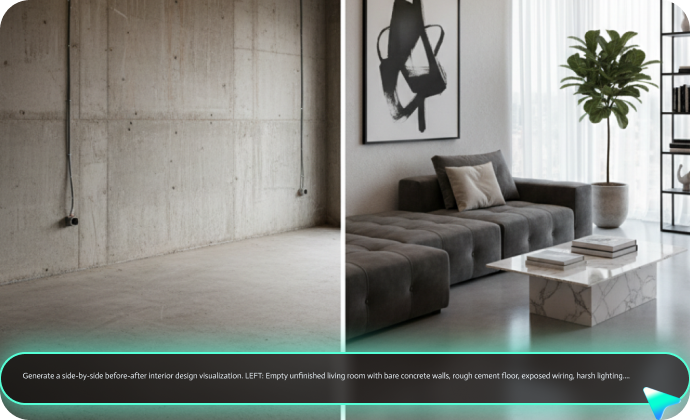
Transform Any Empty Room Into Your Dream Space
Create any interior style your vision demands—from viral social media transformations and empty room staging to full-home makeover visualizations and professional design mockups. Just include your desired aesthetic in the prompt, and Filmora's desktop AI Image Generator, powered by Google's Nano Banana model, generates professional-grade interior design visualizations with realistic materials and dynamic lighting compositions.
- Copy-Paste Any Prompt - Use our 36+ professional and creative AI interior design prompts instantly.
- Multiple Design Styles - Scandinavian minimalist, modern industrial, bohemian eclectic, mid-century modern.
- Reference Image Support - Upload your current room photos to maintain architectural accuracy and generate before-and-after comparisons.
Beyond Static Images: Animate Your Design Transformation with AI Video
Beyond Static Images: Animate Your Design Transformation with AI Video
Transform your static Nano Banana Pro interior designs into mesmerizing animated before-and-after transformation videos with Filmora's powerful AI video generator. Easily create captivating video content featuring empty rooms gradually filling with furniture, wall colors smoothly changing, lighting transitions from day to night, camera panning across renovated spaces, and dramatic before-to-after reveals brought to life with cinematic motion and realistic visual flow.
- AI Transformation Generator: Create dramatic before-and-after reveal videos from your static room comparisons.
- AI Staging Animator: Bring virtual staging to life with furniture appearing organically in empty spaces.
- Motion Effects: Add professional camera movements—smooth pans across renovated rooms, zoom into design details, orbit around 3D-like spaces.
- Scene Transitions: Seamlessly blend between multiple design variations (Scandinavian → Modern → Industrial styles).
Bring Your Interior Designs to Life with Professional Editing
Bring Your Interior Designs to Life with Professional Editing
Transform static before-and-after images into compelling video presentations that showcase your design transformation journey. Filmora's professional editing suite seamlessly integrates with AI-generated interior visualizations, making it the perfect platform for designers, architects, and content creators.
- Timeline Editing– Arrange multiple before-and-after transformations into professional video sequences with smooth transitions.
- Split-Screen Templates – Showcase side-by-side room comparisons with customizable layouts and drag-reveal animations.
- Text & Annotations – Add room dimensions, material labels, design notes, and style descriptions with designer-quality typography.
- Color Grading – Match lighting consistency across before-and-after shots, enhance natural tones, or create mood-specific color palettes.
- Audio Mixing – Layer background music, voiceover explanations, and ambient room sounds for immersive presentation experiences.
FAQs for Nano Banana Pro Interior Design Prompts
How to Use Nano Banana Pro AI Interior Prompts in Filmora?
Start creating stunning interior designs right now with Filmora's integrated Nano Banana Pro model—the powerful AI image generator already built into the platform. You can immediately use the current Nano Banana Pro model to generate professional-quality interior design visualizations.
Never used AI image generation before? No problem. This beginner-friendly guide walks you through creating beautiful AI-generated interior photos from prompts in under a minute—no design experience required.
Step 1 Activate AI Image Generator

Step 2 Generate Images From Text

Step 3 Download and Export Your AI-Generated Images

-
1:Activate AI Image Generator
Launch the latest version of Filmora, create a project, and click "Stock Media", choose "AI Image" from the Media panel. -
2:Generate Images From Text
Select the Nano Banana Pro model, then type in your Nano Banana Pro Interior Design Prompts , then click on the "Generate" to start making AI photos. -
3:Download and Export Your AI-Generated Images
After generating the photo, you can preview the image, tap on the download button, and drag it to the timeline, edit it if required, take a snapshot, or export to save the picture.
More Than Just an AI Interior Design Maker
Filmora is not just an interiror design photo maker from Nano Banana Pro AI prompts. You can also generate other style photos, create AI videos from prompts or pictures, and edit them with the most powerful editing features in the same tool.








