

 100% Security Verified | No Subscription Required | No Malware


 ChatGPT
 Perplexity
 Gemini
 Claude
 Grok
Grok
The right video filter has enough power to make a positive change. Hence, you should always make a wise choice in this regard. Select the preset that matches your creative concept and visual preferences. Let’s say you want to create video content with a cinematic and dramatic atmosphere. In this case, applying an aesthetic filter can truly be of great help. Don’t worry. Wondershare Filmora has tons of selections for this type of preset. You just basically need to choose the perfect filter that suits your taste.
In this article, we will suggest several aesthetic video filter options that you can take into consideration. We will also provide a short guide on how to apply an aesthetic filter to your videos. Lastly, we will give you some tips to further enhance your final output. Continue reading below to learn more.
In this article
10 Best Aesthetic Filter Options to Try
If elevating the quality of your videos is your main goal, the aesthetic filter can truly be of great help. As indicated earlier, it is capable of evoking a certain mood that suits your creative concept. But hold on. Of course, you need to make a wise choice every time. Don’t worry. Wondershare Filmora has a huge library that offers tons of amazing options in this regard. Do you want to know what those are? If so, check out the list below.
 secure download

Gray Night

If you want to incorporate a smoky and slightly dark video style, this aesthetic filter is for you. It has a low contrast and highlight setting that makes the video look soft and velvety. Also, this aesthetic video filter has a little violet tint that complements very well with the grayish hue.
Cozy Aesthetic 06
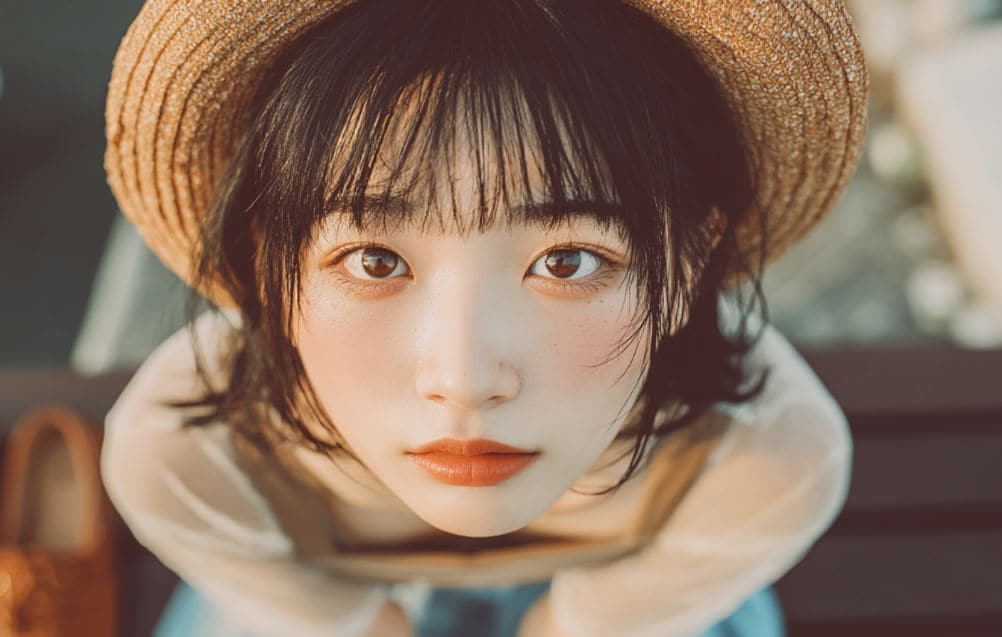
Still with low contrast setting and high shadow configuration, this aesthetic filter offers a unique take in this regard. It apparently has a nice blend of orange and black colors that make the video look cinematic.
Aesthetic Vibe

This aesthetic filter is quite similar to the second option on the list, except that it removes the dark hue. Aesthetic Vibe obviously has a slightly intense setting for exposure and brightness. At the same time, the temperature is set to be higher than the first filters above. If you want a smoky atmosphere with an orangey glow, this is the perfect option for you.
Cozy Aesthetic 04

This one is a variation of the Cozy Aesthetic filter listed above. The two options are similar in many ways. However, Cozy Aesthetic 04 obviously has a very low temperature setting. You can see from the video that it doesn’t display a reddish and golden hue, unlike the first one. If you want to apply a mildly dark yet smoky filter to your content, this is a great choice.
Day Transition
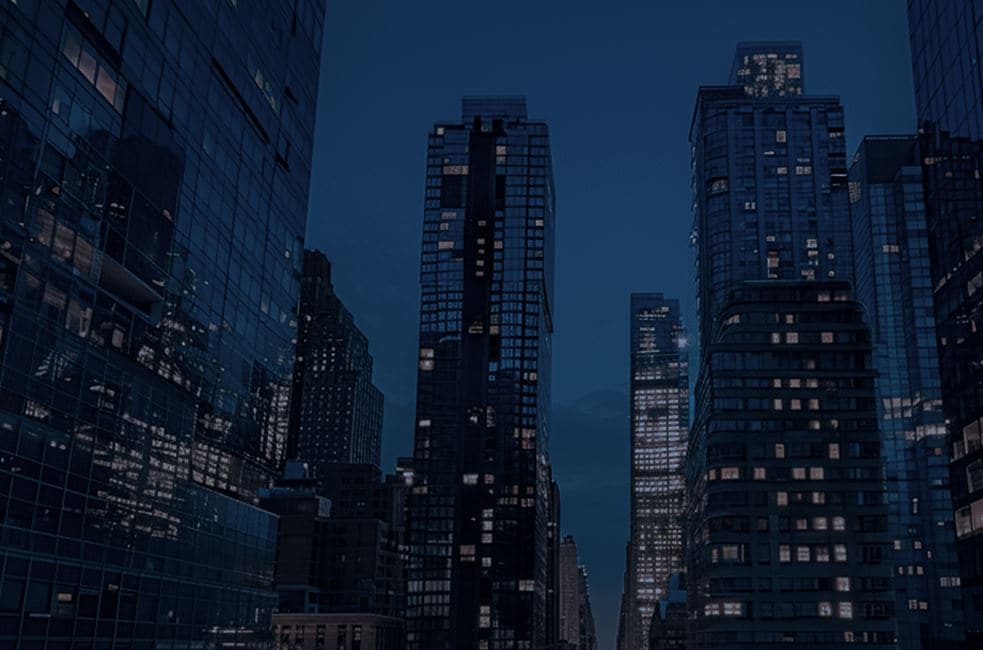
Sometimes, the natural darkness of the evening appears to be beautiful—silhouettes scattered all around and a group of twinkling lights from afar. If this style is your vibe, then Day Transition can be the perfect aesthetic video filter for you.
Brannan

Another smoky, muted, and retro aesthetic filter you can try is Brannan. It has a matte texture and soft contrast that makes its classy vibe stand out. Apply it to content that tells a serious story or features real-life events.
Reign
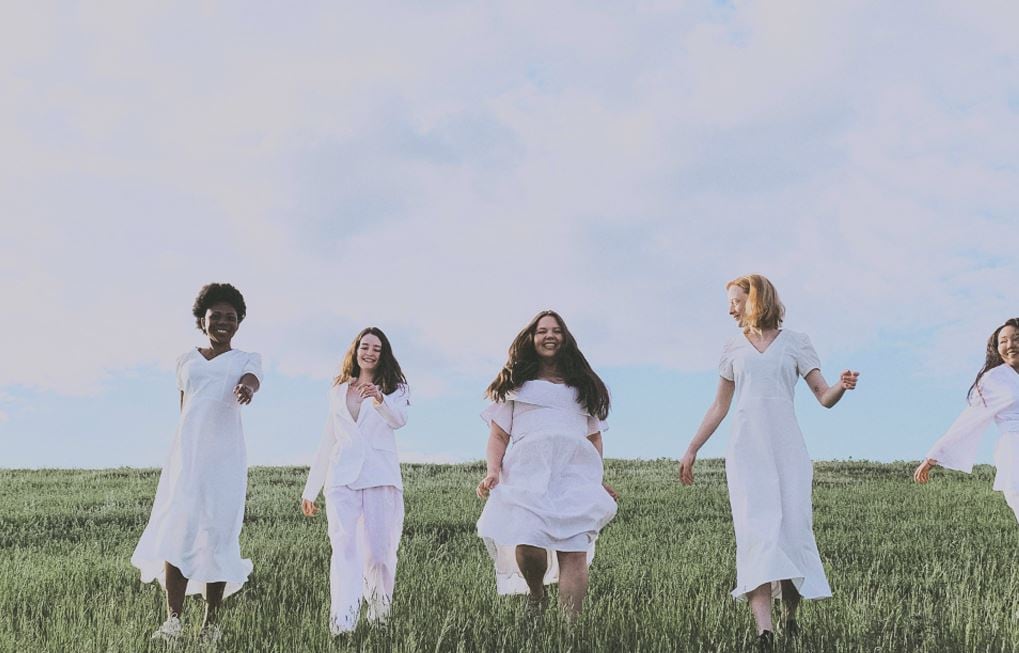
Dreamy, airy, and velvety. If these are the qualities you’re looking for in an aesthetic filter, Reign should be your primary choice. It has a bluish undertone and pastel-like configurations that create a beautifully dreamy look without oversaturation.
Grey Haze
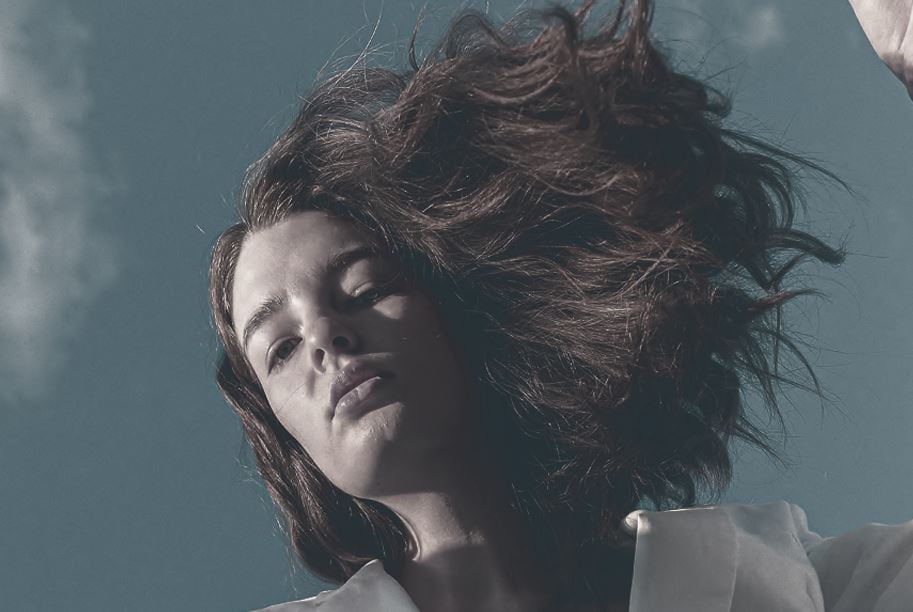
In simple terms, Grey Haze is an intensified version of the Gray Night aesthetic filter. It features cool undertones, desaturated hues, and higher-contrast settings. If you want a dark and moody theme, this is the perfect option.
Moody 03
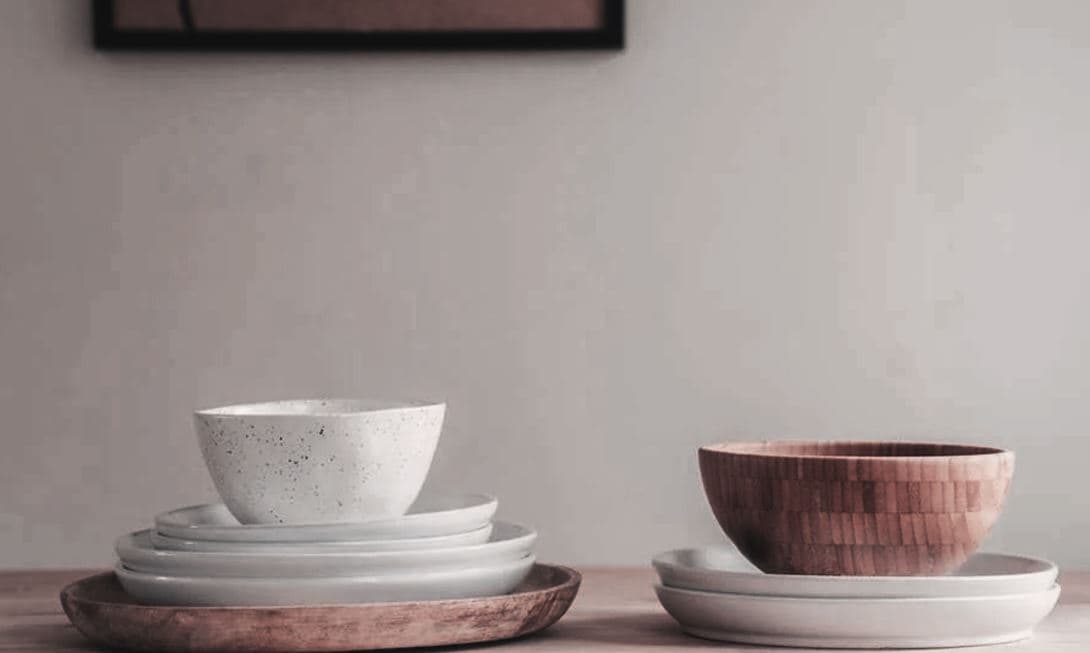
For a moody and slightly toned-down vibe, choose this filter. It has a faded style and soft lighting that together transform footage into vintage-like visuals.
Time Warp
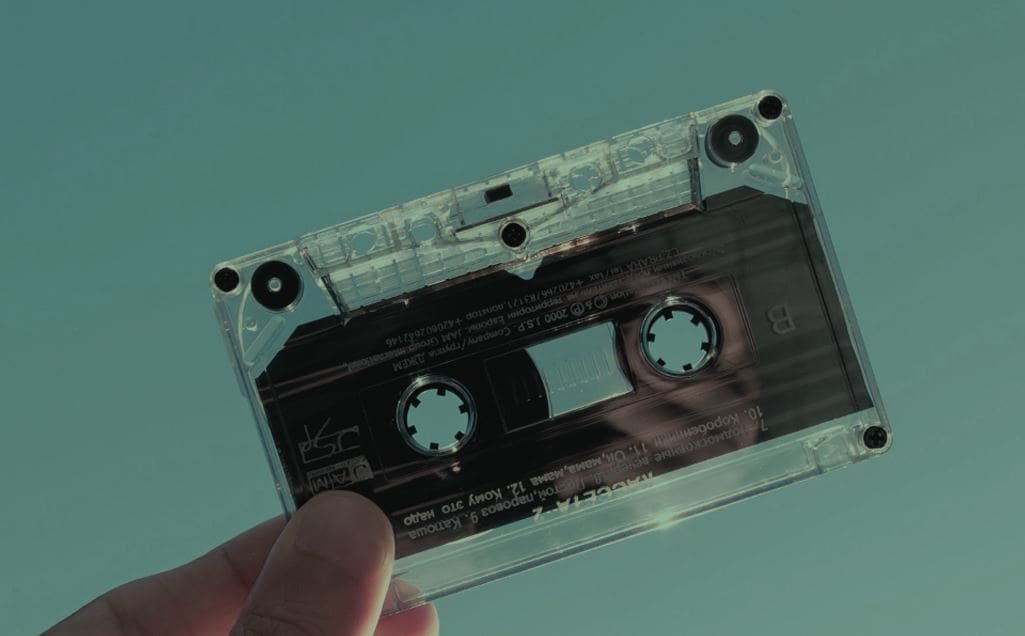
Features a combination of greenish and teal tints for a cinematic feel. Faded shadows and highlights add a filmic look—great for projects needing stylized visuals.
How to Add an Aesthetic Filter to Your Video Content Using Wondershare Filmora?
We all know that Wondershare Filmora is a very intuitive video editing platform. If you wish to add an aesthetic filter to your videos, you won’t have a hard time navigating around. Generally, you just need to select your preferred aesthetic video filter and apply it to the footage. Quite simple and easy, right? Follow the steps below:
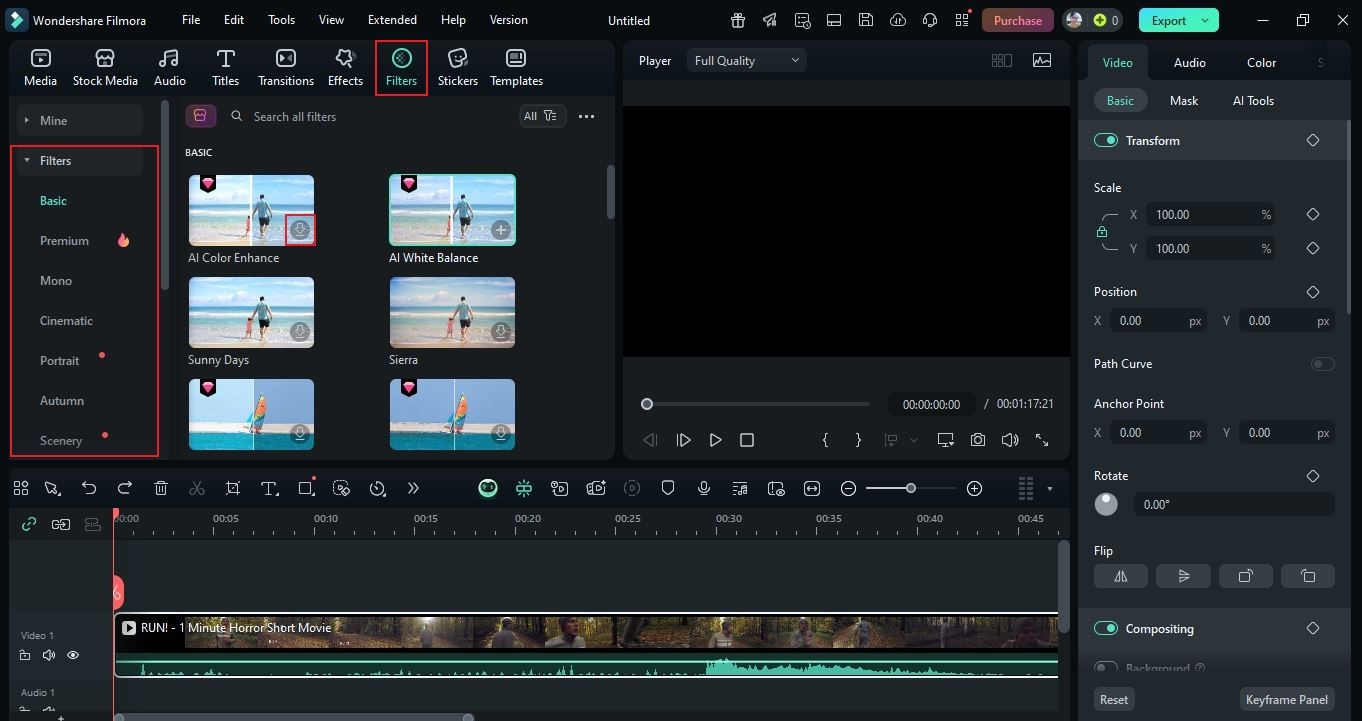
- On the main workspace of Wondershare Filmora, go to the Elements Panel and click Filter.
- Access the left-hand corner, then choose your preferred category from the list. Alternatively, search for a specific theme to find the perfect option.
- Find and select the aesthetic camera filter you wish to use. Tap its corresponding Download button. Once done, drag it to the Editor Timeline for further editing.
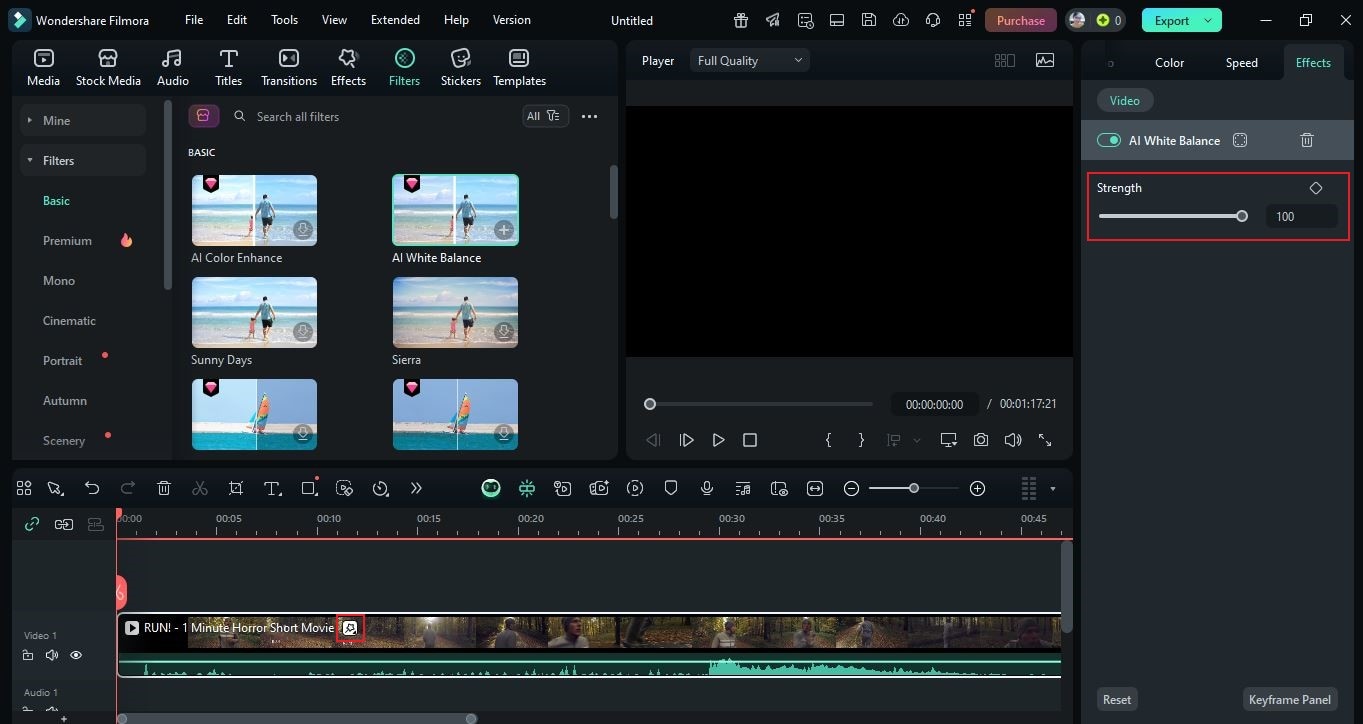
- Drop it onto a specific clip that needs enhancements or place it above the track for wider coverage. To configure intensity, tap the Filter icon on the footage and adjust Strength in the right-hand panel (use the slider or input a value).
- Play and review the output. If satisfied, tap Export to render and save. Configure Resolution, Aspect Ratio, and other settings for online viewing.
Beyond Aesthetic Filter: Other Tools to Enhance Your Videos Further
The huge filter library of Wondershare Filmora is truly amazing—but remember, it’s a full-scale video editor with many more tools to polish your work:

- AI Video Denoiser: Remove excessive noise and grain from footage.
- AI Idea To Video: Transform text-based concepts into actual video drafts.
- Video Stabilizer: Fix shaky clips in a click or two.
NOTE: The features above are just a few of the tools available. Explore Filmora to make the most of its full capabilities.
Conclusion
The aesthetic filter is an instant ticket to improved video content. Explore the library, select your preferred aesthetic video filter, and apply it directly. Wondershare Filmora offers options that match various moods and creative concepts. Refer to the list above to find your perfect match—whether dreamy, cinematic, or somewhere in between. Download Wondershare Filmora and start elevating your content with the best aesthetic camera filters.
secure download 