
Indian AI Transformation & Cultural Effects
Discover the perfect look with our diverse collection of indian ai transformation styles
Loading more templates...
 Category:
 Duration:
 Aspect Ratio:
Vibrant Indian AI Transformation:
Modernize Cultural Narratives Effortlessly
Transform your storytelling with professional indian ai transformation assets. Filmora provides an intelligent suite of effects to help you craft visually stunning cultural content with ease. Whether you want to stylize historical footage or modernize traditional dance videos, our tools offer creative freedom without the need for complex manual editing. Harness the power of AI to celebrate heritage through a contemporary lens.
Heritage-to-Future Style Filters

Heritage-to-Future Style Filters
Our indian ai transformation library offers specialized filters that adapt to diverse lighting and subjects. These assets ensure your cultural projects maintain their soul while gaining a professional, polished finish for digital audiences.
- Intelligent Motifs - Automatically detect and enhance traditional patterns in your footage.
- Dynamic Textures - Add rich, realistic fabric and artistic textures to any scene.
- Heritage Presets️ - Instant looks inspired by various regional aesthetics across India.
- AI Precision - Apply styles accurately to specific subjects for a professional result.
Cinematic Cultural Color Grading

Cinematic Cultural Color Grading
Elevate the mood of your videos with professional color grading. You can also add luts to video to achieve a specific Bollywood cinematic glow or a rustic documentary feel in seconds.
- Vivid Palette Mapping - Enhances the natural vibrance of cultural colors like saffron and turquoise.
- Cinematic Contrast - Balances highlights and shadows for a high-end filmic appearance.
- Skin Tone Optimization - Ensures subjects look natural and glowing under various AI styles.
- Atmospheric Depth️ - Add mist, glow, or light leaks that complement traditional settings.
Intelligent Traditional Asset Integration

Intelligent Traditional Asset Integration
Combine your footage with high-quality creative assets designed for the indian ai transformation workflow. These elements allow you to bridge the gap between classic imagery and modern video production.
- Animated Overlays️ - Add floating diyas, petal rain, or intricate mandala animations.
- Seamless Transitions️ - Move between scenes with culturally-inspired wipes and effects.
- AI Portrait Styles - Instantly transform your subjects into artistic sketches or oil paintings.
- One-Click Enhancements - Refine your entire edit with a single tap for social media ready content.
Indian AI Transformation FAQ
How to Create AI Indian Transformation Video in 3 Steps
Use Filmora's Image to Video tool – upload a photo, describe your desired Indian look, and generate a cinematic clip. Then edit on timeline for flawless results.
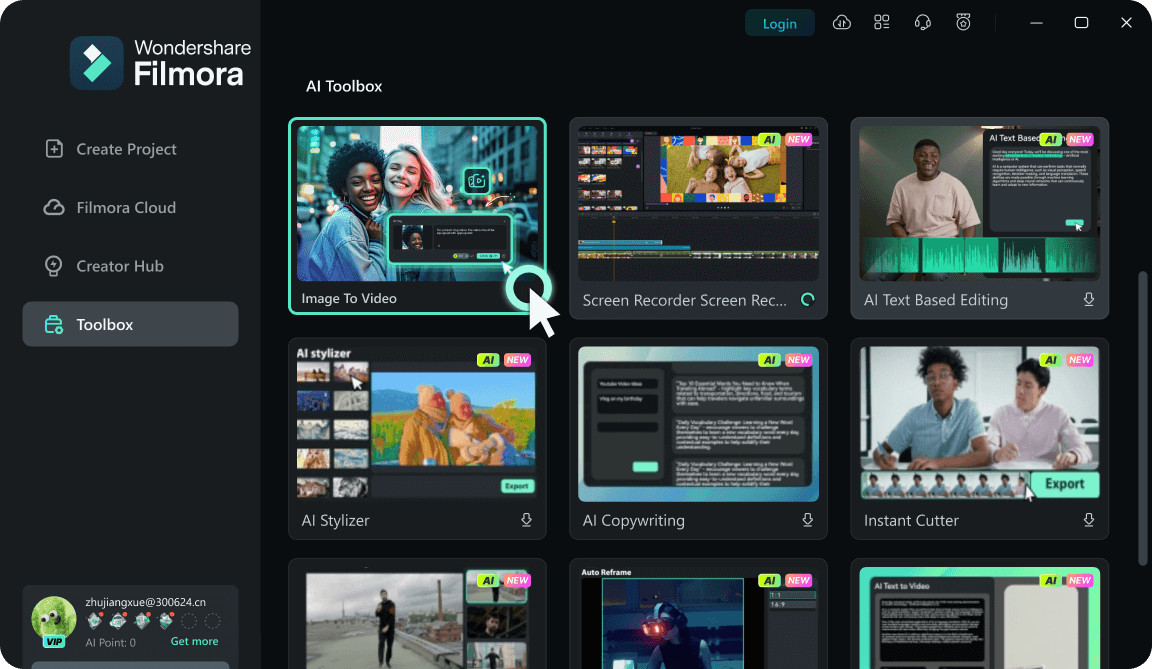
Step 1 Open Toolbox → Image to Video
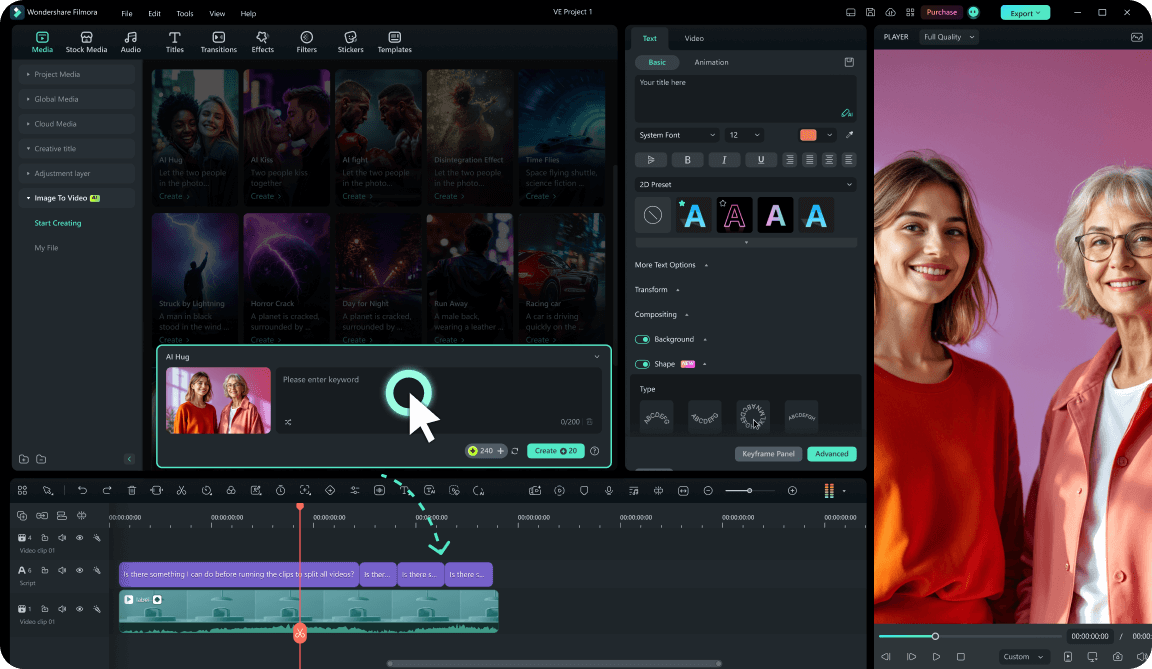
Step 2 Upload a Portrait or Full-body Photo
Step 3 Pick a Model, Write a Prompt & Generate
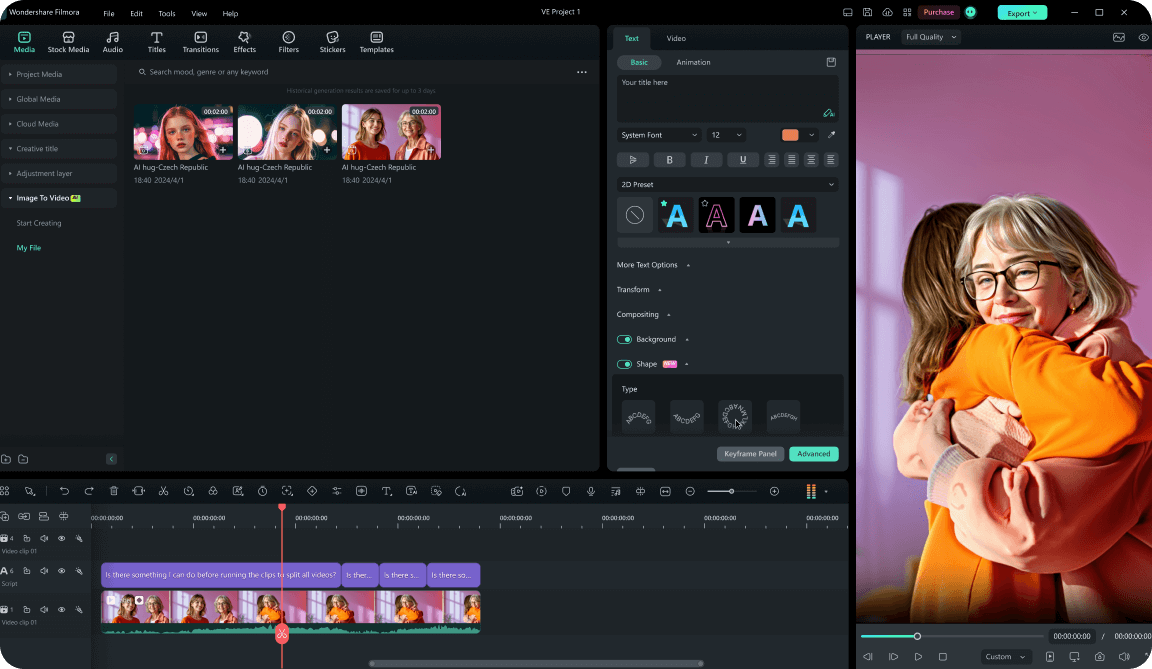
1:Open Toolbox → Image to Video
Launch Filmora, open Toolbox, click Image to Video – start your Indian AI transformation journey.2:Upload a Portrait / Full-body Photo
Use well-lit photos with clear subject outlines for best AI recognition of face and body.3:Pick a Model, Write Prompt & Generate
Describe outfit, jewelry, background, and camera motion. Generate then edit on timeline.
Beyond Transformation: Generate Custom Indian AI Assets
Even with advanced effects, creating a truly unique scene often requires bespoke visuals. That's where Filmora's AI tools bridge the gap. When your footage needs a specific cultural detail, use our AI image generator to create stunning backgrounds or use AI text to video to produce custom B-roll from a simple prompt. Seamlessly blend these generated assets with your transformed clips to bring your unique creative vision to life without limits.








