
Browse Spring Video Clips & Stock Footage
Discover high-quality springtime videos and stock footage featuring blooming flowers, green landscapes, sunshine, butterflies, and nature scenes. Easily download or use them to create seasonal videos.
Loading more templates...
 Category:
 Duration:
 Aspect Ratio:
Why Create Spring Videos with Filmora
Filmora is more than just a video editor. It's a complete creative platform that combines royalty-free stock footage, AI-powered editing tools, and thousands of creative assets to help you produce beautiful spring videos effortlessly. Whether you're creating seasonal marketing videos, travel vlogs, or aesthetic social media content, Filmora makes it easy to transform simple spring clips into polished, professional videos in minutes. From blooming flower footage and nature scenes to cinematic effects and AI tools, everything you need to create stunning springtime videos is available in one place.
Extensive Spring Stock Footage & Nature Video Library

Extensive Spring Stock Footage & Nature Video Library
Explore a vibrant collection of spring stock videos and springtime footage designed to capture the beauty of the season. From blooming flowers and cherry blossoms to sunny parks and fresh green landscapes, Filmora provides high-quality clips that instantly add seasonal atmosphere to your videos, marketing content, or creative projects.
- Diverse Nature Scenes - Discover spring videos featuring blooming flowers, butterflies, birds, gardens, and bright outdoor landscapes.
- HD & 4K Stock Footage - Access professionally shot spring stock footage that delivers crisp, cinematic visuals.
- Perfect for Seasonal Projects - Ideal for travel videos, YouTube content, social media posts, and spring marketing campaigns.
Powerful Editing Tools to Transform Spring Clips

Powerful Editing Tools to Transform Spring Clips
Filmora makes it easy to turn simple spring stock footage into visually engaging videos using a full suite of professional yet beginner-friendly editing tools. Add cinematic transitions, animated titles, music, and visual effects to create stunning springtime videos in minutes.
- Cinematic Video Effects - Enhance your spring videos with smooth transitions, motion effects, and seasonal filters.
- Creative Titles & Music - Add animated text, overlays, and royalty-free music to bring your spring scenes to life.
- AI Video Enhancement - Improve clarity, colors, and details instantly using Filmora's intelligent AI tools.
Fast Export & Multi-Platform Video Creation

Fast Export & Multi-Platform Video Creation
Once your spring video is ready, Filmora makes it simple to export and share your content anywhere. With optimized formats and flexible export options, your springtime videos can be published instantly across social media or used in marketing campaigns and presentations.
- Social Media Ready - Export videos perfectly formatted for YouTube, TikTok, Instagram Reels, and YouTube Shorts.
- High-Resolution Output - Render your spring stock footage videos in HD or 4K for crisp, professional visuals.
- Flexible Content Use - Perfect for social media content, brand promotions, online ads, presentations, and marketing videos.
FAQs About Spring Videos & Stock Footage
How to Use Spring Videos in Filmora
Download beautiful spring videos and spring stock footage directly from Filmora's Stock Media library. In just a few steps, you can find, download, and edit stunning seasonal footage for your video projects.
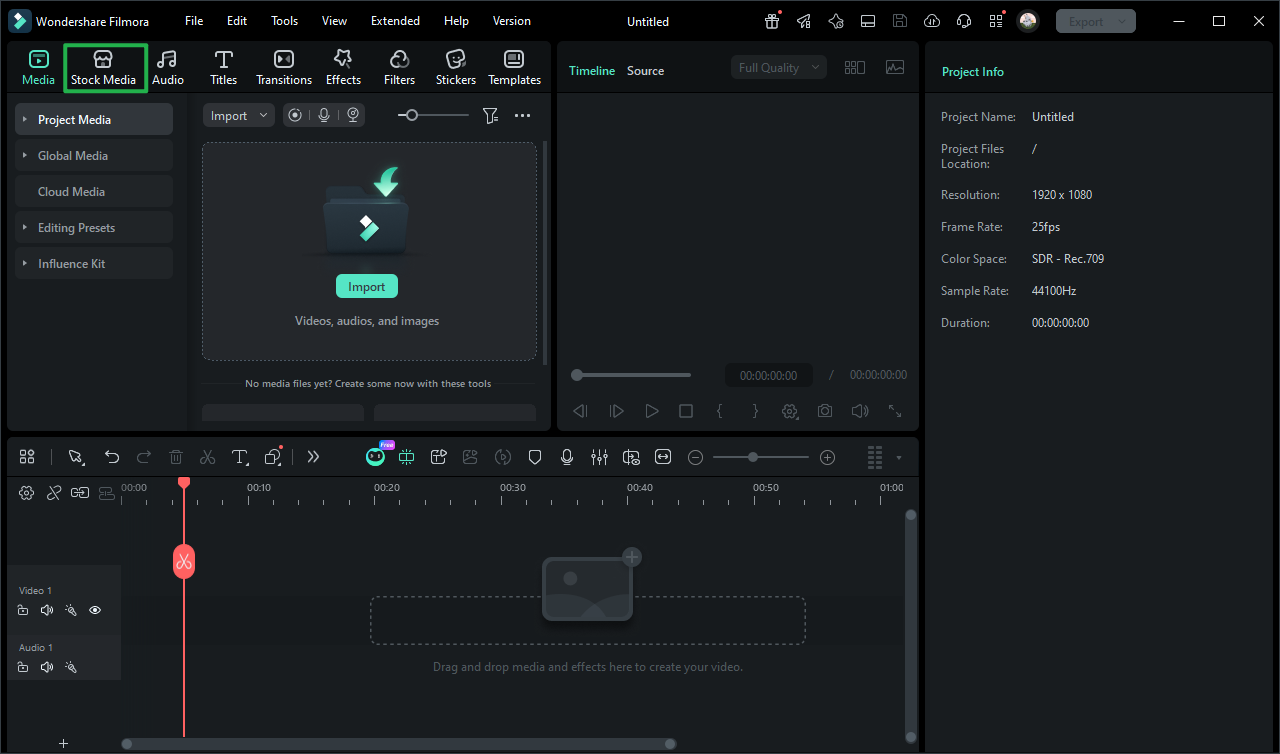
Step 1 Open Filmora and Access Stock Media
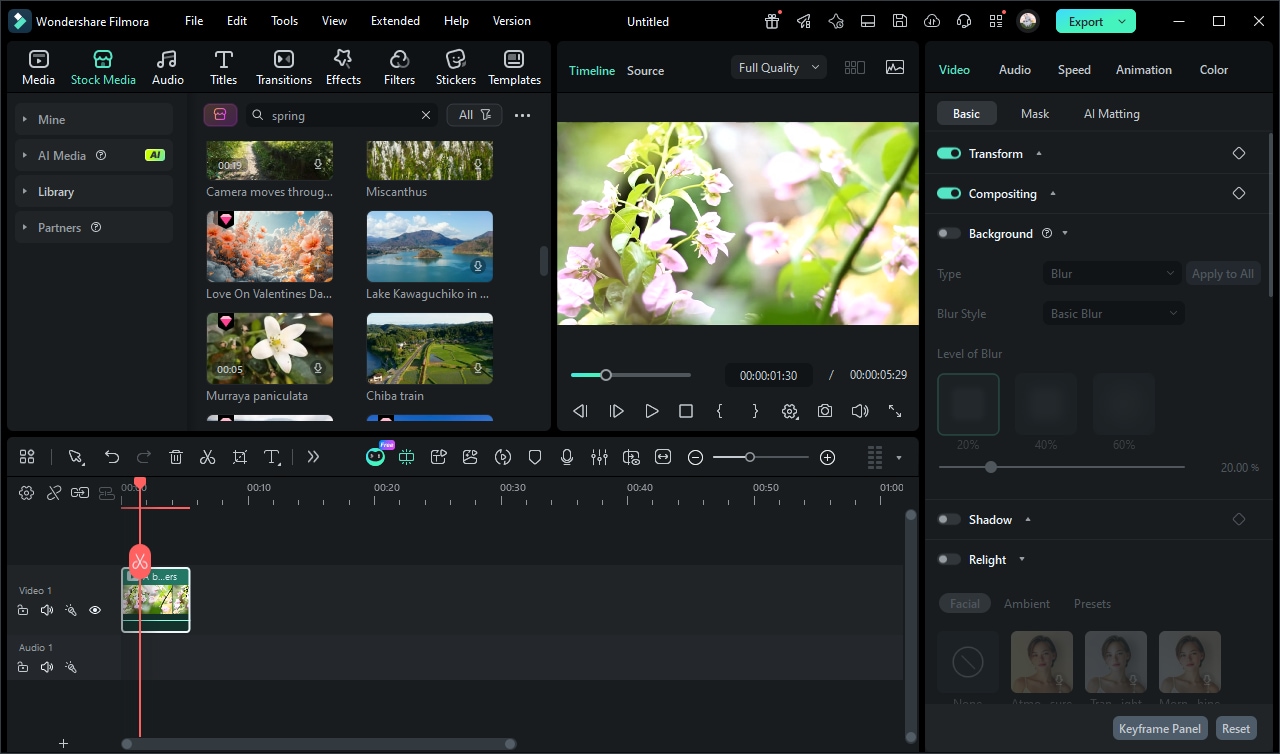
Step 2 Search and Download Spring Videos
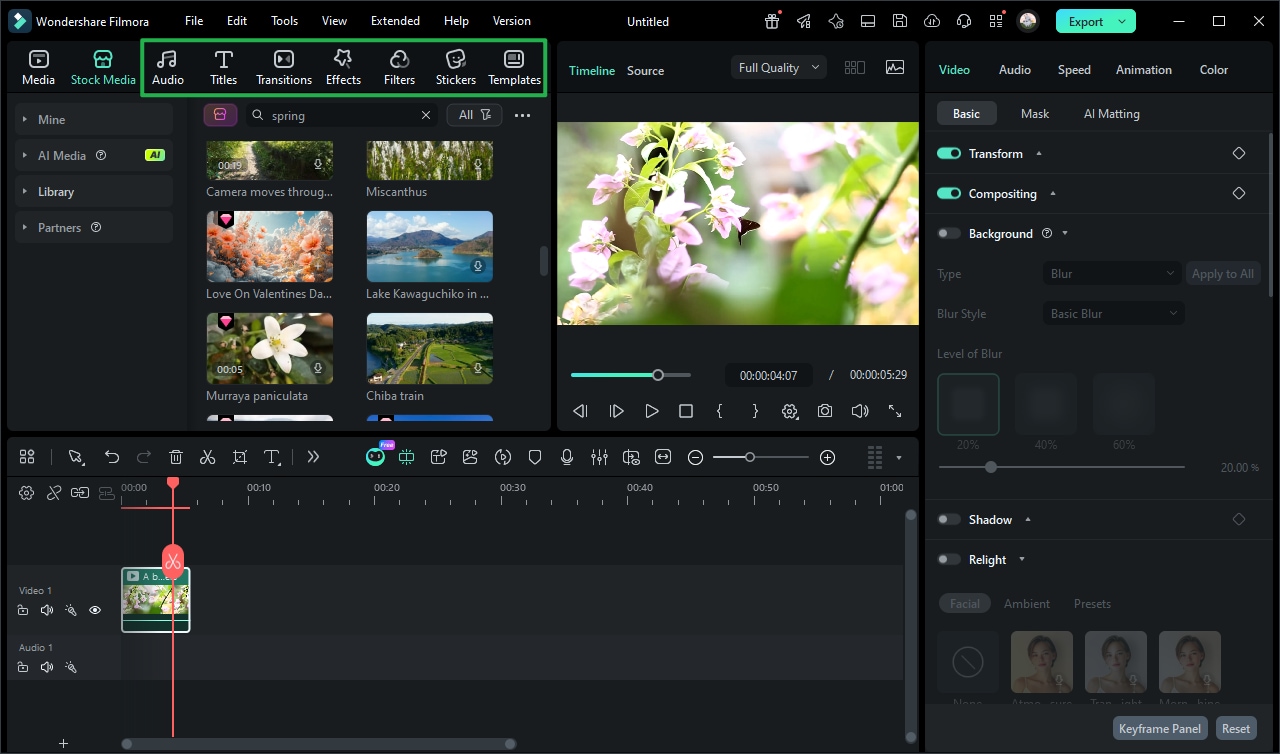
Step 3 Edit and Create Your Spring Video
-
1:Open Filmora and Access Stock Media
Start Filmora and open a new project. Navigate to the Stock Media library to explore built-in resources including high-quality spring videos and seasonal stock clips. -
2:Search and Download Spring Videos
Enter the keyword "spring" to find beautiful spring stock footage. Preview the clips and download the ones you want for your project. -
3:Edit and Export Your Spring Video
Add the downloaded spring stock video to the timeline, customize it with music, text, and effects, then export your finished video for YouTube, TikTok, or social media.
More Than Just Spring Stock Footage
Filmora offers a wide range of seasonal video assets beyond spring footage, including summer videos, autumn scenery clips, winter snow footage, and holiday video templates, allowing you to create professional seasonal videos for every occasion with a single, powerful editor.








