
170+ Spring Video Stickers & Sticker Packs:
Instant Freshness for Your Feed
Don't let your content look gray and wintry. Explore our curated selection of Spring video templates and sticker assets, featuring everything from blooming floral frames to energetic Easter animations. Simply pick your favorite Spring sticker style, drag it into your timeline, and watch your engagement grow alongside the flowers. Perfect for lifestyle vloggers, beauty gurus, and small businesses launching seasonal products.
Loading more templates...
 Category:
 Duration:
 Aspect Ratio:
Elevate Your Content with Trending
Spring Video Stickers & Effects
Spring is the season of renewal, and your video content deserves a fresh start too. With Filmora's extensive library of Spring video stickers, you can instantly add professional-grade polish to your edits. From subtle floral overlays to energetic motion graphics, our drag-and-drop tools make it easy to capture the vibrant essence of the season without complex editing skills.
Master the Art of Aesthetic Edits with Floral Animations

Master the Art of Aesthetic Edits with Floral Animations
Bring the beauty of nature directly into your timeline with high-quality floral video stickers. Whether you want falling cherry blossom petals for a romantic vibe or blooming sunflowers for a cheerful intro, these assets add an instant touch of elegance. Perfect for beauty vloggers, wedding videographers, and lifestyle creators looking for that "soft girl" aesthetic.
- Realistic Nature Elements - High-resolution petals, leaves, and vines that look natural on camera.
- Customizable Motion - Control the speed and direction of falling petals to match your video's rhythm.
- Instant Atmosphere - Transform a plain background into a lush garden scene in seconds.
Engage Viewers with Dynamic Motion & Spring Energy

Engage Viewers with Dynamic Motion & Spring Energy
Static images are out; dynamic motion is in. Capture your audience's attention with animated spring stickers that breathe life into your footage. Use kinetic typography to announce a spring sale, or add playful animated butterflies and birds to keep viewers watching longer. These stickers are designed to stop the scroll on platforms like TikTok and Instagram Reels.
- Scroll-Stopping Animations - Eye-catching movements that increase viewer retention rates.
- Drag-and-Drop Simplicity - No Keyframing required; just place the sticker and watch it move.
- Platform Optimized - perfectly sized assets for vertical mobile viewing or horizontal YouTube videos.
Elevate Your Storytelling with Seasonal Typography
Elevate Your Storytelling with Seasonal Typography
Words matter, but how they look matters more. Our Spring sticker collection includes pre-designed typography and text badges like "Spring Vibes," "New Beginnings," and "Hello Sunshine." These stylish text overlays help you narrate your vlog or highlight key moments without needing to be a graphic designer.
- 💬 Pastel Text Badges - Soft, trendy color palettes that complement spring lighting.
- 🔤 Themed Titles - Ready-to-use title cards for Easter, Mother's Day, and Earth Day videos.
- 🎨 Versatile Styles - From handwritten script for a personal touch to bold sans-serif for promos.
Create Custom Stickers with AI Sticker Generator

Create Custom Stickers with AI Sticker Generator
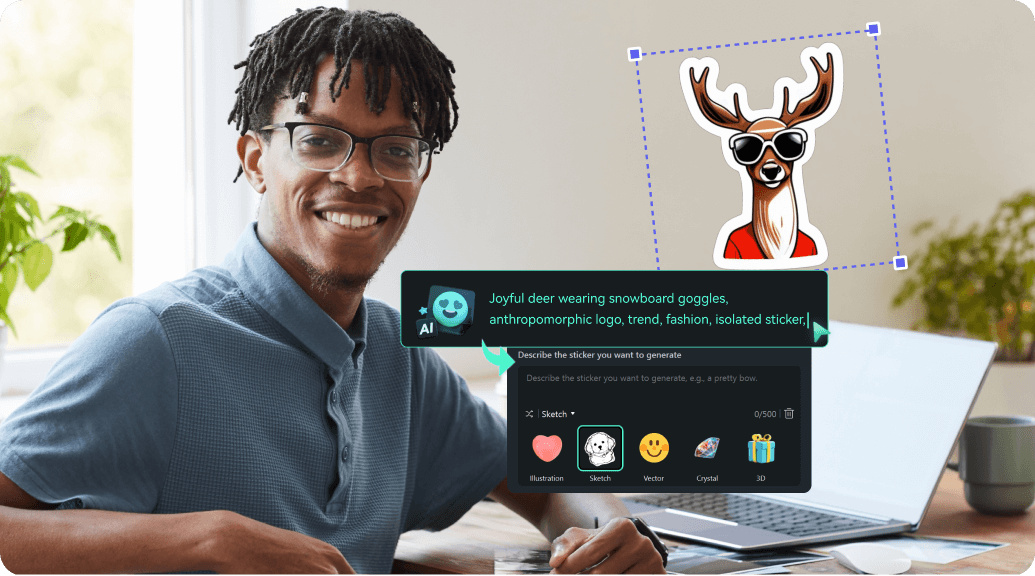
Bring your videos to life with AI-generated stickers. Simply type a description of the sticker you want, and let Filmora's AI Sticker Generator turn your ideas into vibrant, animated visuals instantly. From seasonal icons to fun characters, your imagination is the limit!
- Text-to-Sticker - Generate stickers from any description in seconds.
- High Customization - Adjust colors, expressions, and styles to match your video theme.
- Ready-to-Use - Export and add directly to your timeline, no extra editing needed.
FAQs About Spring Video Stickers
How to Add Spring Stickers to Your Video with Filmora
Want to give your content a seasonal refresh? It only takes three simple steps to transform raw footage into a vibrant, spring-themed masterpiece using Filmora's drag-and-drop sticker library.
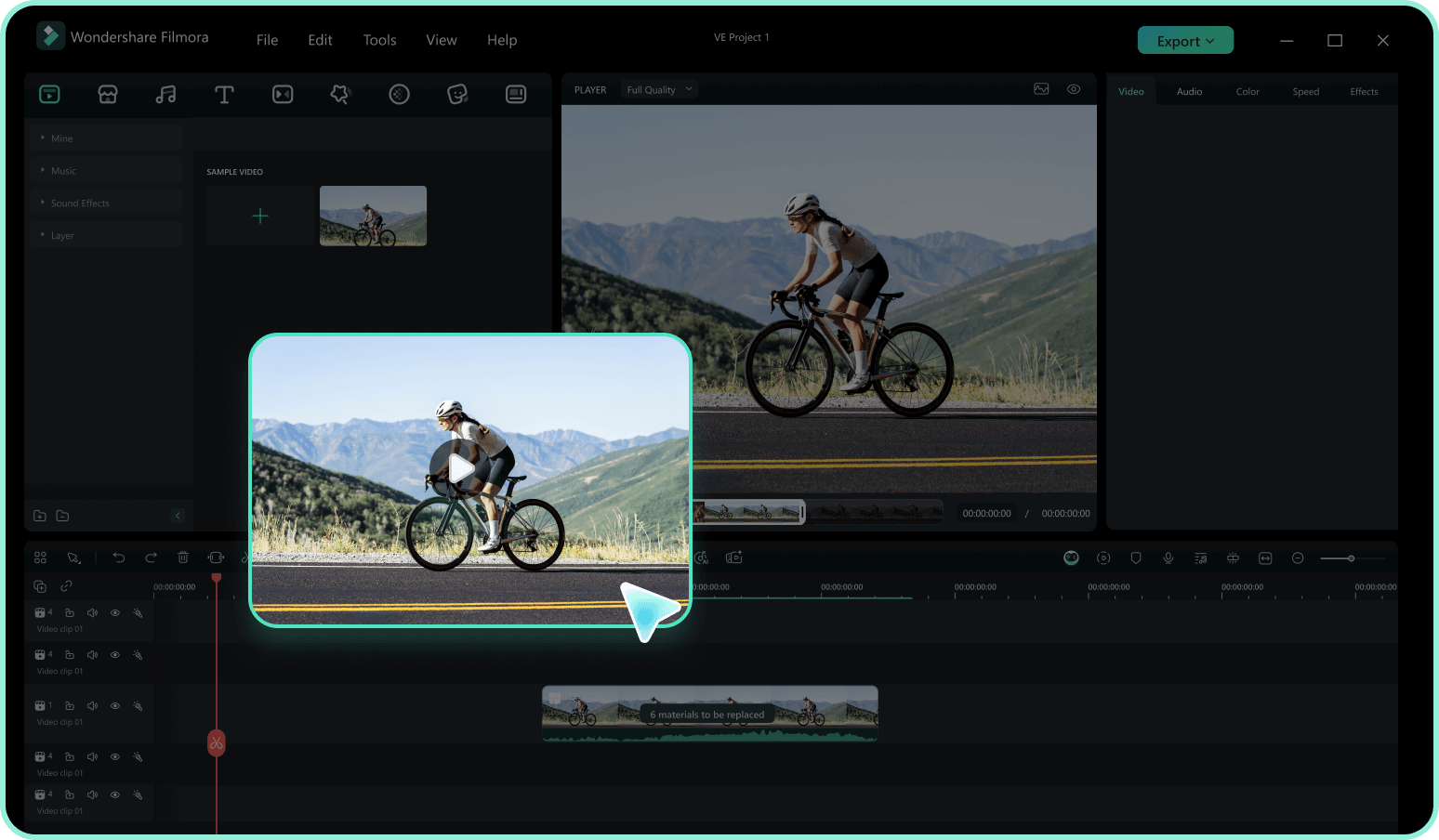
Step 1 Access the Sticker Library
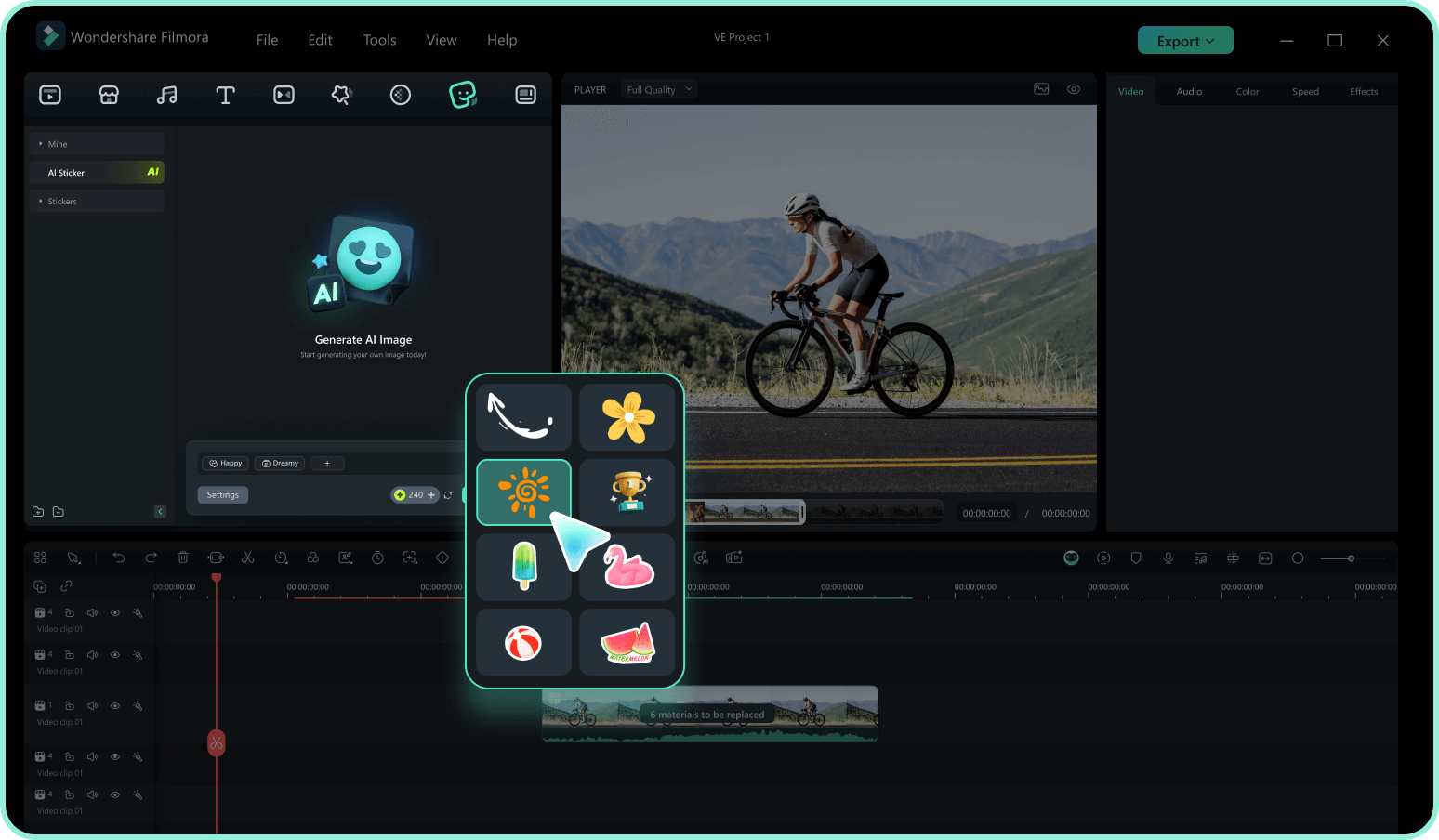
Step 2 Search for Spring Elements
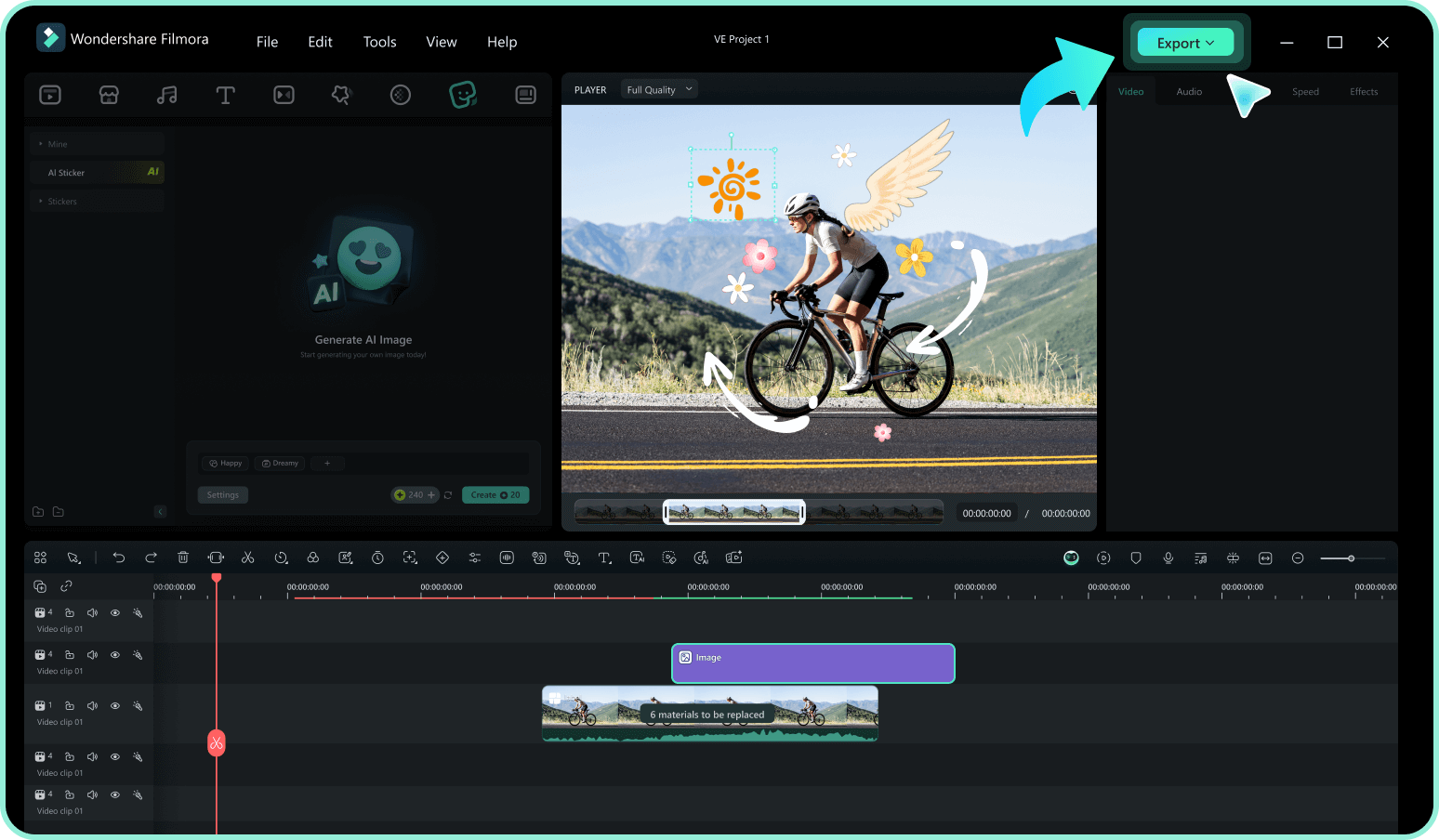
Step 3 Drag, Drop, and Customize
-
1:Access the Sticker Library
Open Filmora and import your video footage. Navigate to the "Stickers" tab in the top menu to access the vast library of creative assets. -
2:Search for Spring Elements
Type keywords like "Spring," "Floral," "Easter," or "Nature" into the search bar. Preview the animations by hovering over them to find the perfect match for your vibe. -
3:Drag, Drop, and Customize
Drag your selected Spring sticker onto the timeline above your video. Resize, rotate, or add motion tracking to blend it perfectly, then export your fresh new content.
More Than Just Spring Video Stickers
Filmora is your all-in-one creative studio. Beyond spring stickers, explore AI-powered tools that generate music, remove backgrounds, and create stunning visual effects to keep your content trending all year round.








