

 100% Security Verified | No Subscription Required | No Malware


 ChatGPT
 Perplexity
 Gemini
 Claude
 Grok
Grok
Apple green sits between yellow and green on the color wheel, so it naturally feels fresh, lively, and optimistic. It often represents growth, health, and new beginnings, which makes it a powerful highlight color for channels about lifestyle, travel, food, study, and eco-friendly topics. On screen, apple green can brighten a frame without feeling neon or harsh, especially when paired with soft neutrals or natural textures.
For video creators, thumbnails, intros, lower thirds, and branding packs all become more cohesive when the same apple green palette appears throughout. Below you will find curated apple green color palettes with HEX codes, crafted for YouTube thumbnails, Shorts, reels, and overlays. Each one includes ideas on where to use it, plus tips to keep your look consistent in Filmora.
In this article
Fresh & Natural Apple Green Palettes
Orchard Morning Mist
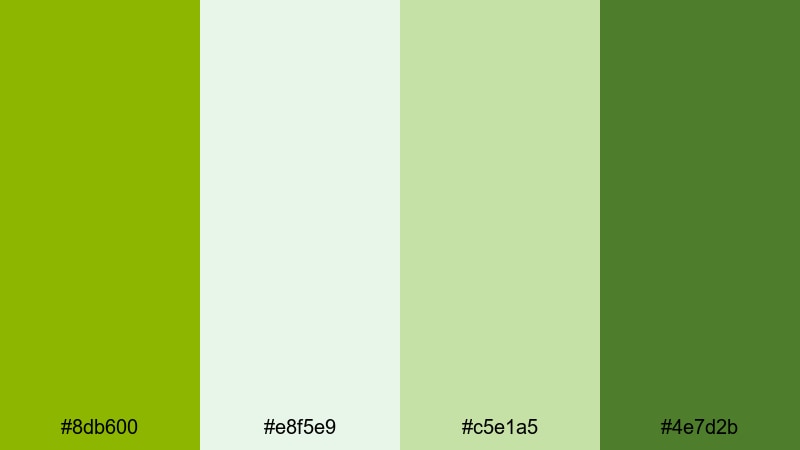
- HEX Codes: #8db600, #e8f5e9, #c5e1a5, #4e7d2b
- Mood: Calm, dewy, and invigorating like a walk through an orchard at sunrise.
- Use for: Use this palette for calm lifestyle vlogs, nature b-roll, and eco-friendly brand intros.
Orchard Morning Mist feels like fresh air on your timeline. The main apple green (#8db600) brings life and energy, while the soft minty and sage tones (#e8f5e9, #c5e1a5) keep everything light and breathable. The deeper green (#4e7d2b) grounds the palette, so it never feels too sugary or flat.
Use this combination for wellness intros, minimal nature thumbnails, or relaxing b-roll sequences where you want greenery to stand out without overwhelming the viewer. It works beautifully in logo stings, subscribe buttons, and lower thirds for eco, plant, or slow-living channels, especially when graded consistently across your footage in Filmora.
Pro Tip: Build a Calm Apple Green Aesthetic in Filmora
To keep a soft, natural vibe like Orchard Morning Mist, aim for gentle contrast and clean whites in Filmora. Use your apple green tone for key elements such as text highlights, subscribe buttons, and callouts, then repeat the lighter greens in overlays, borders, or graphic frames so your viewers immediately recognize your brand.
When editing, you can create one reference scene that perfectly balances exposure and color, then reuse those settings for other clips. This helps your lifestyle vlogs, nature b-roll, and reels feel like they all belong to the same calm apple green universe.
AI Color Palette
If you have a still frame, brand board, or color card that shows this palette, you can let Filmora match the look for the rest of your edit. Filmora's AI Color Palette feature analyzes the color style of a reference clip and applies it to your selected footage with one click.
Import a shot that already has your ideal apple green and soft neutrals, set it as the reference in AI Color Palette, then sync your A-roll, B-roll, and thumbnails to that style. This keeps your greens consistent from intros to end screens, even if you shot on different days or cameras.
 secure download

HSL, Color Wheels & Curves
Once your base palette is in place, you can refine those apple green tones using Filmora's HSL controls, color wheels, and curves. Gently desaturate greens in the shadows while keeping midtones vibrant to achieve a more cinematic, dewy look. If your footage was shot under harsh sun, lower the highlights on the curves panel to avoid blown-out leaves or grass.
Tools like HSL and color wheels also help unify your skin tones with the environment, so the green does not overpower your subject. For a deeper walkthrough on balancing colors, you can follow Filmora's color correction guide and adapt the steps to your apple green aesthetic.
secure download1000+ Video Filters & 3D LUTs
After dialing in your base apple green, you can quickly try different moods with Filmora's filter and LUT library. Subtle filmic LUTs add a soft, hazy feel that suits Orchard Morning Mist, while clean, modern filters help your greens feel fresh and crisp for YouTube and social media.
Filmora's video filters and 3D LUTs make it easy to test multiple looks over the same footage. Save your favorite combination as a preset, then apply it to all your future vlogs and thumbnails so your apple green branding is always on point.
secure downloadGarden Picnic Breeze
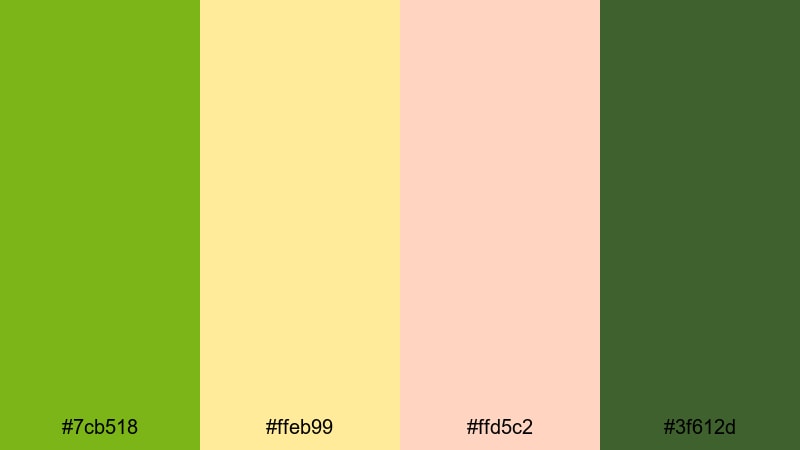
- HEX Codes: #7cb518, #ffeb99, #ffd5c2, #3f612d
- Mood: Cheerful, sunlit, and friendly with a cozy picnic vibe.
- Use for: Use this palette for food videos, picnic or camping vlogs, and warm seasonal thumbnails.
Garden Picnic Breeze combines juicy apple green with buttery yellow and soft peach, creating a warm, outdoorsy mood. The darker green (#3f612d) keeps it grounded so your frames still feel natural instead of cartoonish.
It is ideal for food close-ups, picnic spreads, or summer camping thumbnails where you want viewers to almost feel the sunshine. Use the yellows for headings or price tags in food content, the peach for backgrounds or captions, and apple green as a signature accent in your Filmora titles and transitions.
Spring Market Stroll
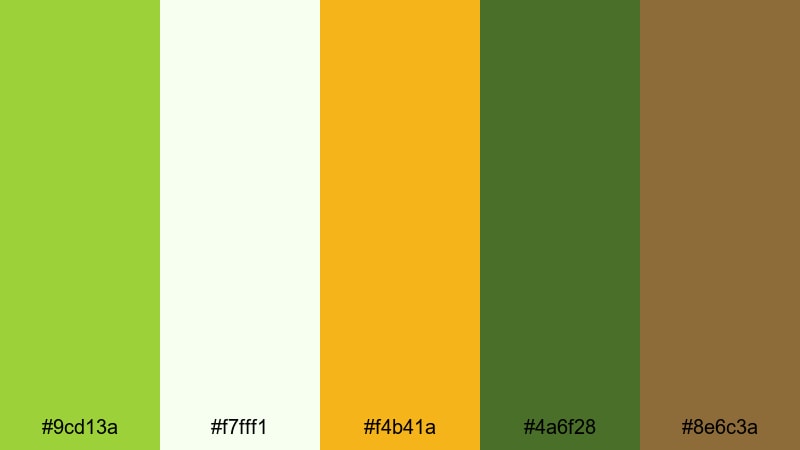
- HEX Codes: #9cd13a, #f7fff1, #f4b41a, #4a6f28, #8e6c3a
- Mood: Lively, rustic, and organic with hints of artisanal charm.
- Use for: Use this palette for farmers market reels, travel vlogs, and sustainable product showcases.
Spring Market Stroll feels like wandering through wooden stalls filled with produce and handmade goods. The bright green (#9cd13a) and golden accent (#f4b41a) keep things energetic, while the deep greens and browns (#4a6f28, #8e6c3a) introduce a rustic, grounded touch.
Use the pale background (#f7fff1) for clean thumbnail layouts, then layer text in dark green or brown to keep it readable. In Filmora, you can match this palette in your titles, lower thirds, and product labels when filming eco brands, handmade crafts, or farmer market recaps.
Crisp Meadow Dew
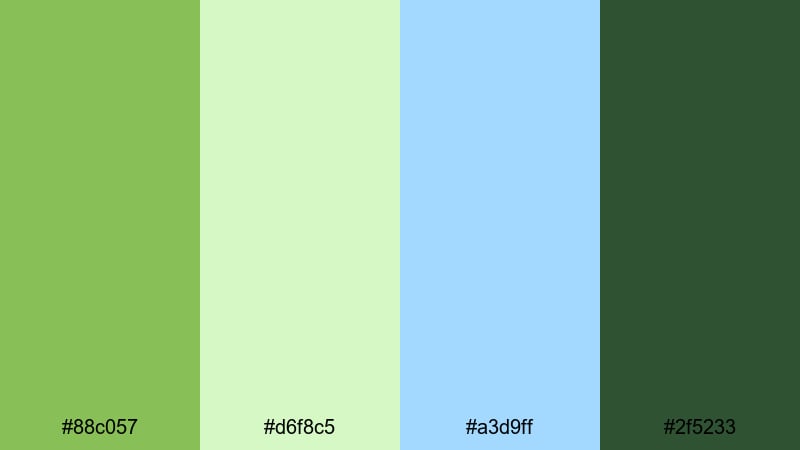
- HEX Codes: #88c057, #d6f8c5, #a3d9ff, #2f5233
- Mood: Airy, refreshing, and slightly dreamy with a hint of cool morning light.
- Use for: Use this palette for cinematic openers, drone footage over landscapes, and calming study-with-me videos.
Crisp Meadow Dew balances soft apple green and sky blue for a clean and airy result. The pastel tones (#d6f8c5, #a3d9ff) introduce a dreamy feeling, while the deep forest green (#2f5233) helps you add contrast in text and UI elements.
This palette works well for cinematic openers, aerial landscape shots, or quiet study-with-me edits. You can use apple green for progress bars or timers, blue for backgrounds or overlays, and the darkest green for high-contrast text in Filmora titles and subtitles.
Playful & Pastel Apple Green Palettes
Candy Apple Sherbet
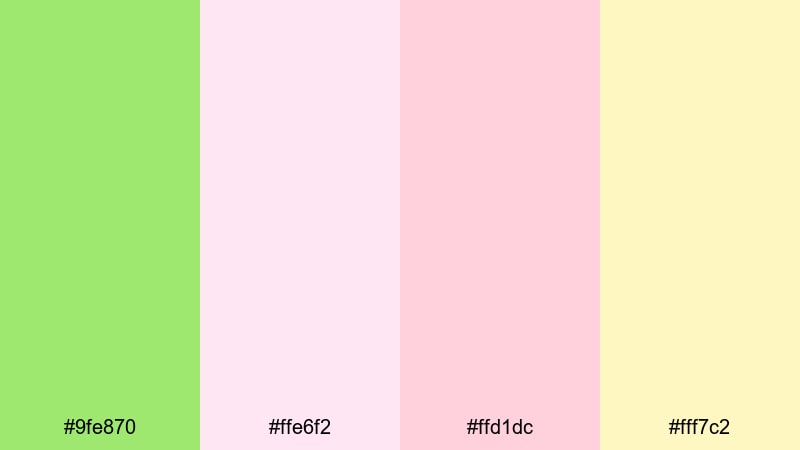
- HEX Codes: #9fe870, #ffe6f2, #ffd1dc, #fff7c2
- Mood: Sweet, whimsical, and youthful like a pastel candy shop.
- Use for: Use this palette for kawaii edits, stationery hauls, and playful YouTube channel art.
Candy Apple Sherbet is sugary and light, with apple green softened by pale pinks and creamy yellow. It gives your visuals a friendly, kawaii-style aesthetic that feels cozy rather than loud.
Use this palette for stationery hauls, journaling shorts, or cute lifestyle content. Apple green can highlight buttons, arrows, and stickers in your Filmora overlays, while the pink and yellow tones make great background washes for end cards and channel banners.
Bubble Tea Afternoon
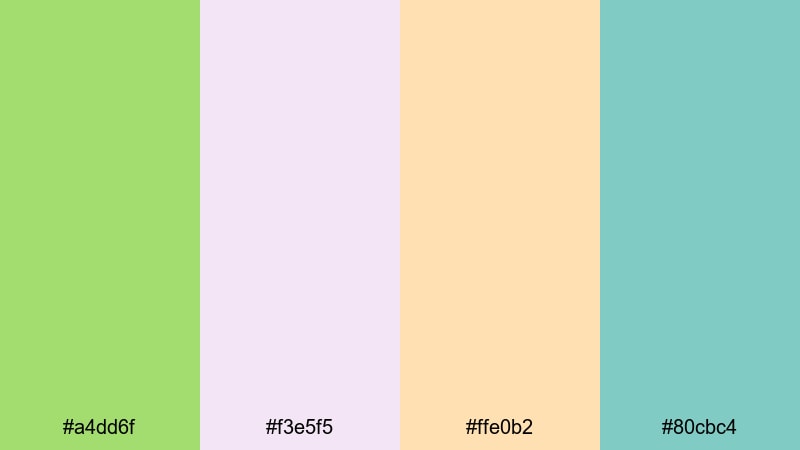
- HEX Codes: #a4dd6f, #f3e5f5, #ffe0b2, #80cbc4
- Mood: Cozy, cute, and fun with a café-after-class feel.
- Use for: Use this palette for cafe vlogs, study content, and lifestyle shorts around hobbies or journaling.
Bubble Tea Afternoon mixes apple green with lavender, peach, and a soft teal for a relaxed after-school atmosphere. It is both cute and calm, perfect for cozy cafe vlogs or quiet hobby videos.
Try using the lavender or peach as your main thumbnail background, with apple green as an accent for borders, frames, and key text. The teal (#80cbc4) can highlight timestamps, chapters, or call-to-action text in your Filmora graphics.
Soft Apple Sketchbook
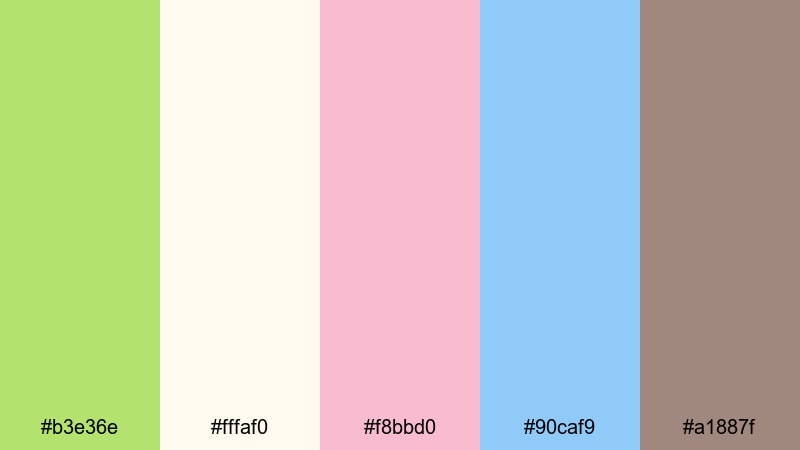
- HEX Codes: #b3e36e, #fffaf0, #f8bbd0, #90caf9, #a1887f
- Mood: Artistic, gentle, and nostalgic like doodles in a favorite notebook.
- Use for: Use this palette for art timelapses, journaling reels, and soft spoken tutorial overlays.
Soft Apple Sketchbook feels like cream paper filled with pastel markers. Apple green pairs with off-white, blush pink, baby blue, and a warm taupe that resembles pencil lines or coffee stains in a beloved notebook.
Use the ivory (#fffaf0) as a base for your titles and frames, then bring in apple green and pink as accents for doodle-style arrows, underlines, and labels. In Filmora, this palette works beautifully for drawing timelapses, productivity explainers, or softly spoken tutorials where you want visuals to stay gentle and focused.
Pastel Orchard Dreams
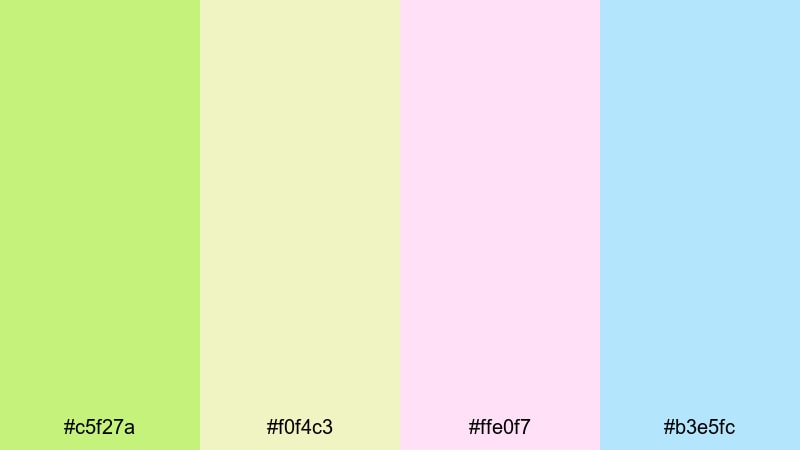
- HEX Codes: #c5f27a, #f0f4c3, #ffe0f7, #b3e5fc
- Mood: Dreamy, soft, and optimistic with a light fairytale touch.
- Use for: Use this palette for dreamy travel montages, unboxing videos, and pastel brand aesthetics.
Pastel Orchard Dreams is light and optimistic, full of washed-out greens, creams, pinks, and blues. It works best when you want your content to feel like a dream sequence or a soft fairytale.
Use this palette in dreamy travel reels, slow-motion unboxings, or brand intros aimed at a gentle, feel-good audience. The pastel blue and cream keep text legible, while apple green and pink add character to your Filmora transitions, stickers, and motion graphics.
Bold & Modern Apple Green Palettes
Neon Street Apple
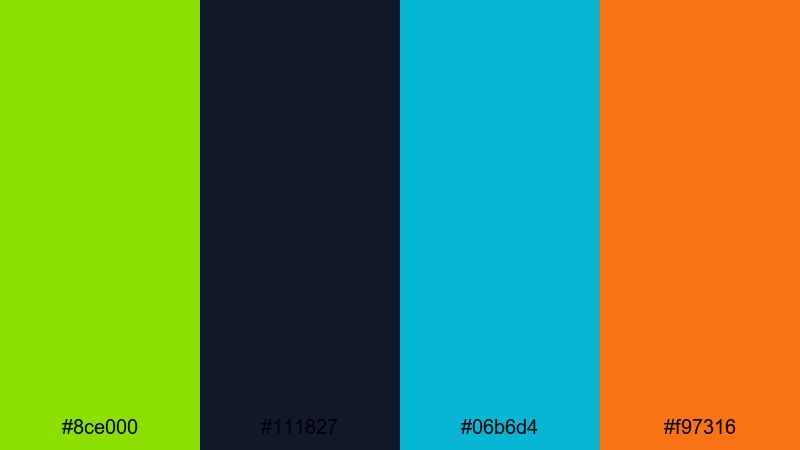
- HEX Codes: #8ce000, #111827, #06b6d4, #f97316
- Mood: Energetic, urban, and edgy like neon signs at night.
- Use for: Use this palette for gaming intros, tech promos, and high-energy shorts with bold motion graphics.
Neon Street Apple pushes apple green into a punchy, almost neon zone. Paired with deep charcoal navy (#111827), electric cyan (#06b6d4), and vivid orange (#f97316), it feels like city lights, arcades, and late-night streams.
Use this palette for gaming intros, tech product hype reels, or shorts packed with fast cuts and bold motion graphics. In Filmora, keep backgrounds dark and use apple green and cyan for glowing outlines, HUD elements, or animated subscribe bars so they jump off the screen.
Digital Fresh Gradient
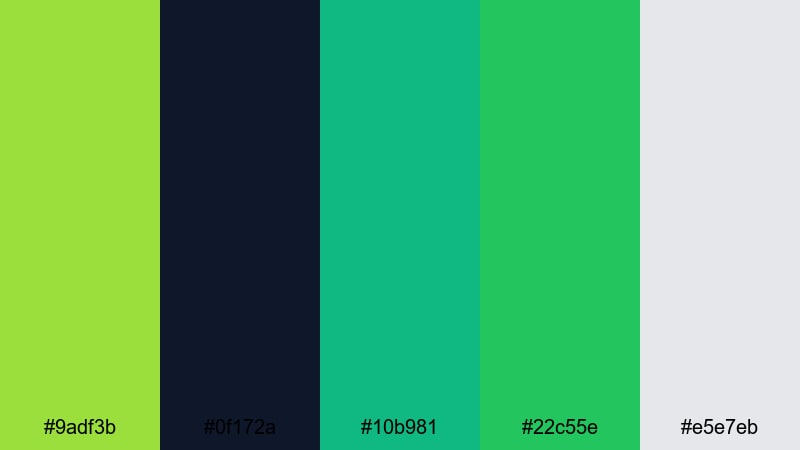
- HEX Codes: #9adf3b, #0f172a, #10b981, #22c55e, #e5e7eb
- Mood: Techy, sleek, and confident with clean digital energy.
- Use for: Use this palette for app promos, SaaS explainer videos, and modern stream overlays.
Digital Fresh Gradient is built for modern tech branding. Multiple green and teal shades (#9adf3b, #10b981, #22c55e) give you wide room for smooth gradients, with a dark navy base (#0f172a) and a light gray accent (#e5e7eb) for readability.
It is a strong choice for app demos, UI mockups, or SaaS explainers. Use navy as your background, add subtle green-to-teal gradients in titles and transitions, and keep call-to-action buttons or key numbers bright apple green so they pop in Filmora.
Urban Lime Pop
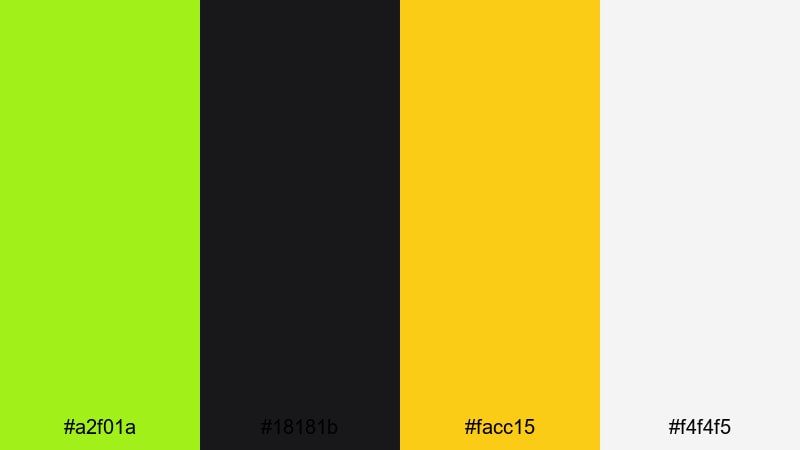
- HEX Codes: #a2f01a, #18181b, #facc15, #f4f4f5
- Mood: Punchy, bold, and confident with a streetwear twist.
- Use for: Use this palette for product drops, edgy fashion edits, and bold channel branding.
Urban Lime Pop combines bright lime apple green (#a2f01a) with near-black charcoal, vivid yellow (#facc15), and a crisp light gray. The contrast is high and immediate, giving your visuals a streetwear or urban fashion feel.
It is excellent for product launches, bold text-heavy thumbnails, and vertical content announcing drops or limited collections. In Filmora, design lower thirds and titles with dark backgrounds and lime text or outlines, then use yellow as a secondary accent for prices, dates, or key hooks.
Apple Tech Glow
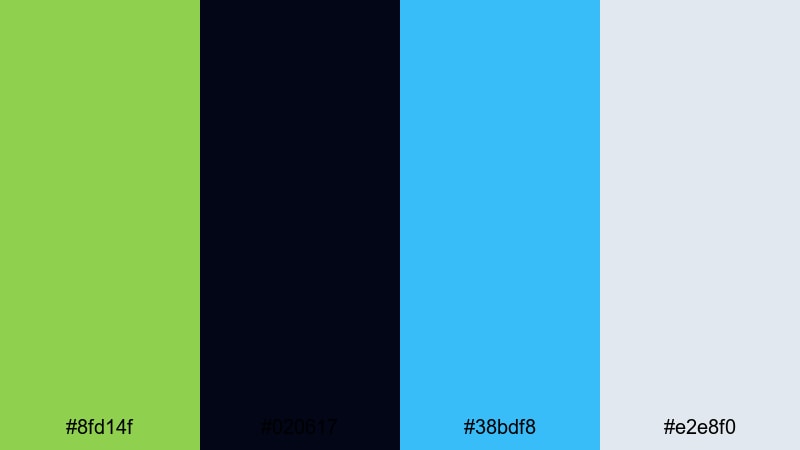
- HEX Codes: #8fd14f, #020617, #38bdf8, #e2e8f0
- Mood: Sleek, futuristic, and minimal with a bright highlight accent.
- Use for: Use this palette for startup pitches, UI mockups, and minimalist tech intros.
Apple Tech Glow keeps things minimal: glowing apple green, deep midnight navy, a crisp blue accent, and a cool light gray. It feels like a futuristic dashboard or a polished product keynote.
Use the dark background for slides or full-screen frames, then let apple green and blue act as highlight colors for icons, progress bars, or key numbers. In Filmora, this palette works well for clean, slow camera moves over devices, UI screens, or minimal typography-based intros.
Elegant & Minimal Apple Green Palettes
Apple Ivory Minimal
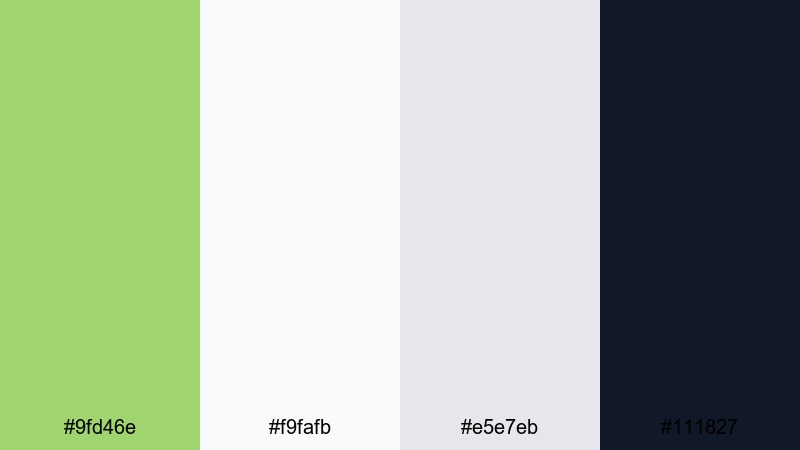
- HEX Codes: #9fd46e, #f9fafb, #e5e7eb, #111827
- Mood: Refined, quiet, and polished with a modern editorial feel.
- Use for: Use this palette for branding videos, portfolio reels, and polished tutorial graphics.
Apple Ivory Minimal leans on clean neutrals (#f9fafb, #e5e7eb) and a deep charcoal (#111827), with apple green used sparingly as an accent. The result is calm and professional, with just enough color to feel fresh.
It is ideal for brand stories, portfolio reels, or tutorials where you want the content to feel trustworthy and design-forward. In Filmora, keep backgrounds light or dark neutral and introduce apple green only in logos, key icons, or emphasis text so it carries strong branding power.
Muted Orchard Chic
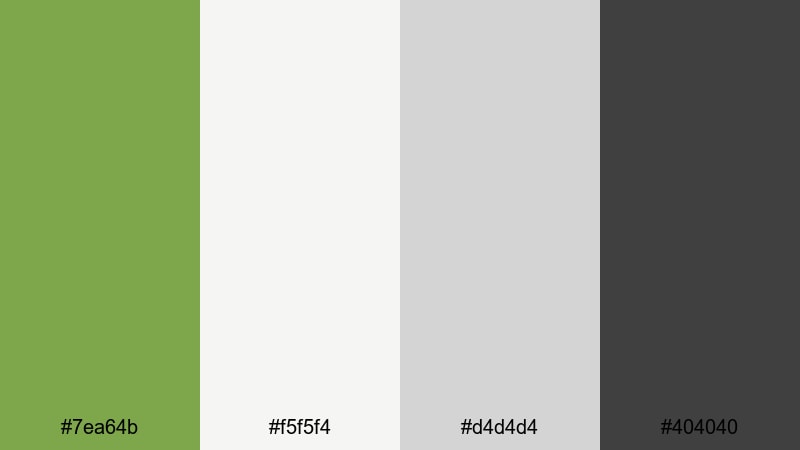
- HEX Codes: #7ea64b, #f5f5f4, #d4d4d4, #404040
- Mood: Understated, earthy, and sophisticated with a boutique feel.
- Use for: Use this palette for slow living content, brand stories, and minimalist product showcases.
Muted Orchard Chic uses a desaturated green (#7ea64b) and soft grays to create a boutique, editorial look. It is earthy but not rustic, perfect for brands that want to feel refined and modern.
This palette suits slow living videos, boutique product showcases, and minimalist interview setups. In Filmora, use the light gray as your base, the dark gray (#404040) for typography, and the muted apple green for tiny details like line accents, dividers, and logo reveals.
Sage Apple Serenity
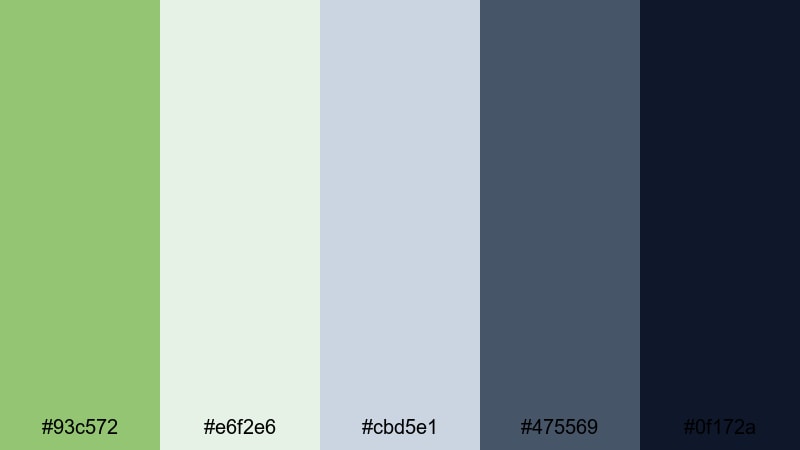
- HEX Codes: #93c572, #e6f2e6, #cbd5e1, #475569, #0f172a
- Mood: Peaceful, balanced, and contemplative with a studio-grade finish.
- Use for: Use this palette for meditation videos, educational series, and refined channel rebrands.
Sage Apple Serenity blends sage and apple greens with cool grays and deep navy for a composed, studio-ready atmosphere. It feels introspective and polished, ideal for creators who want a calm but serious tone.
Use lighter tones for backgrounds and overlays, reserve the darker blues (#475569, #0f172a) for text and key frames, and keep the green as a gentle accent. This combination works especially well in Filmora for guided meditations, thoughtful educational series, and professional channel rebrands.
Tips for Creating Apple Green Color Palettes
Apple green is flexible enough to feel natural, playful, or high-tech depending on what you pair it with. These tips will help you combine it with supporting colors and keep your videos and designs clean and on-brand.
- Decide the mood first: pair apple green with creams and soft browns for organic content, pastels for playful edits, or charcoal and navy for modern tech visuals.
- Control contrast for readability: use dark text on light backgrounds or vice versa, and avoid placing apple green text directly on busy footage without a subtle overlay or box.
- Limit your accent colors: choose one main apple green tone and one or two supporting colors so your thumbnails and intros stay consistent and recognizable.
- Match your footage: if your camera captured very yellow or very blue greens, adjust them in Filmora so they align with the HEX values in your chosen palette.
- Use apple green strategically: reserve it for call-to-action elements like buttons, arrows, subscribe prompts, and important text so viewers learn to pay attention when they see that color.
- Test on multiple devices: check your apple green palette on phones, laptops, and TVs to confirm it still feels fresh and bright without becoming neon or hard to read.
- Create reusable presets: once you find HSL and filter settings that match your favorite palette, save them as presets in Filmora for faster, more consistent edits.
- Align with your brand niche: choose softer greens for wellness, education, and journaling channels, and sharper, more saturated greens for gaming, tech, and streetwear content.
Apple green is a powerful anchor color for creators. It can make a brand feel eco-conscious, youthful, or futuristic depending on the palette you choose and how you apply it in your videos, thumbnails, and overlays.
By starting with clear HEX codes and translating them into your Filmora titles, filters, and color grading, you can give your channel a consistent signature look. Try a few of these apple green palettes in your next edit and see how they change the mood of your footage and the way viewers perceive your brand.
Use Filmora's color tools, AI features, and presets to keep your apple green combinations stable across intros, b-roll, Shorts, and long-form videos so everything feels like part of the same creative world.
secure downloadNext: Portfolio Color Palette
