

 100% Security Verified | No Subscription Required | No Malware


 ChatGPT
 Perplexity
 Gemini
 Claude
 Grok
Grok
Beige tan sits in a sweet spot between warm neutrals and soft browns. It feels calm, grounded, and human, which is why it shows up in cozy interiors, lifestyle feeds, and minimalist brands. In video, beige tan psychology is all about safety and softness: it reduces visual noise, makes skin tones look gentle, and lets your story feel slow, warm, and approachable instead of loud or harsh.
For editors, YouTube creators, and designers, beige tan works beautifully in thumbnails, intros, lower-thirds, channel branding, and even color grading presets. Below are 15 curated beige tan color palettes with HEX codes you can plug straight into Filmora, whether you are styling your titles, crafting LUT-inspired looks, or building a consistent aesthetic across your thumbnails and social content.
In this article
Soft & Cozy Beige Tan Color Palettes
Sunlit Linen Calm
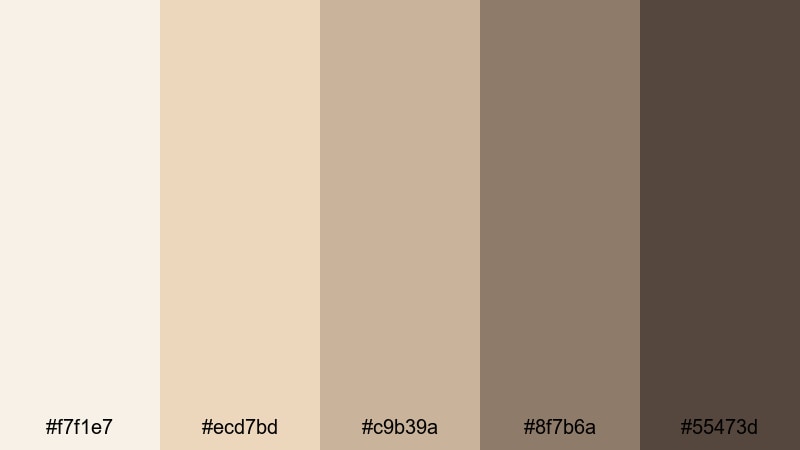
- HEX Codes: #f7f1e7, #ecd7bd, #c9b39a, #8f7b6a, #55473d
- Mood: Gentle, airy, and comforting like a lazy morning in soft sheets.
- Use for: Perfect for lifestyle vlogs, morning routine intros, and calm tutorial backgrounds.
Sunlit Linen Calm is all about creamy highlights and soft mid browns that feel like freshly washed sheets catching the first light. The pale beige tan tones keep frames light and breathable, while the deeper browns (#8f7b6a and #55473d) anchor your text, icons, and key visuals so they stay readable on thumbnails and title cards.
Use this palette when you want your channel to feel like a safe, cozy space: morning routines, home tours, slow-living vlogs, and gentle how-to videos. In Filmora, you can style lower-thirds, subscribe buttons, and chapter cards with the lighter hues and reserve the darkest shade for bold text or logo marks so your branding stays soft but clear across every upload.
Pro Tip: Build A Soft Beige Tan Aesthetic With Filmora
To keep a calm beige tan mood from intro to outro, design a simple style guide inside Filmora. Use the lightest tones for solid or gradient backgrounds on your title screens, apply the mid beiges to shapes and frames, and stick to the deepest browns for clean, legible text. Save these as custom presets so every lifestyle vlog, B roll montage, or community update instantly matches the same warm linen feeling.
Because Filmora lets you reuse titles, overlays, and templates, you can lock in this palette one time and drop it onto new projects. That way your thumbnails, reels, and full-length videos all share the same soft beige tan identity without you having to rebuild colors from scratch.
AI Color Palette
You can turn Sunlit Linen Calm into a full video look using Filmora's AI smart tools. Grab a still frame that captures your favorite beige tan lighting or use a saved PNG of this palette. Filmora's AI Color Palette feature can then analyze your reference and apply similar tones to an entire sequence, matching contrast, warmth, and saturation in one step.
This is especially useful if you shoot on different days or cameras. Instead of manually matching every shot, use AI Color Palette to unify your intros, A roll, B roll, and even vertical edits for Shorts or Reels so everything keeps the same creamy linen mood.
 secure download

HSL, Color Wheels & Curves
Once your beige tan look is in place, you can refine it with Filmora's HSL sliders, color wheels, and curves. Gently push the yellow and orange hues toward a softer, oat-like tone, lift the highlights to keep whites clean instead of gray, and add a slight S curve so your shadows feel rich but not muddy. Tools like these, shown in Filmora's color correction tools, help you create a cinematic beige tan grade that still feels natural on skin.
For talking-head videos, use the color wheels to warm midtones while keeping shadows slightly cooler to avoid an overly orange image. Then, if text or graphics fade into the background, you can nudge saturation down in the beige areas and leave accent colors a bit stronger so everything stays easy to read.
secure download1000+ Video Filters & 3D LUTs
If you want a beige tan base without heavy manual grading, you can start from Filmora's built in looks. Filmora's video filters and 3D LUTs make it easy to push your footage toward warm neutrals, add a soft glow, or mimic film stock that naturally favors beige and caramel tones.
Stack a subtle filter with a LUT, then adjust intensity so your whites stay clean and your beige midtones do not turn too yellow. Save that stack as a preset for your channel so every new project opens with a consistent beige tan foundation you can tweak per video.
secure downloadWarm Latte Storytime
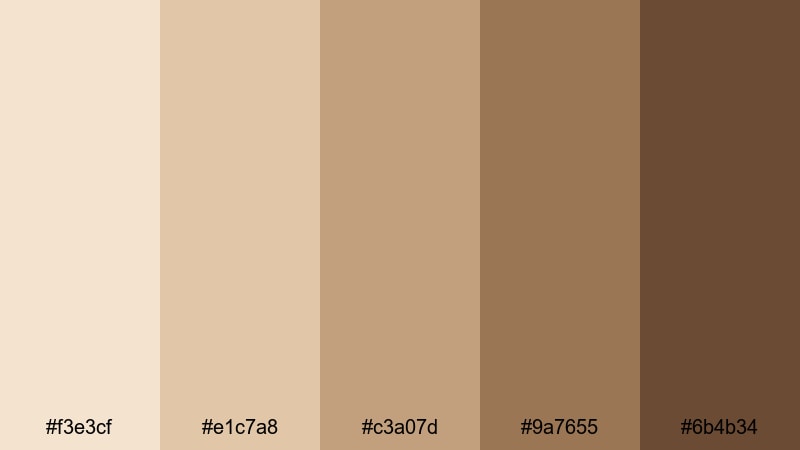
- HEX Codes: #f3e3cf, #e1c7a8, #c3a07d, #9a7655, #6b4b34
- Mood: Inviting and nostalgic, like sharing stories over a cup of coffee.
- Use for: Great for talking-head videos, podcast cover art, and storytelling thumbnails.
Warm Latte Storytime layers creamy beige with mocha browns to create an intimate, conversational space. The lighter shades are ideal for background blocks behind your titles, while the deep coffee hue #6b4b34 gives maximum contrast for headlines, buttons, and icons.
Apply this palette to your YouTube channel art, podcast cover, and video intros to make your brand feel like a cozy coffee chat. In thumbnails, use the midtones for frames around your face and reserve the darkest color for bold keywords to keep everything readable even at small sizes.
Powdered Sand Whispers
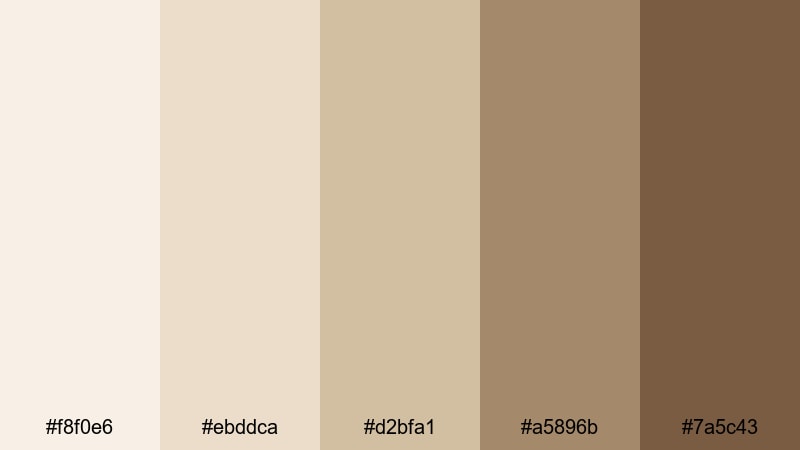
- HEX Codes: #f8f0e6, #ebddca, #d2bfa1, #a5896b, #7a5c43
- Mood: Serene and whisper-soft, like footprints fading in warm sand.
- Use for: Use for travel diaries, beach vlogs, and gentle B-roll transitions.
Powdered Sand Whispers captures the feel of soft coastal light and warm dunes. The muted beige tan spectrum keeps contrast low enough for a dreamy aesthetic but still offers deeper accents in #a5896b and #7a5c43 for text and outlines.
Use this palette when editing beach vlogs, travel recaps, or any footage with sand, stone, and sky. It works nicely for lower-thirds that should not overpower your scenery, subtle overlays on B roll, and end screens where you want viewers to feel relaxed and ready to watch the next video.
Vanilla Cloud Studio
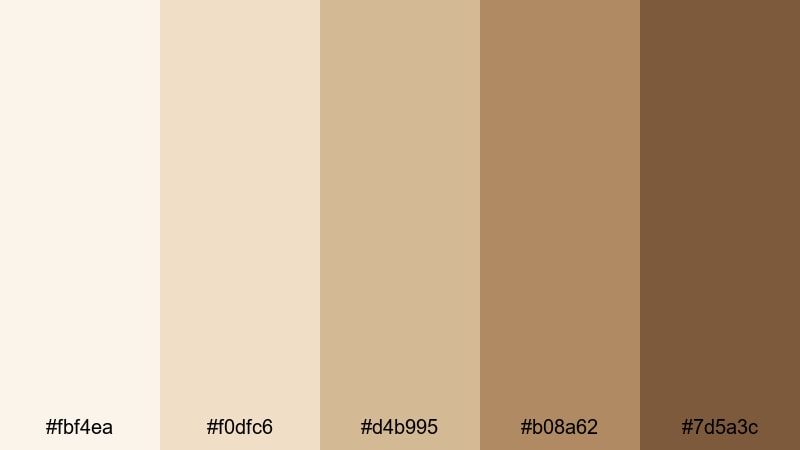
- HEX Codes: #fbf4ea, #f0dfc6, #d4b995, #b08a62, #7d5a3c
- Mood: Light, creative, and welcoming, like a softly lit home studio.
- Use for: Perfect for DIY channels, craft tutorials, and educational explainer graphics.
Vanilla Cloud Studio mixes airy off-whites with grounded caramel browns, giving your visuals a polished yet friendly studio vibe. The softest tones (#fbf4ea and #f0dfc6) make excellent backdrops for infographics, screen recordings, and text-heavy slides.
Because the darker shades still feel warm and organic, this palette is great for creators who teach: crafting channels, planners, productivity tips, and kid-friendly DIY. Use beige tan panels under main text, outline your webcam window with a midtone, and keep calls to action in the richest brown so they stand out without feeling aggressive.
Rose Chai Evening
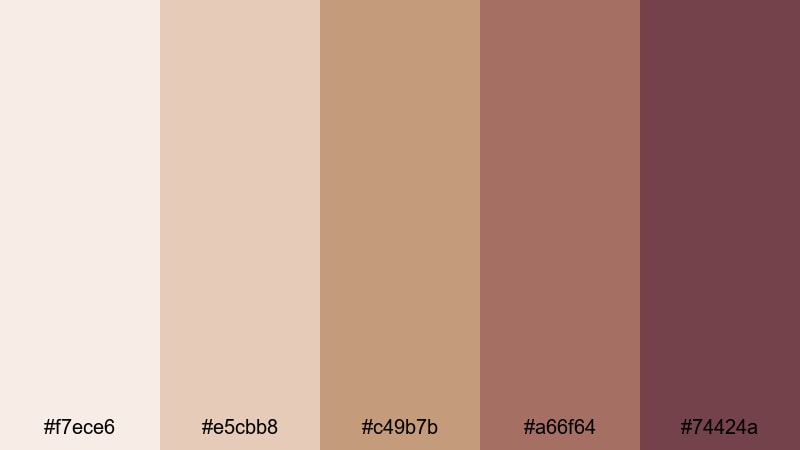
- HEX Codes: #f7ece6, #e5cbb8, #c49b7b, #a66f64, #74424a
- Mood: Romantic and cozy, like sipping chai at sunset with soft music playing.
- Use for: Great for date-night vlogs, cinematic reels, and dreamy short films.
Rose Chai Evening adds a soft blush undertone to classic beige tan, supported by spicy, tea-like browns. The gentle pinkish hues introduce romance without going full pastel, while the deep rose-brown #74424a adds drama and depth.
Use this palette when editing date-night content, couple vlogs, aesthetic room makeovers, or any cinematic montage with music. It works beautifully for scripted shorts and reels too: try beige tan title cards with rose accents and use the darkest color for subtle letterbox bars or overlay gradients.
Elegant & Modern Beige Tan Color Palettes
Marble Lobby Luxe
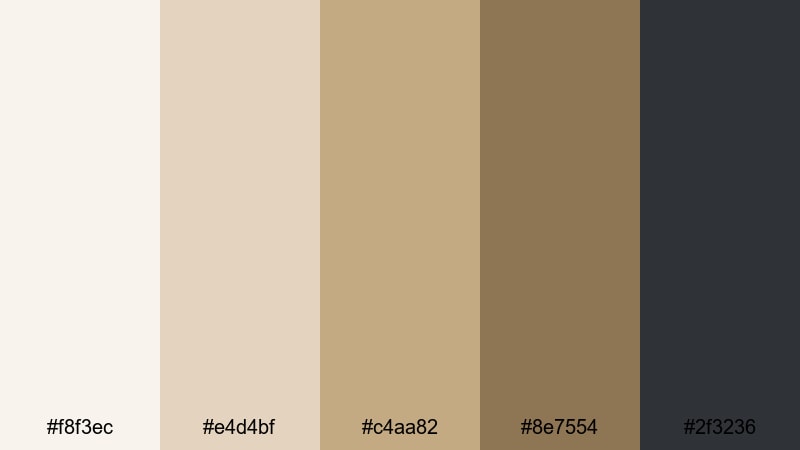
- HEX Codes: #f8f3ec, #e4d4bf, #c4aa82, #8e7554, #2f3236
- Mood: High-end, minimal, and polished like a boutique hotel lobby.
- Use for: Use for luxury brand intros, product promos, and portfolio title cards.
Marble Lobby Luxe combines creamy whites and golden beige tans with a sophisticated charcoal accent. The light tones feel like polished stone, while #2f3236 gives you a strong, modern contrast for typography and logos.
This palette is ideal for high-end brands, tech products, beauty packaging, and portfolio reels. Use pale beiges for clean backgrounds, mid browns for subtle dividers, and the charcoal color for sleek titles, progress bars, and UI-style overlays in your Filmora projects.
City Loft Neutral
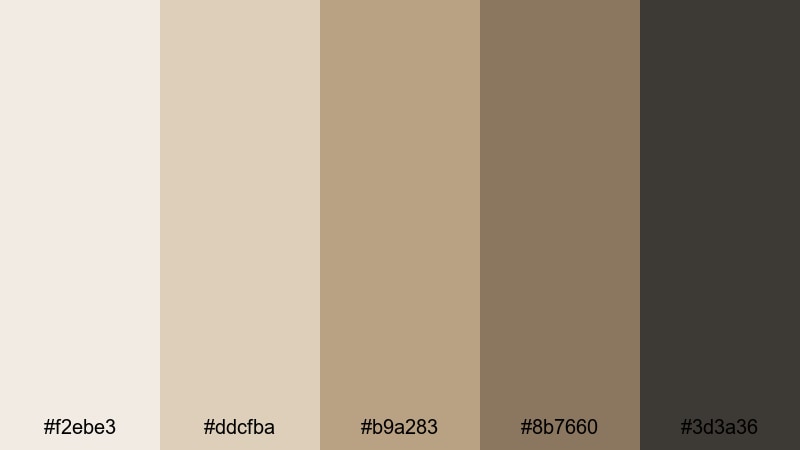
- HEX Codes: #f2ebe3, #ddcfba, #b9a283, #8b7660, #3d3a36
- Mood: Urban, sophisticated, and understated with a creative edge.
- Use for: Ideal for channel branding, urban lifestyle edits, and UI overlays in tutorials.
City Loft Neutral sits between cozy and industrial. The beige tan tones feel warm and lived in, while the deeper neutrals (#8b7660 and #3d3a36) echo concrete, metal, and city shadows, giving your edit a refined loft atmosphere.
Use this palette for urban lifestyle vlogs, productivity content, or tech tutorials where you want warmth without losing a professional edge. It is great for building UI-inspired frames around screen recordings, adding neutral lower-thirds, and styling your YouTube banner to look modern but still human.
Candlelit Editorial
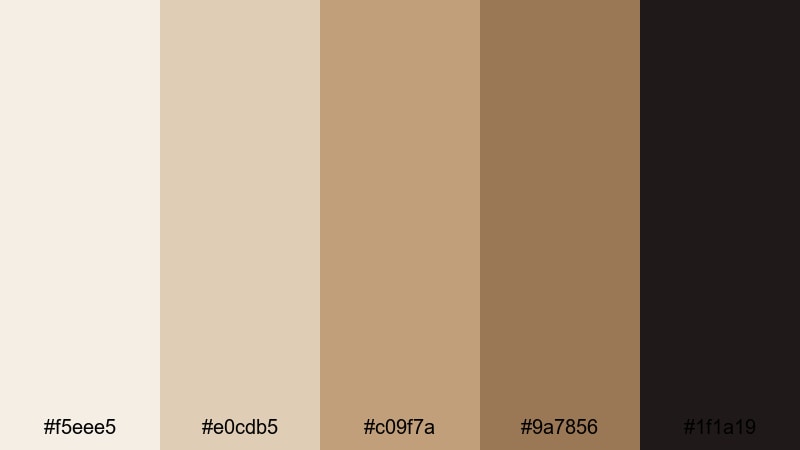
- HEX Codes: #f5eee5, #e0cdb5, #c09f7a, #9a7856, #1f1a19
- Mood: Moody yet clean, like a fashion editorial lit by candlelight.
- Use for: Perfect for fashion lookbooks, beauty tutorials, and cinematic talking-head scenes.
Candlelit Editorial balances soft, glowing beiges with deep espresso shadows. The nearly black #1f1a19 makes a striking base for white or beige text, while the mid browns bring a warm, couture feel to your frames.
Use this palette for fashion films, product close-ups, beauty routines, and moody interview content. In Filmora, combine a beige background, espresso sidebars, and clean white text for lookbook titles, then apply similar tones to your color grade so skin and fabrics echo the same warm candlelit mood.
Gallery Wall Minimal
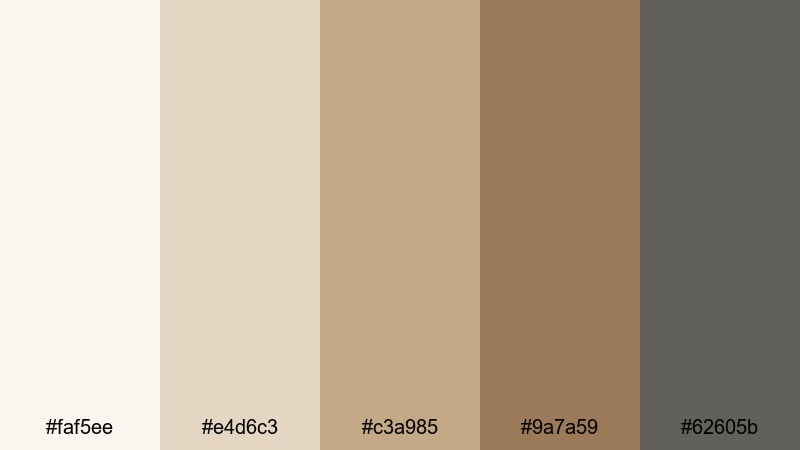
- HEX Codes: #faf5ee, #e4d6c3, #c3a985, #9a7a59, #62605b
- Mood: Clean, curated, and artful like a modern gallery space.
- Use for: Great for design breakdowns, portfolio showcases, and typography-heavy layouts.
Gallery Wall Minimal delivers a curated greige-beige mix with subtle charcoal accents. It feels like a minimalist exhibition, where the background disappears and the artwork takes center stage.
Use this palette to frame screenshots of your work, break down design case studies, or build clean slide-style intros. The muted #62605b is perfect for secondary text, while the lighter beiges keep backgrounds neutral and non-distracting in both horizontal and vertical videos.
Earthy & Natural Beige Tan Color Palettes
Dune Trail Wanderer
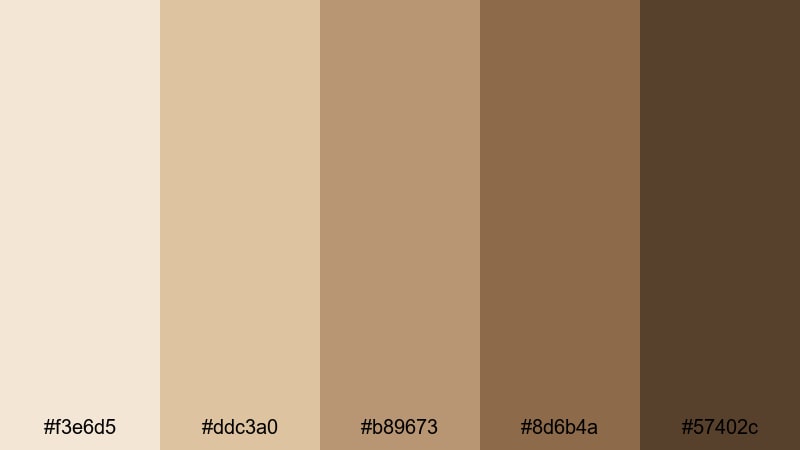
- HEX Codes: #f3e6d5, #ddc3a0, #b89673, #8d6b4a, #57402c
- Mood: Adventurous and grounded, like hiking across sun-warmed dunes.
- Use for: Ideal for travel channels, hiking reels, and nature documentary titles.
Dune Trail Wanderer pairs sunlit sand with earthy browns that feel baked by the sun. The gradient from #f3e6d5 down to #57402c gives you a natural progression from sky-washed highlights to deep soil shadows.
Use it to grade desert hikes, road trips, trail documentaries, or any footage where you want landscapes to feel warm and cinematic. In thumbnails and title cards, combine a light beige sky band, a midtone frame, and dark-brown typography to echo the layers of a real horizon.
Terracotta Courtyard
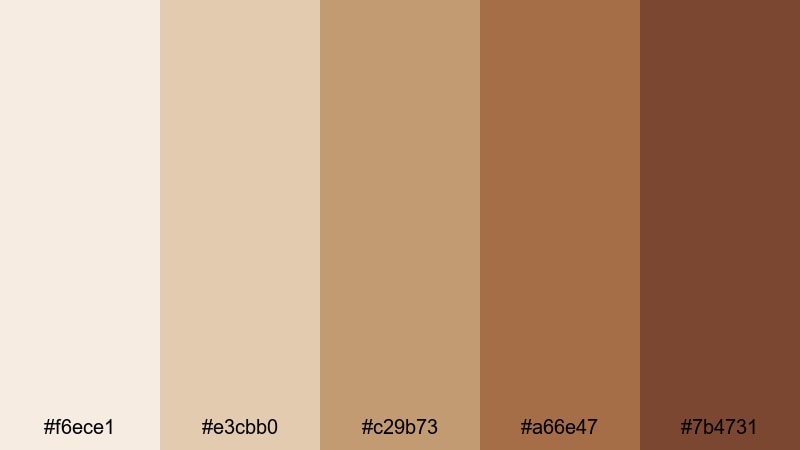
- HEX Codes: #f6ece1, #e3cbb0, #c29b73, #a66e47, #7b4731
- Mood: Rustic and sun-kissed, inspired by clay pots and courtyard tiles.
- Use for: Use for travel diaries, cooking shows, and cultural storytelling pieces.
Terracotta Courtyard enriches beige tan with clay and burnt orange notes, evoking Mediterranean houses, tiled floors, and warm kitchens. The palette moves from soft plaster-like beige to deep terracotta browns.
Use these colors for cooking content, cultural travel guides, food vlogs, and behind-the-scenes videos from markets or festivals. Beige tan backgrounds resemble stucco walls, while the rich terracotta accents highlight ingredients, typography, and important on-screen labels.
Olive Grove Retreat
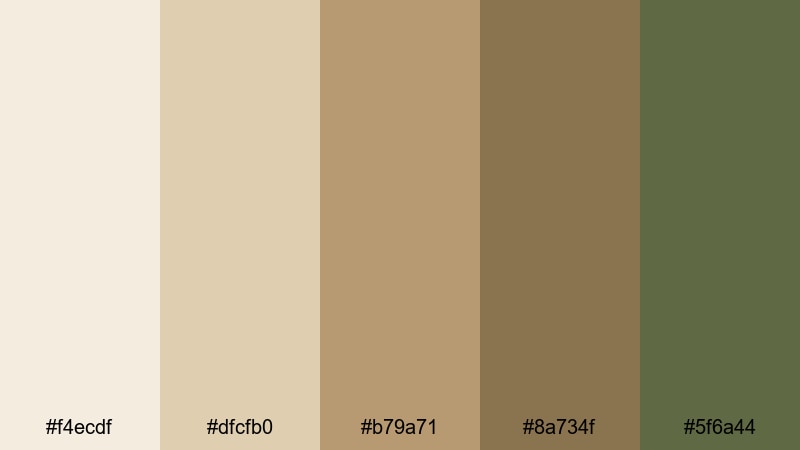
- HEX Codes: #f4ecdf, #dfcfb0, #b79a71, #8a734f, #5f6a44
- Mood: Calm and organic, like a quiet stay in a countryside villa.
- Use for: Perfect for wellness content, retreat promos, and calming montage sequences.
Olive Grove Retreat brings together oat-toned beige, woody browns, and a muted olive green #5f6a44. The result is a natural, spa-like palette that instantly relaxes the eye.
It is ideal for yoga flows, meditation intros, retreat highlight films, and nature-focused brand videos. Use the olive shade sparingly as an accent for icons, section dividers, or call-to-action buttons, while keeping most of your backgrounds and titles in the lighter beige tan tones.
Warm Minimalist Beige Tan Color Palettes
Cream Desk Workspace
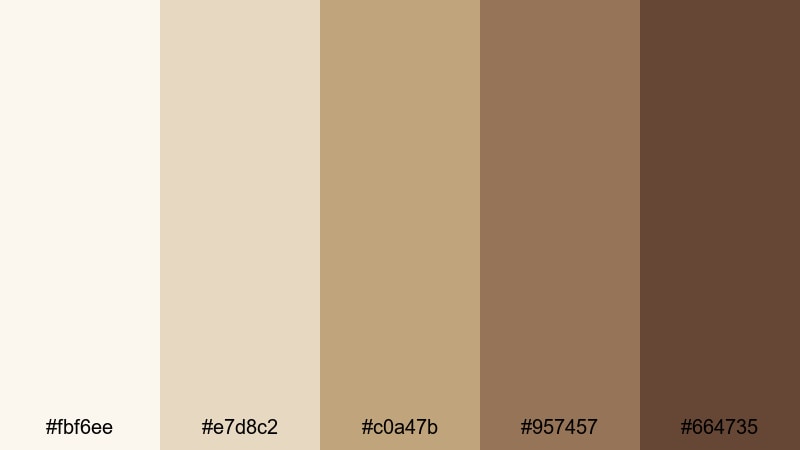
- HEX Codes: #fbf6ee, #e7d8c2, #c0a47b, #957457, #664735
- Mood: Focused, tidy, and warm like a well-styled desk setup.
- Use for: Great for productivity videos, study vlogs, and clean tutorial layouts.
Cream Desk Workspace looks like a curated desk: pale cream paper, wood grain, and a dark coffee mug. The palette gives you clear separation between light backgrounds and deeper accent colors, while staying entirely within a warm, minimalist world.
Use these tones in productivity and study content, especially when layering text over screen recordings. Lighter shades work for panels behind your to-do lists and chapter titles, while the darker browns give strong, comfortable contrast for headlines, timestamps, and icons.
Muted Oat Branding
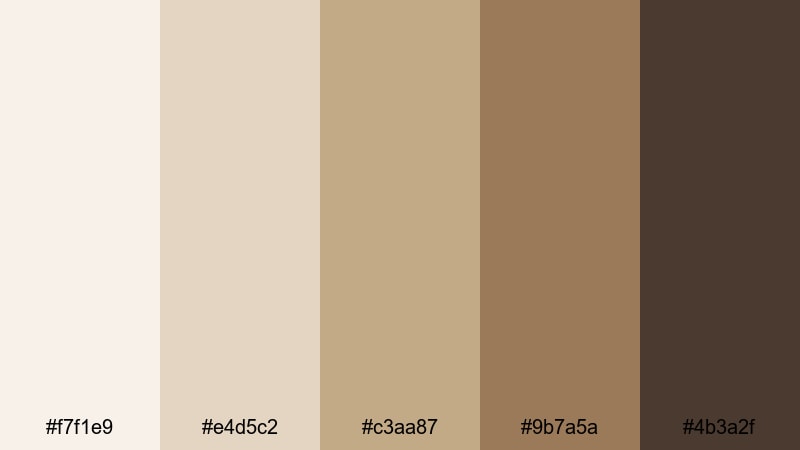
- HEX Codes: #f7f1e9, #e4d5c2, #c3aa87, #9b7a5a, #4b3a2f
- Mood: Subtle, branded, and trustworthy with a calm, oat-toned base.
- Use for: Use for logo reveals, channel banners, and cohesive lower-thirds.
Muted Oat Branding is a classic beige tan stack designed for consistency. The oat base and gentle contrasts make it simple to create a full visual system: background, card, accent, and text color all live in the same neutral family.
This palette is perfect when you want a gender-neutral, timeless look for your channel. Use the palest beige for backgrounds, the midtones for frames and badges, and the darkest tone #4b3a2f for core text and logo marks so every thumbnail, intro, and lower-third feels part of the same brand.
Soft Studio Glow
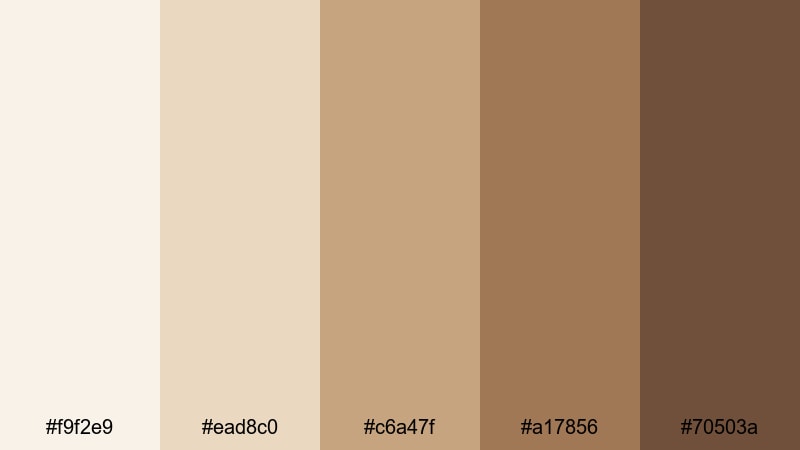
- HEX Codes: #f9f2e9, #ead8c0, #c6a47f, #a17856, #70503a
- Mood: Balanced and softly glowing like a perfectly lit creator studio.
- Use for: Ideal for intros, outros, and transitions in creator or educator channels.
Soft Studio Glow captures the feeling of a well-lit, warm studio setup. The palette layers creamy highlights with golden beige midtones and cozy browns so your graphics look illuminated without needing heavy glow effects.
Use these colors in your animated intros, subscribe end screens, and slide transitions for educational or commentary channels. In Filmora, pair a soft beige gradient background with medium browns for shapes and the darkest tone for text, then reuse this structure as a template to maintain a consistent, softly glowing identity across all your videos.
Tips for Creating Beige Tan Color Palettes
Beige tan is versatile, but it works best when you balance warmth, contrast, and supporting accents. Use these practical tips to build palettes that look great in both design and video edits.
- Always test readability: place your darkest beige tan or brown behind white and black text in Filmora to see which combination stays clear on mobile thumbnails.
- Add one accent color: pair beige tan with a muted blue, olive, or maroon accent for buttons and highlights so key actions stand out without breaking your neutral vibe.
- Control contrast for mood: low contrast between beige shades feels calm and dreamy, while stronger dark browns introduce a more cinematic, editorial look.
- Match your footage temperature: if your camera runs cool, warm up highlights and midtones in Filmora so they align with your beige tan graphics instead of clashing.
- Use a light neutral as your base: dedicate your palest beige to backgrounds and panels, then reserve mid and dark tones for framing, icons, and key text.
- Be consistent across platforms: use the same HEX codes in your YouTube banner, thumbnails, Instagram covers, and Filmora titles so your audience recognizes your brand instantly.
- Keep skin tones natural: when grading with beige tan, avoid over-pushing saturation so faces do not turn orange; instead adjust curves and HSL gently around oranges and yellows.
- Create presets: once you dial in a beige tan grade and matching title style in Filmora, save them as custom presets so you can apply the look to future projects in a few clicks.
Beige tan palettes are powerful tools for shaping how your content feels. Soft linens, warm lattes, and earthy dunes can all live inside these HEX codes, turning simple footage into a coherent visual story that viewers instantly recognize as yours.
Whether you are building a cozy vlog brand, an elegant portfolio reel, or a grounded travel series, these 15 beige tan color combinations give you a starting point for thumbnails, titles, overlays, and color grading. Experiment with them in Filmora, tweak them with AI Color Palette and HSL tools, and save the versions that match your style.
Over time, a consistent beige tan look will make your channel or brand feel more intentional, cinematic, and memorable, even before someone hits play.
secure download