

 100% Security Verified | No Subscription Required | No Malware


 ChatGPT
 Perplexity
 Gemini
 Claude
 Grok
Grok
Black and orange is one of the strongest color duos in design. Deep black adds power, mystery, and contrast, while orange brings energy, warmth, and urgency. Together they signal action and excitement, which is why this combination works so well for gaming channels, sports edits, Halloween themes, and bold brand identities.
In video thumbnails, intros, transitions, and overlays, a well-chosen Black Orange color palette makes text easier to read and scenes instantly recognizable. Below you will find 15 ready-made Black Orange color palettes with HEX codes that you can plug straight into your branding, motion graphics, and Filmora projects.
In this article
Bold Black Orange Color Palettes
Neon Ember Edge
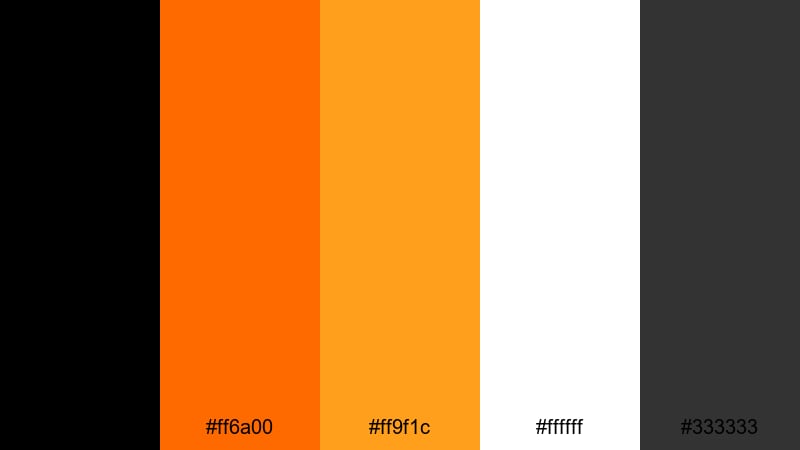
- HEX Codes: #000000, #ff6a00, #ff9f1c, #ffffff, #333333
- Mood: High-energy, electric, and sharp with strong contrast.
- Use for: Perfect for action-packed gaming thumbnails, esports logos, and bold YouTube intros.
Neon Ember Edge is built for instant impact. Pure black and charcoal (#000000, #333333) create a deep backdrop that lets the blazing oranges (#ff6a00, #ff9f1c) burn through the frame. The clean white (#ffffff) sharpens titles, stats, and UI-style elements so they are always readable even on small mobile screens.
Use this palette to design high-contrast thumbnails, kinetic lower-thirds, and animated stingers for gaming, tech, or reaction channels. It is especially strong when you want buttons, subscribe CTAs, and overlay graphics to stand out clearly against dark gameplay or studio footage.
Pro Tip: Make Black Orange Graphics Pop in Filmora
When you use a bold palette like Neon Ember Edge, consistency is everything. In Filmora, you can set your title presets, lower-thirds, and overlays to use the same HEX codes for black, orange, and white, then save them as custom presets. That way, every intro, montage, and short you export keeps the same strong Black Orange identity.
Combine this palette with animated elements, such as shake effects on text or subtle glow around orange accents, to highlight big moments in your video. Because Filmora lets you reuse these effects with one click, your whole channel quickly develops a recognizable Black Orange style.
AI Color Palette
If you already have a logo, thumbnail, or mood board in these Black Orange tones, you can use that as a reference inside Filmora. Filmora's AI Color Palette feature analyzes the colors from one clip or image and transfers that look across your whole timeline.
Import your reference frame with strong black, orange, and white contrast, then apply AI Color Palette to gaming highlights, B-roll, and talking-head shots. This keeps skin tones natural while pushing your shadows and accents toward the same bold Black Orange style.
 secure download

HSL, Color Wheels & Curves
To perfect your Black Orange look, use Filmora's HSL, color wheels, and curves controls. You can push oranges slightly toward a deeper ember for a more cinematic feel, while keeping blacks rich without crushing shadow detail. Filmora's color correction tools help you fine-tune saturation and contrast so the palette stays intense but never oversaturated.
On the curves panel, gently lift the highlights to make white text glow, and add a subtle S-curve for punchy contrast. In the color wheels, cool down your midtones if skin starts to look too orange, but keep the highlights warm so overlays, UI elements, and flares still carry that Ember Edge vibe.
secure download1000+ Video Filters & 3D LUTs
Once your Black Orange base is set, you can stylize it in seconds using Filmora's filter and LUT library. Filmora's video filters and 3D LUTs make it easy to add a gaming, cinematic, or neon look on top of your existing palette without breaking brand consistency.
Apply a high-contrast or neon LUT to make oranges glow even more against black backgrounds, or choose softer film-style filters if you want the same palette to feel more cinematic. You can save your favorite combinations as custom presets so every project starts with your signature Black Orange treatment.
secure downloadMidnight Tiger Streaks
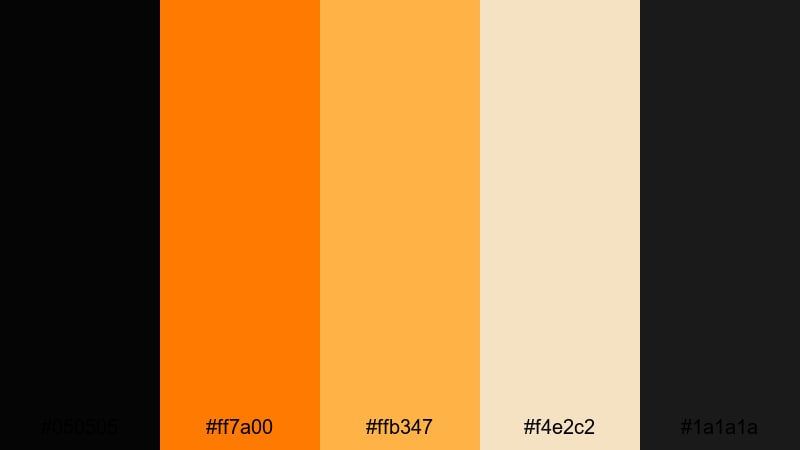
- HEX Codes: #050505, #ff7a00, #ffb347, #f4e2c2, #1a1a1a
- Mood: Fierce and confident with a touch of warmth.
- Use for: Use this palette for sports highlight reels, fitness channel branding, and bold lower-thirds in hype videos.
Midnight Tiger Streaks mixes near-black tones (#050505, #1a1a1a) with vivid tiger orange (#ff7a00) and softer amber and cream accents (#ffb347, #f4e2c2). The result feels powerful and athletic, but less harsh than pure black and neon. It gives your edits a professional, broadcast-style intensity.
Use the deeper blacks for backgrounds and overlays, while the bright oranges carry key stats, timers, and callouts. The lighter beige tones are great for secondary text, chapter markers, and subtle UI elements in fitness tutorials, sports montages, or motivational shorts.
Inferno Street Graffiti
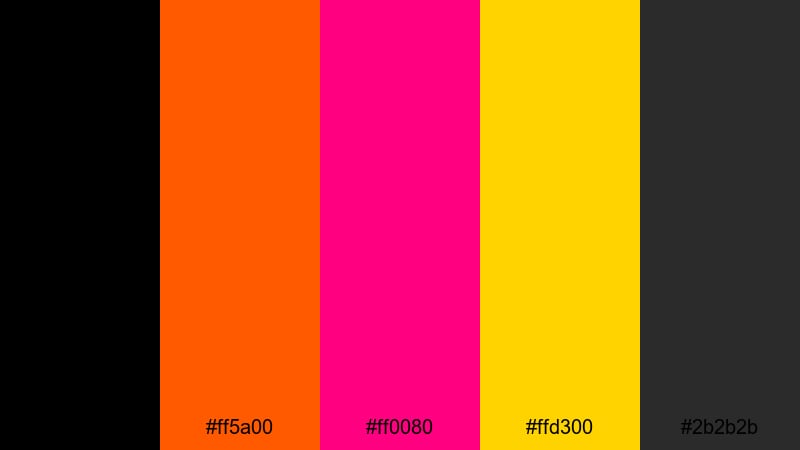
- HEX Codes: #000000, #ff5a00, #ff0080, #ffd300, #2b2b2b
- Mood: Rebellious, urban, and loud with neon street flair.
- Use for: Great for music videos, dance edits, and streetwear promo clips needing an edgy, graffiti-inspired punch.
Inferno Street Graffiti turns a classic Black Orange base into a full neon wall. Intense orange (#ff5a00) is joined by hot magenta (#ff0080) and electric yellow (#ffd300) on a solid black and dark gray foundation (#000000, #2b2b2b). It feels like street art translated into motion graphics.
Use this palette when creating glitchy text, animated stickers, and bold transitions for hip-hop, street dance, or urban lifestyle content. Color-code text layers so each keyword pops in a different neon tone over black, making reels and shorts impossible to scroll past.
Solar Flare Arena
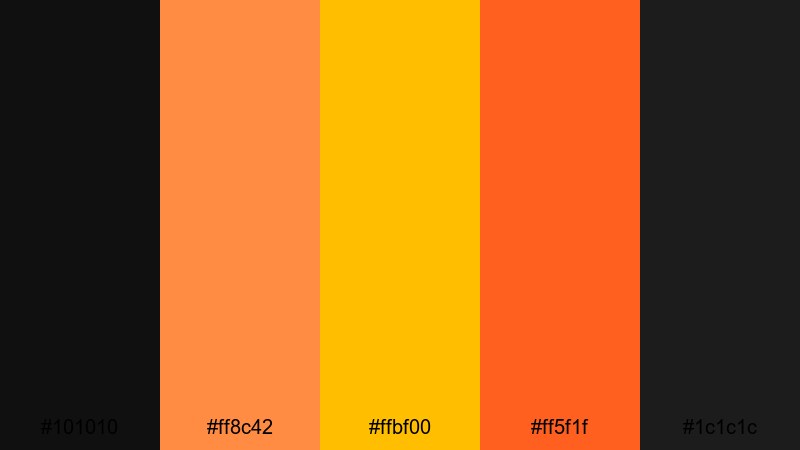
- HEX Codes: #101010, #ff8c42, #ffbf00, #ff5f1f, #1c1c1c
- Mood: Competitive, fiery, and intense like stadium lights.
- Use for: Ideal for tournament recaps, sports montages, and countdown screens for livestreams.
Solar Flare Arena combines deep charcoal blacks (#101010, #1c1c1c) with a trio of molten orange and gold tones (#ff8c42, #ffbf00, #ff5f1f). It feels like standing in the middle of a lit stadium or esports stage, with hot lights beaming through dark air.
Use the darker tones for scoreboards, countdown screens, and overlays, then let the oranges highlight team names, prizes, and calls to action. This palette works especially well with animated flares, particle effects, and light streaks in Filmora to sell the high-stakes, live-event atmosphere.
Cinematic Black Orange Color Palettes
Noir Ember Credits
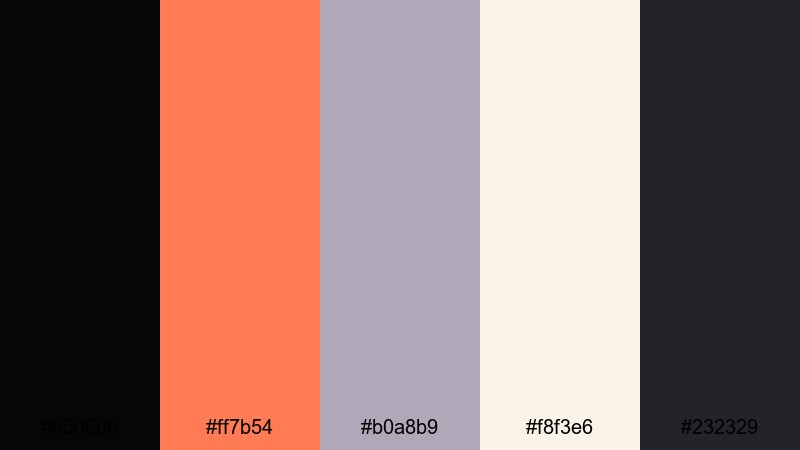
- HEX Codes: #050608, #ff7b54, #b0a8b9, #f8f3e6, #232329
- Mood: Moody and cinematic with a soft, filmic warmth.
- Use for: Use this palette for end credits, cinematic title cards, and story-driven short films.
Noir Ember Credits leans into a filmic mood with inky blacks and charcoal (#050608, #232329) paired with a softened ember orange (#ff7b54). Muted lilac-gray (#b0a8b9) and warm cream (#f8f3e6) round out the set, adding elegance and subtlety rather than loud contrast.
It is perfect for slow-moving title cards, scrolling credits, and narrative sequences where you want a refined Black Orange accent instead of a neon blast. Use orange for key names or chapter titles, while the grays and creams keep subtitles, dates, and narrative text easy on the eyes.
Desert Dusk Horizon
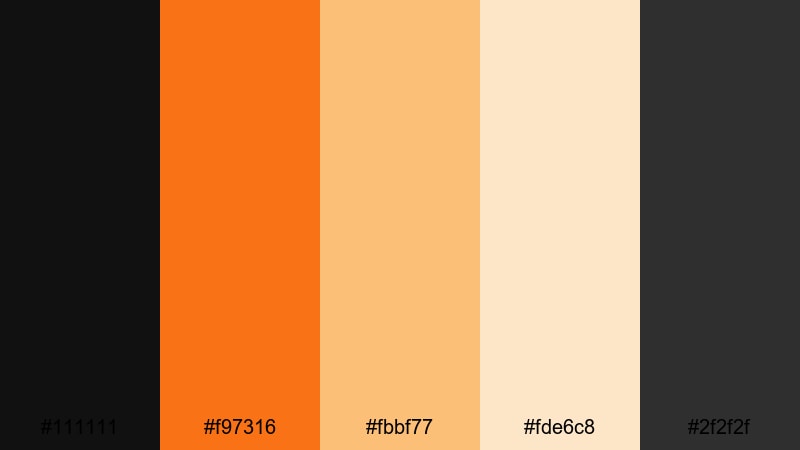
- HEX Codes: #111111, #f97316, #fbbf77, #fde6c8, #2f2f2f
- Mood: Warm, cinematic, and storytelling focused like a sunset western.
- Use for: Perfect for travel vlogs, desert timelapses, and narrative edits with golden hour shots.
Desert Dusk Horizon uses deep black and charcoal (#111111, #2f2f2f) to frame a sequence of glowing oranges and sands (#f97316, #fbbf77, #fde6c8). It feels like a long sunset fading into night, ideal for storytelling and emotional pacing.
Apply this palette to titles and frames in travel vlogs, drone shots, and cinematic B-roll where the sky already leans warm. Use the darkest tone for letterboxing and overlays, the mid oranges for titles, and the light creams for subtle UI elements such as timestamps and location tags.
Smoldering Spotlight Stage
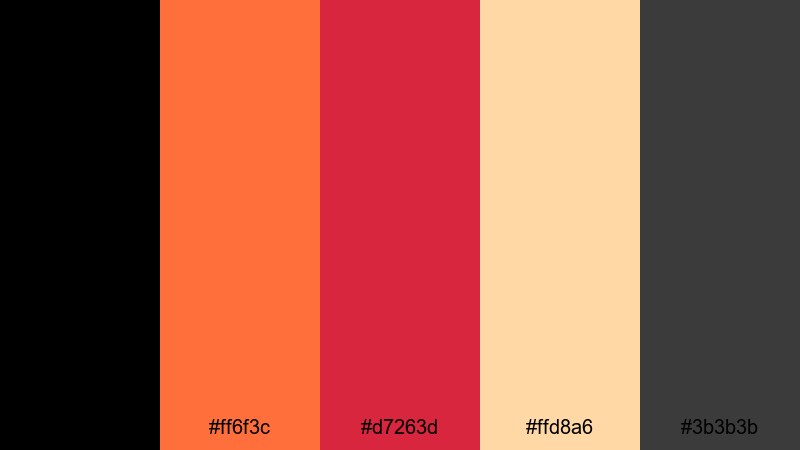
- HEX Codes: #000000, #ff6f3c, #d7263d, #ffd8a6, #3b3b3b
- Mood: Dramatic and theatrical with hot stage-light contrast.
- Use for: Great for concert edits, performance reels, and dramatic teaser trailers.
Smoldering Spotlight Stage blends pure black (#000000) and deep gray (#3b3b3b) with molten orange (#ff6f3c), intense crimson (#d7263d), and soft spotlight beige (#ffd8a6). The palette feels like a live performance under hot lights, where shadows are deep and highlights are fiery.
Use the red and orange combo to emphasize song titles, performer names, and dramatic transitions in concert footage. The beige shade works well for subtitles, setlists, or softer credits so text remains readable without competing with the main light colors.
Eclipse Title Sequence
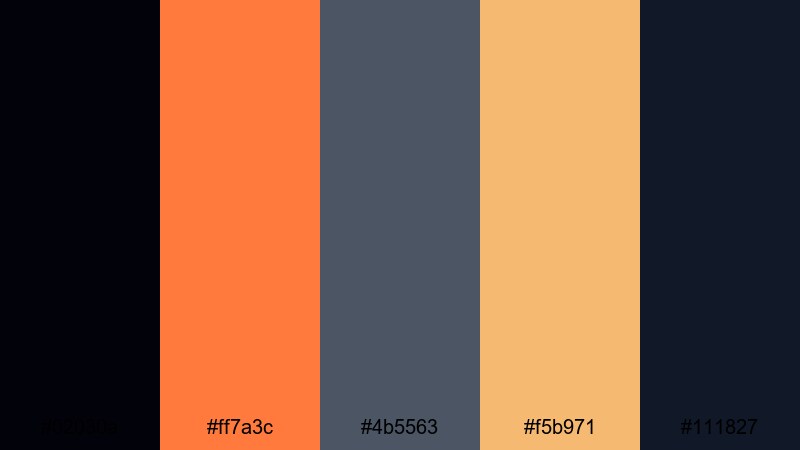
- HEX Codes: #02030a, #ff7a3c, #4b5563, #f5b971, #111827
- Mood: Mysterious, atmospheric, and sleek like a sci-fi intro.
- Use for: Use this palette in film-style openers, logo stings, and suspenseful documentary intros.
Eclipse Title Sequence sets near-black blues (#02030a, #111827) against a glowing orange (#ff7a3c), muted steel gray (#4b5563), and soft gold highlight (#f5b971). The mix feels futuristic yet grounded, perfect for sci-fi, tech, or investigative themes.
Use the blues for backgrounds and motion graphics, the orange for logo reveals and key words, and the gold as a gentle accent around interface elements or minimalist icons. It works beautifully with subtle light leaks and lens flares in Filmora to mimic an eclipse or orbital glow.
Modern Black Orange Color Palettes
Urban Grid Neon
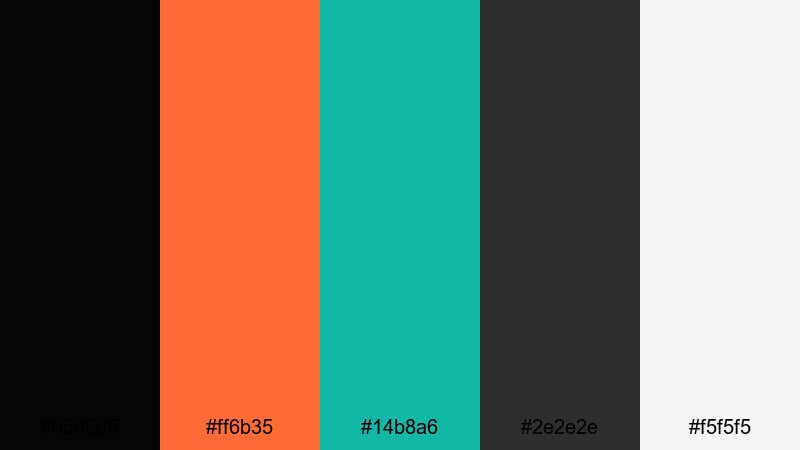
- HEX Codes: #050505, #ff6b35, #14b8a6, #2e2e2e, #f5f5f5
- Mood: Sleek, digital, and futuristic with a city-at-night vibe.
- Use for: Perfect for tech explainers, startup promos, and motion graphics with clean layouts.
Urban Grid Neon combines deep black (#050505) and charcoal (#2e2e2e) with a bright orange accent (#ff6b35), neon teal (#14b8a6), and soft white (#f5f5f5). It feels like a minimal UI floating over a dark city grid, sharp and modern without being overwhelming.
Use black and charcoal as your main backgrounds for dashboards and device mockups. Reserve orange for primary CTAs or key metrics, teal for secondary highlights, and white for body text and labels. This palette is ideal for clean, data-driven explainers, especially when animated inside Filmora with subtle movement and parallax.
Minimal Ember UI
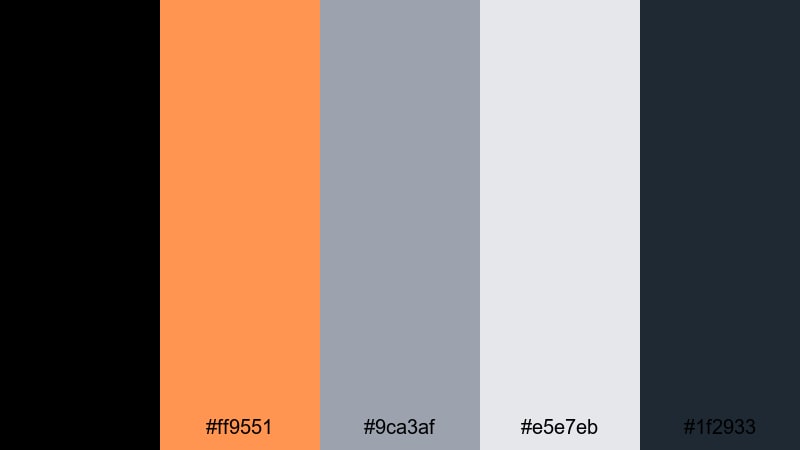
- HEX Codes: #000000, #ff9551, #9ca3af, #e5e7eb, #1f2933
- Mood: Clean, minimal, and professional with a warm accent.
- Use for: Ideal for app previews, product demos, and channel branding that needs a modern tech feel.
Minimal Ember UI is black and gray first (#000000, #1f2933, #9ca3af, #e5e7eb), with a single warm ember orange (#ff9551) as the hero accent. The palette feels mature and tech-focused, perfect when you want your edits to look like polished product shots or UI walkthroughs.
Keep most surfaces neutral and bring in the orange only for key moments: button hovers, cursor highlights, logo marks, and key stats. This approach keeps your Black Orange theme recognizable while avoiding visual noise in long explainers or tutorial playlists.
Cyber Circuit Glow

- HEX Codes: #020617, #ff6b00, #22d3ee, #a855f7, #0f172a
- Mood: High-tech, neon cyberpunk with glowing circuitry energy.
- Use for: Use this palette for tech reviews, coding tutorials, and futuristic motion graphics.
Cyber Circuit Glow uses deep digital blues (#020617, #0f172a) as a base, then runs a vivid orange (#ff6b00) alongside cyan (#22d3ee) and violet (#a855f7). It feels like a circuit board or HUD display lit by neon traces.
Use the dark tones for the main background and grids, then paint animated lines, icons, or data flows with orange, cyan, and violet. This is a strong palette for tech reviews, coding explainers, or cyberpunk-themed intros created in Filmora with HUD overlays and glitch transitions.
Amber Glass Dashboard
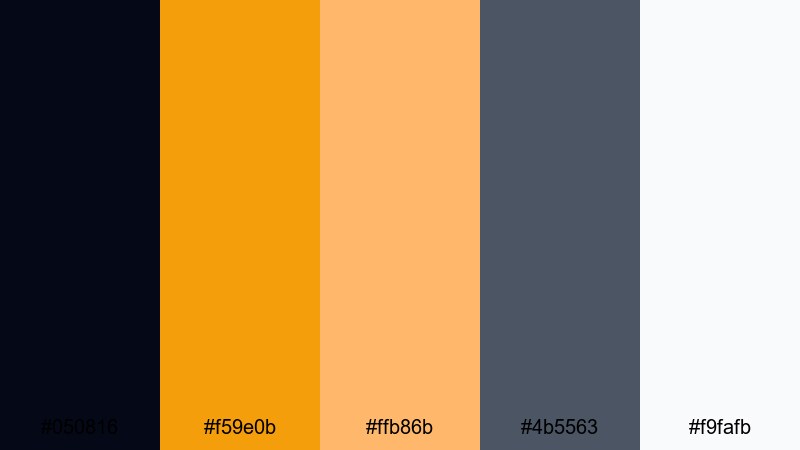
- HEX Codes: #050816, #f59e0b, #ffb86b, #4b5563, #f9fafb
- Mood: Polished and data-driven with a warm dashboard glow.
- Use for: Perfect for analytics explainers, UI dashboards, and corporate motion graphics in product launches.
Amber Glass Dashboard mixes a dark bluish black (#050816) with warm amber tones (#f59e0b, #ffb86b), balanced by slate gray (#4b5563) and near-white (#f9fafb). The combination feels like a modern analytics dashboard with subtle glassmorphism effects.
Use this palette to give your business videos and SaaS promos a warm but professional edge. Dark backgrounds help charts and panels stand out, amber draws attention to growth metrics or KPIs, and the light tones keep text and labels clear on any screen.
Festive Black Orange Color Palettes
Spiced Lantern Night
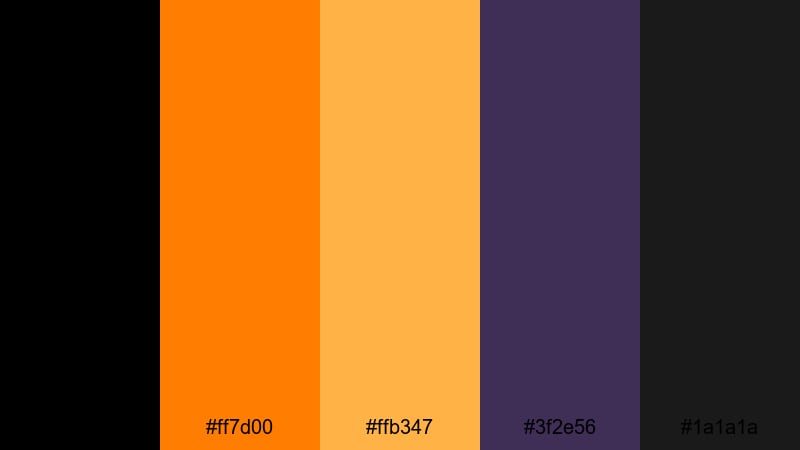
- HEX Codes: #000000, #ff7d00, #ffb347, #3f2e56, #1a1a1a
- Mood: Cozy yet spooky, like lanterns glowing on a dark street.
- Use for: Great for Halloween vlogs, party invitations, and seasonal social media content.
Spiced Lantern Night keeps things classic with deep blacks (#000000, #1a1a1a) and warm pumpkin oranges (#ff7d00, #ffb347), plus a muted purple shadow (#3f2e56). It captures that feeling of candles and lanterns flickering in the dark.
Use black and purple as your atmospheric base for frames and overlays, then light up text, icons, and sticker-style graphics in orange and gold. This palette is perfect for Halloween intros, party highlight reels, and animated invites created in Filmora with glowing text effects.
Harvest Bonfire Party
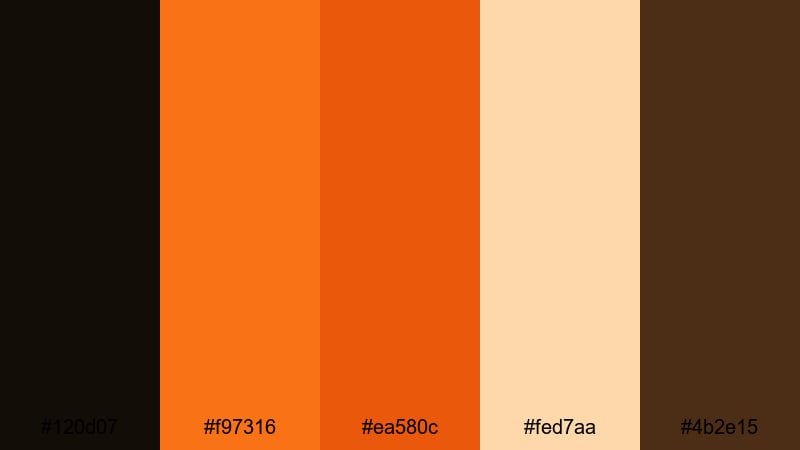
- HEX Codes: #120d07, #f97316, #ea580c, #fed7aa, #4b2e15
- Mood: Warm, rustic, and celebratory like a fall bonfire.
- Use for: Use this palette for autumn vlogs, outdoor event promos, and cozy lifestyle reels.
Harvest Bonfire Party uses deep, earthy browns (#120d07, #4b2e15) as a night backdrop for campfire oranges (#f97316, #ea580c) and a peach highlight (#fed7aa). It feels rustic, friendly, and perfect for seasonal storytelling.
Design intros, titles, and lower-thirds that sit comfortably over campfire footage, pumpkin patches, or cozy interiors. Oranges can highlight event names and dates, while the peach tone handles softer captions and subtle stickers that match the mood of fall gatherings.
Retro Arcade Pumpkin
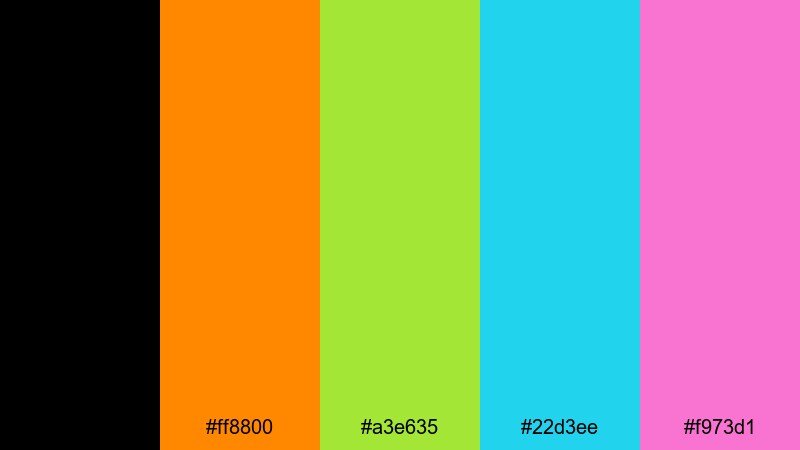
- HEX Codes: #000000, #ff8800, #a3e635, #22d3ee, #f973d1
- Mood: Playful, nostalgic, and bright with an 8-bit party feel.
- Use for: Perfect for retro gaming edits, fun countdowns, and quirky Halloween bumpers.
Retro Arcade Pumpkin starts with pure black (#000000) and a classic arcade orange (#ff8800), then adds lime green (#a3e635), cyan (#22d3ee), and candy magenta (#f973d1). It feels like a Halloween remix of an old-school game cabinet.
Use black as your main canvas and draw pixel-style icons, tile patterns, or 8-bit characters in the neon accent colors. This palette is great for countdown timers, intermission screens, and playful channel bumpers that mix gaming nostalgia with a Black Orange seasonal twist.
Tips for Creating Black Orange Color Palettes
When building your own Black Orange combinations for video and design, it helps to balance contrast, readability, and mood so the palette looks great on every screen and fits your brand.
- Start with one main black and one main orange, then add 2 to 3 supporting neutrals (gray, off-white, cream) so your designs do not feel too aggressive.
- Check text contrast on mobile by previewing thumbnails at very small sizes; if orange text on black is hard to read, add a subtle outline or soft shadow.
- Use orange sparingly for emphasis: CTAs, key stats, and important words. Let black and dark gray handle most of the background and secondary elements.
- Match your palette to footage temperature. For very cool or blue footage, either warm it slightly in Filmora or choose a deeper, red-leaning orange so tones do not clash.
- Create a light and dark version of your Black Orange palette so you can switch between bright intros and darker cinematic scenes without losing brand consistency.
- Keep skin tones natural by adjusting HSL instead of pushing the entire image toward orange; use overlays, shapes, and text to carry the Black Orange theme instead.
- Save color presets and title styles in Filmora using your HEX codes so you can apply the same look across intros, main videos, Shorts, and social teasers.
- Test palettes on different backgrounds (solid, gradient, footage) to make sure your oranges stay vibrant and blacks remain rich without banding or noise.
Black Orange palettes are powerful tools for shaping how your audience feels about your content. From aggressive, neon gaming designs to warm cinematic titles and festive Halloween edits, the right combination of deep blacks and energized oranges can define your channel or brand at a glance.
Use the 15 palettes above as ready-made starting points, or as inspiration when building your own Black Orange schemes in Filmora. Try them on thumbnails, intros, motion graphics, and end screens, then refine with Filmora's color tools until you land on a signature look.
Once your palette is set, keep it consistent across long-form videos, Shorts, and social promos. Over time, viewers will begin to recognize your Black Orange aesthetic even before they read the title.
secure downloadNext: Teal Color Palette
