

 100% Security Verified | No Subscription Required | No Malware


 ChatGPT
 Perplexity
 Gemini
 Claude
 Grok
Grok
Black and yellow is one of the most high-contrast color duos you can use. Black communicates power, mystery, and control, while yellow adds energy, optimism, and urgency. Together, they create a bold visual language that is easy to read and instantly attention grabbing, which is why you see this combo in hazard signs, sports graphics, and streetwear branding.
For video creators, this makes Black Yellow perfect for YouTube thumbnails, intros, gaming edits, channel branding, and UI-style overlays. Below you will find 15 ready-made Black Yellow color palettes with HEX codes, designed for editors, designers, and Filmora users who want consistent, cinematic, or playful looks across their projects.
In this article
Bold & High-Impact Black Yellow Color Palettes
These Black Yellow palettes are built for maximum impact. Use them when you want your thumbnails, titles, or lower thirds to cut through busy feeds and instantly communicate energy, action, or urgency.
Urban Caution Tape
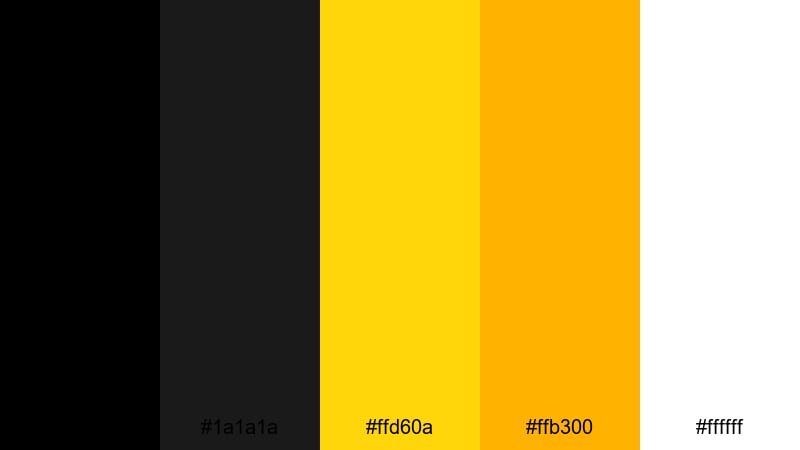
- HEX Codes: #000000, #1a1a1a, #ffd60a, #ffb300, #ffffff
- Mood: Edgy and urgent with a strong industrial vibe.
- Use for: Use for high-impact titles, safety-themed lower thirds, or intense action thumbnails that need instant attention.
This palette feels like a construction site at night: deep blacks and charcoals set a tough, urban base, while the bright warning yellows slice through with a strong sense of caution and momentum. The clean white adds a final layer of clarity, making text and icons stand out even more.
Use Urban Caution Tape for intense action intros, alert overlays, countdowns, or warning-style banners on your channel. It works especially well for gaming montages, fail compilations, and any video where you want viewers to feel urgency before they even hit play.
Pro Tip: Build Bold Black Yellow Visuals in Filmora
When you commit to a high-impact Black Yellow palette, consistency is everything. In Filmora, you can apply the same black background, accent yellow, and white text style across your intro, transitions, and end screen so your whole edit feels like one strong visual system.
Save title presets using your Urban Caution Tape colors, then reuse them for lower thirds, subscribe reminders, and chapter cards. This not only speeds up your workflow but also makes your channel look like a focused brand instead of a mix of random styles.
AI Color Palette
If you have a reference frame or color card using this palette, Filmora's AI Color Palette feature can push that same Black Yellow mood across all your clips. Just choose a shot graded with your ideal blacks, yellows, and whites, then match the rest of your timeline to it.
This is perfect for creators working with mixed footage, such as phone clips, screen recordings, and camera shots. AI Color Palette helps keep your black levels consistent and prevents yellows from shifting between warm and cold tones from scene to scene.
 secure download

HSL, Color Wheels & Curves
To fine-tune your Black Yellow style, use Filmora's HSL, color wheels, and curves controls. For example, you can push yellows slightly toward orange for a warmer, grittier look, or cool them down for a cleaner tech vibe. The curves tool lets you crush blacks for a punchy, graphic feel while protecting highlights so text stays readable. For more guidance, explore practical color correction tips in Filmora and then adapt them to your Black Yellow branding.
Color wheels are especially useful for balancing skin tones against this bold palette. You can keep midtones natural while steering shadows toward a neutral black and gently lifting highlights where your yellow accents sit, creating a cinematic contrast that is strong but not harsh.
secure download1000+ Video Filters & 3D LUTs
Once your base palette is set, you can use Filmora's filters and LUTs to create different Black Yellow moods without rebuilding your colors from scratch. Filmora's video filters and 3D LUTs make it easy to test gritty urban looks, clean tech styles, or stylized comic-book grading on top of your existing design.
Apply a LUT to your entire timeline to lock in a cohesive tone, then fine-tune a few key clips with filters for variation. This lets your caution-inspired Black Yellow branding stay recognizable, while each video still feels fresh and creatively graded.
secure downloadRacing Night Lights
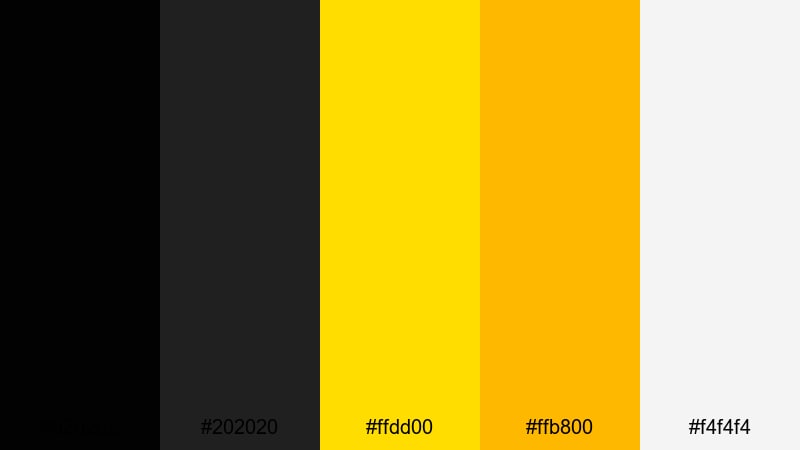
- HEX Codes: #020202, #202020, #ffdd00, #ffb800, #f4f4f4
- Mood: Fast, dynamic, and competitive like a midnight street race.
- Use for: Use for motorsport edits, esports highlight reels, or any fast-paced montage needing a speed-driven edge.
Racing Night Lights mixes deep asphalt blacks with bright racing yellows that feel like headlights and track markings at full speed. The soft off-white is perfect for legible text against darker footage without losing the night-time vibe.
Use this palette for esports highlight reels, racing game edits, sports countdowns, and speedrun thumbnails. Bold yellow accents can frame your subject, highlight scores, or underline key text, giving every frame a high-octane, competitive feel.
Industrial Hazard Glow
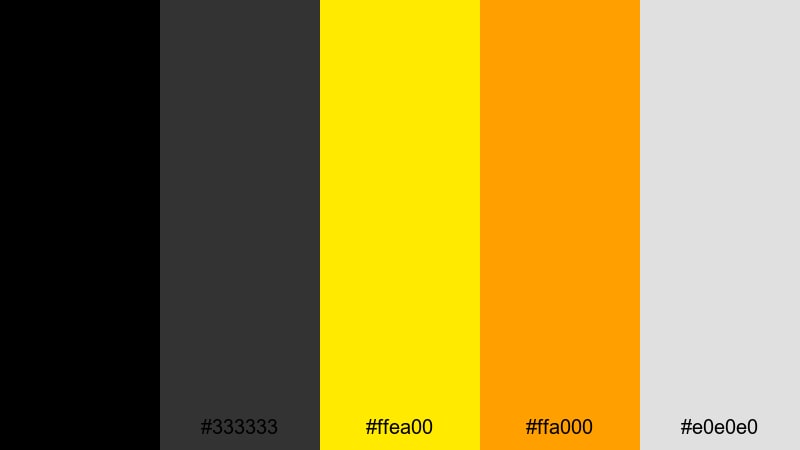
- HEX Codes: #000000, #333333, #ffea00, #ffa000, #e0e0e0
- Mood: Serious and powerful with a hint of industrial grit.
- Use for: Use for tech explainers, machinery demos, or safety training videos that need strong clarity and hierarchy.
This palette leans into rugged charcoals and glowing hazard yellows, creating a serious, industrial look. The neutral gray helps separate UI elements or text boxes so your message stays clear even over complex footage.
It is ideal for technical explainers, gear breakdowns, mechanical tutorials, and safety training content. Use the brighter yellows for icons, progress bars, and important numbers, while the darker tones create solid backgrounds for lower thirds and info panels.
Strike Zone Energy
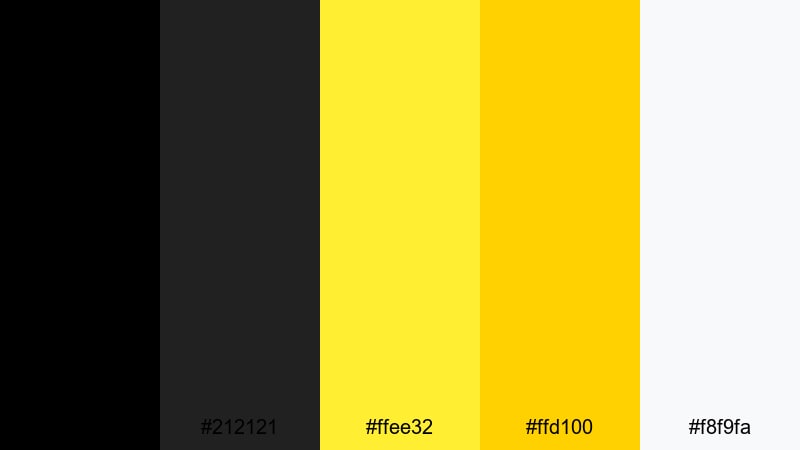
- HEX Codes: #000000, #212121, #ffee32, #ffd100, #f8f9fa
- Mood: Energetic, confident, and decisive with crisp contrast.
- Use for: Use for bold channel branding, logo stings, or punchy social ads that need to stand out in feeds.
Strike Zone Energy combines electric yellows with rich blacks and a cool, clean off-white. It feels like a sports arena graphic or a bold brand launch, giving you sharp contrast and a clear visual hierarchy.
This works well for logo reveals, subscribe animations, bold call-to-action screens, and short-format social ads. Use the off-white as a base for text-heavy slides, then punch in with the neon yellows to direct attention to buttons, prices, and key phrases.
Cinematic & Moody Black Yellow Color Palettes
These palettes keep the Black Yellow contrast but soften it with grays, blues, and golds for a more cinematic, story-driven feel. They suit vlogs, travel diaries, and narrative edits where mood comes first.
Noir Metro Signals
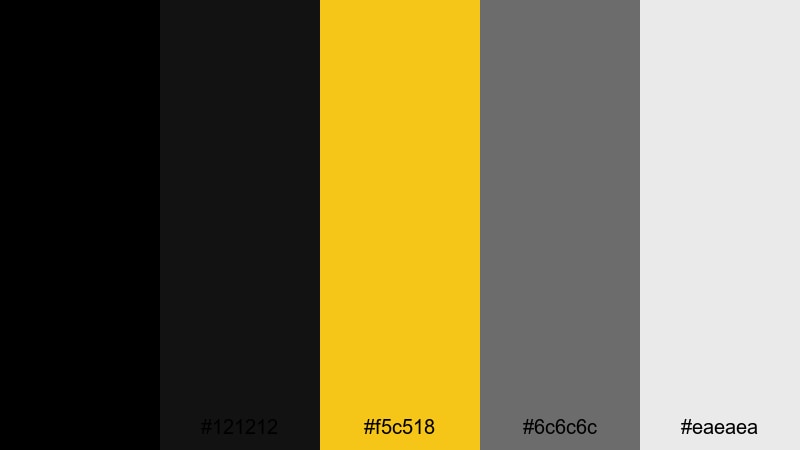
- HEX Codes: #000000, #121212, #f5c518, #6c6c6c, #eaeaea
- Mood: Cinematic and urban, like city lights in a dark subway tunnel.
- Use for: Use for narrative intros, travel vlogs, or commentary videos that need a sophisticated metropolitan feel.
Noir Metro Signals feels like a late-night commute: near-black shadows, soft concrete grays, and a single signal-yellow cutting through. The pale gray-white keeps your text legible while still fitting the muted, cinematic tone.
Use this palette for commentary channels, city vlogs, podcast visuals, and essay-style videos. Title cards, lower thirds, and overlay frames can sit on the darker tones, while the yellow highlights topic labels, timestamps, or key quotes.
Shadowed Gold Alley
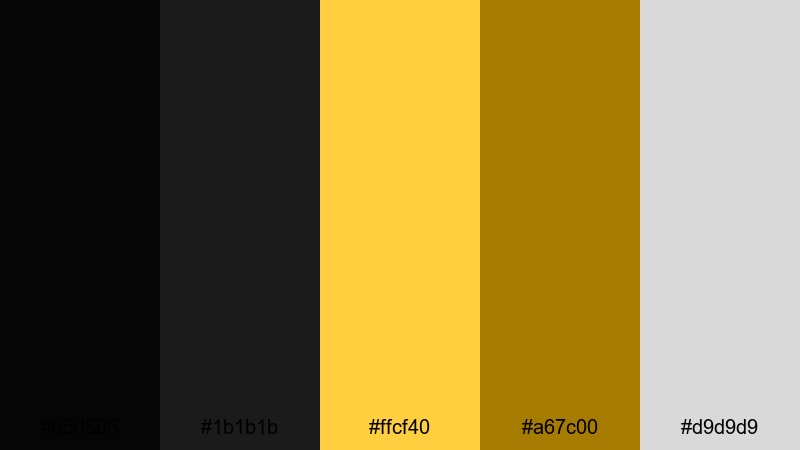
- HEX Codes: #050505, #1b1b1b, #ffcf40, #a67c00, #d9d9d9
- Mood: Mysterious yet luxurious, like a hidden alley lit by warm gold.
- Use for: Use for cinematic trailers, drama edits, or luxury product spots that need depth and intrigue.
Shadowed Gold Alley swaps harsh yellow for deep, warm golds, paired with velvety blacks and soft gray. It feels premium and slightly mysterious, like a luxury brand campaign shot at night.
Use it for cinematic trailers, drama edits, luxury product promos, or upscale brand intros. Gold tones can highlight logos, product shots, or key words, while shadows and charcoal backgrounds keep everything grounded and sophisticated.
Storm Grid Skyline
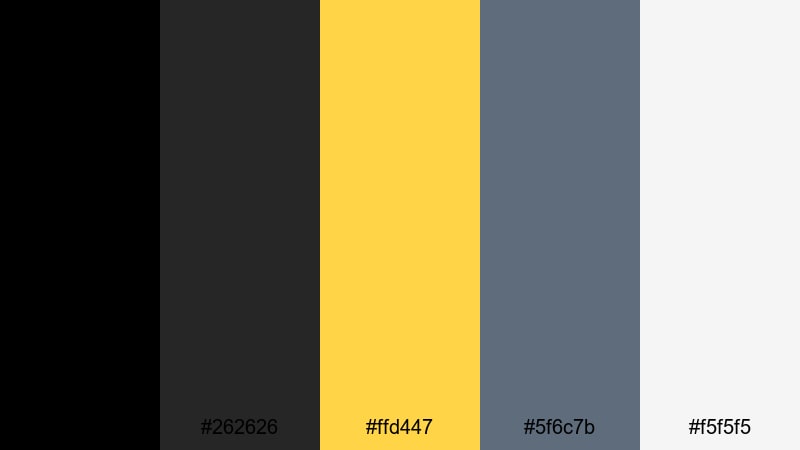
- HEX Codes: #000000, #262626, #ffd447, #5f6c7b, #f5f5f5
- Mood: Tense and futuristic, like a city skyline before a storm.
- Use for: Use for tech reviews, cyberpunk edits, or cityscape time-lapses that need a subtle sci-fi edge.
Storm Grid Skyline adds steel blues and cool grays to classic Black Yellow, creating a tense, near-futuristic mood. The yellow feels like a controlled burst of light against an overcast, digital city.
It is a strong choice for tech reviews, gadget showcases, cyberpunk edits, and city time-lapses. Use the blue-gray tones in backgrounds and HUD-style frames, while the yellow emphasizes important metrics, specs, or chapter titles.
Midnight Taxi Cruise
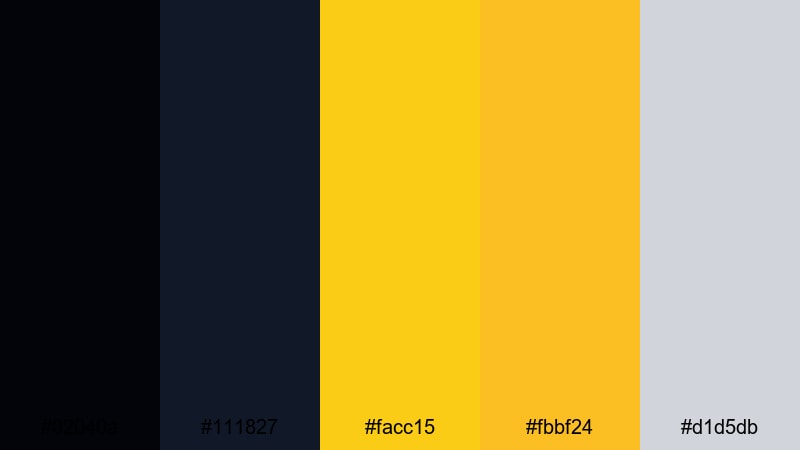
- HEX Codes: #02040a, #111827, #facc15, #fbbf24, #d1d5db
- Mood: Calm yet alive, like cruising through a city in a yellow cab at night.
- Use for: Use for travel vlogs, city diaries, or lifestyle edits with a relaxed nighttime aesthetic.
Midnight Taxi Cruise mixes deep midnight blues and soft blacks with warm taxi yellows. It feels calm but still full of life, like streetlights sliding past a car window.
Use this palette for lifestyle vlogs, travel diaries, and night city edits. Let the darker blues wash over your backgrounds and overlays, while the yellows draw focus to titles, map pins, and key story beats, and the light gray keeps captions easy to read on mobile.
Modern Minimal Black Yellow Color Palettes
These palettes are clean, minimal, and highly readable. They work best for explainers, tutorials, channels that lean into flat design, or any modern brand that wants a simple but memorable Black Yellow identity.
Monoline Icon Set
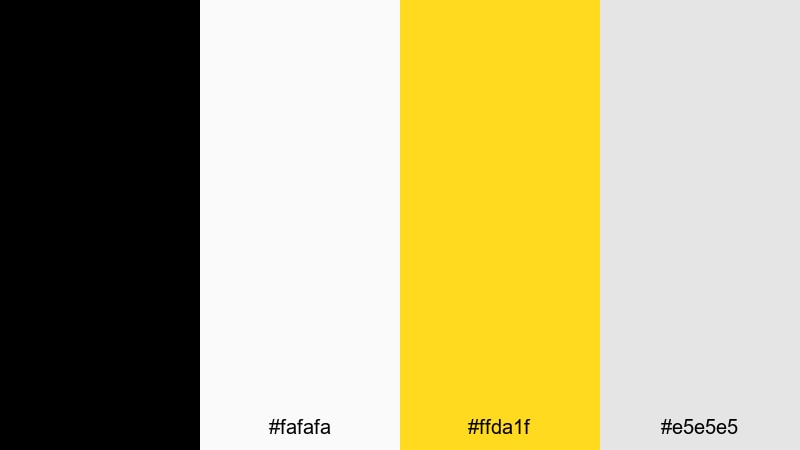
- HEX Codes: #000000, #fafafa, #ffda1f, #e5e5e5
- Mood: Clean, minimal, and approachable with playful accents.
- Use for: Use for flat icons, explainer animations, and simple UI overlays that need clarity and charm.
Monoline Icon Set is built on crisp black linework, soft off-whites, and a cheerful accent yellow. It feels light and friendly while staying clear and easy to read across phones, tablets, and desktops.
This palette is perfect for flat icons, animated explainers, tutorial overlays, and infographics. Use the bright yellow to highlight key steps, buttons, and progress indicators, while the light neutrals provide clean canvases for text and diagrams.
Clean Hazard UI
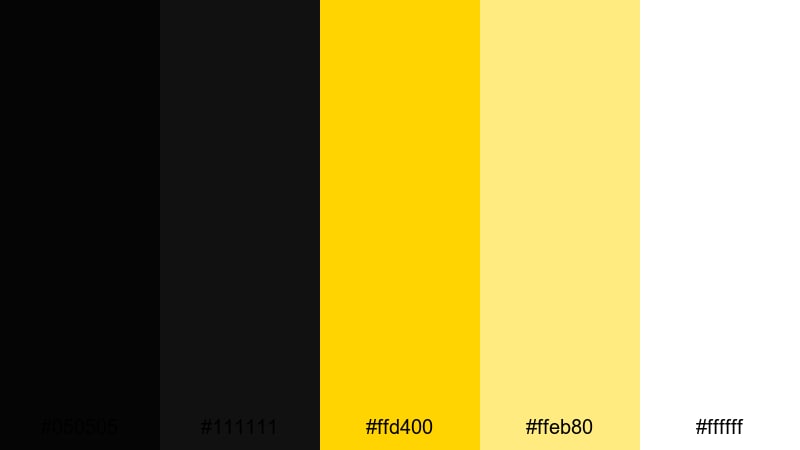
- HEX Codes: #050505, #111111, #ffd400, #ffeb80, #ffffff
- Mood: Modern and functional with a clear focus on warnings and status states.
- Use for: Use for dashboard-style overlays, HUD elements, and tutorial callouts needing structured clarity.
Clean Hazard UI translates the language of warning signs into a sleek interface style. Deep blacks and pure white create strong structure, while two levels of yellow give you a clear hierarchy for alerts and softer highlights.
Use it to design dashboard overlays, HUD-style graphics, status badges, and step-by-step tutorial callouts. Bright yellow can mark urgent messages or active states, and the lighter yellow can support tooltips, highlights, or secondary notes without overwhelming the screen.
Minimal Bee Brand
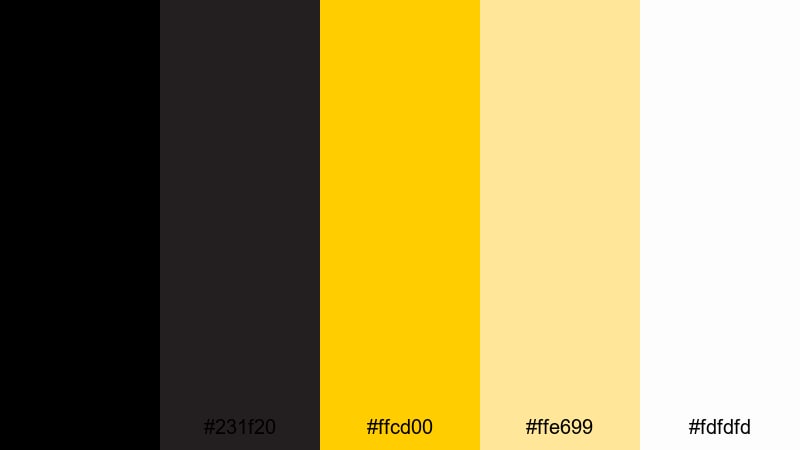
- HEX Codes: #000000, #231f20, #ffcd00, #ffe699, #fdfdfd
- Mood: Friendly, professional, and brandable with a nature-inspired twist.
- Use for: Use for logos, channel branding, and packaging-style graphics with a memorable bee-inspired theme.
Minimal Bee Brand brings together ink-black, soft off-whites, and honey yellows for a clean, instantly recognizable identity. It feels friendly and natural but still professional enough for a serious brand or channel.
Use this palette for logos, banners, watermark overlays, and profile avatars. The muted yellow and cream tones work beautifully for backgrounds and frames, while the strong blacks define typography, icons, and line art so your branding remains sharp at any size.
Studio Gaffer Tape
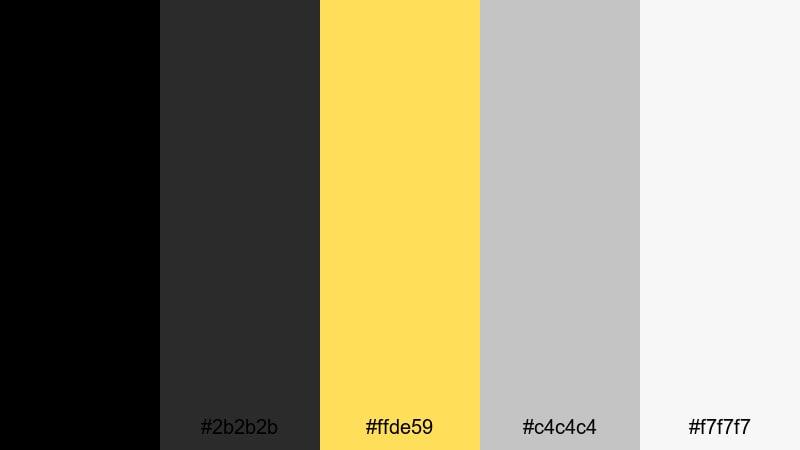
- HEX Codes: #000000, #2b2b2b, #ffde59, #c4c4c4, #f7f7f7
- Mood: Practical, studio-ready, and understated with subtle warmth.
- Use for: Use for behind-the-scenes reels, gear reviews, and minimalist title cards with a production vibe.
Studio Gaffer Tape combines neutral grays and off-whites with a warm tape yellow, echoing the look of a working film set. It is understated and practical, giving your content a professional but relaxed production feel.
Use this palette for BTS reels, gear review graphics, scene labels, and simple title cards. The yellow can mark gear names, scene numbers, or quick notes, while the grays and whites keep layouts clean and easy to follow.
Playful Neon Black Yellow Color Palettes
These Black Yellow palettes lean into neon, gaming, and street-art energy. They are loud, playful, and perfect when you want your content to feel electric and youthful.
Arcade Warning Glow
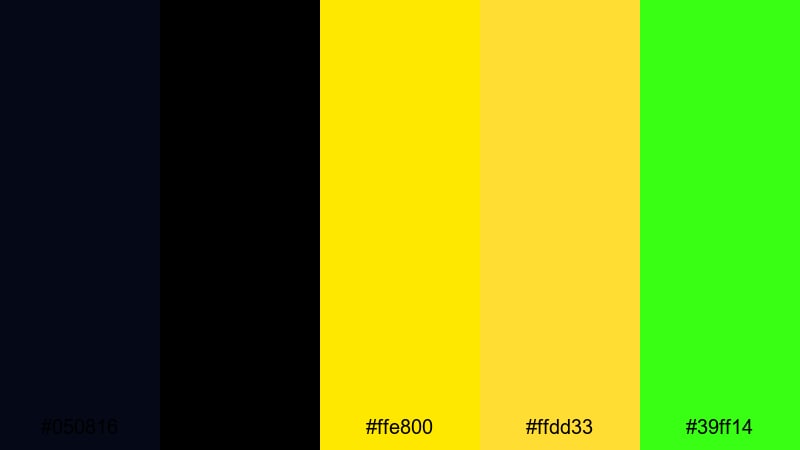
- HEX Codes: #050816, #000000, #ffe800, #ffdd33, #39ff14
- Mood: Electric, retro, and game-like with a loud arcade spirit.
- Use for: Use for gaming intros, retro edits, and glitchy transitions that need neon energy.
Arcade Warning Glow feels like the inside of a retro cabinet: inky blacks, glowing yellows, and a sharp neon green accent. It is bold, noisy, and perfect for viewers who love arcade, synthwave, or old-school console aesthetics.
Use it for gaming intros, stream overlays, retro edits, and glitch transitions. Let the neon green highlight score counters or chat boxes, while the yellows energize buttons, callouts, and animated text effects over your gameplay.
Cyber Punk Bumble
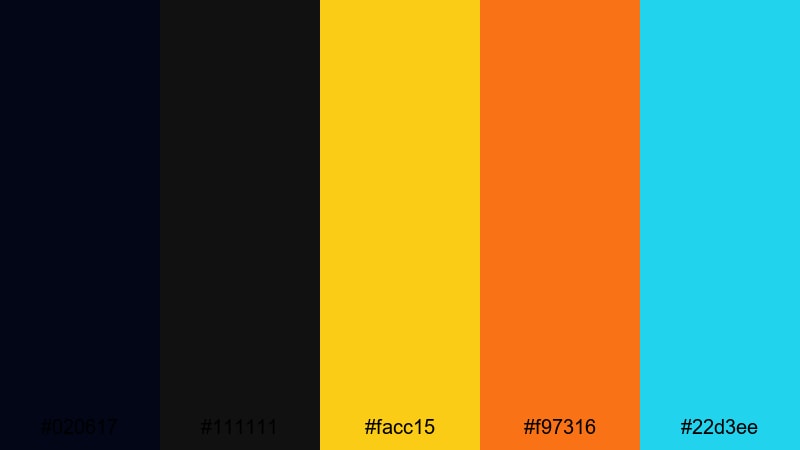
- HEX Codes: #020617, #111111, #facc15, #f97316, #22d3ee
- Mood: Futuristic and playful, mixing sci-fi neon with warm bee tones.
- Use for: Use for cyberpunk edits, tech promos, or stylized social content with a bold, modern twist.
Cyber Punk Bumble keeps a Black Yellow core but adds vibrant teal and orange, creating a buzzing, futuristic sting. The dark background tones keep it grounded, while the accents pop like holographic signs in a neon alley.
Use this palette for cyberpunk edits, tech promos, sci-fi intros, and bold social graphics. Alternate between yellow, orange, and teal for different layers of text, icons, and UI panels so every element stands out while still feeling part of one stylized world.
Highlighter Graffiti
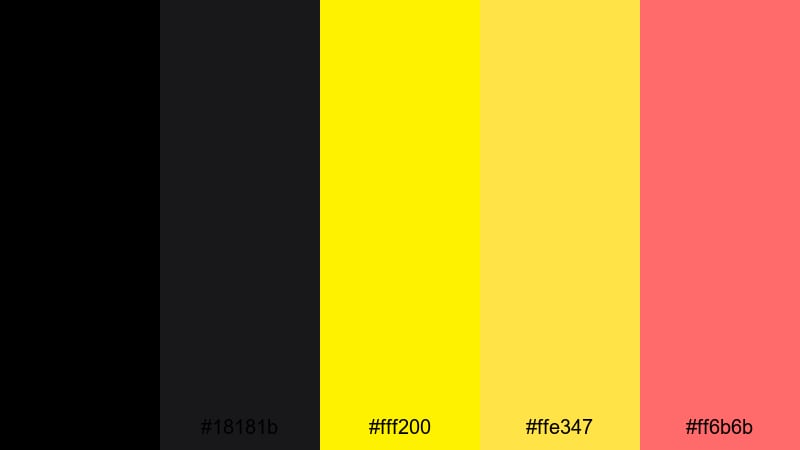
- HEX Codes: #000000, #18181b, #fff200, #ffe347, #ff6b6b
- Mood: Streetwise and creative, like marker tags on a dark wall.
- Use for: Use for vlog titles, music visuals, and street-style edits that need bold, youthful flair.
Highlighter Graffiti combines deep blacks with two levels of highlighter yellow and a punchy coral red. It looks like neon marker strokes over a night-time wall, giving your visuals a street-art, DIY attitude.
Use this palette for music videos, vlogs with a skate or streetwear vibe, sticker-style motion graphics, and kinetic typography. Let the yellows mark headings and underlines, while coral accents drop in for key words, emojis, or animated doodles that keep the screen feeling alive.
Tips for Creating Black Yellow Color Palettes
When you build your own Black Yellow color schemes for video and design, a few simple rules help you keep things bold, readable, and on-brand across every frame.
- Decide on your base: Choose whether black or yellow will dominate. More black feels cinematic and serious, more yellow feels energetic and friendly.
- Add at least one neutral: Soft grays or off-whites help balance contrast and give you safe spaces for text and UI elements.
- Control brightness for readability: Use the brightest yellow for small accents or important buttons, not for large text blocks that can tire the eyes.
- Limit accent colors: If you add a third or fourth color (teal, blue, coral), use them sparingly so Black Yellow remains the hero of your palette.
- Test on mobile first: Check thumbnails, lower thirds, and subtitles on a phone screen to be sure text stays readable against your blacks and yellows.
- Match your footage: Adjust yellows in grading so they do not clash with clothing, skin tones, or real-world lights already in your clips.
- Keep branding consistent: Save preset colors in Filmora for titles, shapes, and overlays so every video on your channel shares the same Black Yellow identity.
- Use contrast to guide the eye: Reserve the strongest black and most vivid yellow for your logo, CTAs, and key text so viewers know where to look first.
Black Yellow palettes can make your channel feel powerful, confident, and unmistakable. Whether you prefer industrial hazard vibes, moody nighttime stories, minimalist UI, or neon arcade energy, the right combination of blacks, yellows, and neutrals can shape how viewers experience your content.
Use these 15 palettes as ready-to-go options or as starting points for your own variations. In Filmora, you can save your favorite Black Yellow setups, apply them with AI Color Palette, and fine-tune them with HSL, color wheels, curves, filters, and LUTs until they perfectly match your brand.
Experiment with different palettes on thumbnails, intros, lower thirds, and end screens, then watch which styles attract more clicks and longer watch time. Once you land on a signature Black Yellow look, Filmora makes it easy to apply it consistently across every new project.
secure download