

 100% Security Verified | No Subscription Required | No Malware


 ChatGPT
 Perplexity
 Gemini
 Claude
 Grok
Grok
Orange and green are one of those rare color pairs that feel both energetic and grounded at the same time. Orange brings warmth, creativity, and confidence, while green adds balance, nature, and renewal. Together, Orange Green color combinations can signal freshness, growth, and bold personality, making them perfect for modern brands and creators who want to stand out without feeling too harsh or artificial.
In video editing, thumbnails, intros, and social media graphics, a well-planned Orange Green color palette helps you create a recognizable visual identity. Whether you are designing YouTube channel art, Instagram reels covers, or lower thirds in Filmora, the right HEX codes keep everything on-brand and consistent. Below are 15 Orange Green color palettes with HEX codes, tailored for creators and Filmora users who want fresh, modern visuals that look great on any screen.
In this article
Fresh & Natural Orange Green Palettes
Citrus Garden Burst
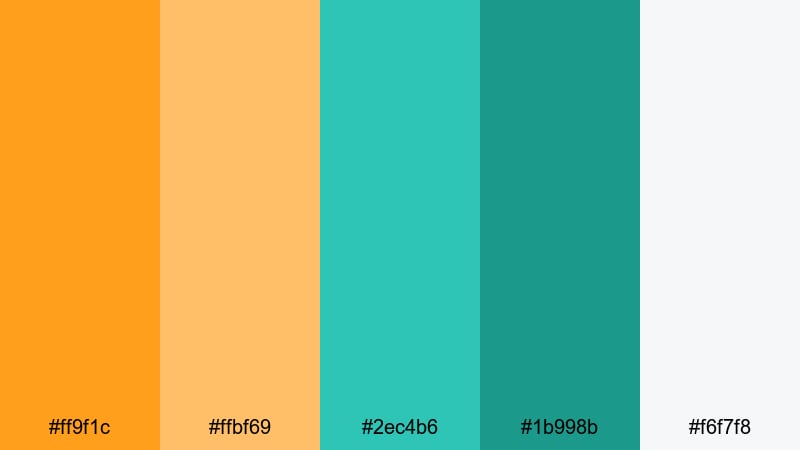
- HEX Codes: #ff9f1c, #ffbf69, #2ec4b6, #1b998b, #f6f7f8
- Mood: Bright, optimistic, and refreshingly natural.
- Use for: Perfect for energetic lifestyle vlogs, travel intros, and food content that needs a fresh, sunny vibe.
Citrus Garden Burst feels like opening a window on a clear morning. The juicy oranges sit next to leafy aqua greens, while the soft neutral keeps the frame from feeling too loud. It is vibrant and friendly, ideal for channels that want to look positive, welcoming, and full of movement.
Use this Orange Green color palette on YouTube thumbnails, animated subscribe buttons, and intro titles to instantly communicate freshness. In Filmora, you can apply the bright oranges to call-to-action text and buttons, while the greens handle overlays, frames, or lower thirds so your branding stays consistent across vlogs, reels, and community posts.
Pro Tip: Enhance Your Orange Green Visuals With Filmora
When you build a look around Citrus Garden Burst, consistency is everything. In Filmora, you can save this palette as your go-to combination for titles, lower thirds, and end screens so every upload feels like part of the same brand. Use the orange shades for key focal points like subscribe buttons or timestamps, and keep the greens for backgrounds, shapes, and transitions.
Because Filmora lets you reuse title templates and presets, you can quickly apply your Orange Green design to intros, B-roll captions, and short-form edits without rebuilding graphics from scratch. This keeps your channel identity sharp while saving time with every new video.
AI Color Palette
If you already mocked up this Orange Green palette in a thumbnail or brand board, you can turn that still image into a reference for your entire edit. Filmora's AI Color Palette feature analyzes your reference frame and applies its color mood to other clips, so your oranges and greens stay cohesive from intro to outro.
Just choose a well-balanced shot that shows off your Citrus Garden Burst tones, then let AI Color Palette match the rest of your footage. This is especially useful for travel or lifestyle vlogs where lighting changes a lot, but you still want the same warm oranges and fresh greens throughout the whole video.
 secure download

HSL, Color Wheels & Curves
To fine-tune your Orange Green look, use Filmora's HSL, color wheels, and curves controls. You can deepen the greens for a more cinematic garden feel, or push the oranges slightly toward gold to make skin tones look healthier while still matching your palette. If you need a step-by-step walkthrough, Filmora's color correction and grading guide shows how to balance saturation and contrast without losing your brand colors.
Use curves to keep highlights bright and airy, and shift midtones toward your warm oranges for cozy indoor scenes. Then tweak the shadow tint with the color wheels to introduce just a hint of green or teal, tying your footage, overlays, and graphic elements into one unified Orange Green aesthetic.
secure download1000+ Video Filters & 3D LUTs
Once your Orange Green base is set, Filmora's filters and LUTs can push it toward specific moods in seconds. Filmora's video filters and 3D LUTs make it easy to add subtle warmth for lifestyle content, or cooler contrast for tech and travel edits, while still keeping your core oranges and greens intact.
Try pairing Citrus Garden Burst with a clean, minimal LUT for tutorials, or a slightly faded filter for nostalgic travel diaries. Because you can save custom presets, it only takes a couple of clicks to give every clip in a series the same polished Orange Green finish.
secure downloadTropical Orchard Light
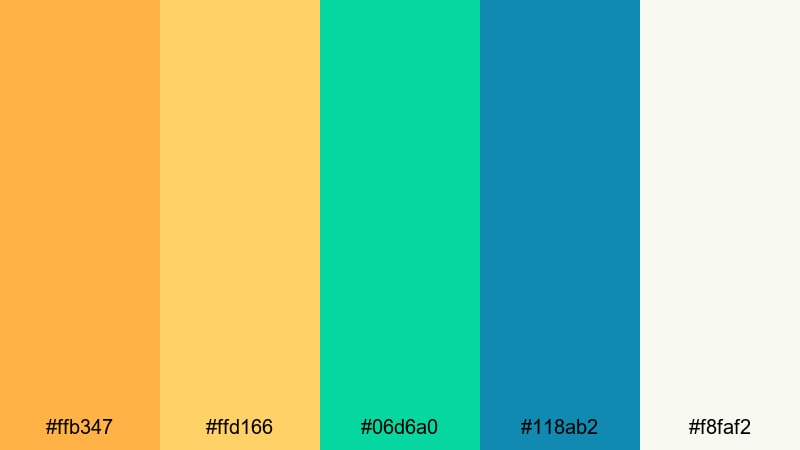
- HEX Codes: #ffb347, #ffd166, #06d6a0, #118ab2, #f8faf2
- Mood: Playful, tropical, and lighthearted.
- Use for: Great for travel reels, summer product promos, and fun channel branding overlays.
Tropical Orchard Light feels like a sunny afternoon by the beach. The warm oranges and yellows echo ripe fruit and sunlight, while the aqua greens add a breezy, ocean-inspired twist. The near-white background keeps everything airy and easy on the eyes.
Use this palette for tropical travel thumbnails, summer haul videos, or bright product promos. In Filmora, apply the oranges to text and icons on your thumbnails, and use the aqua tones for lower thirds, transitions, and callout shapes so your Orange Green theme feels playful yet clean across your whole channel.
Mango Leaf Picnic
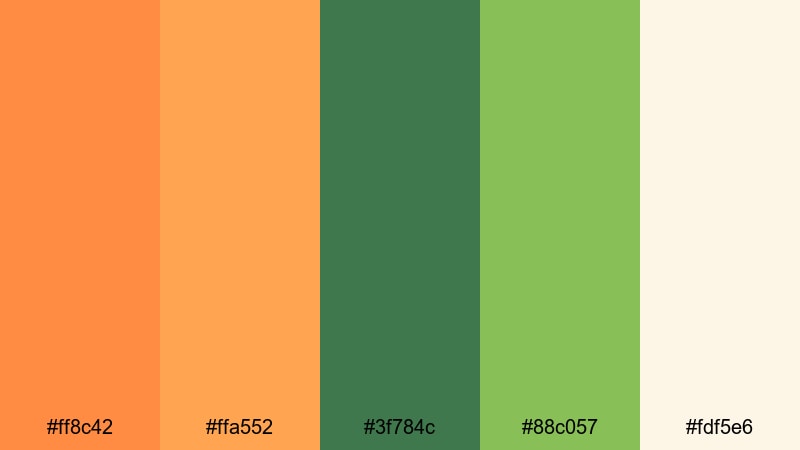
- HEX Codes: #ff8c42, #ffa552, #3f784c, #88c057, #fdf5e6
- Mood: Cozy, outdoorsy, and wholesome.
- Use for: Use for picnic scenes, cooking videos, and rustic lifestyle intros that need warmth and greenery.
Mango Leaf Picnic blends buttery mango oranges with grounded greens, set against a warm cream base. It feels like a relaxed day outside, perfect for food, family, and slow-living content that should feel inviting rather than intense.
Apply this Orange Green color palette to recipe cards, cooking overlays, and intro animations in Filmora. Use the cream tone as a background for text-heavy scenes, while the deeper greens anchor titles and frames so everything reads clearly on mobile and desktop.
Sunlit Herb Market
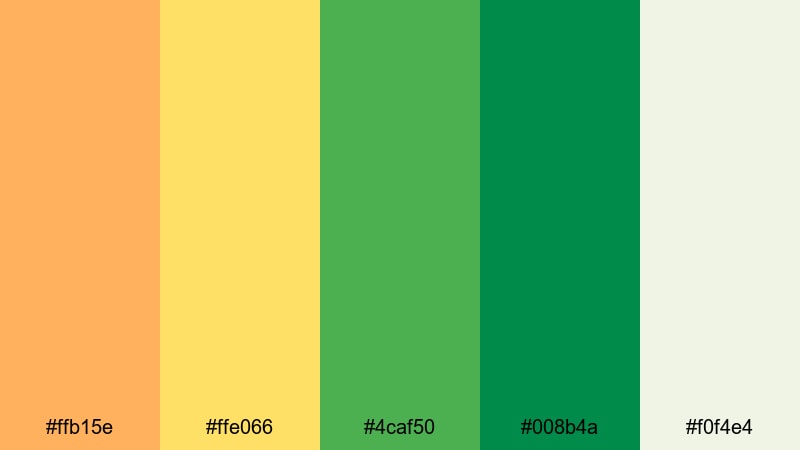
- HEX Codes: #ffb15e, #ffe066, #4caf50, #008b4a, #f0f4e4
- Mood: Organic, sunlit, and energizing.
- Use for: Ideal for eco brands, farmer market montages, and wellness intros with a natural, bright edge.
Sunlit Herb Market captures the feeling of fresh produce under golden light. The oranges glow like afternoon sun, while the herbal greens feel crisp and organic. The pale background softens the contrast so the palette still looks friendly and modern.
Use this palette in brand kits for eco-products, zero-waste tips, or wellness channels. In Filmora, color-code your titles and icons using the greens for trust and the oranges for important actions, like links, discounts, or video chapters.
Bold & Energetic Orange Green Palettes
Neon Citrus Pop
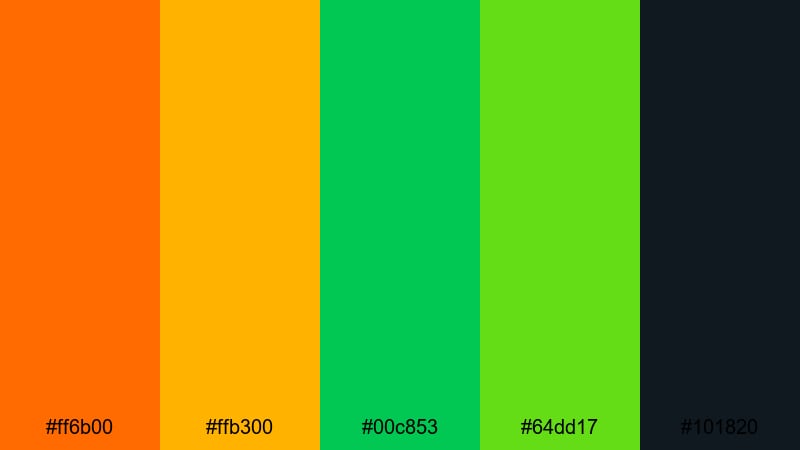
- HEX Codes: #ff6b00, #ffb300, #00c853, #64dd17, #101820
- Mood: High energy, edgy, and attention grabbing.
- Use for: Best for gaming intros, hype trailers, and bold YouTube thumbnails that must stand out in crowded feeds.
Neon Citrus Pop is pure impact. Electric oranges and neon greens jump off the deep charcoal background, creating a strong sense of depth and drama. It immediately draws the eye, even at small thumbnail sizes.
Use this Orange Green palette for gaming highlights, sports edits, and music promos where you need maximum contrast. In Filmora, place bright neon strokes around text, use the dark navy for backgrounds, and add glowing elements or motion graphics to push the cyber, high-energy feeling even further.
Stadium Match Day
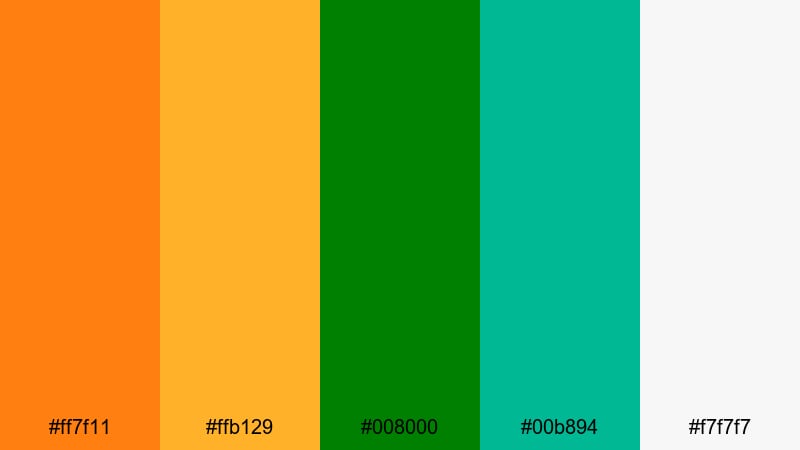
- HEX Codes: #ff7f11, #ffb129, #008000, #00b894, #f7f7f7
- Mood: Sporty, competitive, and triumphant.
- Use for: Great for sports highlight reels, fitness intros, and event promos with a winning, team focused vibe.
Stadium Match Day feels like floodlights, cheering crowds, and final scores. The fiery oranges echo team passion and energy, while the strong greens reference fields, jerseys, and competition. A clean light neutral keeps text crisp for overlays and scoreboards.
This Orange Green combination works perfectly for sports channels, gym promos, and tournament recaps. In Filmora, use the neutral white as a base layer and let the oranges and greens drive motion graphics, score ticks, and animated banners around your footage.
Arcade Lime Ember
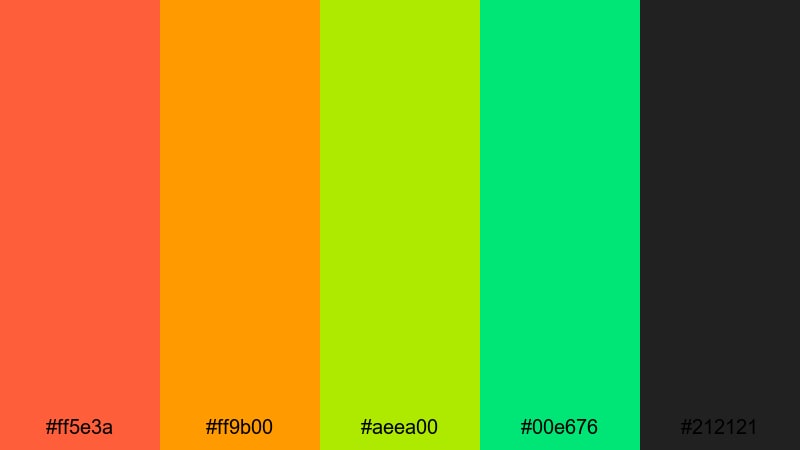
- HEX Codes: #ff5e3a, #ff9b00, #aeea00, #00e676, #212121
- Mood: Retro futuristic, playful, and intense.
- Use for: Perfect for tech reviews, gaming montage edits, and retro styled motion graphics.
Arcade Lime Ember mixes hot ember oranges with sharp lime greens over a dark, almost neon-ready base. It feels like an arcade screen or an RGB keyboard, making it ideal for tech culture and gaming content.
Use this Orange Green palette for glitch transitions, animated HUD elements, and countdowns. In Filmora, pair it with dynamic transitions and speed ramps so your thumbnails and intros feel as energetic as the gameplay or tech reviews you are showcasing.
Urban Graffiti Citrus
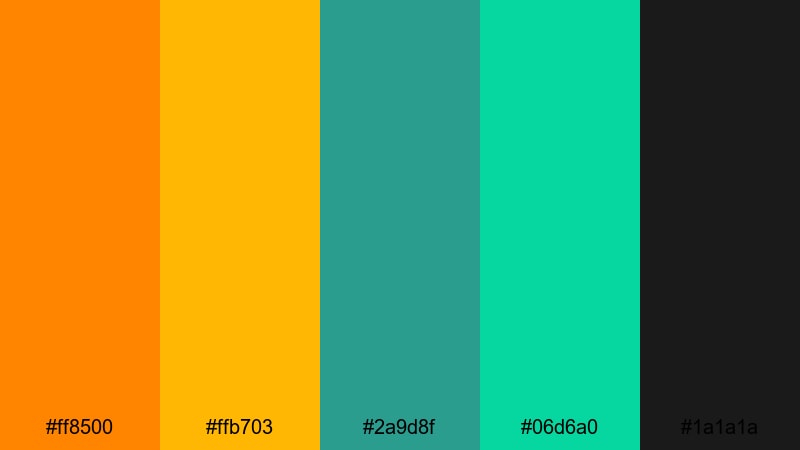
- HEX Codes: #ff8500, #ffb703, #2a9d8f, #06d6a0, #1a1a1a
- Mood: Streetwise, creative, and rebellious.
- Use for: Use for street fashion lookbooks, urban travel edits, and dynamic title screens.
Urban Graffiti Citrus channels spray paint murals and city lights. The oranges are bold and punchy, while the teal greens add a cooler, artsy counterpoint. The dark base gives your Orange Green elements room to glow without overwhelming the viewer.
Use this palette for streetwear lookbooks, city travel edits, or dance videos. In Filmora, layer graffiti-style titles, animated doodles, or brush stroke overlays in these colors to create a gritty yet colorful urban aesthetic.
Soft & Pastel Orange Green Palettes
Apricot Mint Mornings
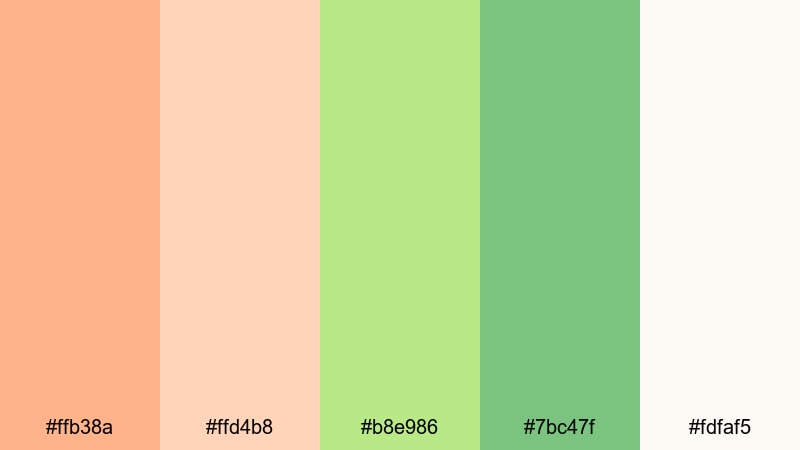
- HEX Codes: #ffb38a, #ffd4b8, #b8e986, #7bc47f, #fdfaf5
- Mood: Gentle, uplifting, and calming.
- Use for: Ideal for morning routine vlogs, self care content, and soft spoken educational videos.
Apricot Mint Mornings softens Orange Green into delicate pastels. The apricot tones feel cozy and reassuring, while the mint greens bring a sense of clarity and calm. The creamy white background keeps everything lighthearted and breathable.
Use this palette for wellness intros, guided journaling videos, or ASMR thumbnails. In Filmora, keep your typography simple and airy, letting the soft oranges highlight headings and the mint greens support backgrounds and subtle accent shapes.
Peachy Sage Breeze
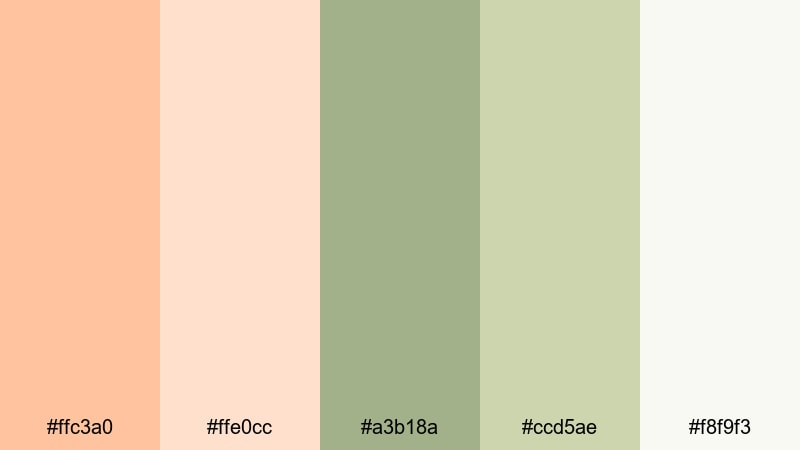
- HEX Codes: #ffc3a0, #ffe0cc, #a3b18a, #ccd5ae, #f8f9f3
- Mood: Airy, elegant, and comforting.
- Use for: Great for minimalist lifestyle channels, home decor tours, and calming brand intros.
Peachy Sage Breeze wraps soft peach with muted sage tones, creating a polished yet cozy feel. It is perfect when you want Orange Green energy but with a more mature, interior-design look.
Use it for home styling videos, slow living vlogs, and aesthetic reels. In Filmora, pair this palette with clean typography and minimal transitions so the soft colors and your footage are the main focus.
Melon Foam Dreams
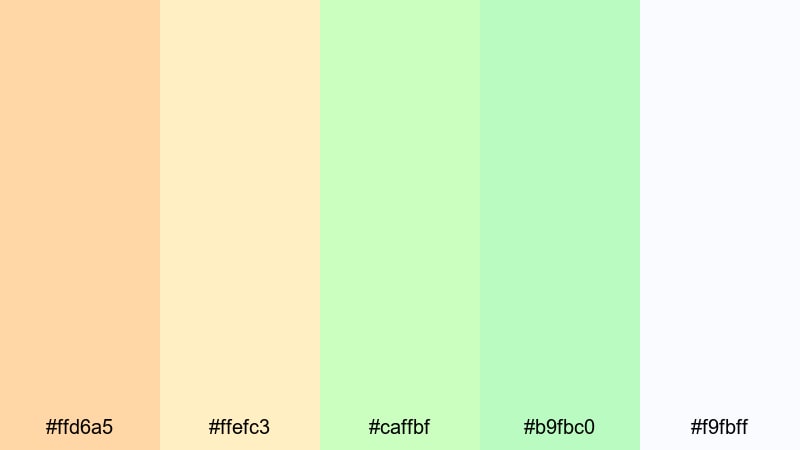
- HEX Codes: #ffd6a5, #ffefc3, #caffbf, #b9fbc0, #f9fbff
- Mood: Dreamy, sweet, and whimsical.
- Use for: Perfect for kid friendly content, lighthearted animations, and playful product explainers.
Melon Foam Dreams turns Orange Green into a sugar-soft dreamscape. Creamy melon shades blend with airy greens and almost white pastels, feeling weightless and gentle on screen.
This palette suits kids content, playful animation, or cute product explainers. In Filmora, use lots of white space, round shapes, and simple icons in these HEX codes to build charming, approachable visuals that look great on tablets and phones.
Spring Sherbet Glow
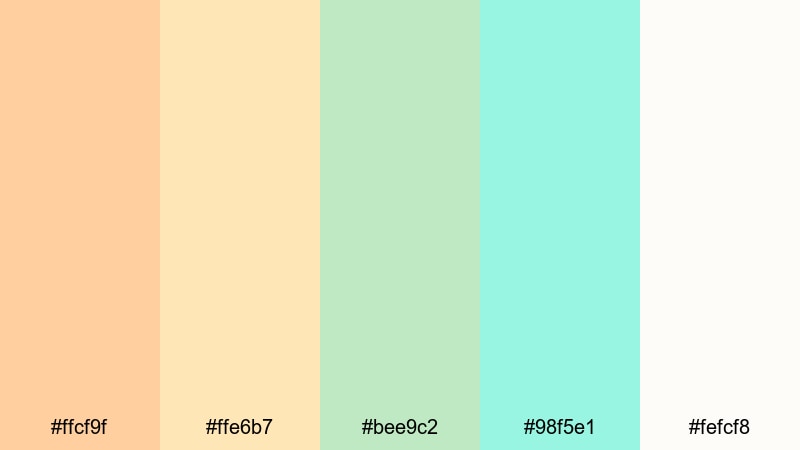
- HEX Codes: #ffcf9f, #ffe6b7, #bee9c2, #98f5e1, #fefcf8
- Mood: Fresh, optimistic, and youthful.
- Use for: Use for spring launch teasers, unboxing videos, and cheerful social campaigns.
Spring Sherbet Glow feels like the first warm days of the year. Soft sherbet oranges and minty greens create a lively yet gentle mood, while the pale background keeps everything bright without glare.
Use this Orange Green palette for seasonal campaigns, pastel-themed unboxings, or new collection launches. In Filmora, animate bouncing titles or simple line icons in these tones to give your audience a light, happy first impression.
Modern & Minimal Orange Green Palettes
Brandable Citrus Slate
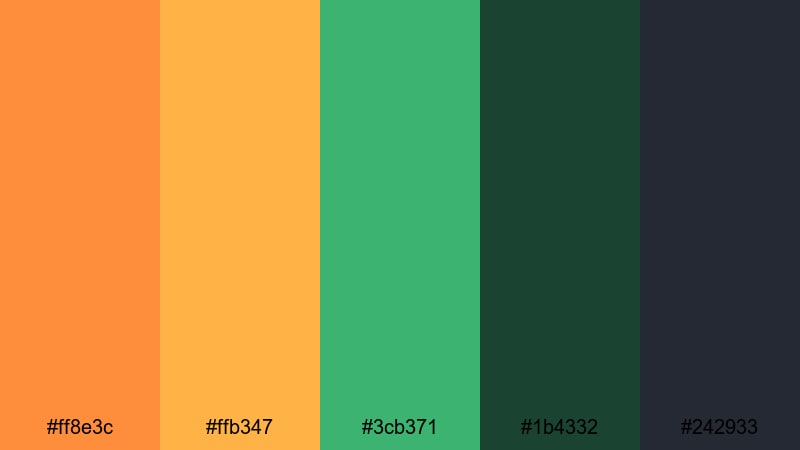
- HEX Codes: #ff8e3c, #ffb347, #3cb371, #1b4332, #242933
- Mood: Professional, bold, and contemporary.
- Use for: Ideal for brand intros, logo reveals, and channel art where you need strong identity and clean contrast.
Brandable Citrus Slate balances bright citrus oranges with modern greens on a dark slate base. It feels intentional and brand-ready, making it ideal for creators who want their Orange Green style to look like a full identity, not just random color choices.
Use this palette on logo stings, lower thirds, and website-style graphics inside your videos. In Filmora, combine it with clean lines, grids, and minimal transitions for a strong, professional presence across your thumbnails and channel pages.
Copper Olive Studio
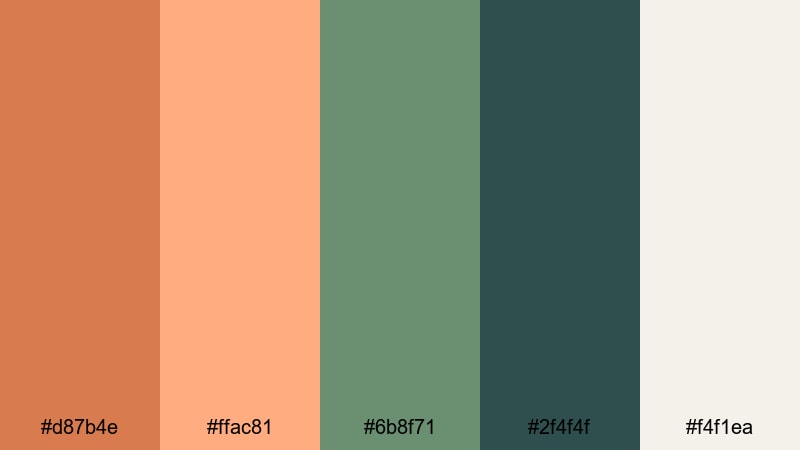
- HEX Codes: #d87b4e, #ffac81, #6b8f71, #2f4f4f, #f4f1ea
- Mood: Warm, sophisticated, and creative.
- Use for: Great for studio portfolios, design case studies, and cinematic B rolls with an artisanal touch.
Copper Olive Studio brings a mature, design-forward take on Orange Green. Coppery oranges and olive tones feel handcrafted and artistic, while the warm neutral background adds a gallery-like polish.
Use this palette for showreels, case study videos, and portfolio walkthroughs. In Filmora, pair it with subtle camera-move transitions and minimal type to give your brand or studio a tasteful, curated personality.
Verdant Ember Minimal
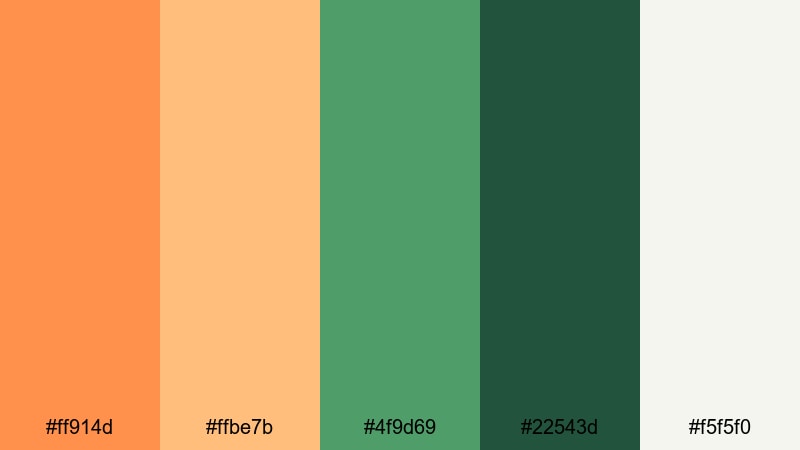
- HEX Codes: #ff914d, #ffbe7b, #4f9d69, #22543d, #f5f5f0
- Mood: Confident, balanced, and clean.
- Use for: Use for tech explainers, modern business promos, and minimalist UI overlays in video.
Verdant Ember Minimal mixes controlled ember oranges with grounded greens on a soft neutral base. It feels fresh and digital-friendly, striking a balance between personality and clarity.
This Orange Green palette works well for SaaS explainers, startup intros, and simple UI-style graphics. In Filmora, design sleek callouts, progress bars, and on-screen dashboards with these HEX codes for a crisp, contemporary look that still feels human and warm.
Tips for Creating Orange Green Color Palettes
Whether you copy one of these palettes or design your own, a strong Orange Green color palette should support your story, boost readability, and stay consistent from thumbnails to final credits. Here are some practical tips to keep your visuals sharp.
- Decide the hero color: choose orange or green as your main accent, then let the other act as support so your frames do not feel chaotic.
- Use neutrals wisely: add off-white, dark gray, or soft beige so text and UI elements have space to breathe around the Orange Green accents.
- Check contrast on thumbnails: test your palette at small sizes to make sure titles in orange or green stay readable against backgrounds.
- Assign roles to each color: for example, orange for calls to action and key highlights, green for backgrounds and trust-building elements.
- Match your footage: slightly adjust saturation and brightness in Filmora so your overlays and titles feel like they belong inside the shot, not pasted on top.
- Keep brand consistency: reuse the same HEX codes for logos, lower thirds, end screens, and social cover images to strengthen recognition.
- Adapt for dark and light modes: prepare both light backgrounds with dark text and dark backgrounds with glowing accents using the same Orange Green base.
- Test on multiple devices: preview your edits on phones, tablets, and desktops so your Orange Green balance stays appealing everywhere.
Orange Green color palettes can make your channel feel fresh, confident, and memorable. From soft pastels to bold neons, they help set the tone of your videos, guide viewer attention, and support a clear brand identity that stands out in busy feeds.
Mix and match the palettes above, or use them as a starting point to design your own variation. Then bring everything into Filmora to refine the look with AI Color Palette, HSL tools, filters, and LUTs so your edits stay consistent from clip to clip.
The more you reuse a focused Orange Green palette across intros, thumbnails, reels, and shorts, the faster your audience will recognize your content at a glance. Open Filmora, drop in your favorite HEX codes, and start building a visual style that is uniquely yours.
secure downloadNext: Navy Blue Color Palette
