

 100% Security Verified | No Subscription Required | No Malware


 ChatGPT
 Perplexity
 Gemini
 Claude
 Grok
Grok
Blue, green, and orange together create a highly expressive palette: blue adds trust and clarity, green feels fresh and balanced, and orange injects energy and warmth. When you mix them, you get color schemes that can swing from calm coastal to bold cinematic, depending on how much contrast and saturation you use.
For video edits, branding, YouTube thumbnails, intros, and social posts, a well-planned blue green orange color palette makes your visuals look intentional instead of random. Below you will find 15 ready-made blue green orange color combinations with HEX codes, plus practical ideas for how creators and Filmora users can apply each palette to vlogs, cinematic edits, and channel branding.
In this article
Fresh & Energetic Blue Green Orange Palettes
Tropical Surf Splash
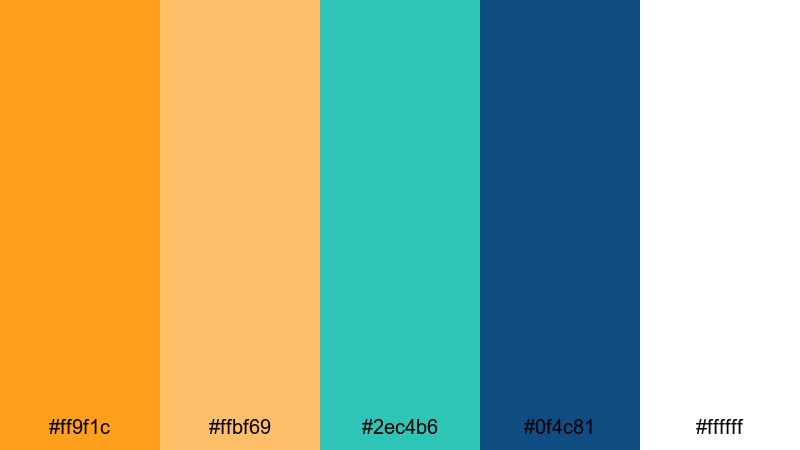
- HEX Codes: #ff9f1c, #ffbf69, #2ec4b6, #0f4c81, #ffffff
- Mood: Sunny, energetic, and vacation-ready with a punchy tropical vibe.
- Use for: Great for upbeat travel vlogs, resort promos, and summer product ads that need a lively splash.
Tropical Surf Splash feels like bright sun on turquoise water. The citrus oranges (#ff9f1c, #ffbf69) give you that juicy, playful hit, while the aqua and deep surf blue (#2ec4b6, #0f4c81) keep everything cool and refreshing. White (#ffffff) adds air and space so your visuals never feel too heavy.
Use this palette for summer vlog thumbnails, bold lower thirds on travel videos, or energetic intro sequences that need immediate wanderlust. In branding, it works well for beachwear, beverages, or any product that screams vacation mode. Pair orange for key buttons or callouts and use the teal and navy for backgrounds, titles, and b-roll overlays.
Pro Tip: Build a Cinematic Blue Green Orange Look in Filmora
To keep a tropical blue green orange vibe consistent through a whole video, build a simple style guide inside Filmora. Choose one orange for accents on titles and call-to-action text, then let teal and deep blue dominate your backgrounds, overlays, and transitions. This keeps your travel intros, b-roll, and even Shorts feeling like they belong to the same visual world.
Save your favorite title styles, filters, and color presets in Filmora so every new clip or thumbnail you design matches the same palette. With a couple of reusable presets, you can color-grade long vlogs, reels, and YouTube banners without having to manually tweak each element.
AI Color Palette
If you have a reference image for Tropical Surf Splash, such as a beach photo or your branded color card, you can turn it into a full video grade with Filmora. Filmora's AI Color Palette feature analyzes the color mood of your reference and applies that same blue green orange balance across the rest of your clips.
Import your hero shot, match the rest of the timeline to it, and your intro, talking-head segments, b-roll, and outro will all share the same sunny, teal-and-orange tone. This is a fast way to harmonize footage from different cameras or days so your final edit feels cohesive.
 secure download

HSL, Color Wheels & Curves
Once you have your base Tropical Surf Splash look, refine it with HSL sliders, color wheels, and curves inside Filmora. Slightly boosting saturation in the teal and orange ranges while pulling blue shadows cooler can give you a crisp, cinematic finish that still feels playful. If you want guidance, Filmora's color correction tools overview explains how these controls shape the final mood.
Use curves to deepen contrast in the midtones for punchy thumbnails, and adjust the color wheels so highlights lean warm and shadows lean cool. This classic split between warm orange and cool blue makes your scenes pop without overwhelming skin tones or text legibility.
secure download1000+ Video Filters & 3D LUTs
If you do not want to build a look from scratch, start from Filmora presets and then tune them to match your blue green orange palette. Filmora’s video filters and 3D LUTs make it easy to add teal-and-orange, travel, or cinematic looks in a single click, then adjust intensity so your oranges and aquas match your brand colors.
You can stack filters lightly for vlogs, push stronger LUTs for trailers and gaming intros, and then save custom presets with your preferred blue, green, and orange balance. This helps your YouTube intros, channel banner animations, and reels all share the same visual identity.
secure downloadCitrus Lagoon Pop
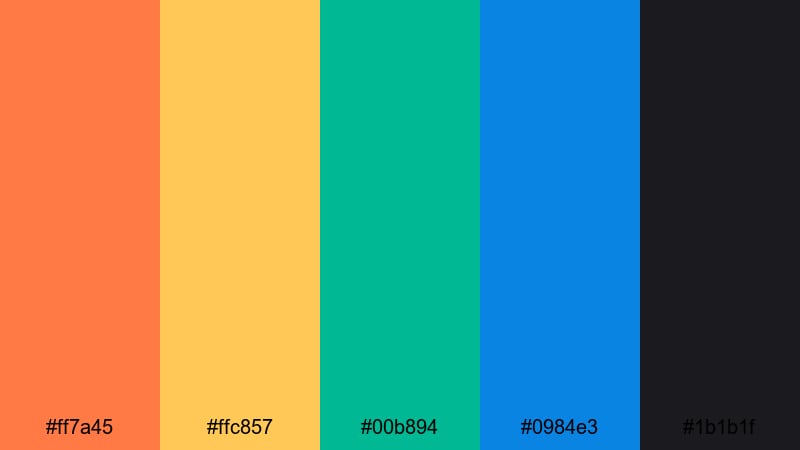
- HEX Codes: #ff7a45, #ffc857, #00b894, #0984e3, #1b1b1f
- Mood: Punchy and modern, blending citrus warmth with crisp lagoon tones.
- Use for: Perfect for bold YouTube thumbnails and product launches that need to stand out in crowded feeds.
Citrus Lagoon Pop throws juicy orange (#ff7a45) and sunny yellow (#ffc857) against vivid teal (#00b894) and electric blue (#0984e3), all grounded by a deep charcoal (#1b1b1f). The result is a high-contrast palette that feels fun, modern, and instantly clickable.
Use the darker tone for backgrounds to let bright text and icons jump out on thumbnails. In product videos or launch teasers, keep orange for your main CTAs, teal for badges and stickers, and blue for outlines, transitions, and animated accents. This palette also works well for kinetic typography intros and social ads where you need viewers to stop scrolling.
Neon Reef Rush
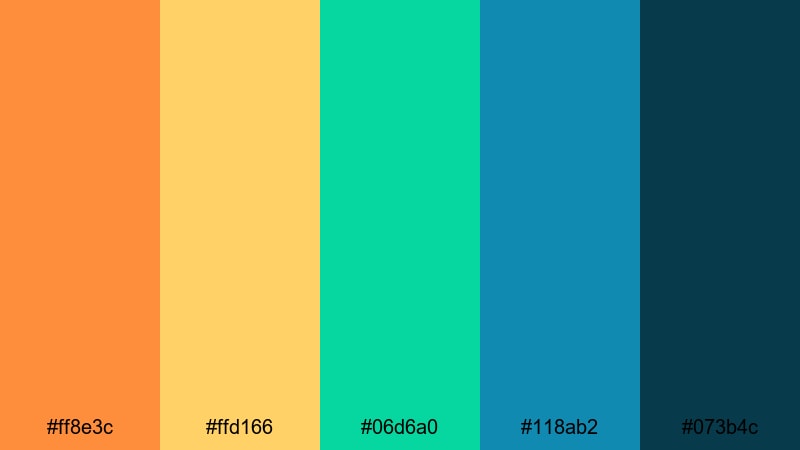
- HEX Codes: #ff8e3c, #ffd166, #06d6a0, #118ab2, #073b4c
- Mood: Vibrant and playful, like a neon-lit coral reef at night.
- Use for: Use in gaming highlights, EDM lyric videos, or animated intros that need energetic color hits.
Neon Reef Rush feels like a glowing underwater city: blazing orange and gold (#ff8e3c, #ffd166) pulse against neon teal (#06d6a0) and bright blue (#118ab2), with inky navy (#073b4c) underneath. It is saturated, youthful, and great for high-energy motion.
Apply this palette to glitch transitions, HUD-style graphics, and animated subscriber buttons in gaming montages. For lyric videos or EDM promos, use navy as your stage, then let colorful text and waveform graphics in teal and orange dance across the frame. This palette also suits streaming overlays and avatar branding where a digital, pop-art energy is key.
Sunlit Aqua Market
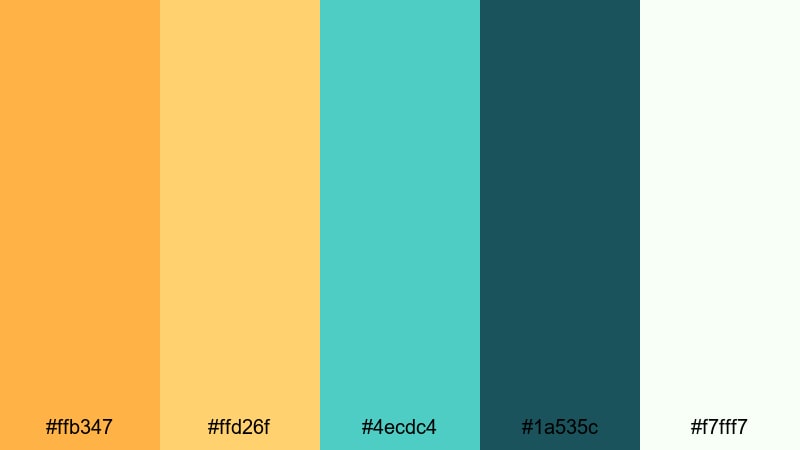
- HEX Codes: #ffb347, #ffd26f, #4ecdc4, #1a535c, #f7fff7
- Mood: Warm, bustling, and optimistic with a handcrafted market feel.
- Use for: Great for lifestyle channels, small business promos, and creator branding that feels bright and friendly.
Sunlit Aqua Market blends soft golden oranges (#ffb347, #ffd26f) with fresh aqua (#4ecdc4), a deep teal-blue (#1a535c), and a near-white mint (#f7fff7). It feels like late afternoon light spilling over artisan stalls and handmade goods.
For Etsy shops, local brands, and lifestyle creators, this palette is perfect for channel banners, about-page videos, and product close-ups. Use the pale mint as a clean background for text, orange for price tags or promo callouts, and aqua for icons, badges, and lower thirds that highlight key talking points.
Calm & Coastal Blue Green Orange Palettes
Seagrass Horizon Calm
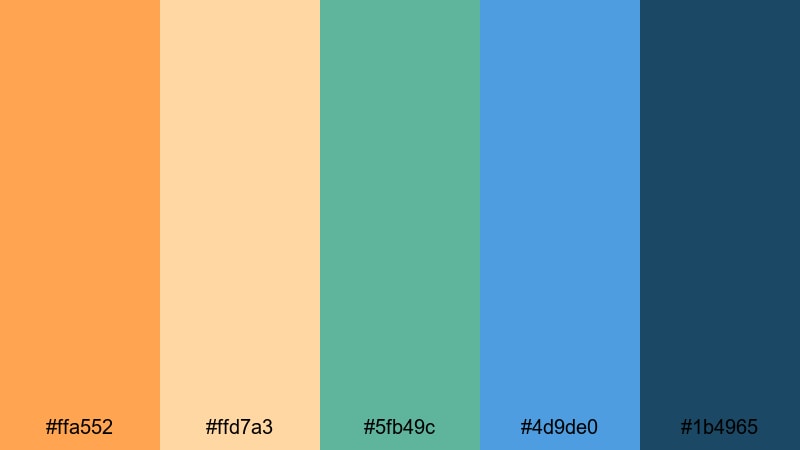
- HEX Codes: #ffa552, #ffd7a3, #5fb49c, #4d9de0, #1b4965
- Mood: Relaxed and coastal, like a slow sunset over seagrass dunes.
- Use for: Ideal for travel documentaries, slow-living vlogs, and calm voiceover content.
Seagrass Horizon Calm pairs gentle sunset oranges (#ffa552, #ffd7a3) with muted seafoam green (#5fb49c) and soft horizon blues (#4d9de0, #1b4965). The palette is soothing but still colorful, giving your footage a peaceful, cinematic polish.
Use this combination when you want to highlight nature, reflection, and slower pacing. It is great for long-form travel recaps, mindful day-in-the-life vlogs, or narrated documentaries. Use deeper blue for text and overlays to keep them readable over bright skies, with the lighter oranges reserved for subtle accents and chapter markers.
Beachglass Breeze
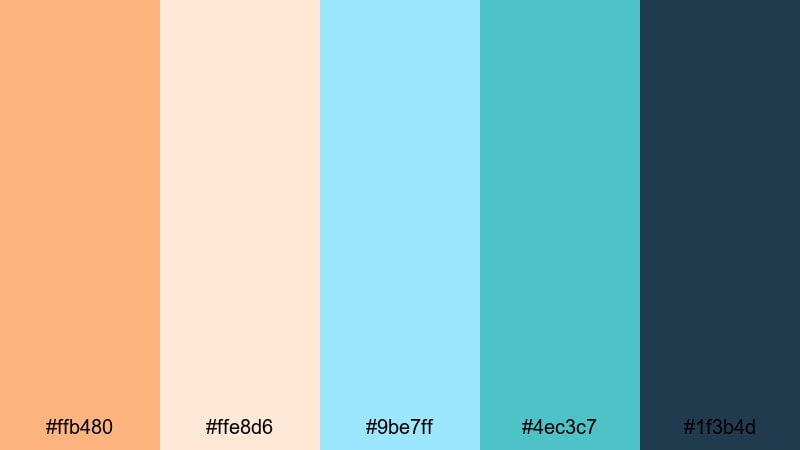
- HEX Codes: #ffb480, #ffe8d6, #9be7ff, #4ec3c7, #1f3b4d
- Mood: Soft, airy, and refreshing, like collecting beachglass in a cool breeze.
- Use for: Use for wellness content, ASMR, and channel branding that leans serene and minimal.
Beachglass Breeze is all about gentle contrasts: pastel orange (#ffb480) and cream (#ffe8d6) sit beside pale sky blue (#9be7ff) and sea glass teal (#4ec3c7), anchored by a dark slate blue (#1f3b4d). It feels airy, clean, and spa-like.
This is a great palette for meditation channels, skincare brands, and ASMR creators who want calm yet visually appealing frames. Use the deep slate for text and logos over soft gradient backgrounds in cream and aqua. In thumbnails, keep compositions minimal, with just a touch of orange to draw attention to titles or episode numbers.
Marina Dawn Mist
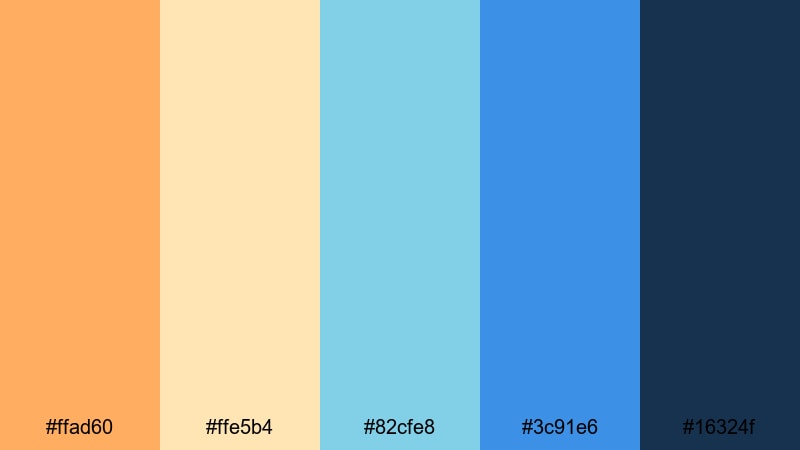
- HEX Codes: #ffad60, #ffe5b4, #82cfe8, #3c91e6, #16324f
- Mood: Quiet and hopeful, capturing the first light over a sleepy marina.
- Use for: Perfect for cinematic B-roll, documentary openings, and reflective travel recaps.
Marina Dawn Mist combines warm amber (#ffad60) and pale sand (#ffe5b4) with misty aquas (#82cfe8), mid blue (#3c91e6), and deep navy (#16324f). It feels like blue hour turning into sunrise, with just enough warmth to suggest a new beginning.
Use it for opening sequences, reflective monologues, and slow pans across water or city skylines. Let navy handle your lower thirds and title cards, while the lighter tones wash over the footage through subtle color grading. In thumbnails, place warm accents around your subject to draw the eye while cool blues frame the environment.
Harbor Sunset Drift
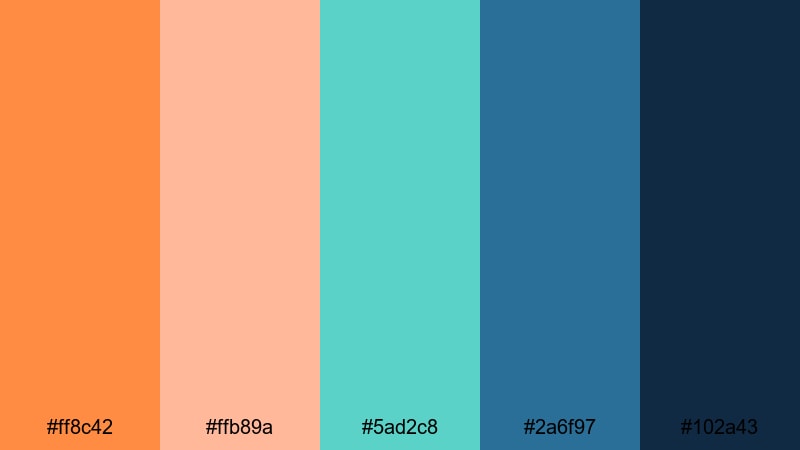
- HEX Codes: #ff8c42, #ffb89a, #5ad2c8, #2a6f97, #102a43
- Mood: Nostalgic and dreamy with a harbor-at-sunset glow.
- Use for: Great for outro screens, travel reels, and cinematic montages with a gentle emotional pull.
Harbor Sunset Drift glows with golden orange (#ff8c42) and blush (#ffb89a) against teal water (#5ad2c8) and layered blues (#2a6f97, #102a43). It carries a soft nostalgia perfect for endings and reflective beats.
Apply this palette to outro cards, end screens, and slow-motion shots. Use the darkest blue for backgrounds on subscribe prompts or video suggestions so your brighter orange buttons stand out. In reels and TikToks, this color mix is perfect for romantic travel moments, friendship montages, and bittersweet goodbyes.
Bold & Cinematic Blue Green Orange Palettes
Action Trailer Burst
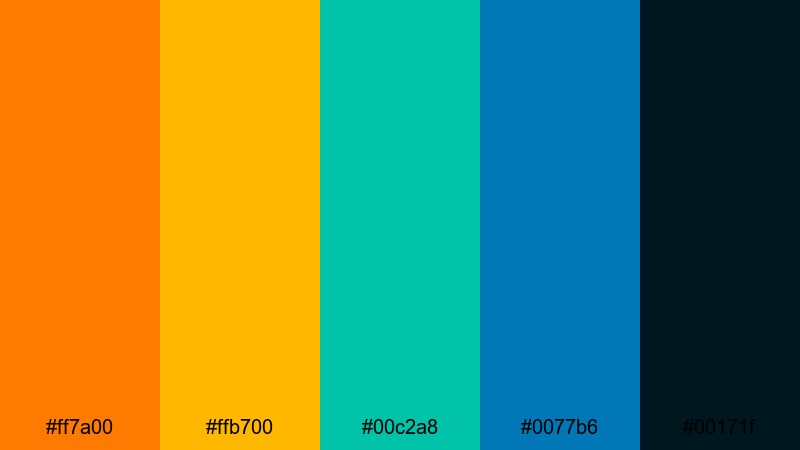
- HEX Codes: #ff7a00, #ffb700, #00c2a8, #0077b6, #00171f
- Mood: Intense, high-contrast, and cinematic with blockbuster energy.
- Use for: Designed for trailers, hype reels, and sports edits that demand dramatic impact.
Action Trailer Burst is classic blockbuster teal-and-orange pushed to the max. Blazing oranges and golds (#ff7a00, #ffb700) clash with saturated teal (#00c2a8) and deep ocean blue (#0077b6), all grounded by near-black navy (#00171f). The contrast screams drama and speed.
Use this palette for sports highlight reels, product hype trailers, or YouTube channel intros that need to feel like movie openings. Dark backgrounds with bright orange typography and teal light streaks make for punchy thumbnails. In the grade, you can emphasize warm skin tones while shadows drift toward blue for a polished cinematic look.
Arcade Neon Tide
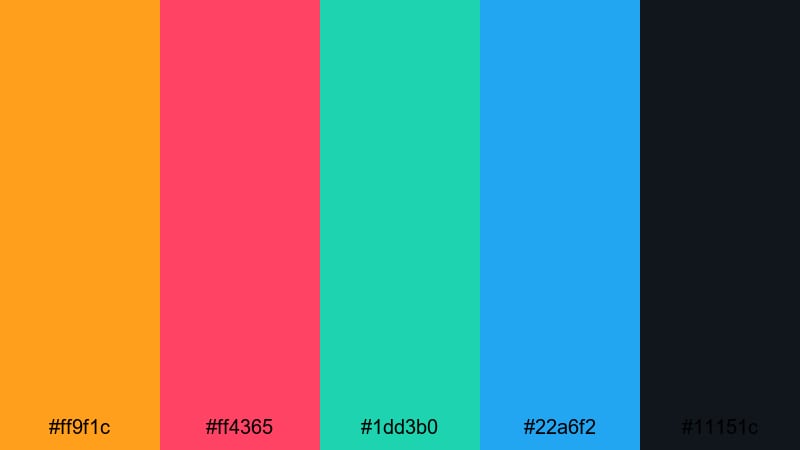
- HEX Codes: #ff9f1c, #ff4365, #1dd3b0, #22a6f2, #11151c
- Mood: Retro-futuristic and bold, echoing neon-lit arcades and synthwave nights.
- Use for: Perfect for gaming montages, glitch edits, and tech channel branding.
Arcade Neon Tide mixes electric orange (#ff9f1c) and hot pink-red (#ff4365) with bright teal (#1dd3b0) and icy blue (#22a6f2) on a deep charcoal base (#11151c). It channels neon signs, synthwave posters, and RGB keyboards all at once.
Apply this palette to gaming overlays, kill count graphics, and neon text in highlight reels. For tech reviews or gadget unboxings, use the dark base as a stage with thin neon borders and icons in teal and orange. It is also a strong fit for glitch transitions, retro intros, and channel logos that lean into cyber aesthetics.
Urban Skyline Heat
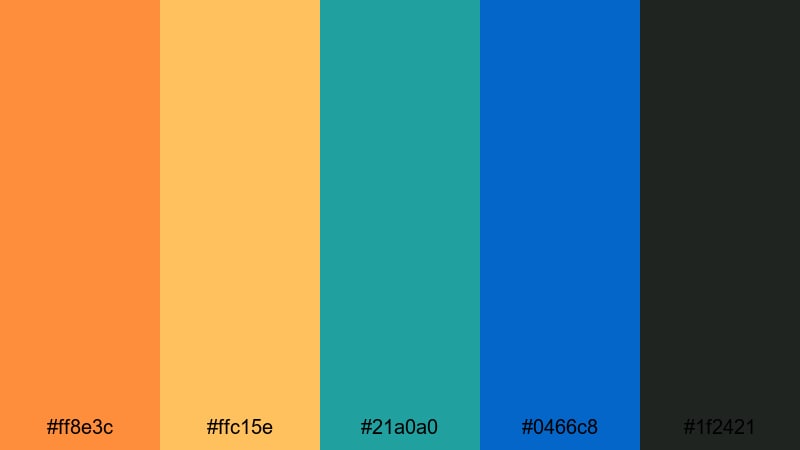
- HEX Codes: #ff8e3c, #ffc15e, #21a0a0, #0466c8, #1f2421
- Mood: Edgy and modern, like a city skyline glowing under a summer haze.
- Use for: Great for street videos, fashion lookbooks, and urban travel edits with attitude.
Urban Skyline Heat blends warm neon sunset tones (#ff8e3c, #ffc15e) with cool teal (#21a0a0) and bold cobalt (#0466c8) over a muted dark base (#1f2421). It has a gritty, city-at-dusk mood that feels fashionable and current.
Use this in streetwear lookbooks, skate edits, and night city b-roll. Strong orange and teal contrast helps subjects pop against urban backgrounds, while cobalt can highlight key text and graphic elements. For thumbnails, place your subject against a darker, teal-blue background and frame them with warm light leaks or gradients.
Festival Lights Storm
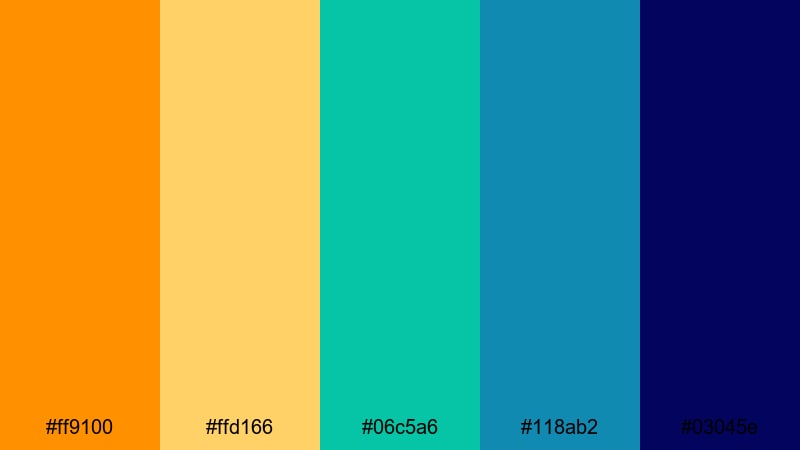
- HEX Codes: #ff9100, #ffd166, #06c5a6, #118ab2, #03045e
- Mood: Electric and crowded with energy, like a festival night under stormy skies.
- Use for: Use for concert recaps, festival aftermovies, and energetic social teasers.
Festival Lights Storm pairs blazing orange (#ff9100) and gold (#ffd166) with vivid teal (#06c5a6) and rich blues (#118ab2, #03045e). It captures the chaos of stage lights punching through dark skies and crowd silhouettes.
For concert recaps and festival aftermovies, push your highlights toward warm gold while shadows dip into midnight blue. Add animated titles and stickers in orange and teal for set lists, artist names, or location tags. This palette also works well for teaser clips and countdown posts across Instagram, TikTok, and YouTube Stories.
Modern Minimal Blue Green Orange Palettes
Geo Studio Fresh
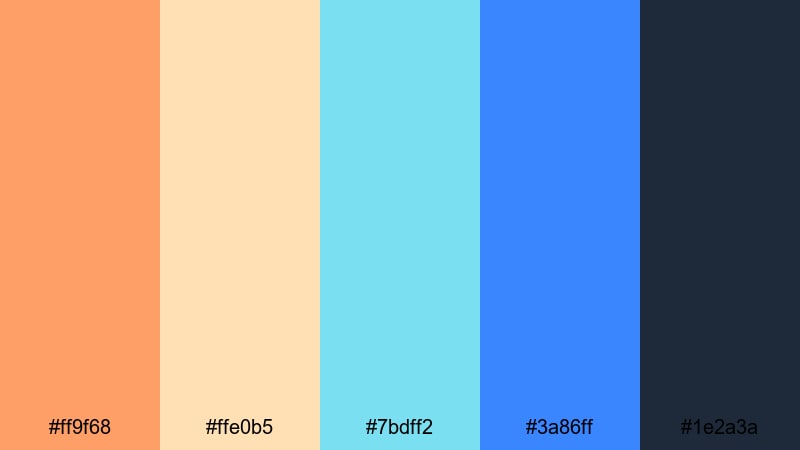
- HEX Codes: #ff9f68, #ffe0b5, #7bdff2, #3a86ff, #1e2a3a
- Mood: Clean, creative, and studio-ready with a design-forward feel.
- Use for: Ideal for channel branding, UI mockups, and explainer videos that need clarity and pop.
Geo Studio Fresh combines a friendly orange (#ff9f68) and soft peach (#ffe0b5) with bright cyan (#7bdff2), royal blue (#3a86ff), and a deep slate base (#1e2a3a). It feels like a modern design studio: clean, structured, but still fun.
This palette is perfect for UI and SaaS explainers, tutorial channels, and motion graphic intros. Use the dark base behind white or light text for readability, and keep orange and cyan for icons, bullet points, and key numbers. It translates beautifully into YouTube banners, end screens, and overlay elements that need to look professional yet approachable.
Clean Grid Coast
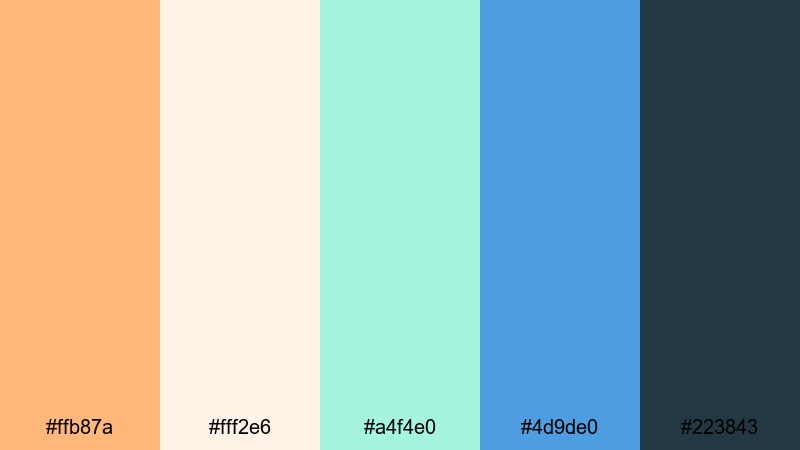
- HEX Codes: #ffb87a, #fff2e6, #a4f4e0, #4d9de0, #223843
- Mood: Light, organized, and coastal-minimal with a design-grid aesthetic.
- Use for: Great for tutorials, productivity channels, and SaaS product demos.
Clean Grid Coast keeps everything airy and structured. Soft orange (#ffb87a) and cream (#fff2e6) meet pale aqua (#a4f4e0) and mid blue (#4d9de0), grounded by a serious blue-gray (#223843). The palette feels coastal but also very organized, ideal for grid layouts and infographics.
Use cream or pale aqua as background plates for screen recordings, then layer blue-gray text and lines for clarity. Orange can highlight important shortcuts, steps, or keyboard commands in tutorial videos. The result is a clean educational look that still has personality and does not feel sterile.
Startup Splash Screen
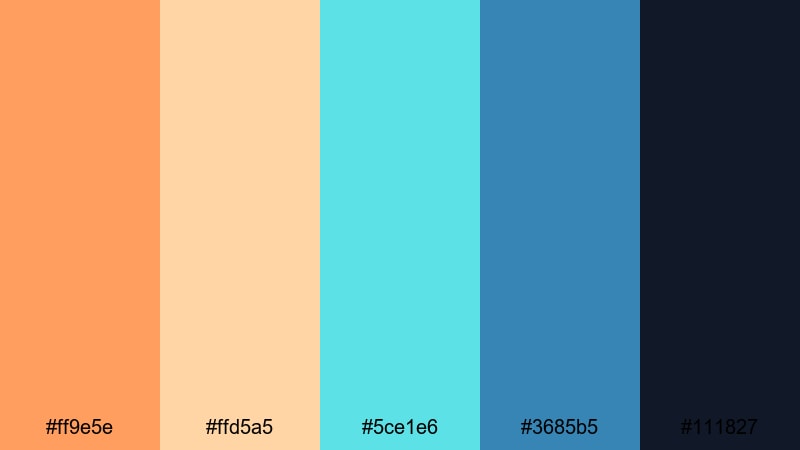
- HEX Codes: #ff9e5e, #ffd5a5, #5ce1e6, #3685b5, #111827
- Mood: Optimistic, techy, and future-focused with a friendly startup vibe.
- Use for: Perfect for app promos, SaaS landing page videos, and pitch decks turned into motion graphics.
Startup Splash Screen mixes friendly oranges (#ff9e5e, #ffd5a5) with bright aqua (#5ce1e6), cool blue (#3685b5), and a dark techy base (#111827). It feels like a fresh startup launch page: optimistic, digital, and polished.
Use the dark base as your hero background in promos and pitch videos, then place app screens or UI callouts framed by aqua lines and orange accent buttons. This palette is ideal for animated logo reveals, onboarding sequences, and explainer thumbnails where you want to look both innovative and trustworthy.
Tips for Creating Blue Green Orange Color Palettes
Blue green orange color palettes are flexible enough for calm vlogs, bold trailers, and minimal tech branding, as long as you balance contrast, saturation, and hierarchy. Keep these practical tips in mind when you build or adapt your own schemes for video and design.
- Choose a dominant color: decide whether blue, green, or orange leads the scene, then let the others support as accents or neutrals.
- Control contrast for readability: use dark blues or blue-grays behind white text, and keep bright oranges mostly for buttons, logos, and short headline phrases.
- Match mood to saturation: soft, pastel versions of blue green orange feel calm and coastal, while saturated, high-contrast versions feel cinematic or pop art.
- Keep skin tones natural: if you push teal shadows and orange highlights in grading, watch faces closely and adjust HSL so they do not go too green or too red.
- Stay consistent across assets: reuse the same HEX codes in your thumbnails, title cards, lower thirds, and end screens so your channel branding feels unified.
- Use orange as a focus tool: place it where you want clicks or attention, such as subscribe buttons, CTAs, or key stats in infographics.
- Test palettes on mobile: preview your colors on small screens in both light and dark environments to ensure subtitles and UI elements stay legible.
- Create presets in Filmora: save your color grades, text styles, and overlays so every new project starts with your signature blue green orange look.
Blue green orange color combinations can completely redefine the mood of your content, from relaxed seaside vlogs to aggressive action trailers or polished startup explainers. By choosing the right balance of warm orange against cool blue and green, you shape how viewers feel about your story and your brand.
Use the palettes and HEX codes above as starting points, then fine-tune in Filmora until the grade matches your footage, niche, and audience. Whether you are designing thumbnails, intros, or full cinematic edits, locking in a clear color system will make every upload look more professional and intentional.
Experiment with these palettes in Filmora, save your favorite looks as presets, and build a recognizable visual identity that carries across your channel, website, and social platforms.
secure downloadNext: Pop Art Color Palette
