

 100% Security Verified | No Subscription Required | No Malware


 ChatGPT
 Perplexity
 Gemini
 Claude
 Grok
Grok
Blue, green, yellow, and orange sit together in a powerful sweet spot between cool and warm color families. Blues and greens feel calm, trustworthy, and fresh, while yellows and oranges add sunshine, energy, and optimism. Combined in a single palette, blue green yellow orange color schemes can look tropical, cinematic, professional, or soft and pastel depending on how you balance each shade.
For video creators, these colors are perfect for tropical vlogs, social media branding, YouTube thumbnails, intros, and even modern startup explainers. Below you will find 15 ready-to-use blue green yellow orange color palettes with HEX codes, so you can quickly match your footage, graphics, and titles in Filmora or any other editing workflow.
In this article
Fresh & Tropical Blue Green Yellow Orange Palettes
Coral Reef Sunrise
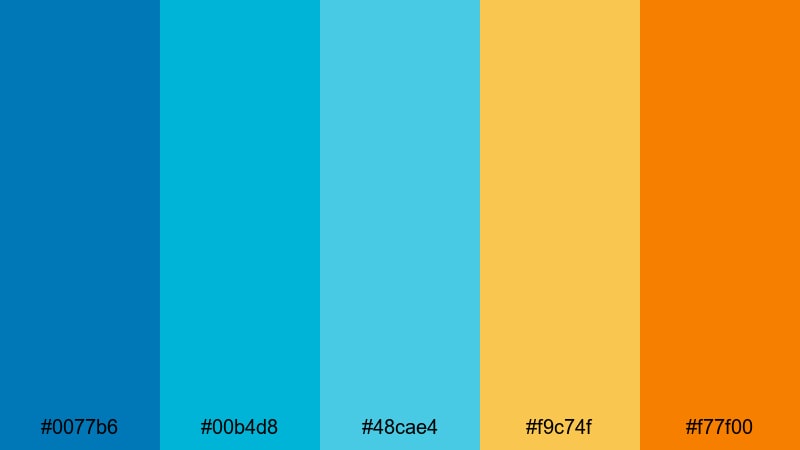
- HEX Codes: #0077b6, #00b4d8, #48cae4, #f9c74f, #f77f00
- Mood: Lively, sunlit, and adventurous like an early boat ride over coral reefs.
- Use for: Great for upbeat travel vlogs, snorkeling intros, or tropical trip highlight reels.
Coral Reef Sunrise is a high-energy mix of oceanic blues and turquoise balanced by a bright yellow and a bold, juicy orange. It instantly feels like a boat leaving the harbor at dawn, with light reflecting off the water and warm sun on the horizon.
Use this blue green yellow orange color palette for travel vlog intros, dynamic lower thirds, or tropical thumbnail designs that need to pop in the YouTube feed. The deeper blue (#0077b6) works well for text or logo shapes, while the yellow (#f9c74f) and orange (#f77f00) are perfect accent colors for call-to-action buttons, subscribe badges, and key moments in your edit.
Pro Tip: Build a Cinematic Blue Green Yellow Orange Travel Look in Filmora
When you grade your footage in Filmora, treat this palette as your visual signature. Use the deeper blues for your midtones and shadows, then push the highlights slightly toward yellow to simulate golden-hour light. Orange accents can be reserved for titles, motion graphics, or overlays to keep your viewer focused on important information.
Keeping this blue green yellow orange scheme consistent across your intro, B-roll, talking-head shots, and social cutdowns helps your channel feel polished and recognizable. Save your settings as presets in Filmora so you can quickly apply the same vibe to every new travel or adventure upload.
AI Color Palette
If you have a hero still frame or a color card that captures your ideal Coral Reef Sunrise look, Filmora's AI Color Palette feature can automatically transfer that color style across all your clips. This is perfect when you shoot on different cameras or in changing light but want a unified blue green yellow orange aesthetic.
Simply choose one reference shot with perfect blues, greens, yellows, and oranges, then let AI Color Palette match the rest. It is a fast way to get cohesive thumbnails, intros, and main video edits without spending hours tweaking each scene.
 secure download

HSL, Color Wheels & Curves
To refine this palette in Filmora, use HSL controls to target your blues and teals, making the water richer without oversaturating skin tones. Then adjust the color wheels to push highlights slightly warmer (toward yellow and orange) while keeping shadows cool and blue for a more cinematic travel look. Curves let you deepen contrast so the bright yellows and oranges really glow against the cooler background.
If you want a deeper dive into grading techniques, Filmora's guide to color correction tools in Filmora walks through practical ways to control hue, saturation, and luminance while keeping your blue green yellow orange balance under control.
secure download1000+ Video Filters & 3D LUTs
Once your base colors are balanced, you can quickly stylize your blue green yellow orange visuals with Filmora's filter and LUT library. Filmora's video filters and 3D LUTs make it easy to add aqua-tinted water looks, warm beach glows, or retro travel film styles in one click.
Experiment with filters that emphasize teal and orange or sunlit holiday tones, then fine-tune intensity so your footage, thumbnails, and motion graphics all feel like they belong to the same Coral Reef Sunrise universe.
secure downloadIsland Citrus Splash
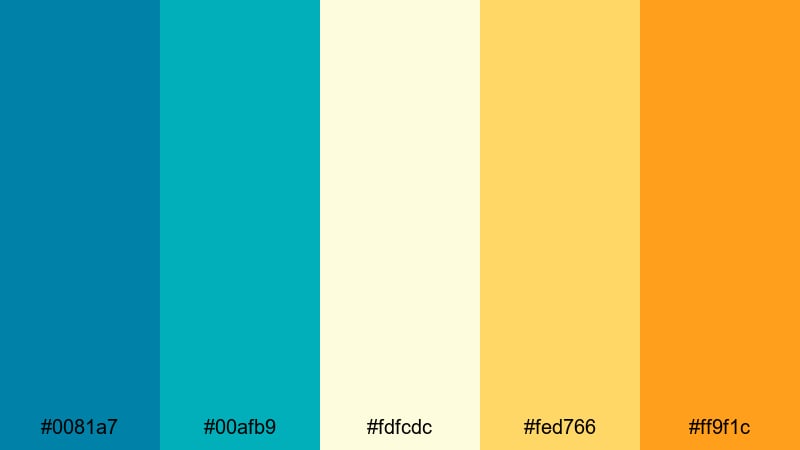
- HEX Codes: #0081a7, #00afb9, #fdfcdc, #fed766, #ff9f1c
- Mood: Refreshing and zesty, like cold citrus drinks by the sea.
- Use for: Use for summer lookbooks, poolside party promos, or fun lifestyle channel branding.
Island Citrus Splash combines cool turquoise tones with a light cream and juicy yellow-orange accents. It feels effervescent and refreshing, like sparkling water with citrus slices under a clear sky.
Apply this blue green yellow orange color combination to summer lookbook edits, pool party invites, and lifestyle thumbnails. Use the deeper teal (#0081a7) as a base for text and UI-style shapes, the cream (#fdfcdc) as a clean background, and the vibrant orange (#ff9f1c) for buttons and on-screen calls to action.
Lagoon Carnival Lights
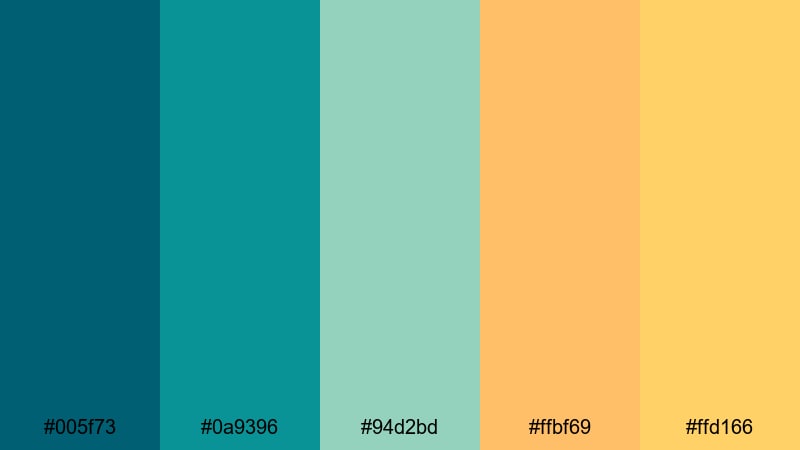
- HEX Codes: #005f73, #0a9396, #94d2bd, #ffbf69, #ffd166
- Mood: Festive and dynamic with a hint of night-market magic.
- Use for: Ideal for festival recap videos, travel montages, and energetic channel intros.
Lagoon Carnival Lights mixes deep lagoon blues and teals with glowing yellow and orange highlights. The result is a palette that feels like a waterfront night market or a beach carnival, where bright lights reflect on dark water.
Use the darker teal (#005f73) as your base for overlays and text shadows, while the softer aqua (#94d2bd) can brighten background panels. The warm oranges and yellows bring life to titles, transitions, and animated stickers in festival recaps or music event promos.
Palm Market Afternoon
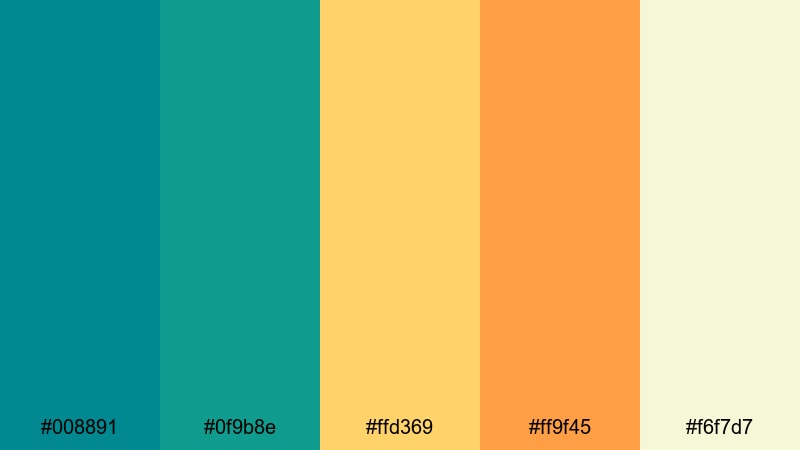
- HEX Codes: #008891, #0f9b8e, #ffd369, #ff9f45, #f6f7d7
- Mood: Warm, bustling, and optimistic like a busy tropical street market.
- Use for: Perfect for food vlogs, destination guides, or colorful product promos.
Palm Market Afternoon balances rich teal greens with warm yellow and orange accents, grounded by a soft off-white. It feels like sunlight bouncing off fruit stands, street food, and palm leaves in a busy market.
Use teal (#008891) in lower thirds and labels for street names or food titles, while the yellow (#ffd369) and orange (#ff9f45) highlight prices, ratings, and calls to subscribe. This palette works especially well in food and travel thumbnails where you want a friendly, sunlit feel without losing clarity.
Soft & Pastel Blue Green Yellow Orange Palettes
Seaside Sherbet Dreams
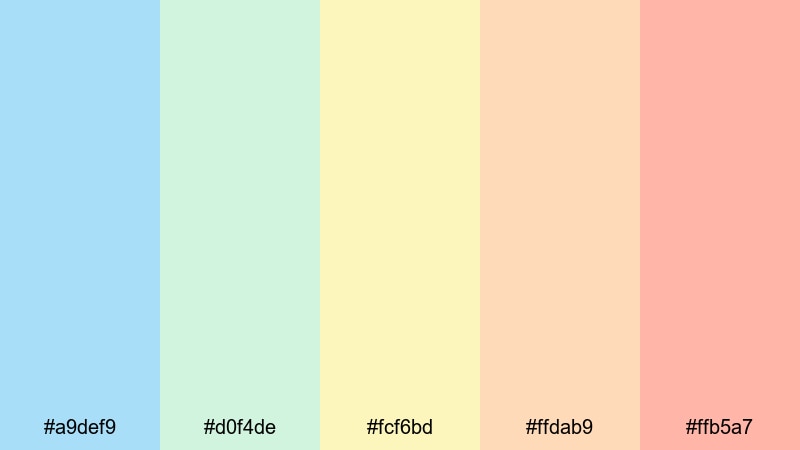
- HEX Codes: #a9def9, #d0f4de, #fcf6bd, #ffdab9, #ffb5a7
- Mood: Soft, dreamy, and nostalgic like seaside summer memories.
- Use for: Lovely for calm travel diaries, family moments, or gentle storytelling edits.
Seaside Sherbet Dreams is a pastel take on blue green yellow orange, with airy blues, minty greens, and creamy peach tones. It feels nostalgic and gentle, like old vacation photos or slow seaside walks.
This palette is ideal for soft storytelling, family vlogs, or memory-style edits. Use the pale blue (#a9def9) and mint (#d0f4de) as backgrounds and lower thirds, while the pastel peach and coral bring nuance to titles, frames, and overlay graphics without overwhelming the footage.
Mint Gelato Boardwalk
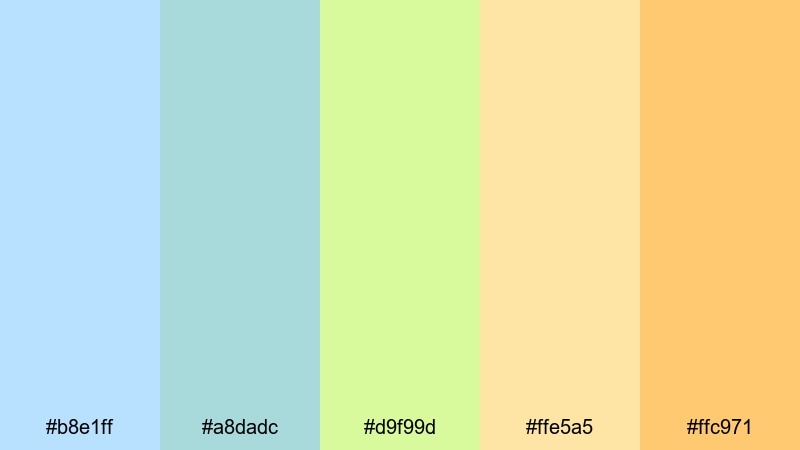
- HEX Codes: #b8e1ff, #a8dadc, #d9f99d, #ffe5a5, #ffc971
- Mood: Playful and light, like strolling a boardwalk with gelato in hand.
- Use for: Use for lifestyle vlogs, cozy day-in-the-life edits, or friendly brand intros.
Mint Gelato Boardwalk layers cool pastel blues and greens with soft yellow and orange, creating a lighthearted, carefree mood. It recalls ice cream parlors, seaside boardwalks, and laid-back weekends.
In video, use the lighter tones (#b8e1ff, #a8dadc) for backgrounds, borders, and scene transitions, while the yellow-green (#d9f99d) and warm oranges add subtle focus to key text and icons. It is perfect for lifestyle channels, cozy routines, onboarding animations, or newsletter-style content branded in Filmora.
Pastel Kite Festival
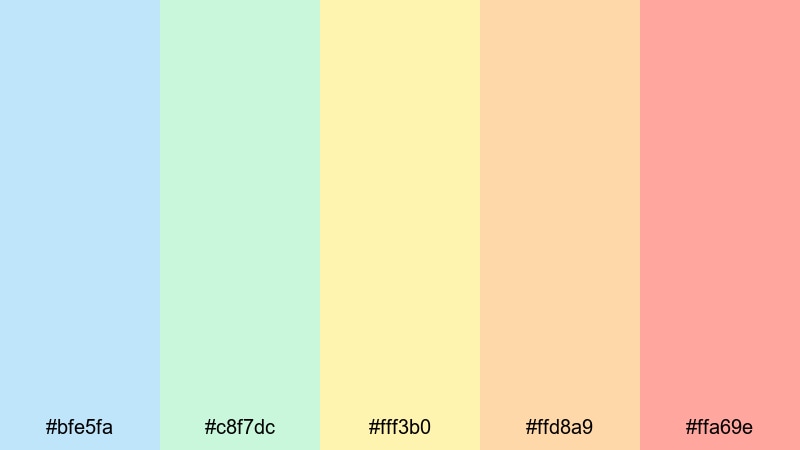
- HEX Codes: #bfe5fa, #c8f7dc, #fff3b0, #ffd8a9, #ffa69e
- Mood: Lighthearted and breezy, full of childhood joy and open skies.
- Use for: Great for family content, kids channels, or gentle product explainer videos.
Pastel Kite Festival pairs pale sky blue and mint with buttery yellow and soft oranges. The vibe is full of open skies, flying kites, and simple childhood happiness.
Use the light blue and mint as your default UI and lower-third colors, then bring in the yellows and oranges for playful titles, stickers, or animated arrows. This blue green yellow orange pastel palette is especially effective for kids channels, family recaps, or soft explainer videos where you want warmth without intense contrast.
Soft Tropic Cloudscape
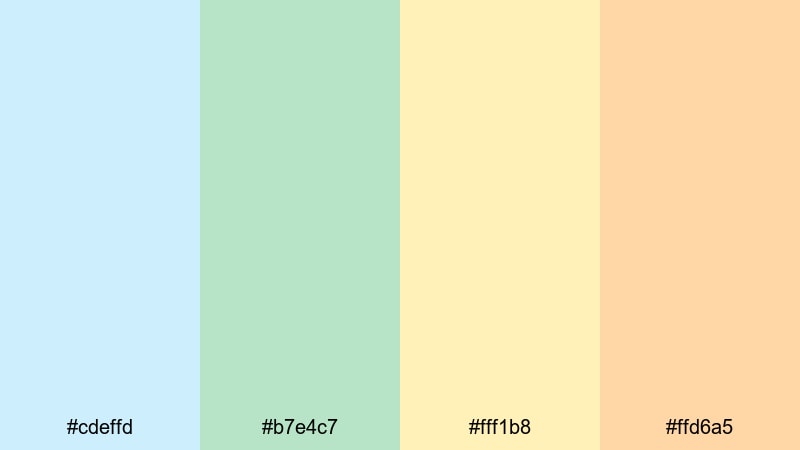
- HEX Codes: #cdeffd, #b7e4c7, #fff1b8, #ffd6a5
- Mood: Calm, airy, and optimistic like clouds drifting over a quiet bay.
- Use for: Perfect for introspective vlogs, wellness content, or gentle brand stories.
Soft Tropic Cloudscape melts feathery blues and greens into pale yellow and peach. The atmosphere is calm and optimistic, like watching clouds drift over a still lagoon.
For wellness, mindfulness, or minimal brand stories, use the cool tones (#cdeffd, #b7e4c7) as large background fields and gradients, reserving the muted yellow and peach for headings, icons, and callouts. This palette keeps your visuals soothing while still using the full blue green yellow orange spectrum.
Bold & Cinematic Blue Green Yellow Orange Palettes
Neon Boardwalk Nights
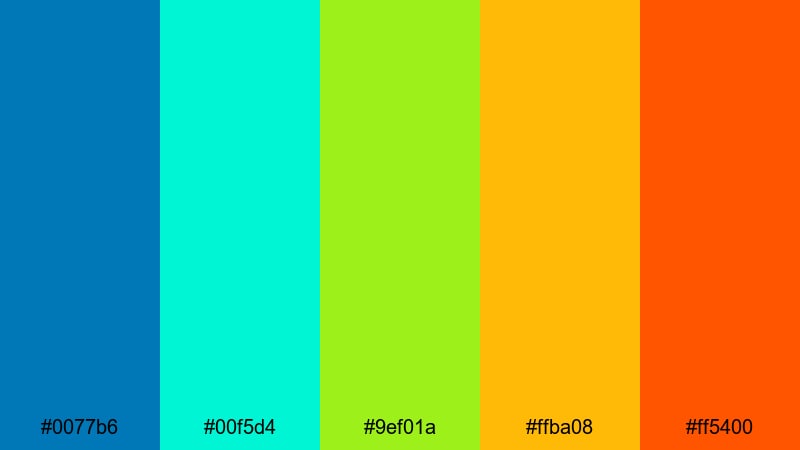
- HEX Codes: #0077b6, #00f5d4, #9ef01a, #ffba08, #ff5400
- Mood: Electric, high-energy, and urban with a tropical twist.
- Use for: Ideal for fast-paced montages, nightlife sequences, or gaming and tech content.
Neon Boardwalk Nights pushes blue green yellow orange into full neon territory, with hyper-bright teal, lime, and orange. It feels like arcades, LED signs, and fairground rides after dark.
Use the deep blue (#0077b6) as your base, then splash the neon teal and lime across titles, glitch transitions, and HUD-style overlays. The yellows and oranges are perfect for progress bars, timers, and bold subscribe prompts in gaming, tech, or nightlife content.
Arcade Surf Energy
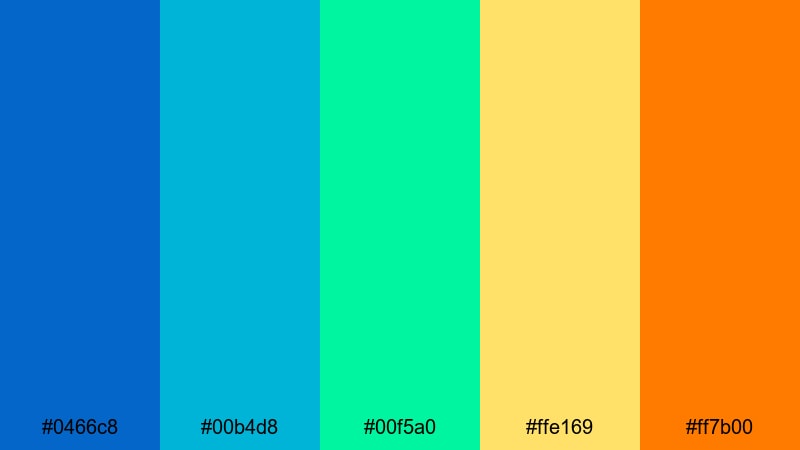
- HEX Codes: #0466c8, #00b4d8, #00f5a0, #ffe169, #ff7b00
- Mood: Energetic, fun, and slightly retro like an 80s surf arcade.
- Use for: Use in sports edits, creator intros, or dynamic trailer-style openers.
Arcade Surf Energy layers punchy blues and teals with bright lime, yellow, and orange for an 80s-inspired, kinetic feel. It suggests surf culture, retro arcades, and quick cuts.
Let the darker blue (#0466c8) ground your frames and text, then bring in teal and lime for streaks, shapes, and animated accents. The yellow and orange are great for impact frames, countdowns, and bold intro titles in sports highlights or fast-paced creator trailers.
Tropical Sports Hype
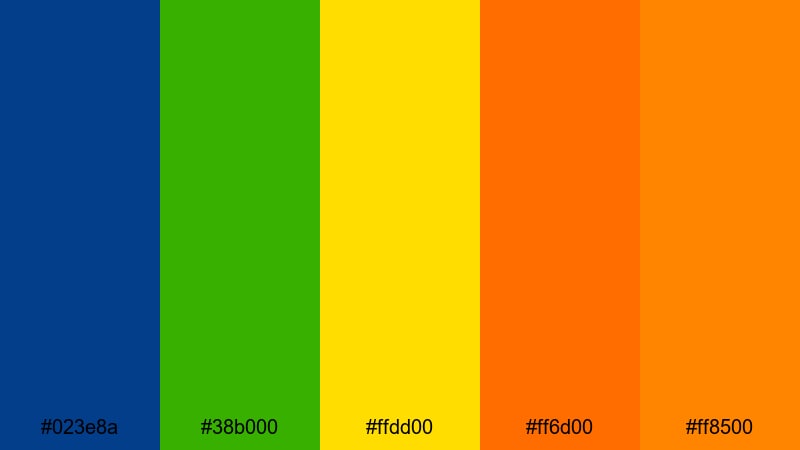
- HEX Codes: #023e8a, #38b000, #ffdd00, #ff6d00, #ff8500
- Mood: Competitive, intense, and victorious with stadium-level energy.
- Use for: Perfect for sports highlight reels, challenge videos, and event promos.
Tropical Sports Hype contrasts a deep navy-blue base with vivid green and blazing yellow-orange highlights. It channels the excitement of stadium lights, team colors, and victory moments.
Use blue (#023e8a) and green (#38b000) for scoreboards, name tags, and team banners, while the yellows and oranges amplify goals, wins, and key replay moments. This blue green yellow orange palette is powerful for sports edits, competition intros, and challenge thumbnails that need to shout energy at a glance.
Sunset Festival Crowd
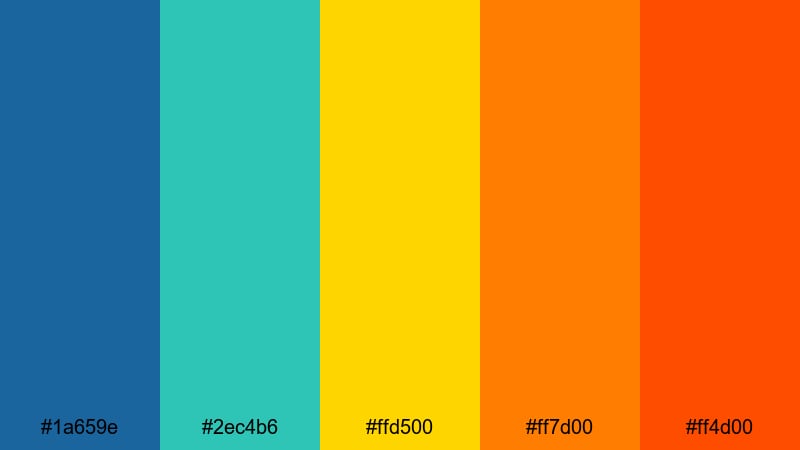
- HEX Codes: #1a659e, #2ec4b6, #ffd500, #ff7d00, #ff4d00
- Mood: Crowded, joyful, and dynamic like a festival at golden hour.
- Use for: Great for concert recaps, travel festivals, and energetic brand campaigns.
Sunset Festival Crowd blends rich blue-greens with saturated yellow and deep oranges, mirroring the color shift from afternoon sky to glowing sunset. It feels like dancing in a crowd as the sun dips below the horizon.
Use the blues and teals as anchor tones in your footage grade, then emphasize performers, crowd cutaways, and text overlays with the hot oranges and yellow. This palette works especially well for music festival recaps, street party vlogs, and bold campaign launches.
Modern & Minimal Blue Green Yellow Orange Palettes
Clean Ocean Startup
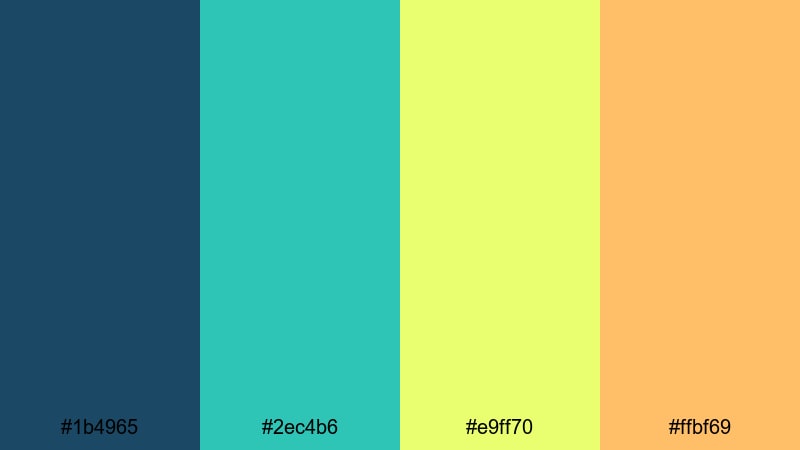
- HEX Codes: #1b4965, #2ec4b6, #e9ff70, #ffbf69
- Mood: Fresh, confident, and forward-looking with a tech-meets-nature tone.
- Use for: Ideal for startup explainers, product demos, and app UI mockups in video overlays.
Clean Ocean Startup combines a deep professional blue with a bright teal, sharp yellow, and soft orange. It feels modern and trustworthy, perfect for tech, sustainability, or innovation-focused brands.
Use the dark blue (#1b4965) as your primary background and typography color, then let teal (#2ec4b6) and yellow (#e9ff70) highlight key data points, features, or UI elements in demos. The orange (#ffbf69) is ideal for call-to-action buttons, subscribe prompts, and subtle motion graphics in explainer videos and product walkthroughs.
Geo Blocks UI
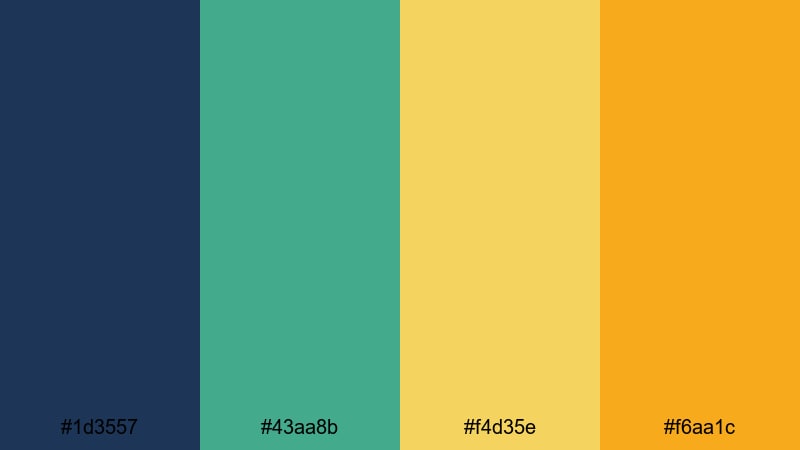
- HEX Codes: #1d3557, #43aa8b, #f4d35e, #f6aa1c
- Mood: Structured, smart, and contemporary like a geometric interface.
- Use for: Use for titles, lower thirds, and UI-style motion graphics in tech or education videos.
Geo Blocks UI mixes a grounded navy-blue with a modern green and refined yellow-orange accents. The palette feels structured and clean, like a dashboard or data visualization tool.
Use blue (#1d3557) for text and large shape blocks, green (#43aa8b) for category labels or progress indicators, and the yellow-oranges for icons, badges, and hover-style effects. This blue green yellow orange combination works well for tech explainers, educational channels, and UI-driven motion graphics built in Filmora.
Modern Travel Vlog
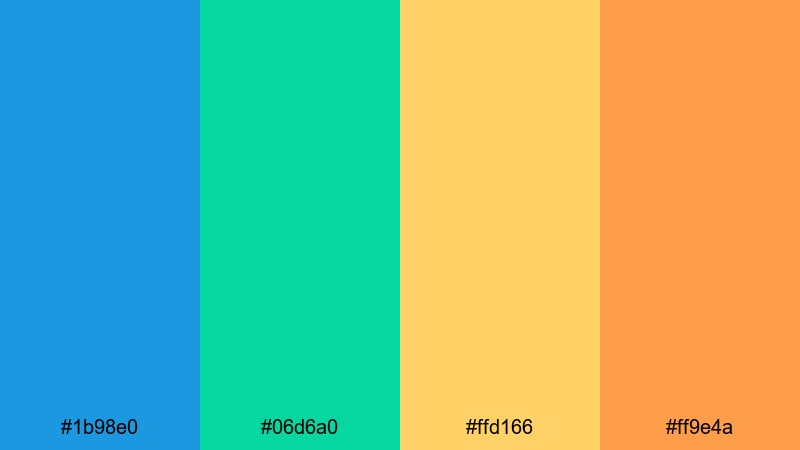
- HEX Codes: #1b98e0, #06d6a0, #ffd166, #ff9e4a
- Mood: Bright, polished, and aspirational for creators on the go.
- Use for: Perfect for travel vlog branding, channel banners, and stylish thumbnail systems.
Modern Travel Vlog combines a crisp sky blue with minty green and warm yellow-orange tones. It is bright and aspirational, ideal for creators who want a professional yet inviting look.
Use blue (#1b98e0) for your logo lockup, lower thirds, and key brand shapes across all videos. Let the green (#06d6a0) differentiate playlists or series, while yellow and orange focus attention on titles, pins, and subscribe CTAs. This blue green yellow orange palette is easy to systemize for consistent thumbnails, end screens, and channel art.
Tips for Creating Blue Green Yellow Orange Color Palettes
When you build your own blue green yellow orange palette for video and design, balance cool and warm tones carefully so your footage stays readable, on-brand, and emotionally on target.
- Decide your hero color first (blue, green, yellow, or orange), then let the others support it instead of competing for attention.
- Use darker blues and greens for backgrounds and text to maintain contrast, and keep yellows and oranges for accents and highlights.
- Always test text legibility on mobile by placing your title and subtitle over your chosen background colors before finalizing a thumbnail.
- Keep your palette consistent across intros, lower thirds, transitions, and end screens so your channel or brand feels unified.
- Match your color grade to your graphics: if your footage leans teal and orange, pick UI and text colors from the same blue green yellow orange range.
- Limit saturation in long-form videos; use the brightest yellow and orange only for emphasis so viewers do not get visual fatigue.
- Use Filmora presets, LUTs, and saved color settings to lock in a repeatable blue green yellow orange look across different projects.
- Adapt brightness and contrast for each platform: darker overlays for cinema-style edits, brighter accents for vertical Reels and Shorts.
Blue green yellow orange color palettes can shape the full personality of your channel, from tropical and playful to modern and cinematic. By choosing a palette that matches your story and then repeating it across thumbnails, intros, and edits, you build a strong visual identity that viewers instantly recognize.
All 15 palettes above come with ready HEX codes, so you can easily apply them to titles, overlays, and grading in Filmora. Experiment with a few options, save your favorites as presets, and refine them over time until your color style feels as unique as your content.
Open Filmora, drop in your footage, and start testing these blue green yellow orange combinations in real projects. With AI Color Palette, HSL controls, and filters, it takes only a few minutes to see which palette makes your story look its best.
secure downloadNext: Topaz Color Palette
