

 100% Security Verified | No Subscription Required | No Malware


 ChatGPT
 Perplexity
 Gemini
 Claude
 Grok
Grok
Blue, red, and orange form a powerful triad: blue feels calm, trustworthy, and techy; red signals urgency, passion, and action; orange adds warmth, creativity, and excitement. When you blend them into a single blue red orange color palette, you get a bold mix of cool stability, emotional punch, and energetic highlights that works beautifully for modern brands and videos.
Creators use blue red orange color combinations for YouTube thumbnails, title cards, intros, lower thirds, and full cinematic color grading. Below you will find 15 carefully curated blue red orange color palettes with HEX codes, designed for vlogs, gaming edits, trailers, livestream overlays, and more. Every palette is ready to be recreated in Filmora so you can keep your visuals consistent from first frame to final export.
In this article
Bold & Cinematic Blue Red Orange Palettes
Sunset Pulse Spectrum
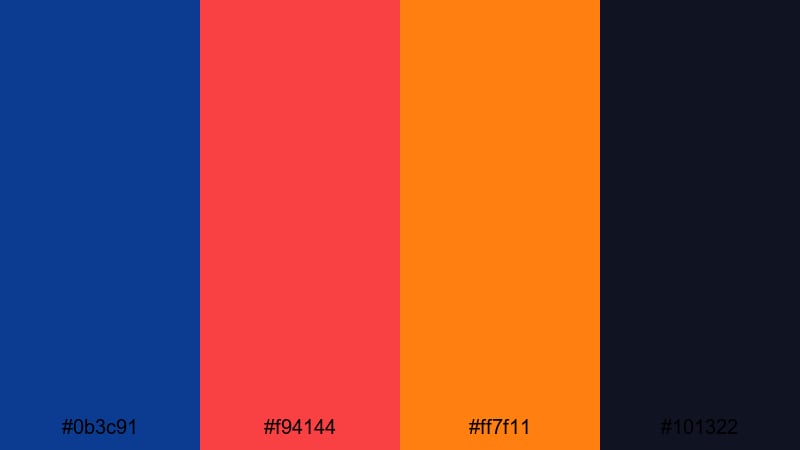
- HEX Codes: #0b3c91, #f94144, #ff7f11, #101322
- Mood: Intense, dramatic, and high-energy, perfect for action-packed visuals.
- Use for: Use this palette for movie-style trailers, gaming intros, and dramatic vlog openers that need strong impact.
Sunset Pulse Spectrum pushes contrast to the max: a deep midnight blue (#0b3c91) collides with searing red (#f94144) and fiery orange (#ff7f11), all grounded by an inky near-black (#101322). It feels like the last flash of light before night falls, packed with tension and adrenaline.
This blue red orange color palette is perfect for cinematic titles, countdown timers, and YouTube thumbnails where you want instant impact and clear focal points. In Filmora, you can use the blue as your background or framing color, then reserve the red and orange for key text, call-to-action buttons, and motion graphics accents across your edit.
Pro Tip: Build a Cinematic Blue Red Orange Look in Filmora
To keep a bold palette like Sunset Pulse Spectrum consistent, start by defining your role for each color inside Filmora. Use the deep blue for backgrounds and overlays, red for urgent elements like Subscribe or New Episode text, and orange for softer highlights, badges, and animated icons.
Save these color choices as presets for titles, lower thirds, and shape layers. That way, every new clip you add to your timeline can quickly inherit the same blue red orange color combination, whether you are cutting an action trailer, a gaming highlight reel, or a dramatic vlog intro.
AI Color Palette
If you have a reference frame or thumbnail mockup that already nails this palette, Filmora's AI Color Palette feature can transfer that look across your entire project. Just pick a shot where the blue, red, and orange are clearly visible, then match the rest of your clips to it.
This keeps your sunset-like tones stable across different cameras and lighting setups, from your intro scene to B-roll and outro cards. Instead of manually tweaking every clip, let AI push the same rich blues and glowing warm tones to your whole timeline in a few clicks.
 secure download

HSL, Color Wheels & Curves
Once your base look is matched, use Filmora's HSL sliders, color wheels, and curves to fine-tune your blue red orange tones. Slightly deepen the blues in the shadows for a more cinematic feel, push the reds toward magenta if you want a modern, neon edge, or warm the midtones so orange highlights feel like real sunset light.
With these tools, you can control how skin tones sit between the cool blues and hot accents, and avoid banding or harsh clipping in bright titles. For a deeper walkthrough on balancing colors, check out Filmora's color correction and grading guide while you experiment with your palette.
secure download1000+ Video Filters & 3D LUTs
If you want to move faster, Filmora’s video filters and 3D LUTs make it easy to stylize any blue red orange color palette. Start with a cinematic or blockbuster LUT, then tweak the intensity so your blues stay rich and your reds and oranges stay vibrant without oversaturation.
You can stack subtle glow, vignette, or grain filters on top to give your project a premium finish. This is especially useful for action intros, trailers, and cinematic YouTube channels that need a signature blue red orange look that is quick to apply to every new upload.
secure downloadAction Trailer Inferno
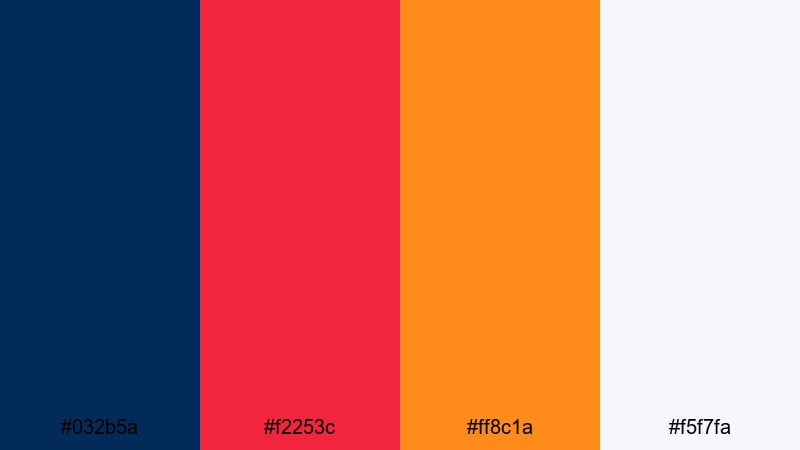
- HEX Codes: #032b5a, #f2253c, #ff8c1a, #f5f7fa
- Mood: Explosive and urgent with a hint of sophistication.
- Use for: Best for teaser trailers, countdowns, and adrenaline-heavy sports edits that need a blockbuster feel.
Action Trailer Inferno uses a dark navy (#032b5a) as the stage for explosive red (#f2253c) and glowing orange (#ff8c1a), finished with a crisp highlight white (#f5f7fa). It feels like a Hollywood teaser poster where danger and speed take center stage.
Apply this palette to kinetic text, sports countdown timers, or boxing and racing thumbnails. Let the navy dominate your background and lower thirds in Filmora, then use the orange and white for key numbers and stats, with red as your accent for hits, impacts, and scene transitions.
Heroic Neon Horizon
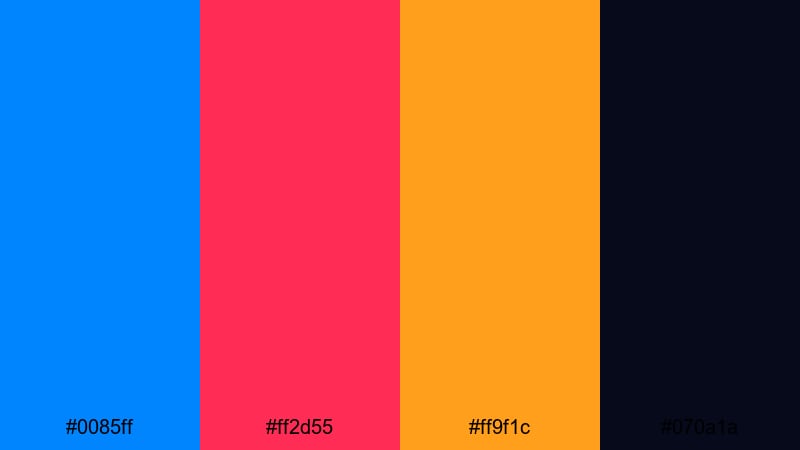
- HEX Codes: #0085ff, #ff2d55, #ff9f1c, #070a1a
- Mood: Futuristic, heroic, and larger than life.
- Use for: Great for superhero-style edits, sci-fi intros, or epic reveal sequences with glowing titles.
Heroic Neon Horizon pairs electric blue (#0085ff) with neon red (#ff2d55) and molten orange (#ff9f1c) on a deep night base (#070a1a). The contrast screams hero shot, with glowing edges and powerful silhouettes.
This blue red orange themed video palette works brilliantly for epic reveal titles, mask transitions, and logo stings. In Filmora, you can use the dark base as a gradient backdrop, then add animated strokes and glow effects in the neon blue and red to frame your hero character or brand mark.
Arcade Night Rush
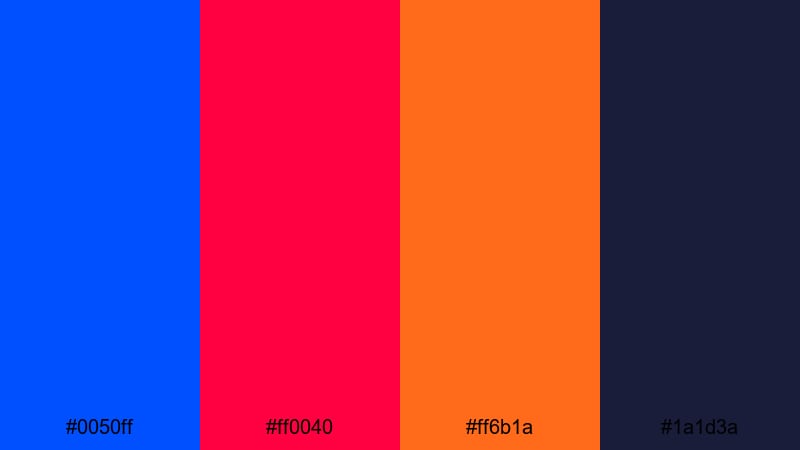
- HEX Codes: #0050ff, #ff0040, #ff6b1a, #1a1d3a
- Mood: Retro, punchy, and buzzing with nightlife energy.
- Use for: Use in gaming montages, nightlife promos, or retro synthwave edits with fast cuts and motion graphics.
Arcade Night Rush feels like neon signs reflected on wet city streets. Vivid arcade blue (#0050ff) and hot magenta-red (#ff0040) clash against glowing orange (#ff6b1a) on a moody navy-black base (#1a1d3a) for pure nightlife energy.
Use this palette to build retro gaming thumbnails, synthwave title sequences, and club recap reels. In your Filmora overlays, keep the background dark while letting blue and red neon lines, HUD graphics, and sound-reactive titles pulse in time with your soundtrack.
Soft & Dreamy Blue Red Orange Palettes
Coral Skies Reverie
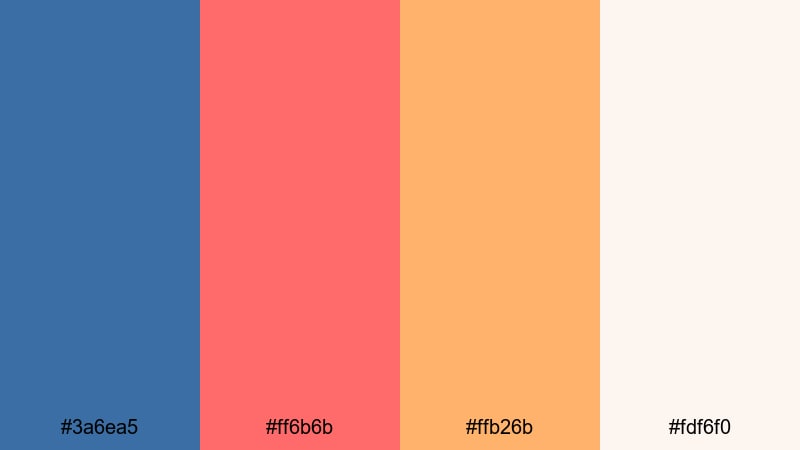
- HEX Codes: #3a6ea5, #ff6b6b, #ffb26b, #fdf6f0
- Mood: Gentle, nostalgic, and romantic like a soft evening sky.
- Use for: Perfect for travel vlogs, lifestyle reels, and dreamy B-roll with subtle overlays or light leaks.
Coral Skies Reverie blends airy blue (#3a6ea5) with coral red (#ff6b6b) and peachy orange (#ffb26b) over a creamy base (#fdf6f0). It gives your visuals the softness of a pastel sunset, full of warmth without harsh contrast.
This is an ideal aesthetic color palette for vlogs, slow travel montages, and romantic couple edits. Use the light background and soft orange for your title cards in Filmora, while coral accents highlight important text, emojis, or icons on Instagram Reels and YouTube community posts.
Blush Harbor Dawn
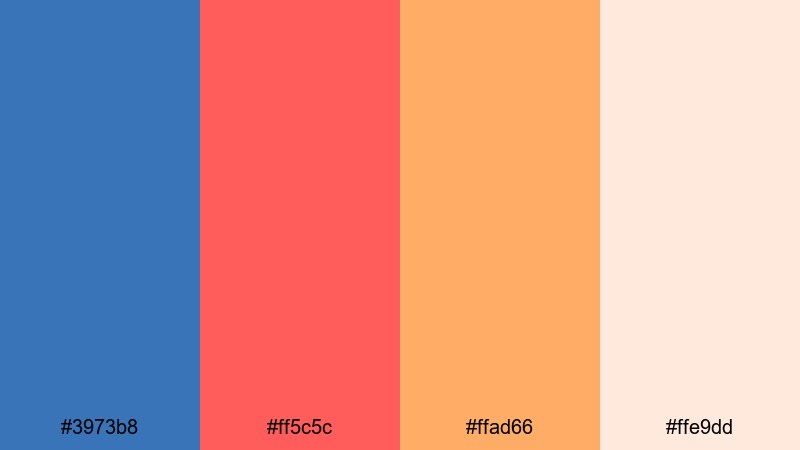
- HEX Codes: #3973b8, #ff5c5c, #ffad66, #ffe9dd
- Mood: Warm, hopeful, and gently uplifting.
- Use for: Use for morning routines, wellness content, or inspirational shorts with handwritten titles.
Blush Harbor Dawn combines harbor blue (#3973b8) with blush red (#ff5c5c) and apricot orange (#ffad66) on a soft cream (#ffe9dd). It feels like a calm sunrise over water, full of optimism and clarity.
Apply this palette to morning routine videos, wellness guides, journaling content, and calm productivity vlogs. In Filmora, build minimalist thumbnails using the cream as a background, with blue for headline text and blush or apricot for callouts, arrows, and subtle highlight boxes.
Mellow Aurora Drift
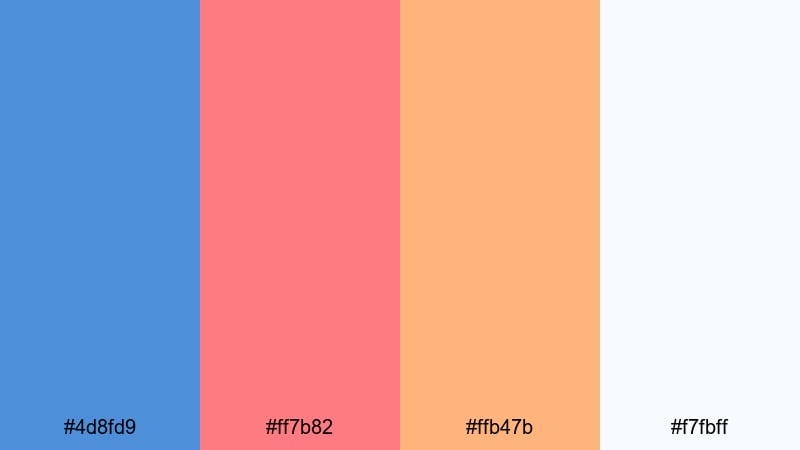
- HEX Codes: #4d8fd9, #ff7b82, #ffb47b, #f7fbff
- Mood: Relaxed, airy, and slightly whimsical.
- Use for: Great for aesthetic montages, study-with-me videos, and chill lo-fi loops with slow transitions.
Mellow Aurora Drift leans into pastel vibes, with soft blue (#4d8fd9), rosy red (#ff7b82), and muted orange (#ffb47b) on a nearly white sky (#f7fbff). It brings a gentle, dreamy quality to your edit without feeling childish.
Use this blue red orange color palette for lo-fi study sessions, aesthetic desk tours, and delicate B-roll overlays. In Filmora, pair it with slower transitions and light leak effects so your colors drift gently across the frame rather than snapping or flashing.
Vintage Story Glow
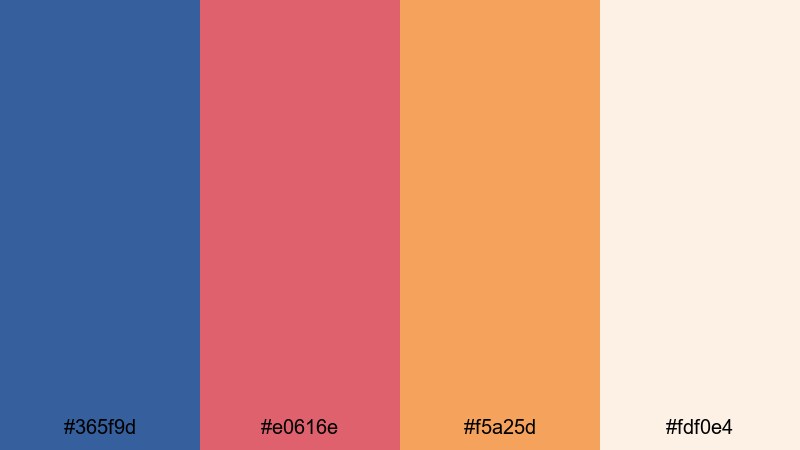
- HEX Codes: #365f9d, #e0616e, #f5a25d, #fdf0e4
- Mood: Storybook, cozy, and slightly retro.
- Use for: Ideal for family footage, memory recaps, and documentary-style narratives with a warm, nostalgic touch.
Vintage Story Glow softens everything: muted blue (#365f9d), dusty red (#e0616e), and golden orange (#f5a25d) sit on a parchment-like base (#fdf0e4). It feels like an old photo album given new life.
This palette suits family recap videos, childhood memory edits, and sentimental brand storytelling. Try pairing it with subtle film grain and vignette filters in Filmora, and use the golden orange as a thread color across titles, lower thirds, and end screens to keep the narrative feeling cohesive.
Energetic Neon Blue Red Orange Palettes
Cyber Festival Pop
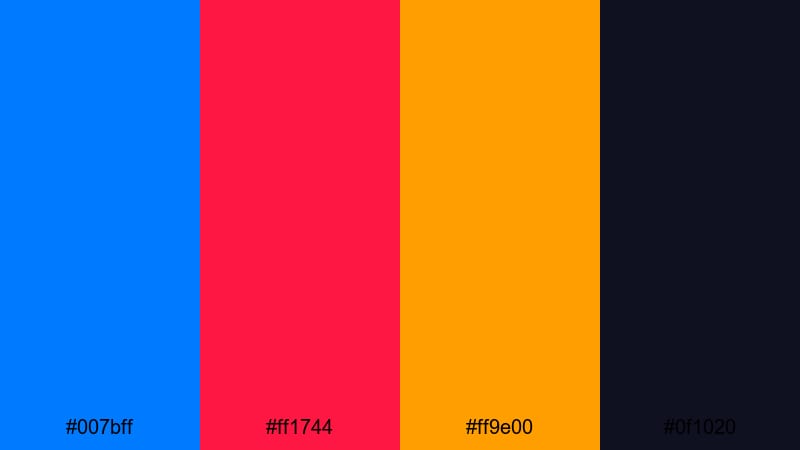
- HEX Codes: #007bff, #ff1744, #ff9e00, #0f1020
- Mood: Explosive party energy with a digital edge.
- Use for: Use for music festival recaps, club promos, or TikTok edits with bold text and rapid cuts.
Cyber Festival Pop contrasts bright screen blue (#007bff), neon red (#ff1744), and punchy orange (#ff9e00) with a deep tech dark (#0f1020). It feels like a music festival light show captured on an LED screen.
Use it for festival recap videos, DJ promo clips, and TikTok edits with fast transitions. In Filmora, combine this palette with glitch, strobe, or beat-sync effects so the blue and red flashes land exactly on the music hits, while orange highlights guide the viewer to key text or CTAs.
Glitch Riot Wave
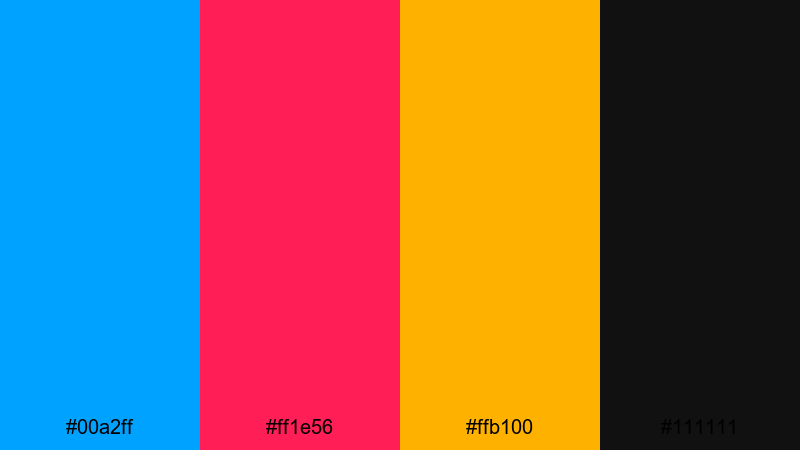
- HEX Codes: #00a2ff, #ff1e56, #ffb100, #111111
- Mood: Chaotic, edgy, and rebellious.
- Use for: Perfect for glitch transitions, esports highlights, and edgy promo spots targeting younger audiences.
Glitch Riot Wave slams hyper-bright cyan-blue (#00a2ff) together with hot red (#ff1e56) and bold orange (#ffb100) over deep black (#111111). The result is loud, rebellious, and designed to stand out in crowded feeds.
Apply this neon blue red orange combination to esports highlight reels, streetwear promos, or edgy creator intros. In Filmora, pair it with glitch presets, channel shifts, and fast zooms so your colors streak and fragment across the screen like a digital riot.
Streamer Hype Boost
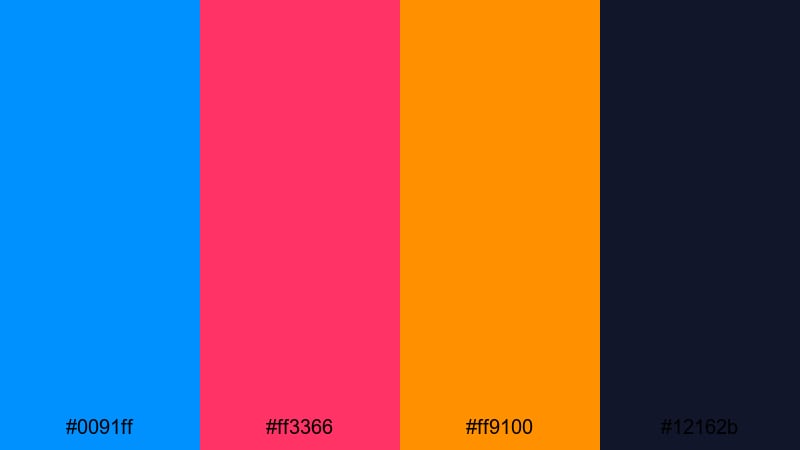
- HEX Codes: #0091ff, #ff3366, #ff9100, #12162b
- Mood: Hype, competitive, and streaming-ready.
- Use for: Ideal for live stream overlays, alert animations, and esports branding packages in Filmora.
Streamer Hype Boost is built for overlays: streaming blue (#0091ff), candy red (#ff3366), and bright orange (#ff9100) pop on a dark navy base (#12162b). It is energetic but readable, great for long viewing sessions.
Use this palette to design your Twitch or YouTube Live overlays, alerts, webcam frames, and panels. In Filmora, you can create animated scenes for starting soon, be right back, and stream ending, keeping the same blue red orange branding across all your streaming assets.
Esports Strobe Storm
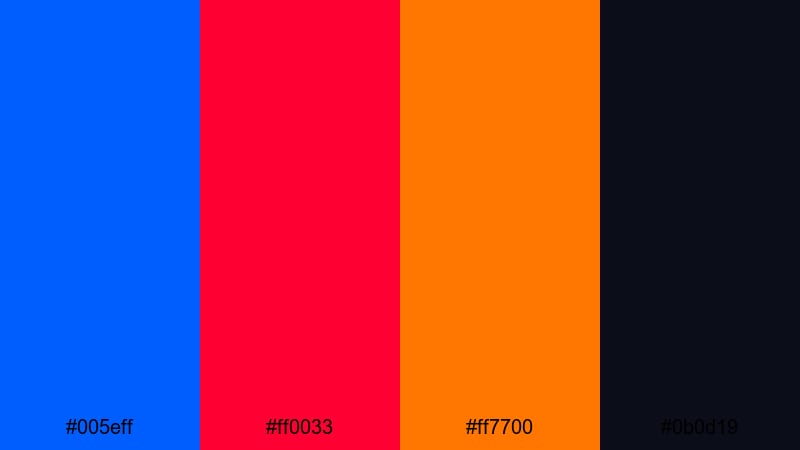
- HEX Codes: #005eff, #ff0033, #ff7700, #0b0d19
- Mood: Relentless, competitive, and high-contrast.
- Use for: Use this palette in team intro videos, highlight reels, and tournament bumpers needing strong identity.
Esports Strobe Storm uses laser blue (#005eff), strobe red (#ff0033), and searing orange (#ff7700) on a near-black navy (#0b0d19). It feels like stadium lights hitting glossy team jerseys and metal surfaces.
Pick this palette for team intro videos, player cards, and tournament bumpers. In Filmora, animate sharp wipes and strobe flashes between shots, letting blue and red accents track team logos, gamer tags, or scoreboards for a strong competitive identity.
Modern Minimal Blue Red Orange Palettes
Clean Studio Heat
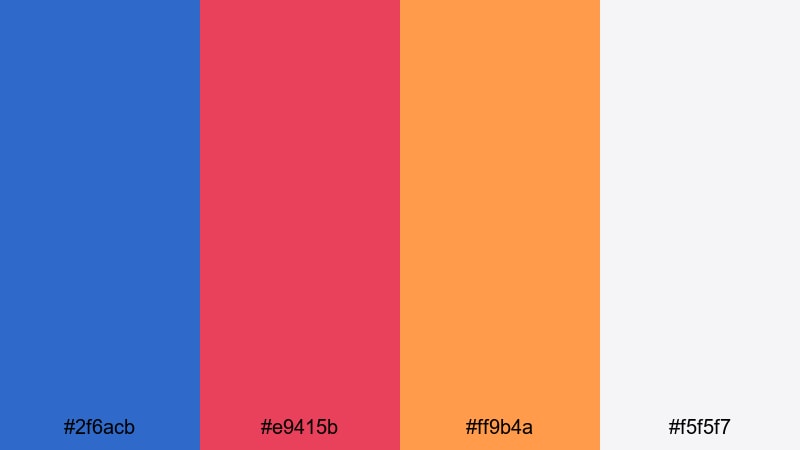
- HEX Codes: #2f6acb, #e9415b, #ff9b4a, #f5f5f7
- Mood: Modern, polished, and brand-friendly.
- Use for: Great for brand explainers, SaaS promos, and clean tutorial layouts with bold but balanced accents.
Clean Studio Heat matches cool studio blue (#2f6acb) with warm red (#e9415b) and soft orange (#ff9b4a) over a light neutral gray-white (#f5f5f7). It feels like a tech studio set lit for a product demo or brand explainer.
This palette is perfect for YouTube tutorials, SaaS promos, and startup explainers. Use the neutral background in Filmora as your canvas for big, readable text, then apply blue for key headings and subtle red or orange for buttons, callouts, and important metrics.
Tech Startup Ember
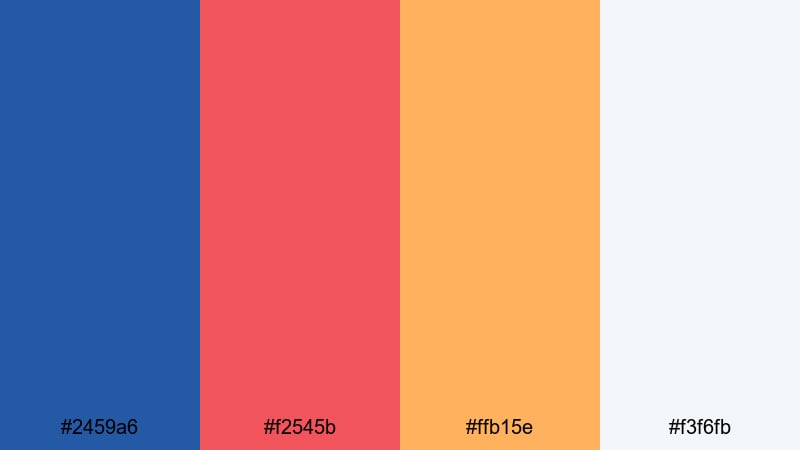
- HEX Codes: #2459a6, #f2545b, #ffb15e, #f3f6fb
- Mood: Innovative, energetic, and approachable.
- Use for: Use in pitch decks, product launch teasers, and UI-style motion graphics for tech-focused brands.
Tech Startup Ember pairs professional blue (#2459a6) with friendly red (#f2545b) and glowing orange (#ffb15e) on a soft off-white (#f3f6fb). It communicates innovation and trust with a human, approachable twist.
Choose this palette for pitch videos, product launches, and UI-style motion graphics. In Filmora, you can animate simple shapes and faux app screens using blue as your base UI color, then let red and orange guide the viewer’s eyes to key features, prices, and CTAs.
Urban Grid Pop
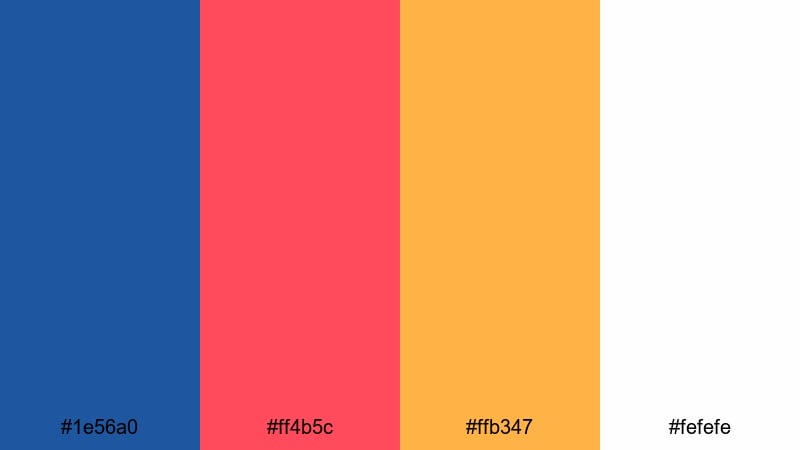
- HEX Codes: #1e56a0, #ff4b5c, #ffb347, #fefefe
- Mood: City-smart, upbeat, and versatile.
- Use for: Perfect for city vlogs, creator branding, and social media templates that need clean but lively colors.
Urban Grid Pop balances deep urban blue (#1e56a0) with punchy red (#ff4b5c) and soft orange (#ffb347) on bright white (#fefefe). It feels like a city billboard or metro map redesigned for modern creators.
Use this palette for city vlogs, personal branding, and social media templates. In Filmora, combine white backgrounds, blue grid lines or frames, and red or orange blocks behind text to create clean, energetic layouts that are easy to read even on mobile.
Tips for Creating Blue Red Orange Color Palettes
When you build your own blue red orange color palette for video and design, balance cool, warm, and neutral tones so your visuals stay cinematic, readable, and on-brand across thumbnails, intros, and full edits.
- Decide each color’s job: use blue for backgrounds and trust, red for urgency and action, and orange for warmth, energy, and secondary accents.
- Control contrast for readability: pair bright reds and oranges with dark blues or deep neutrals so titles and CTAs stay clear on mobile screens.
- Add a neutral base: off-whites, light grays, or near-blacks help your blue, red, and orange accents stand out without overwhelming the viewer.
- Match your footage: in Filmora, gently shift your footage hues so sky, clothing, or lights lean toward your chosen blue and orange instead of clashing colors.
- Keep branding consistent: reuse the same HEX codes in your logo, lower thirds, end screens, and social banners to build strong visual identity.
- Test different moods: darker blues and deeper reds feel more cinematic and serious, while lighter, pastel versions feel softer and more lifestyle-oriented.
- Check in grayscale: quickly preview thumbnails in black and white to make sure your blue red orange contrast is strong enough for clear hierarchy.
- Expand with accent colors carefully: if you add cyan or another hue, keep it subtle so it supports, rather than competes with, your core palette.
Blue red orange color combinations can completely change how viewers feel about your content, from high-energy esports edits to soft lifestyle vlogs or polished startup explainers. With the 15 palettes above, you have ready-made HEX codes to plug directly into your titles, overlays, and brand assets.
Try dropping a few of these palettes into your next Filmora project and save your favorites as reusable presets. Over time, your audience will start to recognize your consistent color style in their feed before they even read your channel name.
Whether you lean into bold cinematic contrast or soft pastel storytelling, Filmora gives you the tools to keep your blue red orange visuals cohesive across videos, shorts, and thumbnails, so your channel and brand feel instantly recognizable.
secure downloadNext: Cyan Color Palette
