

 100% Security Verified | No Subscription Required | No Malware


 ChatGPT
 Perplexity
 Gemini
 Claude
 Grok
Grok
Brown red orange palettes blend the grounded stability of brown, the emotional punch of red, and the energy of orange into one warm, cinematic spectrum. This combination often feels cozy, nostalgic, and bold at the same time, which is why it shows up in coffee shop branding, autumn vlogs, retro posters, and dramatic movie lighting.
For video creators and Filmora users, these hues are perfect for thumbnails, intros, overlays, lower thirds, and full color grades that feel warm and approachable but still eye-catching. Below are 15 ready-to-use brown red orange color palettes with HEX codes you can plug straight into your branding, YouTube channel art, TikTok edits, or cinematic sequences.
In this article
Cozy Cinematic Brown Red Orange Palettes
Autumn Coffee Glow
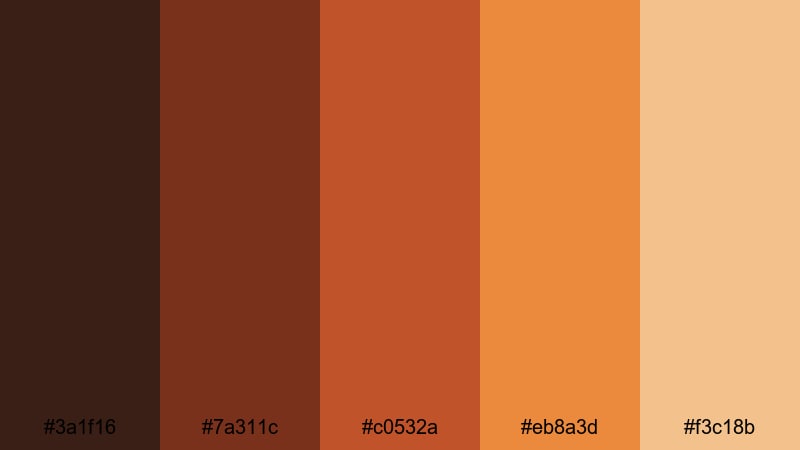
- HEX Codes: #3a1f16, #7a311c, #c0532a, #eb8a3d, #f3c18b
- Mood: Warm, nostalgic, and intimate, like golden-hour light in a quiet cafe.
- Use for: Use for storytelling vlogs, cinematic B-roll, and channel trailers that need a cozy, slow-living atmosphere.
Autumn Coffee Glow wraps your frame in toasty coffee browns and glowing oranges that feel like a quiet afternoon in your favorite cafe. Darker browns (#3a1f16, #7a311c) give your footage depth, while the brighter oranges and beige highlight skin tones, steam, book pages, and warm lights.
This palette works beautifully for lifestyle vlogs, talking head videos, and cinematic B-roll where you want viewers to lean back and relax. Use the deeper shades for lower thirds, titles, and thumbnail backgrounds, then use the lighter oranges for icons, buttons, and accents so your branding feels cohesive across intros, outros, and social cutdowns.
Pro Tip: Build a Cinematic Brown Red Orange Look in Filmora
To keep this brown red orange mood consistent, treat your whole edit like one visual story. In Filmora, you can color grade your main hero shot (for example, a coffee cup close-up) with warm shadows and orange highlights, then reuse those settings across the rest of the timeline. This keeps your intros, B-roll, and end cards in the same cozy universe.
Save your preferred adjustments as presets in Filmora so every new vlog or channel trailer can instantly match the same Autumn Coffee Glow feel. Over time, this becomes part of your recognizable brand identity on YouTube, Instagram, and TikTok.
AI Color Palette
If you already have a reference image you love, such as a cafe photo or a still from your favorite film, you can turn that into a full video look. Filmora's AI Color Palette feature analyzes the colors in that image and applies a similar palette to your clips.
Drop a warm, brown red orange still into Filmora, use AI Color Palette on your selected clips, and let the tool spread those rich tones across your entire edit. This is especially useful when you are mixing camera sources or adding stock footage and you want everything to share the same snug, cinematic warmth.
 secure download

HSL, Color Wheels & Curves
Even within a fixed palette, small tweaks can make your footage feel more cinematic. In Filmora, use the HSL controls to gently push oranges toward a softer amber for skin tones or deepen the browns for richer shadows. Color wheels let you warm up mids and highlights while keeping blacks neutral, so your brown red orange look stays polished instead of muddy.
If you want more control, use curves to lift highlights slightly and add a subtle S-curve for contrast. This keeps your warm palette punchy without losing detail. For a deeper walkthrough on shaping color, you can follow Filmora's color correction guide while experimenting with these cozy hues.
secure download1000+ Video Filters & 3D LUTs
If you want this brown red orange style fast, Filmora offers ready-made looks you can drop onto your clips. Many of Filmora's video filters and 3D LUTs are built around warm, cinematic tones, autumn vibes, and retro film looks that pair perfectly with these HEX codes.
Try stacking a subtle warm LUT with a soft vignette and film grain to turn simple indoor footage into a cafe-style scene. You can also apply filters to text, overlays, and split-screen layouts so your titles, lower thirds, and thumbnails all share the same brown red orange character.
secure downloadFireside Story Night
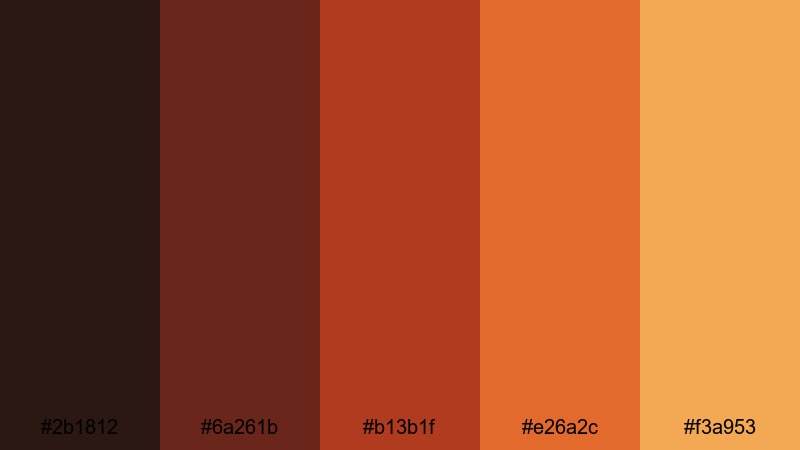
- HEX Codes: #2b1812, #6a261b, #b13b1f, #e26a2c, #f3a953
- Mood: Inviting and storytelling-focused, like gathering around a campfire.
- Use for: Use for documentary intros, travel diaries, and voiceover scenes that need warmth and emotional depth.
Fireside Story Night feels like glowing embers and soft shadows around a campfire. The deep browns and reds set a moody base for interviews and voiceovers, while the brighter oranges and amber highlight important details or text.
Use the darker hues for full-screen backgrounds in your titles, end screens, and chapter cards, and reserve the lighter tones for text, icons, and key graphics in your thumbnails. This palette is perfect for emotional travel diaries, reflective monologues, and docu-style storytelling in Filmora.
Ember Fade Frames
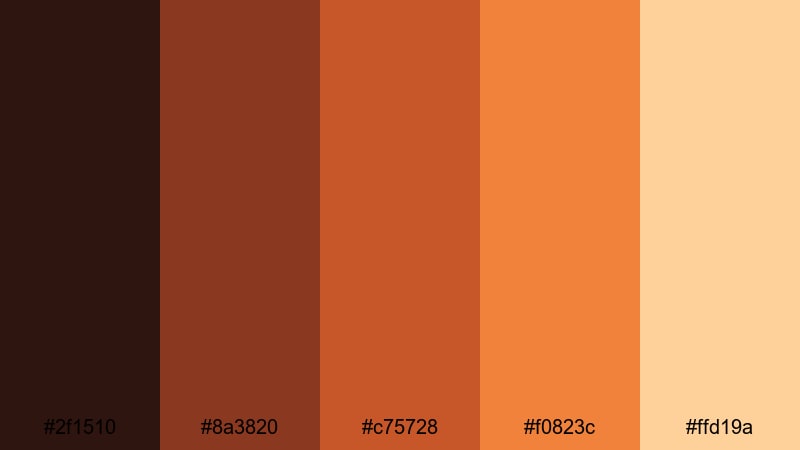
- HEX Codes: #2f1510, #8a3820, #c75728, #f0823c, #ffd19a
- Mood: Glowing and emotional, like fading embers in a dark room.
- Use for: Use for transition overlays, emotional montage sequences, and cinematic title cards.
Ember Fade Frames shifts from deep ember reds into soft glowing oranges and cream. It feels like the last light in a dark room, ideal for emotional cuts, wedding highlights, or dramatic montage sequences.
Try using the darkest shade for vignette effects and letterboxing, while the mid oranges color your transitions, split screens, and motion graphics. The lightest cream can carry readable text on overlays, lower thirds, and YouTube thumbnails without breaking the warm cinematic mood.
Cinnamon Lens Flare
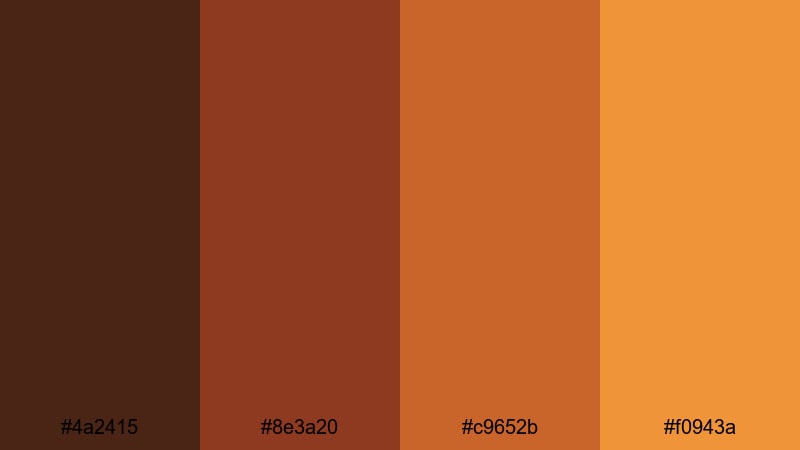
- HEX Codes: #4a2415, #8e3a20, #c9652b, #f0943a
- Mood: Spiced, cozy, and cinematic with a hint of vintage warmth.
- Use for: Use for soft film grain overlays, lifestyle reels, and cooking or baking content.
Cinnamon Lens Flare leans into spiced browns and punchy oranges, echoing vintage film stock and warm lens flares. It is simple yet strong, especially for homey content like baking videos, cozy routines, and behind-the-scenes reels.
Use the darker browns for backgrounds and frames, and let the brighter oranges highlight key ingredients, call-to-action buttons, or overlay graphics. In Filmora, you can combine this palette with soft film grain or light leak effects for stylish, appetizing thumbnails and intros.
Earthy Rustic Brown Red Orange Palettes
Terracotta Market Morning
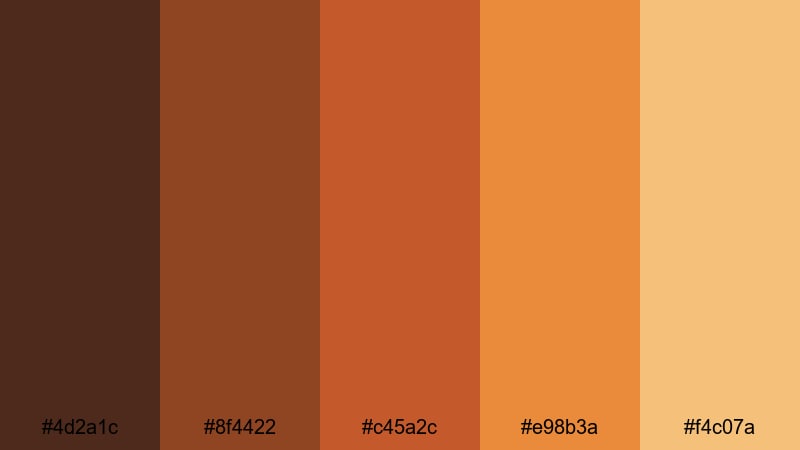
- HEX Codes: #4d2a1c, #8f4422, #c45a2c, #e98b3a, #f4c07a
- Mood: Earthy and bustling, like a sunrise market full of clay pots and spices.
- Use for: Use for travel vlogs, food content, and brand intros that highlight culture, craft, or slow travel.
Terracotta Market Morning combines clay-like browns with bright, sunlit oranges for a grounded yet energetic palette. It evokes spices, baked tiles, and street markets at sunrise, making it perfect for travel and culture-focused storytelling.
Use the darker colors for borders, text bars, and logo backdrops, while the mid and light tones can grade your footage for a sun-kissed, earthy feel. This palette helps food channels, artisanal brands, and slow travel creators keep a cohesive warm identity across thumbnails, reels, and channel art.
Clay Roof Sunlight
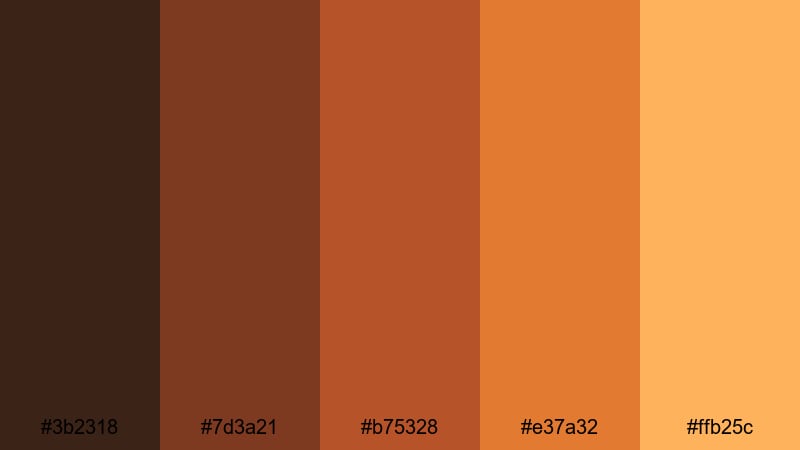
- HEX Codes: #3b2318, #7d3a21, #b75328, #e37a32, #ffb25c
- Mood: Sunny, rustic, and relaxed, like warm tiles under a late afternoon sky.
- Use for: Use for real estate tours, architectural reels, and outdoor lifestyle content.
Clay Roof Sunlight feels like walking along old rooftops in late afternoon light. The rich browns pair with bright orange and golden accents, ideal for highlighting architecture, outdoor cafes, or homestay tours.
Use the deeper hues for titles and lower-thirds on real estate or Airbnb walkthroughs, and the lighter yellow-orange for clickable buttons, arrows, and calls to action in your thumbnails. This palette makes outdoor lifestyle footage feel consistently warm and inviting across your edits.
Desert Hearth Trail
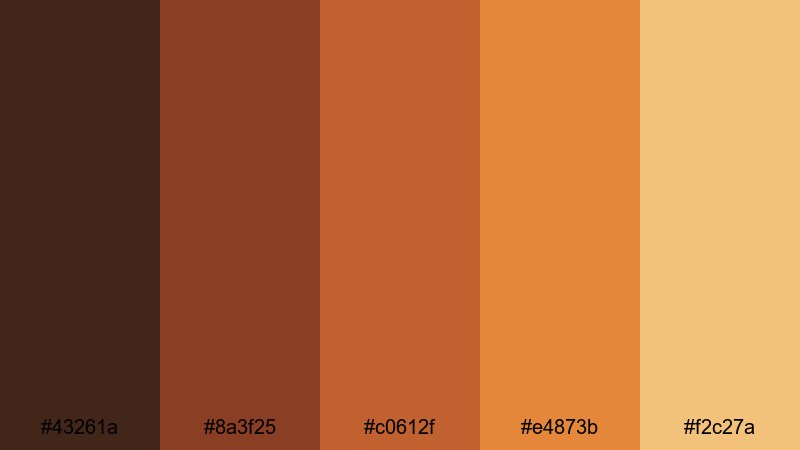
- HEX Codes: #43261a, #8a3f25, #c0612f, #e4873b, #f2c27a
- Mood: Adventurous and grounded, with a desert-road-trip energy.
- Use for: Use for outdoor adventure vlogs, hiking reels, and cinematic drone shots over deserts and canyons.
Desert Hearth Trail captures dusty browns and sunbaked oranges that instantly suggest road trips, canyons, and long hikes. It is rugged yet warm, great for creators who film in deserts, rocky landscapes, or dry mountain trails.
Grade your drone footage and POV shots with these tones to tie your whole adventure series together. The lighter sand-like hue makes excellent background for titles, captions, and map graphics in Filmora, while the darker shades emphasize silhouettes, shadows, and borders in your thumbnails.
Rustic Brick Alley
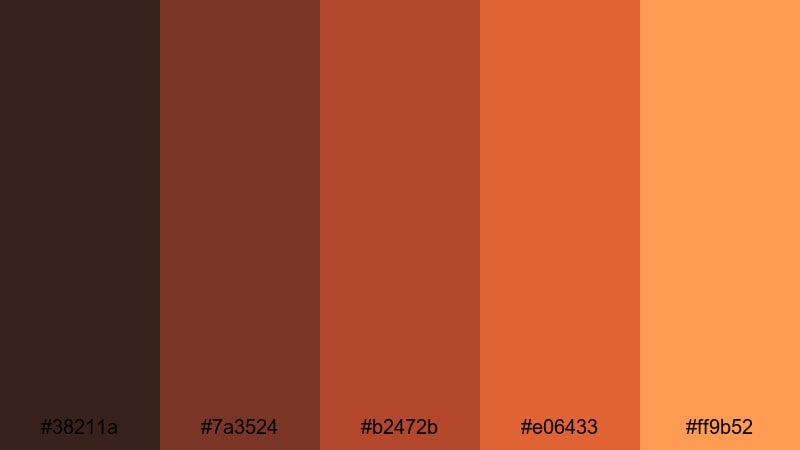
- HEX Codes: #38211a, #7a3524, #b2472b, #e06433, #ff9b52
- Mood: Urban yet earthy, like wandering through an old brick district at dusk.
- Use for: Use for city walk-throughs, street photography edits, and moody B-roll sequences.
Rustic Brick Alley mixes urban brick reds with warm oranges to create a city palette that still feels earthy and grounded. It is perfect for street photography edits, walking tours, and moody city B-roll.
Use the dark brown and brick tones for overlays, frames, and lower thirds, while the brighter oranges can highlight key landmarks, text, or map callouts. This palette brings a consistent warm look to your city-themed playlists, Instagram reels, and YouTube channel branding.
Bold Retro Brown Red Orange Palettes
Vintage Neon Ember
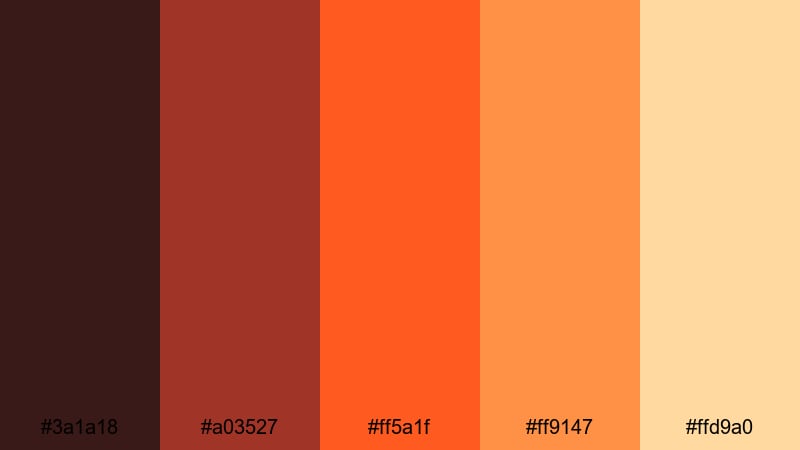
- HEX Codes: #3a1a18, #a03527, #ff5a1f, #ff9147, #ffd9a0
- Mood: Bold and nostalgic, like retro signage glowing against a dark street.
- Use for: Use for YouTube intros, gaming overlays, and bold title cards that need instant impact.
Vintage Neon Ember pushes brown red orange into a bold, neon-inspired space. The deep brown base makes the bright oranges and ember reds pop, giving you high contrast that works especially well for title cards and overlays.
Use the darkest shade behind logos or stream labels, then let the electric oranges outline shapes, buttons, and headline text. This palette is perfect for retro gaming channels, 80s-inspired edits, and punchy YouTube thumbnails that need to stand out in a crowded feed.
70s Sunset Stereo
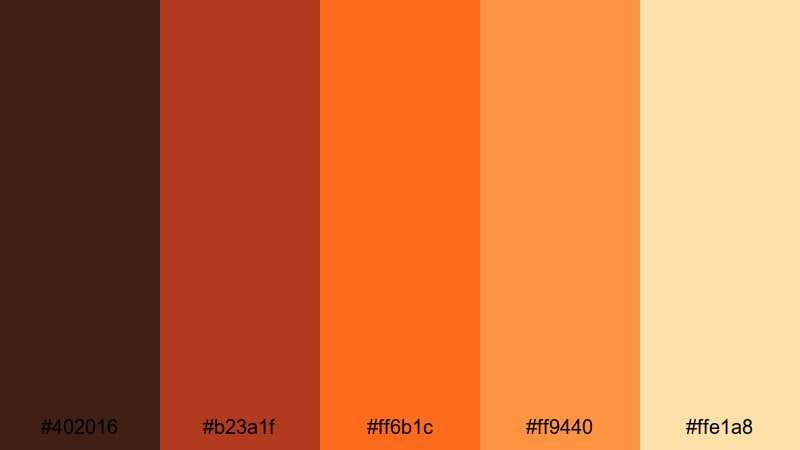
- HEX Codes: #402016, #b23a1f, #ff6b1c, #ff9440, #ffe1a8
- Mood: Groovy and energetic, like a 70s album cover at golden hour.
- Use for: Use for music videos, retro edits, and podcast cover art with a warm throwback style.
70s Sunset Stereo mixes rich brown with creamy oranges to recreate the look of vintage posters and album covers. It is energetic but soft enough to support text and graphics without hurting readability.
In Filmora, pair this palette with retro transitions, film grain, and bold typography for music videos, lyric videos, or podcast intros. Use the deeper shades as frames and the lighter yellow-cream as background for titles, channel banners, and episode thumbnails.
Arcade Cola Crush
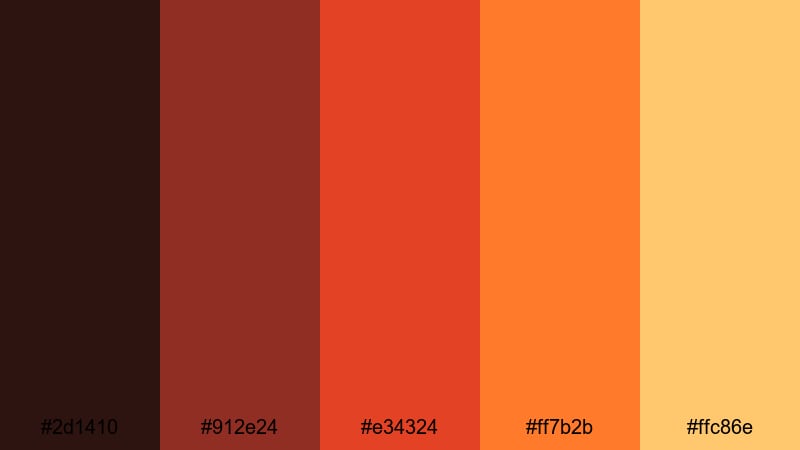
- HEX Codes: #2d1410, #912e24, #e34324, #ff7b2b, #ffc86e
- Mood: Playful, fizzy, and high-energy with a strong nostalgic arcade vibe.
- Use for: Use for gaming highlights, pop-style ads, and energetic TikTok or Shorts edits.
Arcade Cola Crush blends cola browns with neon oranges to create a fizzy, high-energy palette. It feels like arcade cabinets, soda ads, and fast-paced gameplay, making it great for gaming highlights and fast-cut edits.
Use the darker tones as backgrounds behind animated text or stream overlays, and let the neon oranges punch out kill counts, scores, or key callouts. In Shorts or Reels, this palette keeps motion graphics and captions readable while still feeling fun and retro.
Popcorn Premiere Heat
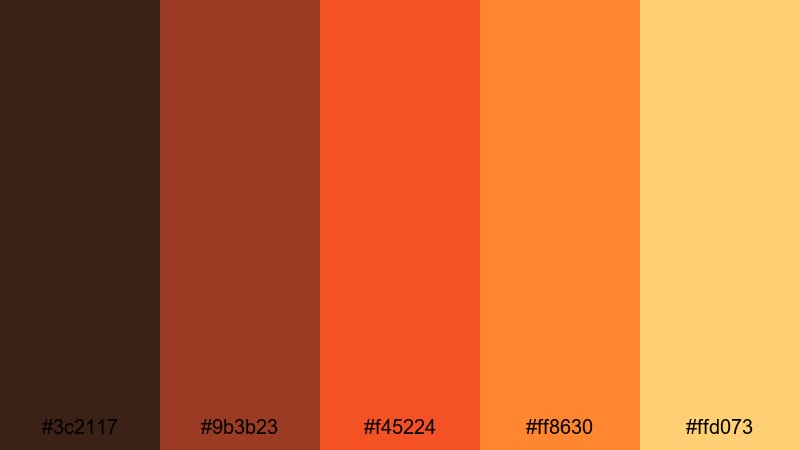
- HEX Codes: #3c2117, #9b3b23, #f45224, #ff8630, #ffd073
- Mood: Cinematic and exciting, like opening night in a packed theater.
- Use for: Use for movie review channels, trailer-style edits, and event promos.
Popcorn Premiere Heat delivers hot oranges, buttery yellows, and rich browns that feel like movie night. It is designed for channels that focus on trailers, film reviews, premieres, and events.
Use the deep brown for letterbox bars and background panels, the red-orange for bold titles, and the yellow for accents around ratings, stars, and call-to-action buttons. This palette helps your review thumbnails, countdowns, and trailer compilations look like part of a cohesive cinematic brand.
Modern Minimal Brown Red Orange Palettes
Soho Loft Edit
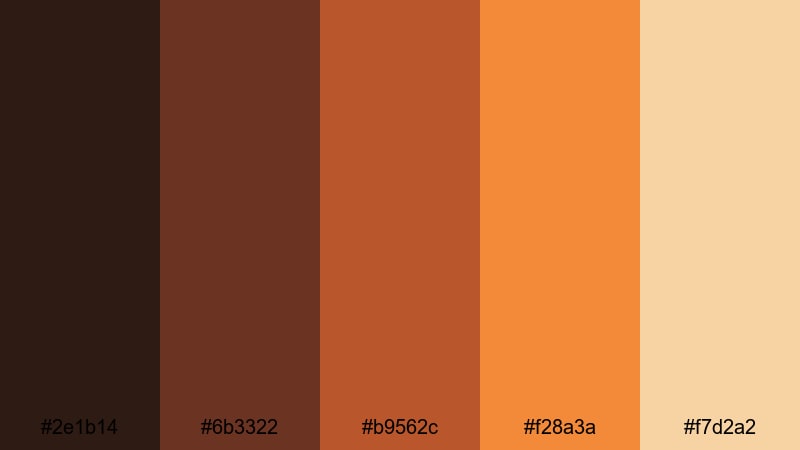
- HEX Codes: #2e1b14, #6b3322, #b9562c, #f28a3a, #f7d2a2
- Mood: Stylish and contemporary, like a designer loft bathed in warm light.
- Use for: Use for creative portfolios, brand showreels, and product lookbooks with a modern editorial feel.
Soho Loft Edit combines clean browns with soft oranges and beige, giving you a modern, editorial warmth. It feels like a designer studio or loft, which suits creative portfolios, product demos, and brand reels.
Use the darker tones for minimal title bars, logo reveals, and section dividers, while the soft orange and cream can form background blocks and negative space. In Filmora, this palette pairs well with simple typography and subtle motion graphics for a polished, agency-level feel.
Brand Studio Ember
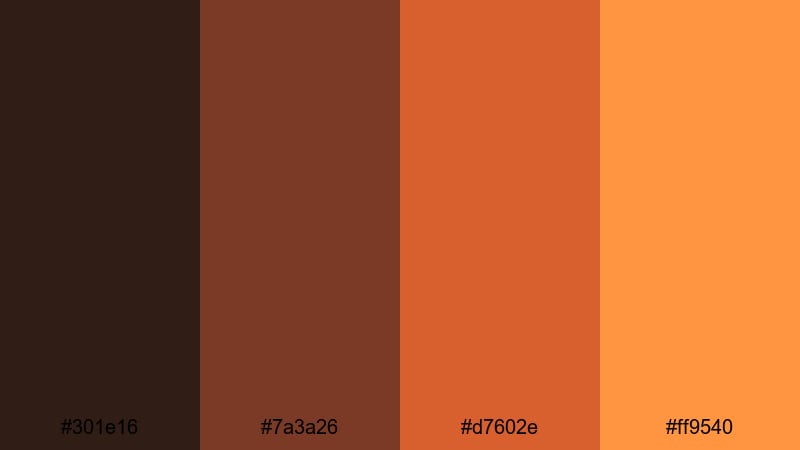
- HEX Codes: #301e16, #7a3a26, #d7602e, #ff9540
- Mood: Confident and focused, ideal for strong branding and sleek edits.
- Use for: Use for logo animations, lower thirds, and brand kits that need a bold but professional warmth.
Brand Studio Ember is a concise set of structured browns and ember tones, ideal for clear brand systems. It feels bold but professional, great for agencies, coaches, and startups that want a warm, confident presence.
Design your logo stings, lower thirds, and brand frames around the darkest brown, and use the ember oranges to highlight calls to action or key text. Because this palette is compact and focused, it is easy to reuse across intros, outro slates, presentations, and social templates in Filmora.
Clean Copper UI
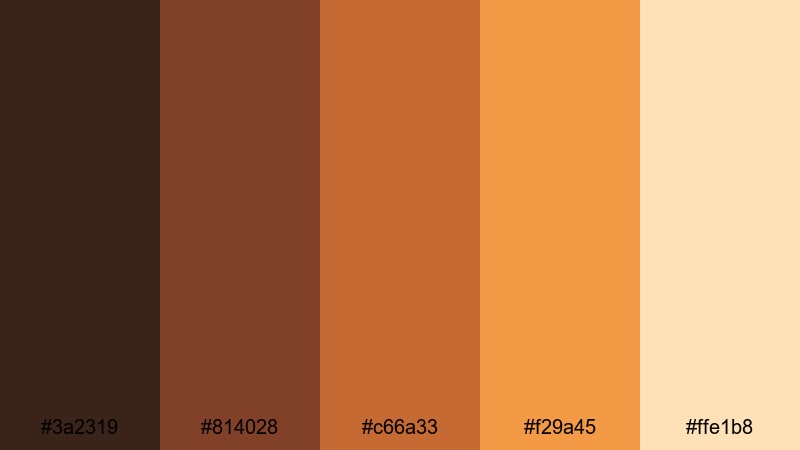
- HEX Codes: #3a2319, #814028, #c66a33, #f29a45, #ffe1b8
- Mood: Refined and user-friendly, with a tech-ready copper warmth.
- Use for: Use for app mockups, UI overlays, tutorial graphics, and sleek explainer videos.
Clean Copper UI offers polished copper and warm neutrals that feel both tech-ready and human. It is ideal for app demos, SaaS explainers, and user interface overlays where clarity and warmth need to work together.
Use the darker copper tones for navigation bars, interface frames, and device mockups, while the lighter shades support text-heavy slides, infographics, and tutorial callouts. In Filmora, this palette can unify your product walk-throughs, feature highlights, and help-center videos with a consistent, professional tone.
Tips for Creating Brown Red Orange Color Palettes
Brown red orange palettes are naturally warm and emotional, but they still need balance, contrast, and structure to work well across video, thumbnails, and branding. Use the tips below to refine or customize your own variations in Filmora.
- Always test readability: place white and dark text over your chosen background color to ensure captions, titles, and lower thirds stay legible on mobile screens.
- Balance warmth with neutrals: pair intense reds and oranges with at least one grounded brown or beige so your frames do not feel overloaded or harsh.
- Use one hero color: pick a single standout orange or red as your main accent for buttons, CTAs, and key icons, and let the other shades support it.
- Match palette to content: use darker, richer browns for serious stories and documentaries, and brighter oranges for upbeat vlogs, ads, and gaming content.
- Keep brand consistency: reuse the same HEX codes in your intros, end screens, thumbnail templates, and social graphics so viewers recognize your style instantly.
- Control skin tones: when grading footage in Filmora, warm the image without pushing skin tones too orange by using HSL to target only reds and oranges.
- Check cross-platform look: export short samples and view them on phone, tablet, and desktop to confirm your brown red orange palette looks good everywhere.
- Combine with cooler accents when needed: if your scene feels too hot, add a small touch of cooler gray, off-white, or even forest green in graphics to balance the warmth.
Brown red orange palettes are powerful tools for shaping mood, from cozy cafes and rustic markets to retro arcades and sleek brand studios. Used well, they make your channel feel intentional and memorable, whether you are editing travel diaries, tutorials, or cinematic shorts.
With Filmora, you can turn these HEX codes into full visual systems that cover your intros, transitions, overlays, and thumbnails. Save looks as presets, use AI tools to match colors across clips, and refine everything with filters, LUTs, and manual grading until your videos feel exactly as warm and cinematic as you want.
Pick one palette that fits your next project, drop it into Filmora, and start testing it on your titles, B-roll, and social edits. Over a few projects, you will have a brown red orange look that your audience instantly recognizes.
secure downloadNext: Forest Color Palette
