

 100% Security Verified | No Subscription Required | No Malware


 ChatGPT
 Perplexity
 Gemini
 Claude
 Grok
Grok
Cartoon color palettes are designed to feel bold, clean, and instantly readable. They borrow from classic animation where every frame needs to communicate mood at a glance: sunny yellows for fun, deep blues for drama, neon accents for action. In video, thumbnails, overlays, and channel branding, these Cartoon color combinations help you set a clear tone before your audience even hits play.
This guide brings you 15 ready to use Cartoon color palettes with HEX codes, organized by mood and style. Whether you edit in Filmora, design channel art, or build animated intros, you can grab these codes, drop them into your project, and keep your Cartoon look consistent across thumbnails, vlogs, gaming edits, and cinematic sequences.
In this article
Playful Cartoon Color Palettes
Saturday Morning Splash
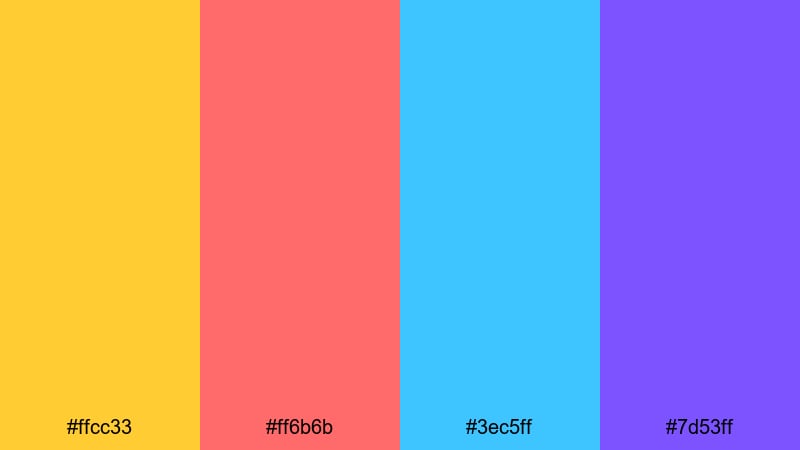
- HEX Codes: #ffcc33, #ff6b6b, #3ec5ff, #7d53ff
- Mood: Bouncy, cheerful, and full of weekend energy.
- Use for: Ideal for kids channels, playful vlog intros, and upbeat animation titles.
Saturday Morning Splash feels like a classic cartoon block on TV: golden cereal box yellow, punchy candy red, bright sky blue, and a fun purple accent. Together they create a super friendly palette that is easy to read on both light and dark backgrounds.
Use these HEX codes for Cartoon thumbnails, bold intro titles, and stickers or emojis on screen. The yellow and red are perfect for subscribe buttons and calls to action, while the blue and purple can sit in backgrounds, lower thirds, and overlays in Filmora without stealing too much attention from your subject.
Pro Tip: Keep Your Cartoon Energy Consistent With Filmora
When you pick a high energy palette like Saturday Morning Splash, the key is to use it consistently across your whole edit. In Filmora, you can save these HEX values for titles, graphics, and shapes so your Cartoon look matches from intro to end screen, shorts, and even social clips.
Create a simple style guide inside your project: one color for main titles, one for outlines or strokes, one for background blocks, and one for accent icons. Reusing the same Cartoon color roles in every scene makes your channel feel more professional and instantly recognizable.
AI Color Palette
If you already mocked up this palette in a thumbnail or illustration, you can turn that image into a reference for your entire video. Filmora's AI Color Palette feature analyzes your reference frame and applies its colors to other clips, so your footage, overlays, and graphics all share the same Cartoon vibe.
Import a bright, Cartoon style frame that you love, use AI Color Palette to match the rest of your timeline, then tweak saturation and contrast if needed. This is especially useful for creators who publish series or playlists and want every episode to share the same Saturday Morning Splash tone.
 secure download

HSL, Color Wheels & Curves
To polish Cartoon footage, use Filmora's HSL, color wheels, and curves to fine tune how each hue appears on screen. You can gently desaturate skin tones while keeping yellows and blues vivid, darken shadows for more depth, or warm up highlights so your Saturday palette feels like a cozy weekend morning.
Tools like HSL sliders and curves help you get from flat camera footage to a finished Cartoon grade without overdoing it. If you want a deeper walkthrough, check out Filmora's dedicated color correction tips in Filmora so you can balance contrast and saturation while keeping your brand colors intact.
secure download1000+ Video Filters & 3D LUTs
Once your Cartoon colors are locked in, you can stylize them further with Filmora's filters and LUTs. A subtle glow, comic book halftone, or VHS style LUT can push a simple yellow and blue palette into a complete Cartoon aesthetic that feels intentional and branded.
Filmora's video filters and 3D LUTs make it easy to test different looks on your Saturday Morning Splash palette. Try a soft pastel filter for family vlogs, or a crisp contrast LUT for snappy Cartoon edits and YouTube shorts, all without losing your chosen HEX color identity.
secure downloadComic Boom Brights
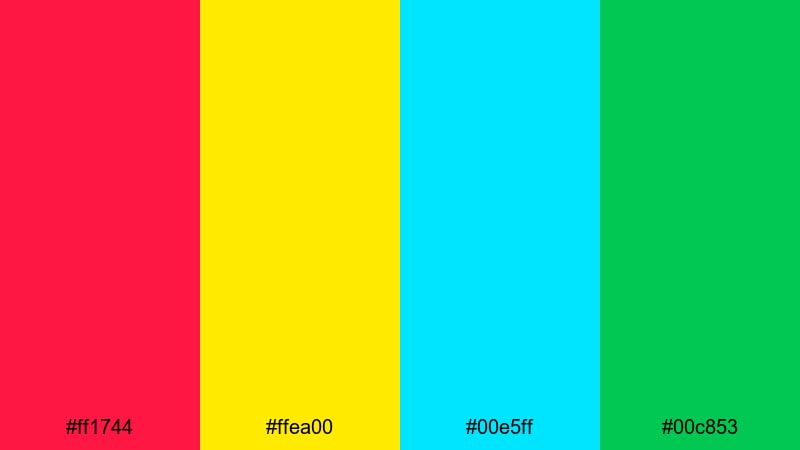
- HEX Codes: #ff1744, #ffea00, #00e5ff, #00c853
- Mood: Explosive, dynamic, and high impact.
- Use for: Perfect for action packed gaming intros, comic style overlays, and bold thumbnail text.
Comic Boom Brights is pure impact: alarm red, spotlight yellow, electric cyan, and game green. These colors behave like comic book sound effects, instantly grabbing the eye wherever you place them on screen.
Use red and yellow for main title cards and thumbnail headlines, while cyan and green highlight scores, stats, or reaction text in gaming edits. In Filmora, this palette works great with motion graphics and kinetic typography presets to give your video that punchy Cartoon comic feel.
Arcade Pixels Pop
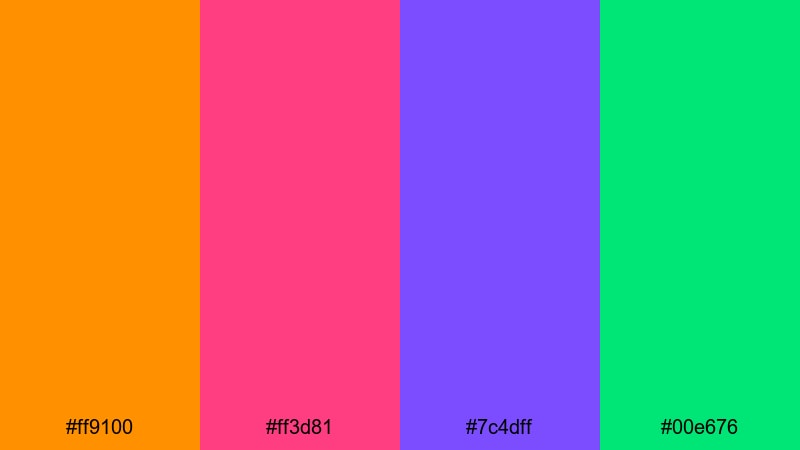
- HEX Codes: #ff9100, #ff3d81, #7c4dff, #00e676
- Mood: Playful, retro, and neon infused.
- Use for: Great for gaming montages, retro inspired motion graphics, and channel art for streamers.
Arcade Pixels Pop mixes neon orange, glowing magenta, vivid purple, and bright green to echo the look of glowing pixels in a dark arcade. It feels nostalgic and modern at the same time, perfect for creators who love old school games but want a fresh YouTube style.
Apply these HEX codes to your lower thirds, progress bars, and animated HUD elements. The orange and magenta are strong accent colors for kill feeds or combo counters, while the purple and green can live in backgrounds, gradient frames, or channel banners so your Cartoon gaming brand looks unified across all platforms.
Bubblegum Sketchbook
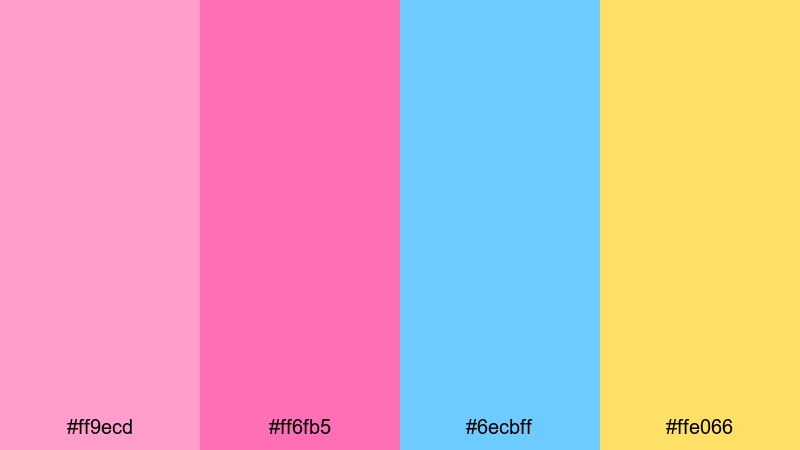
- HEX Codes: #ff9ecd, #ff6fb5, #6ecbff, #ffe066
- Mood: Sweet, playful, and doodle friendly.
- Use for: Use in lifestyle vlogs, art tutorials, and channel branding that leans cute and fun.
Bubblegum Sketchbook wraps your content in soft pinks, candy tones, and a gentle blue, balanced with a creamy yellow. It feels like doodles in a pastel notebook, ideal for cozy vlogs, bullet journal videos, and cute art channels.
Use the stronger pink for key titles and subscribe badges, the blue for info boxes or chapter markers, and the yellow as a warm background wash behind stickers and hand drawn animations. In Filmora, combine this palette with simple transitions and light textures to keep your Cartoon aesthetic soft and inviting.
Pastel Cartoon Color Palettes
Storybook Daydream
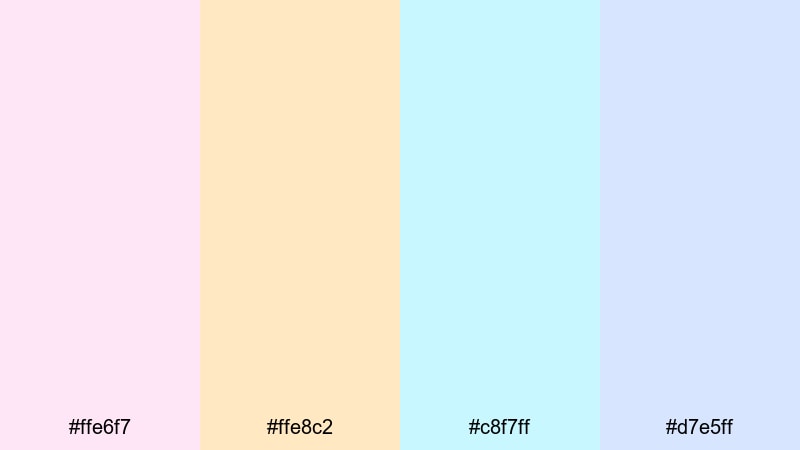
- HEX Codes: #ffe6f7, #ffe8c2, #c8f7ff, #d7e5ff
- Mood: Soft, dreamy, and nostalgic.
- Use for: Perfect for opening sequences, whimsical travel vlogs, and gentle explainer videos.
Storybook Daydream is all about weightless pastel pinks, creams, and light sky tones. It recalls illustrated childrens books and gentle morning light, which makes it ideal for calming content and story driven intros.
Use these HEX codes to color title cards, minimalist lower thirds, and soft overlays on B roll. Because the tones are light and low contrast, they work well as backgrounds for darker text, helping your Cartoon edits feel soothing while staying easy to read.
Cloud Castle Pastels

- HEX Codes: #fdf2ff, #d9f2ff, #c9ffe5, #fff5d1
- Mood: Airy, magical, and comforting.
- Use for: Great for dreamy title cards, fantasy themed channels, and soft background gradients.
Cloud Castle Pastels floats between barely there violets, mint, and buttery cream. It feels like clouds and fairy castles, making it a strong fit for fantasy stories, kids content, or any Cartoon channel that wants a magical but not overwhelming palette.
Turn these HEX codes into gentle gradients behind your titles, or use them as fills for soft shapes and speech bubbles. In Filmora you can layer them with blend modes and low opacity to keep your footage visible while adding a dreamy Cartoon glaze on top.
Soft Crayon Whimsy
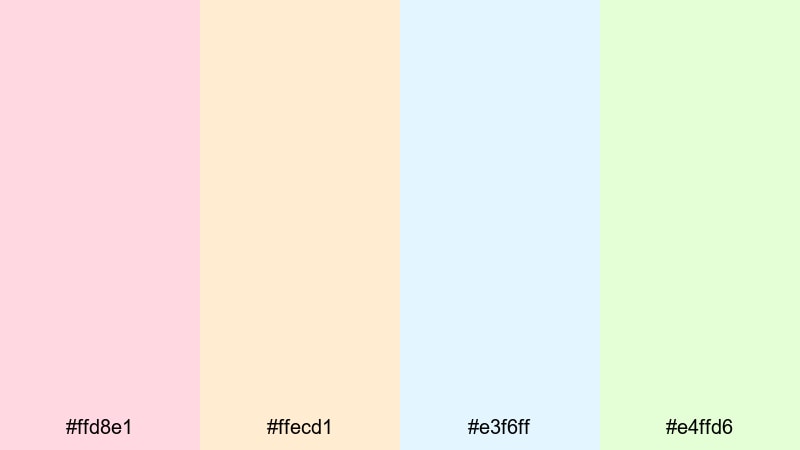
- HEX Codes: #ffd8e1, #ffecd1, #e3f6ff, #e4ffd6
- Mood: Comforting, friendly, and hand drawn.
- Use for: Use in craft tutorials, educational content, and kid focused channels with hand drawn elements.
Soft Crayon Whimsy looks like a coloring book brought to life, with muted pinks, creams, baby blues, and pale greens. It gives your content a gentle, welcoming tone that parents and younger viewers will trust.
Use these colors for illustrated icons, step by step labels, and chapter cards in tutorials. The pastels are light enough for backgrounds, while still distinct enough that simple Cartoon icons, arrows, and captions can stand out clearly on screen.
Pastel Panel Frames
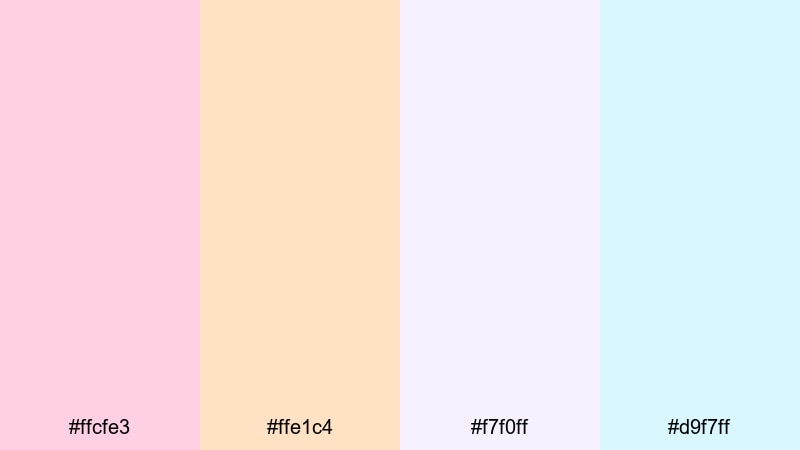
- HEX Codes: #ffcfe3, #ffe1c4, #f7f0ff, #d9f7ff
- Mood: Clean, gentle, and panel ready.
- Use for: Perfect for soft frame borders, UI overlays, and minimalist cartoon title cards.
Pastel Panel Frames is built for structure: pinks, peaches, and airy blues that naturally form panels and borders without feeling heavy. The palette is clean and minimal, ideal for channels that want a pastel Cartoon look but still care about clarity and UI design.
Use the deeper pink and peach for thin frame lines, outlines, or content boxes, and keep the two lightest tones for background fills. This combo is strong for commentary videos, product reviews, and on screen graphics where a neat, pastel interface supports your content instead of distracting from it.
Bold Cartoon Color Palettes
Hero Panel Primary
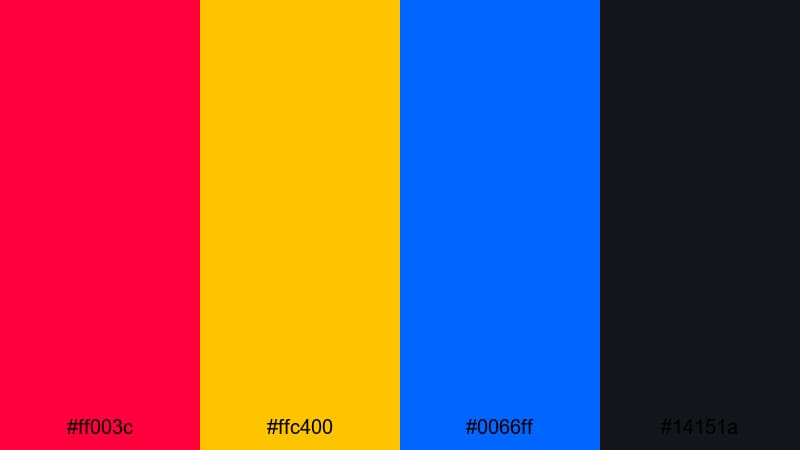
- HEX Codes: #ff003c, #ffc400, #0066ff, #14151a
- Mood: Heroic, confident, and graphic novel inspired.
- Use for: Ideal for superhero themed edits, strong logo reveals, and dramatic chapter cards.
Hero Panel Primary combines classic comic book red, yellow, and blue with a deep charcoal base. It immediately suggests heroic action, bold logos, and strong silhouettes.
Build your thumbnail titles in yellow over the dark base, use red for impact words, and blue to frame characters or stats. In Filmora, this palette works especially well with split screens and panel style transitions that mimic comic pages in motion.
Neon Street Graffiti
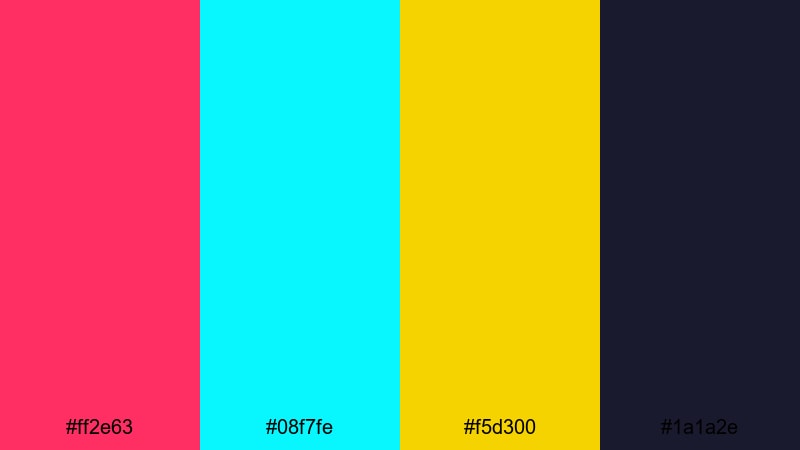
- HEX Codes: #ff2e63, #08f7fe, #f5d300, #1a1a2e
- Mood: Urban, rebellious, and neon charged.
- Use for: Great for music videos, skate edits, and bold lifestyle vlogs with high energy cuts.
Neon Street Graffiti drops hot pink, bright cyan, and punchy yellow on top of a deep midnight blue. It feels like neon signs reflected on wet pavement, giving your content an edgy Cartoon street style.
Use the dark tone as your main background, then paint motion graphics and captions with the neon colors. In thumbnails, a silhouette against #1a1a2e with pink and cyan outlines will stand out strongly in any feed, especially for music or skate content.
Retro Arcade Heroes
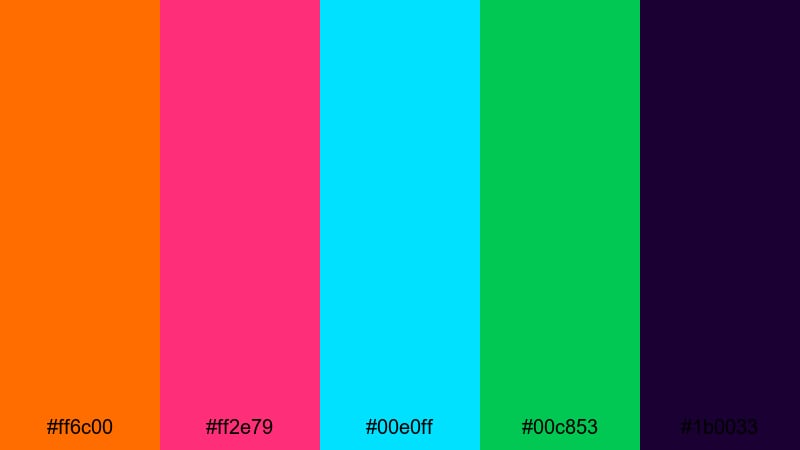
- HEX Codes: #ff6c00, #ff2e79, #00e0ff, #00c853, #1b0033
- Mood: Retro, adventurous, and game inspired.
- Use for: Perfect for speedruns, highlight reels, and nostalgic retro game reviews.
Retro Arcade Heroes stacks glowing orange, neon magenta, cyan, and green over a deep purple background . It mirrors the look of vintage arcade cabinets and pixel art heroes.
Use the purple (#1b0033) for backgrounds and letterbox bars, then layer HUD elements, scores, and subtitles with the bright tones. This makes your Cartoon gaming edits feel like they are happening inside an old console, while still popping on modern screens.
Action Frame Focus
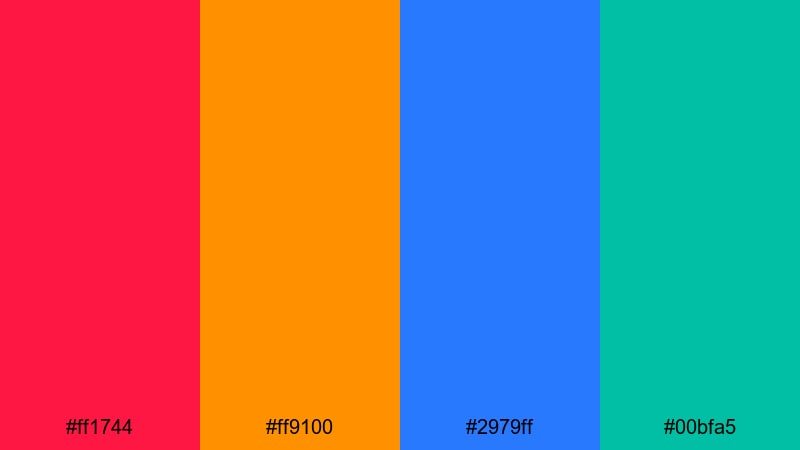
- HEX Codes: #ff1744, #ff9100, #2979ff, #00bfa5
- Mood: Fast, focused, and attention grabbing.
- Use for: Use in quick cuts, kinetic typography sequences, and highlight thumbnails.
Action Frame Focus is built to guide the eye: intense crimson, hot orange, strong blue, and teal green. Each color demands attention, which is ideal when you want viewers to look exactly where you point.
Use red and orange to frame your subject or outline important objects, while blue and teal highlight stats, alerts, or lower thirds. This palette shines in kinetic typography animations inside Filmora, where text blocks and shapes punch in sync with the beat.
Cinematic Cartoon Color Palettes
Twilight Toon City
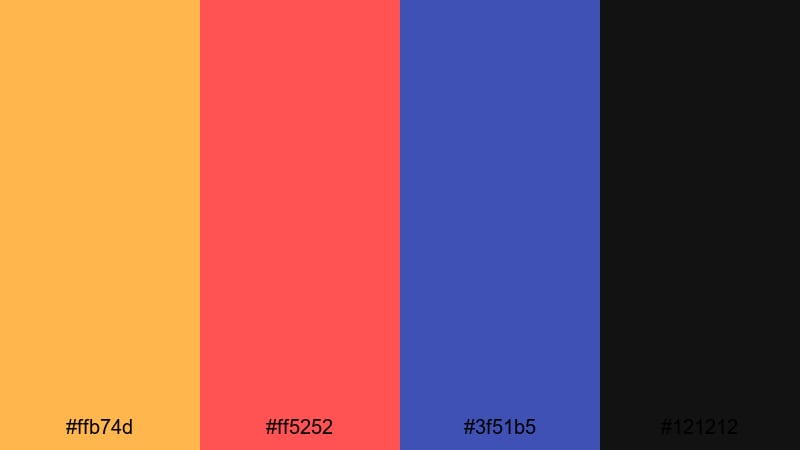
- HEX Codes: #ffb74d, #ff5252, #3f51b5, #121212
- Mood: Cinematic, moody, and city lit.
- Use for: Ideal for animated intros, urban storylines, and dramatic timelapses with a cartoon edge.
Twilight Toon City balances warm streetlight oranges and reds with deep blue and near black. It feels like a Cartoon city at dusk, where every light and shadow adds to the atmosphere.
Use the dark tone as a base for your frames and letterboxing, drop blue into skyline or background elements, and keep orange and red for cars, signs, and text. This palette is a strong fit for cinematic vlogs, city b roll, and motion graphic titles that still want a stylized Cartoon twist.
Studio Story Lights
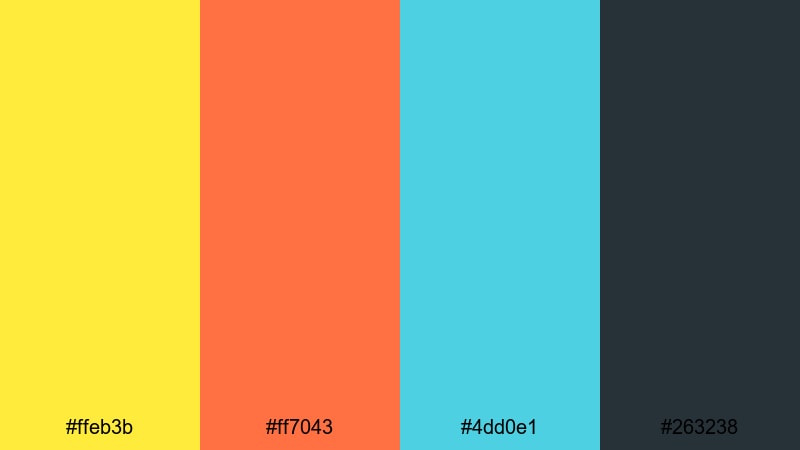
- HEX Codes: #ffeb3b, #ff7043, #4dd0e1, #263238
- Mood: Professional, cinematic, yet playful.
- Use for: Great for branded intros, channel trailers, and polished explainer animations.
Studio Story Lights combines spotlight yellow and warm coral with a clean teal and slate backdrop. It gives your channel a studio ready identity that still feels bright and approachable.
Set #263238 as your main dark neutral for backgrounds, then use yellow for logos and main titles, coral for callouts, and teal for supporting graphics or diagrams. This Cartoon palette suits business explainer videos, content creators with sponsors, and anyone wanting a polished but colorful brand look.
Magic Ink Shadows
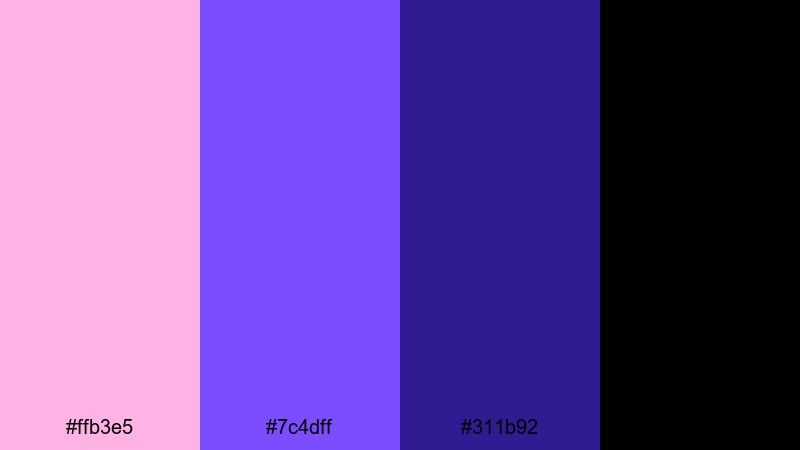
- HEX Codes: #ffb3e5, #7c4dff, #311b92, #000000
- Mood: Mystical, dramatic, and story driven.
- Use for: Use for fantasy openings, title cards, and character reveals with a magical twist.
Magic Ink Shadows layers soft pink highlights over rich purples and deep black. It feels like animated ink on a dark page, perfect for fantasy stories, lore breakdowns, or character introductions.
Use black and deep purple to frame your scene, then add pink as glowing accents around characters or titles. In Filmora, pair this palette with light flares, particle overlays, or slow push in shots to create magical Cartoon openings and logo stings.
Tips for Creating Cartoon Color Palettes
When you combine Cartoon colors for video and design, think about how they will look in motion, on small screens, and across your whole brand. These tips will help you mix bright hues, pastels, and dark tones in a way that stays clear and consistent.
- Prioritize contrast for text: Always test your title and subtitle colors against their backgrounds to ensure they are readable on phones and in bright light.
- Limit your core palette: Pick 3 to 5 main HEX codes for your Cartoon brand and reuse them for titles, accents, and UI, instead of adding new colors every video.
- Assign color roles: Decide which color is for main titles, which is for buttons or CTAs, which is for backgrounds, and which is for highlights or outlines.
- Match footage with grading: After you choose a palette, nudge your footage using Filmora's color tools so skin tones and scenes sit naturally with your chosen Cartoon colors.
- Test in thumbnails first: Design a thumbnail using your palette, then scale it down; if shapes and text still read clearly, the palette will likely work well in motion too.
- Balance saturation: Combine one or two very bright Cartoon shades with softer or darker support colors so your frames feel lively without becoming overwhelming.
- Consider mood by category: Use playful brights for comedy and gaming, pastels for cozy or educational content, bold primaries for action, and cinematic tones for storytelling videos.
- Stay consistent across platforms: Reuse the same HEX codes on YouTube banners, intros, lower thirds, and social posts so viewers recognize your brand instantly.
Cartoon color palettes are powerful shortcuts to mood: they can make a channel feel playful, dreamy, bold, or cinematic in just a few frames. By choosing a small set of HEX codes and applying them consistently to titles, overlays, and color grading, you give your videos a recognizable identity.
Try a few of the palettes above inside Filmora and see how they change your intros, thumbnails, and full edits. Save your favorites as presets, match footage with AI tools, and refine with HSL and curves until your Cartoon style feels like a signature look.
Once you have a palette that fits your personality or niche, stick with it across series, playlists, and shorts. Over time, your viewers will start to associate those specific Cartoon colors with your name and content style.
secure download