

 100% Security Verified | No Subscription Required | No Malware


 ChatGPT
 Perplexity
 Gemini
 Claude
 Grok
Grok
Circus color is all about spectacle. Think saturated reds, spotlight yellows, neon blues, and candy pastels that feel larger than life. These hues signal excitement, laughter, and a little bit of danger, which makes them perfect for grabbing attention in video thumbnails, intros, channel branding, and social posts. Used well, circus color palettes can guide the viewer’s eye, shape expectations, and make your content instantly recognizable.
This guide brings you 15 circus color palettes with ready HEX codes, designed for creators and Filmora users. Whether you are building a bold YouTube thumbnail, a vintage circus intro, or a dreamy pastel vlog aesthetic, you can plug these HEX values straight into Filmora to color your text, overlays, backgrounds, and color grading.
In this article
Bold & Playful Circus Color Palettes
Big Top Neon Lights
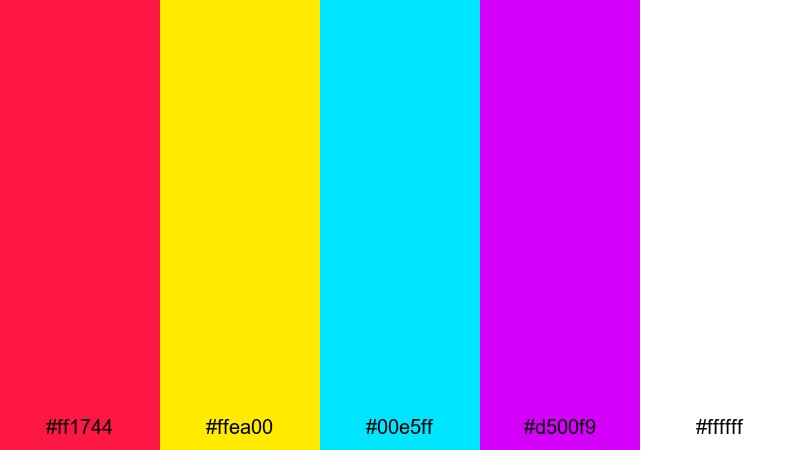
- HEX Codes: #ff1744, #ffea00, #00e5ff, #d500f9, #ffffff
- Mood: High-energy, electric, and attention-grabbing with a modern carnival vibe.
- Use for: Ideal for YouTube thumbnails, title cards, and hype reels where you need instant impact.
Big Top Neon Lights feels like a circus at midnight, when the fairground is glowing and every sign is buzzing. The hot red and electric yellow grab attention instantly, while the neon cyan and purple feel techy and modern. White keeps everything readable and sharp, so your text and icons do not get lost in the glow.
Use this palette when you need your video to scream Watch me now. It is great for fast-paced edits, gaming intros, hype reels, or announcement posts. In Filmora, you can use these HEX codes for your text, animated titles, overlays, and even color grading accents to keep the neon circus vibe consistent across your entire edit.
Pro Tip: Enhance Your Circus Visuals with Filmora
When working with a high-impact circus palette like Big Top Neon Lights, consistency is what makes your project feel professional instead of chaotic. In Filmora, you can apply these colors to titles, lower thirds, sticker elements, and backgrounds using the exact HEX codes, then save them as custom presets. That way, your thumbnail, intro, and end screen all share the same electric circus identity.
Try using the red and yellow for key calls-to-action or important words, and keep cyan and purple for supporting elements like shapes, outlines, and transitions. Within Filmora, you can duplicate your styled title and reuse it across scenes, so every part of your video carries the same bold circus energy.
AI Color Palette
If you have a poster or reference image that perfectly captures your circus vibe, you can use Filmora to spread that look through your entire video. Filmora's AI Color Palette feature analyzes the colors in a reference clip and applies that style to other shots in a few clicks.
Drop a frame that uses Big Top Neon Lights into the timeline as your reference, then use AI Color Palette to match the rest of your footage. This helps your B-roll, talking head shots, and overlays all share the same neon circus atmosphere without manually tweaking every clip.
 secure download

HSL, Color Wheels & Curves
Neon circus tones can quickly become too harsh if everything is at full saturation. With Filmora's HSL controls, color wheels, and curves, you can dial in the perfect balance. Slightly lower the saturation of secondary colors, warm up your highlights, and deepen your shadows for a more cinematic take on circus neon. A good starting point is to keep reds and yellows punchy while softening blues and purples in the midtones.
If you want a deeper dive into color correction workflows, you can follow a dedicated Filmora color correction tutorial while experimenting with this palette. Adjusting contrast curves and tint in the shadows can turn raw, flat footage into a polished circus spectacle that still feels controlled and watchable.
secure download1000+ Video Filters & 3D LUTs
Once your circus colors are in place, Filmora's creative filters and LUTs can give them a unique twist. For example, you can stack a glow or neon filter on top of Big Top Neon Lights for an 80s arcade circus feel, or apply a cinematic LUT to make the palette look more like a movie trailer. Filmora's video filters and 3D LUTs make it easy to test multiple looks without rebuilding your color scheme from scratch.
Save your favorite combinations as custom presets so every episode of your series keeps the same circus branding. Whether you want glossy, gritty, or retro-styled circus vibes, filters and LUTs let you transform the base palette in seconds while keeping your HEX-based design consistent.
secure downloadRingmaster Spotlight
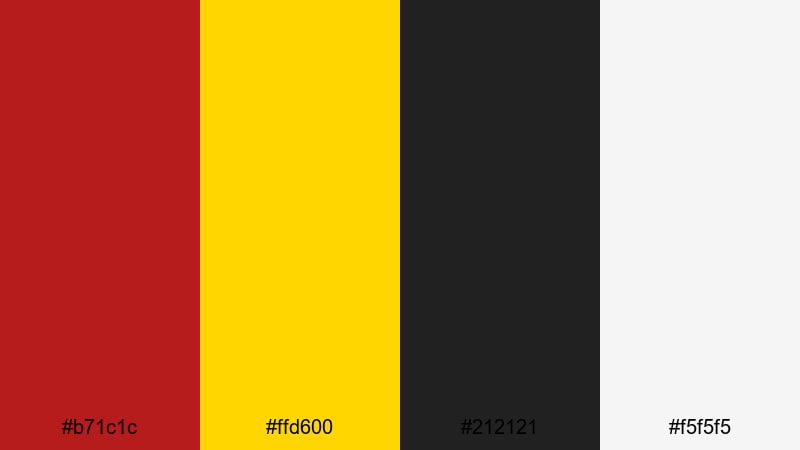
- HEX Codes: #b71c1c, #ffd600, #212121, #f5f5f5
- Mood: Commanding and theatrical, with classic circus drama and contrast.
- Use for: Perfect for logo stings, lower thirds, and channel branding that needs a strong focal point.
Ringmaster Spotlight uses deep red and bright spotlight yellow against strong black and soft white. It feels like a drumroll before the main act: confident, classic, and instantly readable. The high contrast makes it perfect for text-heavy graphics where clarity matters.
Apply this palette to logo reveals, opening titles, and lower thirds in Filmora. Use black or off-white for backgrounds, red for key shapes or banners, and yellow for highlights or CTA buttons on your thumbnails and end screens. It is a great choice for creators who want circus energy with a more disciplined, branded look.
Ferris Wheel Fireworks
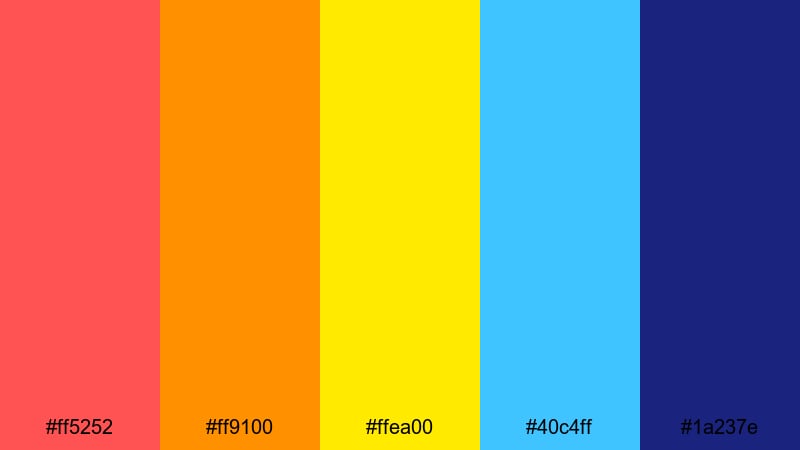
- HEX Codes: #ff5252, #ff9100, #ffea00, #40c4ff, #1a237e
- Mood: Festive and dynamic, inspired by carnival rides and bursts of light in the night sky.
- Use for: Great for animated titles, festival recap videos, and energetic social ads.
Ferris Wheel Fireworks mixes warm reds, oranges, and yellows with bright sky blue and deep navy. The combination feels like fireworks exploding over a night fairground, with each color popping against the dark base.
Use the navy as a background in your Filmora titles, then layer hot red, orange, and yellow for kinetic shapes, transitions, and motion graphics. The light blue works well for accents on icons or secondary text. This palette is ideal for event recaps, concert highlights, or any edit with fast cuts and lots of movement.
Clown Parade Pop
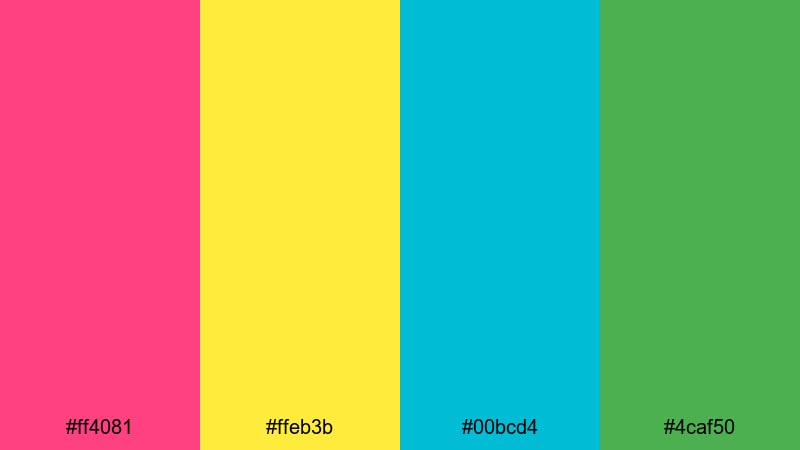
- HEX Codes: #ff4081, #ffeb3b, #00bcd4, #4caf50
- Mood: Cheerful, quirky, and playful with a family-friendly circus charm.
- Use for: Use for kids content, playful intros, and channel art that should feel fun and approachable.
Clown Parade Pop is bright without being harsh. Bubblegum pink and sunny yellow set a cheerful base, while aqua and fresh green add a friendly, cartoon-like twist. The mix feels safe and approachable, with zero creepy-clown energy.
It works well for kids channels, toy reviews, or playful vlogs. In Filmora, apply these colors to animated stickers, text backgrounds, and simple shapes behind your titles. This palette is also strong for YouTube channel art, where you want something lively that still keeps your visuals clean and easy to read.
Vintage Circus Color Palettes
Sepia Ticket Stubs
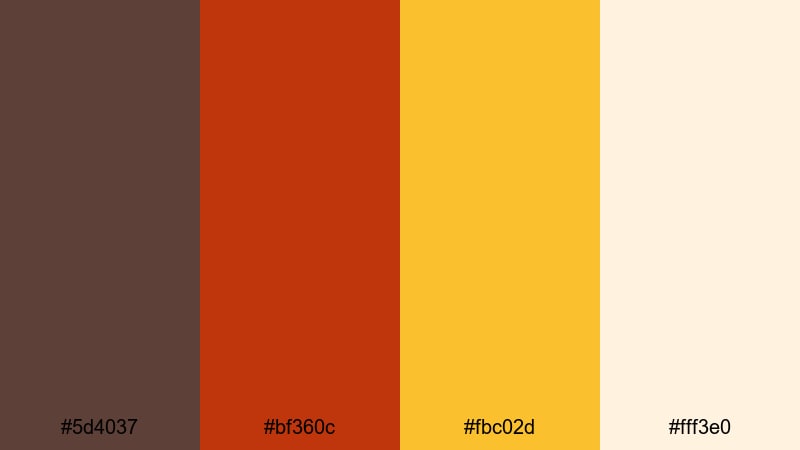
- HEX Codes: #5d4037, #bf360c, #fbc02d, #fff3e0
- Mood: Nostalgic and warm, like faded tickets and worn wooden benches.
- Use for: Ideal for vintage title sequences, documentary intros, and retro vlog color grading.
Sepia Ticket Stubs blends rich browns, a muted red, and golden yellow over a creamy base. It instantly evokes old circus posters, torn tickets, and dusty wooden seating. The overall effect is warm and slightly faded, perfect for storytelling and memory-focused content.
In Filmora, use the darker brown as a background, cream for text areas, and gold for key highlights or frames. This palette pairs beautifully with subtle film grain or vignette effects on your footage, especially for travel vlogs, retro edits, or circus history pieces.
Antique Carousel Horses
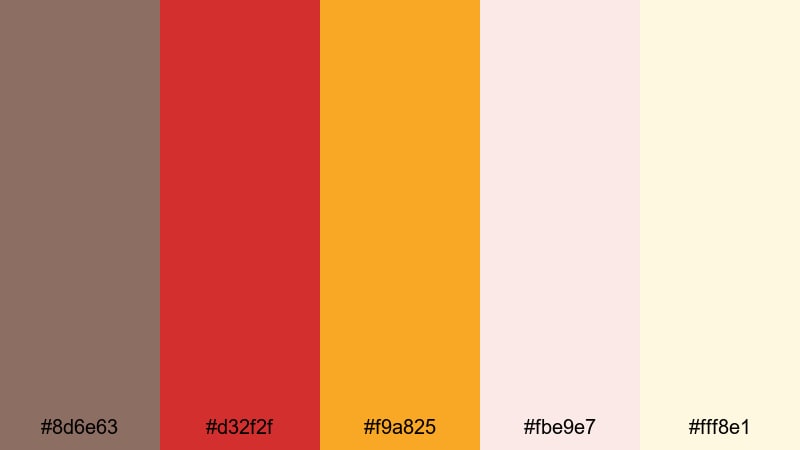
- HEX Codes: #8d6e63, #d32f2f, #f9a825, #fbe9e7, #fff8e1
- Mood: Romantic and slightly faded, with storybook nostalgia and gentle charm.
- Use for: Use for nostalgic b-roll sequences, slow travel vlogs, and title cards with a storybook tone.
Antique Carousel Horses combines soft browns and creams with muted red and gold. It feels like a hand-painted carousel that has been loved for decades. The tones are warm but gentle, which makes them ideal when you want a dreamy, storybook mood.
Use the creams as backgrounds or lower-third bars, with red and gold for accents on text and icons. In Filmora, this palette works well with slow-motion shots, light leaks, and soft-focus b-roll. It is a strong choice for romantic edits, nostalgic travel montages, and narrative intros.
Canvas Tent Stripes
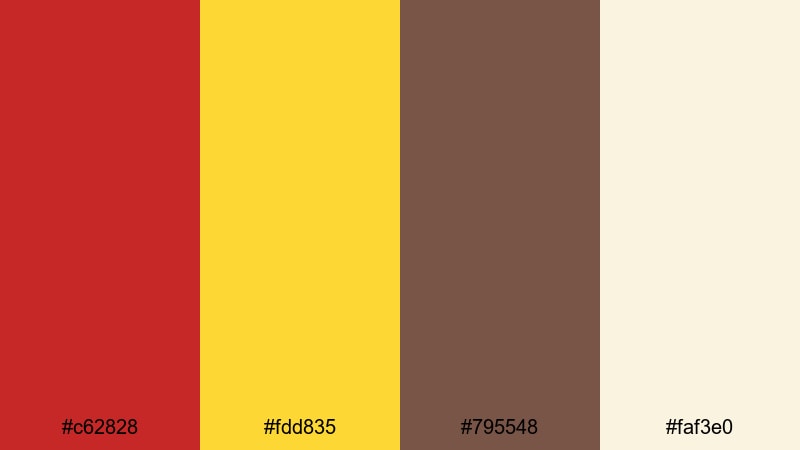
- HEX Codes: #c62828, #fdd835, #795548, #faf3e0
- Mood: Classic and grounded, echoing striped tents and dusty arenas.
- Use for: Great for lower thirds, overlays, and subtle frames on documentary or narrative edits.
Canvas Tent Stripes is classic circus in a more grounded way. Tent red and golden yellow bring the traditional stripe pattern to mind, while earthy brown and muted canvas cream keep everything tied to reality and texture.
In Filmora, use this palette to create simple striped borders, title frames, or lower thirds. It works especially well for docu-style edits, behind-the-scenes footage, or storytelling videos where you want the circus theme present but not overwhelming the content.
Old Poster Ink
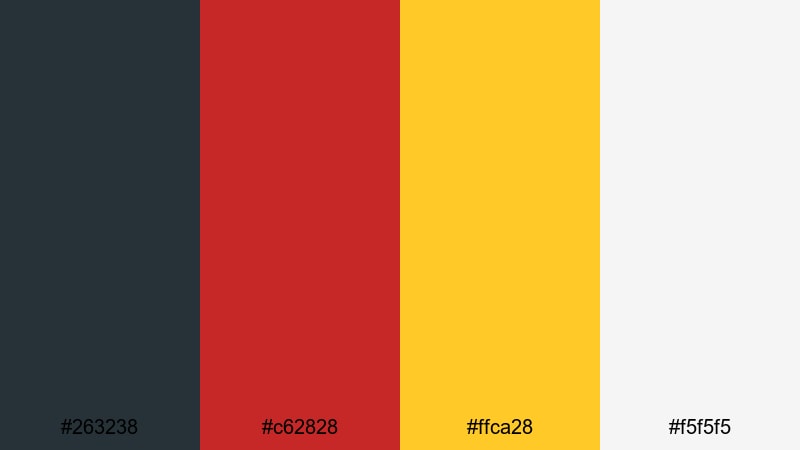
- HEX Codes: #263238, #c62828, #ffca28, #f5f5f5
- Mood: Bold yet aged, like screen-printed circus posters weathered by time.
- Use for: Perfect for title cards, thumbnail typography, and stylized transitions with a retro print look.
Old Poster Ink uses ink-like navy, poster red, mustard yellow, and off-white to mimic vintage screen printing. The colors are strong but slightly muted, suggesting age without looking dull.
Apply this palette to bold typography, textured backgrounds, and graphic transitions in Filmora. It is excellent for retro circus themes, documentary titles, or podcast-style videos where your graphics carry most of the visual personality.
Dark & Dramatic Circus Color Palettes
Midnight Sideshow
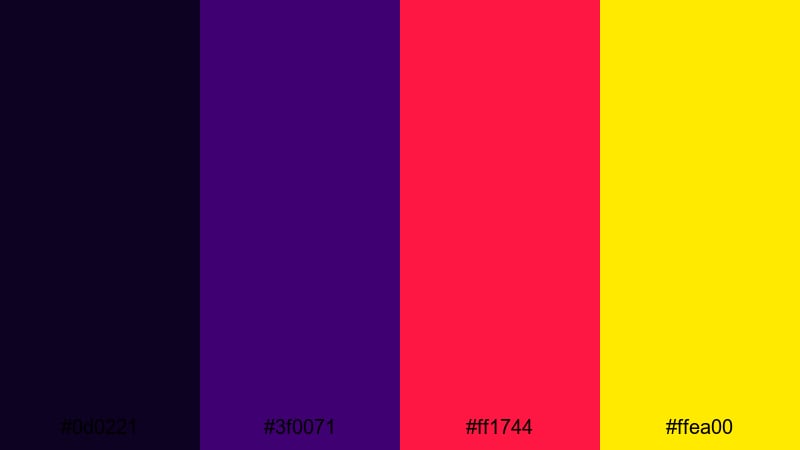
- HEX Codes: #0d0221, #3f0071, #ff1744, #ffea00
- Mood: Mysterious and edgy, blending circus spectacle with a hint of danger.
- Use for: Use for trailers, teasers, and horror-adjacent circus content that needs high tension.
Midnight Sideshow lives in the shadows. Inky violet and deep midnight tones form a moody base, sharply cut by hot red and bright yellow accents. It feels like the darker corner of the fairground, where the unknown acts perform.
Use the dark blues and purples for backgrounds, with red and yellow reserved for titles, jump cuts, and key on-screen text. In Filmora, this palette pairs well with glitch effects, slow zooms, and sound-driven edits for trailers, thrillers, and mystery-themed videos.
Crimson Velvet Curtain

- HEX Codes: #3e2723, #880e4f, #c62828, #fbc02d
- Mood: Luxurious and theatrical, like heavy curtains and stage lights.
- Use for: Ideal for title reveals, dramatic intros, and performance highlight reels.
Crimson Velvet Curtain combines deep browns and wine tones with rich red and gold. It feels like standing in front of a heavy stage curtain just before showtime. The palette is both dramatic and elegant, making it great for performance-based videos.
In Filmora, use the darker shades as backgrounds or overlays, and let red and gold emphasize performer names, titles, and logo elements. Add subtle light rays or spotlight effects to enhance the theatrical mood for dance reels, circus acts, or stage show recaps.
Mystic Fortune Teller
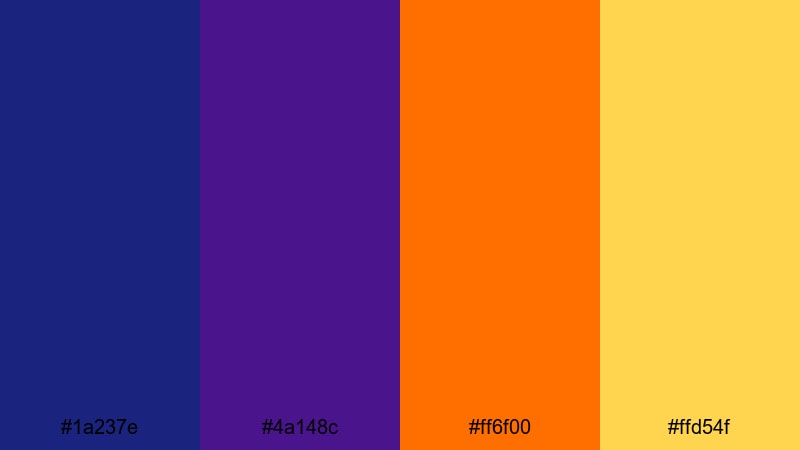
- HEX Codes: #1a237e, #4a148c, #ff6f00, #ffd54f
- Mood: Enigmatic and magical with a mystical carnival fortune booth feeling.
- Use for: Great for storytelling cuts, tarot or astrology themed videos, and moody overlays.
Mystic Fortune Teller sets midnight blue and royal purple against warm amber and golden accents. The contrast feels like candlelight flickering inside a dark fortune teller tent. It is mysterious without being frightening.
Use blue and purple for your main backgrounds and overlays in Filmora, then bring in orange and gold for titles, icons, and animated symbols. This palette is perfect for tarot readings, astrology content, mystery storytelling, and cinematic voiceover pieces.
Backstage Smoke and Mirrors
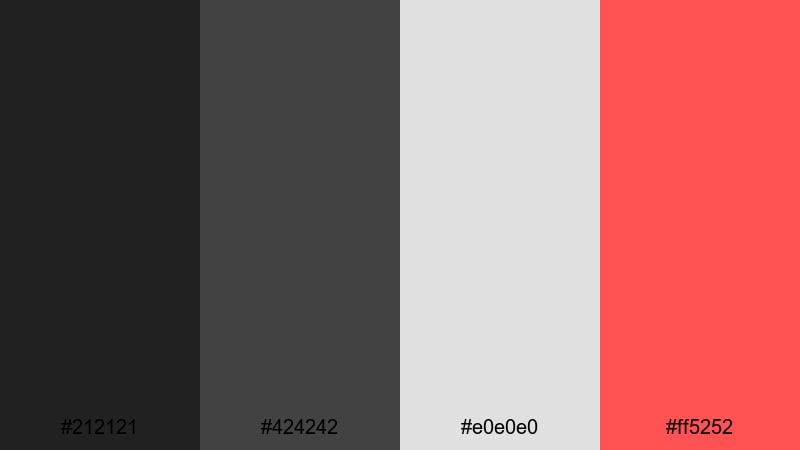
- HEX Codes: #212121, #424242, #e0e0e0, #ff5252
- Mood: Moody and cinematic, with a smoky industrial backstage tone and a flash of danger.
- Use for: Use for behind-the-scenes edits, character portraits, and cinematic B-roll sequences.
Backstage Smoke and Mirrors is mostly monochrome: charcoal gray, mid-gray, and soft silver form a subdued, cinematic base. A sharp red accent slices through the neutral tones to suggest risk, focus, or conflict.
In Filmora, keep most elements in grayscale and reserve red for key text, callouts, or transition flashes. This palette is ideal for behind-the-scenes footage, documentaries about performers, or character-driven edits where the mood should feel grounded and serious.
Whimsical Pastel Circus Color Palettes
Cotton Candy Clouds
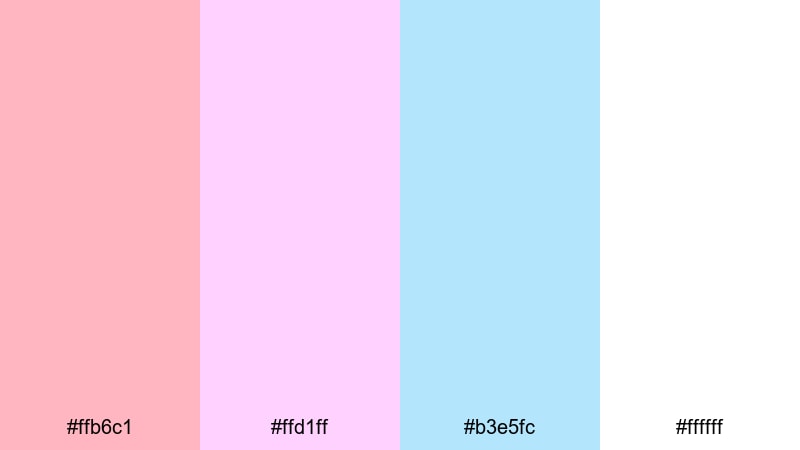
- HEX Codes: #ffb6c1, #ffd1ff, #b3e5fc, #ffffff
- Mood: Soft, dreamy, and sweet like spun sugar and pastel skies.
- Use for: Perfect for vlog aesthetics, lifestyle channels, and gentle animated lower thirds.
Cotton Candy Clouds mixes blush pink, light lilac, pale blue, and white. The result is airy and sweet, like looking up at pastel clouds over a fairground. It brings a soft, calming take on the circus aesthetic.
Use white as your main background in Filmora and layer pastel shapes, titles, and icons on top. This palette is great for lifestyle vlogs, morning routines, stationery or craft channels, and any content that should feel cute, light, and friendly.
Balloon Animal Dreams
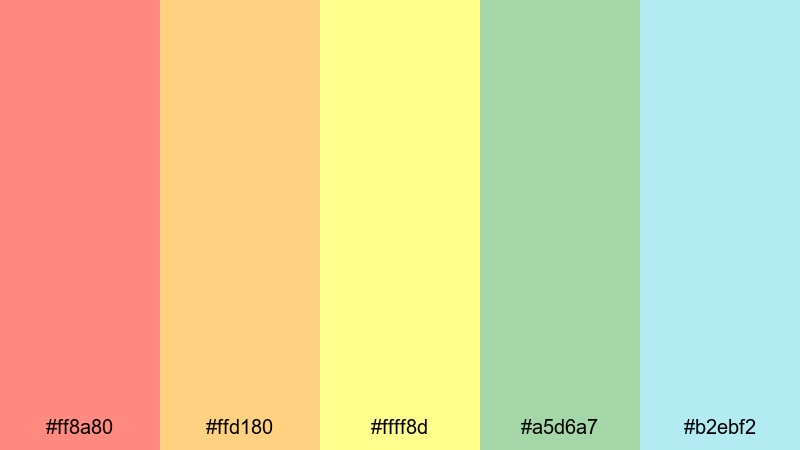
- HEX Codes: #ff8a80, #ffd180, #ffff8d, #a5d6a7, #b2ebf2
- Mood: Playful and lighthearted with a childlike sense of wonder.
- Use for: Use for kids channels, playful intros, and product explainers that should stay friendly and fun.
Balloon Animal Dreams brings together soft reds, peaches, buttery yellow, mint green, and aqua. It feels like a sky full of pastel balloons floating above the circus grounds. The palette is playful without being too loud.
In Filmora, use these colors for animated shapes, lower thirds, and background gradients behind your subjects. This palette suits kids content, educational explainers, and brand videos where you want warmth, trust, and a family-safe vibe.
Sugar Sprinkle Confetti
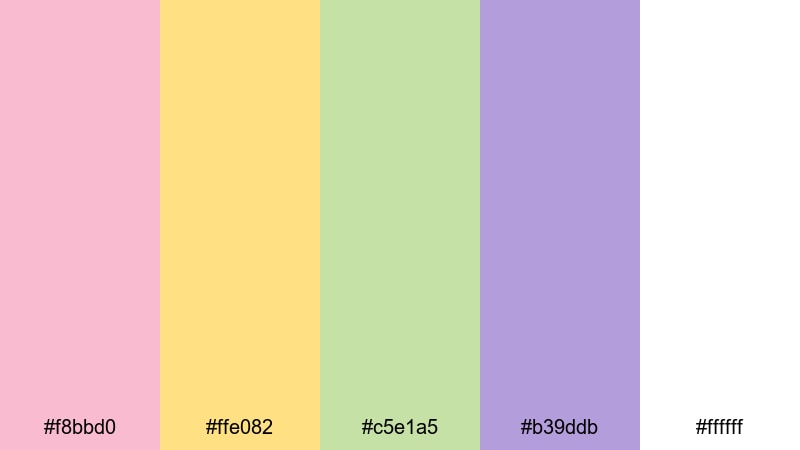
- HEX Codes: #f8bbd0, #ffe082, #c5e1a5, #b39ddb, #ffffff
- Mood: Joyful and light, like frosting and sprinkles scattered across the screen.
- Use for: Great for celebration videos, milestone announcements, and playful channel banners.
Sugar Sprinkle Confetti is all about celebration. Soft pink, butter yellow, mint, lavender, and white come together like cake frosting covered in sprinkles. The mood is joyful, light, and perfect for big news.
Use white as a base in Filmora, then add small bursts of color in confetti-style overlays, animated shapes, or title backgrounds. It is ideal for subscriber milestones, product launches, birthdays, and any video where you want viewers to feel like they are part of the party.
Tips for Creating Circus Color Palettes
Circus color palettes work best when you balance spectacle with clarity. Use the tips below to mix bold, vintage, dark, or pastel circus tones into video edits and designs that still feel cohesive and easy to watch.
- Pick a hero color and a supporting accent: choose one main circus hue (red, yellow, or a pastel) and one accent color, then keep the others more neutral to avoid visual overload.
- Use contrast for readability: make sure text and key icons sit on backgrounds with strong light-dark contrast, especially for mobile viewers and YouTube thumbnails.
- Limit saturation on screen at once: if your footage is already colorful, use softer versions of circus colors in overlays and titles to keep the frame from feeling chaotic.
- Match your palette to your story: bold neons fit hype edits and trailers, vintage tones suit documentaries, dark palettes work for mystery, and pastels are great for lifestyle and kids content.
- Stay consistent across assets: reuse the same HEX codes for thumbnails, intros, lower thirds, and end screens so your channel or brand has a clear circus identity.
- Test on different devices: export a short sample from Filmora and check your colors on phone, tablet, and laptop to confirm that reds are not clipping and text remains legible.
- Use neutral anchors: pair bright circus tones with black, dark navy, or off-white so the palette has visual rest areas and your main elements stand out.
- Build presets in Filmora: once you find a circus look you like, save title, filter, and color presets so future projects can match with almost no extra work.
Circus color palettes are powerful tools for shaping mood, energy, and brand identity. From neon big-top effects to soft pastel carnival vibes, the right set of hues can turn a simple edit into something memorable and on-brand. The HEX-based palettes above give you ready-made combinations you can trust for everything from thumbnails and intros to full cinematic edits.
Load these circus colors into Filmora, experiment with AI Color Palette, HSL, and LUTs, and see how each scheme changes the feeling of your footage. By saving your favorite looks as presets and reusing them across videos, you can build a recognizable circus-inspired style that your audience will instantly associate with your channel.
Whether you are crafting a bold circus trailer, a nostalgic travel story, or a pastel vlog series, these palettes are a starting point. Adjust them to your footage, layer on Filmora effects, and let your own circus aesthetic take center stage.
secure downloadNext: Music Color Palette
