

 100% Security Verified | No Subscription Required | No Malware


 ChatGPT
 Perplexity
 Gemini
 Claude
 Grok
Grok
Cobalt is a powerful, highly saturated blue that instantly grabs attention. It feels confident, modern, and a little futuristic, which is why so many creators use cobalt for logos, overlays, and titles when they want content to stand out in a crowded feed. In video, cobalt often signals tech, energy, and clarity, making it ideal for intros, lower thirds, and bold YouTube thumbnails.
Below are 15 ready-made cobalt color palettes with HEX codes you can plug straight into your thumbnails, channel branding, overlays, and color grading. Each palette is designed with creators and Filmora users in mind, so you can build consistent cobalt-themed visuals across entire videos, shorts, and social posts.
In this article
Bold And Energetic Cobalt Color Palettes
Electric Ocean Pulse
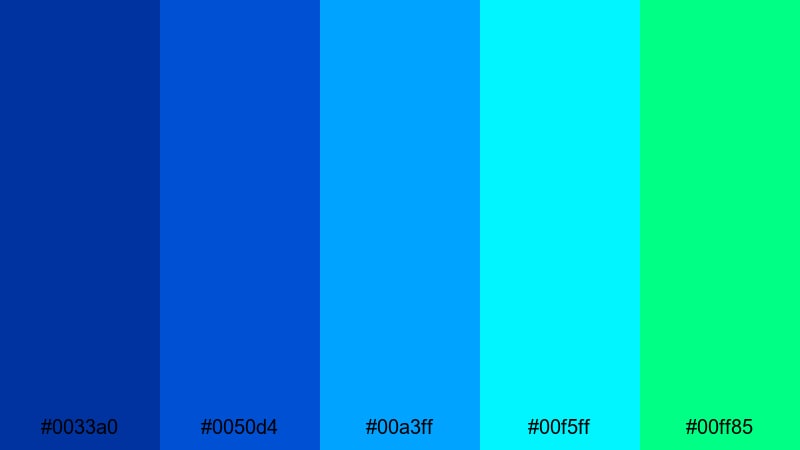
- HEX Codes: #0033a0, #0050d4, #00a3ff, #00f5ff, #00ff85
- Mood: High-energy, futuristic, and vibrant.
- Use for: Perfect for gaming intros, tech product launches, and fast-cut montage edits that need powerful color contrast.
Electric Ocean Pulse feels like a cobalt wave charged with neon energy. Deep blue anchors the frame while bright cyan and aqua streaks behave like motion trails or HUD lines. The pop of neon green keeps the palette from feeling cold and gives it a fresh, digital edge.
Use these HEX codes in your YouTube thumbnails, glitchy motion graphics, animated subscribe buttons, and countdown timers. In Filmora, you can color your titles, shapes, and overlays with this palette to keep gaming edits, tech explainers, and short-form reels looking unified from intro to end screen.
Pro Tip: Build a Futuristic Cobalt Look in Filmora
To keep this intense cobalt energy consistent, start by setting Electric Ocean Pulse as your base for titles, lower thirds, and call-to-action buttons. In Filmora, reuse the same color values for shapes, text shadows, and animated elements, so every frame feels like part of one cohesive visual system.
You can also create a simple style guide inside your project: pick one deep cobalt for backgrounds, one neon cyan for highlights, and one accent green for key actions like Subscribe or Buy Now. Save these as custom colors so you can apply them in just a click across intros, b-roll captions, and shorts.
AI Color Palette
If you design a still frame or thumbnail using Electric Ocean Pulse, you can use it as a reference for your entire timeline. Filmora's AI Color Palette feature lets you pick that reference image and automatically match the color style to the rest of your clips.
This is an easy way to push your cobalt tones into every shot, even if the original footage was filmed in different locations or lighting. The AI will harmonize saturation, contrast, and color balance so your gaming intro, face-cam shots, and overlay cutaways all share the same energetic cobalt mood.
 secure download

HSL, Color Wheels & Curves
Once your cobalt base is in place, refine it with Filmora's HSL, color wheels, and curves controls. You can push the blues toward teal for a cyberpunk look, deepen shadows to make neon accents glow harder, or slightly lower saturation in midtones for more cinematic contrast. The Filmora color correction guide walks through these tools step by step.
Try isolating only the blue and cyan ranges in HSL to adjust how strong your Electric Ocean Pulse hues appear on skin tones or in dark scenes. Then use curves to lift highlights so UI elements and titles stay readable even against deep cobalt backgrounds.
secure download1000+ Video Filters & 3D LUTs
If you want to stylize Electric Ocean Pulse even further, Filmora's video filters and 3D LUTs make it easy to add glow, grain, or cinematic contrast while keeping your cobalt signature intact. You can layer a neon or sci-fi LUT on top of your palette to create a finished, ready-to-publish look in seconds.
Save your favorite combination of filters and LUTs as presets so every new gaming highlight or tech review you edit starts from the same cobalt blueprint. That consistency is what turns a cool color choice into a recognizable channel identity.
secure downloadCobalt Spotlight Pop
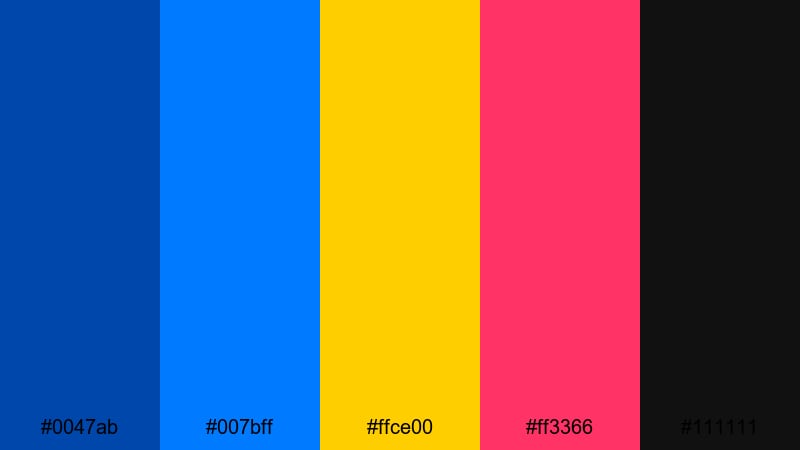
- HEX Codes: #0047ab, #007bff, #ffce00, #ff3366, #111111
- Mood: Bold, punchy, and performance-driven.
- Use for: Use this palette for creator channel branding, reaction videos, and music promos where the talent needs to pop off the screen.
Cobalt Spotlight Pop combines bright blues with hot pink and gold for a stage-lit feeling, like a performer under concert lights. The near-black accent grounds everything and keeps the neons from overwhelming the viewer.
It is ideal for bold channel banners, end screens, and dynamic text animations. Use cobalt and black for backgrounds, then reserve gold and pink for callouts, emojis, and subscriber prompts so your viewer knows exactly where to look.
Stadium Night Energy
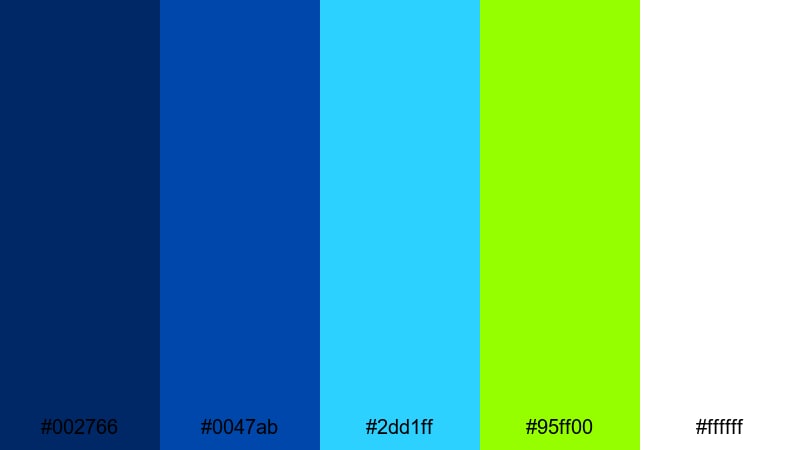
- HEX Codes: #002766, #0047ab, #2dd1ff, #95ff00, #ffffff
- Mood: Sporty, adrenaline-filled, and triumphant.
- Use for: Great for sports highlight reels, esports tournaments, and energetic countdown timers with a modern broadcast feel.
Stadium Night Energy feels like a championship game under powerful floodlights. Deep navy and cobalt form the night sky, while bright cyan and neon green behave like scoreboard graphics and field lights. White keeps everything crisp and broadcast-ready.
Apply this palette to score bugs, timers, and animated brackets in Filmora. Use the neon green for winning moments and callouts, and the bright cyan for speed lines, transitions, and animated arrows in your sports or esports edits.
Neon Street Racer
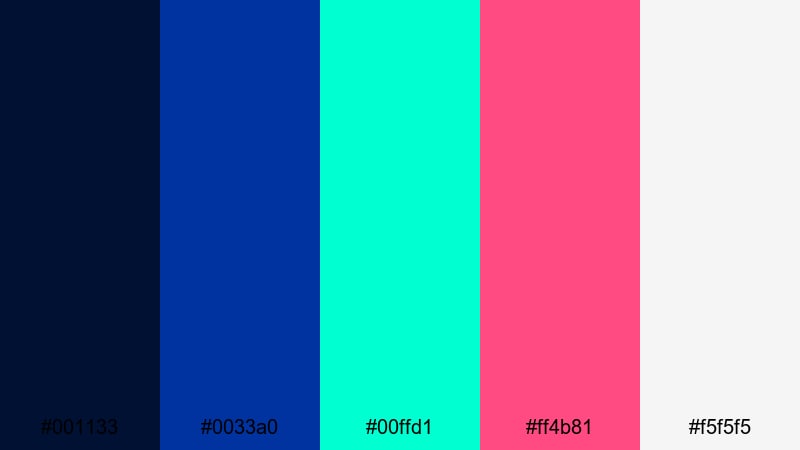
- HEX Codes: #001133, #0033a0, #00ffd1, #ff4b81, #f5f5f5
- Mood: Urban, fast-paced, and edgy.
- Use for: Use this palette in car edits, travel vlogs, and cyberpunk-style sequences that need a neon-drenched city vibe.
Neon Street Racer mixes deep cobalt with teal and hot magenta for a high-speed city-night aesthetic. It captures the glow of headlights and neon signs against a moody urban backdrop.
In your edits, let the dark blues handle backgrounds and shadows, while teal and magenta highlight motion graphics, speed lines, and typography. The light gray keeps text clear on thumbnails and end cards, even when you stack multiple bright accents on screen.
Soft And Atmospheric Cobalt Color Palettes
Twilight Harbor Haze
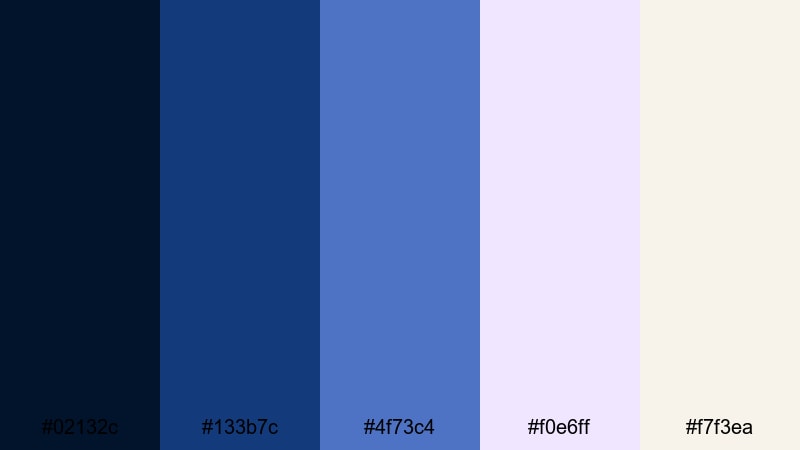
- HEX Codes: #02132c, #133b7c, #4f73c4, #f0e6ff, #f7f3ea
- Mood: Calm, reflective, and cinematic.
- Use for: Perfect for travel films, slow-paced vlogs, and storytelling edits where mood and atmosphere matter most.
Twilight Harbor Haze drifts from inky navy to softened cobalt, then into gentle lilac and warm ivory. It feels like standing at the shoreline during blue hour, just as city lights begin to glow.
Use the darker blues for subtle gradients and vignettes, then let the pale lilac and ivory appear in lower thirds, subtitles, and chapter titles. This creates a cinematic, almost dreamy tone that works beautifully in narrative vlogs, travel stories, and minimal intro cards.
Misty Cobalt Dawn
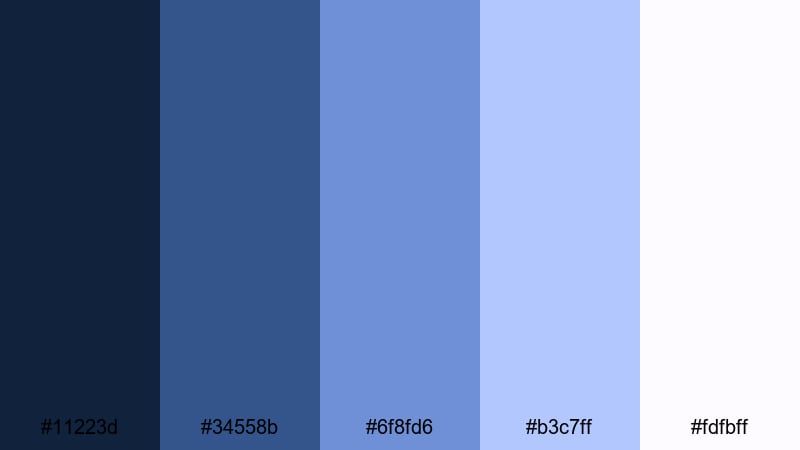
- HEX Codes: #11223d, #34558b, #6f8fd6, #b3c7ff, #fdfbff
- Mood: Hopeful, gentle, and airy.
- Use for: Use this palette for morning routines, wellness content, and soft-spoken tutorials that need a light, approachable tone.
Misty Cobalt Dawn layers cool blues from deep predawn to airy pastel sky. It carries a sense of quiet optimism, perfect for gentle routines and wellness-focused content.
Apply the darker shades to backgrounds and frame edges, then keep overlays, icons, and text in the lighter blues and whites. This makes your thumbnails and tutorial screens feel clean and breathable without losing that signature cobalt identity.
Rainy Window Glow
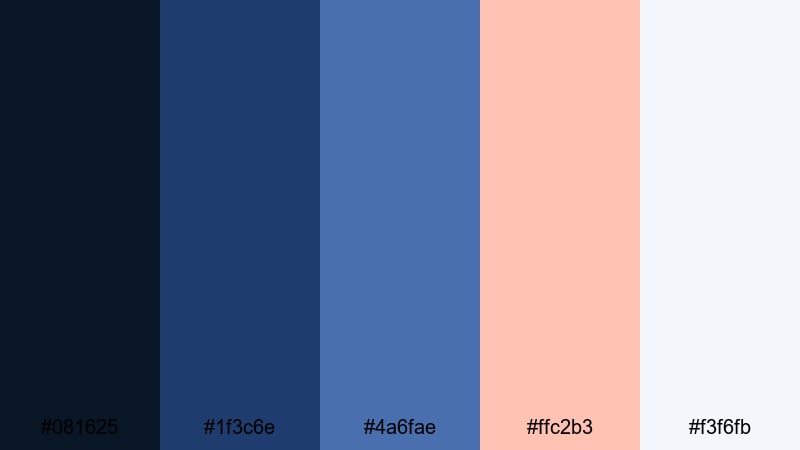
- HEX Codes: #081625, #1f3c6e, #4a6fae, #ffc2b3, #f3f6fb
- Mood: Nostalgic, cozy, and introspective.
- Use for: Great for cozy study vlogs, lyric videos, and lo-fi background visuals with a soft emotional edge.
Rainy Window Glow balances moody cobalt blues with a warm blush tone that feels like city lights seen through raindrops. The combination is emotional but never overwhelming.
Use the warm peach as a subtle highlight in your titles, progress bars, or like/subscribe prompts, set against the deeper blues. Soft whites help ensure lyrics, timestamps, or productivity tips stay readable on small screens.
Aurora Studio Calm
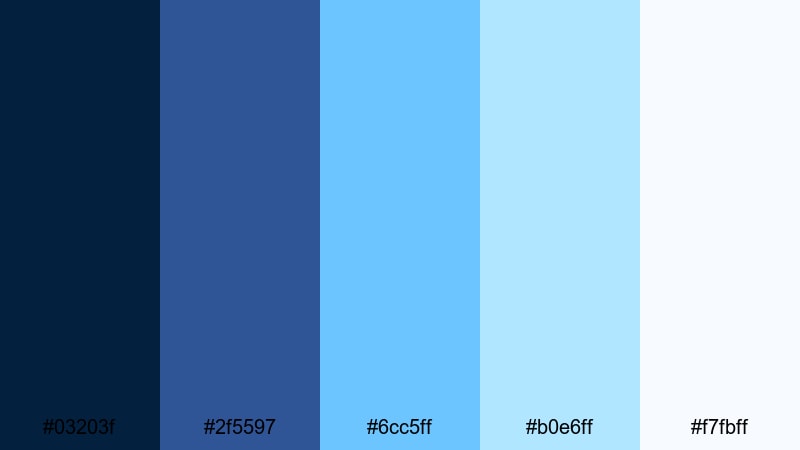
- HEX Codes: #03203f, #2f5597, #6cc5ff, #b0e6ff, #f7fbff
- Mood: Serene, modern, and airy.
- Use for: Use this palette for productivity content, study streams, and clean UI overlays that should feel calm but still colorful.
Aurora Studio Calm moves from deep night cobalt to soft icy blues, like a gentle aurora behind a minimal interface. It is colorful, but never harsh on the eyes during long viewing sessions.
In Filmora, use the darker tones for top and bottom bars or side panels, then keep your main content area light with pale blues and white. This palette is perfect for screen recordings, Notion walkthroughs, and productivity dashboards where clarity and calm matter.
Modern Minimal Cobalt Color Palettes
Cobalt And Cloud
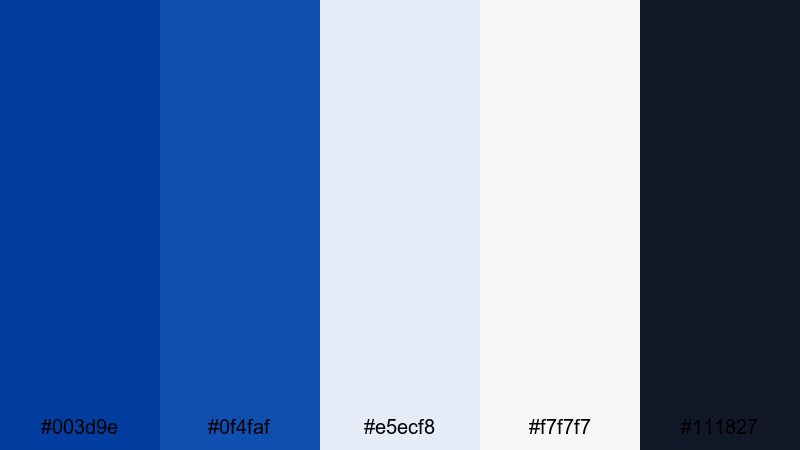
- HEX Codes: #003d9e, #0f4faf, #e5ecf8, #f7f7f7, #111827
- Mood: Clean, balanced, and trustworthy.
- Use for: Perfect for brand explainers, SaaS promos, and portfolio reels that need a polished, professional look.
Cobalt And Cloud pairs strong brand-ready blues with soft grays and near-white. The result is a professional, tech-forward palette that still feels friendly.
Use the deep cobalt for logos, headers, and key icons. Let the cloud grays and off-whites handle backgrounds and panels in your explainers or portfolio reels. The dark charcoal is ideal for body text and UI outlines that must stay readable on any device.
Nordic Cobalt Frame
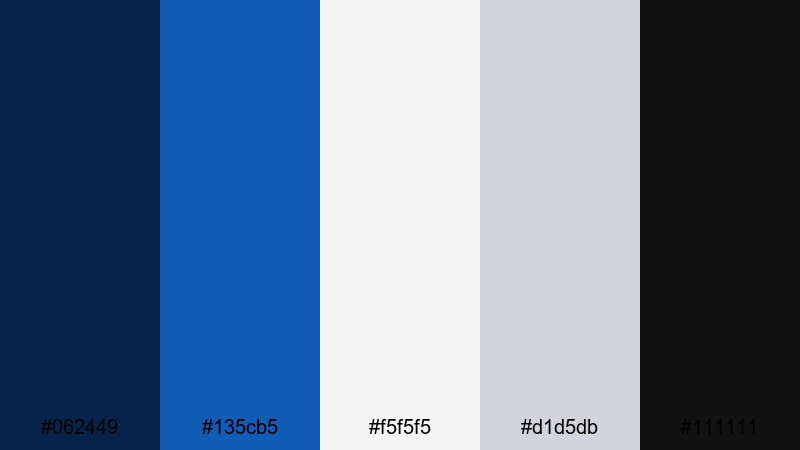
- HEX Codes: #062449, #135cb5, #f5f5f5, #d1d5db, #111111
- Mood: Sophisticated, cool, and structured.
- Use for: Use this palette for design breakdowns, architecture reels, and product showcases that demand clear structure and contrast.
Nordic Cobalt Frame combines inky navy and sharp cobalt with soft neutrals for a Scandinavian-inspired minimal style. It feels orderly and intentional, perfect for design-driven content.
Frame your footage with navy or charcoal bars, then use cobalt for precise lines, grids, or annotation arrows. Neutral grays and white keep backgrounds clean, helping product shots, mockups, and blueprints remain the focus.
Tech Blueprint Lines
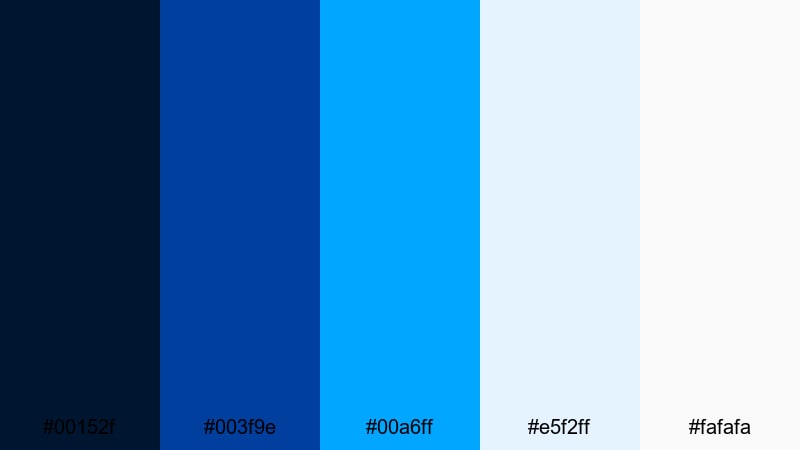
- HEX Codes: #00152f, #003f9e, #00a6ff, #e5f2ff, #fafafa
- Mood: Innovative, precise, and technical.
- Use for: Great for app demos, crypto explainers, and engineering videos that lean into a blueprint or wireframe visual language.
Tech Blueprint Lines echoes classic technical drawings: dark navy grounds the frame, cobalt and cyan trace out structure, and pale blueprint whites keep everything clean and legible.
Use this palette to build HUD-style overlays, data callouts, and flow diagrams in Filmora. Dark backgrounds with cyan line work feel instantly technical, while soft whites keep charts, text, and interface screenshots easy to read.
Monochrome Studio Cobalt
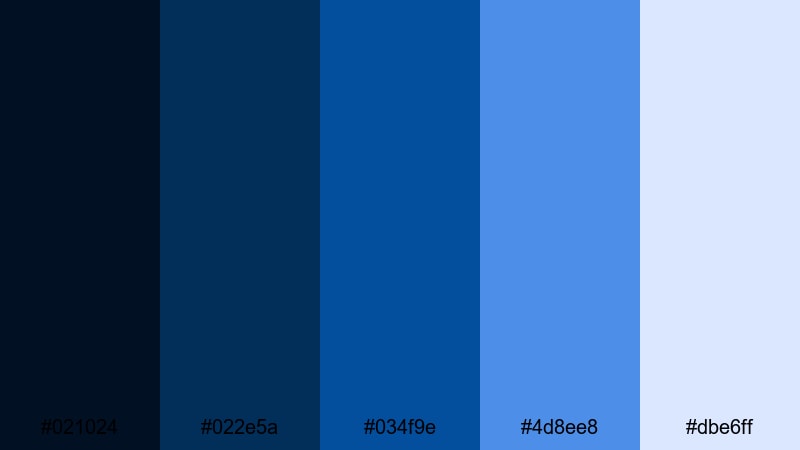
- HEX Codes: #021024, #022e5a, #034f9e, #4d8ee8, #dbe6ff
- Mood: Focused, sleek, and modern.
- Use for: Use this palette for talking-head studio setups, tutorials, and branded overlays where you want a unified blue tone without visual clutter.
Monochrome Studio Cobalt keeps everything within one blue family, rising from deep navy shadows to soft ice blue highlights. It is sleek and modern, with zero distracting accent colors.
This palette is excellent for tutorial channels, commentary videos, and branded webinars. Use darker blues for frames and drop shadows, mid-tone cobalt for buttons and icons, and the lightest shade for clean backgrounds behind text and screen captures.
Retro And Cinematic Cobalt Color Palettes
Analog Tape Cobalt
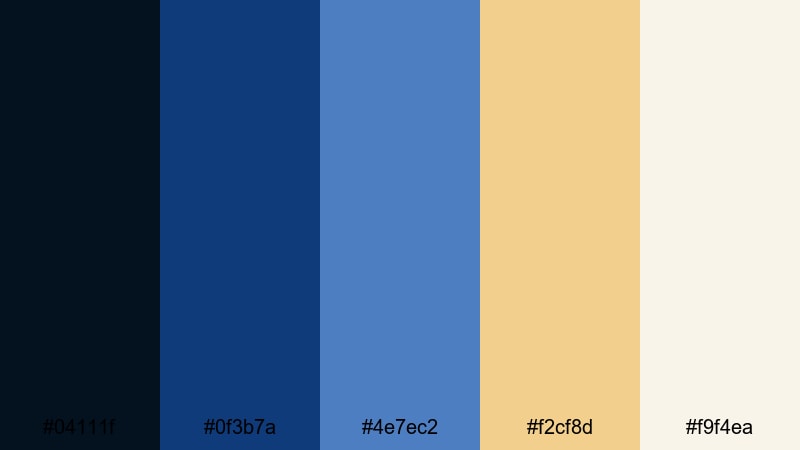
- HEX Codes: #04111f, #0f3b7a, #4e7ec2, #f2cf8d, #f9f4ea
- Mood: Warm, nostalgic, and cinematic.
- Use for: Perfect for travel diaries, family films, and retro edits that mix cool night scenes with warm highlights.
Analog Tape Cobalt blends grainy navy and cobalt with creamy beige and soft gold, echoing old film stock. The cool blues support night scenes, while the warm highlights feel like lamp light or sunset reflections.
Use this palette for nostalgic travel edits, family montages, or 90s-inspired vlogs. Grade your footage with cooler shadows and then add warm overlays, title cards, and badges using the beige and gold HEX codes for that analog, filmic character.
VHS Blue Dream
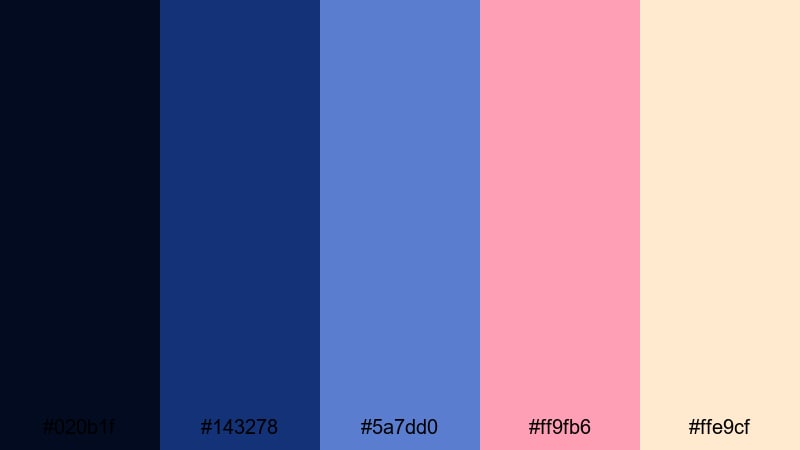
- HEX Codes: #020b1f, #143278, #5a7dd0, #ff9fb6, #ffe9cf
- Mood: Dreamy, nostalgic, and slightly surreal.
- Use for: Use this palette for synthwave edits, retro vlog openers, and aesthetic shorts that feel like a faded tape from the 90s.
VHS Blue Dream pairs soft cobalt and periwinkle with peach and blush tones, creating a washed-out, dreamy tape vibe. It feels like a memory you are replaying rather than a crisp modern recording.
Try this palette on lo-fi music videos, vaporwave loops, or throwback vlog intros. Keep your backgrounds on the dark blue side, then use the pastel pink and peach for subtitles, stickers, and time stamps to complete the retro mood.
Indie Festival Night
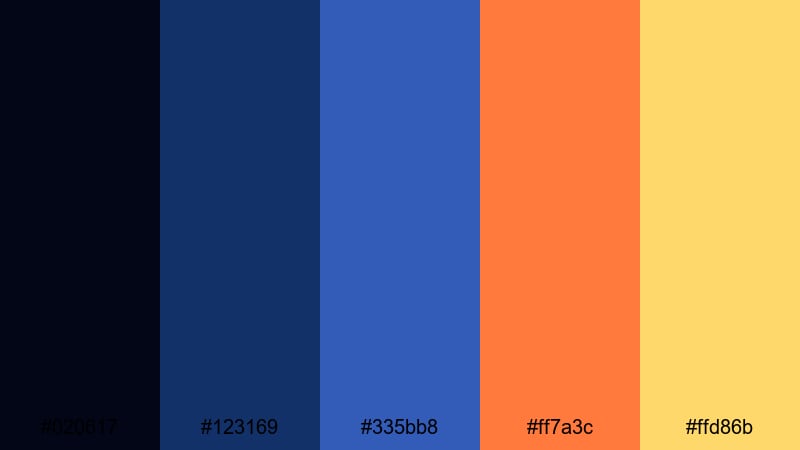
- HEX Codes: #020617, #123169, #335bb8, #ff7a3c, #ffd86b
- Mood: Festive, artsy, and cinematic.
- Use for: Great for concert recaps, festival films, and indie project trailers packed with handheld footage and lens flares.
Indie Festival Night sets moody midnight blues against warm orange and golden accents, like stage lights cutting across a dark cobalt sky. It feels artistic and energetic at the same time.
Use the cool tones to grade your nighttime footage, then let the warm oranges and yellows highlight text, transitions, and light leaks in Filmora. This creates a festival look that feels both cinematic and handcrafted, perfect for indie trailers and concert recaps.
Tips for Creating Cobalt Color Palettes
Whether you use one of these ready-made palettes or design your own, a strong cobalt color palette should balance impact with readability and match the tone of your footage and brand.
- Pair cobalt with a clear neutral (white, off-white, or dark charcoal) so text and UI elements stay easy to read on thumbnails and mobile screens.
- Decide on your role for cobalt: is it the background, the accent, or the brand main color? Use it consistently in that role across intros, lower thirds, and end cards.
- Use complementary accents like warm gold, orange, or peach to keep cobalt from feeling too cold, especially in lifestyle or vlog content.
- For cinematic looks, deepen cobalt shadows slightly and reduce saturation in midtones using Filmora color tools, then let highlights stay clean and bright.
- Keep a maximum of 2 to 3 high-saturation colors in one frame; otherwise, your cobalt can lose focus and the design starts to feel noisy.
- Match your palette to real-world elements in your footage, like clothing, LEDs, or props, so the color grading and on-set colors reinforce each other.
- Save your HEX values and turn them into reusable presets in Filmora for text styles, shapes, and filters to keep branding unified across all videos.
- Test your palette on dark mode and light mode backgrounds by exporting sample frames to ensure it works for both YouTube and other social platforms.
Cobalt is a powerful way to give your videos a signature look, whether you lean into bold neon cyberpunk, soft atmospheric blue hour, clean tech branding, or retro film vibes. By choosing a clear palette and sticking to it, you can shape viewer emotion, guide attention, and strengthen your channel identity.
Use these 15 cobalt color palettes as a starting point, then refine them inside Filmora with AI Color Palette, HSL and curves, and filters or LUTs. The more consistently you apply your cobalt scheme to thumbnails, intros, and overlays, the more instantly recognizable your content will become.
Open a new project, drop in a few clips, and start testing your favorite palette from this guide. With Filmora, it only takes a few tweaks to turn a good cobalt combination into a complete, polished visual style for your next video series.
secure downloadNext: Black Tan Color Palette
