

 100% Security Verified | No Subscription Required | No Malware


 ChatGPT
 Perplexity
 Gemini
 Claude
 Grok
Grok
Coral salmon sits between soft pink and lively orange, bringing warmth, optimism, and a gentle energy to any frame. It feels friendly and modern without being too loud, which makes it perfect for creators who want a human, approachable look in their videos, thumbnails, and channel branding. Used well, coral salmon can suggest romance, creativity, or a sunny lifestyle, depending on the colors you pair it with.
Below are 15 ready-made coral salmon color palettes with HEX codes, designed for intros, titles, YouTube thumbnails, overlays, and brand systems. Whether you edit in Filmora or create graphics for your channel, you can plug these coral salmon color combinations straight into your workflow and keep a consistent aesthetic across all your creative projects.
In this article
Soft And Romantic Coral Salmon Palettes
Blush Morning Glow
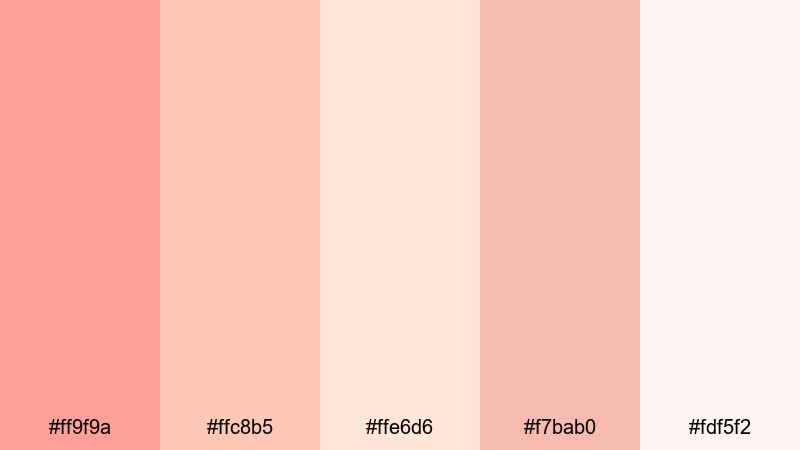
- HEX Codes: #ff9f9a, #ffc8b5, #ffe6d6, #f7bab0, #fdf5f2
- Mood: Gentle, hopeful, and softly romantic.
- Use for: Perfect for vlog openings, morning routine videos, and dreamy travel recaps that need a warm, welcoming feel.
Blush Morning Glow wraps your visuals in a soft wash of coral salmon, peach, and creamy whites. It feels like early sunlight through sheer curtains, giving your content a tender, romantic mood without looking overly saturated. The lighter tones add airiness, while the mid coral shades keep everything warm and inviting.
Use this palette for beauty and lifestyle thumbnails, gentle vlog intros, or romantic channel banners. Coral blocks work beautifully behind text, while the palest cream (#fdf5f2) is ideal for backgrounds that keep typography legible. In Filmora, you can apply these HEX codes to titles, lower thirds, and simple shapes to give your whole video a cohesive blush-toned identity.
Pro Tip: Enhance Your Coral Salmon Visuals With Filmora
When you build a soft palette like Blush Morning Glow, consistency across your edit is what sells the aesthetic. In Filmora, you can match your titles, overlays, and transitions to the same coral salmon values you use in your thumbnails, so your audience instantly recognizes your style in the feed and on playback.
Apply the HEX values to your text, shapes, and background color blocks, then save them as custom presets. Use them in intros, chapter cards, and end screens so every part of your project feels like it belongs to the same dreamy coral salmon world.
AI Color Palette
If you have a reference frame, flat lay, or brand moodboard using this coral salmon palette, Filmora's AI Color Palette feature can automatically carry that look across your entire timeline. You do not need to grade each clip manually; Filmora analyzes the reference colors and maps them onto your footage.
Choose one shot or image that best represents your Blush Morning Glow tones, then use AI Color Palette to match the rest of your vlog, B-roll, and cutaways. This keeps skin tones soft, warms up neutrals, and maintains a gentle coral salmon feel from intro to outro.
 secure download

HSL, Color Wheels & Curves
Once your coral salmon base is in place, use Filmora's HSL controls and color wheels to fine-tune the mood. Slightly pushing oranges toward pink and lowering saturation in highlights can keep Blush Morning Glow delicate rather than neon. If your footage is too contrasty, lift the curve shadows and soften the highlight point to maintain that hazy, morning feel.
For more structured guidance, explore Filmora's color correction tips in Filmora and apply them to your coral salmon range. Small adjustments to midtone warmth and skin tone hue can make your entire scene feel cohesive with the palette you chose.
secure download1000+ Video Filters & 3D LUTs
If you want to get to a polished coral salmon look faster, Filmora's video filters and 3D LUTs make it easy to stylize your footage. You can stack a soft pastel filter over your clips, then lightly adjust intensity so your Blush Morning Glow tones stay gentle without losing contrast.
Try combining a cinematic LUT with reduced strength and then nudging the HSL sliders so the coral salmon tones remain the star. This gives you an editorial, film-like finish while still matching the HEX-based palette you use for titles, graphics, and thumbnails.
secure downloadRosewater Storytime
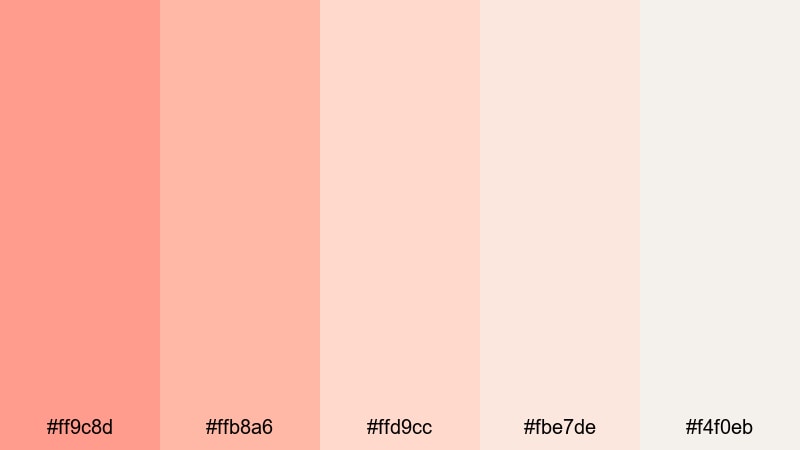
- HEX Codes: #ff9c8d, #ffb8a6, #ffd9cc, #fbe7de, #f4f0eb
- Mood: Nostalgic, cozy, and intimate.
- Use for: Great for storytime videos, podcasts on YouTube, and soft spoken content that leans into comfort and calm.
Rosewater Storytime bathes your content in creamy coral salmon shades with rose-tinted neutrals. It feels like a warm blanket and a cup of tea, instantly making your audience feel close and comfortable. The soft gradients between mid and light tones keep visuals from feeling flat while staying easy on the eyes.
This palette is excellent for podcast-style thumbnails, storytelling series, or any content you film in a cozy corner or home studio. Use the deeper coral for titles and highlights, and the lightest tones for background panels and subtle overlays around your talking head shots.
Peony Vlog Aesthetic
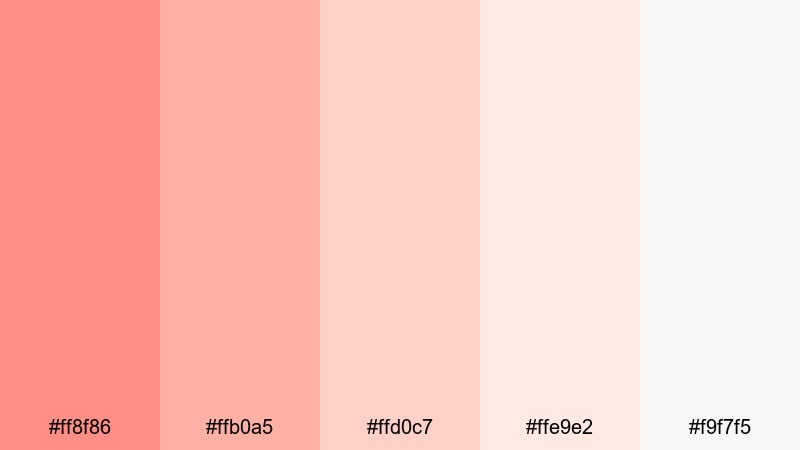
- HEX Codes: #ff8f86, #ffb0a5, #ffd0c7, #ffe9e2, #f9f7f5
- Mood: Feminine, airy, and aesthetic-focused.
- Use for: Ideal for lifestyle and aesthetic vlogs, lookbooks, and channel branding that leans into soft, feminine visuals.
Peony Vlog Aesthetic mixes coral salmon peony tones with very pale neutrals for a light, curated look. It feels chic and modern, like a carefully styled flat lay or a minimal fashion feed. The palette works well when you want the coral to feel present but not overpower the rest of the frame.
Integrate these colors into your lookbook titles, outfit callouts, and Instagram reel covers. In motion graphics, use the lightest shade as a clean backdrop and drop in coral accents for buttons, arrows, and on-screen text that guide viewers through your content.
Cotton Candy Shores
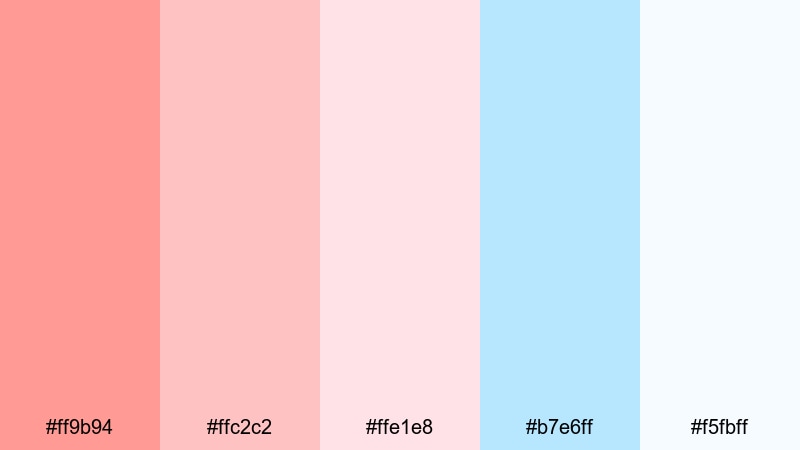
- HEX Codes: #ff9b94, #ffc2c2, #ffe1e8, #b7e6ff, #f5fbff
- Mood: Dreamy, playful, and seaside sweet.
- Use for: Works well for beach vlogs, travel highlight reels, and dreamy summer montage titles.
Cotton Candy Shores pairs coral salmon with cotton candy blues and soft whites to mimic a dreamy seaside sky. The coral shades bring warmth, while the light blue tones add freshness and a hint of ocean breeze. It is playful without feeling childish, perfect for lighthearted summer storytelling.
Use coral for your main text and call-to-action buttons, and bring in the blue (#b7e6ff) for accent shapes, borders, or animated lines around footage. This palette shines on travel thumbnails, montage title cards, and recap edits that celebrate sun, sea, and pastel sunsets.
Sunlit Bridal Blush
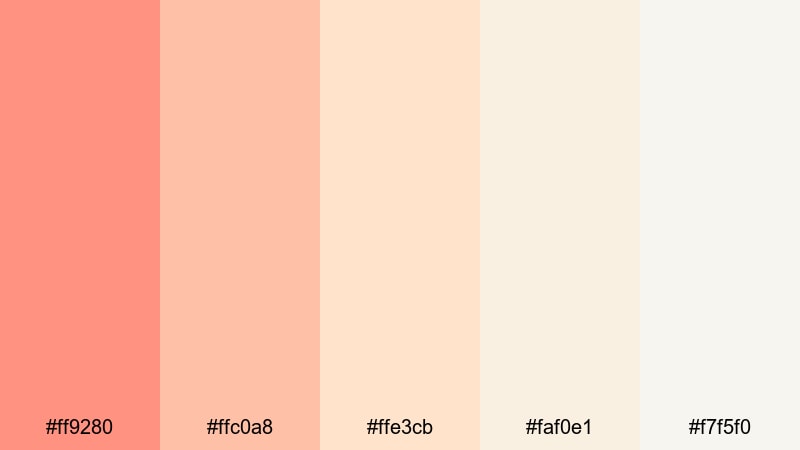
- HEX Codes: #ff9280, #ffc0a8, #ffe3cb, #faf0e1, #f7f5f0
- Mood: Elegant, romantic, and softly luxurious.
- Use for: Perfect for wedding films, engagement announcement videos, and romantic highlight reels.
Sunlit Bridal Blush combines romantic coral salmon with ivory and champagne tones, giving wedding content a polished yet emotional look. The warm midtones echo candlelight and golden hour, while the lighter shades provide a delicate, premium backdrop.
Use this palette in wedding highlight titles, lower thirds for names and dates, and elegant intro slates. Coral salmon works beautifully for key text and subtle flourishes, while the off-whites keep everything timeless and easy to read on mobile and desktop alike.
Bold And Vibrant Coral Salmon Palettes
Tropical Creator Burst
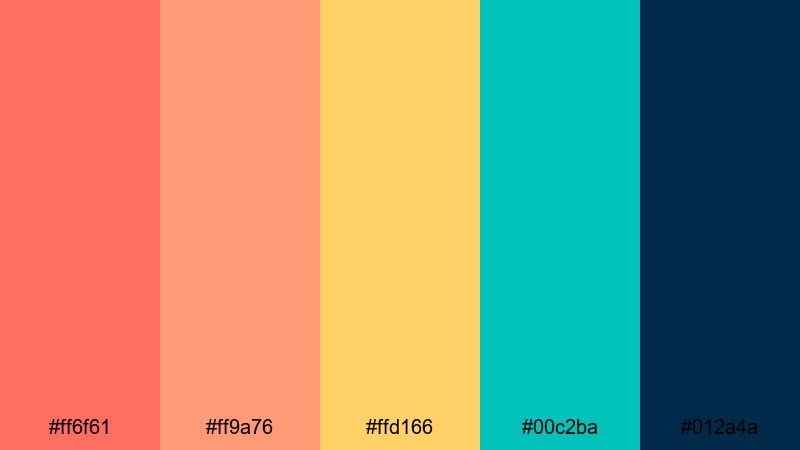
- HEX Codes: #ff6f61, #ff9a76, #ffd166, #00c2ba, #012a4a
- Mood: Energetic, adventurous, and high impact.
- Use for: Great for travel channels, dynamic intros, and energetic motion graphics that need to pop in the feed.
Tropical Creator Burst throws coral salmon into a bold combo with golden yellow, turquoise, and deep navy. It feels like stepping into a busy market or beach party: bright, fun, and impossible to ignore. The darker navy anchors the palette so your scenes still feel grounded.
Use hot coral and yellow for big titles and animated transitions, teal for accent elements, and navy for text that needs maximum contrast. This palette is ideal for fast-cut travel intros, dynamic map graphics, or bold subscriber callouts in your edits.
Sunset Premiere Frame
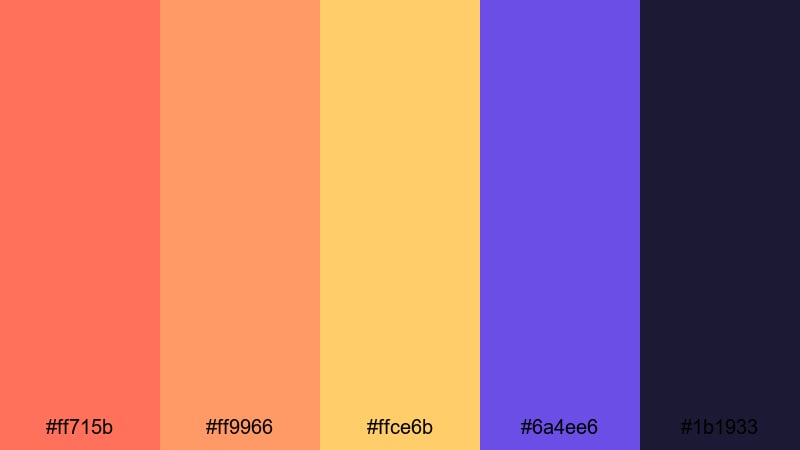
- HEX Codes: #ff715b, #ff9966, #ffce6b, #6a4ee6, #1b1933
- Mood: Cinematic, dramatic, and sunset-charged.
- Use for: Perfect for cinematic trailers, episode bumpers, and dramatic countdown screens.
Sunset Premiere Frame stacks hot coral salmon and golden yellow against royal violet and deep ink. It feels like a dramatic sunset behind a city skyline, instantly cinematic and stylish. The purple and dark navy tones keep your scenes from feeling too playful, giving them a premium trailer vibe.
Use coral and gold gradients behind bold typography, while violet and ink (#1b1933) handle outlines, shadows, and background panels. This palette is great for episodic intros, countdown timers, or any series that leans into high-energy visuals with a cinematic twist.
Coral Neon Pop

- HEX Codes: #ff5c5c, #ff8f7b, #ffe45e, #35ffb2, #111111
- Mood: Edgy, youthful, and attention-grabbing.
- Use for: Great for shorts, TikTok compilations, gaming highlights, and fast-paced edits.
Coral Neon Pop pushes coral salmon into neon territory, pairing it with electric lime, aqua, and deep black. The palette feels loud and modern, perfect for vertical videos, quick memes, or kinetic typography that needs to stop the scroll.
Let the darkest tone (#111111) act as your base background, then overlay neon coral and lime for titles, glitch effects, and animated elements. This combination works particularly well in gaming highlight thumbnails or high-tempo music edits.
Festival Street Edit
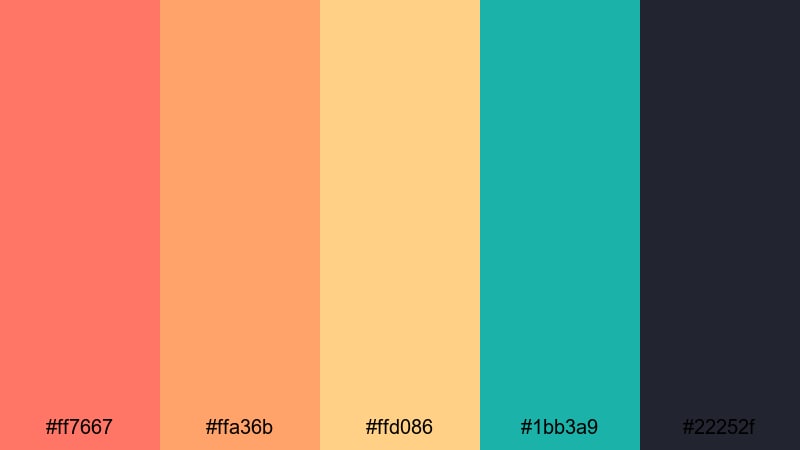
- HEX Codes: #ff7667, #ffa36b, #ffd086, #1bb3a9, #22252f
- Mood: Urban, festive, and upbeat.
- Use for: Ideal for street style recaps, festival aftermovies, and lifestyle brand promos.
Festival Street Edit blends vibrant coral salmon and golden accents with teal and charcoal, capturing the feel of city lights and festival stages. It has an urban energy with just enough warmth to keep your visuals approachable.
Use coral and gold for titles, stickers, and animated frames around your clips, then bring in teal for contrast in icons or UI overlays. Charcoal (#22252f) provides solid backgrounds for lower thirds and text-heavy frames in streetwear lookbooks or live event recaps.
Summer Action Intro

- HEX Codes: #ff6d6a, #ff9c6a, #ffd369, #0099cc, #06202a
- Mood: Sporty, loud, and sun-soaked.
- Use for: Perfect for sports edits, summer challenges, and outdoor adventure intros.
Summer Action Intro mixes high-energy coral salmon with sky blue and deep teal, creating a palette that feels like beach games and outdoor challenges. The yellow highlight keeps things bright, while the dark teal base adds contrast and depth.
Use the coral and yellow tones for bold headline text, timers, and scoreboard graphics. Reserve blue and teal for backgrounds, split screens, and overlay shapes. This palette works especially well in active intros, sports montage titles, and branded challenge thumbnails.
Modern And Minimal Coral Salmon Palettes
Coral Workspace Clean
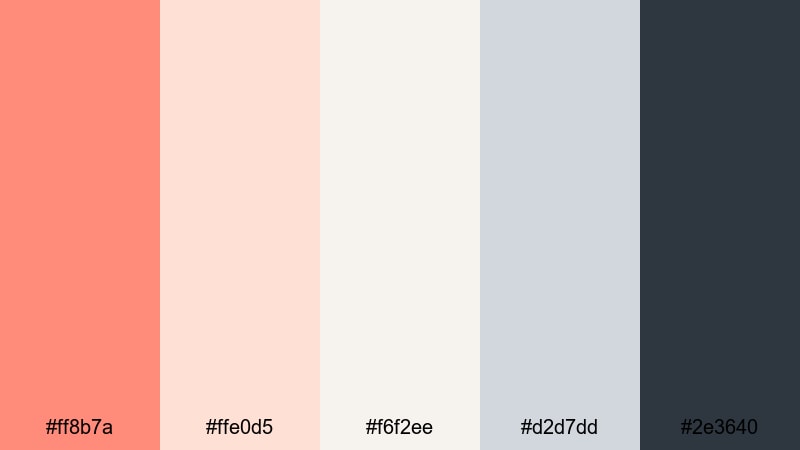
- HEX Codes: #ff8b7a, #ffe0d5, #f6f2ee, #d2d7dd, #2e3640
- Mood: Fresh, productive, and minimal.
- Use for: Great for productivity channels, tutorials, and clean brand explainers.
Coral Workspace Clean balances soft coral salmon accents with cool grays and off-whites. It feels like a tidy desk setup or a modern SaaS landing page, projecting focus and clarity with a friendly twist.
Use coral for small but strong accents, such as subscribe buttons, progress bars, and highlighted steps in tutorials. The grays and whites are perfect for backgrounds, screencast frames, and UI-style overlays in educational videos.
Muted Studio Frame
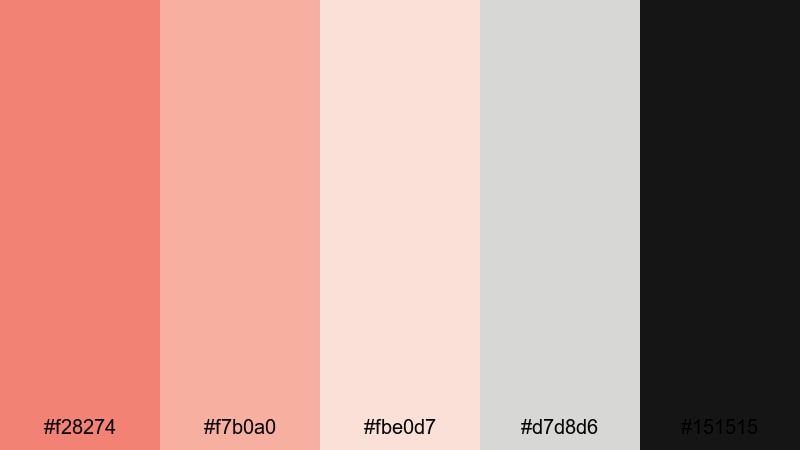
- HEX Codes: #f28274, #f7b0a0, #fbe0d7, #d7d8d6, #151515
- Mood: Sophisticated, calm, and studio-ready.
- Use for: Perfect for tech reviews, studio tours, and minimalist brand content.
Muted Studio Frame softens coral salmon and pairs it with soft neutrals and deep charcoal. The palette feels professional and editorial, ideal when you want warmth without sacrificing a minimal studio look.
Use the darkest tone (#151515) as your core background or frame around footage, then bring in muted coral for titles, sliders, and key callouts. This combination works well for tech reviews, gear breakdowns, and studio tour thumbnails that need to feel premium but approachable.
Scandinavian Coral Accent
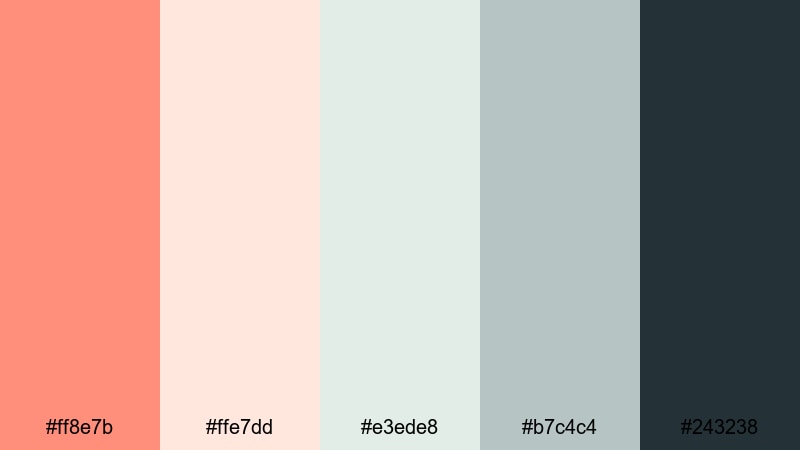
- HEX Codes: #ff8e7b, #ffe7dd, #e3ede8, #b7c4c4, #243238
- Mood: Minimal, airy, and design-forward.
- Use for: Ideal for design channels, interior inspo videos, and modern brand identities.
Scandinavian Coral Accent combines clean, cool neutrals with a single warm coral salmon accent. It captures that airy Nordic look, where most of the frame stays calm and muted but small details pop with color.
Use coral sparingly on key elements like buttons, tags, and highlight text, while letting the pale neutrals handle backgrounds and frames. This palette fits design breakdowns, interior inspiration videos, and any channel wanting a modern, understated coral touch.
Tech Review Coral UI
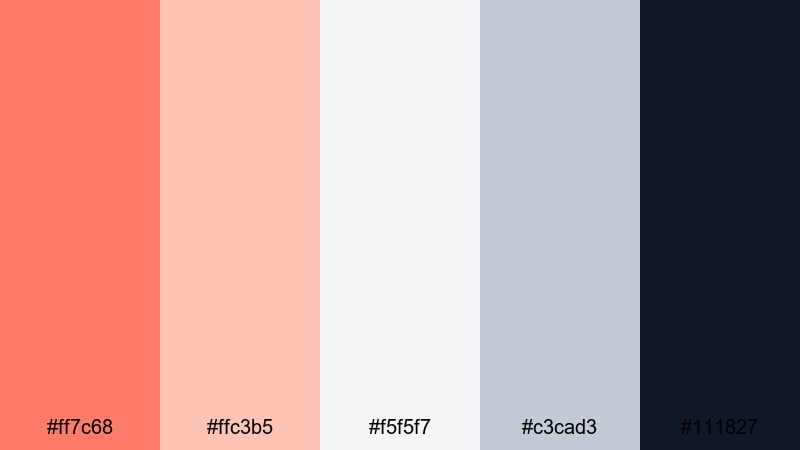
- HEX Codes: #ff7c68, #ffc3b5, #f5f5f7, #c3cad3, #111827
- Mood: Crisp, techy, and trustworthy.
- Use for: Great for app reviews, SaaS promos, and explainer videos needing a human but professional touch.
Tech Review Coral UI uses coral salmon as a friendly accent against cool grays and deep blue-black. The result is a tech-forward palette that still feels human and welcoming, perfect for software demos and UI-heavy explainers.
Reserve coral for key UI elements like buttons, pointers, and callouts, while using the light grays and off-whites for backgrounds and screen frames. The darkest shade (#111827) keeps text sharp and easy to read in overlays, annotations, and lower thirds.
Cinematic Coral Grain
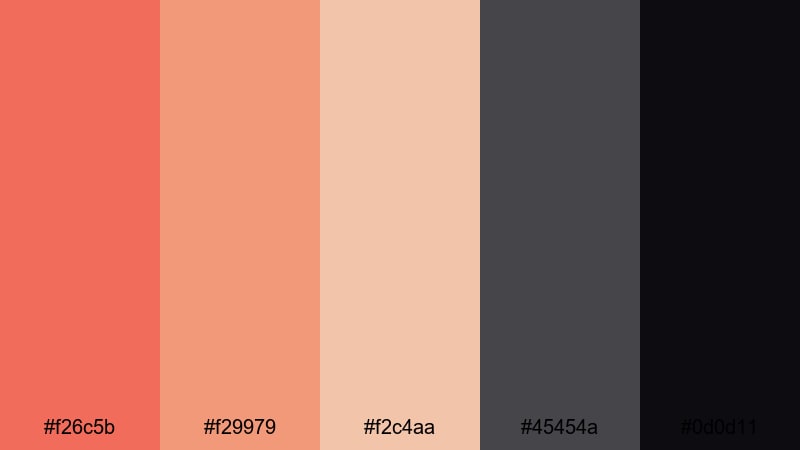
- HEX Codes: #f26c5b, #f29979, #f2c4aa, #45454a, #0d0d11
- Mood: Moody, cinematic, and editorial.
- Use for: Perfect for cinematic b-roll sequences, title cards, and film-inspired YouTube edits.
Cinematic Coral Grain pairs rich coral salmon with warm neutrals and deep charcoals, giving your footage a filmic, editorial mood. The darker tones are perfect for adding vignettes and grain overlays, while the coral hues keep the grade from feeling too cold.
Use coral for opening titles, chapter cards, and end frames, then let the dark neutrals handle backgrounds, letterboxing, and shadowy overlays. This palette works beautifully with subtle grain, light leaks, and slow-motion B-roll in Filmora.
Tips for Creating Coral Salmon Color Palettes
Coral salmon is versatile enough to feel soft, bold, or minimal, depending on what you combine it with. A few simple rules will help you design palettes that look great on video, thumbnails, and UI-style graphics.
- Pair coral salmon with a deep contrasting color (navy, charcoal, or ink blue) to keep text and important UI elements readable.
- Use light neutrals (ivory, cream, soft gray) as backgrounds so coral salmon can act as a clear accent instead of overwhelming the frame.
- Limit your bold colors to two or three main tones in thumbnails and intros to avoid visual clutter, especially on small mobile screens.
- Test your palette on both light and dark modes: try coral salmon text on dark backgrounds and as accents on light panels to see what feels more on brand.
- Match your footage to your chosen palette by gently warming midtones and desaturating competing colors, so coral salmon remains the hero accent.
- Keep brand consistency by reusing the same coral salmon HEX code across your logo lockup, lower thirds, and end screen calls to action.
- For cinematic looks, pair coral salmon with muted, earthy neutrals and add a slight fade in the shadows to avoid harsh contrast.
- When working with text overlays, always check accessibility by ensuring enough contrast between coral salmon elements and whatever sits behind them.
Used thoughtfully, coral salmon can define your channel or brand identity, from soft romantic vlogs to bold festival edits and clean tech explainers. Each palette above gives you ready-made HEX codes so you can design thumbnails, overlays, and titles that feel consistent and intentional.
Try dropping these palettes into Filmora as you build your next intro, episode bumper, or highlight reel. With tools like AI Color Palette, HSL controls, and filters, you can match your footage to your chosen coral salmon aesthetic and keep the same mood across YouTube, Instagram, and other platforms.
As you experiment, save your favorite coral salmon combinations as presets and reuse them in future projects. Over time, your viewers will start recognizing your signature coral salmon look the moment your video appears in their feed.
secure downloadNext: Blond Color Palette
