

 100% Security Verified | No Subscription Required | No Malware


 ChatGPT
 Perplexity
 Gemini
 Claude
 Grok
Grok
Dark Orange sits between the warmth of classic orange and the depth of earthy browns. It feels bold, energetic, and grounded at the same time, which is why it is perfect for visuals that need to feel cinematic yet approachable. In color psychology, Dark Orange often signals creativity, confidence, and adventure, making it a strong choice for travel vlogs, lifestyle channels, and dramatic storytelling.
For video creators and Filmora users, a well-planned Dark Orange color palette can tie together thumbnails, intros, titles, overlays, and even full color grades. Below you will find ready-to-use Dark Orange color combinations with accurate HEX codes so you can apply them consistently across your edits, brand assets, and social media designs.
In this article
Cinematic Dark Orange Color Palettes
Sunset Studio Blaze
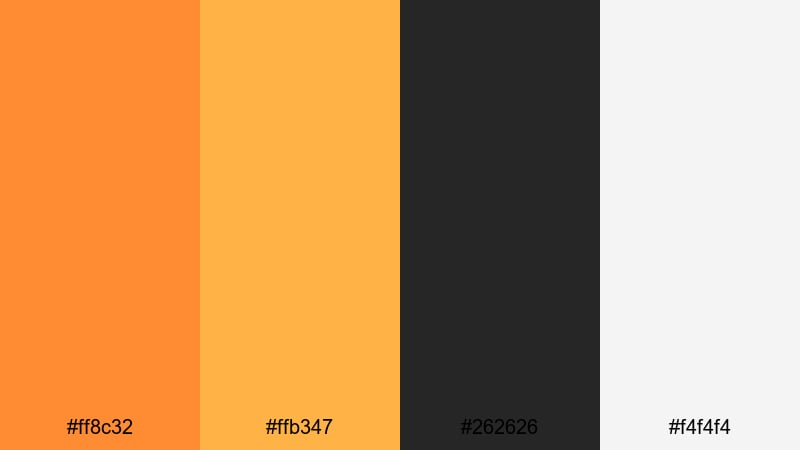
- HEX Codes: #ff8c32, #ffb347, #262626, #f4f4f4
- Mood: Energetic, cinematic, and high-contrast.
- Use for: Use this palette for dynamic YouTube intros, action-packed trailers, and bold cinematic titles.
Sunset Studio Blaze mixes a vivid Dark Orange (#ff8c32) with a softer golden highlight (#ffb347), anchored by deep charcoal (#262626) and a clean white accent (#f4f4f4). The result is a punchy, cinematic palette with instant contrast that makes text and graphics pop.
This combination is ideal for attention-grabbing YouTube thumbnails, kinetic title cards, and bold lower thirds in Filmora. Use the dark charcoal as your background, the bright Dark Orange for main titles or call-to-action buttons, and the lighter tones to highlight key words, chapter markers, or subscribe prompts across your edits.
Pro Tip: Build a Cinematic Dark Orange Look in Filmora
To keep a Dark Orange aesthetic consistent, start by designing your title cards, end screens, and thumbnail overlays with this palette, then reuse the same HEX codes inside Filmora for text, shapes, and background layers. This gives your channel a recognizable cinematic identity, especially when you are cutting between intros, b-roll, and talking-head shots.
You can also create a custom preset in Filmora for your titles and lower thirds using Sunset Studio Blaze. Save the Dark Orange tones for primary text and accents, and apply the charcoal and white for backgrounds and secondary labels so every new video automatically matches your brand.
AI Color Palette
If you have a reference frame or graphic that already uses Sunset Studio Blaze, Filmora's AI Color Palette feature can transfer that color mood to the rest of your footage. Simply choose a well-graded clip with your Dark Orange tones, then let AI match the look across multiple shots in one go.
This is especially useful for intros, trailers, and multi-location vlogs where lighting changes. AI Color Palette helps keep your Dark Orange highlights, midtones, and shadows cohesive, so the entire video feels like one polished, cinematic sequence.
 secure download

HSL, Color Wheels & Curves
Once your Dark Orange palette is in place, refine it in Filmora using HSL, color wheels, and curves. You can selectively push oranges toward a deeper burnt tone, cool down the shadows for extra contrast, or lift the highlights to give your footage a glossy, cinematic finish. Filmora's color correction tools make it easy to fine-tune saturation and luminance so your oranges stay rich without blowing out skin tones.
Use the color wheels to gently tint midtones toward Dark Orange while keeping blacks neutral, then shape the overall contrast with curves. A subtle S-curve will make text overlays in this palette feel sharper and more impactful against your footage.
secure download1000+ Video Filters & 3D LUTs
To speed up your Dark Orange styling, Filmora's video filters and 3D LUTs make it easy to push this palette toward a specific vibe. Choose warm, cinematic LUTs to deepen oranges and soften highlights for trailers, or pick clean, modern filters when you want a crisp branded look.
Apply a LUT to your base footage, then layer your Sunset Studio Blaze titles, shapes, and overlays on top. This gives you a cohesive Dark Orange theme from thumbnail to end screen without manually adjusting every single clip.
secure downloadEmber Framed Noir
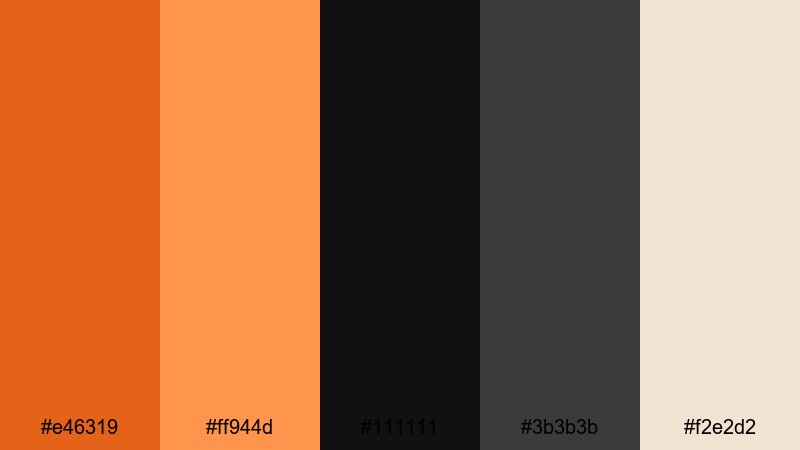
- HEX Codes: #e46319, #ff944d, #111111, #3b3b3b, #f2e2d2
- Mood: Moody, dramatic, and stylish.
- Use for: Perfect for film-style grading, dramatic vlog sequences, and thriller or noir-themed channel branding.
Ember Framed Noir pairs smoldering Dark Orange tones (#e46319, #ff944d) with rich blacks (#111111, #3b3b3b) and a creamy highlight (#f2e2d2). It feels like a glowing ember framed in shadow, giving your visuals a refined, cinematic tension.
Use the darkest shades as backgrounds for titles, lower thirds, and end screens, then let the Dark Orange hues carry your main text and graphic accents. The cream tone is perfect for subtitles, chapter markers, and secondary labels, especially in thriller intros, moody vlogs, and documentary-style edits built in Filmora.
Golden Hour Screen
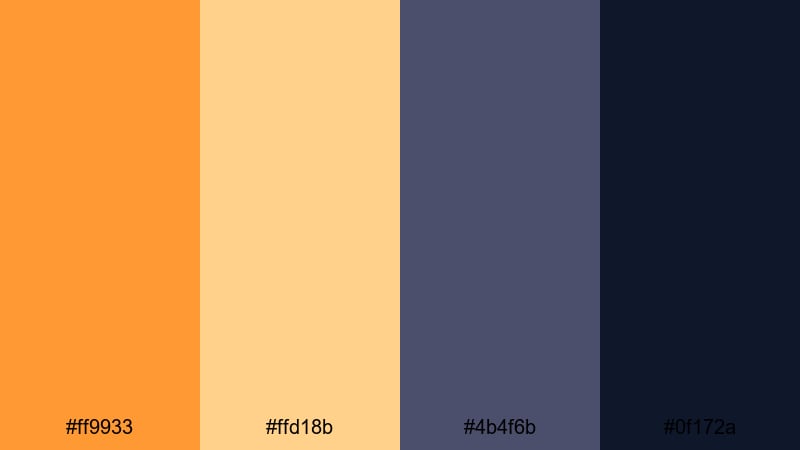
- HEX Codes: #ff9933, #ffd18b, #4b4f6b, #0f172a
- Mood: Warm, nostalgic, and softly cinematic.
- Use for: Use this palette for golden hour b-roll, travel vlogs, and lifestyle intros with a dreamy film look.
Golden Hour Screen captures the feel of late-afternoon sunlight with warm Dark Orange (#ff9933) and buttery highlights (#ffd18b), balanced by cool blue shadows (#4b4f6b, #0f172a). It creates a soft, nostalgic contrast that works beautifully for emotional storytelling.
In Filmora, use the darker blues as background plates for text and UI elements while your footage carries the warm oranges. This palette is ideal for travel vlog thumbnails, dreamy intro sequences, and overlay graphics like location tags and time-of-day captions.
Urban Neon Ember
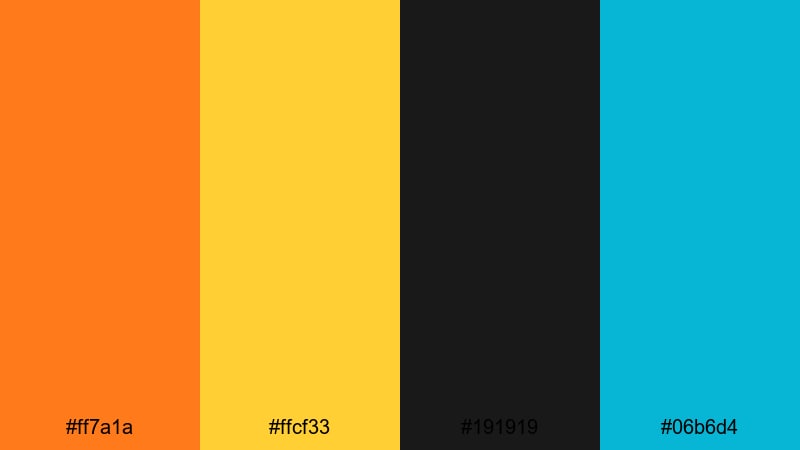
- HEX Codes: #ff7a1a, #ffcf33, #191919, #06b6d4
- Mood: Vibrant, urban, and edgy.
- Use for: Great for fast-paced city montages, music videos, and bold kinetic typography sequences.
Urban Neon Ember throws a high-energy Dark Orange (#ff7a1a) and punchy yellow (#ffcf33) against inky black (#191919) and neon cyan (#06b6d4). It feels loud, modern, and street-ready, perfect for nightlife and city energy.
Use black as your base layer for titles and overlays, then combine Dark Orange with neon cyan for split-color text, outlines, and strokes in Filmora. This palette is excellent for music video titles, bold kinetic typography, and short-form edits like Reels and Shorts that need instant impact.
Warm Lifestyle Dark Orange Color Palettes
Cozy Latte Vlog
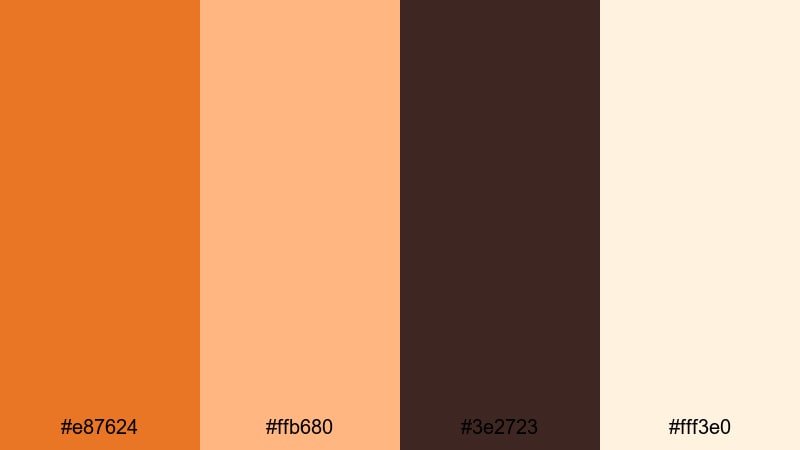
- HEX Codes: #e87624, #ffb680, #3e2723, #fff3e0
- Mood: Comforting, inviting, and homely.
- Use for: Use this palette for cozy home vlogs, coffee shop b-roll, and lifestyle thumbnails that feel warm and welcoming.
Cozy Latte Vlog blends toasty Dark Orange (#e87624) with soft latte creams (#ffb680, #fff3e0) and a deep coffee brown (#3e2723). It instantly suggests warmth, routine, and comfort, like a quiet morning at home.
Use the darker brown for text over lighter backgrounds, and let the Dark Orange accent important elements like video titles, chapter labels, and call-to-action buttons in Filmora. This palette is perfect for daily routine vlogs, coffee shop b-roll, and cozy thumbnail designs that invite viewers in.
Autumn Market Stroll
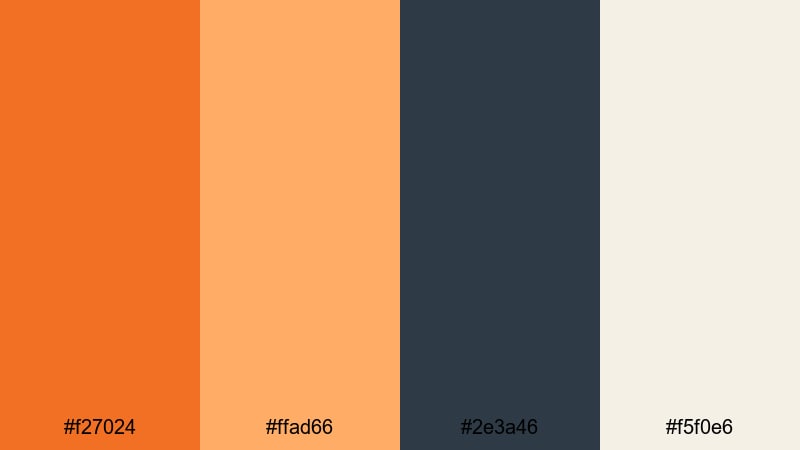
- HEX Codes: #f27024, #ffad66, #2e3a46, #f5f0e6
- Mood: Seasonal, friendly, and organic.
- Use for: Perfect for fall lookbooks, slow-living reels, and aesthetic shopping or food content.
Autumn Market Stroll combines rich Dark Orange (#f27024) with a soft peachy highlight (#ffad66), grounded by muted navy (#2e3a46) and a gentle beige (#f5f0e6). It feels like a crisp fall day surrounded by produce, textiles, and warm light.
Use navy as a calm background for titles, overlays, and price tags or labels in shopping content. The Dark Orange and peach tones are great for accent text, icons, and buttons, especially in fall lookbooks, food reels, and aesthetic hauls edited in Filmora.
Campfire Story Night
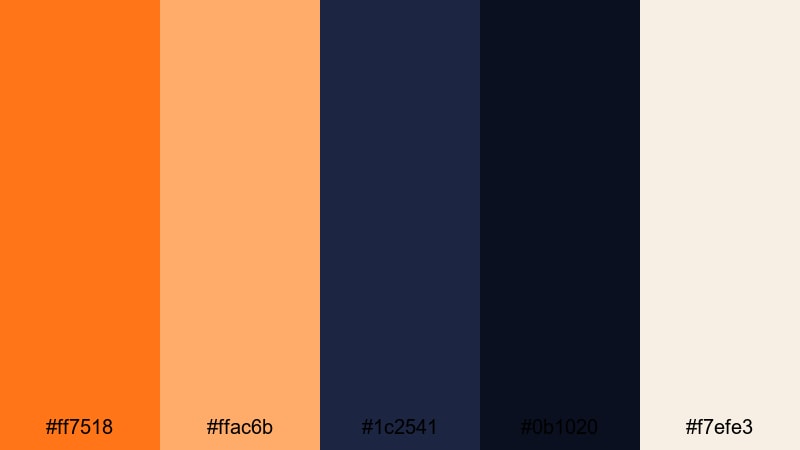
- HEX Codes: #ff7518, #ffac6b, #1c2541, #0b1020, #f7efe3
- Mood: Intimate, cinematic, and slightly mysterious.
- Use for: Use this palette for camping vlogs, storytelling sequences, and podcast or narration visuals.
Campfire Story Night sets glowing Dark Orange flames (#ff7518, #ffac6b) against deep midnight blues (#1c2541, #0b1020) and a pale cream (#f7efe3). The contrast feels both cozy and mysterious, ideal for narrative-driven content.
Use the darkest blue or nearly black tones for backgrounds and overlays behind your titles. Let the Dark Orange shades highlight key story beats, pull quotes, and lower thirds in Filmora, while the cream stays reserved for legible subtitles and chapter timestamps.
Spiced Travel Diary
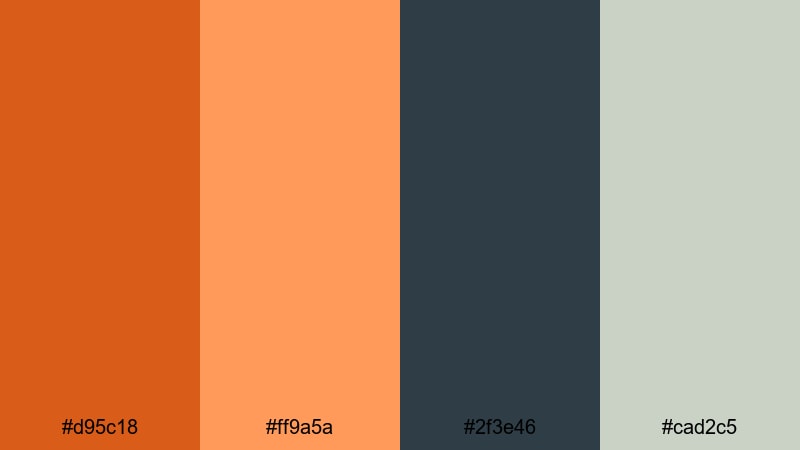
- HEX Codes: #d95c18, #ff9a5a, #2f3e46, #cad2c5
- Mood: Adventurous, warm, and relaxed.
- Use for: Ideal for travel diaries, food journeys, and sunlit vacation recaps.
Spiced Travel Diary brings together earthy Dark Orange (#d95c18) and soft coral (#ff9a5a) with cool green-grays (#2f3e46, #cad2c5). It feels like maps, spices, and seaside evenings wrapped into one relaxed yet adventurous palette.
Use the darker green-gray as a neutral base for maps, info cards, and lower thirds, while the Dark Orange and coral tones highlight locations, dates, and important on-screen text in Filmora. This palette works especially well for travel recaps and food-focused adventures.
Modern Minimal Dark Orange Color Palettes
Clean Brand Ember
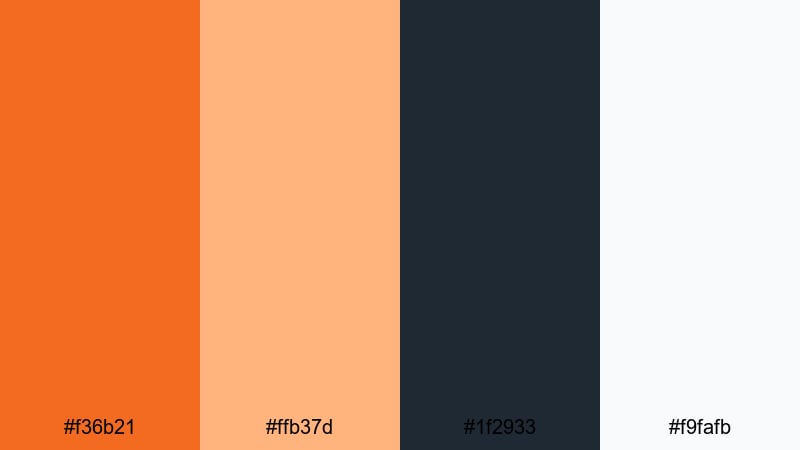
- HEX Codes: #f36b21, #ffb37d, #1f2933, #f9fafb
- Mood: Professional, clean, and confident.
- Use for: Use this palette for channel branding, logo animations, and minimalist product promos.
Clean Brand Ember uses a bright Dark Orange accent (#f36b21) against cool charcoal (#1f2933), a warm highlight (#ffb37d), and a crisp off-white (#f9fafb). It is modern and professional, perfect for creators who want warmth without losing clarity.
Use off-white or charcoal for your primary backgrounds, and let Dark Orange handle buttons, icons, and key words in your titles and lower thirds. This palette shines in Filmora for logo stings, product demos, and channel branding elements like intros, outros, and overlays.
Interface Accent Glow
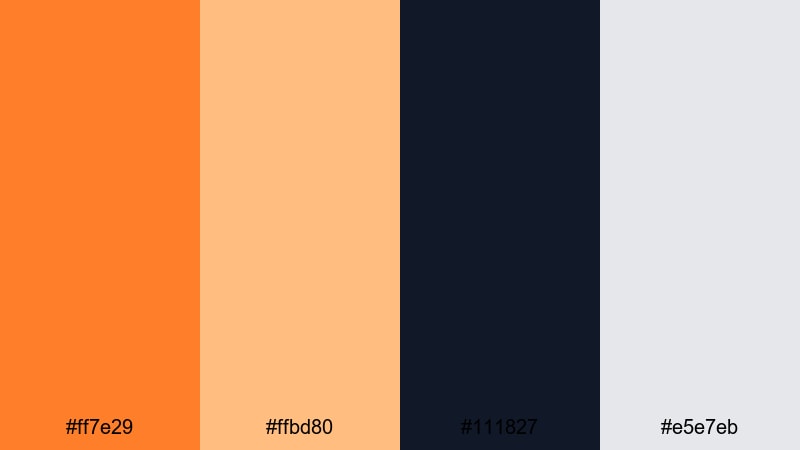
- HEX Codes: #ff7e29, #ffbd80, #111827, #e5e7eb
- Mood: Sleek, digital, and user-friendly.
- Use for: Perfect for UI overlays, lower thirds, subscribe buttons, and motion graphics elements.
Interface Accent Glow centers on a crisp Dark Orange accent (#ff7e29) and a soft highlight (#ffbd80) set against deep navy-black (#111827) and light gray (#e5e7eb). It feels like a clean app interface or dashboard brought into your video.
Use the nearly black navy for panels and lower thirds, then apply Dark Orange to key controls: subscribe buttons, like/share icons, progress bars, and chapter markers in Filmora. This palette is perfect for tutorial channels, UI mockups, and tech content.
Bold Header Highlight
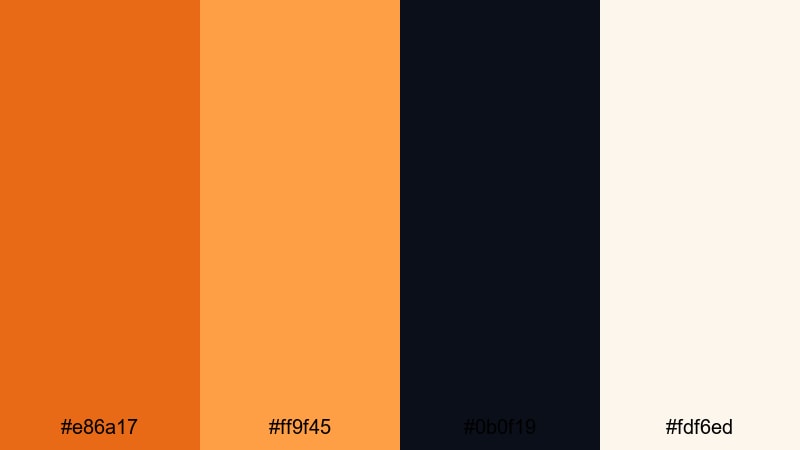
- HEX Codes: #e86a17, #ff9f45, #0b0f19, #fdf6ed
- Mood: Assertive, clear, and polished.
- Use for: Use this palette for channel banners, tutorial slides, and bold YouTube chapter cards.
Bold Header Highlight combines a punchy Dark Orange (#e86a17) and warm secondary orange (#ff9f45) with a near-black base (#0b0f19) and a soft cream (#fdf6ed). The contrast is strong yet refined, making it excellent for hierarchy and quick readability.
Use the dark background for slides, title cards, and chapter frames. The Dark Orange tones are perfect for main headlines and key phrases, while the cream works for body text and supportive labels in Filmora. This palette suits tutorials, how-to content, and educational series.
Terracotta Workspace
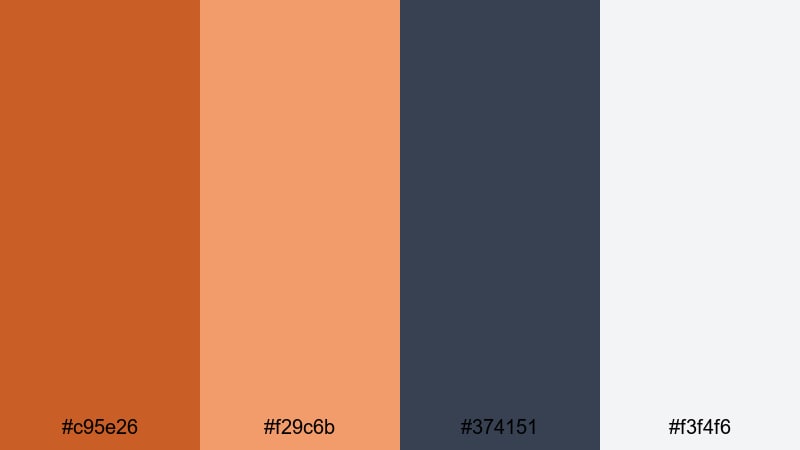
- HEX Codes: #c95e26, #f29c6b, #374151, #f3f4f6
- Mood: Calm, organized, and contemporary.
- Use for: Great for productivity content, desk setups, and educational videos with a modern aesthetic.
Terracotta Workspace uses muted Dark Orange terracotta (#c95e26, #f29c6b) with slate gray (#374151) and light neutrals (#f3f4f6). It feels calm and design-forward, ideal for creators who like minimal but warm visuals.
Use the slate gray for clean title bars and side panels, and let the terracotta tones highlight icons, bullets, and important text in Filmora. This palette fits productivity vlogs, study-with-me sessions, workspace tours, and modern educational thumbnails.
Vintage & Rustic Dark Orange Color Palettes
Retro Film Burn

- HEX Codes: #ff6a00, #ffc266, #1a1a1a, #444444, #f5e6cc
- Mood: Nostalgic, gritty, and analog-inspired.
- Use for: Use this palette for retro edits, Super 8 style overlays, and vintage-inspired montage sequences.
Retro Film Burn leans into fiery Dark Orange burn tones (#ff6a00, #ffc266) over grainy blacks (#1a1a1a, #444444) and a faded cream (#f5e6cc). It instantly evokes old film stock, light leaks, and analog imperfections.
Use the blacks and grays as your base for titles and frames, then add Dark Orange streaks, text, or shapes to mimic film burns in Filmora. The cream can be used for time stamps, captions, and subtle overlays that feel aged and nostalgic in montage sequences or throwback edits.
Desert Caravan Dust
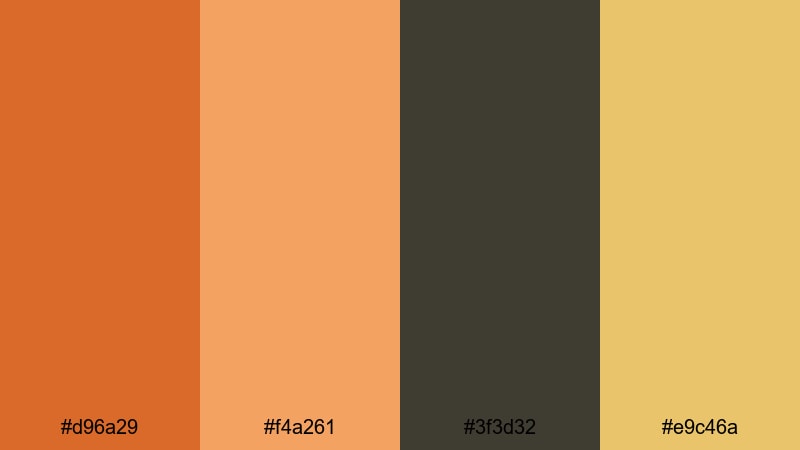
- HEX Codes: #d96a29, #f4a261, #3f3d32, #e9c46a
- Mood: Earthy, rugged, and wanderlust-driven.
- Use for: Perfect for desert travel films, documentaries, and outdoor adventure edits.
Desert Caravan Dust mixes sunbaked Dark Orange (#d96a29) and warm sand (#f4a261, #e9c46a) with dusty brown-gray (#3f3d32). The palette feels rugged and grounded, capturing long roads, dunes, and rocky landscapes.
Use the darker brown-gray for title backplates and info panels, and let the warmer oranges highlight locations, routes, and key storytelling moments in Filmora. This palette suits outdoor documentaries, expedition vlogs, and long-form travel stories.
Harvest Grain Memories

- HEX Codes: #cf5a1f, #f4a070, #5a4b3c, #f6e7d5
- Mood: Wholesome, nostalgic, and organic.
- Use for: Use this palette for family films, wedding highlight reels, and countryside lifestyle content.
Harvest Grain Memories brings warm Dark Orange grain tones (#cf5a1f, #f4a070) together with rustic brown (#5a4b3c) and a parchment-like cream (#f6e7d5). It feels wholesome and timeless, like old family photos printed on textured paper.
Use the cream as a soft background for titles and overlays, then let Dark Orange mark names, dates, and key phrases in your Filmora projects. The rustic brown is ideal for frames, borders, and subtle graphic lines in wedding highlights, family compilations, and countryside vlogs.
Tips for Creating Dark Orange Color Palettes
Dark Orange is versatile, but it looks best when balanced with the right neutrals and accent hues. Here are practical tips for building and using Dark Orange color palettes in video and design.
- Pair Dark Orange with deep charcoals or navy blues to create strong contrast for titles, lower thirds, and UI elements.
- Use light creams or soft grays as background colors so Dark Orange text and icons stay readable on thumbnails and intro screens.
- Limit bright accent colors (like neon cyan or yellow) to small areas such as buttons, icons, or key words to avoid visual overload.
- Check legibility on mobile by testing your Dark Orange text over dark and light backgrounds at small sizes.
- Keep brand consistency by reusing the same 3 to 5 HEX codes across all your Filmora templates, thumbnails, and social graphics.
- Match your footage to the palette by gently warming midtones toward orange in Filmora, while keeping skin tones natural.
- For cinematic looks, deepen Dark Orange shadows slightly and lift highlights just a bit using curves to create a soft S-shaped contrast.
- Create reusable presets in Filmora for titles, lower thirds, and overlays that already include your chosen Dark Orange colors.
Dark Orange color palettes can completely reshape how your videos feel, from gritty and cinematic to cozy and nostalgic. By choosing the right combination of oranges, neutrals, and accent tones, you can build a visual identity that viewers recognize instantly in their feed.
Whether you are designing thumbnails, building branded intros, or grading full travel films, these Dark Orange HEX codes give you a solid starting point. Try them inside Filmora, experiment with AI tools, filters, and LUTs, and refine the tones until they feel uniquely yours.
Once you lock in a palette that matches your personality or brand, save it as a repeatable style across your channel so every new upload carries the same Dark Orange signature.
secure downloadNext: Supernova Color Palette
