

 100% Security Verified | No Subscription Required | No Malware


 ChatGPT
 Perplexity
 Gemini
 Claude
 Grok
Grok
Supernova is a bold, glowing yellow that instantly feels like a spotlight. It suggests energy, optimism, and VIP attention, which is why it works so well in thumbnails, titles, and on-screen graphics. Used well, Supernova highlights can pull the viewer s eye exactly where you want it, even on a busy timeline.
For video creators and designers, Supernova color palettes offer a powerful way to brand your channel, sharpen your intros, and make social clips pop. Below are 15 ready-made Supernova color palettes with HEX codes, tailored for Filmora users who want cinematic trailers, energetic gaming edits, cozy vlogs, and modern minimal layouts without guessing which colors go together.
In this article
Cinematic Supernova Color Palettes
Solar Flare Spotlight
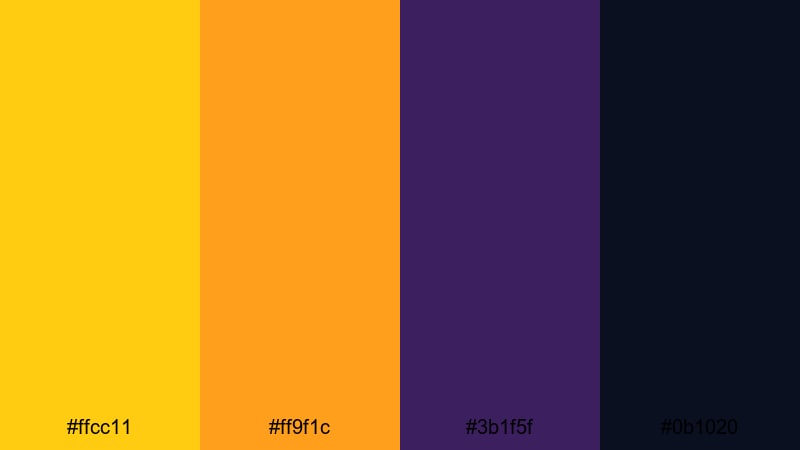
- HEX Codes: #ffcc11, #ff9f1c, #3b1f5f, #0b1020
- Mood: High contrast and dramatic, perfect for eye-catching cinematic moments.
- Use for: Use this palette for movie-style trailers, bold title cards, and intense gaming intros that need maximum impact.
Solar Flare Spotlight feels like a burst of light on a dark stage. The glowing Supernova yellow (#ffcc11) and hot orange (#ff9f1c) act as your hero highlights, while the deep purples and navy space tones (#3b1f5f, #0b1020) create a moody backdrop that screams cinema.
Use this palette for cold open hooks, teaser trailers, and punchy gaming intros where you want the title and key UI elements to explode off the screen. In thumbnails, let Supernova outline your main subject, then park text on the darker purples for clean readability. For branding, this combo works well for channels that lean into epic storytelling, esports, or dramatic commentary.
Pro Tip: Build a Cinematic Supernova Spotlight in Filmora
To keep a palette like Solar Flare Spotlight consistent, start by choosing one or two accent colors (Supernova yellow and orange) for all your titles, callouts, and overlays in Filmora. Then use the deep purples and navy shades as background plates or gradients behind text, so the bright tones always feel like a focused beam of light.
In a full edit, copy your key color settings between your intro, B-roll, and end screen. Keeping the same Supernova accents across transitions, speed ramps, and social cutdowns helps your channel feel like a single cohesive universe instead of a mix of random clips.
AI Color Palette
If you have a reference frame or graphic that already nails this Supernova look, you can use Filmora s AI Color Palette to spread that style across your entire video. Import the reference as the source clip, then match the rest of your footage so all your scenes share the same yellow highlights and dark cinematic base.
Filmora s AI Color Palette feature is especially helpful for mixed camera footage. It pulls your colors toward the same Supernova-inspired contrast, so your trailer, thumbnails, and shorts all feel like part of the same series.
 secure download

HSL, Color Wheels & Curves
Once your base palette is in place, use Filmora s HSL sliders to refine your Supernova tones. You can nudge the yellows slightly warmer for a fiery trailer or cooler for a sci-fi feel, and tame oversaturated oranges so skin tones still look natural against the dramatic background.
On top of that, the color wheels and curves let you push shadows into rich navy while protecting your glowing highlights. For a deeper dive into shaping contrast and color, check out Filmora s color correction tools and then use the curves to lift or deepen midtones until your footage matches the cinematic mood you want.
secure download1000+ Video Filters & 3D LUTs
After you dial in your Supernova accents, you can speed up styling with ready-made looks. Filmora s video filters and 3D LUTs make it easy to add subtle film grain, Hollywood contrast, or neon glows while still keeping your Supernova yellow as the hero color.
Apply a LUT for the overall mood, then gently adjust intensity so your yellows stay clean, not blown out. This workflow is perfect when you want consistent color across a whole playlist of intros, trailers, and recap edits, without grading every clip from scratch.
secure downloadGalactic Premiere Glow
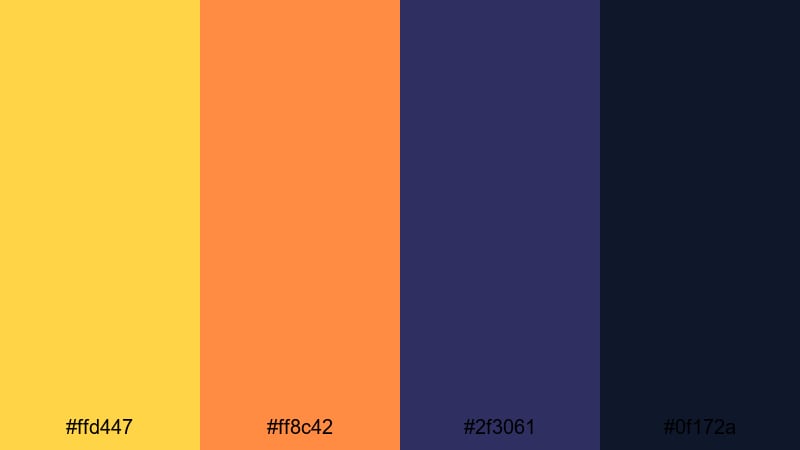
- HEX Codes: #ffd447, #ff8c42, #2f3061, #0f172a
- Mood: Luxurious and cinematic with a warm premiere-night glow.
- Use for: Ideal for film review channels, red-carpet recaps, and stylish countdown screens.
Galactic Premiere Glow captures the feeling of walking into a theater on opening night. The Supernova-inspired gold (#ffd447) and orange (#ff8c42) evoke ticket stubs, spotlights, and warm marquee lights, while the indigo shadows (#2f3061, #0f172a) hint at a deep night sky outside.
Use this palette for film review intros, watch party layouts, or awards recap thumbnails. Keep text and ratings on the darker navy areas, then use the gold tones for badges, stars, and call-to-action buttons so they feel premium and easy to spot even on mobile screens.
Starlit Red Carpet
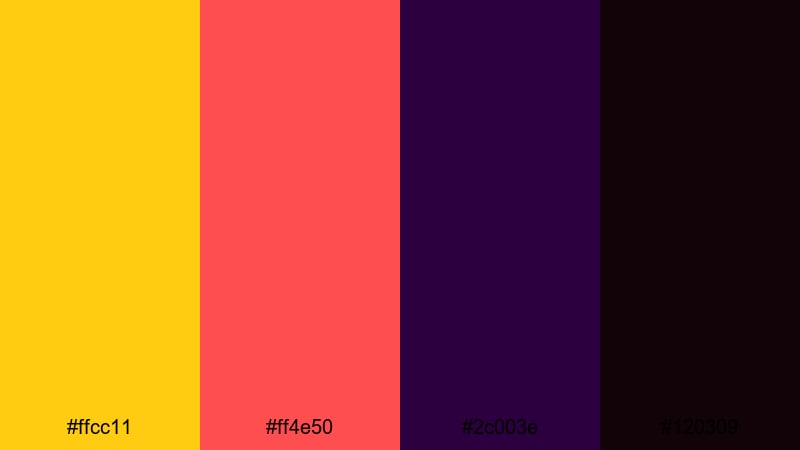
- HEX Codes: #ffcc11, #ff4e50, #2c003e, #120309
- Mood: Bold and luxurious with a star-studded, award-night energy.
- Use for: Use for highlight reels, event recaps, and overlay graphics that need a prestigious edge.
Starlit Red Carpet pairs glowing Supernova gold (#ffcc11) with a vivid, Fire Engine Red style accent (#ff4e50) and deep plums (#2c003e, #120309). It instantly feels like velvet ropes, camera flashes, and champagne toasts.
Try this palette for event highlight reels, conference recaps, or creator award announcements. Use the red tone as your primary accent for lower-thirds and chapter markers, then reserve the Supernova yellow for laurels, badges, and subscriber milestones so your most important elements sparkle.
Aurora Studio Lights
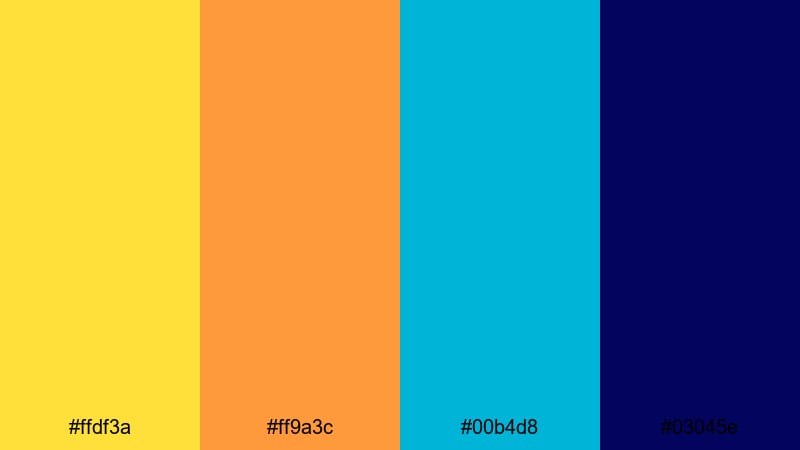
- HEX Codes: #ffdf3a, #ff9a3c, #00b4d8, #03045e
- Mood: Electric and cinematic, like a studio washed in colorful lights.
- Use for: Perfect for tech reviews, music videos, and energetic channel intros with animated light streaks.
Aurora Studio Lights mixes warm Supernova spotlights (#ffdf3a, #ff9a3c) with cool teal and midnight blue (#00b4d8, #03045e). It feels like standing in a studio with RGB tubes and LED panels painting the background.
Use the warm tones to highlight gear, products, or performers, and let the blue shades build depth behind them. This palette works beautifully in motion graphics, waveform-style overlays for music videos, and tech thumbnails where glowing outlines and neon streaks help the subject jump off the screen.
Bold & Energetic Supernova Color Palettes
Hypernova Hype Reel
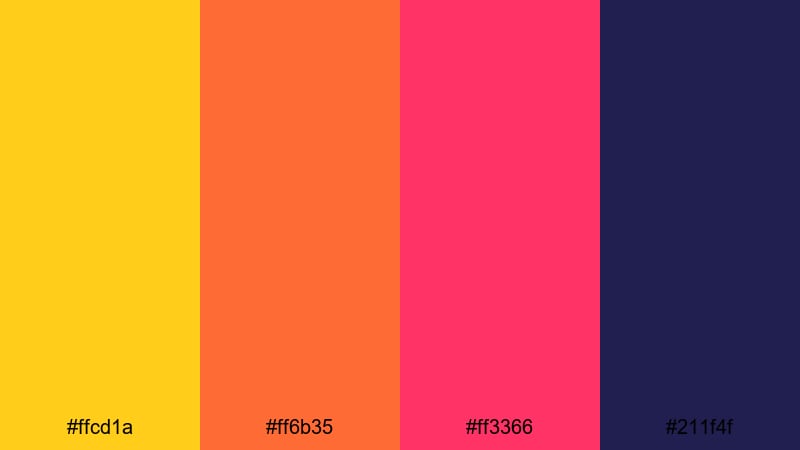
- HEX Codes: #ffcd1a, #ff6b35, #ff3366, #211f4f
- Mood: Explosive and high-energy, built for hype and fast cuts.
- Use for: Use this palette in sports edits, highlight compilations, and short-form social clips that need to feel intense and fast-paced.
Hypernova Hype Reel throws bright Supernova yellow (#ffcd1a) together with fiery orange and magenta (#ff6b35, #ff3366) on a deep navy base (#211f4f). It screams energy, speed, and impact, perfect for edits packed with motion, zooms, and glitch transitions.
Use the dark navy for background blocks behind bold typography, then layer in Supernova strokes, drop shadows, and animated shapes. This palette is ideal for shorts, reels, and TikTok-style cuts where quick, colorful flashes keep viewers locked in from the first second.
Voltage Stream Overlay
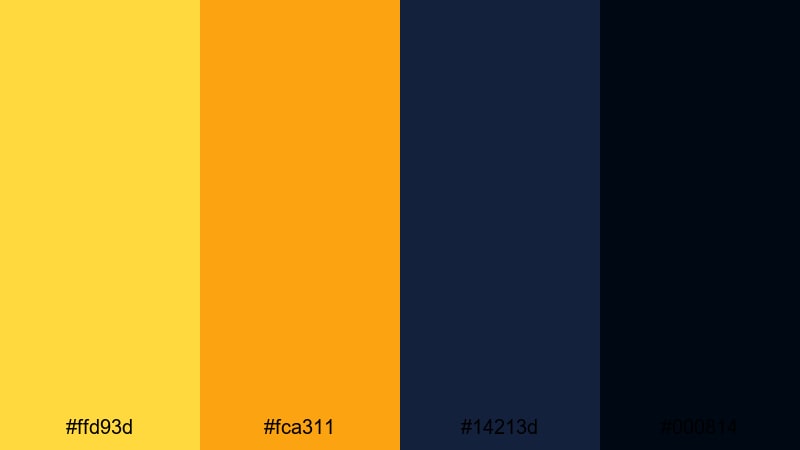
- HEX Codes: #ffd93d, #fca311, #14213d, #000814
- Mood: Edgy and electric, with a techy, streamer-ready vibe.
- Use for: Great for Twitch or YouTube overlays, alert popups, and animated lower-thirds for live streams.
Voltage Stream Overlay uses sharp Supernova yellows (#ffd93d, #fca311) against inky, monitor-like blues (#14213d, #000814). The contrast is high, so UI elements stay readable even when your gameplay or webcam feed gets busy.
Build your full streaming package with this palette: borders, panels, alerts, and chat overlays. Use the darkest shade as your base background, then reserve the brighter yellow for notifications, subscriber alerts, and key callouts so audience eyes jump to them instantly.
Sunburst Gaming Neon
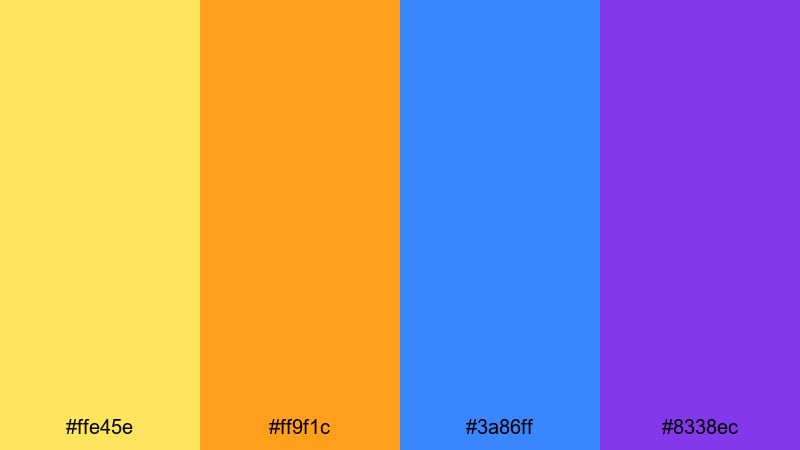
- HEX Codes: #ffe45e, #ff9f1c, #3a86ff, #8338ec
- Mood: Playful, neon-bright, and gamer-centric.
- Use for: Use for esports intros, channel logos, and animated badges that need a fun, neon arcade feel.
Sunburst Gaming Neon combines soft Supernova yellow (#ffe45e) and orange (#ff9f1c) with electric blue and purple (#3a86ff, #8338ec). It feels like an RGB gaming setup or retro arcade sign translated into a palette.
Drag this combo into your esports intros, team bumpers, and channel logo animations. Use the blues and purples for glowing backgrounds, then drop neon-style outlines and icons in yellow and orange. The lively contrast makes avatars, emotes, and badges feel fun and clickable across platforms.
Festival Spotlight Burst
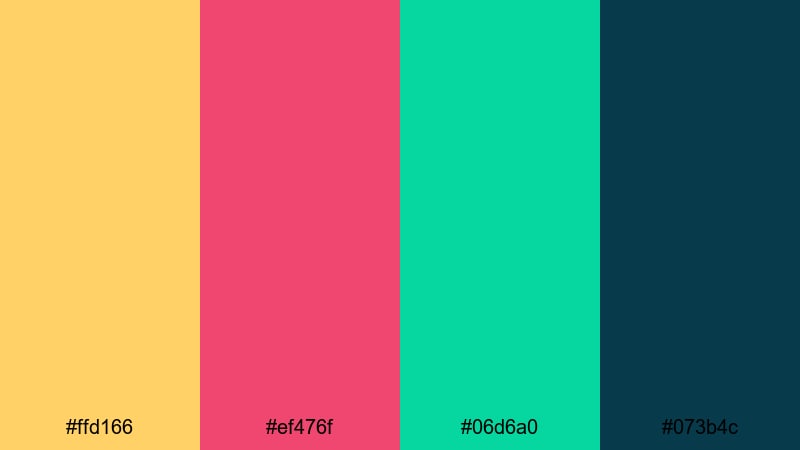
- HEX Codes: #ffd166, #ef476f, #06d6a0, #073b4c
- Mood: Festive, colorful, and full of motion like a summer music festival.
- Use for: Perfect for event promos, travel vlogs, and music festival recaps packed with dancing and crowds.
Festival Spotlight Burst blends glowing Supernova gold (#ffd166) with raspberry pink (#ef476f), aqua green (#06d6a0), and deep teal (#073b4c). It feels like confetti, stage lights, and sunset skies all at once.
Use this palette in high-energy festival recaps, party promos, or colorful travel vlogs. Build title cards that layer each accent color as stripes or shapes, then drop your main typography in white or very dark teal for clarity. The Supernova gold works well for spotlight flares, transitions, and animated accents that move with the beat.
Soft & Dreamy Supernova Color Palettes
Honey Drift Daydream
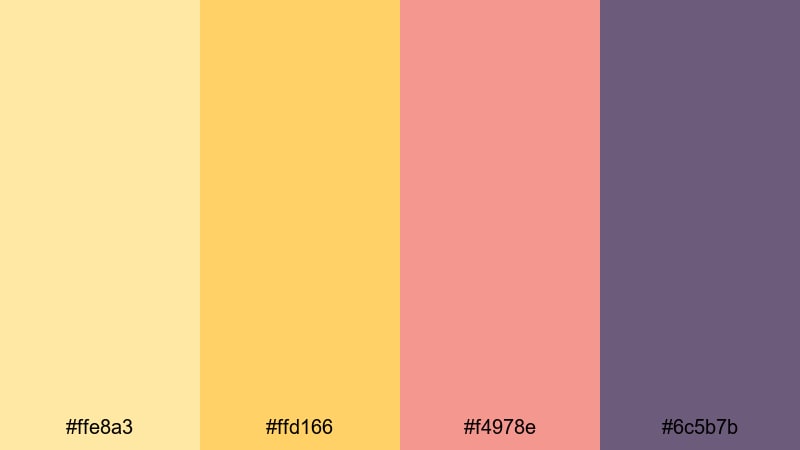
- HEX Codes: #ffe8a3, #ffd166, #f4978e, #6c5b7b
- Mood: Soft, nostalgic, and slightly whimsical, like a warm afternoon nap.
- Use for: Use in cozy lifestyle vlogs, journaling reels, and gentle storytelling edits.
Honey Drift Daydream softens Supernova into buttery honey tones (#ffe8a3, #ffd166), paired with blush coral (#f4978e) and muted lavender (#6c5b7b). The result is warm and nostalgic, like vintage prints and sunlit notebooks.
This palette is ideal for slow living edits, morning routines, and journaling reels. Use the lighter yellows for background washes and frame borders, then bring in coral for small icons, chapter titles, and subtle thumbnail accents. The lavender keeps things from feeling too sweet, adding a calm, grounded note that still looks friendly.
Golden Hour Storytime
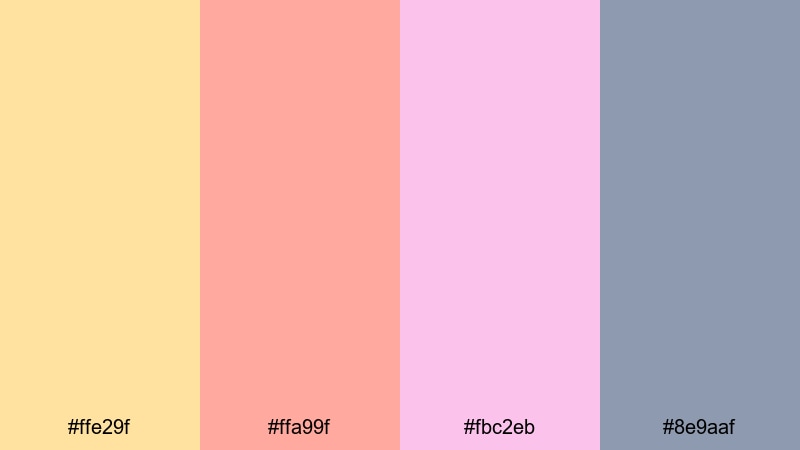
- HEX Codes: #ffe29f, #ffa99f, #fbc2eb, #8e9aaf
- Mood: Warm, tender, and reflective, like speaking over a sunset backdrop.
- Use for: Perfect for talking-head videos, storytime content, and voiceover reels about personal experiences.
Golden Hour Storytime turns Supernova into a faded, late-afternoon glow (#ffe29f) and blends it with peach (#ffa99f), rosy gradients (#fbc2eb), and a soft gray-blue (#8e9aaf). It feels introspective and gentle, perfect for honest conversations and storytelling.
Use this palette for talking-head setups, life updates, and narrative shorts where emotion matters more than speed. The warm tones flatter skin, while the muted blue-gray is great for text overlays, progress bars, and timestamps that stay readable without shouting.
Pastel Nova Skies
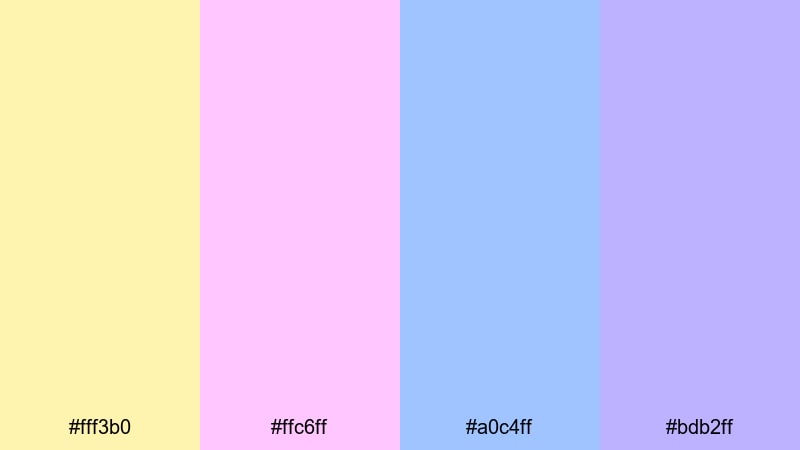
- HEX Codes: #fff3b0, #ffc6ff, #a0c4ff, #bdb2ff
- Mood: Airy and imaginative, like a pastel painted sky.
- Use for: Use in animated explainers, kids content, and whimsical intro sequences.
Pastel Nova Skies uses pale Supernova light (#fff3b0) alongside cotton-candy pinks and blues (#ffc6ff, #a0c4ff, #bdb2ff). It feels airy, imaginative, and very friendly, like a children s book come to life.
This palette works beautifully in simple explainers, educational shorts, and kids content. Keep backgrounds in the soft blues and purples, then use the warm yellow for character outlines, icons, and progress steps. On thumbnails, this pastel approach stands out against darker home feeds without relying on harsh contrast.
Candlelit Cozy Vlog
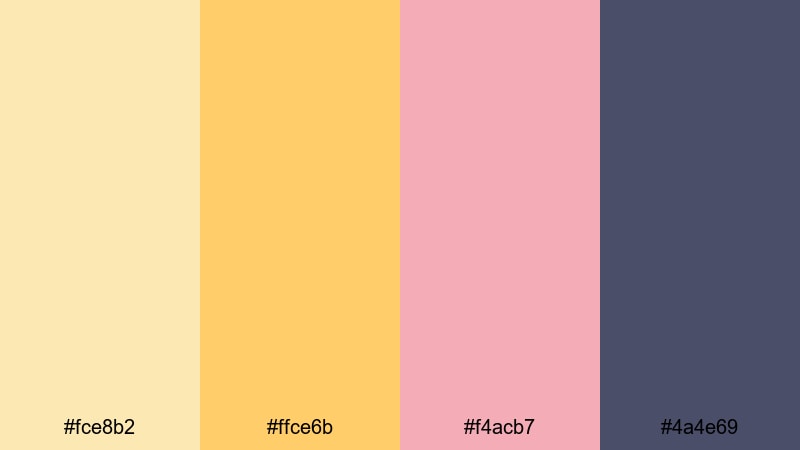
- HEX Codes: #fce8b2, #ffce6b, #f4acb7, #4a4e69
- Mood: Warm, intimate, and homely, like candles in a quiet room.
- Use for: Perfect for study-with-me videos, baking vlogs, and slow living montages.
Candlelit Cozy Vlog turns Supernova into creamy candlelight (#fce8b2, #ffce6b) mixed with dusty rose (#f4acb7) and deep slate (#4a4e69). It feels like a soft blanket, a cup of tea, and lo-fi beats in the background.
Use it for study-with-me sessions, recipe videos, and homey vlogs shot in warm indoor light. The deep slate is ideal for subtle lower-thirds and timers, while the gold tones mimic real candle glow. Add rose accents only in a few UI elements or chapter titles so the palette stays calm and uncluttered.
Modern & Minimal Supernova Color Palettes
Supernova Brand Mark
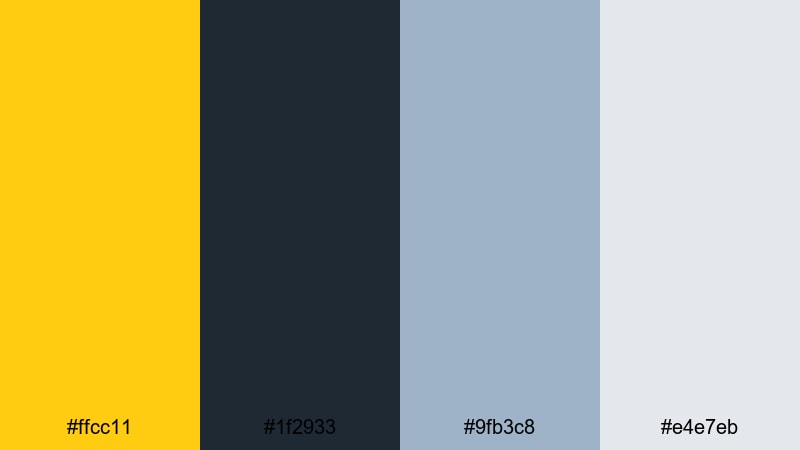
- HEX Codes: #ffcc11, #1f2933, #9fb3c8, #e4e7eb
- Mood: Clean, confident, and brand-forward with a tech-savvy edge.
- Use for: Use for logo animations, end cards, and simple brand systems that need to pop on any background.
Supernova Brand Mark pairs a sharp Supernova accent (#ffcc11) with cool charcoals and soft grays (#1f2933, #9fb3c8, #e4e7eb). It feels modern and trustworthy, like a tech brand or creative studio that knows its identity.
Use this palette to build a full YouTube or social branding system. Let the dark charcoal carry your main text, while the Supernova yellow becomes your signature accent for icons, subscribe buttons, and logo reveals. The lighter grays are perfect for subtle backgrounds that look clean on both light and dark mode interfaces.
Clean Interface Glow
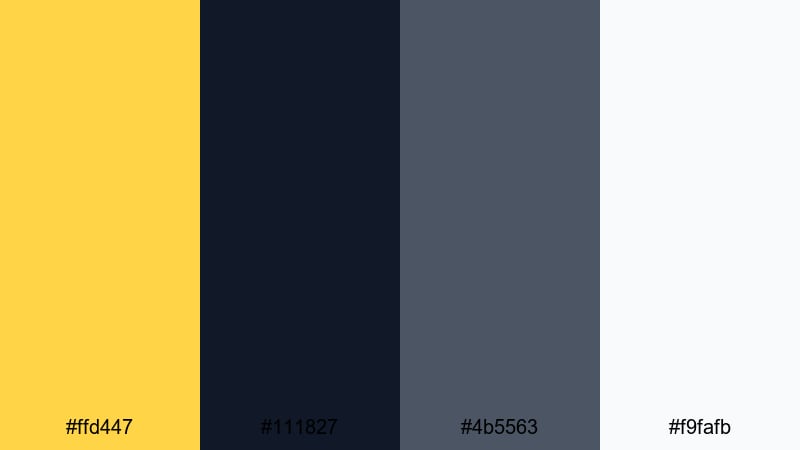
- HEX Codes: #ffd447, #111827, #4b5563, #f9fafb
- Mood: Minimal and professional with a subtle glowing highlight.
- Use for: Perfect for UI mockups, tutorial overlays, and product demos with clean layouts.
Clean Interface Glow uses Supernova yellow (#ffd447) as a crisp highlight against dark slate (#111827, #4b5563) and fresh off-white (#f9fafb). It looks like a professional dashboard or app UI, with a single bright accent guiding the eye.
Use this palette for tutorials, walkthroughs, and SaaS or app demos. Make the off-white your base background, keep text on the dark grays, and use the Supernova yellow only for buttons, pointers, and progress bars. This way, anything in yellow automatically reads as important interaction or next step.
Monochrome Stellar Focus
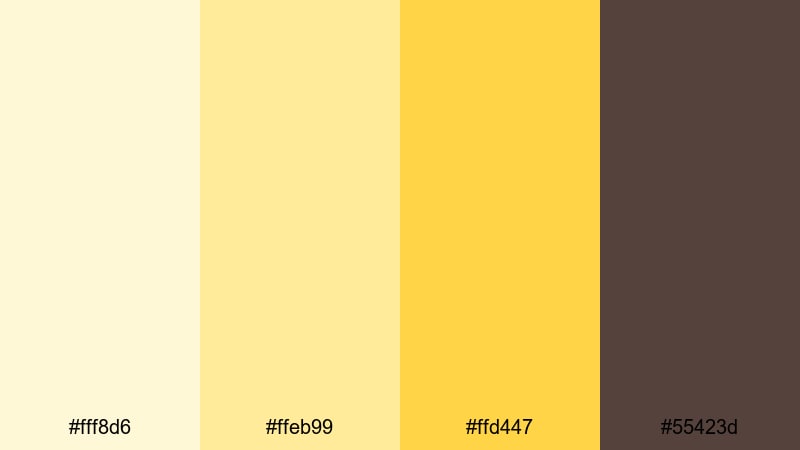
- HEX Codes: #fff8d6, #ffeb99, #ffd447, #55423d
- Mood: Focused and balanced with a warm monochrome feel.
- Use for: Use for minimalist intros, title slates, and aesthetic reels where you want Supernova warmth without visual noise.
Monochrome Stellar Focus is all about variations of Supernova. Cream, soft gold, and a rich warm brown (#fff8d6, #ffeb99, #ffd447, #55423d) create a minimal, studio-like look without any extra hues fighting for attention.
Use it for text-heavy intros, quote cards, and aesthetic reels where typography and framing are the stars. You can step through the lighter tones in gradient backgrounds, then anchor your logo or main text in the warm brown so it feels stable and high-end while staying firmly in the Supernova family.
Tips for Creating Supernova Color Palettes
When you build your own Supernova color palettes for video and design, think about how this bright yellow will guide attention, support readability, and reflect your brand s personality across intros, overlays, and thumbnails.
- Pair Supernova with deep, low-saturation backgrounds (navy, charcoal, plum) so your highlights and titles remain readable on small screens.
- Use Supernova sparingly as an accent color for CTAs, key icons, and important text instead of flooding the whole frame with bright yellow.
- Balance warm Supernova tones with cooler companions (blue, teal, slate) to avoid eye strain and to create a more cinematic, professional look.
- Test your palette on both light and dark backgrounds inside Filmora by dropping your overlays over different clips and checking contrast on mobile.
- Keep brand consistency by locking in 2 core accent colors and 2 support colors, then using them across intros, end screens, lower-thirds, and thumbnails.
- For talking-head content, make sure Supernova accents do not overpower skin tones; slightly lower saturation with HSL if needed.
- When designing thumbnails, place Supernova text or elements near the subject s face or focal point so the viewer s eye moves naturally through the image.
- Save your favorite Supernova look as a Filmora preset or LUT so you can apply it quickly to new videos and maintain a recognizable style.
Supernova color palettes can instantly change how your videos feel, from high-energy hype reels to quiet storytime edits. With the right combinations, this bright yellow becomes more than a color; it becomes a visual signature that viewers recognize in their feed.
Use these 15 palettes as starting points, then customize them in Filmora to match your footage, niche, and personality. Whether you are designing thumbnails, building a streaming overlay, or color grading a cinematic intro, consistent Supernova accents will keep your brand sharp and memorable.
Experiment, save your favorite looks as presets, and keep refining your palette until every frame of your content feels undeniably yours.
secure download