

 100% Security Verified | No Subscription Required | No Malware


 ChatGPT
 Perplexity
 Gemini
 Claude
 Grok
Grok
Fire Engine Red is one of the boldest colors you can use on screen. It is tied to sirens, urgency, action, and instant attention, which makes it perfect for catching eyes in crowded feeds. In color psychology, this shade of red signals excitement, danger, and high energy, so it is ideal for thumbnails, alerts, countdowns, and intense intro sequences.
For creators and Filmora users, a carefully built Fire Engine Red color palette can unify your branding across YouTube intros, channel banners, lower thirds, and social edits. Below you will find curated Fire Engine Red color combinations with HEX codes that you can plug directly into your graphics, titles, overlays, and color grading to keep your videos looking consistent and professional.
In this article
Bold & Energetic Fire Engine Red Color Palettes
Alarm Siren Spotlight
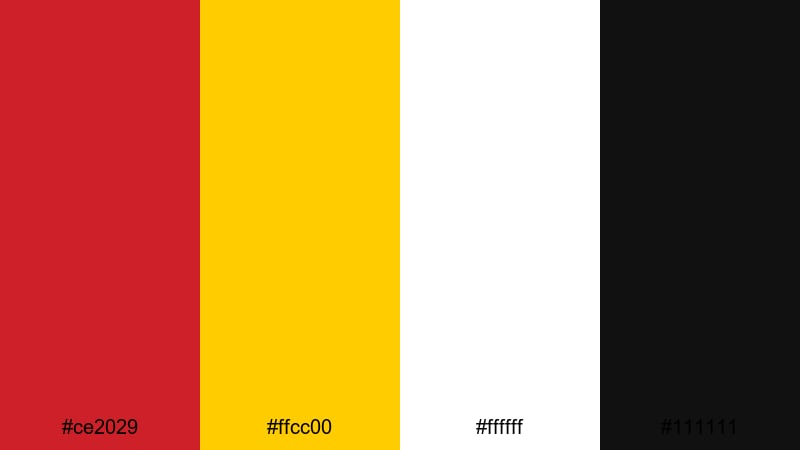
- HEX Codes: #ce2029, #ffcc00, #ffffff, #111111
- Mood: High energy, urgent, and attention grabbing.
- Use for: Great for alert style lower thirds, high impact call to action frames, or emergency themed motion graphics.
This palette throws classic Fire Engine Red (#ce2029) together with safety yellow, pure white, and deep black to create a warning light on your viewer's screen. It feels loud, direct, and impossible to ignore, which is exactly what you want for emergency cues, breaking news effects, or big call to action moments.
Use the red as your base for buttons, countdowns, and alert banners, while the yellow adds extra emphasis on key phrases like Subscribe or Limited Time. White and black keep text crisp and readable in thumbnails, title cards, and social posts. In Filmora, this combination works especially well for animated lower thirds, bold transitions, and overlay graphics on intense b roll.
Pro Tip: Make Fire Engine Red Alerts Pop in Filmora
To keep this urgent Fire Engine Red look consistent, build a simple style guide inside Filmora. Use the red for your main titles and action buttons, the yellow as your highlight color for key words, and reserve white or black for body text and backgrounds. Save these as custom presets for titles and graphics so every new alert, intro, or community update matches your core visual language.
When you cut between A roll, b roll, and screen recordings, match your graphics to the same HEX values used in this palette. That way, even if your footage changes, the Fire Engine Red accents instantly tie the whole edit together across your YouTube channel, TikTok clips, and short promo videos.
AI Color Palette
You can turn this Alarm Siren Spotlight palette into a full video look using Filmora's AI Color Palette feature. Grab a still image of your design or color card that uses #ce2029 and #ffcc00, then use it as the reference image. Filmora will analyze the tones and automatically push your entire timeline toward the same strong reds, yellows, and contrasts.
This is perfect when you want your thumbnail, intro animation, and main video to share the same Fire Engine Red vibe without manually color grading every clip. Filmora's AI Color Palette feature helps you maintain brand consistency while saving time on repetitive adjustments.
 secure download

HSL, Color Wheels & Curves
Once the overall look is set, refine your Fire Engine Red tones using HSL, Color Wheels, and Curves in Filmora. Gently push the reds toward a slightly deeper hue for cinematic trailers, or brighten the yellows to make alerts feel more like UI notifications. Separate shadows, midtones, and highlights so your backgrounds stay dark and dramatic while the red accents glow.
You can follow detailed workflows using the dedicated color correction tools in Filmora to balance skin tones, tame noisy highlights, and keep your Fire Engine Red elements intense but not oversaturated. Adjusting the RGB curves lets you add contrast that makes siren reds and safety yellows pop without crushing detail.
secure download1000+ Video Filters & 3D LUTs
To speed up your workflow, you can layer Fire Engine Red palettes with Filmora's built in looks. Apply stylized filters or 3D LUTs that lean into action, sci fi, or cinematic contrast, then fine tune them so your #ce2029 reds stay on brand. This gives you high impact visuals in a few clicks instead of building every grade from scratch.
Filmora's video filters and 3D LUTs make it easy to test several moods on top of your Alarm Siren Spotlight graphics. Try gritty filters for disaster edits, clean LUTs for tech tutorials, or warm tones for storytelling while keeping the same core Fire Engine Red identity across thumbnails and videos.
secure downloadRacing Track Velocity
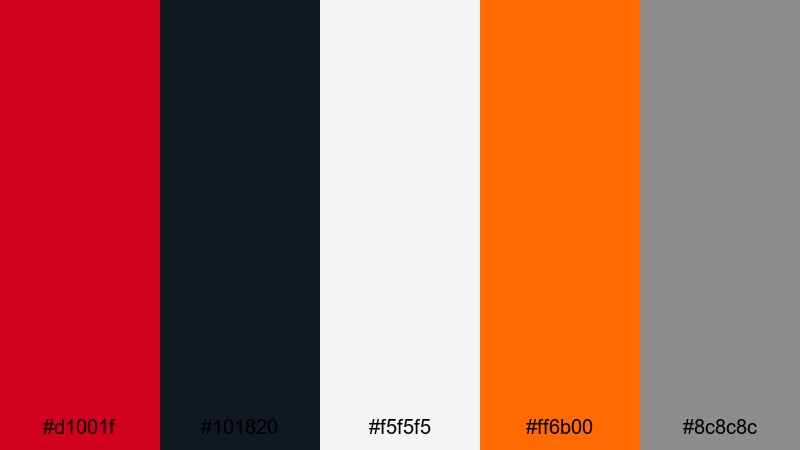
- HEX Codes: #d1001f, #101820, #f5f5f5, #ff6b00, #8c8c8c
- Mood: Fast, competitive, and adrenaline fueled.
- Use for: Use in sports highlight reels, racing intros, or esports thumbnails that need a sense of speed and intensity.
Racing Track Velocity combines a hot Fire Engine Red (#d1001f) with asphalt charcoal, bright pit lane orange, and cool neutrals. The result feels like headlights on tarmac, roaring engines, and fast shutter sports photography. It naturally suggests motion and competition.
Use red and orange for motion streaks, speed lines, and bold timer graphics, while the dark navy charcoal makes a perfect background for kinetic titles. The light grays keep info overlays and scoreboard text legible in fast paced thumbnails, esports brackets, or sports recap videos edited in Filmora.
Street Food Neon Heat
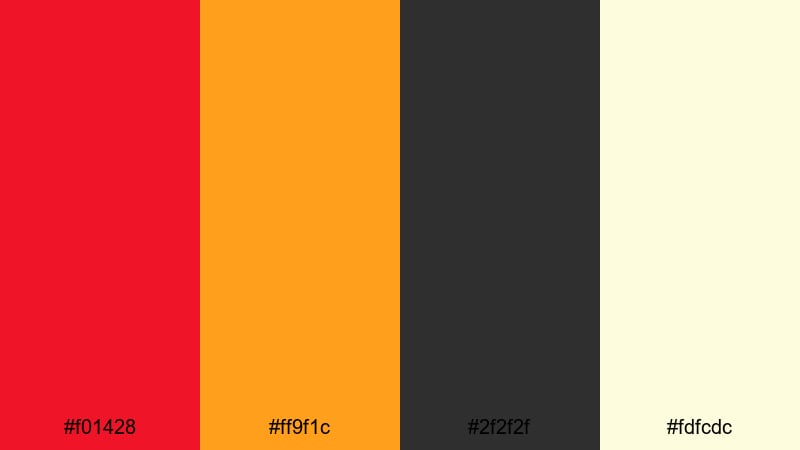
- HEX Codes: #f01428, #ff9f1c, #2f2f2f, #fdfcdc
- Mood: Spicy, urban, and playful with late night energy.
- Use for: Ideal for food vlogs, street market b rolls, or bold restaurant promos that need warmth and vibrancy.
Street Food Neon Heat brings together fiery reds and juicy orange with a dark street gray and creamy highlight. It feels like hot grills, neon signs, and steam rising from late night food trucks. The overall vibe is warm, flavorful, and slightly gritty in a fun way.
Use the red and orange on title cards, dish labels, and subscribe bumpers to communicate heat and flavor, while the deep gray (#2f2f2f) works as a cinematic backdrop for text or logo stings. The soft cream highlight is perfect for menus, price tags, and subtitle strips in food vlogs, Instagram Reels, or restaurant ads edited in Filmora.
Arcade Battle Burst
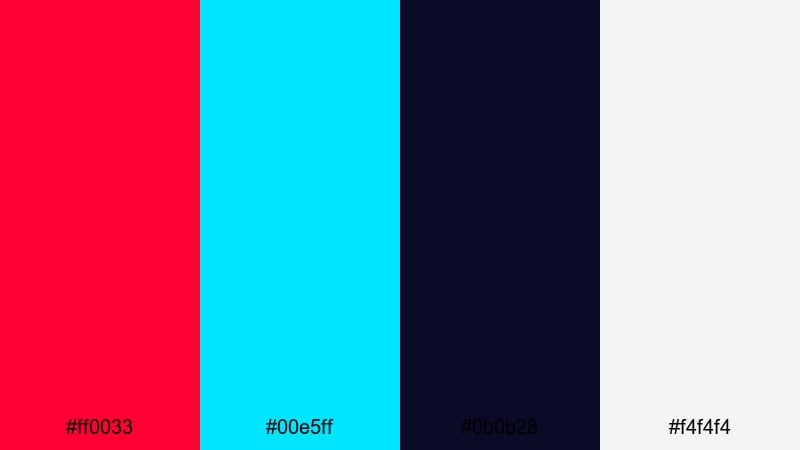
- HEX Codes: #ff0033, #00e5ff, #0b0b28, #f4f4f4
- Mood: Electric, competitive, and retro futuristic.
- Use for: Great for gaming intros, livestream overlays, and competitive highlight thumbnails.
Arcade Battle Burst throws neon Fire Engine Red (#ff0033) against bright cyan on a dark midnight blue base. It instantly recalls arcade cabinets, RGB lighting, and pixel art battles. The palette feels electric, techy, and slightly retro at the same time.
Use the red and cyan for versus screens, kill counters, and animated HUD elements, while the deep navy keeps backgrounds rich and moody. The soft white ensures clean, readable text over busy game footage or face cam shots. This combination works brilliantly for Twitch overlays, esports highlight packages, and gaming channel branding done in Filmora.
Stadium Halftime Hype
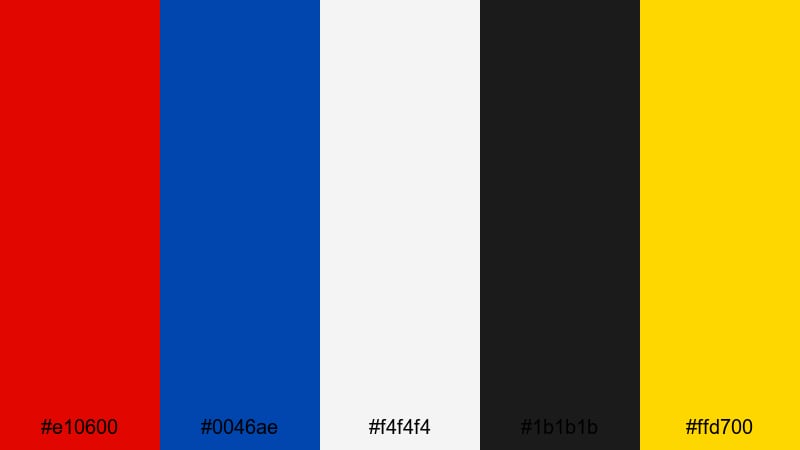
- HEX Codes: #e10600, #0046ae, #f4f4f4, #1b1b1b, #ffd700
- Mood: Triumphant, loud, and crowd powered.
- Use for: Perfect for sports promos, fan reaction cuts, and event highlight packages.
Stadium Halftime Hype pairs Fire Engine Red (#e10600) with bold team blue and trophy gold, supported by bright white and pitch black. It captures the roar of the crowd, stadium lights, and big game emotions.
Use red and blue as your hero colors for team matchups, with gold reserved for scores, trophies, or champion badges. White is ideal for lower thirds and player stats, while black helps intro sequences and slow motion moments feel dramatic. In Filmora, this palette suits sports reaction edits, hype reels, and branded countdowns before live streams.
Modern & Minimal Fire Engine Red Color Palettes
Clean Brand Signal
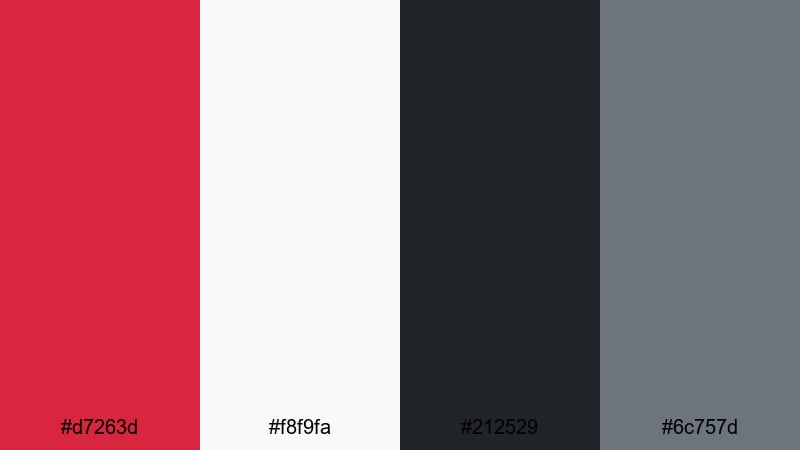
- HEX Codes: #d7263d, #f8f9fa, #212529, #6c757d
- Mood: Confident, professional, and brand ready.
- Use for: Use in logo stings, minimalist channel branding, or sleek product explainer videos.
Clean Brand Signal uses a refined Fire Engine Red (#d7263d) against near white and a pair of modern grays. The look is slick and confident, like a tech startup or digital agency. Red becomes the accent that draws attention without overwhelming the frame.
Let the almost white background and deep charcoal carry most of your layout, then add red to logo marks, subscribe buttons, or key subtitles. The softer gray (#6c757d) is great for secondary text and UI style labels in explainers, SaaS promos, or portfolio videos made in Filmora.
Monochrome Alert Stack
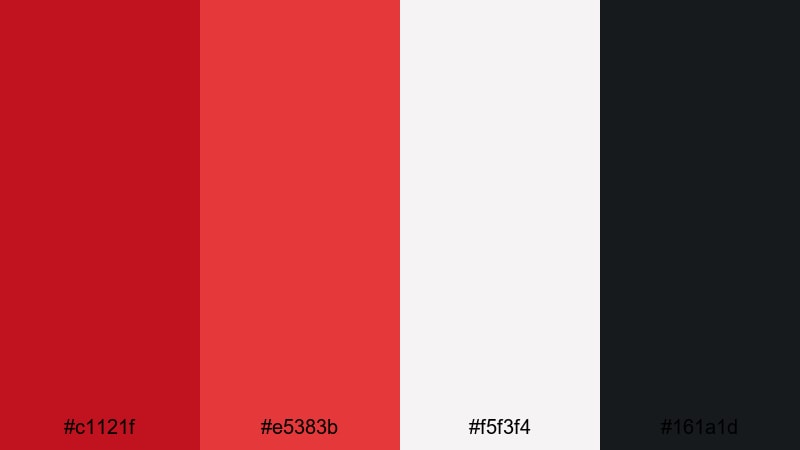
- HEX Codes: #c1121f, #e5383b, #f5f3f4, #161a1d
- Mood: Sharp, editorial, and slightly dramatic.
- Use for: Great for news style graphics, social explainers, and urgent announcement cards.
Monochrome Alert Stack layers two shades of Fire Engine Red over off white and deep ink black. The gradient from darker red (#c1121f) to brighter red (#e5383b) adds depth without introducing extra hues, giving a serious, editorial tone.
Use the darker red for background bands and the lighter red for buttons or key text highlights. Off white keeps body text comfortable to read, while the almost black shade makes strong bars for headers and footers. This palette is perfect for YouTube news formats, emergency info cards, and serious social explainers edited in Filmora.
Glossy Interface Accent
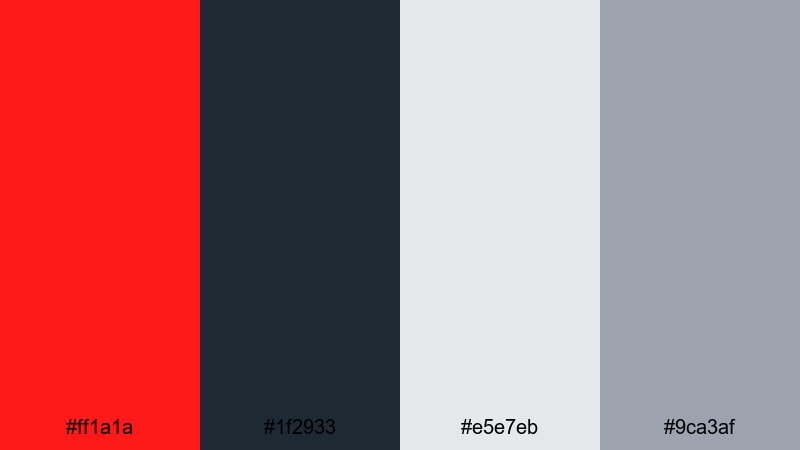
- HEX Codes: #ff1a1a, #1f2933, #e5e7eb, #9ca3af
- Mood: Digital, polished, and UI focused.
- Use for: Ideal for app previews, dashboard animations, or lower third packs with a clean product feel.
Glossy Interface Accent balances a vivid app notification red (#ff1a1a) with deep slate and cool interface grays. It feels like a modern dashboard or operating system, where red is used just enough to show critical states or important actions.
Keep the dark slate as your main background, use light grays for card surfaces and labels, then reserve red for badges, notification dots, and key CTA buttons. This palette works especially well in Filmora when building UI themed lower thirds, product walkthroughs, and animated mockups for app launches or software tutorials.
Flat Icon Punch
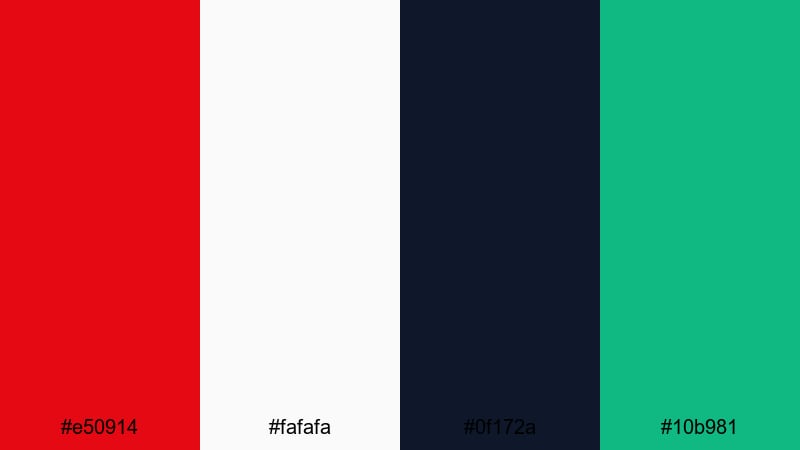
- HEX Codes: #e50914, #fafafa, #0f172a, #10b981
- Mood: Fresh, techy, and startup friendly.
- Use for: Use for app launch teasers, SaaS promos, or flat icon animation sets with a youthful twist.
Flat Icon Punch matches a streaming style Fire Engine Red (#e50914) with a clean near white, inky navy, and a bright emerald accent. The palette feels like modern flat design: crisp, playful, and ideal for digital first brands.
Use red and green sparingly as punchy accents on top of white or dark navy backgrounds, perfect for animated icons, badges, and logo reveals. This contrast works great in intro sequences, onboarding tutorials, and startup pitch videos created in Filmora, where you want a friendly but professional look.
Minimal Poster Flash
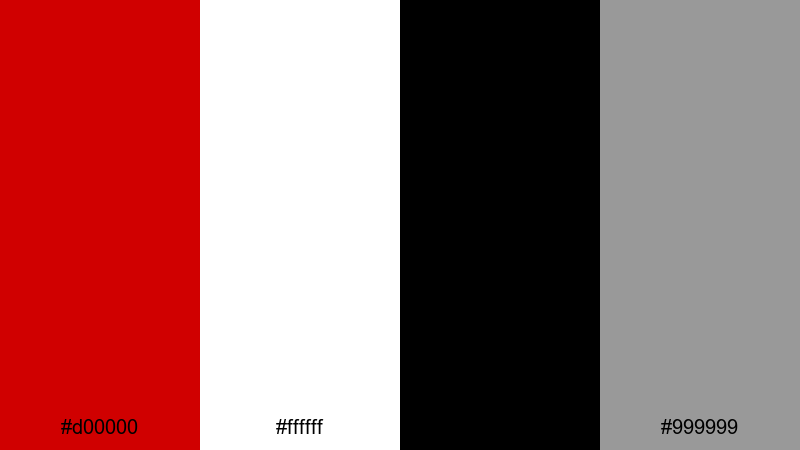
- HEX Codes: #d00000, #ffffff, #000000, #999999
- Mood: Bold yet stripped back and graphic.
- Use for: Perfect for title cards, minimalist posters, and high contrast YouTube thumbnails.
Minimal Poster Flash strips everything down to pure red (#d00000), black, white, and a neutral gray. It echoes classic poster design and print layouts, where strong blocks of color and type do all the work.
Use red as the hero backdrop for your titles or as a thick band behind white text. Black grounds the frame and adds drama, while gray helps with subtitles and secondary information. In Filmora, this palette is ideal for clean, high contrast thumbnails, bold intro cards, and modern podcast artwork.
Warm & Cinematic Fire Engine Red Color Palettes
Sunset Ladder Rescue
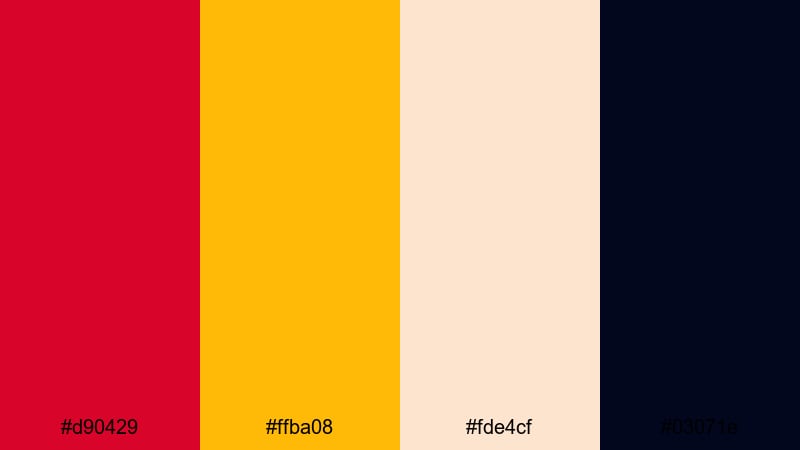
- HEX Codes: #d90429, #ffba08, #fde4cf, #03071e
- Mood: Dramatic, cinematic, and warm toned.
- Use for: Great for cinematic title sequences, rescue themed edits, or dramatic B roll with sunset flares.
Sunset Ladder Rescue puts a glowing Fire Engine Red (#d90429) next to golden amber, creamy highlights, and deep night navy. It evokes flare filled sunsets, emergency lights, and dramatic silhouettes against the sky.
Use red and amber in lens flare overlays, titles, and lower thirds to intensify heroic or emotional scenes. The cream shade keeps credits and captions easy to read, while the dark navy adds depth to intros, trailers, and narrative edits in Filmora that need a cinematic rescue tone.
Vintage Firehouse Brick
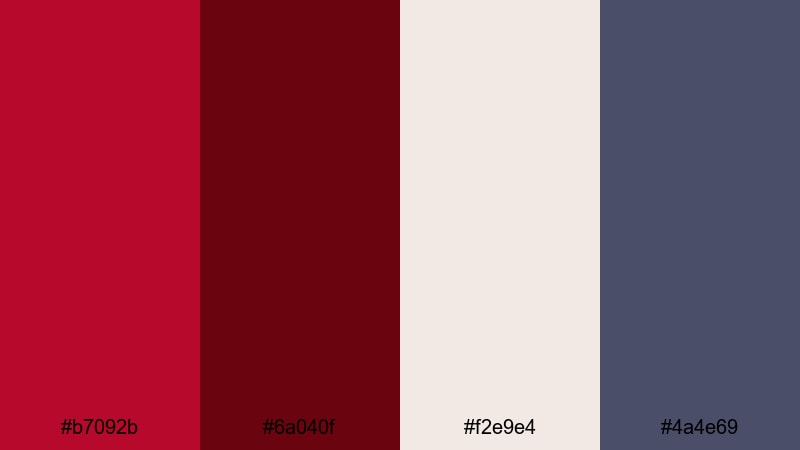
- HEX Codes: #b7092b, #6a040f, #f2e9e4, #4a4e69
- Mood: Nostalgic, grounded, and story driven.
- Use for: Use in documentary titles, historical montages, or brand films that lean into heritage and craft.
Vintage Firehouse Brick softens Fire Engine Red into brick and wine tones, supported by a dusty neutral and slate violet. The result feels aged, tactile, and full of history, like old uniforms, bricks, and archival photos.
Use the darker reds for backgrounds and frames around archival footage, while the light neutral (#f2e9e4) carries text and chapter markers. The muted violet adds depth in shadows or gradient overlays. This palette fits documentaries, heritage brand stories, and slower paced vlogs that you cut in Filmora with subtle motion and gentle transitions.
Holiday Fireplace Glow
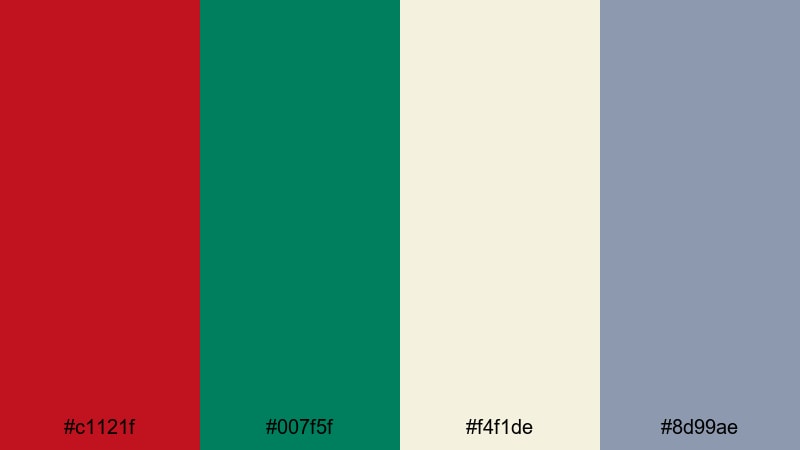
- HEX Codes: #c1121f, #007f5f, #f4f1de, #8d99ae
- Mood: Cozy, festive, and inviting.
- Use for: Ideal for holiday vlogs, family montage edits, and seasonal promo graphics.
Holiday Fireplace Glow pairs Fire Engine Red (#c1121f) with pine green, soft cream, and a gentle slate gray. It instantly feels like wrapping paper, fireplace stockings, and warm holiday lights.
Use red and green for festive accents on lower thirds, animated stickers, and thumbnail frames. The creamy background color is perfect for cards, titles, and end screens, while slate gray keeps text subtle but readable. In Filmora, this palette is great for seasonal intros, family recap videos, and holiday sales promos.
Action Trailer Ember
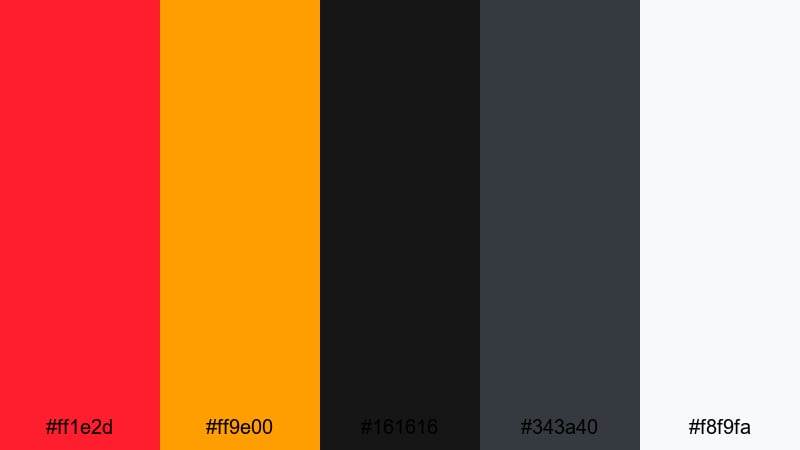
- HEX Codes: #ff1e2d, #ff9e00, #161616, #343a40, #f8f9fa
- Mood: Intense, blockbuster styled, and fiery.
- Use for: Perfect for action trailers, fight scene recaps, or drama series promos.
Action Trailer Ember mixes blazing Fire Engine Red (#ff1e2d) with molten orange flames on top of layered charcoals and off white. It resembles sparks in darkness and cinematic explosion lighting.
Use red and orange for title reveals, light leaks, and transitional wipes, while the dark grays build a moody base for text, credits, and countdowns. Off white is ideal for sharp, high contrast typography. This palette is made for Filmora edits that cut between slow motion shots, quick impacts, and intense sound design.
City Night Siren
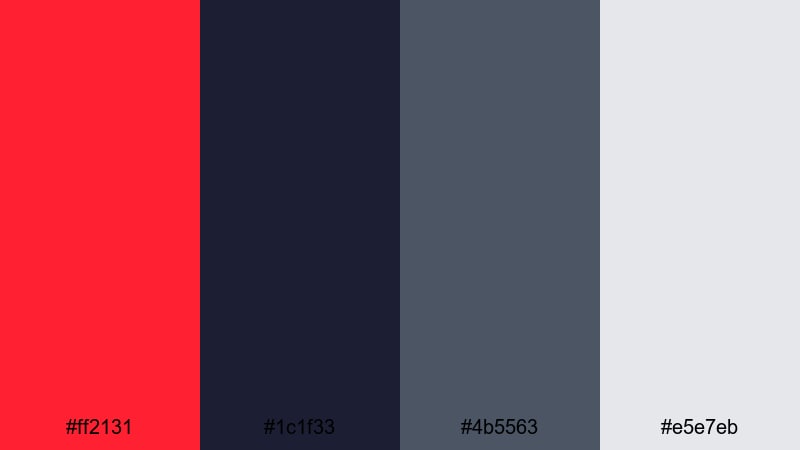
- HEX Codes: #ff2131, #1c1f33, #4b5563, #e5e7eb
- Mood: Moody, urban, and slightly noir.
- Use for: Use for city nightlife vlogs, crime drama edits, or moody music videos with streetlight reflections.
City Night Siren sets a vivid Fire Engine Red streak (#ff2131) against deep urban blues and soft gray highlights. The palette suggests wet asphalt, police lights, and reflective windows at night.
Use red as a strong accent on titles, lyric overlays, or location tags, while the navy and slate tones support moody footage of streets and skylines. The light gray makes subtitles and UI style overlays easy to read. In Filmora, this combination suits urban vlogs, noir themed short films, and city based music videos.
Tips for Creating Fire Engine Red Color Palettes
Fire Engine Red can easily dominate a frame, so the key is balancing its intensity with neutrals, deep shadows, and carefully chosen accent colors that fit your story and brand.
- Pair Fire Engine Red with dark backgrounds (charcoal, navy, or black) to create cinematic depth and help bright titles stand out without straining the eyes.
- Use a light neutral (off white or cream) for body text, captions, and overlays so everything stays readable on mobile screens and busy footage.
- Limit strong accent hues to one or two (such as yellow, cyan, or green) alongside Fire Engine Red to avoid a chaotic, unbranded look.
- Check contrast on thumbnails and lower thirds by viewing them at small sizes; your red elements and text should remain clear even as tiny previews.
- Match palette choices to your niche: cooler tones and grays for tech and gaming, warm ambers and creams for lifestyle, food, or cinematic storytelling.
- Reuse the same HEX values for titles, buttons, and logo marks across intros, outros, and overlays to build a recognizable Fire Engine Red brand identity.
- When color grading footage in Filmora, nudge reds to align with your chosen HEX tone so clothing, props, and lights reinforce the palette instead of clashing.
- Create and save title and filter presets in Filmora for each Fire Engine Red palette you like, so you can apply a consistent look to new videos in seconds.
Used thoughtfully, Fire Engine Red can turn ordinary edits into bold, memorable visuals that communicate urgency, passion, and confidence. Whether you are designing YouTube thumbnails, cinematic trailers, or clean product explainers, each palette above gives you a ready to use combination of HEX codes that works on both video and graphic elements.
Test a few of these palettes inside Filmora, from high energy alerts to softer cinematic looks, and see which one fits your channel or brand best. Once you lock in your favorite Fire Engine Red style, you can build presets and reuse it across intros, lower thirds, and social cutdowns for a strong, cohesive presence.
With the right balance of reds, neutrals, and supporting tones, your visuals will grab attention instantly while still feeling polished and intentional.
secure downloadNext: Red Violet Color Palette
