

 100% Security Verified | No Subscription Required | No Malware

These curated fashion video filters for Instagram are designed to give your Reels and Stories a stylish, editorial look in just a few taps, whether you post streetwear clips, outfit transitions, or brand campaigns.
Each filter below includes what the effect looks like, the type of fashion content it works best for, and a quick editing tip so you can build a consistent Instagram aesthetic that feels instantly on-brand.
In this article
Street Style Looks for Urban Fashion Reels
Neon Street Glow
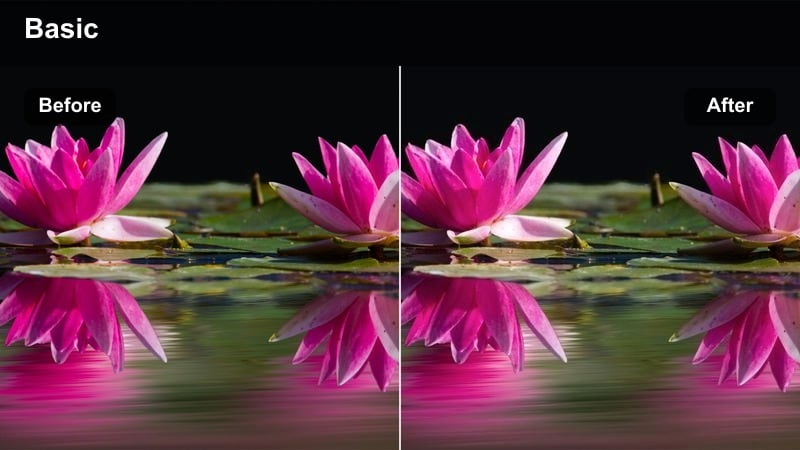
- Effect look: High-contrast, slightly desaturated base with neon signs and city lights pushed brighter and more colorful.
- Best for: Night streetwear reels, rooftop fits, and city walk outfit videos with lots of artificial light.
- Editing tip: Lower exposure slightly and bump saturation on reds and cyans to keep skin tones natural while letting signage pop.
Neon Street Glow is ideal when you want your fashion video Instagram posts to feel like they were shot in the middle of a buzzing nightlife district. The filter keeps your outfit defined while letting neon signs, traffic lights, and billboards bloom with color so your Reel stands out on the explore page without crushing detail in darker areas.
In Filmora, start by slightly lowering the exposure and raising contrast, then apply a vibrant filter or LUT and fine-tune reds and cyans in the color panel. Add a subtle grain layer and a few energetic whip-pan transitions so the glowing city lights frame your streetwear pieces and sneakers with a cinematic, music-video style finish.
Match Filters to Your Fashion Aesthetic with AI
Filmora s AI color tools can quickly analyze your night city clips and suggest color directions that match your streetwear palette, from cool cyberpunk blues to warm neon oranges. This helps you find the right fashion video filters for Instagram that enhance your outfit colors instead of fighting them.
Open your project in Filmora, let AI scan a few of your best city shots, and then compare its suggested looks on the same sequence. You can keep the neon glow strong while maintaining flattering skin tones and a cohesive overall feed aesthetic.
 secure download

Preview Fashion Filters on Your Reels Before Posting
In Filmora, you can build your entire Reel with cuts, music, and text, then cycle through different filters on the full sequence. This makes it easy to see how each Instagram fashion filter affects your outfits, backgrounds, and skin tones in motion before you commit.
Once your edit is structured, scroll through Filmora s filter and LUT panel while the timeline plays to compare options in real time. This side by side approach helps you pick one consistent look for Instagram Reels and Stories without constantly re-editing your clips.
secure downloadSave Your Signature Instagram Fashion Look
After you fine tune your favorite aesthetic fashion filters in Filmora, you can save those settings as a reusable preset or LUT. This lets you apply the same polished grading to every new outfit Reel, story, or brand video in a single click.
Using one or two signature looks across all your fashion video Instagram content keeps your grid feeling curated and recognizable to followers and potential brand partners. It also speeds up your workflow when batch editing weekly outfit recaps or campaign drops.
secure downloadConcrete Editorial
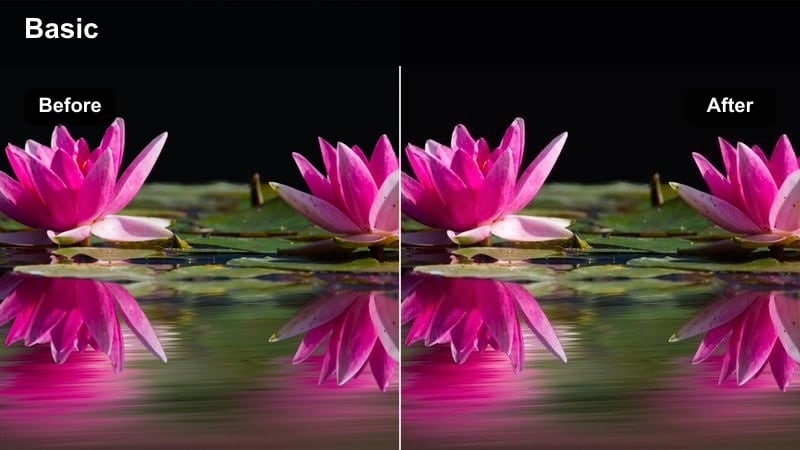
- Effect look: Muted colors, soft contrast, and cool shadows that turn busy sidewalks into clean editorial backdrops.
- Best for: Daytime street style walks, outfit of the day spins, and minimal city-chic looks.
- Editing tip: Reduce saturation on greens and yellows to remove distractions from signs and cars, then sharpen lightly for a magazine-like finish.
Concrete Editorial is tailored for creators who want their city surroundings to feel like a minimalist magazine spread. By cooling shadows and muting overly bright colors, it simplifies noisy streets into sleek, concrete backdrops that make trench coats, tailoring, and neutral palettes stand out.
In Filmora, desaturate greens and yellows in the color adjustment panel while slightly lowering overall saturation to keep focus on your silhouette. Add a gentle sharpening pass and a smooth motion transition between walking clips to create OOTD Reels that feel cohesive with a high-end editorial Instagram fashion filter.
Downtown Film Fade
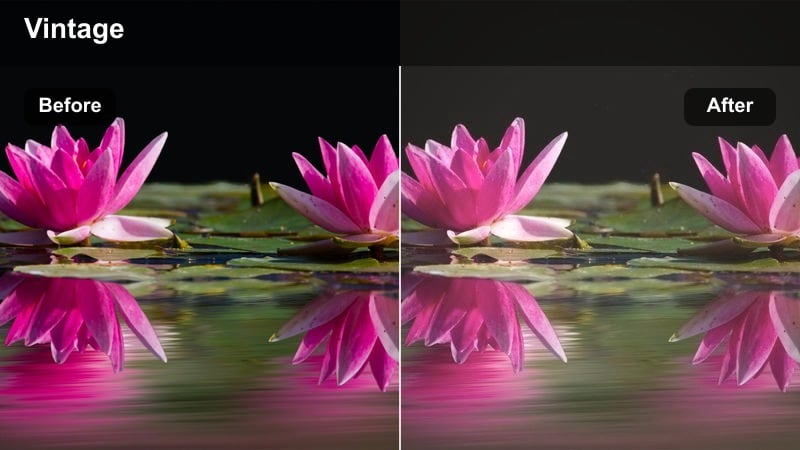
- Effect look: Soft film fade with subtle grain, warm highlights, and slightly lifted blacks for a nostalgic city fashion vibe.
- Best for: Vintage-inspired outfits, thrift hauls, and cinematic walking shots downtown.
- Editing tip: Add a gentle vignette and slow-motion clips to emphasize texture in denim, leather, and layered looks.
Downtown Film Fade gives your fashion video Instagram posts a nostalgic, film-inspired feel that is perfect for thrifted pieces and retro silhouettes. Warm highlights and lifted blacks soften harsh city lines, while subtle grain adds character that feels like scanned 90s campaign imagery.
Inside Filmora, apply a film-style LUT or vintage filter, lift the blacks slightly, and add a vignette to center attention on your outfit. Mix slow-motion b-roll of fabrics and accessories with wider crossing-the-street shots, then layer in a soft soundtrack to complete the cinematic mood for Reels and Stories.
Runway and Studio Fashion Aesthetics
Spotlight Runway
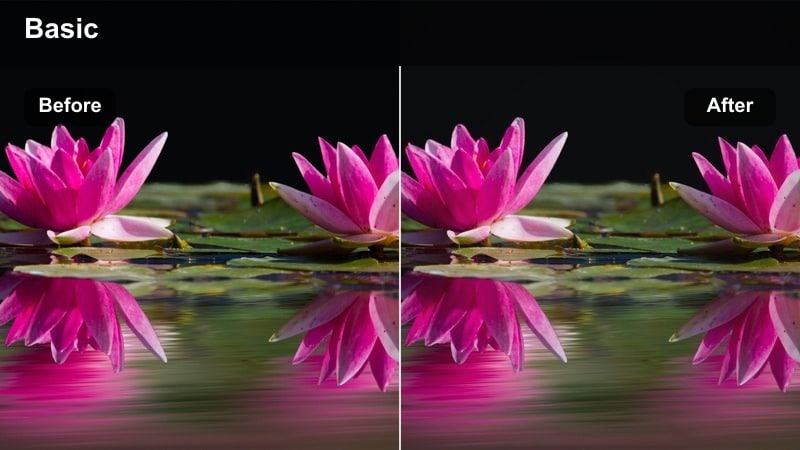
- Effect look: Clean, high-contrast filter that brightens whites, deepens blacks, and adds crisp clarity to structured looks.
- Best for: Runway walk transitions, studio lookbooks, and head-to-toe outfit reveals.
- Editing tip: Shoot against a plain wall and slightly underexpose, then let the filter lift highlights for a sharp, professional finish.
Spotlight Runway is built for clean, campaign-ready studio content where sharp tailoring and silhouettes matter most. The filter brightens whites and deepens blacks, giving your Instagram fashion Reels the kind of contrast that mimics professional runway lighting and catalog shoots.
In Filmora, shoot slightly underexposed footage, then increase highlights and contrast while adding a touch of clarity to edges. Use jump-cut walk cycles or match-on-action transitions between different outfits, and keep backgrounds minimal so the filter and your styling deliver a strong, editorial runway impression.
Editorial Soft Focus
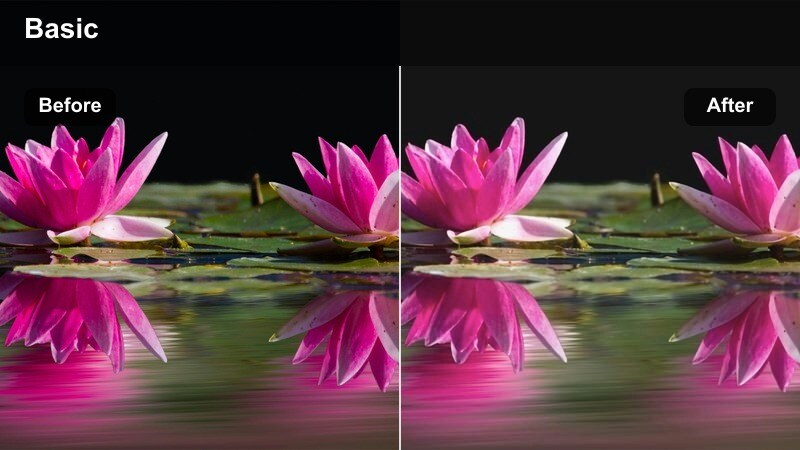
- Effect look: Softened highlights, slight bloom around light sources, and gentle skin smoothing for dreamy editorial shots.
- Best for: Beauty close-ups, jewelry features, and romantic dress or bridal-inspired outfits.
- Editing tip: Lower clarity slightly in-camera and use slow push-ins to emphasize the dreamy glow effect.
Editorial Soft Focus is ideal when you want your Reels and Stories to feel romantic and luxurious. The subtle bloom around light sources and gentle skin refinement make it especially flattering for close-up beauty shots, delicate fabrics, and jewelry details.
In Filmora, pair this look with slow-motion clips and smooth zoom transitions to enhance the dreamy, floating quality of the footage. Slightly lower sharpness, raise highlights, and add a soft glow effect to create an Instagram fashion filter that works beautifully for bridal looks, evening gowns, and softly lit studio sessions.
Monochrome Studio Chic
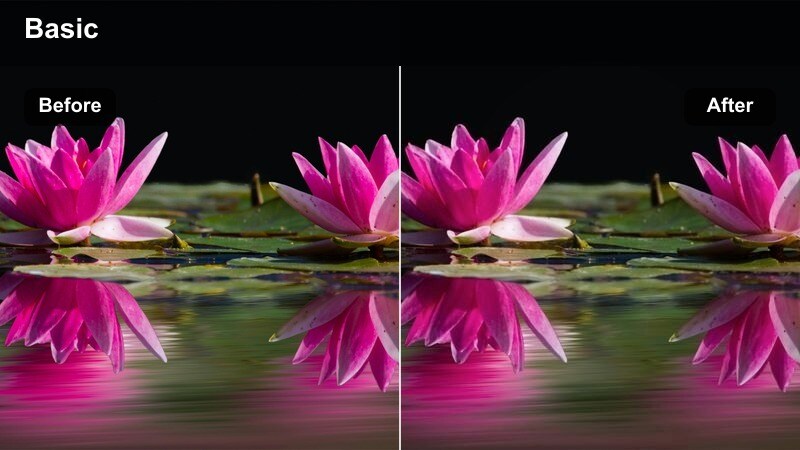
- Effect look: Subtle desaturation with extra contrast and a slight cool tint, perfect for black-and-white or neutral looks.
- Best for: Minimalist outfits, capsule wardrobe try-ons, and brand campaigns with a refined aesthetic.
- Editing tip: Keep your background uncluttered and use vertical center framing to make your silhouette the hero of the shot.
Monochrome Studio Chic dials back color to emphasize shape, texture, and fit, which is perfect for capsule wardrobe content and refined brand campaigns. The slight cool tint and added contrast give neutrals a polished, gallery-like finish that reads clean on any device.
Inside Filmora, reduce saturation just enough to simplify the palette, then increase contrast and add a cool temperature adjustment. Shoot against a plain wall, frame yourself centrally, and use minimal, smooth cuts so the filter and your styling choices define the overall mood of your Instagram fashion videos.
Mirror Selfies and At-Home Outfit Stories
Cozy Apartment Warmth
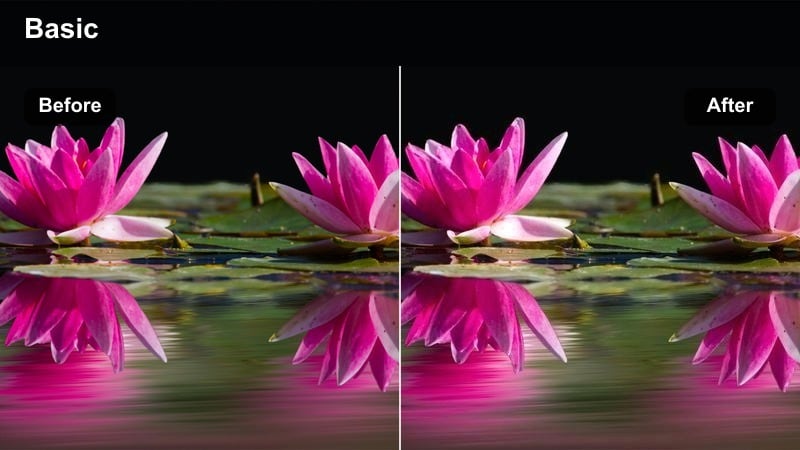
- Effect look: Warm, inviting tones with lifted shadows that make indoor spaces feel bright and lived-in.
- Best for: Mirror selfies, closet tours, loungewear reels, and morning get-ready routines.
- Editing tip: Reduce orange saturation slightly so warm walls and wooden floors do not overpower your outfit colors.
Cozy Apartment Warmth is made for lifestyle-focused fashion creators who film in bedrooms, living rooms, and closets. The filter lifts shadows to brighten indoor corners while maintaining a soft warmth that flatters skin and makes loungewear or casual outfits feel relatable yet curated.
In Filmora, lightly decrease orange saturation and fine-tune white balance to prevent wooden floors or warm decor from dominating the frame. Combine this look with simple cuts, subtle zooms, and text overlays for outfit details so your at-home fashion Reels and Stories feel inviting without losing clarity.
Minimal Mirror Clarity
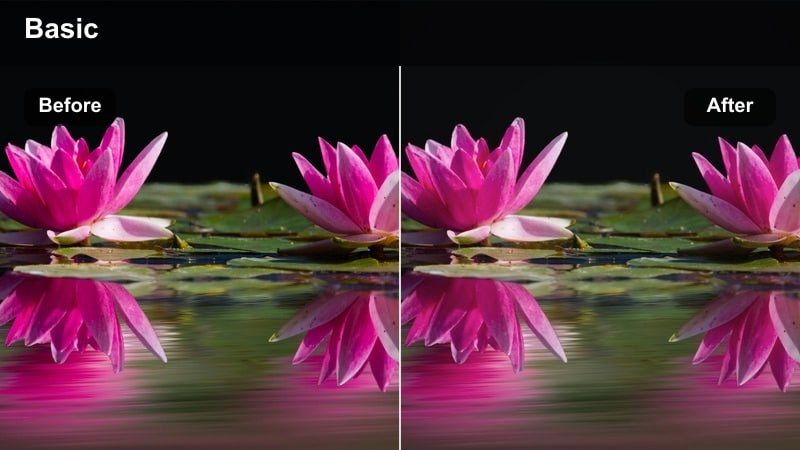
- Effect look: Bright, neutral tones with extra clarity on edges so lines of tailoring and silhouettes stand out.
- Best for: Try-on hauls, styling tips, and fast outfit change transitions filmed in front of a mirror.
- Editing tip: Crop out ceiling lights and doors where possible, and add a tiny bit of sharpen to your final export instead of maxing it in-camera.
Minimal Mirror Clarity is designed to keep colors true-to-life while making outfit shapes crisp and easy to read, which is key for styling tip Reels and try-on hauls. The added clarity on edges helps tailoring, seams, and hemlines stand out against bright, neutral backgrounds.
Use Filmora to lift exposure slightly, add a touch of sharpening, and keep saturation moderate so your audience sees the real fabric colors. Film all mirror clips from the same angle, then cut on the beat of your audio for fast transitions while this consistent Instagram fashion filter ties every look together.
Sunlit Bedroom Glow
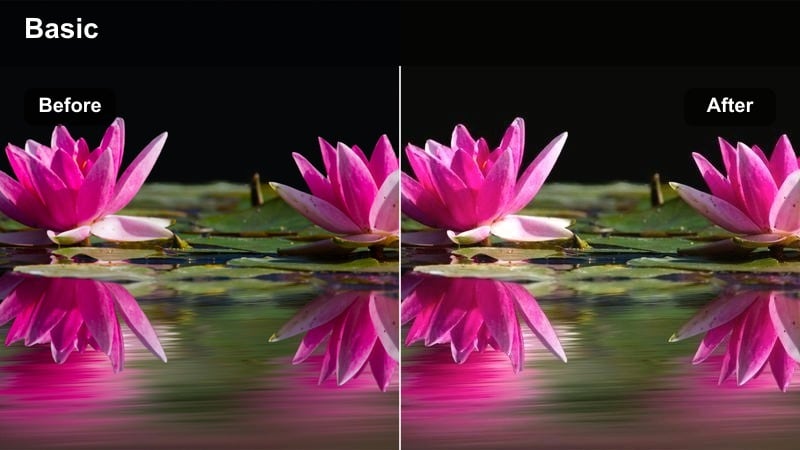
- Effect look: Soft warm highlights with gentle bloom on sun patches and slightly cooled shadows for depth.
- Best for: Golden hour in-room looks, soft glam outfits, and slow, romantic story clips.
- Editing tip: Angle yourself so side light hits your outfit and face, then lower contrast a touch to keep the glow from blowing out details.
Sunlit Bedroom Glow captures the magic of golden hour indoors, making it perfect for soft glam outfits and romantic, slow-paced Stories. The filter enhances warm patches of light while cooling shadows just enough to keep depth and separation between you and the background.
In Filmora, reduce contrast slightly and raise highlights to enhance the glow without losing detail in whites. Mix close-ups of sunlight on fabrics or jewelry with wider shots near windows, then use gentle crossfade transitions to create dreamy fashion video Instagram sequences that feel cinematic but still intimate.
Polished Filters for Brand and Campaign Content
Brand Clean Color
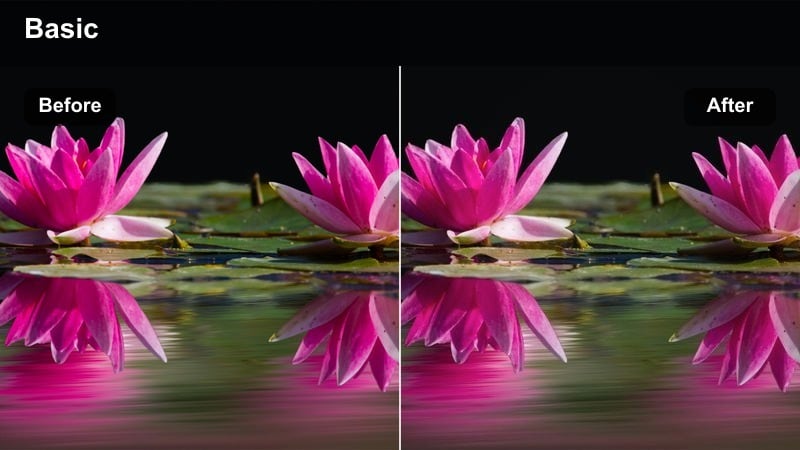
- Effect look: True-to-life colors with subtle contrast and a touch of vibrance that keeps products and logos accurate.
- Best for: Sponsored fashion reels, product features, and brand lookbooks that need reliable color.
- Editing tip: Lock white balance while filming so your brand pieces stay the same tone across every clip in the reel.
Brand Clean Color is your safest option for sponsored content where color accuracy matters. It lightly boosts vibrance and contrast without shifting brand hues, so clothing, packaging, and logos appear consistent across your Instagram feed, Reels, and Stories.
In Filmora, apply this style or a similar neutral filter, then fine-tune exposure and contrast while avoiding heavy stylization. Keep your framing clean, add clear text callouts or pricing, and export at high quality so your fashion video Instagram collaborations look polished and professional to both audiences and partners.
Campaign Contrast Pop
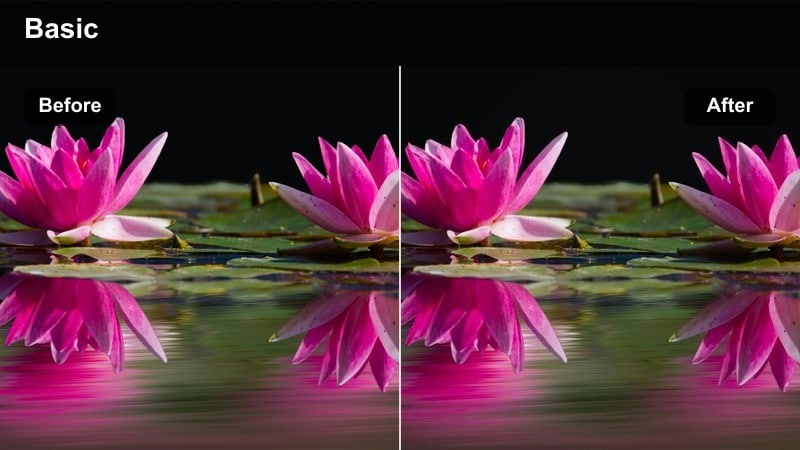
- Effect look: Vivid tones with bright highlights, deep but clean blacks, and crisp edges that stand out on the explore page.
- Best for: Launch announcements, campaign teasers, and hero outfit reveals.
- Editing tip: Use bold backdrops or colored seamless paper and keep your outfit palette simple so the contrast does not feel chaotic.
Campaign Contrast Pop is built to stop the scroll with bold, saturated color and strong contrast. It makes statement outfits and hero pieces stand out against bright backgrounds, which is perfect for product launches, limited drops, and high-impact teasers on Instagram.
In Filmora, pair this look with bold seamless backdrops or clean walls, then push saturation and contrast while keeping blacks crisp, not crushed. Use punchy transitions, quick cuts, and on-screen typography to turn simple posing shots into campaign-ready Reels that demand attention in the feed.
Social Ad Soft Grade
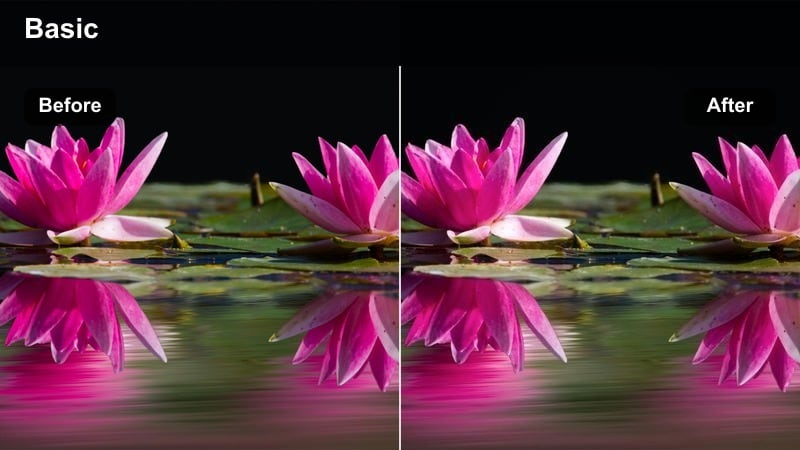
- Effect look: Gentle, modern grading with slightly lifted blacks, soft contrast, and subtle skin tone refinement.
- Best for: Instagram ad creatives, boosted story promos, and polished brand collaborations.
- Editing tip: Keep your framing tighter than usual, add clear on-screen text, and let the filter handle the polish so the message stays clear.
Social Ad Soft Grade delivers a modern, minimal commercial look that is perfect for promoted posts and paid ads. Slightly lifted blacks and soft contrast keep your footage approachable and on trend, while subtle skin tone tweaks ensure the creator and product always look their best.
Within Filmora, apply a soft-grade filter, then adjust midtones and skin tones using the color tools for a clean, brand-safe result. Frame tighter shots, overlay clear messaging or CTAs, and export multiple aspect ratios so your polished fashion ad content works across Reels, Stories, and in-feed placements.
Tips for Using Fashion Video Instagram Filters in Filmora
- Shoot a short test clip in each location and try several Filmora filters on it before committing to full outfit sequences.
- Choose one or two signature fashion video filters for Instagram so your Reels, Stories, and grid feel cohesive.
- Do most of your color grading in Filmora and avoid stacking heavy in-app Instagram filters on top of finished edits.
- Match filter intensity to your outfit mood, using softer grades for romantic looks and stronger contrast for streetwear.
- Lock exposure and white balance while filming so color and brightness stay consistent across all clips in a Reel.
- Batch film series content, like weekly outfit recaps, with the same filter preset to build a recognizable format.
- Preview your exported Reel on both bright and dim phone screens to make sure details and colors hold up.
- Use filters strategically to calm busy backgrounds so your styling, fit, and silhouette remain the main focus.
Choosing the right fashion video filters for Instagram can turn simple outfit clips into polished, on-brand reels and stories that stand out in the feed.
Test a few of these styles inside Filmora, save your favorites as presets, and apply them consistently so your fashion content feels cohesive from your first reel to your next campaign.
secure downloadNext: Fashion Video Filters for Reels: Eye-Catching Style Effects
