

 100% Security Verified | No Subscription Required | No Malware


 ChatGPT
 Perplexity
 Gemini
 Claude
 Grok
Grok
Family moments move fast, and your Reels need filters that keep up. These Filmora family video filters for Reels are designed to instantly warm up everyday clips, smooth out harsh lighting, and give memory montages a cohesive, cinematic style.
Whether you are cutting short family recaps or playful highlight reels, use these presets to get consistent color, emotion-first storytelling, and engaging edits without spending hours on manual corrections.
In this article
Warm Nostalgia Filters for Cozy Family Reels
Golden Hour Hug
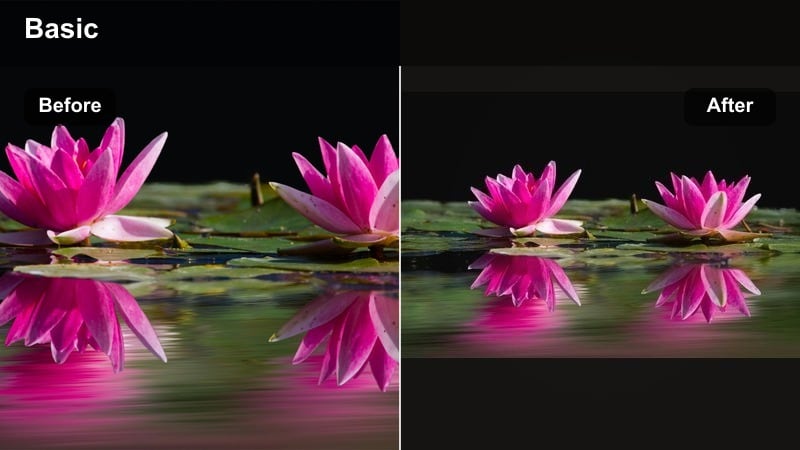
- Effect look: Soft golden warmth that mimics late-afternoon sunlight with slightly lifted shadows
- Best for: Backyard playtime, park walks, and cuddly family couch moments shot near windows
- Editing tip: Trim clips to shorter 1-2 second beats and align transitions with music hits so the glow feels punchy, not dull.
Golden Hour Hug wraps your family footage in a soft, sunlit glow that feels like it was all filmed at magic hour. It adds warmth to skin tones, gently lifts shadows, and smooths out harsh daylight so everyday clips look like they were captured by a seasoned lifestyle filmmaker.
In Filmora, apply Golden Hour Hug across a sequence of candid moments to instantly unify shots filmed on different days or devices. Combine it with beat-synced cuts and simple cross-fades, and you can turn casual backyard play, park walks, or cozy couch time into a warm, scroll-stopping family Reel with almost no manual color work.
Match Your Family Reel Mood With AI-Powered Color
Filmora s AI tools help you quickly match the mood of your family videos, from cozy bedtime stories to energetic park days, without deep color grading knowledge. Start with a family video filter for Reels, then let AI guide subtle adjustments so every frame supports the feeling you want to share.
Once your base filter is in place, you can fine-tune brightness, contrast, and saturation with AI assistance to keep skin tones natural and backgrounds consistent. This gives your memory montages a polished, professional look while staying fast and beginner friendly.
 secure download

Preview Filters on Your Family Clips in One Click
Instead of guessing how a filter will look on your family footage, you can drag a few short clips to the Filmora timeline and cycle through presets such as Golden Hour Hug or Weekend Recap in real time. Watching the effects update instantly makes it easier to pick a reels family filter that truly fits your story.
This quick audition workflow is ideal for busy parents and social video creators. You experiment with different moods in seconds, lock in the one that makes your family reel engaging and cohesive, and only then move on to trimming, transitions, and music.
secure downloadSave Your Signature Family Look as a Preset
Once you discover a combination of filters, color tweaks, and overlays that perfectly matches your family style, Filmora lets you save it as a custom preset. That means every new memory montage or short family video effect can start from the same trusted look instead of rebuilding from scratch.
Over time, this workflow helps your profile stand out with a recognizable visual style. All your family Reels share the same cinematic warmth or playful punch, even when they cover totally different days, trips, or celebrations.
secure downloadWeekend Slow-Mo
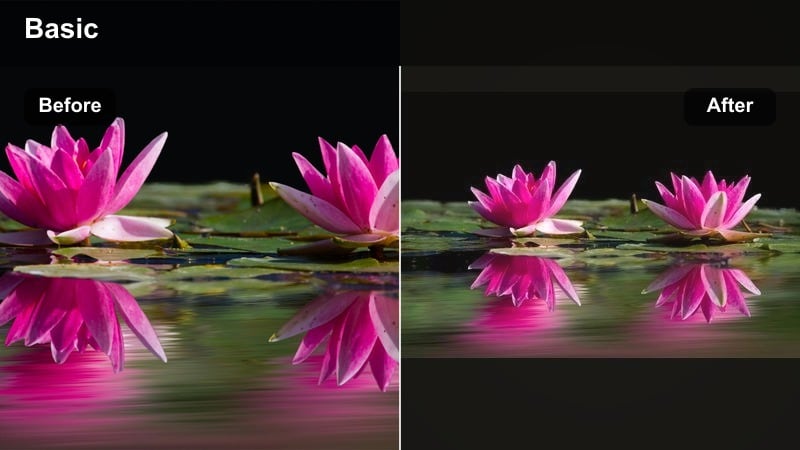
- Effect look: Muted contrast with warm skin tones and a slight fade in blacks for a relaxed, film-like feel
- Best for: Slow-motion shots of kids running, baking sessions, and lazy Sunday mornings
- Editing tip: Add subtle slow-motion only to the most emotional moments, like a child s smile or a shared laugh, then keep surrounding clips at normal speed for contrast.
Weekend Slow-Mo gives your family footage a soft, film-inspired finish that makes relaxed days feel timeless. The lower contrast and gentle warmth help smooth out mixed lighting, keeping faces flattering whether you are filming in the kitchen, living room, or backyard.
Inside Filmora, pair this filter with selective slow motion on just a few key shots, such as flour clouds during baking or a slow twirl during a living room dance. The contrast between regular speed and slow-mo, tied together by the same filter, turns simple weekend clips into an emotionally rich mini story.
Photo Album Fade
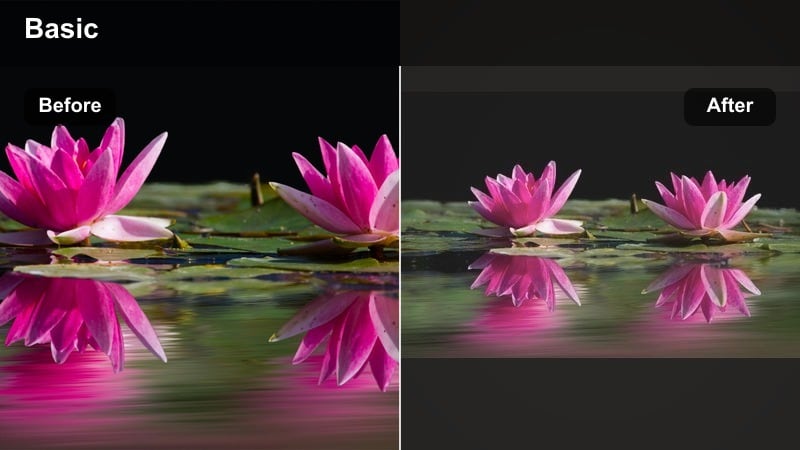
- Effect look: Faded colors with slightly creamy highlights, giving a printed photo album feel
- Best for: Memory montages that mix old phone clips, childhood photos, and recent family moments
- Editing tip: Use quick cross-dissolves between clips and photos, and keep each shot on screen a bit longer than usual to let viewers soak in the nostalgia.
Photo Album Fade desaturates colors slightly and softens highlights to mimic the look of printed photos that have been handled and loved over time. It is perfect when you want a Reel to feel like flipping through pages of a family scrapbook instead of scrolling through a phone gallery.
In Filmora, apply this filter to both videos and still images so every frame shares the same nostalgic tone. Pair it with gentle cross-dissolves and a steady, sentimental soundtrack to create memory montages that feel calm, cohesive, and emotionally rich without heavy manual grading.
Cinematic Filters for Story-Driven Family Reels
Mini Movie Moments
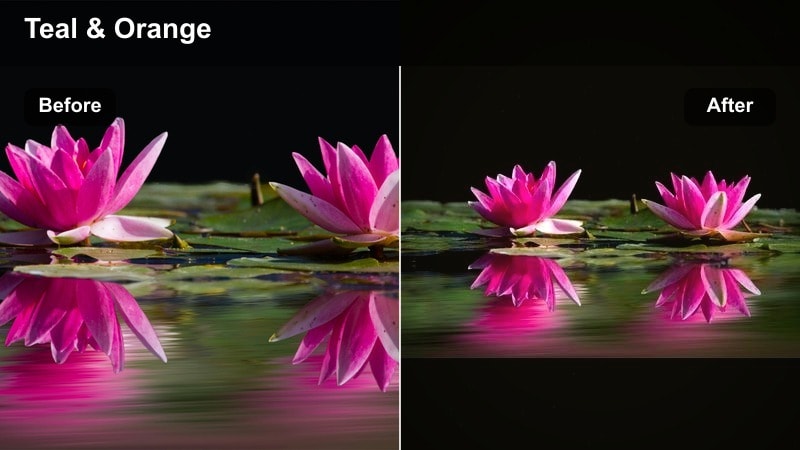
- Effect look: Balanced contrast with gentle teal shadows and warm skin tones for a cinematic movie-trailer vibe
- Best for: Story-based Reels like morning-to-night routines, first-day-of-school recaps, and travel days with kids
- Editing tip: Structure your Reel into beginning, middle, and end shots, then keep the same filter throughout to make the story feel intentional.
Mini Movie Moments adds subtle teal shadows and warm highlights to create a classic cinematic grade that feels like a movie trailer. It brings depth to indoor and outdoor footage alike, making everyday routines look intentional and story driven.
When editing in Filmora, use this filter on a sequence that clearly shows a start, middle, and end, such as a school morning or travel day. Keep the same preset on all clips, then add dynamic cuts and simple titles to turn ordinary footage into a polished, mini-movie style Reel.
Cinema Soft Focus
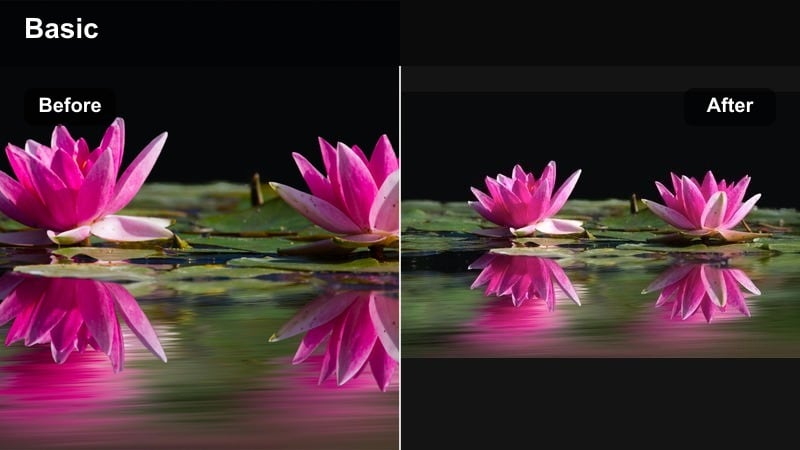
- Effect look: Slightly softened details with lifted shadows and gentle glow on highlights
- Best for: Close-ups of baby features, sleeping kids, hand-holding, and emotional reaction shots
- Editing tip: Use slow push-in or keyframed zoom on the most emotional frames so the softness guides attention to faces and small details.
Cinema Soft Focus wraps your close-ups in a dreamy glow by softening edges and lifting shadows. It is designed to flatter skin, smooth small distractions, and keep the viewer s attention on eyes, hands, and subtle expressions.
Inside Filmora, pair this filter with simple keyframed zooms and slow push-ins on your most emotional shots. Close-ups of a sleeping baby, linked hands, or a parent-child hug feel extra cinematic when the softness is combined with gentle motion and thoughtfully timed cuts.
Home Movie Theater
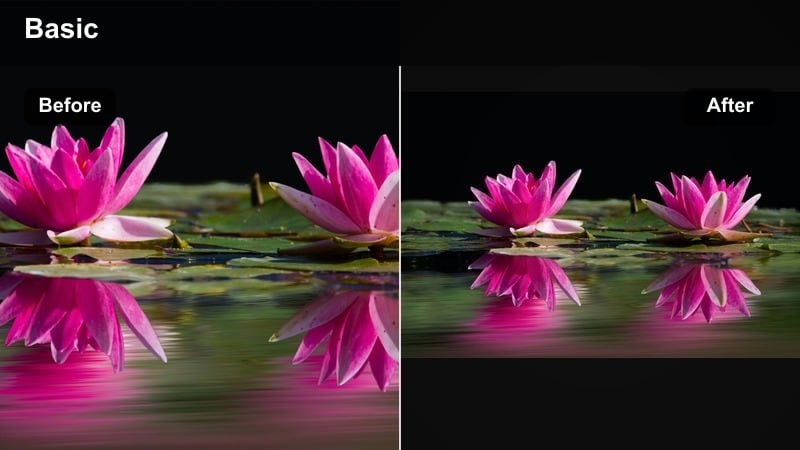
- Effect look: Richer blacks and slightly cooler midtones with a subtle film grain touch
- Best for: Indoor movie nights, blanket forts, and cozy living room scenes shot in low light
- Editing tip: Keep exposure slightly higher while filming, then let the filter deepen blacks so faces remain visible even in darker scenes.
Home Movie Theater deepens blacks, cools midtones slightly, and adds a hint of film grain to make low-light clips feel intentional and cinematic. It is ideal for movie nights, bedtime stories, and any cozy scene where you do not want to blast the room with bright lights.
In Filmora, brighten your raw footage just enough to keep faces visible, then apply this filter to bring back richness and drama. Cut between wide shots of the room and tight reaction close-ups so viewers feel like they are sharing the couch, all under the same cinematic night-time look.
Playful Filters for Fun Everyday Family Moments
Playroom Pop
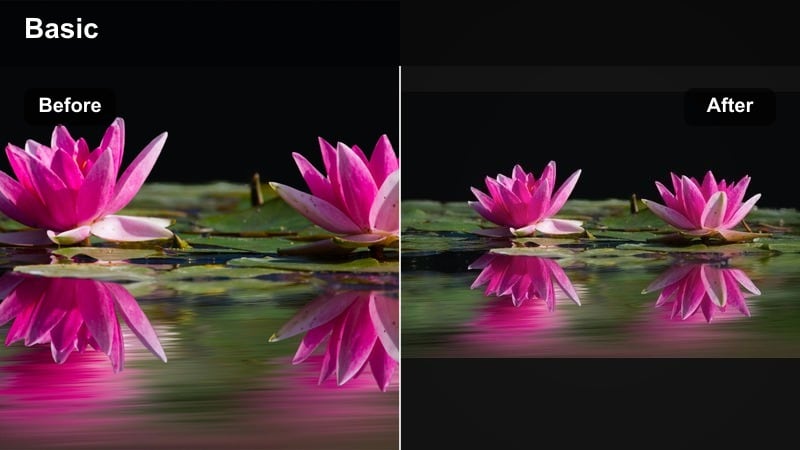
- Effect look: Bright, punchy colors with crisp contrast to make toys and outfits stand out
- Best for: Toy unboxings, living room dance parties, and birthday confetti moments
- Editing tip: Cut clips tightly on movement and beats; keep shots under 1 second during high-energy parts to match the bold color punch.
Playroom Pop turns colorful chaos into something polished by boosting saturation and contrast. Toys, balloons, and bright outfits all jump off the screen, making your high-energy family reels feel fun, stylized, and easy to follow.
When editing in Filmora, use this filter on quick-cut sequences of dancing, unboxing, or playtime. Trim clips down to rapid bursts, sync them to the beat of your music, and let the bold color treatment keep the action looking intentional rather than messy.
Sunny School Run
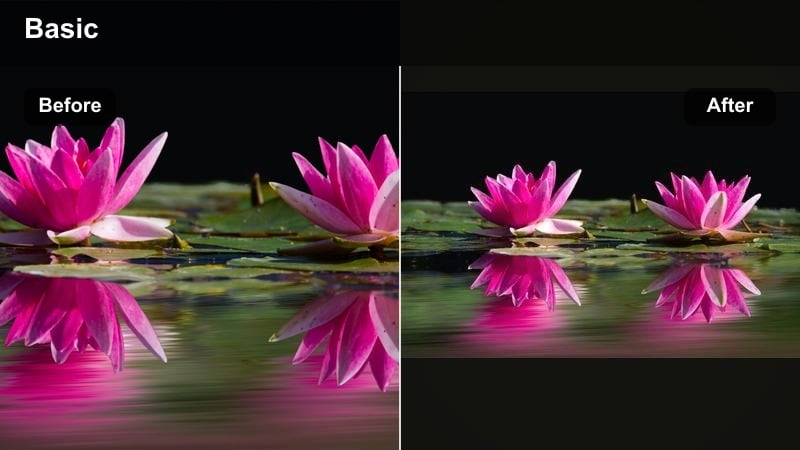
- Effect look: Clean daylight boost with gentle warmth and slightly increased saturation on blues and yellows
- Best for: Morning school runs, park drop-offs, and quick on-the-go family updates
- Editing tip: Stabilize handheld shots in Filmora, then apply the filter so busy backgrounds feel smoother and less distracting.
Sunny School Run adds a crisp, sunlit finish to everyday outdoor clips, slightly warming tones and making skies, backpacks, and crosswalks pop. It keeps the scene bright and happy without pushing exposure so far that skin tones look washed out.
In Filmora, stabilize your handheld walking shots first, then apply this filter to give the whole update a clean, energetic feel. It works especially well for short, talk-to-camera Reels or quick recaps of school runs and errands that need to look cheerful and clear.
Birthday Confetti
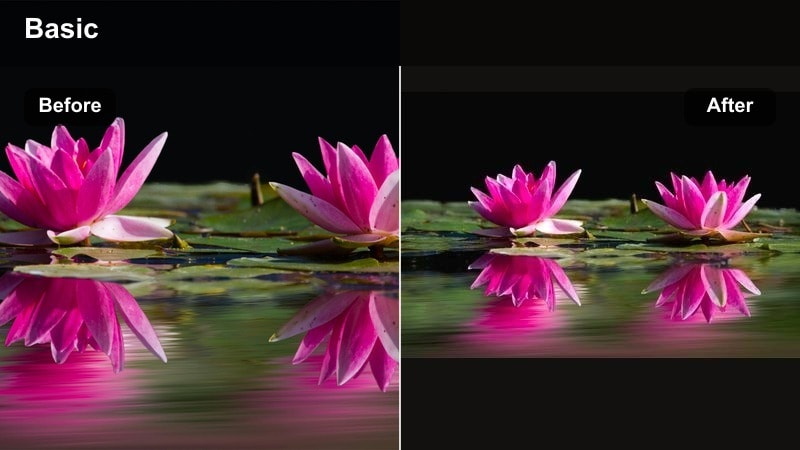
- Effect look: Boosted saturation with warm highlights and slight glow on bright colors like balloons and candles
- Best for: Birthday parties, cake moments, and celebration highlight reels
- Editing tip: Slow down key moments like blowing out candles or the first slice of cake, then layer quick flashes of reactions in between for energy.
Birthday Confetti is built to make parties feel larger than life, emphasizing balloons, candles, decorations, and happy faces with rich color and a touch of glow. It turns even small living room celebrations into vibrant, shareable highlight reels.
Use this filter in Filmora on your main action shots, like cake reveals and candle blows, and intercut them with close-up reactions from guests. The enhanced colors and glow keep everything feeling festive, while tight cuts and occasional slow motion make the Reel both exciting and easy to rewatch.
Filters Built for Memory Montages and Recaps
Year in a Minute
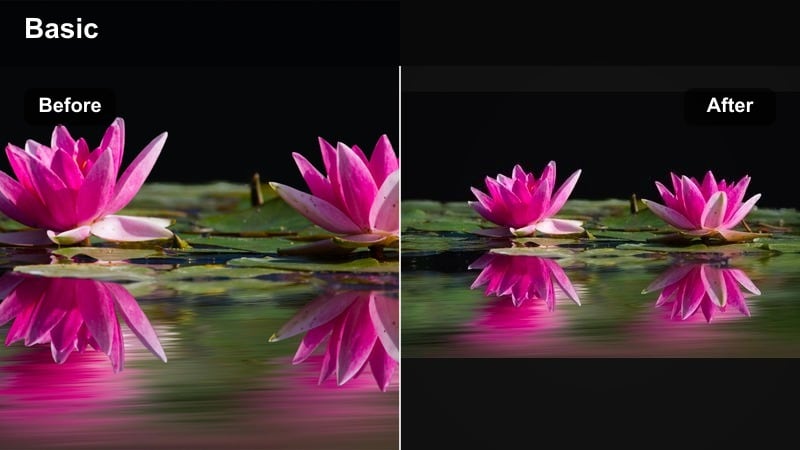
- Effect look: Neutral, slightly warm grade that smooths out color differences between many mixed clips
- Best for: Long memory montages and end-of-year family recap Reels that combine different phones and cameras
- Editing tip: Sort clips by month or season, then apply the same filter to all of them to create one continuous, engaging memory edit.
Year in a Minute is designed to unify footage from multiple cameras, phones, and seasons with a neutral, gently warm grade. It evens out color shifts so your New Year, summer, and holiday clips all feel like part of a single, intentional story.
Inside Filmora, drop your favorite clips on the timeline, roughly arrange them by time of year, and apply this filter across everything before you start fine-tuning. You will spend less time fixing individual shots and more time shaping a fast, engaging memory montage that still feels cohesive.
Weekend Recap
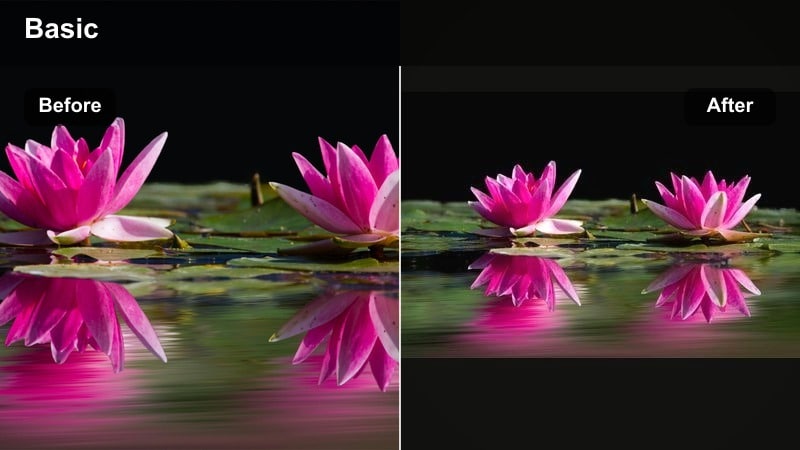
- Effect look: Slightly boosted saturation and clarity with soft warmth for a polished vlog style
- Best for: Short family recaps from road trips, sleepovers, and two-day getaways
- Editing tip: Use quick text labels like Day 1 and Day 2, then keep the same filter on all clips so the recap feels like one continuous vlog.
Weekend Recap gives your footage a clean, vlog-style polish with subtle warmth and extra clarity. It sharpens details in landscapes, cars, and hotel rooms while keeping skin tones flattering, making quick family travel reels look ready for social feeds.
In Filmora, apply this filter after you have trimmed your best shots from the trip. Add simple text labels for days or locations, keep transitions straightforward, and let the unified color grade do the heavy lifting to connect car rides, meals, and activities into one smooth story.
Everyday Timelapse
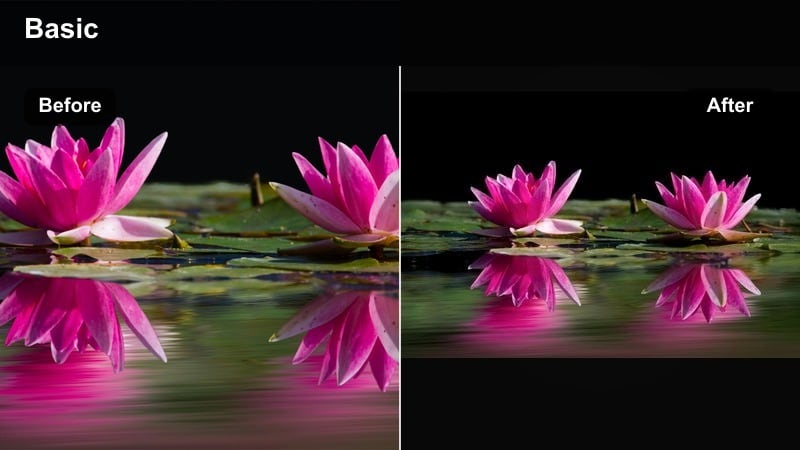
- Effect look: Clean, slightly cool grade with crisp contrast that keeps motion-focused clips sharp and clear
- Best for: Timelapses of toy cleanup, morning routines, or room transformations
- Editing tip: Speed up footage aggressively, then apply the filter so the fast motion stays easy to watch and visually consistent.
Everyday Timelapse keeps fast-moving sequences sharp and readable by adding a clean, slightly cool grade with firm contrast. It prevents sped-up footage from looking muddy or chaotic, especially when many colors and objects move through the frame.
Use this filter in Filmora after you have increased the playback speed or created a timelapse of chores, room makeovers, or morning routines. The crisp look helps viewers follow the transformation, and ending on a still, color-consistent final frame makes the result feel extra satisfying.
Tips for Using Family Reels Engaging Filters in Filmora
- Keep most Reels under 15-20 seconds and focus each one on a single moment, day, or theme.
- Film in natural light when possible, then use warm nostalgia filters to enhance, not replace, good lighting.
- Batch edit by applying one filter across all clips first, then tweak exposure and saturation per clip as needed.
- Use tight cuts and beat-synced transitions so playful filters feel energetic instead of overwhelming.
- Mix wide shots with close-ups of faces and small details to make family reels feel more personal.
- Limit yourself to one main filter per Reel so the look stays consistent from first frame to last.
- Add simple, readable text overlays to label days, ages, or locations in memory montages.
- Use Filmora stabilization on handheld clips before applying cinematic filters to avoid distracting shake.
With the right family video filters for Reels, your everyday clips can quickly become cinematic, emotional, and engaging enough to stop the scroll.
Start with one or two presets from this list in Filmora, build a simple memory montage or short family recap, and refine your own signature style as you go.
secure downloadNext: Cinematic Family Video Filters: Turn Home Clips Into Mini Movies
