

 100% Security Verified | No Subscription Required | No Malware


 ChatGPT
 Perplexity
 Gemini
 Claude
 Grok
Grok
An eye contact interview can feel surprisingly difficult, especially when you are speaking to a camera instead of a real person. In video interviews and recorded responses, those signals are missing. Because of this, even well-prepared candidates can come across as less confident or less engaged if their eye contact is not right.
The challenge is that you need to give clear and thoughtful answers while also maintaining steady eye contact. For many people, this creates a disconnect. You might speak well, but look away too often. Or you might look directly at the camera, but sound stiff or unnatural. Learning how to manage an eye contact interview in a virtual setting is important if you want to communicate with clarity, confidence, and professionalism.
In this article
The Problem: Eye Contact in Recorded Interviews
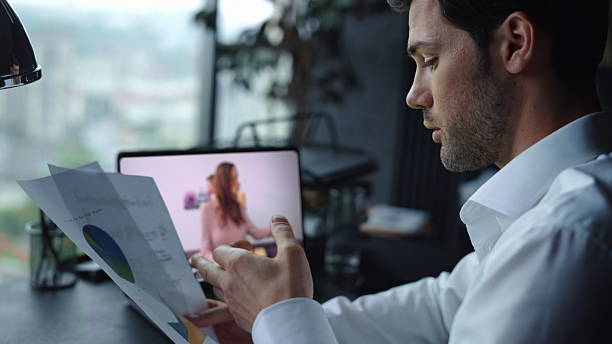
In an eye contact interview, how you look matters almost as much as what you say. Eye contact strongly affects first impressions and can influence how confident and professional you appear.
- Looking away too often can make you seem distracted or unprepared.
- Staring too hard at the camera can feel unnatural or overly intense.
- Shifting your gaze constantly may make you appear nervous or unsure.
Unlike live interviews, recorded interviews provide no real-time feedback. There are no reactions, facial expressions, or natural conversation cues to guide your eye contact.
Because of this, maintaining natural eye contact on camera often feels harder than answering the interview questions themselves.
A Faster Fix: Use AI Instead of Retakes
Many people keep re-recording interview videos, hoping to get the “perfect” take. But too many retakes often create new problems.
- Repeated answers can start to sound flat or scripted.
- Forced pauses and delivery make your speech feel less natural.
- Overthinking every detail adds pressure and reduces confidence.
A better approach is to focus on giving a strong and natural answer first, then improve small visual details during editing.
Tools like Wondershare Filmora help simplify this process. Its AI Eye Contact feature can subtly adjust your gaze so you appear more connected to the camera without changing your voice, tone, or facial expressions.
Instead of chasing a perfect recording, you can focus on your message and refine the final result afterward.

 secure download

Common Eye Contact Mistakes in Interview Videos
In an eye contact interview, small habits can have a big impact on how others see you. Without live interaction, it is easy to fall into patterns that weaken your presence.
One common mistake is relying too much on notes. Preparation is important, but constantly looking down or reading from a script breaks your connection with the viewer. Even glances can interrupt the flow and make your delivery feel less natural.
Another mistake is watching yourself on the screen. Many people do this without realizing it. They want to check their appearance or make sure they are framed correctly. However, every time your attention shifts to your own image, your connection with the camera is lost.
There is also the opposite problem. Once people become aware of eye contact, they may try to fix it too strongly. They lock their gaze on the camera and avoid moving at all. This can feel unnatural and too intense, making the conversation seem forced.
In a strong eye contact interview, balance is key. You do not need perfect eye contact every second. You need to look natural, relaxed, and engaged while still maintaining a clear visual connection.
How to Fix Eye Contact with Filmora
Filmora's AI Eye Contact feature automatically adjusts a subject's gaze so they appear to be looking directly at the camera. It is especially useful for talking-head videos, tutorials, interviews, online courses, product presentations, and any clips where the speaker is reading from notes, a screen, or a teleprompter.
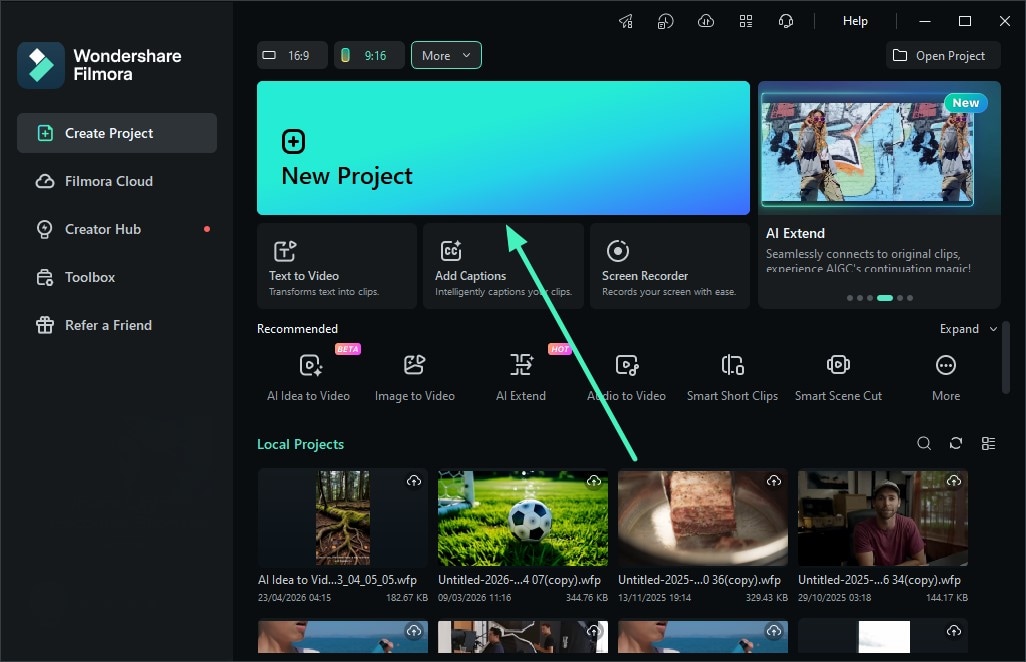
1. Create a New Project and Import Your Video
Launch Filmora and click New Project. Then import the video clip you want to improve and add it to the timeline. For best results, use a single talking-head clip where the subject's face is clearly visible.
2. Enable the Eye Contact Feature
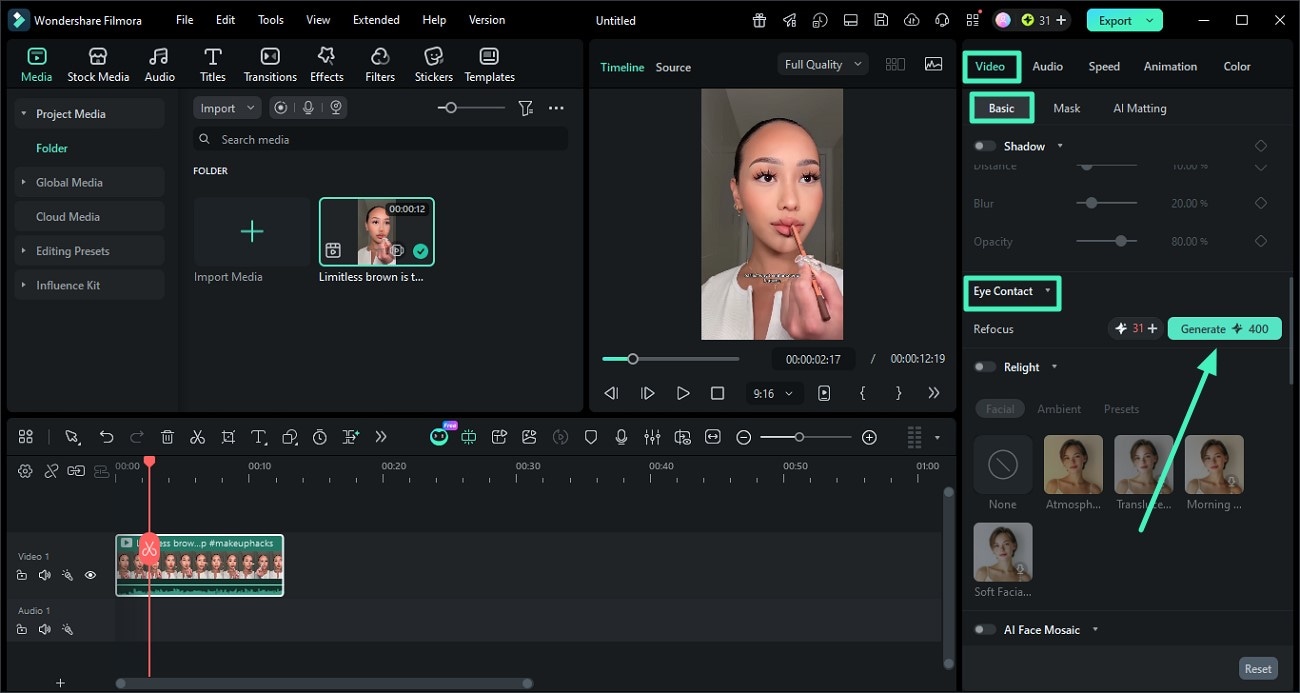
Select the video on the timeline, then go to the Properties panel on the right. Open the Basic section, find Eye Contact, turn it on, and click Generate. Filmora will automatically adjust the speaker's gaze toward the camera.
3. Preview and Export the Final Video
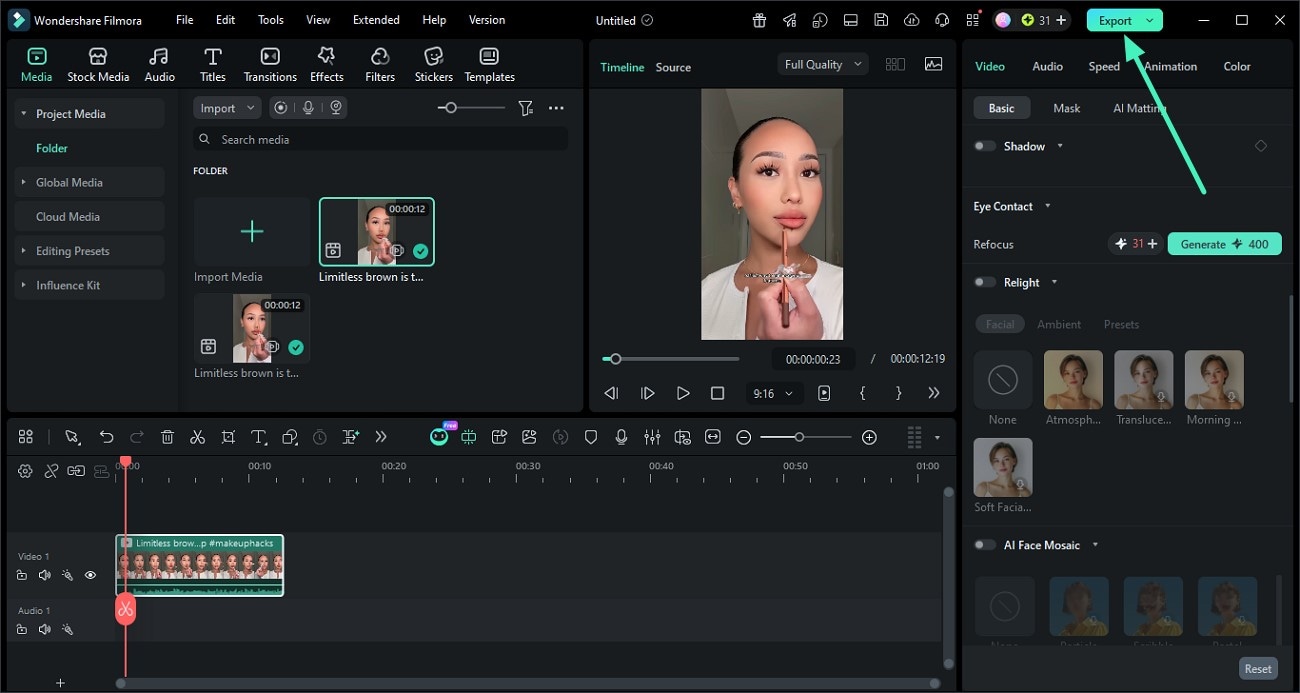
After the AI processing is complete, preview the result in Filmora to check whether the subject's gaze looks natural. Once you are satisfied, click Export to save the final video.
When This Works Best

This method works best in situations where your video is the main way people evaluate you.
It is especially useful for video resumes, where first impressions happen quickly. Strong eye contact can help you appear confident, focused, and professional from the start.
It is also very helpful for pre-recorded job interviews. Since there is no live interaction, your eye contact helps create a sense of connection. It makes your answers feel more engaging and less robotic.
This approach is also useful for LinkedIn videos and personal branding content. Whether you are sharing ideas, introducing yourself, or building your professional image, strong eye contact helps build trust and keep viewers interested.
Quick Tips for Better Results
Even though editing tools can help, your recording habits still matter. Small adjustments can make a big difference.
- Keep your camera at eye level. This helps your gaze look more natural and avoids awkward angles.
- Allow small and natural head movements. You do not need to stay completely still. Subtle movement makes your delivery feel more relaxed and human.
- Focus on your message. Do not worry too much about how you look while recording. In an eye contact interview, clear and confident communication matters more than perfect visuals.
- Use editing tools when needed. You can always refine eye contact later using tools like Wondershare Filmora.
Conclusion
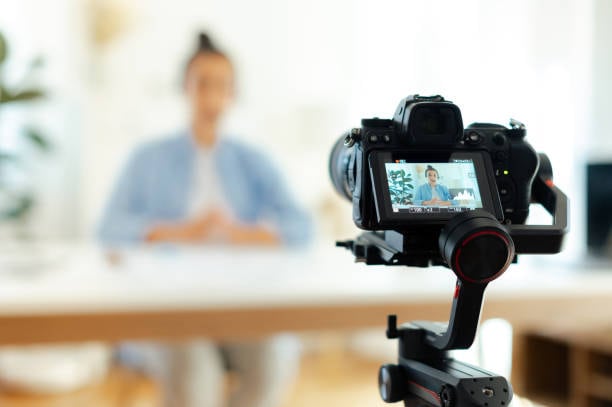
You do not need perfect shots to look confident on camera. In an eye contact interview, what matters most is how clearly and naturally you share your ideas. Trying to control every detail during recording can add pressure and make your delivery feel less natural.
A better approach is to focus on strong communication first and improve visual details later. This helps you stay relaxed and present while speaking.
With tools like Wondershare Filmora, you can turn a good recording into a polished and professional video without losing your natural style.
In the end, confidence on camera is not about being perfect. It is about being clear, natural, and able to connect with your audience.
secure download 