

 100% Security Verified | No Subscription Required | No Malware


 ChatGPT
 Perplexity
 Gemini
 Claude
 Grok
Grok
Ferrari Red is more than just a bright red. It signals speed, risk, confidence, and high performance, which is why it dominates racetracks, luxury branding, and bold call-to-action buttons. In video and design, this shade grabs attention instantly on crowded feeds, thumbnails, and streaming platforms. Used well, Ferrari Red can guide the viewer’s eye, highlight key moments, and give your channel a strong, recognizable identity.
Below you will find ready-to-use Ferrari Red color palettes with HEX codes designed for creators, editors, and Filmora users. Whether you are building YouTube thumbnails, cinematic intros, vlog lower thirds, or branded overlays, these Ferrari Red color combinations will help you keep your visuals consistent and professional across every video.
In this article
Bold & Dynamic Ferrari Red Color Palettes
Urban Racetrack Heat

- HEX Codes: #ff1b1c, #111111, #ff9f1c, #f5f5f5
- Mood: High-energy and competitive with a gritty, urban edge.
- Use for: Perfect for fast-paced gaming intros, car review thumbnails, and sports highlight reels.
Urban Racetrack Heat feels like hot brakes and city asphalt. The core Ferrari Red (#ff1b1c) burns against near-black (#111111), while warm orange (#ff9f1c) and soft white (#f5f5f5) add the look of streetlights and reflections on metal. It is aggressive without becoming chaotic, ideal when you want to shout speed and intensity.
Use this palette on YouTube thumbnails with big, bold titles in white over deep black, framed by Ferrari Red borders or motion streaks. In Filmora, you can color your lower thirds, subscribe bars, and transitions in red and orange while keeping your background and text areas in black and off-white for maximum readability and impact on mobile screens.
Pro Tip: Build A High-Impact Ferrari Red Look In Filmora
When working with a high-energy palette like Urban Racetrack Heat, consistency across your entire edit makes a huge difference. In Filmora, you can set Ferrari Red as your main brand color for titles, shapes, and overlays, then reuse it in your intros, transitions, and end screens so every video feels like part of the same fast-paced world.
Create a simple style guide inside Filmora: choose one red for buttons and key graphics, one neutral for backgrounds, and one highlight color. Save these as custom presets for titles and elements. That way, every new gaming montage, car review, or sports highlight reel automatically matches your Ferrari Red visual identity.
AI Color Palette
If you have a reference image with the exact Ferrari Red you love (a car photo, racing poster, or thumbnail mockup), you can use Filmora's AI Color Palette feature to spread that look across an entire sequence. This keeps your main shot, B-roll, and cutaways all living in the same color universe.
Import your reference frame, then let AI Color Palette analyze the reds, shadows, and highlights. Apply that look to the rest of your clips with a few clicks, so your whole video inherits the same Urban Racetrack Heat feel instead of having random reds fighting each other on screen.
 secure download

HSL, Color Wheels & Curves
Ferrari Red can easily become too harsh if your footage is already warm. With Filmora's HSL controls, color wheels, and curves, you can nudge the reds slightly cooler or deeper while keeping skin tones natural. Tools like the color wheels and targeted HSL adjustments, shown in Filmora's video color correction tutorial, help you balance highlights, midtones, and shadows so the red feels cinematic, not blown out.
Use curves to add contrast in the shadows (#111111) and gently lift the highlights (#f5f5f5). Then tweak the red hue and saturation in HSL to match your chosen HEX codes closely. This keeps your Urban Racetrack Heat palette punchy, but controlled, across different lighting conditions and camera sources.
secure download1000+ Video Filters & 3D LUTs
Once your Ferrari Red base is set, Filmora’s video filters and 3D LUTs make it easy to push the style further. You can give Urban Racetrack Heat a gritty, contrast-heavy sports look, a slick commercial shine, or even a neon-tinged cyber vibe while preserving your key reds and neutrals.
Try stacking a subtle LUT with a light vignette or glow to make the red accents stand out even more. Save your favorite combinations as custom presets so your racing, gaming, and sports videos all share the same Ferrari Red signature without having to rebuild the look by hand every time.
secure downloadAdrenaline Highlight Pop
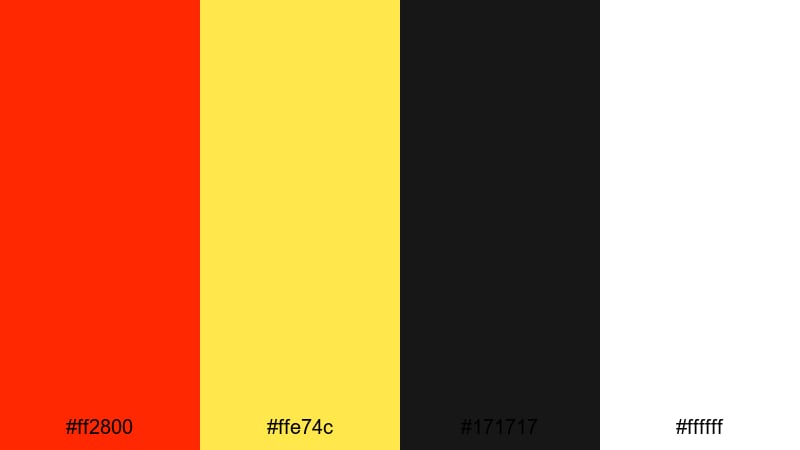
- HEX Codes: #ff2800, #ffe74c, #171717, #ffffff
- Mood: Energetic, punchy, and designed to stop the scroll.
- Use for: Use this palette for YouTube thumbnails, call-to-action screens, and dynamic lower thirds that must stand out on mobile.
Adrenaline Highlight Pop is built for instant impact. Ferrari Red (#ff2800) explodes next to electric yellow (#ffe74c), with deep charcoal (#171717) and pure white (#ffffff) framing the action. It feels loud, modern, and clickable, which makes it perfect for CTR-focused thumbnails and social posts.
Use the yellow as a highlight for arrows, circles, or price tags on thumbnails, while Ferrari Red powers your main titles and buttons. Black backgrounds keep everything readable, and white text ensures clarity, even on small phone screens. In Filmora, you can color-code lower thirds and on-screen graphics with this palette so your calls to action are impossible to miss.
Neon Pit Lane Night
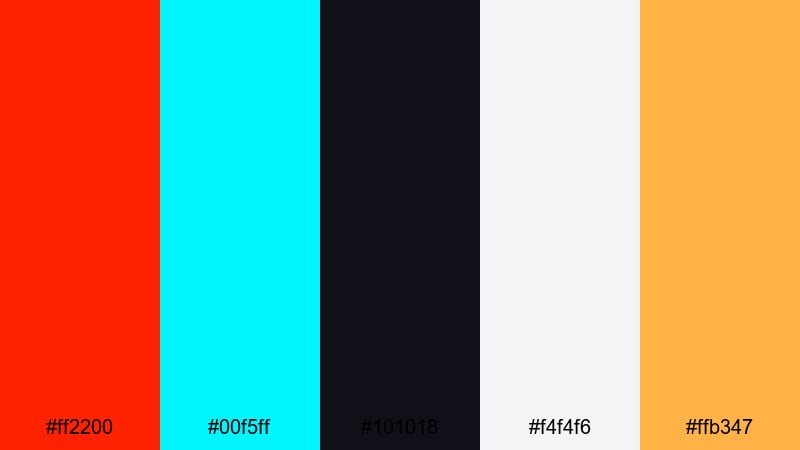
- HEX Codes: #ff2200, #00f5ff, #101018, #f4f4f6, #ffb347
- Mood: Futuristic and cinematic with a late-night city vibe.
- Use for: Ideal for tech reviews, nightlife vlogs, and title cards that blend speed with cyberpunk flair.
Neon Pit Lane Night pairs blazing Ferrari Red (#ff2200) with neon cyan (#00f5ff) over deep midnight blue-black (#101018). Warm amber (#ffb347) and pale gray (#f4f4f6) keep the palette from feeling too cold, like streetlights and dashboard glows in a futuristic city.
This setup is perfect for techy channel branding, cyberpunk-style motion graphics, or nightlife vlogs with racing elements. Use red for hero text and key icons, cyan for accents and UI lines, and the dark background for overlays and title cards. In Filmora, combine this palette with glow effects and light leaks to push the neon, after-dark energy even further.
Creator Alert Button
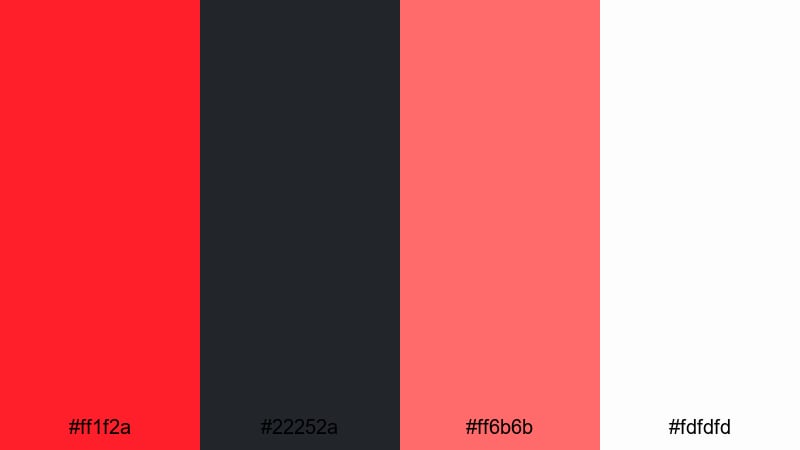
- HEX Codes: #ff1f2a, #22252a, #ff6b6b, #fdfdfd
- Mood: Urgent yet playful, with a modern creator aesthetic.
- Use for: Great for subscribe animations, notification pop-ups, and social promo cards that need clear, clickable hierarchy.
Creator Alert Button mixes sharp Ferrari Red (#ff1f2a) with a softer coral red (#ff6b6b), grounded by charcoal gray (#22252a) and very light white (#fdfdfd). It feels like the UI of a modern creator dashboard: serious about attention, but still fun and friendly.
Use the darker red for main buttons (Subscribe, Watch Now) and the coral for hover effects, badges, or subtle highlights. Keep text dark on light backgrounds or white on charcoal to maintain clean readability. In Filmora, this palette works beautifully for animated call-to-action cards, lower-third banners, or end screens that look designed, not generic.
Luxury & Automotive Ferrari Red Color Palettes
Supercar Showroom Shine
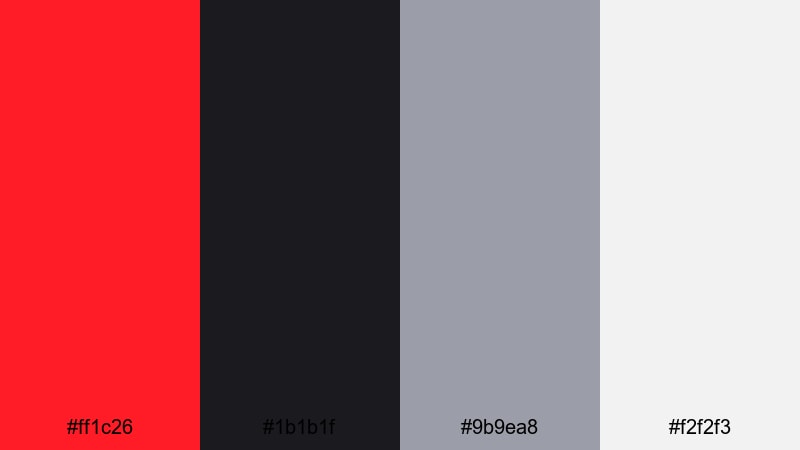
- HEX Codes: #ff1c26, #1b1b1f, #9b9ea8, #f2f2f3
- Mood: Sophisticated and premium with a high-gloss showroom feel.
- Use for: Tailor-made for car reviews, product spotlights, and luxury unboxing videos.
Supercar Showroom Shine captures the feeling of polished paintwork under bright studio lights. Ferrari Red (#ff1c26) pops against dark charcoal (#1b1b1f), while cool metallic gray (#9b9ea8) and soft studio white (#f2f2f3) echo chrome and light panels.
Use this palette for side-by-side car comparison graphics, feature callouts, and cinematic titles in review videos. In Filmora, you can color your text in white, use gray panels for specs, and reserve Ferrari Red for the brand logo, rating badges, and key close-ups to keep the whole edit feeling refined and premium.
Carbon Fiber Luxe
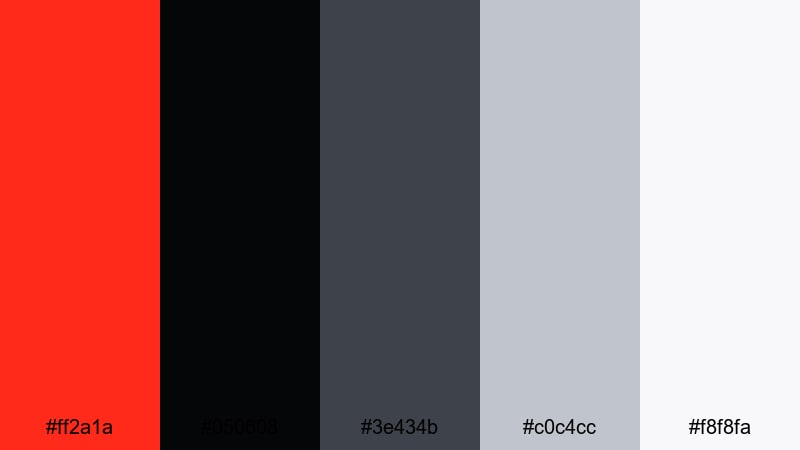
- HEX Codes: #ff2a1a, #050608, #3e434b, #c0c4cc, #f8f8fa
- Mood: Technical, refined, and engineered for precision.
- Use for: Use for automotive brand intros, spec breakdown graphics, and premium tech reels.
Carbon Fiber Luxe feels like an engineering lab for supercars. The vivid Ferrari Red (#ff2a1a) slices through near-black (#050608) and dark slate (#3e434b), softened by brushed metal grays (#c0c4cc, #f8f8fa). It suggests carbon fiber, steel, and precision-machined parts.
Apply this palette to motion graphics that show torque, horsepower, or tech specs. Keep most UI elements in dark tones, using pale grays for fine lines and overlays, then drop in Ferrari Red as a signal color for key numbers and ratings. This works brilliantly in Filmora when you layer animated shapes, line graphics, and title cards over rolling car footage.
Champagne Podium Finish
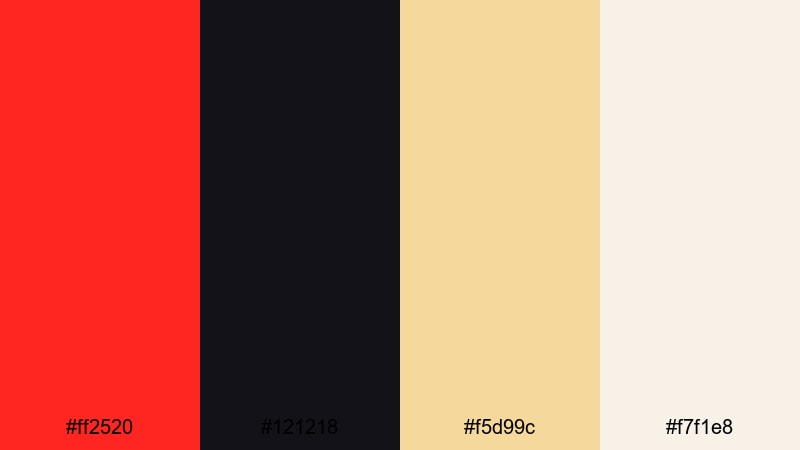
- HEX Codes: #ff2520, #121218, #f5d99c, #f7f1e8
- Mood: Victorious, celebratory, and unmistakably premium.
- Use for: Perfect for award announcements, milestone videos, and sponsor bumpers that need a winning look.
Champagne Podium Finish blends heroic Ferrari Red (#ff2520) with deep shadow blue-black (#121218) and soft champagne gold (#f5d99c) on warm ivory (#f7f1e8). It feels like the moment the trophy is lifted, flashes go off, and confetti falls.
Use this palette for 1M subscriber celebrations, revenue milestones, channel anniversaries, and sponsor shout-outs. Set your background in ivory, frame your content with dark accents, and let red and champagne highlight numbers, badges, and logos. In Filmora, adding subtle particle overlays or lens flares in gold can push this celebratory, high-end mood even more.
Black Tie Grand Prix
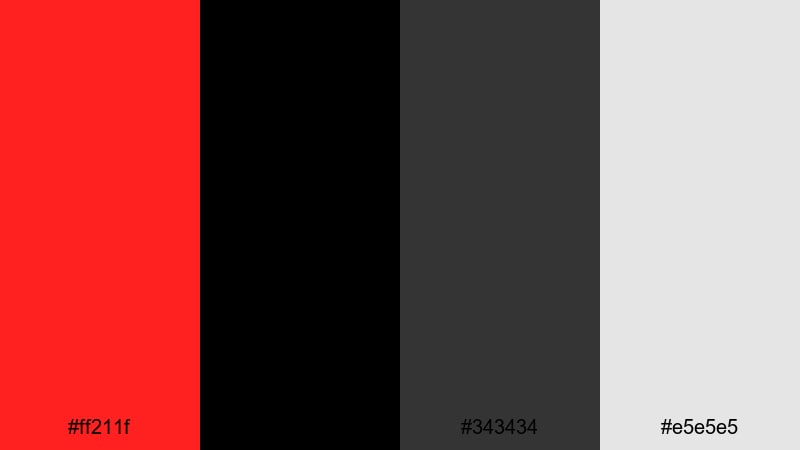
- HEX Codes: #ff211f, #000000, #343434, #e5e5e5
- Mood: Minimal, classy, and intensely focused.
- Use for: Use this palette for sleek title sequences, luxury brand placements, and cinematic car teasers.
Black Tie Grand Prix is a sleek mix of Ferrari Red (#ff211f), pure black (#000000), charcoal gray (#343434), and calm light gray (#e5e5e5). It feels like a formal event at a racetrack, where every detail is polished but the speed is still front and center.
This minimalist palette is ideal when you want clean, modern graphics with one strong accent color. Use black or dark gray for backgrounds, light gray for subtitles and lines, and Ferrari Red for logo reveals, transitions, and hero typography. The result works great for intro sequences, brand promos, or cinematic trailers built in Filmora.
Romantic & Dramatic Ferrari Red Color Palettes
Crimson Love Story
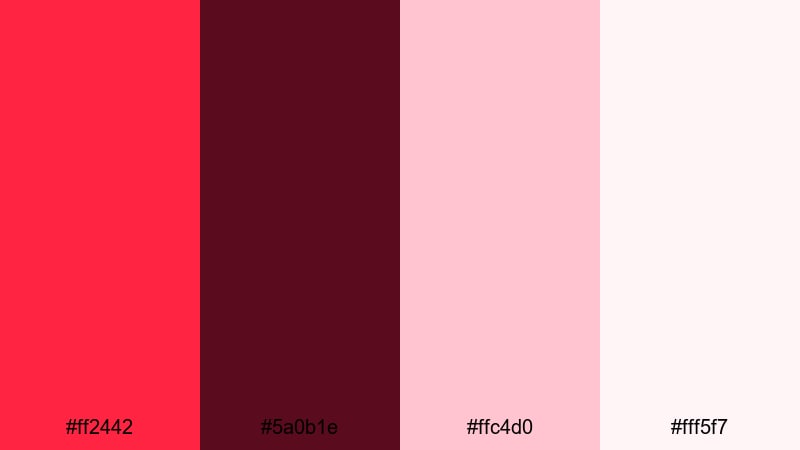
- HEX Codes: #ff2442, #5a0b1e, #ffc4d0, #fff5f7
- Mood: Passionate, cinematic, and emotionally rich.
- Use for: Beautiful for couples vlogs, engagement films, and dramatic storytelling edits.
Crimson Love Story softens the racing aggression of Ferrari Red into a romantic, cinematic red (#ff2442), deep wine (#5a0b1e), and delicate blush tones (#ffc4d0, #fff5f7). It feels like candlelight, velvet seats, and emotional confessions.
Use rich reds for key frames, typography, or overlays, and let the lighter pinks support lower thirds, chapter cards, and subtitle backplates. This palette works especially well in engagement clips, love story edits, or narrative short films in Filmora, where you can combine warm color grading with these soft graphics to create a cohesive, heartfelt mood.
Velvet Curtain Cinema

- HEX Codes: #f91f32, #1b0b10, #433040, #f3e3ff
- Mood: Moody, theatrical, and slightly vintage.
- Use for: Ideal for film-style trailers, short films, and moody talking head setups.
Velvet Curtain Cinema combines a rich Ferrari-inspired red (#f91f32) with inky maroon-black (#1b0b10), dusty purple (#433040), and a soft lilac highlight (#f3e3ff). It feels like an old theater curtain under a spotlight, with a touch of vintage drama.
Use the dark tones for letterbox bars, background shapes, and transitions, while red and lilac highlight titles and key objects. In Filmora, this palette suits cinematic trailers, dramatic commentary videos, and stylized interviews where you want the frame to feel like a stage set with intentional lighting and mood.
Golden Hour Confession

- HEX Codes: #ff3b2f, #ffb35c, #5b3923, #fff4e5
- Mood: Warm, nostalgic, and emotionally open.
- Use for: Great for storytelling vlogs, travel diaries, and heartfelt sit-down videos.
Golden Hour Confession blends soft Ferrari Red (#ff3b2f) with warm sunset orange (#ffb35c), deep brown (#5b3923), and glowing cream (#fff4e5). It mimics late-afternoon sunlight, capturing a mood that feels honest, reflective, and personal.
Use this palette for vlog titles, chapter cards, and simple lower-thirds that complement warm, backlit footage. Cream backgrounds with red and orange text feel inviting and easy to read, while darker brown can frame stories or emphasize quotes. It works especially well in Filmora when paired with gentle fades and slow-motion B-roll of travel or daily life.
Rose Petal Premiere
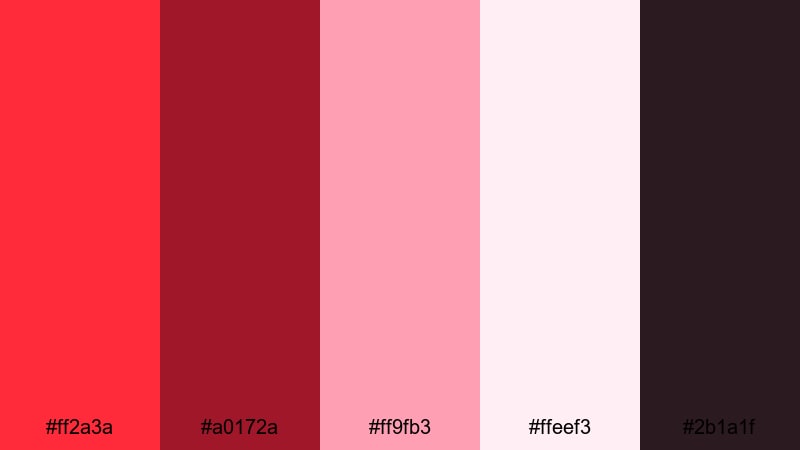
- HEX Codes: #ff2a3a, #a0172a, #ff9fb3, #ffeef3, #2b1a1f
- Mood: Softly dramatic with a luxe, editorial feel.
- Use for: Use for fashion lookbooks, beauty tutorials, and cinematic lifestyle edits.
Rose Petal Premiere layers Ferrari Red (#ff2a3a) and deep rose (#a0172a) over delicate pinks (#ff9fb3, #ffeef3) and a dark plum-brown anchor (#2b1a1f). It feels like scattered petals on a glossy magazine spread, elegant but still intense.
Use the darker tones for frames, borders, and backgrounds, while lighter pinks carry text backplates and soft accents. Ferrari Red should highlight product shots, key words, or logo elements. In Filmora, this palette suits fashion montages, beauty tutorials, and polished lifestyle videos where you want the visuals to feel like a curated editorial shoot.
Modern Minimal Ferrari Red Color Palettes
Minimal Signal Accent

- HEX Codes: #ff2222, #f6f6f6, #d4d7dd, #1f1f23
- Mood: Clean, functional, and sharply focused.
- Use for: Perfect for UI overlays, subtitles, and clean educational content where red is used as a precise accent.
Minimal Signal Accent turns Ferrari Red (#ff2222) into a clear visual signal surrounded by neutrals: near-white (#f6f6f6), soft gray (#d4d7dd), and dark near-black (#1f1f23). It feels organized, modern, and calm, with red used only where you want viewers to look.
Use white and gray for main backgrounds and text, dark for key panels, and save red for buttons, progress bars, or important keywords in your titles. This palette is excellent for tutorials, explainers, and productivity content in Filmora, where clarity and structure matter more than decoration.
Clean Studio Tech
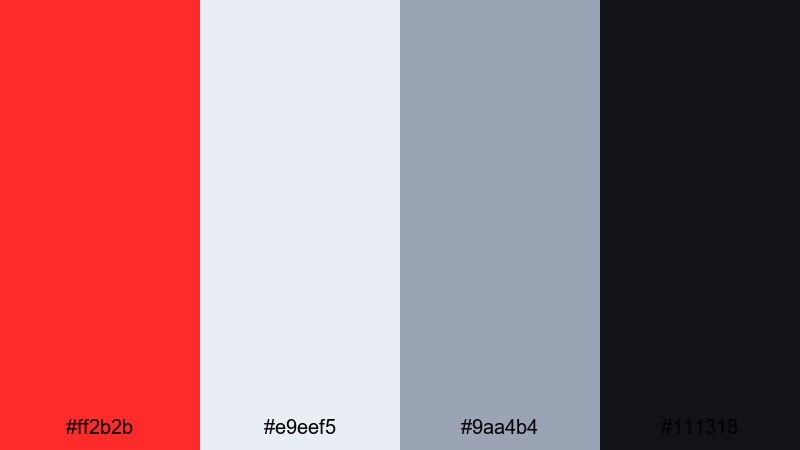
- HEX Codes: #ff2b2b, #e9eef5, #9aa4b4, #111318
- Mood: Modern, techy, and slightly cool-toned.
- Use for: Ideal for app demos, software explainers, and channel branding that leans into tech and productivity.
Clean Studio Tech combines a straightforward Ferrari Red (#ff2b2b) with cool blue-grays (#e9eef5, #9aa4b4) and nearly black (#111318). It feels like a polished app interface or a modern studio set with softboxes and LED panels.
Use the cool tones for backgrounds, cards, and info boxes, while red remains the main action color for clicks, taps, and highlights around your product. In Filmora, you can mimic UI layouts with rectangles and line graphics colored from this palette to make software explainers and tech reviews feel cohesive and on-brand.
Monochrome Speed Grid
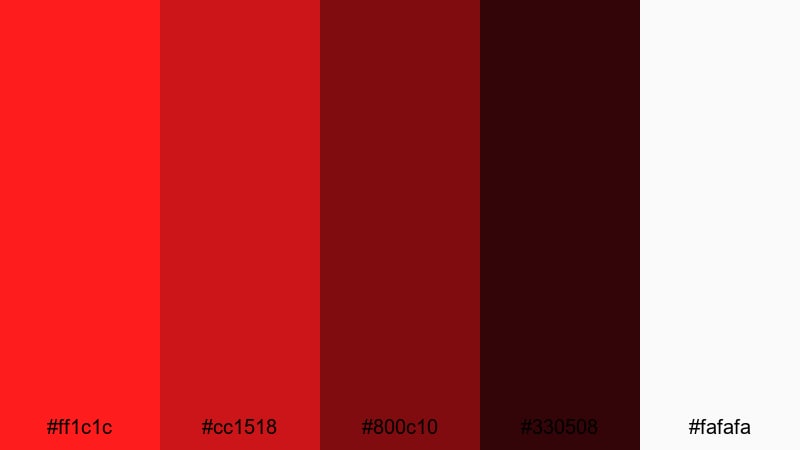
- HEX Codes: #ff1c1c, #cc1518, #800c10, #330508, #fafafa
- Mood: Intense, graphic, and highly cohesive.
- Use for: Use for bold channel art, title cards, and motion graphics where a unified red story is key.
Monochrome Speed Grid stacks multiple Ferrari-inspired reds from bright (#ff1c1c) to deep maroon (#330508), with clean white (#fafafa) as the only neutral. It feels like a pure brand system built around speed and intensity.
Use lighter reds for large areas and backgrounds, medium tones for shapes and grids, and the darkest reds for text or shadow accents. White becomes the main text color for legibility. In Filmora, this palette is ideal for channel intros, logo stings, and kinetic typography where you want one strong color family instead of a mix of hues.
Tips for Creating Ferrari Red Color Palettes
Ferrari Red is powerful, so the supporting colors you choose will decide whether your visuals feel premium, playful, romantic, or techy. These tips will help you combine Ferrari Red with other tones effectively in both design and video editing.
- Balance intensity with neutrals: Pair Ferrari Red with blacks, grays, or off-whites so the red can breathe and does not overwhelm the frame.
- Prioritize readability: Use high contrast (red on dark or white on red) for titles and buttons, and avoid saturated red behind long blocks of text.
- Limit the number of accents: In most layouts, use one or two accent colors alongside red, not a rainbow, to keep your brand feeling focused and professional.
- Match the emotion to the project: Cooler neutrals make Ferrari Red feel techy and sharp; warm creams and golds make it feel luxurious or romantic.
- Check how it looks on mobile: Always preview your thumbnails and overlays at small sizes to ensure red details and text are still clear on phones.
- Use Filmora presets as a baseline: Start from filters or LUTs that are close to your desired mood, then tweak red hue and saturation to match your chosen HEX codes.
- Keep branding consistent: Reuse the same Ferrari Red tones in your logo, lower thirds, end screens, and social banners so viewers instantly recognize your channel.
- Control reds in footage: Use HSL and color wheels in Filmora to pull stray reds (like random signs or shirts) closer to your brand red so they do not clash.
Ferrari Red palettes can make your channel feel fast, confident, and unmistakably bold, whether you are showing supercars, gaming highlights, emotional vlogs, or sleek tech reviews. By pairing this iconic color with the right neutrals and accent tones, you can shape the mood of every frame and give your visuals a strong identity.
Try these 15 Ferrari Red color combinations as starting points for your thumbnails, intros, overlays, and brand kits. Then refine them inside Filmora using AI Color Palette, HSL, and filters until your videos feel exactly the way you want: cinematic, premium, or explosively energetic.
The more consistently you use your Ferrari Red palette across videos and platforms, the faster viewers will remember and trust your brand. Open Filmora, drop these HEX codes into your titles and graphics, and start building a channel look that is as fast and focused as a Ferrari on the track.
secure download