

 100% Security Verified | No Subscription Required | No Malware


 ChatGPT
 Perplexity
 Gemini
 Claude
 Grok
Grok
Turquoise lime green mixes the calm of tropical water with the spark of neon foliage. Turquoise suggests clarity, creativity, and digital freshness, while lime green adds energy, optimism, and a slightly edgy tech feel. Together, they create a palette that feels modern, clean, and aspirational, which is why you often see these colors in app brands, eco-tech companies, and upbeat creator channels.
On video, turquoise lime green color palettes work beautifully for intros, lower thirds, logo stings, and thumbnails, especially when you want a bright but not childish look. The combinations below give you ready-made HEX codes for YouTube thumbnails, channel art, vlogs, travel edits, gaming intros, and more. Each palette is designed with creators and Filmora users in mind, so you can quickly apply these color schemes in your edits.
In this article
Fresh Turquoise Lime Green Brand Palettes
Startup Splash Identity
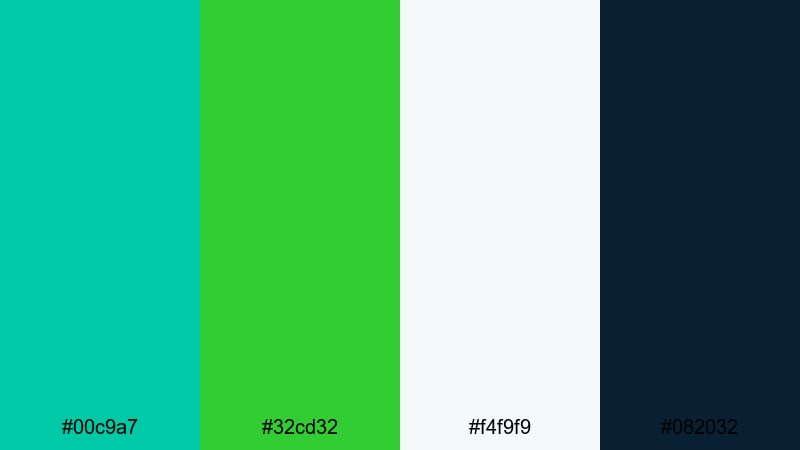
- HEX Codes: #00c9a7, #32cd32, #f4f9f9, #082032
- Mood: Bright, optimistic, and trustworthy with a clean tech edge.
- Use for: Ideal for startup logo stings, explainer videos, and SaaS product walkthroughs.
This palette pairs a crisp turquoise (#00c9a7) with classic lime green (#32cd32), softened by a clean off white (#f4f9f9) and anchored with deep navy (#082032). It feels confident and future facing, like a fresh app launch or a young SaaS brand that knows exactly what it is doing.
Use this combo for logo reveals, UI mockups inside your videos, and startup explainer animations. In thumbnails, let turquoise and lime drive attention on buttons, arrows, and key text, while the dark navy background keeps everything readable and professional.
Pro Tip: Keep Your Turquoise Lime Green Branding Consistent in Filmora
Once you lock in a turquoise lime green palette like Startup Splash Identity, consistency is what makes your channel or brand look premium. In Filmora, you can reuse the same HEX values for titles, shapes, callouts, and transitions so every intro, B roll overlay, and end screen feels like part of one visual system.
Create a simple style guide inside Filmora by saving your favorite text presets and graphic elements with these colors applied. That way, whenever you cut new explainer videos, product walkthroughs, or social shorts, you can drop in on brand turquoise and lime accents in just a few clicks.
AI Color Palette
If you already have a brand slide, logo file, or mood board using this turquoise lime green look, you can turn it into a full video style with Filmora's AI Color Palette feature. Import a reference image that showcases your ideal turquoise and lime balance, then let Filmora analyze and match that mood across your clips.
This is especially useful when you shoot content on different days or cameras. AI Color Palette helps your A roll, B roll, screen recordings, and even stock footage share the same fresh, tech forward turquoise lime green feel without manual tweaking for every shot.
 secure download

HSL, Color Wheels & Curves
Even within one turquoise lime green palette, small adjustments can change the story your video tells. Use Filmora's HSL and color wheels to push turquoise slightly more blue for a cool tech vibe, or more green for an eco focused message. Curves let you deepen the navy shadows while keeping turquoise highlights bright, giving your scenes more cinematic contrast without losing brand colors.
You can combine these tools with Filmora's color correction controls to fix exposure first, then stylize. Once your footage is balanced, subtly lift midtones around your lime green elements so text, buttons, and callouts feel vivid but still comfortable to watch.
secure download1000+ Video Filters & 3D LUTs
Once your turquoise lime green base is set, Filmora's filters and LUTs are an easy way to add a final layer of style. Warm cinematic filters can make the lime feel more organic and friendly, while cooler LUTs push the turquoise into a sleek, futuristic direction for tech, gaming, or crypto content.
Filmora's video filters and 3D LUTs make it easy to test different looks on the same color palette. Save a few favorites as presets so you can quickly switch between a soft vlog version, a punchy promo grade, and a high contrast thumbnail look without rebuilding your color from scratch.
secure downloadTropical App Launch
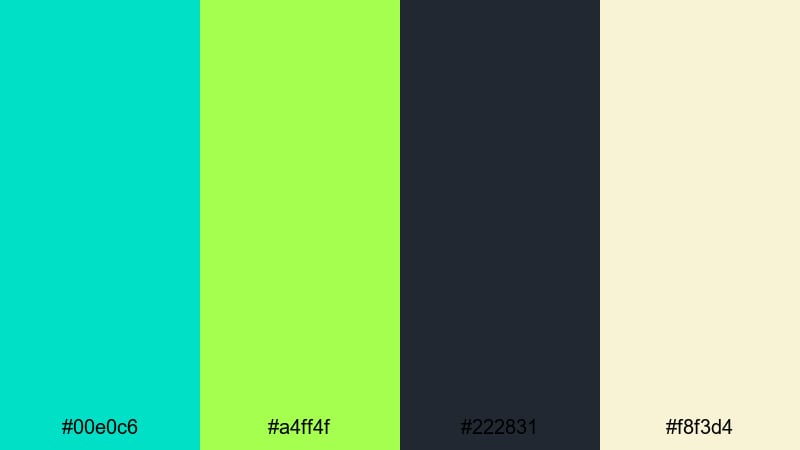
- HEX Codes: #00e0c6, #a4ff4f, #222831, #f8f3d4
- Mood: Playful and adventurous with a hint of tropical sunlight.
- Use for: Great for app promo trailers, product teasers, and motion graphics targeting young creators.
Here, juicy turquoise (#00e0c6) and electric lime (#a4ff4f) feel like a tropical pool party, grounded by dark charcoal (#222831) and warmed with a creamy highlight (#f8f3d4). The palette feels playful and adventurous but still structured enough for tech content.
Use the darker charcoal as your background for UI mockups and device frames in app promos, then let turquoise and lime drive buttons, call to action text, and animated transitions. The warm cream is perfect for subtle gradients in thumbnails or behind profile photos on channel art.
Energetic Creator Logo
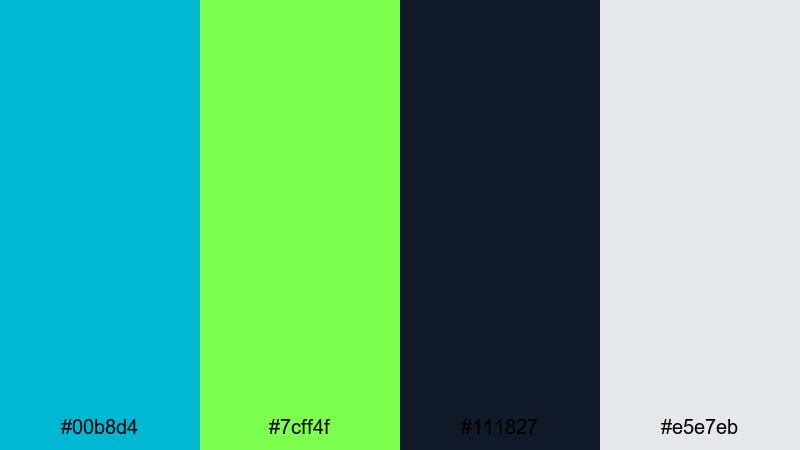
- HEX Codes: #00b8d4, #7cff4f, #111827, #e5e7eb
- Mood: High-energy and bold with a clear, modern contrast.
- Use for: Perfect for YouTube logo reveals, gaming intros, and action-packed channel branding.
This palette turns the volume up with vivid turquoise (#00b8d4) and punchy lime (#7cff4f) against near black charcoal (#111827) and soft gray (#e5e7eb). It feels bold, sharp, and made for fast cuts and energetic motion graphics.
Use the dark tone for backgrounds in logo stings and gaming intros, then slam bright turquoise and lime onto key titles, stingers, and animated icons. The light gray is great for subtitles or secondary text that needs to stay readable but not compete with the main logo color.
Eco Tech Refresh
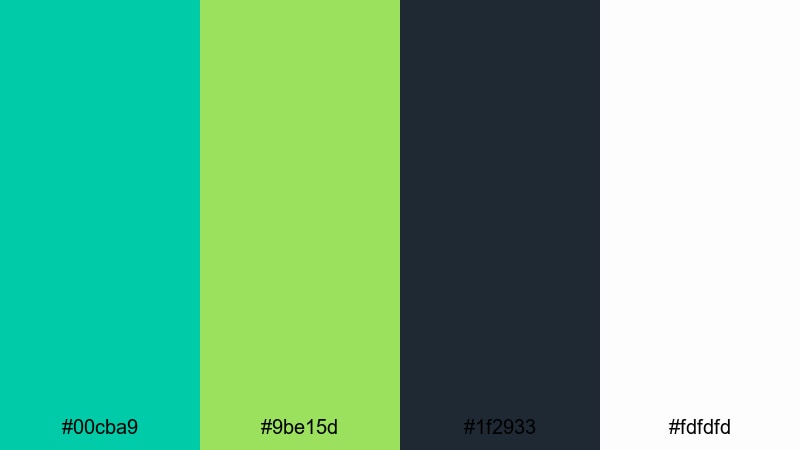
- HEX Codes: #00cba9, #9be15d, #1f2933, #fdfdfd
- Mood: Clean, eco-friendly, and innovative.
- Use for: Use for sustainable tech brands, corporate explainers, and green product highlight videos.
Eco Tech Refresh softens the neon edge and leans into a greener, more sustainable story. Turquoise (#00cba9) and fresh lime (#9be15d) sit on a dark blue gray (#1f2933) with pure white (#fdfdfd), giving you a palette that feels trustworthy, modern, and eco conscious.
This is a strong choice for corporate explainers, ESG reports, and product demos around clean energy, wellness tech, or environmental solutions. Keep your backgrounds simple in dark blue gray or white, let turquoise guide icons and data visuals, and use lime for important stats and call to action buttons.
Soft Turquoise Lime Green Pastel Palettes
Mint Lagoon Morning

- HEX Codes: #a5f3fc, #bbf7d0, #5eead4, #0f766e, #ecfeff
- Mood: Calm, breezy, and softly refreshing.
- Use for: Great for lifestyle vlogs, wellness content, and airy travel montages.
Mint Lagoon Morning is a pastel daybreak of pale turquoise (#a5f3fc), minty lime (#bbf7d0), and soft aqua (#5eead4), accented by a deeper teal (#0f766e) and near white (#ecfeff). It feels like an early swim, a clean studio, or a fresh morning coffee before the day gets busy.
Use this palette in lifestyle vlogs, morning routines, and wellness content where you want calm, clean visuals. Keep the backgrounds mostly white or pale turquoise, reserve the deeper teal for lower thirds or buttons, and use minty lime for gentle highlights on icons, checklists, and thumbnail titles.
Coastal Matcha Dreams

- HEX Codes: #99f6e4, #bef264, #fefce8, #475569
- Mood: Relaxed and dreamy with a beachside cafe feel.
- Use for: Ideal for aesthetic reels, cafe reviews, and cozy B-roll sequences.
Soft seafoam (#99f6e4) and muted lime (#bef264) pair with warm ivory (#fefce8) and a slate accent (#475569). The mix feels like sipping matcha near the ocean, with just enough contrast to stay visually clear without breaking the dreamy mood.
Apply this palette to cafe vlogs, aesthetic reels, and B roll of details like latte art, journals, and plants. Use seafoam and ivory in your backgrounds and overlays, while slate handles subtle text or icons. The gentle lime is ideal for small calls to action in thumbnails or on screen prompts such as Subscribe or New Video.
Pastel Poolside Story

- HEX Codes: #6ee7b7, #d9f99d, #fef9c3, #0f172a
- Mood: Sunny, nostalgic, and gently playful.
- Use for: Use for summer recap videos, family travel edits, and nostalgic montage sequences.
Pastel turquoise (#6ee7b7) and soft lime (#d9f99d) sit with buttery yellow (#fef9c3) and inky navy (#0f172a). The result is sunny and nostalgic, like viewing old holiday footage through a soft, modern filter.
Use the light tones as washes over your footage or as gradients behind text to create a warm, carefree feeling. The dark navy is there for structure, making sure your titles and key graphics pop in thumbnails and end cards while the pastel turquoise and lime keep everything light and friendly.
Soft Studio Glow
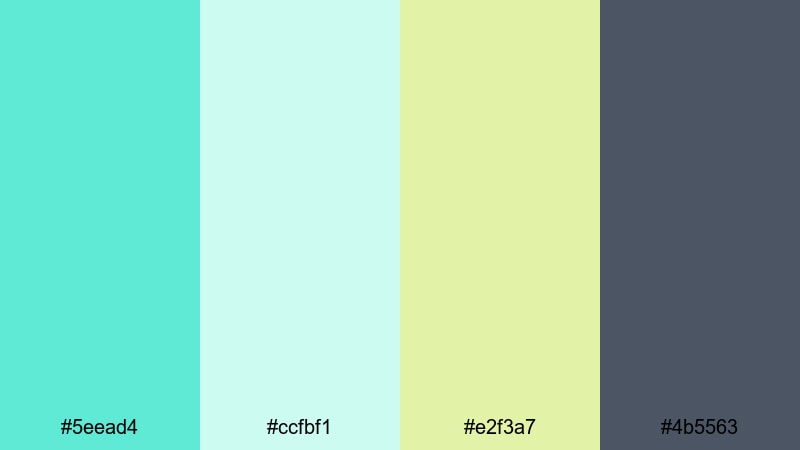
- HEX Codes: #5eead4, #ccfbf1, #e2f3a7, #4b5563
- Mood: Gentle, modern, and inviting.
- Use for: Perfect for creator workspaces, tutorials, and quiet productivity vlogs.
Soft Studio Glow mixes light turquoise (#5eead4) and pale aqua (#ccfbf1) with a subtle lime highlight (#e2f3a7) and cool gray (#4b5563). It feels like a carefully lit desk setup or a minimalist studio with plants and natural light.
Use this palette to brand your tutorial videos and productivity vlogs. The cool gray is perfect for text and timeline overlays, while turquoise and lime highlight important chapters, keyboard shortcuts, or checklist items. In thumbnails, a soft gradient of turquoise and aqua can sit behind your portrait cutout to create a clean, modern look.
Bold Turquoise Lime Green Neon Palettes
Neon Surf Energy

- HEX Codes: #00fff5, #c6ff00, #111827, #fffbeb
- Mood: Electric, daring, and pulse-raising.
- Use for: Great for extreme sports edits, festival recaps, and high-impact channel trailers.
Neon Surf Energy slams hyper bright turquoise (#00fff5) and neon lime (#c6ff00) onto deep charcoal (#111827) with a soft cream (#fffbeb) accent. It feels like a night surf session lit by LED boards or a late festival show full of strobes and movement.
This palette is perfect when you want your edits to feel fast, loud, and memorable. Use the deep charcoal as your backdrop in titles and thumbnail frames, then let turquoise and neon lime outline text, animate wave shapes, or trace motion graphics around skaters, surfers, or dancers.
Cyber Lime Wave
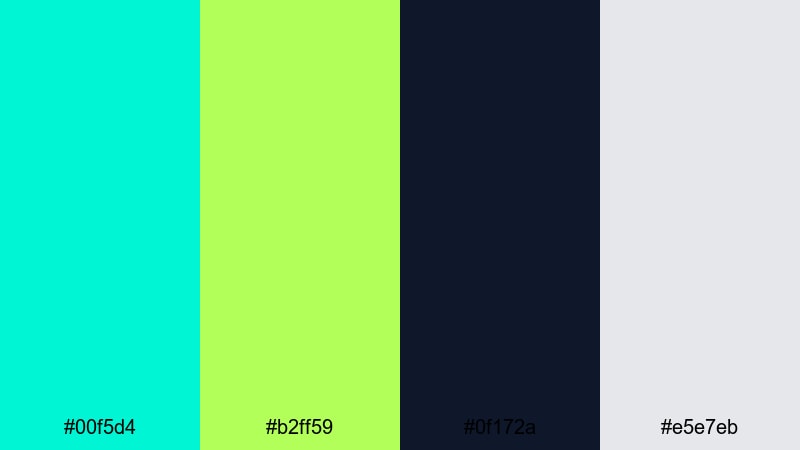
- HEX Codes: #00f5d4, #b2ff59, #0f172a, #e5e7eb
- Mood: Futuristic, digital, and high-contrast.
- Use for: Ideal for tech reviews, motion titles, and HUD-style overlays in gaming videos.
This cyberpunk leaning palette mixes glowing turquoise (#00f5d4) and sharp lime (#b2ff59) with deep navy (#0f172a) and pale gray (#e5e7eb). It feels like a HUD interface or a sci fi dashboard turned into a YouTube brand.
Use dark navy for backgrounds and panels, then layer turquoise lines, grids, and outlines to frame your footage. Lime green is the accent for stats, CPU or FPS readouts, and callouts in tech reviews. Pale gray provides neutral text and UI elements so the neon hues can do the heavy lifting.
Arcade Reef Pop
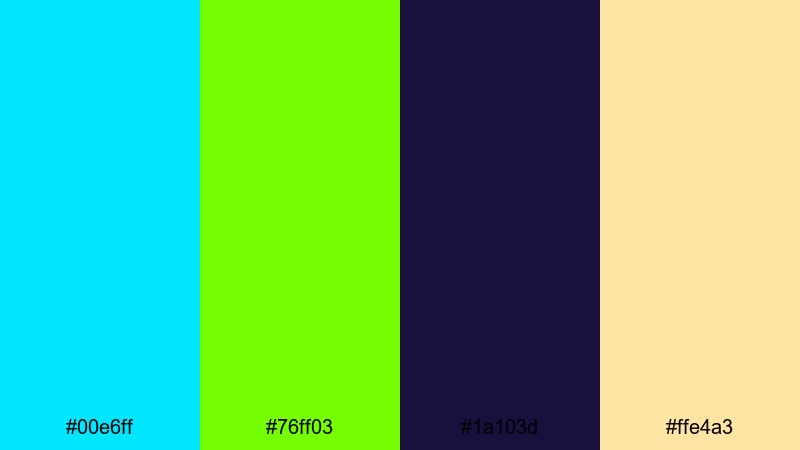
- HEX Codes: #00e6ff, #76ff03, #1a103d, #ffe4a3
- Mood: Playful, retro, and slightly surreal.
- Use for: Use for gaming intros, retro edits, and animated lower thirds with a fun twist.
Arcade Reef Pop pairs vibrant aqua (#00e6ff) and neon lime (#76ff03) with a deep inky purple (#1a103d) and soft peach (#ffe4a3). It feels like a mix of underwater neon and 80s arcade colors, giving you an instantly recognizable, playful vibe.
Let the purple act as your main background for intros and end screens, while aqua and lime form pixel inspired shapes, glitch effects, or animated borders. The peach tone is a great support color for avatar circles, soft highlights, or subtitle backgrounds that still fit the theme without overpowering the neon.
Festival Glow Grid
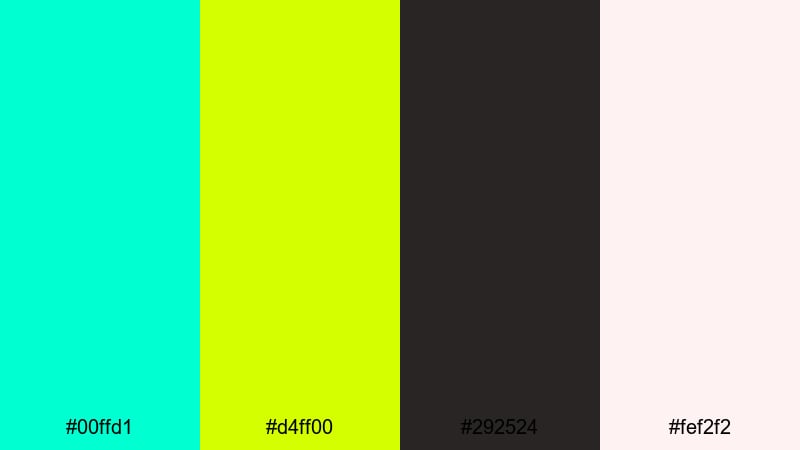
- HEX Codes: #00ffd1, #d4ff00, #292524, #fef2f2
- Mood: Loud, celebratory, and dynamic.
- Use for: Perfect for concert recaps, dance videos, and energetic social ads.
Festival Glow Grid combines punchy turquoise (#00ffd1) and lime neon (#d4ff00) with dark brown gray (#292524) and soft blush (#fef2f2). It captures the energy of a packed venue, glow sticks in the crowd, and lights bouncing off smoke.
Use the dark tone as a base for grid lines, stage silhouettes, or geometric frames. Then let turquoise and lime trace movement, emphasize beats with on screen flashes, or outline dancers and performers. The blush shade can soften intro cards or overlay text when you need a brief calmer beat between high energy cuts.
Elegant Turquoise Lime Green Cinematic Palettes
Deep Tidal Noir
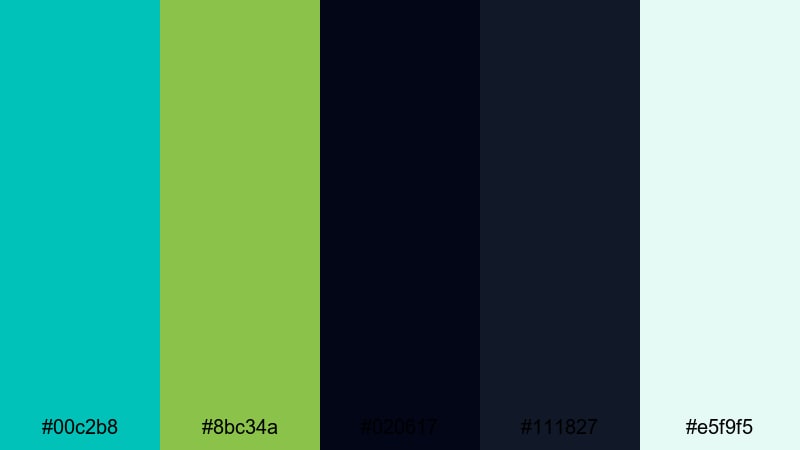
- HEX Codes: #00c2b8, #8bc34a, #020617, #111827, #e5f9f5
- Mood: Moody, cinematic, and sophisticated.
- Use for: Great for cinematic travel films, title cards, and moody storytelling edits.
Deep Tidal Noir sets saturated turquoise (#00c2b8) and earthy lime (#8bc34a) against layered midnight blues (#020617, #111827) with a pale seafoam highlight (#e5f9f5). It feels like night water lit by city lights, making it ideal when you want turquoise lime green but with more drama and depth.
Use the deepest blues as your letterbox bars, backgrounds, and title cards. Let turquoise and lime appear in controlled doses for key titles, map lines, or travel route highlights. The pale seafoam works as a subtle glow behind text or as a gentle tint for transitions between scenes.
Emerald Harbor Titles

- HEX Codes: #00bfa6, #a3e635, #022c22, #f1f5f9
- Mood: Refined, coastal, and quietly luxurious.
- Use for: Ideal for opening titles, brand films, and premium product showcases.
Emerald Harbor Titles balances rich turquoise (#00bfa6) and fresh lime (#a3e635) with deep teal (#022c22) and soft off white (#f1f5f9). The effect is coastal but upscale, like a high end resort or a premium lifestyle brand based by the sea.
Use deep teal for backgrounds and overlays in brand films or product sequences, then introduce turquoise and lime sparingly in logos, monograms, and key phrases. Off white backgrounds keep things airy and premium, perfect for product close ups, title cards, or minimalist thumbnails.
Glass Coast Minimal
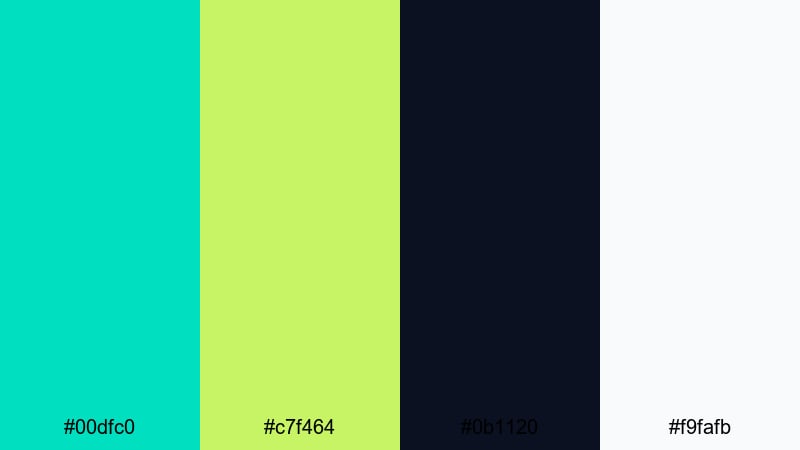
- HEX Codes: #00dfc0, #c7f464, #0b1120, #f9fafb
- Mood: Minimal, polished, and airy.
- Use for: Perfect for modern product promos, UI mockups, and clean title sequences.
Glass Coast Minimal pairs sleek turquoise (#00dfc0) and lime (#c7f464) with almost black navy (#0b1120) and soft white (#f9fafb). It feels like a glassy UI floating over dark mode, making it ideal for clean, minimal branding and product showcases.
Use the dark navy as a canvas for on screen UI elements, then use turquoise and lime to highlight active states, progress bars, or pricing tiers. Soft white panels and cards keep things legible and modern. This palette also works beautifully in thumbnails where you want strong contrast between product mockups and a dark, cinematic background.
Tips for Creating Turquoise Lime Green Color Palettes
Turquoise and lime green can be powerful together, but they work best when balanced with neutrals, good contrast, and clear roles for each color in your video or design.
- Pair brights with anchors: Always combine vivid turquoise and lime with at least one dark neutral and one light neutral so your frames do not feel overwhelming.
- Assign clear roles: Let one color lead (for example turquoise for backgrounds or overlays) and use lime as an accent for buttons, icons, and key text.
- Check readability: Test your titles and subtitles on both desktop and mobile. Dark text on light turquoise, or white text on dark navy, is usually easier to read than lime on bright backgrounds.
- Match your niche: Softer turquoise lime greens work well for wellness and lifestyle vlogs, while neon versions fit gaming, tech, and festivals.
- Use gradients carefully: Subtle turquoise to lime gradients can look modern, but avoid stretching them behind long paragraphs of text where legibility matters.
- Color grade around your palette: In Filmora, push your footage slightly cooler or greener so natural elements like water, sky, or plants resonate with your chosen turquoise lime green tones.
- Stay consistent across assets: Reuse the same HEX codes for thumbnails, intros, overlays, and end screens so your channel or brand is instantly recognizable.
- Design with thumbnails first: Start by testing your palette on a thumbnail mockup. If it looks balanced and readable at a small size, it will usually translate well into the edit.
Used well, a turquoise lime green palette can make your content feel fresh, modern, and memorable, whether you are building a startup brand, editing a travel film, or leveling up your gaming channel. The 15 palettes above give you ready made HEX codes so you can move straight from inspiration to execution.
Try these color combinations on your next intro, title card, or thumbnail, then refine them inside Filmora until they feel exactly right for your style. With tools for AI driven color matching, precise grading, and fast styling, it is easy to build a consistent turquoise lime green look across every video.
As you experiment, save your favorite presets, filters, and text styles so your signature turquoise lime green aesthetic becomes a repeatable part of your creative workflow.
secure download