

 100% Security Verified | No Subscription Required | No Malware


 ChatGPT
 Perplexity
 Gemini
 Claude
 Grok
Grok
Gold, blue, and green create a powerful visual trio: gold suggests luxury, confidence, and success; blue brings trust, clarity, and calm; green adds freshness, growth, and balance. Together, they can feel like a glamorous coastline at sunset, a futuristic UI, or a grounded natural brand, depending on how you combine the tones.
Below you will find 15 ready-made Gold Blue Green color palettes with HEX codes you can copy directly into your video editor, thumbnail designs, channel branding, or social posts. Each palette is tailored for creators and Filmora users who want consistent color across intros, overlays, LUTs, and full edits.
In this article
Elegant & Luxurious Gold Blue Green Palettes
Regal Coastline Glamour

- HEX Codes: #f5d27a, #0b3c5d, #1b998b, #021526
- Mood: Opulent, cinematic, and confident.
- Use for: Ideal for luxury brand intros, cinematic travel openers, and premium product thumbnails that need a rich, high-end feel.
Regal Coastline Glamour blends warm, brushed gold with deep coastal blues and a refined teal green accent. It feels like a luxury resort at blue hour, where the last sunlight hits dark water and polished metal. The contrast between #f5d27a and the near-black navy #021526 instantly reads as premium and cinematic.
Use the gold for titles, logo reveals, and key call-to-action buttons, then let the dark blues carry your backgrounds, lower thirds, and overlays. The greenish teal (#1b998b) is perfect for subtle UI highlights, waveform accents, or social icons in your thumbnails. In Filmora, this palette works beautifully for polished brand intros, fashion lookbooks, and travel edits that aim for a high-end, confident identity.
Pro Tip: Build A Cinematic Gold Blue Green Look In Filmora
To keep this regal Gold Blue Green mix consistent, set your darkest blue (#021526) as the base for your titles and background plates in Filmora, then layer gold (#f5d27a) on key text and logo animations. Use the teal as a unifying accent in progress bars, subscribe buttons, and animated elements across your intro, main edit, and outro.
Create a reusable style preset in Filmora by saving your text, shadow, and border colors. That way, every new clip you drop into the timeline keeps the same luxe mood, whether you are cutting a cinematic opener, a product sequence, or short social teasers.
AI Color Palette
You can capture this Regal Coastline Glamour mood from a single reference frame or color card and apply it to an entire video. Filmora's AI Color Palette feature analyzes the color balance of your chosen shot and automatically matches other clips to that look.
Export a still of your favorite Gold Blue Green frame, or drop in the palette image itself, then let AI push the rest of your footage toward the same luxurious blues and warm highlights. This saves time when you are matching A-roll, B-roll, and thumbnail stills to a single cohesive aesthetic.
 secure download

HSL, Color Wheels & Curves
Once your base match is in place, use HSL, color wheels, and curves in Filmora to fine-tune the Gold Blue Green balance. Nudge the blue midtones toward a deeper navy for a more cinematic night look, boost gold in the highlights for stronger reflections, or gently desaturate greens to avoid a cartoonish result.
Tools like HSL and curves let you isolate specific ranges of blue, green, and yellow so you can preserve natural skin tones while pushing environments into a rich, coastal-grade finish. For a step-by-step walkthrough, check out this color correction guide in Filmora alongside the video below.
secure download1000+ Video Filters & 3D LUTs
If you want to stylize your Gold Blue Green footage even faster, combine this palette with Filmora presets. Filmora's video filters and 3D LUTs make it easy to push your edit toward a warm luxury vibe, a cool coastal look, or a moody gala atmosphere without starting from scratch.
Apply a teal-and-gold LUT to lock in your overall mood, then fine-tune with filters that add glow, halation, or subtle film grain. This approach keeps your gold highlights creamy while your blues stay deep and clean, ideal for premium brand videos, product showcases, and stylish channel trailers.
secure downloadGilded Ocean Crest
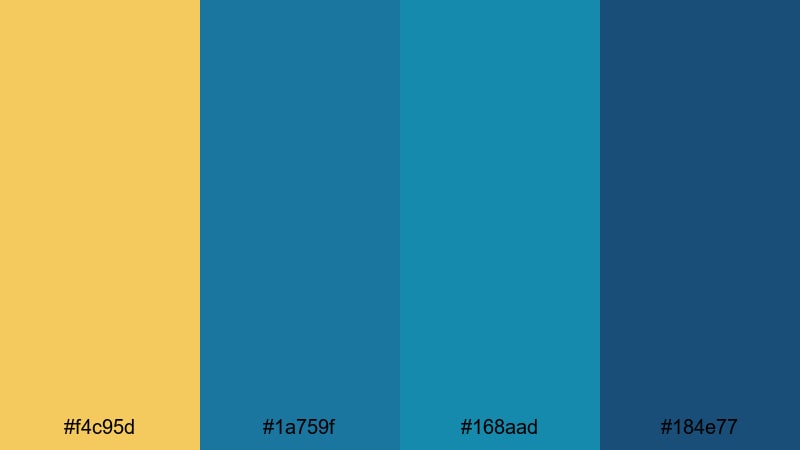
- HEX Codes: #f4c95d, #1a759f, #168aad, #184e77
- Mood: Bright, upscale, and energetic.
- Use for: Great for bold logo animations, event highlight reels, and luxury travel vlogs that need a dramatic but polished look.
Gilded Ocean Crest pairs a vibrant, sunlit gold (#f4c95d) with stacked aqua and ocean blues. It feels like sunlight breaking across a wave, energetic but still premium. The gradation from #1a759f to #184e77 gives you natural depth for backgrounds and gradients.
Use gold for strobed accents in your logo stings and to highlight key words in titles, while the teal blues can fill full-screen transitions, lower thirds, and animated shapes. This palette works especially well for upscale travel vlogs, event teasers, and reels where you want viewers to feel both excitement and polish.
Emerald Marina Royale
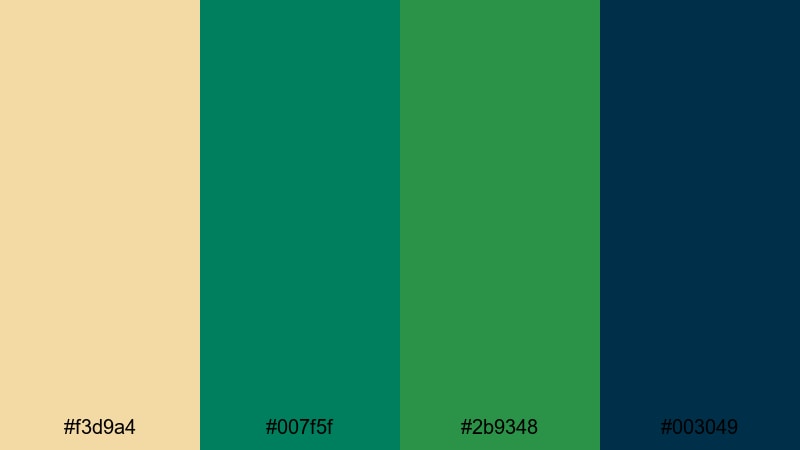
- HEX Codes: #f3d9a4, #007f5f, #2b9348, #003049
- Mood: Grounded, regal, and timeless.
- Use for: Perfect for brand story videos, classy lower thirds, and intro slates for documentaries or upscale content.
Emerald Marina Royale softens gold into a champagne tone (#f3d9a4) and anchors it with rich emerald greens and deep harbor blue. The effect is stately and timeless, more heritage luxury than flashy glam. It suits brands that want to project stability, tradition, and quality.
Use the emeralds for icons, badges, and section dividers, and let the deep navy (#003049) carry main backgrounds and end screens. The pale gold is a refined text or border color for lower thirds, chapter cards, and YouTube thumbnail frames that need a subtle but unmistakable upscale feel.
Midnight Gala Reflections

- HEX Codes: #f2c57c, #1d3557, #457b9d, #0b132b, #1b3a4b
- Mood: Moody, luxurious, and dramatic.
- Use for: Use for cinematic title cards, fashion lookbooks, and moody promo trailers with a luxe night-time atmosphere.
Midnight Gala Reflections layers multiple midnight blues (#1d3557, #0b132b, #1b3a4b) with a glowing gold accent (#f2c57c). It feels like a red-carpet night, all spotlights and deep shadows. The secondary blue (#457b9d) gives you a midtone bridge for gradients and overlays.
Reserve gold for key titles, logo strokes, and small UI accents to keep it impactful, then use the darkest blue as your main background for intros and credit rolls. This palette is perfect for fashion edits, music videos, and moody trailers where you want drama, contrast, and a polished, cinematic presence across your Filmora timeline and thumbnails.
Fresh & Natural Gold Blue Green Palettes
Tropical Shore Breeze
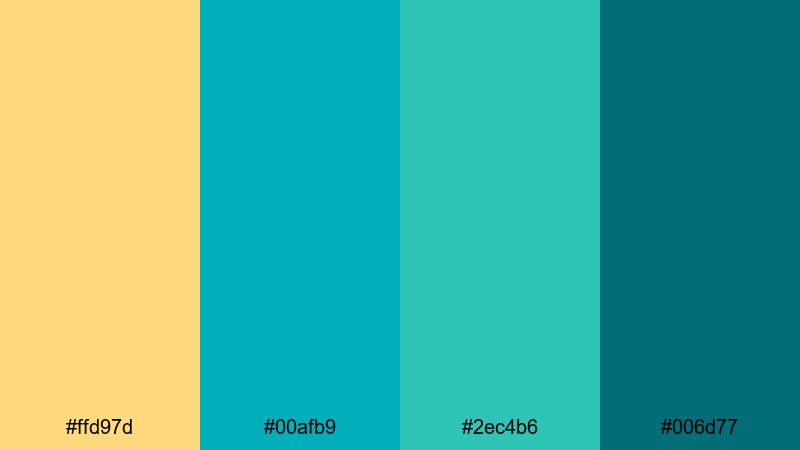
- HEX Codes: #ffd97d, #00afb9, #2ec4b6, #006d77
- Mood: Refreshing, playful, and sunny.
- Use for: Great for beach vlogs, summer travel recaps, and upbeat social clips that need a bright, vacation-ready look.
Tropical Shore Breeze mixes sunny beach-gold (#ffd97d) with bright turquoise and teal tones. It instantly calls to mind pool water, surfboards, and fresh cocktails. The palette is high-energy but still soft enough for lifestyle and vlog content.
Make your titles and call-outs pop in gold against turquoise backgrounds, or invert the scheme in thumbnails with teal frames and gold icons. In Filmora, this is a strong choice for summer recap videos, travel stories, and Reels or Shorts that need to feel like a quick escape to somewhere warm and carefree.
Lakeside Pine Glow
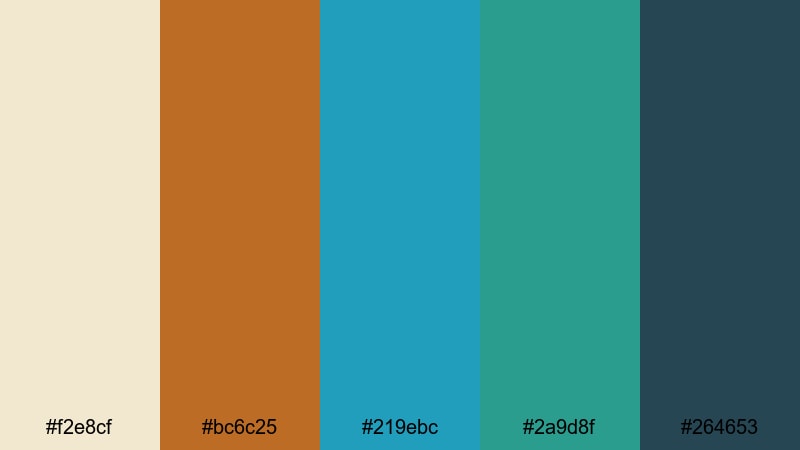
- HEX Codes: #f2e8cf, #bc6c25, #219ebc, #2a9d8f, #264653
- Mood: Organic, cozy, and outdoorsy.
- Use for: Ideal for nature documentaries, camping vlogs, and storytelling edits that highlight forests, lakes, and warm sunsets.
Lakeside Pine Glow pairs creamy light gold (#f2e8cf) and warm amber (#bc6c25) with lake blues and forest greens. It feels like late afternoon at a cabin, where the sun catches the water and pine trees. The deeper slate blue (#264653) grounds the scheme and keeps it from feeling too pastel.
Use the cream as a background for titles or lower thirds, with amber text or iconography for emphasis. Blues and greens are perfect for maps, section headers, and animated transitions between outdoor scenes. This palette fits story-driven edits, hiking or camping vlogs, and channels focused on mental health, slow living, or adventure in nature.
Golden Reef Shallows
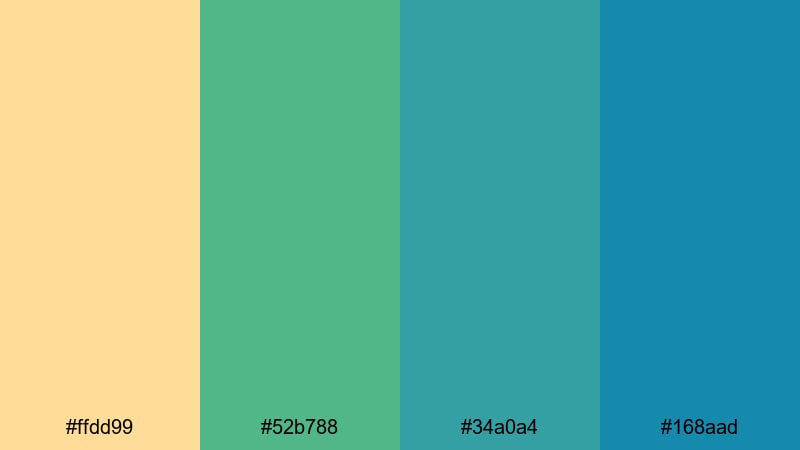
- HEX Codes: #ffdd99, #52b788, #34a0a4, #168aad
- Mood: Lively, aquatic, and optimistic.
- Use for: Use for travel montages, underwater footage, and playful channel art centered on water and adventure.
Golden Reef Shallows feels like snorkeling at midday. The soft coral gold (#ffdd99) sits above lush greens and aquas, suggesting sunlit sand, reef life, and clear water. It is lively and optimistic, perfect for upbeat channels.
Use gold as a gentle highlight for icons, badges, and key phrases on thumbnails, while the aquas (#34a0a4, #168aad) fill background blocks and motion graphics. Greens can represent nature, conservation themes, or eco-friendly branding. This palette shines on underwater footage, island travel edits, and playful educational videos about marine life.
Forest Lagoon Morning
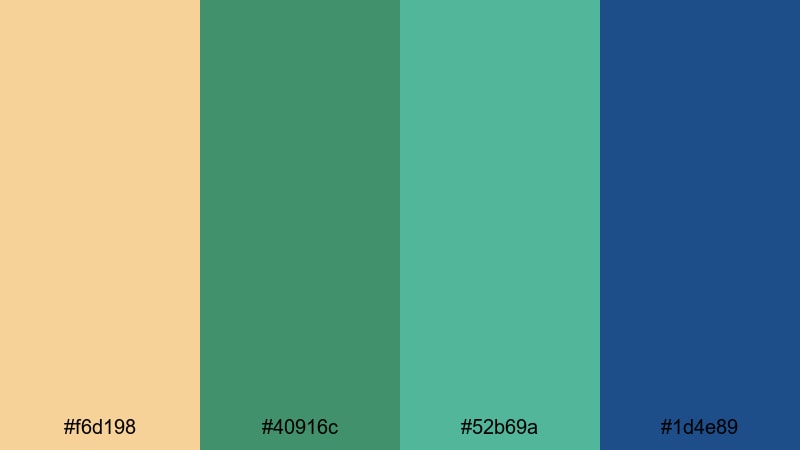
- HEX Codes: #f6d198, #40916c, #52b69a, #1d4e89
- Mood: Calm, hopeful, and organic.
- Use for: Great for lifestyle vlogs, wellness or yoga videos, and any edit needing a gentle, early-morning glow.
Forest Lagoon Morning captures the feeling of first light over water. Soft gold (#f6d198) acts like sunrise haze, while layered greens and a cool blue lagoon (#1d4e89) create a peaceful, grounded backdrop. It is soothing but still colorful.
Use gold for subtle titles or timers on guided meditations, with greens and blues filling gradient backgrounds, lower thirds, and overlays. This palette is a strong match for wellness content, nature b-roll, yoga flows, and slow morning routines where you want viewers to feel refreshed rather than overstimulated.
Bold & Cinematic Gold Blue Green Palettes
Neon Harbor Skyline
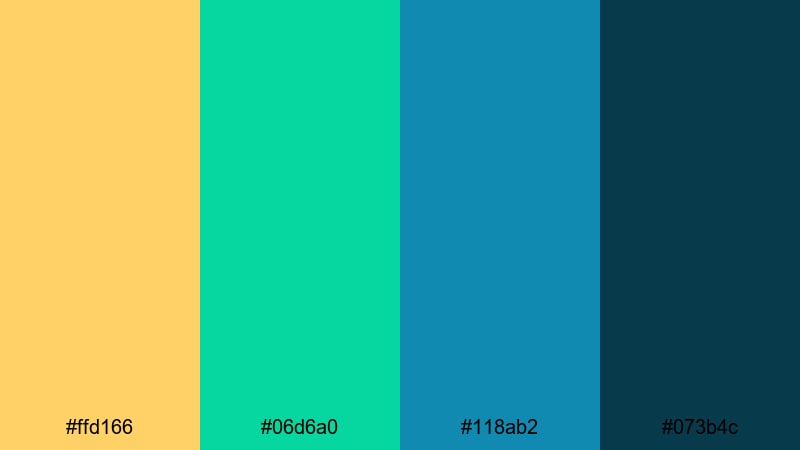
- HEX Codes: #ffd166, #06d6a0, #118ab2, #073b4c
- Mood: Vivid, modern, and high-energy.
- Use for: Perfect for fast-paced intros, tech reviews, and energetic motion graphics that need to pop on small screens.
Neon Harbor Skyline is all about punch. Bright gold (#ffd166) and neon teal (#06d6a0) glow against a deep harbor blue (#073b4c), giving your visuals a modern, electric feel. It is designed to stand out on phone screens and busy feeds.
Use gold flashes for quick text reveals and kinetic typography, with teal and cyan taking over animated lines, HUD elements, and callouts. The dark blue makes a strong background for titles and end cards, helping your bright elements really pop in Filmora intros, tech reviews, and high-energy social edits.
Cyber Tide Rush
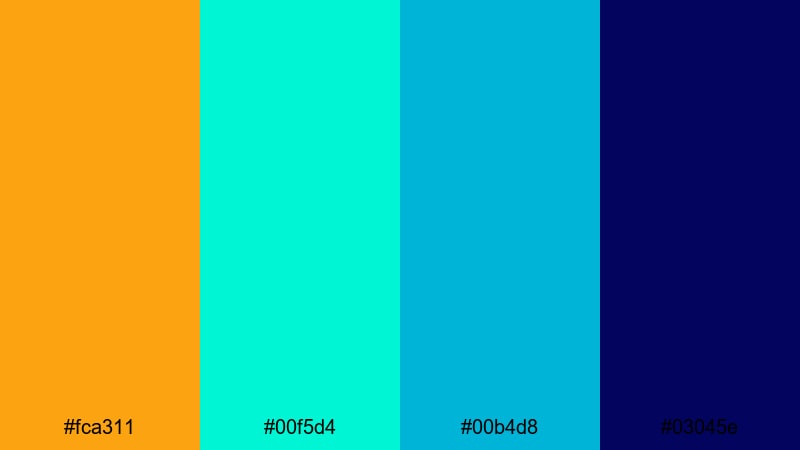
- HEX Codes: #fca311, #00f5d4, #00b4d8, #03045e
- Mood: Futuristic, intense, and dynamic.
- Use for: Use for gaming intros, cyberpunk edits, and high-impact transitions where you want a strong tech-forward aesthetic.
Cyber Tide Rush crashes punchy amber gold (#fca311) into glowing aqua and deep digital blue (#03045e). It has a cyberpunk, neon-street feel that fits gaming, tech, and sci-fi content perfectly.
Apply gold to score counters, kill streak popups, or UI highlights, while the aquas trace wireframes, grids, and glitch transitions. The dark indigo is ideal for base backgrounds, especially when you add a slight vignette or glow in Filmora. This palette brings a strong, tech-forward identity to overlays, stream packages, and YouTube gaming intros.
Deep Sea Treasure
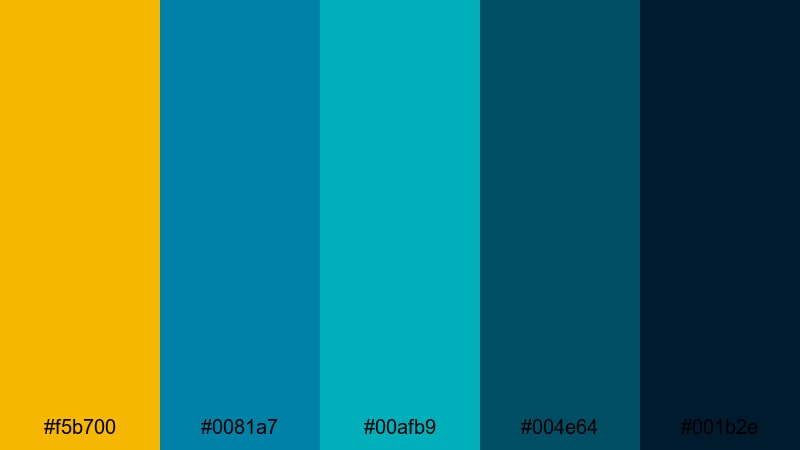
- HEX Codes: #f5b700, #0081a7, #00afb9, #004e64, #001b2e
- Mood: Mysterious, cinematic, and adventurous.
- Use for: Great for documentary trailers, adventure series branding, and dramatic logo reveals with depth and intrigue.
Deep Sea Treasure combines a rich treasure gold (#f5b700) with layers of teal and abyssal blues. It feels mysterious and adventurous, like diving into a shipwreck or exploring a hidden cove.
Use the darkest blue (#001b2e) as your primary background to create depth, then add gradients into #004e64 and #0081a7 for motion graphics or lower thirds. Drop in gold for logo reveals, compass icons, or key on-screen stats. This palette suits documentary trailers, adventure series, and cinematic title sequences where you want a sense of scale and discovery.
Aurora Harbor Night
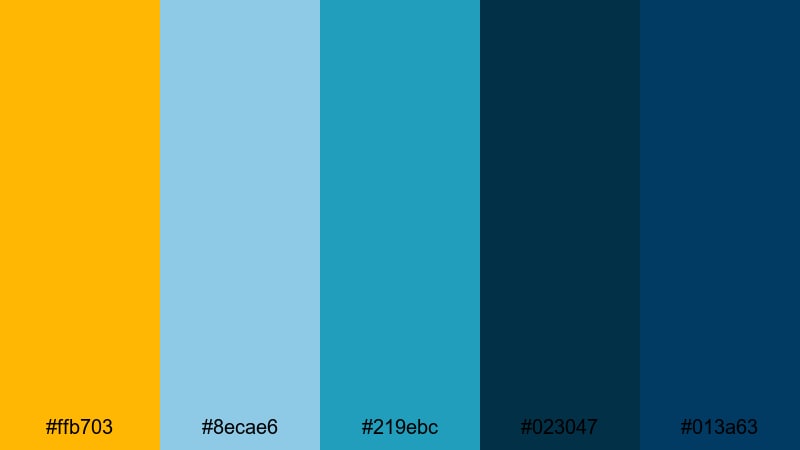
- HEX Codes: #ffb703, #8ecae6, #219ebc, #023047, #013a63
- Mood: Atmospheric, dramatic, and inspiring.
- Use for: Ideal for cinematic travel films, cityscape timelapses, and inspirational reels with sweeping night visuals.
Aurora Harbor Night layers multiple blues (#8ecae6 to #013a63) with a bright, warm gold (#ffb703). It suggests city lights under a cool sky, or aurora reflections on the water. The palette balances drama and inspiration.
Use the lighter blues for sky gradients or soft overlays on drone footage, with the darkest tones for titles and letterboxing. Gold is your accent for inspirational quotes, logo stamps, and map pins. In Filmora timelines, this palette works especially well for city timelapses, motivational reels, and cinematic travel diaries that move from day into night.
Minimal & Modern Gold Blue Green Palettes
Soft Mint Interface
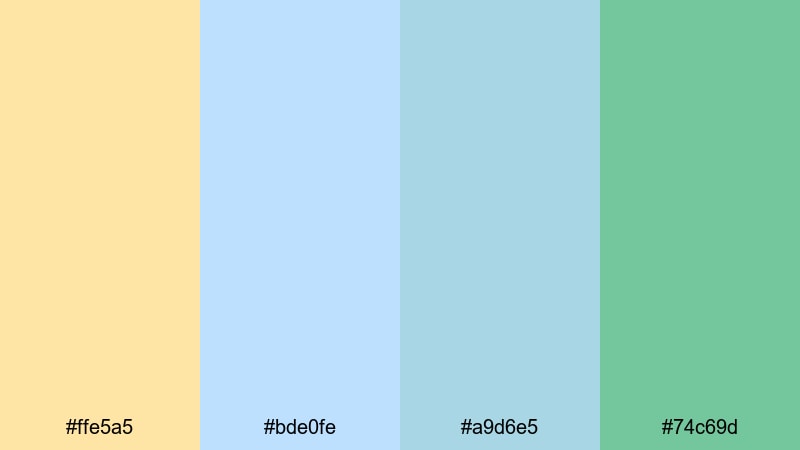
- HEX Codes: #ffe5a5, #bde0fe, #a9d6e5, #74c69d
- Mood: Light, clean, and friendly.
- Use for: Perfect for app promos, UI mockups, tutorial videos, and channel branding that aims for a soft, approachable tech look.
Soft Mint Interface softens gold into a pale cream (#ffe5a5) and pairs it with airy blues and mint green. It feels modern and friendly, like a well-designed app onboarding screen or a calm SaaS dashboard.
Use the light gold as a background for callout boxes or subtle panels, with blue and mint taking on button, icon, and highlight duties. This palette is a great choice for explainer videos, software tutorials, UI demos, and channels that want a clean, inclusive, and approachable tech identity.
Clean Coastal Brand

- HEX Codes: #f4e3b2, #90e0ef, #48bfe3, #0f4c5c
- Mood: Professional, breezy, and modern.
- Use for: Great for brand kits, logo stings, and minimalist title cards for creators focused on business, travel, or lifestyle.
Clean Coastal Brand balances a subtle sandy gold (#f4e3b2) with bright coastal blues and a deep teal anchor (#0f4c5c). It feels fresh and trustworthy, ideal for creators who want a calm professional presence without looking too stiff.
Use sandy gold as a neutral base for backgrounds or lower thirds, with bright blues for icons, lines, and accent shapes. The deep teal is perfect for logo marks, headings, and thumbnail typography. This palette suits travel businesses, lifestyle brands, consultancies, and any YouTube or TikTok channel where professionalism meets relaxed coastal vibes.
Muted Harbor Studio
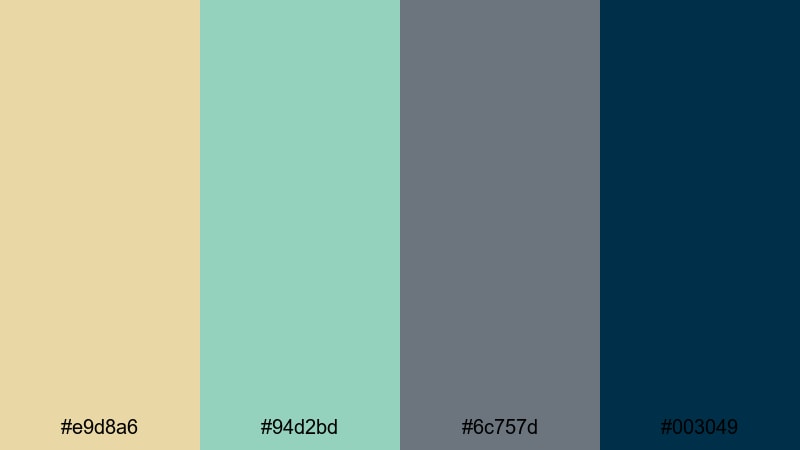
- HEX Codes: #e9d8a6, #94d2bd, #6c757d, #003049
- Mood: Understated, refined, and creative.
- Use for: Use for studio channel branding, podcast visuals, and educational content where you want clarity without harsh contrast.
Muted Harbor Studio dials everything back. Desaturated gold (#e9d8a6) and soft green (#94d2bd) sit beside a neutral gray and deep blue (#003049). The look is calm, modern, and studio-ready, with no color screaming for attention.
Use the muted gold for backgrounds or frames that sit behind your talking head shot, while gray supports subtitles and lower thirds. The dark blue is excellent for logos, chapter titles, and thumbnail text. This palette is ideal for podcasts, tutorials, commentary channels, and courses where the focus should stay on your message, not overly bright color.
Tips for Creating Gold Blue Green Color Palettes
Gold Blue Green combinations can shift from coastal and natural to cyber and luxurious depending on tone, contrast, and saturation. Use these tips to build your own palettes or adapt the ones above to your footage and brand in Filmora.
- Decide your primary role for each color: use blue for stability and backgrounds, green for accents or nature themes, and gold for highlights, titles, and calls to action.
- Control contrast for readability: place gold or white text on darker blues and greens, and avoid putting text directly on multicolored footage without a solid or semi-transparent backing.
- Match palette intensity to content: use saturated blues and greens for gaming and travel, and softer, muted tones for education, wellness, and business content.
- Keep brand consistency: choose one signature Gold Blue Green palette for your logo, lower thirds, and thumbnails so viewers recognize your channel at a glance.
- Use Filmora color tools to unify mixed footage: adjust white balance and saturation first, then fine-tune blues, greens, and yellows with HSL so clips share the same mood.
- Leverage gradients: blend your blues and greens into each other for backgrounds, then overlay gold as a clear, simple accent on top.
- Test on mobile: export a thumbnail or short clip and check how your Gold Blue Green palette looks on a phone screen to ensure key text and icons still stand out.
- Create reusable presets: once you dial in a look you love, save Filmora presets for titles, color grading, and filters so every new edit starts with the same palette.
Gold Blue Green palettes are versatile enough to tell stories of luxury, nature, tech, or calm productivity. The right balance of warm gold with cooler blues and greens can shape how your audience feels about your videos and your brand, often before they even press play.
Use these 15 palettes as plug-and-play starting points: drop the HEX codes into your titles and graphics, then fine-tune your footage colors with Filmora until everything matches. Over time, a consistent Gold Blue Green look across intros, thumbnails, and social cutdowns will help your channel feel intentional and memorable.
Open a project in Filmora, pick the palette that best fits your next video, and start experimenting with AI Color Palette, HSL tools, and LUTs until your visuals look exactly the way your story feels.
secure download