

 100% Security Verified | No Subscription Required | No Malware


 ChatGPT
 Perplexity
 Gemini
 Claude
 Grok
Grok
Green light blue sits between mint, aqua, and soft teal, carrying both the calm of blue and the optimism of green. It feels fresh, clean, and breathable, which is why it often shows up in wellness brands, modern apps, and eco-focused visuals. In video, it instantly softens the frame, suggests clarity and trust, and creates an easy, inviting mood without feeling cold.
For creators and Filmora users, green light blue color palettes are perfect for thumbnails, intros, overlays, and full color grading looks that feel modern but still human. Below you will find 15 ready-made green light blue color palettes with HEX codes that you can plug into your branding, motion graphics, and video edits to keep your style consistent across YouTube, TikTok, Reels, and more.
In this article
Soft & Airy Green Light Blue Color Palettes
Morning Tide Mist
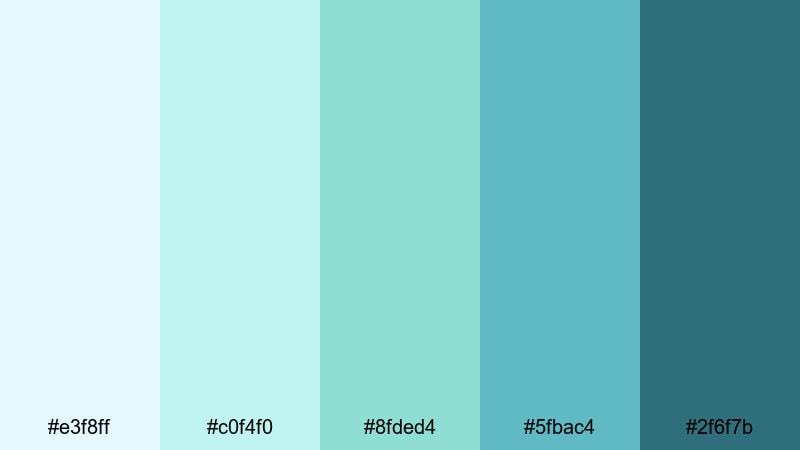
- HEX Codes: #e3f8ff, #c0f4f0, #8fded4, #5fbac4, #2f6f7b
- Mood: Calm, refreshing, and gently optimistic like a quiet beach at sunrise.
- Use for: Ideal for vlog openings, wellness channels, and minimalist lifestyle thumbnails that need a breezy, approachable feel.
Morning Tide Mist is a soft blend of seafoam and sky tones that feels fresh and weightless. The pale cyan and light aqua shades create a washed-clean, early-morning atmosphere, while the deeper teal anchor (#2f6f7b) keeps everything grounded and readable in text or UI elements.
Use this palette for clean channel intros, wellness or meditation videos, and minimalist lifestyle thumbnails where you want viewers to feel relaxed and safe clicking in. The lighter HEX codes (#e3f8ff, #c0f4f0) make excellent backgrounds for titles, while the mid-tones (#8fded4, #5fbac4) work well for buttons, callouts, lower thirds, and soft color grading over bright b-roll.
Pro Tip: Enhance Your Green Light Blue Visuals With Filmora
To keep a soft palette like Morning Tide Mist consistent across your whole edit, set it as your visual baseline in Filmora. Use the lighter HEX colors for background shapes and title cards, then apply the deeper teal as your main accent for icons, progress bars, and subscribe animations.
Once you pick your primary green light blue shade, you can reuse it in Filmora across intro templates, b-roll overlays, and end screens so your audience always recognizes your style. Save your favorite combinations as custom presets so every vlog, routine video, or wellness session feels like part of the same calm visual world.
AI Color Palette
If you already have a reference image that captures your perfect green light blue look, you can turn it into a full video style in a few clicks. Filmora's AI Color Palette feature analyzes the colors in your reference frame and applies a matching palette to the rest of your clips.
Import a still frame or color card based on Morning Tide Mist, then let AI harmonize all your shots so your A-roll, b-roll, thumbnails, and shorts share the same airy aqua tones. This is especially useful for creators batching content for a series or playlist that needs a consistent brand feel.
 secure download

HSL, Color Wheels & Curves
To fine-tune your green light blue tones, use Filmora's HSL sliders, color wheels, and curves. Boost saturation on just the aqua and teal ranges to make overlays pop, or shift hues slightly toward mint for a softer wellness look. With Filmora's color correction tools, you can keep skin tones natural while giving the background a consistent aqua wash.
In Color Wheels, gently cool your shadows and push highlights toward a clean cyan for a cinematic, airy grade. Curves let you lower contrast for a dreamy vlog feel, or deepen midtones for more definition while still preserving the light, misty quality of this palette.
secure download1000+ Video Filters & 3D LUTs
Once your base palette is set, use Filmora's video filters and 3D LUTs to stylize it in one step. Soften the overall contrast for dreamy morning vlogs, add subtle film grain over your aqua tones, or choose teal-focused LUTs that enhance greens and blues without breaking your brand colors.
You can stack filters to create a unique look built around green light blue: for example, combine a pastel filter with a teal-and-orange LUT and then lower intensity, so your footage still feels airy but has enough depth for cinematic b-roll and intros.
secure downloadSeagrass Whisper
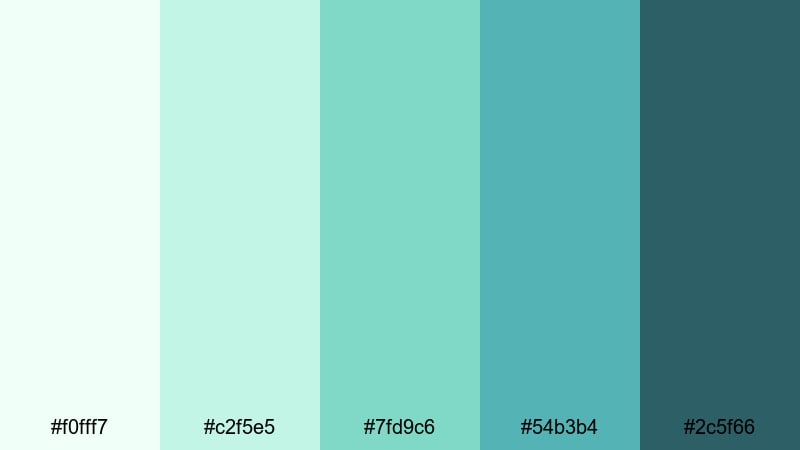
- HEX Codes: #f0fff7, #c2f5e5, #7fd9c6, #54b3b4, #2c5f66
- Mood: Gentle, natural, and soothing with a hint of coastal greenery.
- Use for: Use in nature b-roll, eco brand explainers, or calming channel banners that aim to feel organic and light.
Seagrass Whisper leans into minty greens and pale aquas that feel like sunlight filtering through shallow water. The soft highlights (#f0fff7, #c2f5e5) bring a natural glow, while the deeper teal-green (#2c5f66) evokes sea plants and coastal stones.
This palette works beautifully for eco-focused channels, slow travel vlogs, gardening content, or sustainability explainers. Use the light tones as background washes in Filmora title templates, then pick the darker shades for logo marks, subtitles, and icons so everything stays legible on YouTube thumbnails and Instagram covers.
Cloudlit Lagoon
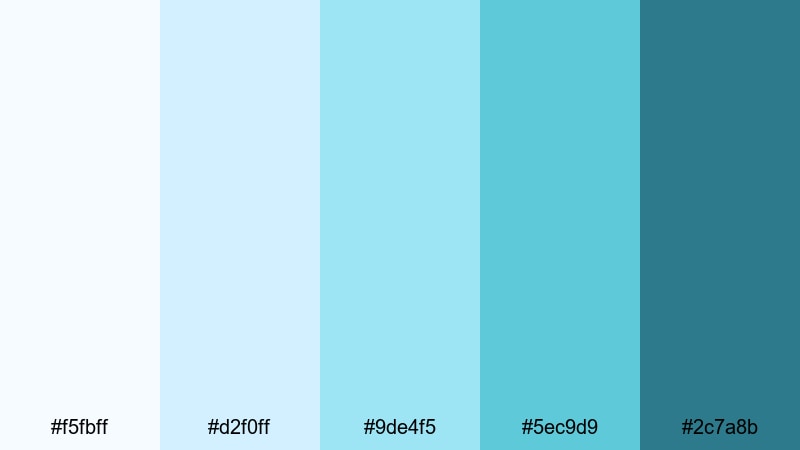
- HEX Codes: #f5fbff, #d2f0ff, #9de4f5, #5ec9d9, #2c7a8b
- Mood: Dreamy, uplifting, and slightly whimsical like light bouncing off a calm bay.
- Use for: Works well for travel vlogs, dreamy montage sequences, and app explainer graphics that need a fresh digital feel.
Cloudlit Lagoon blends airy sky blues with lagoon teal, giving your visuals a soft, weightless glow. The transition from almost-white blue (#f5fbff) into richer aqua (#5ec9d9) mimics clouds reflecting in still water.
Try it on travel intros, dreamy timelapse montages, or app demo screens where you want a modern but friendly tech vibe. Use the darker teal (#2c7a8b) for UI outlines and thumbnail text, while lighter shades support gradients in Filmora overlays, lower thirds, and animated backgrounds behind your talking head shots.
Mint Drift Daybreak
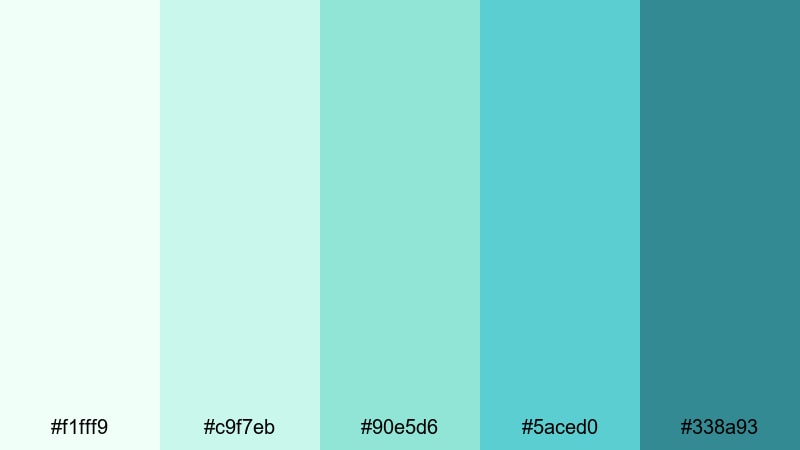
- HEX Codes: #f1fff9, #c9f7eb, #90e5d6, #5aced0, #338a93
- Mood: Bright, hopeful, and clean with a minty freshness.
- Use for: Ideal for productivity videos, morning routine content, and clean product shots needing a crisp but gentle backdrop.
Mint Drift Daybreak combines soft mint greens with pastel aqua for a bright, uplifting feel. The palette moves from near-white mint (#f1fff9) to a stronger teal accent (#338a93), giving you enough contrast for buttons and key text.
Use it on productivity and routine content where you want viewers to feel energetic but not overwhelmed. These HEX codes are great for clean backgrounds in Filmora split-screen templates, product highlight callouts, and subtle color grading that makes white interiors and desk setups look fresh and polished.
Tropical & Vibrant Green Light Blue Color Palettes
Coral Reef Splash
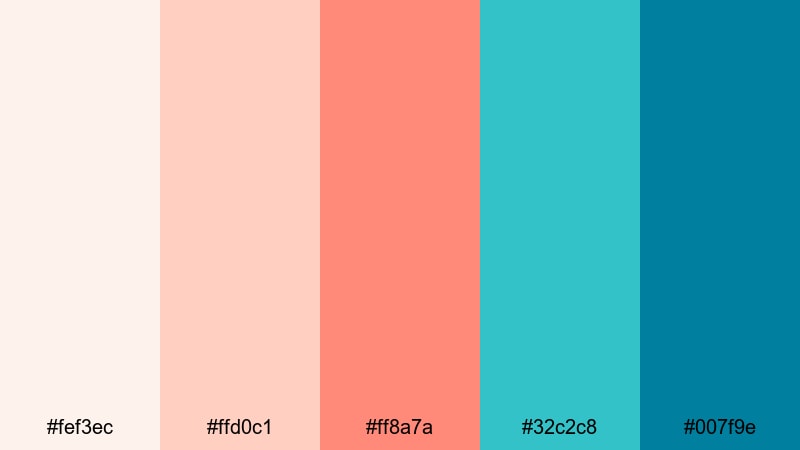
- HEX Codes: #fef3ec, #ffd0c1, #ff8a7a, #32c2c8, #007f9e
- Mood: Energetic, playful, and sun-soaked like snorkeling over bright coral reefs.
- Use for: Great for travel thumbnails, summer promos, and energetic brand intros that need strong contrast and fun accents.
Coral Reef Splash throws warm coral oranges against bright aqua and teal for instant tropical energy. The soft peach tones (#fef3ec, #ffd0c1) keep everything friendly, while the bolder coral (#ff8a7a) and intense aqua (#32c2c8) demand attention.
Use the contrast between warm and cool for high-impact YouTube thumbnails, bold travel intros, and summer sale promos. The deep teal (#007f9e) is perfect for text, icons, and outlines that need to stand out against bright backgrounds in Filmora title presets and motion graphics.
Island Market Glow
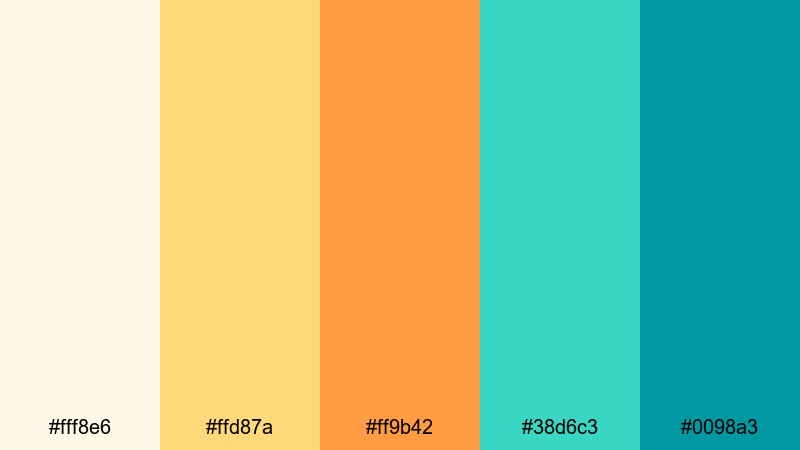
- HEX Codes: #fff8e6, #ffd87a, #ff9b42, #38d6c3, #0098a3
- Mood: Festive, colorful, and bright like a bustling island street market.
- Use for: Use for travel guides, food vlogs, and upbeat reels that highlight culture, markets, and sunny daily life.
Island Market Glow mixes golden yellows and oranges with sparkling aqua for a palette that feels hot and refreshing at the same time. The sunny tones (#ffd87a, #ff9b42) evoke street food, fresh fruit, and lantern light, while the greens and blues (#38d6c3, #0098a3) bring in a cool coastal breeze.
This is a strong choice for food vlogs, travel guides, and culture-focused shorts. Put warm colors behind prices, titles, and callouts, and use the aqua shades on lower thirds and badges so your overlays read clearly over busy street or market footage.
Neon Tidal Pop
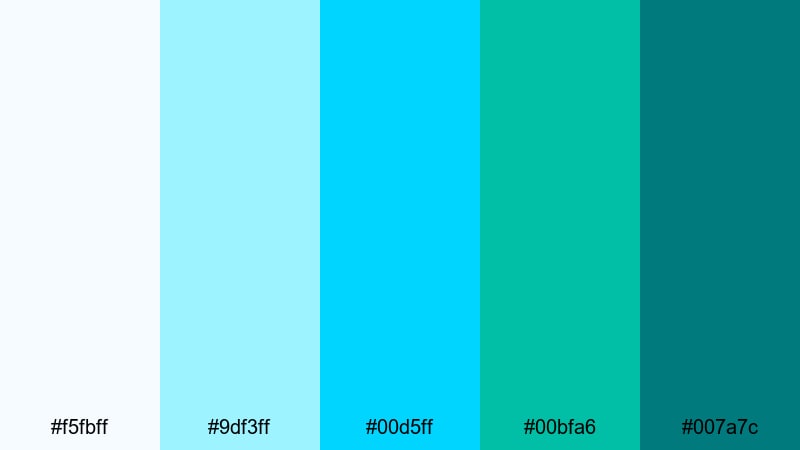
- HEX Codes: #f5fbff, #9df3ff, #00d5ff, #00bfa6, #007a7c
- Mood: Electric, youthful, and dynamic with a neon surf aesthetic.
- Use for: Perfect for gaming intros, dance edits, and fast-paced social shorts that rely on bold, high-contrast colors.
Neon Tidal Pop pushes green light blue into a neon, cyber-surf direction. The bright cyan (#00d5ff) and vivid teal (#00bfa6) jump off the screen, especially when paired with the deeper blue-green (#007a7c).
Use this palette on gaming overlays, dance edits, and TikTok transitions where you want bold, high-energy graphics. In Filmora, pair it with glow or glitch effects, using lighter shades for strokes and highlights, and darker ones for solid panels, progress bars, and HUD-style elements.
Surf Shack Sunset
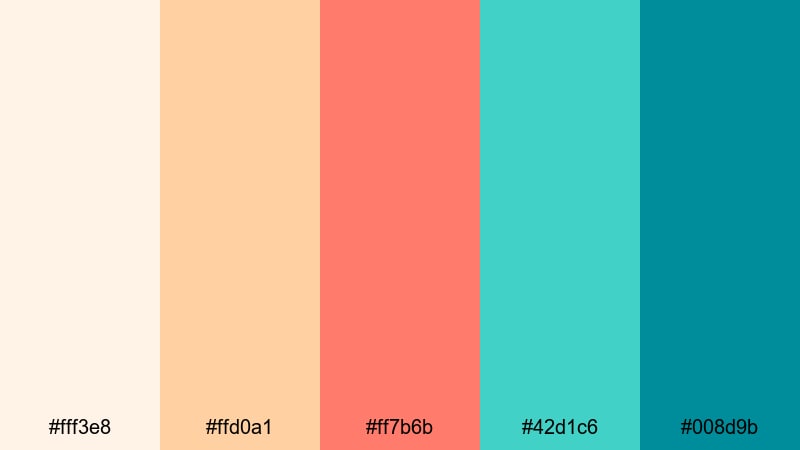
- HEX Codes: #fff3e8, #ffd0a1, #ff7b6b, #42d1c6, #008d9b
- Mood: Warm, laid-back, and adventurous like beach days that stretch into sunset.
- Use for: Ideal for surf vlogs, travel recaps, and lifestyle channels that blend chill vibes with vibrant visuals.
Surf Shack Sunset balances sunset oranges with cool turquoise surf tones. The soft peach and sand shades (#fff3e8, #ffd0a1) feel nostalgic and inviting, while the aqua accents (#42d1c6, #008d9b) keep it refreshing.
For surf vlogs, van life diaries, or festival recaps, this palette lets you show both warmth and water. Use warm tones for title backdrops and borders, then bring in turquoise for captions, icons, and timeline markers so your branding feels like one long golden hour at the beach.
Modern & Minimal Green Light Blue Color Palettes
Urban Aqua Grid
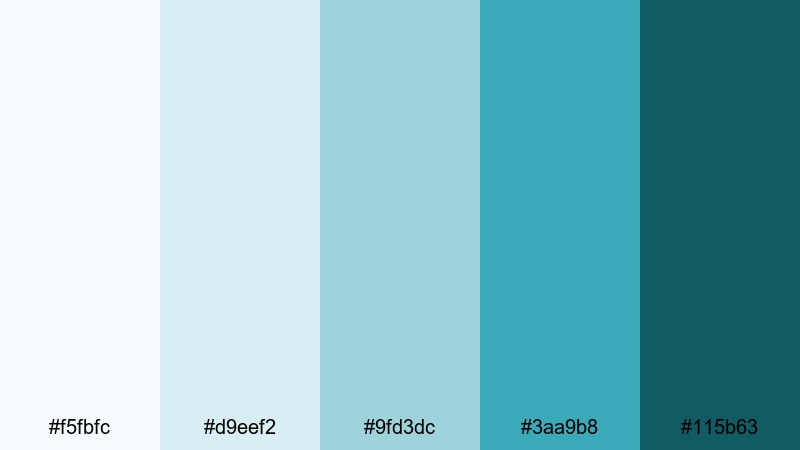
- HEX Codes: #f5fbfc, #d9eef2, #9fd3dc, #3aa9b8, #115b63
- Mood: Clean, structured, and confident with a tech-forward edge.
- Use for: Best for tech reviews, startup explainers, and UI mockups where clarity and professionalism matter.
Urban Aqua Grid is built from pale interface blues and firm teal accents that feel like a modern dashboard. The lighter values (#f5fbfc, #d9eef2) make excellent neutral backdrops, while the darker teal (#115b63) gives you a strong anchor for headings and key metrics.
Use this palette for tech reviews, SaaS explainers, startup pitches, and UI overlays. In Filmora, apply the lighter tones behind infographic elements and progress charts, then lean on the mid and dark shades for call-to-action buttons, logos, and bold thumbnail titles that still feel sleek and professional.
Nordic Glass Studio
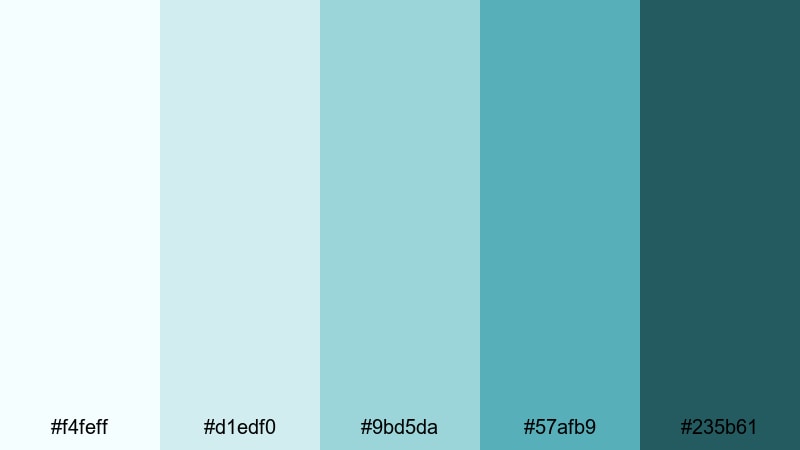
- HEX Codes: #f4feff, #d1edf0, #9bd5da, #57afb9, #235b61
- Mood: Cool, balanced, and refined like light through frosted glass.
- Use for: Use in design tutorials, architecture content, and product demos that need a tasteful, understated look.
Nordic Glass Studio marries cool aquas with blue-greens that resemble Scandinavian glass and steel. The palette runs from almost white-blue (#f4feff) through soft aqua mid-tones to a deeper structural teal (#235b61).
This is ideal for design, architecture, interior, and product demo content. Use the lightest shades for clean negative space around your footage and typography, and rely on the deeper colors for logo marks, timeline labels, and subtle borders that frame your content without stealing attention.
Dashboard Aqua Clean
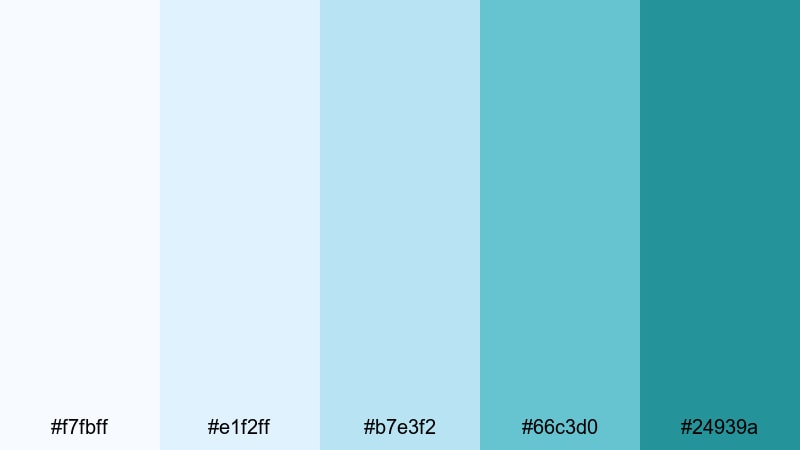
- HEX Codes: #f7fbff, #e1f2ff, #b7e3f2, #66c3d0, #24939a
- Mood: Organized, focused, and analytical with a friendly tech tone.
- Use for: Perfect for SaaS promos, analytics explainers, and UI screens where data needs to feel approachable.
Dashboard Aqua Clean keeps things structured and data-friendly with gentle blues and aqua accents. The soft blues (#f7fbff, #e1f2ff) read like UI backgrounds, while #66c3d0 and #24939a provide contrast for charts and key stats.
Use it for analytics explainers, KPI breakdowns, or app walkthroughs. In Filmora, color-code your text boxes and infographics using the mid-aquas for positive metrics, deeper teal for headings, and the light tones for clean, low-distraction backgrounds that are easy on the eyes.
Fresh SaaS Launch
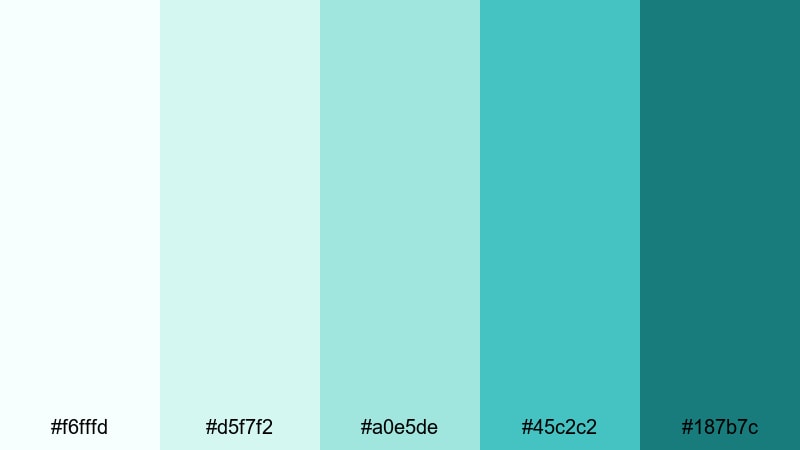
- HEX Codes: #f6fffd, #d5f7f2, #a0e5de, #45c2c2, #187b7c
- Mood: Optimistic, modern, and trustworthy with a startup-friendly vibe.
- Use for: Great for product launch videos, onboarding flows, and branded lower thirds for digital tools.
Fresh SaaS Launch leans into minty aquas to signal innovation and trust. The airy highlights (#f6fffd, #d5f7f2) keep your visuals bright, while the teal accents (#45c2c2, #187b7c) lend authority and structure.
Use this palette to present new tools, walk through onboarding flows, or polish your brand sizzle reel. Apply the darker teal to logo lockups and CTAs, and use lighter aquas in Filmora lower thirds, chapter markers, and background panels so your product feels both fresh and reliable.
Cinematic & Moody Green Light Blue Color Palettes
Stormy Harbor Teal
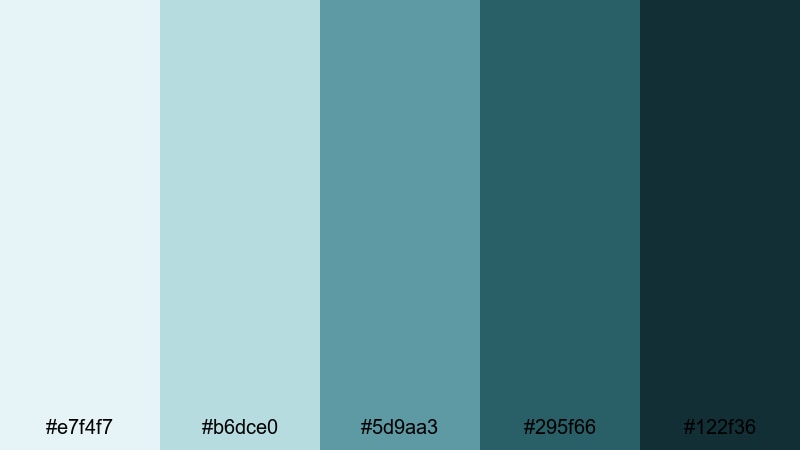
- HEX Codes: #e7f4f7, #b6dce0, #5d9aa3, #295f66, #122f36
- Mood: Moody, introspective, and cinematic like a harbor before a storm.
- Use for: Ideal for documentaries, reflective travel films, and dramatic color grading in narrative shorts.
Stormy Harbor Teal shifts green light blue into a moody, cinematic world. The muted highlights (#e7f4f7, #b6dce0) feel like overcast daylight, while the darker teal shadows (#295f66, #122f36) give your frame depth and tension.
Use this palette for documentaries, reflective voiceover edits, and serious travel or city pieces. In Filmora, push your shadows toward the deeper teal shades and reserve the lighter tones for subtle titles and lower thirds, so your visuals stay atmospheric but still readable on smaller screens.
Midnight Neon Current
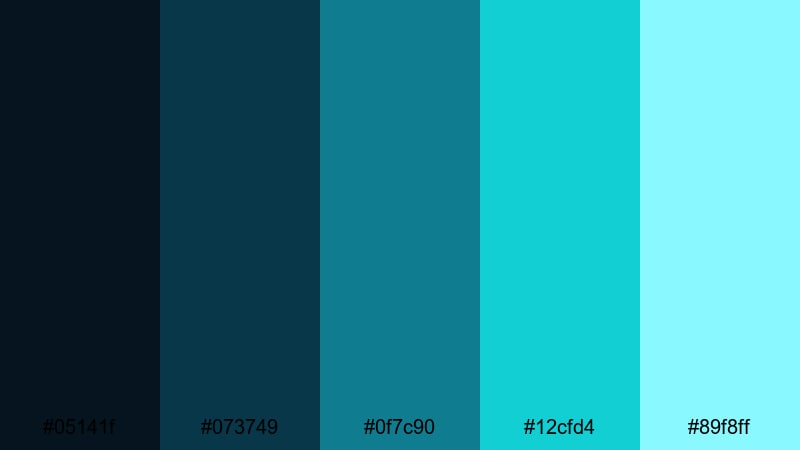
- HEX Codes: #05141f, #073749, #0f7c90, #12cfd4, #89f8ff
- Mood: Edgy, futuristic, and high-contrast like neon reflections on wet pavement.
- Use for: Use for cyberpunk edits, nightlife reels, and concert footage where glowing accents stand out against dark scenes.
Midnight Neon Current contrasts inky blues (#05141f, #073749) with electric teal and cyan highlights (#12cfd4, #89f8ff). The result feels like neon reflections on wet city streets, perfect for night or club footage.
Use the darkest colors as your primary background grade and let the bright aquas define titles, HUD graphics, and animated outlines in Filmora. This palette is ideal for music videos, nightlife edits, and motion graphics where glowing accents need to cut through deep shadows.
Deep Ocean Documentary
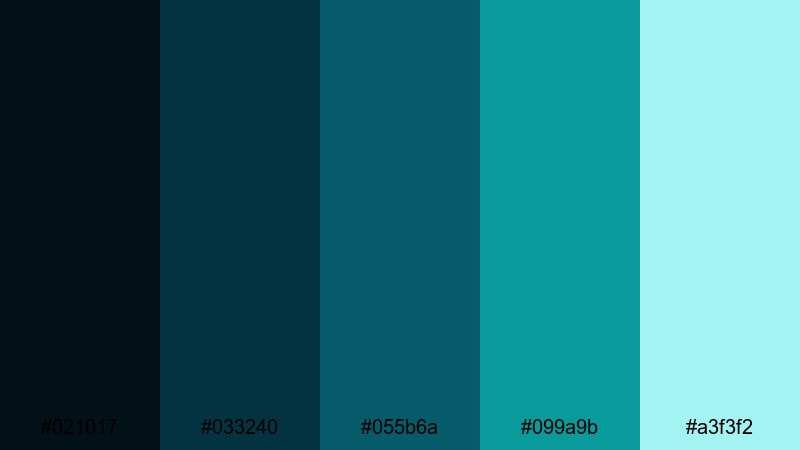
- HEX Codes: #021017, #033240, #055b6a, #099a9b, #a3f3f2
- Mood: Serious, immersive, and mysterious with a true deep-sea feel.
- Use for: Best for nature documentaries, underwater footage, and cinematic story pieces needing depth and focus.
Deep Ocean Documentary moves from near-black ocean blues (#021017) up through teal mid-tones to a glowing aqua highlight (#a3f3f2). It feels immersive and mysterious, ideal for long-form storytelling.
Apply this palette to underwater footage, exploration films, or any narrative where you want viewers to feel pulled into the depths. In Filmora, push midtones and shadows toward the darker HEX codes, then use the bright aqua for map graphics, chapter cards, and important on-screen text so your story remains clear inside a moody grade.
Tips for Creating Green Light Blue Color Palettes
Green light blue works across soft, vibrant, minimal, and cinematic looks. A few practical rules will help you combine it with other colors effectively in your videos, thumbnails, and branding.
- Always plan contrast first: pair pale green light blue backgrounds with darker teal or charcoal text so your titles stay readable on mobile screens.
- Limit bright accent colors: if your core is aqua or teal, add just one contrasting warm accent (like coral or orange) to avoid a noisy thumbnail.
- Keep brand consistency: choose one or two HEX codes as your main brand colors, and reuse them across intros, lower thirds, end screens, and channel banners.
- Match your grade to your graphics: if your overlays use cool green light blue, nudge your footage shadows slightly cooler in Filmora so visuals and color grading feel unified.
- Use tints for backgrounds, shades for text: lighter tints of green light blue are perfect for panels and frames, while deeper shades work best for logos, icons, and subtitles.
- Test on multiple devices: export a frame and check it on phone, tablet, and desktop to make sure aqua details and fine text are still visible.
- Balance mood and saturation: reduce saturation for calm, minimalist content, and increase it slightly for travel, gaming, or lifestyle edits where energy matters.
- Create palette presets: once you find a combination you like, save it as a preset in Filmora so every new project can start with the same green light blue base.
Green light blue color palettes can make your channel feel fresh, trustworthy, and modern, whether you lean into soft mints, vibrant tropical aquas, or deep cinematic teals. By choosing a consistent set of HEX codes and reusing them across thumbnails, intros, overlays, and color grading, you create a visual identity that viewers recognize instantly.
Try a few of these 15 palettes inside Filmora, then tweak saturation, contrast, and accents until they match your content style and audience. Once your look is locked in, you can apply it quickly to every new edit so your videos feel cohesive across platforms and formats.
Experiment, export a few test frames, and iterate until your green light blue aesthetic feels like your signature. Filmora's tools make it easy to turn these palettes into repeatable looks that grow with your channel or brand.
secure download