

 100% Security Verified | No Subscription Required | No Malware


 ChatGPT
 Perplexity
 Gemini
 Claude
 Grok
Grok
Green Tan blends the calm stability of green with the warmth and approachability of tan. It feels natural, grounded, and quietly sophisticated, which makes it a favorite for brands and creators who want to appear eco-conscious, calm, and trustworthy. On screen, these tones echo forests, sand, linen, and sunlight, creating visuals that are easy on the eyes for long viewing sessions.
For video creators, Green Tan works beautifully in intros, lower thirds, thumbnails, and full color grades. It can make outdoor footage feel more cinematic, give vlogs a soft lifestyle aesthetic, or keep UI and tech content friendly without being overly bright. Below are 15 ready-to-use Green Tan color palettes with HEX codes you can apply in Filmora for grading, titles, overlays, and channel branding.
In this article
Calm & Natural Green Tan Color Palettes
Forest Dune Harmony
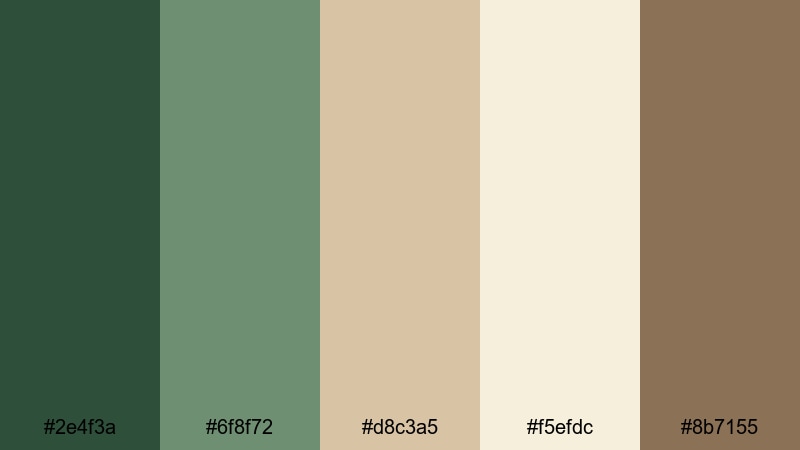
- HEX Codes: #2e4f3a, #6f8f72, #d8c3a5, #f5efdc, #8b7155
- Mood: Grounded, tranquil, and softly adventurous.
- Use for: Great for outdoor travel vlogs, hiking stories, and cinematic b-roll that needs a calm, earthy grade.
Forest Dune Harmony mixes deep forest greens with soft dune tans and a hint of warm brown, giving your frames the feeling of walking through pine trees toward a quiet beach. It is soothing without looking dull, ideal when you want nature content to feel peaceful and cinematic rather than over-saturated.
Use this palette to grade hiking and camping footage, design thumbnails for travel playlists, or style opening titles for nature documentaries. In Filmora, you can carry these tones into overlays, lower thirds, and end screens so your entire channel identity stays consistently Green Tan and outdoorsy.
Pro Tip: Build a Cinematic Green Tan Look in Filmora
To keep a Forest Dune Harmony vibe across an entire edit, start by picking one or two key HEX values from the palette for your text, accent lines, and background shapes. In Filmora, reuse those exact colors in your titles, callouts, and transitions so every cut still feels like part of the same forest-meets-sand world.
Combine the deeper green (#2e4f3a) with the light tan (#f5efdc) for readable text on thumbnails and intros. Then keep your b-roll more neutral and earthy using color grading, so your overlays and UI elements do not clash with the natural scene but gently frame it.
AI Color Palette
If you have a hero still frame or a custom Green Tan mood board, you can turn it into a full video grade using Filmora's AI tools. Filmora's AI Color Palette feature lets you pick a reference image with the exact forest and dune tones you like, then apply that color style to all your clips in a few clicks.
This is perfect for keeping your vlog intro, b-roll, and outro cards consistent. Once the AI has matched your colors, you only need minor tweaks, and your whole video will share the same calm, grounded Green Tan atmosphere.
 secure download

HSL, Color Wheels & Curves
After using AI Color Palette, you can fine-tune your Green Tan tones with HSL, color wheels, and curves. Slightly lowering the saturation of greens while warming up the midtones keeps skin tones natural and prevents foliage from looking too neon. Use the color wheels to push shadows toward deep green and highlights toward soft tan for a cohesive cinematic grade.
Curves let you control contrast so your forest shadows stay rich but do not crush detail. Filmora's advanced color correction tools make it easy to build a subtle S-curve that keeps your Green Tan palette gentle and filmic while still feeling crisp on modern screens.
secure download1000+ Video Filters & 3D LUTs
If you want to stylize your Green Tan palette even further, Filmora offers a large library of filters and LUTs. You can start with Forest Dune Harmony as your base and then layer a vintage, cinematic, or soft-film filter on top to quickly test different moods for the same footage.
Filmora's video filters and 3D LUTs make it easy to experiment: try a warm LUT to emphasize the tan dunes, or a cooler cinematic LUT to deepen the greens while keeping text and overlays in your selected HEX codes. This approach keeps your brand consistent while giving each project its own character.
secure downloadOlive Sand Retreat
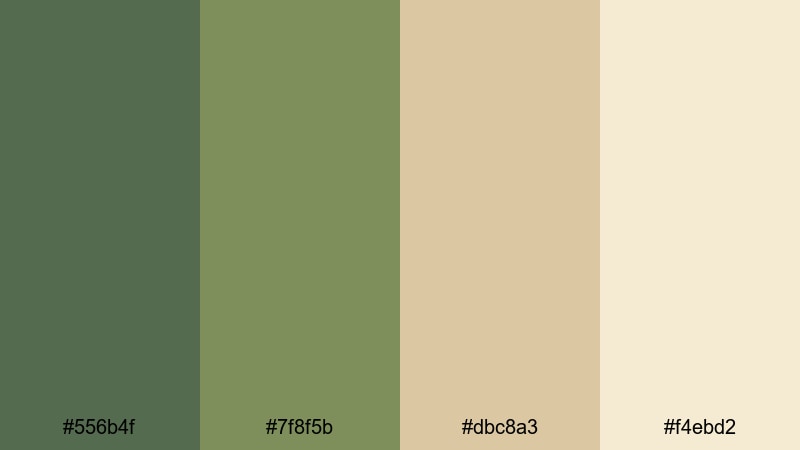
- HEX Codes: #556b4f, #7f8f5b, #dbc8a3, #f4ebd2
- Mood: Restful, cozy, and quietly optimistic.
- Use for: Use this palette for wellness channels, yoga tutorials, and calming talking-head videos that need a soft natural backdrop.
Olive Sand Retreat leans into spa-like greens and creamy tans, giving your visuals a restorative, wellness-driven feel. It is gentle enough for long meditation videos or quiet vlogs, yet still has enough contrast to keep text and icons legible.
Use the darker olive for headlines or logo marks and the lighter sands for backgrounds on intros, end cards, and YouTube thumbnails. In Filmora, you can build lower thirds and subscribe buttons in these tones so your wellness or mindfulness brand feels cohesive across shorts, long-form content, and social clips.
Mossy Linen Light
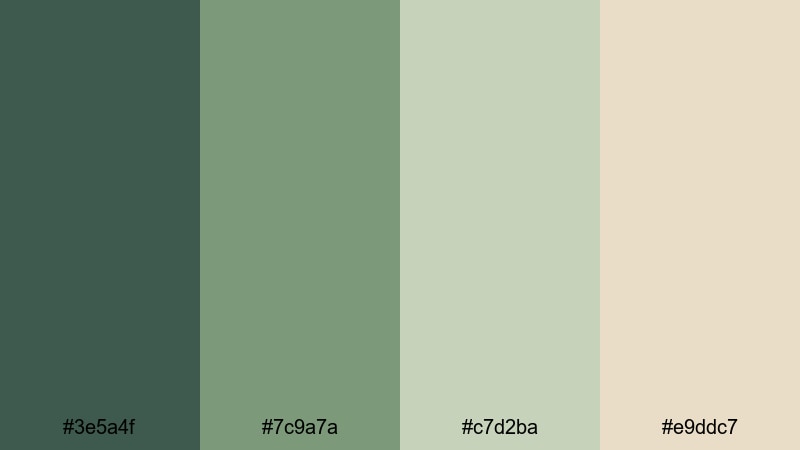
- HEX Codes: #3e5a4f, #7c9a7a, #c7d2ba, #e9ddc7
- Mood: Fresh, airy, and organic.
- Use for: Perfect for eco-brand intros, product demos, and minimalist lifestyle reels with a soft, breathable look.
Mossy Linen Light combines soft moss greens with linen-inspired tans and off-whites, creating an airy, organic palette. It feels like sunlight through sheer curtains, ideal for brands that focus on sustainability, slow living, or plant-based products.
Use this for clean product shots, logo stings, or text overlays on reels and Shorts. The lighter tones are perfect as background colors for captions and infographics, while the deeper moss shades can highlight important calls to action in Filmora titles and motion graphics.
Cedar Grass Breeze
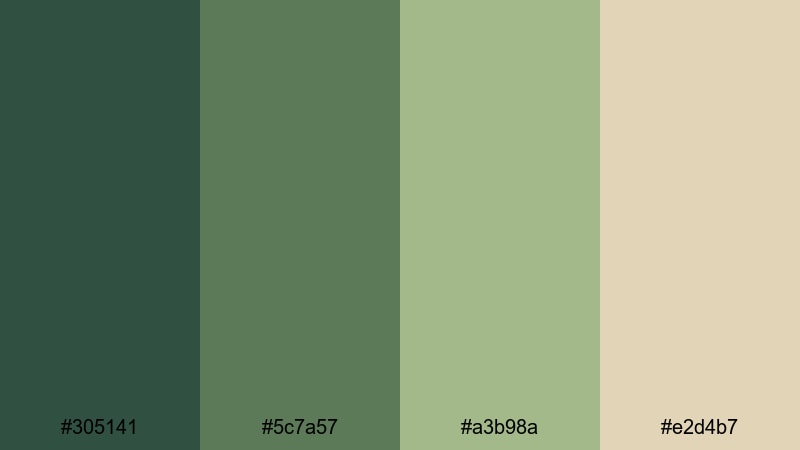
- HEX Codes: #305141, #5c7a57, #a3b98a, #e2d4b7
- Mood: Breezy, natural, and lightly rustic.
- Use for: Great for countryside vlogs, farming or homestead content, and cinematic establishing shots.
Cedar Grass Breeze brings together cedar-like deep greens, sunlit grass tones, and warm tans, making your footage feel open and breezy. It is a great match for rural landscapes, farm life, and outdoor B-roll that should feel welcoming and real.
Apply this palette when grading sunrise or sunset shots, and use the lighter tan as a base for overlay cards that introduce chapters or locations. Your thumbnails can use the mid green for titles and the pale tan for background blocks to keep the rustic theme clear at a glance.
Modern Minimalist Green Tan Color Palettes
Urban Sage Neutral
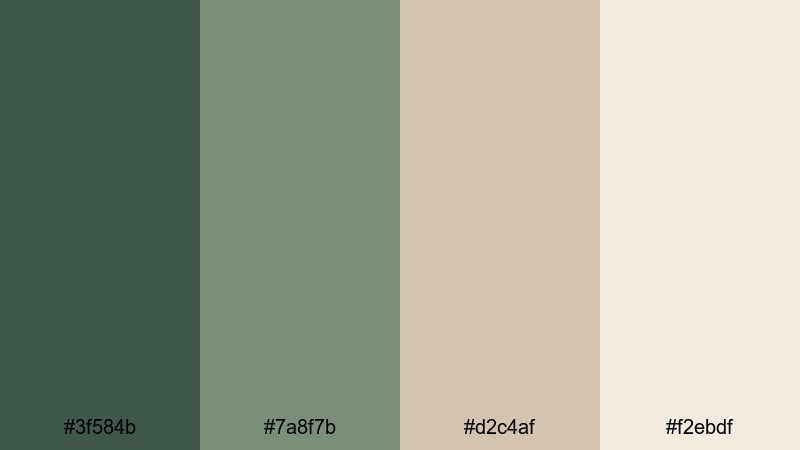
- HEX Codes: #3f584b, #7a8f7b, #d2c4af, #f2ebdf
- Mood: Modern, clean, and confident.
- Use for: Best for minimalist intros, talking-head tech videos, and clean logo reveals with a grounded but stylish tone.
Urban Sage Neutral balances cool sage greens with refined tan neutrals to create a sleek, contemporary look. It feels professional without being harsh, which works well for tech explainers, design tutorials, and startup intros.
Use the darkest green for titles and UI-style shapes, the lightest tan for backgrounds, and the mid tones for icons and accent lines. In Filmora, you can build simple motion graphics packs in this palette and reuse them across thumbnails, chapter cards, and end screens for a cohesive minimalist brand.
Clean Canvas Green
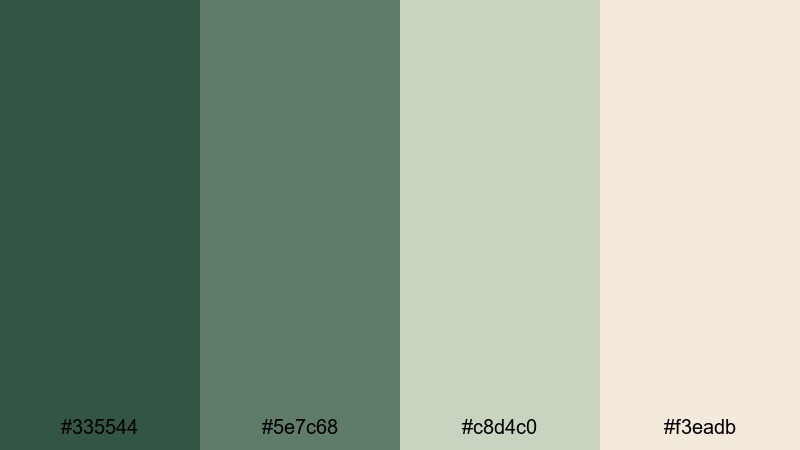
- HEX Codes: #335544, #5e7c68, #c8d4c0, #f3eadb
- Mood: Balanced, uncluttered, and professional.
- Use for: Use for brand explainers, portfolio reels, and UI-focused screen recordings that need a polished visual framework.
Clean Canvas Green pairs deep, reliable greens with gentle tan off-whites to give your content a polished, uncluttered framework. It is excellent for creators who share tutorials, SaaS walkthroughs, or portfolio reels and want the interface to look clean yet approachable.
Design a simple frame or background in the lighter tan, then use the darker greens for buttons, headers, and key on-screen labels. Your YouTube channel art and intro cards can carry the same palette, making even complex topics feel calm and well-organized.
Studio Loft Eucalyptus
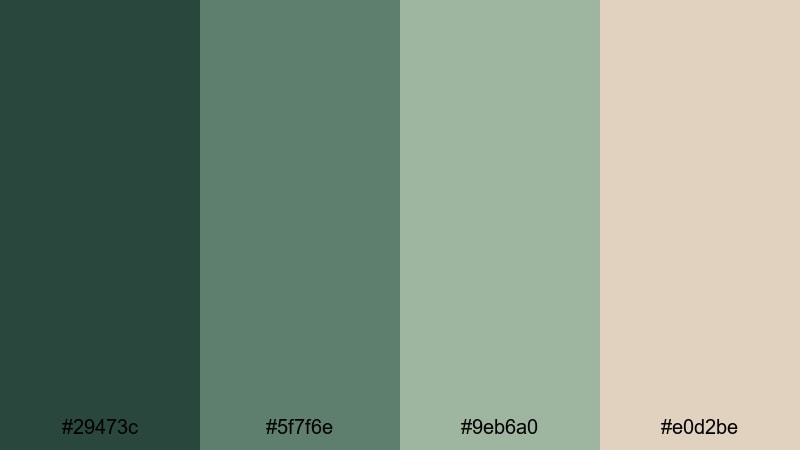
- HEX Codes: #29473c, #5f7f6e, #9eb6a0, #e0d2be
- Mood: Stylish, creative, and slightly moody.
- Use for: Great for studio tours, desk setups, and aesthetic B-roll of creative workspaces.
Studio Loft Eucalyptus mixes lush eucalyptus greens with warm, loft-like tans for a chic, editorial aesthetic. It carries a creative studio vibe, a bit moody but still welcoming, ideal for showing off desk setups, editing rigs, or art spaces.
Use the darker greens for shadows and accents in your color grade, while the dusky tan makes an excellent background for titles, gear specs, and social handles. This palette works especially well on thumbnails featuring workspaces, where you want a stylish but not overly flashy look.
Muted Terrace Glow
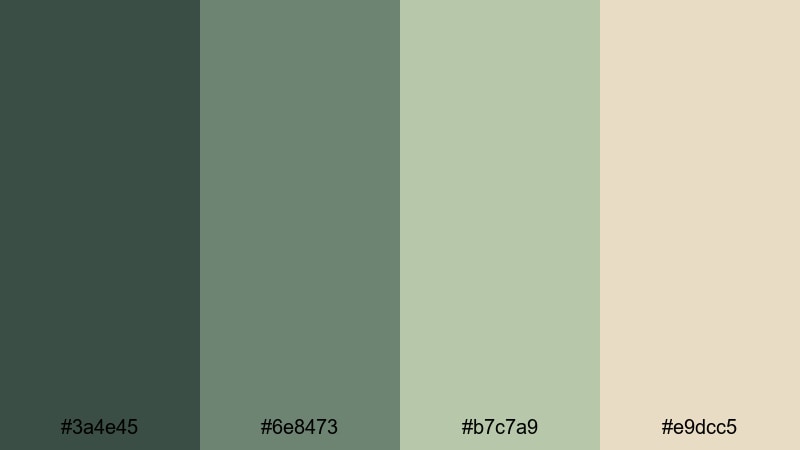
- HEX Codes: #3a4e45, #6e8473, #b7c7a9, #e9dcc5
- Mood: Softly modern, relaxed, and inviting.
- Use for: Perfect for lifestyle vlogs, home decor edits, and smooth cinematic transitions.
Muted Terrace Glow feels like golden hour on a modern balcony, with gentle greens and glowing tan highlights. It is soft and inviting, giving lifestyle and home decor videos a calm, aspirational tone.
Use the lighter shades for background panels behind text and graphics, and reserve the darkest green for subtle outlines or key icons. In Filmora, this palette suits smooth cross-dissolves, slow-motion B-roll, and text overlays that introduce rooms, routines, or decor tips.
Warm Vintage Green Tan Color Palettes
Retro Safari Mood
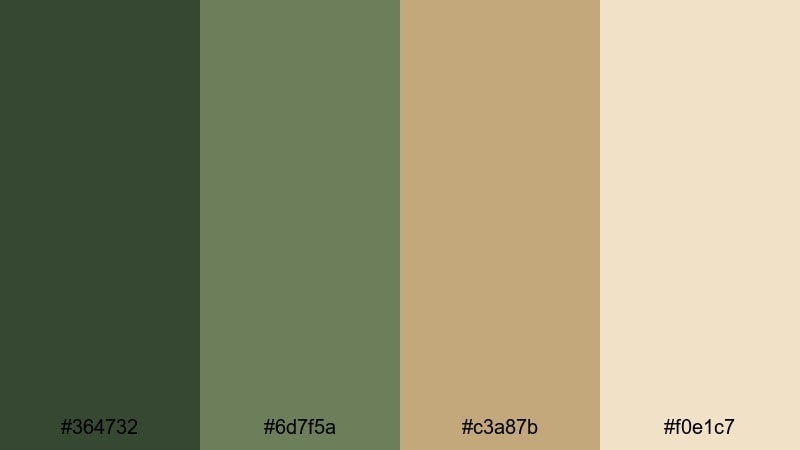
- HEX Codes: #364732, #6d7f5a, #c3a87b, #f0e1c7
- Mood: Adventurous, nostalgic, and cinematic.
- Use for: Use for travel montages, retro-inspired titles, and storytelling shorts with an analog feel.
Retro Safari Mood blends dusty greens with warm safari tans to evoke old travel posters and film cameras. It is perfect when you want your edits to feel like discovered footage or a memory of distant trips.
Apply this palette to travel montages, adventure shorts, or retro-style title cards. You can use the mid tan as a base for bold vintage typography in thumbnails, while the muted greens tint your footage for an analog, story-rich look.
Sunlit Olive Film
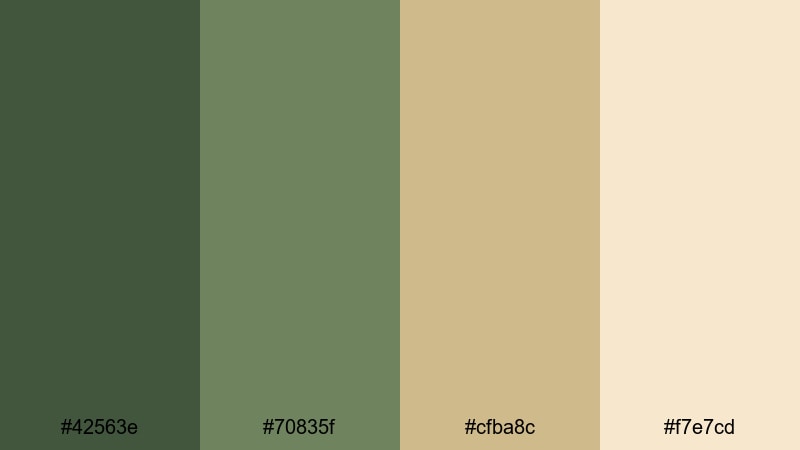
- HEX Codes: #42563e, #70835f, #cfba8c, #f7e7cd
- Mood: Glowing, nostalgic, and romantic.
- Use for: Perfect for wedding highlight reels, memory-style edits, and family vacation recaps.
Sunlit Olive Film creates a dreamy, glowing mix of olive greens and sunny tans, great for emotional, romantic stories. It adds warmth without pushing too orange, keeping skin tones flattering and backgrounds softly nostalgic.
Use it to grade wedding highlights, engagement stories, or family vacation recaps. In titles and overlays, the lighter tan works as a gentle base for handwritten fonts or serif text, while the olive greens frame key dates, names, and locations.
Dusty Canteen Charm
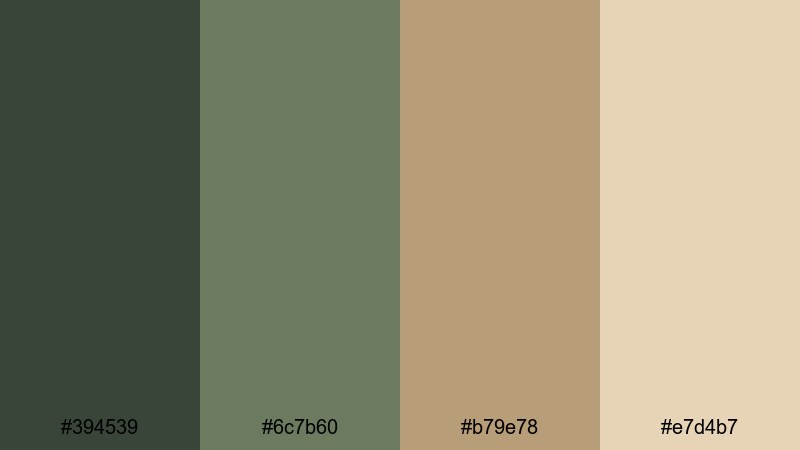
- HEX Codes: #394539, #6c7b60, #b79e78, #e7d4b7
- Mood: Weathered, cozy, and story-rich.
- Use for: Great for narrative shorts, camping vlogs, and gear reviews that lean into rugged aesthetics.
Dusty Canteen Charm uses muted canteen greens and worn tan tones to suggest a well-traveled backpack, faded maps, and campfires. It is rugged but cozy, perfect for long-form storytelling or gear-focused content that should feel lived-in.
Use the darker green for title text and UI badges, and let the tan shades color your lower thirds, spec callouts, and chapter markers. This palette also works nicely for thumbnails featuring tents, boots, and equipment, reinforcing a rustic outdoor identity.
Antique Field Memoir
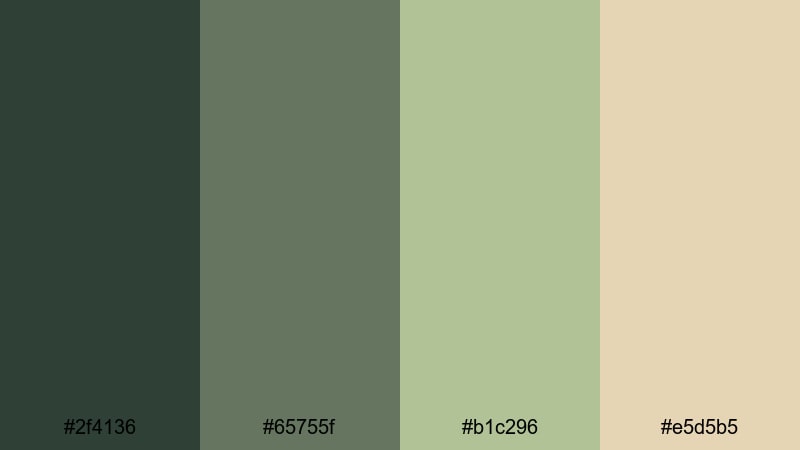
- HEX Codes: #2f4136, #65755f, #b1c296, #e5d5b5
- Mood: Poetic, reflective, and timeless.
- Use for: Use for documentary-style projects, heritage stories, and reflective voiceovers.
Antique Field Memoir combines field greens with parchment-like tans, echoing old journals and sepia photographs. It creates a reflective, timeless feel that suits documentaries, heritage pieces, and voiceover-heavy edits.
In your Filmora projects, you can use the creamy tan as a paper-like background for quotes, dates, and archival references, while the greens frame interview shots and b-roll. Thumbnails using this palette will signal a thoughtful, story-driven experience.
Fresh Digital Green Tan Color Palettes
Creator Desk Fresh
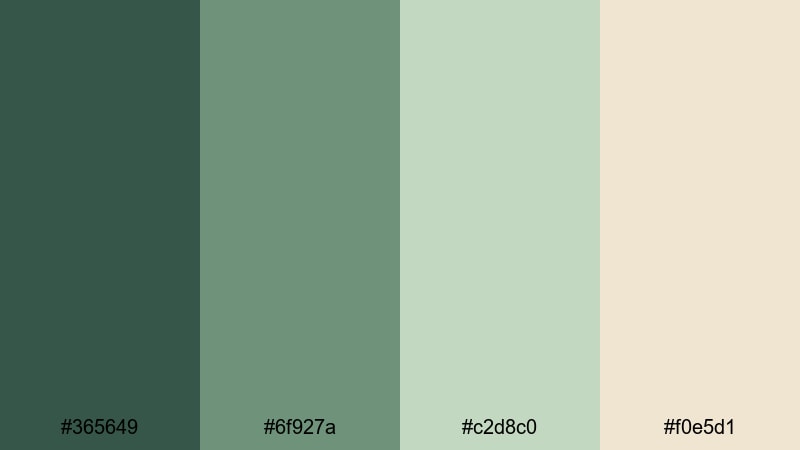
- HEX Codes: #365649, #6f927a, #c2d8c0, #f0e5d1
- Mood: Productive, upbeat, and clean.
- Use for: Perfect for desk setup videos, productivity tips, and tutorial thumbnails with a fresh, organized vibe.
Creator Desk Fresh feels like a bright, tidy workspace, with crisp greens and light tan neutrals. It instantly suggests productivity and clarity, which is great for educational and how-to channels.
Use the soft tan as a neutral base for text-heavy slides, and reserve the greens for highlights, check marks, and progress indicators. In thumbnails, combining a mid green background with light tan text boxes keeps your message readable while still feeling fresh and modern.
Streaming Studio Sage
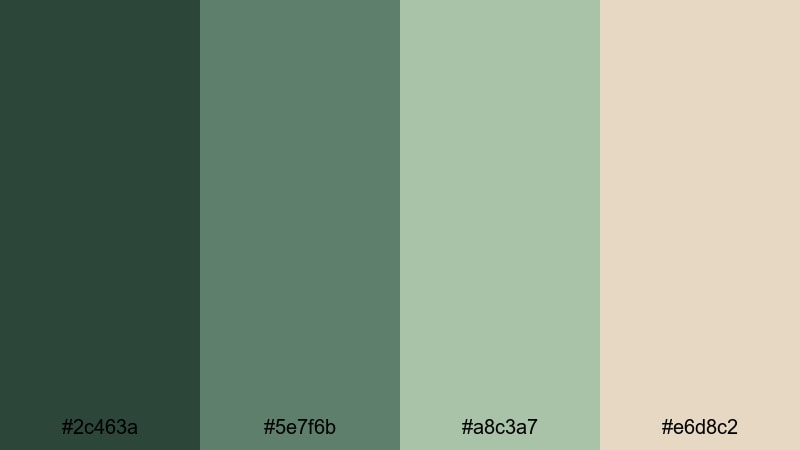
- HEX Codes: #2c463a, #5e7f6b, #a8c3a7, #e6d8c2
- Mood: Focused, modern, and softly energetic.
- Use for: Use for streaming overlays, gaming setups, and channel branding needing a calm but tech-ready palette.
Streaming Studio Sage combines calm sage greens with smooth tan neutrals, ideal for overlays and layouts that viewers will look at for hours. It feels modern yet relaxed, unlike harsher neon gaming palettes.
Design your webcam frames, chat boxes, and alert banners in these colors to keep your stream visually unified. Carry the same palette into your YouTube VOD thumbnails and channel banner so viewers instantly recognize your brand, whether they see you live or on-demand.
Tropical UI Minimal
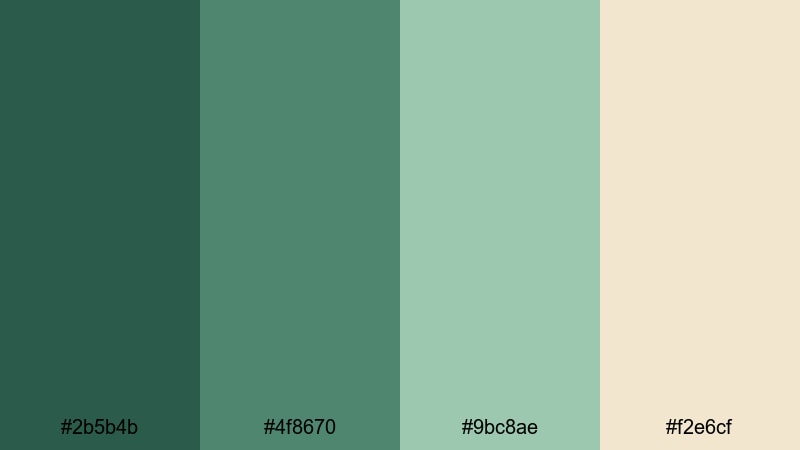
- HEX Codes: #2b5b4b, #4f8670, #9bc8ae, #f2e6cf
- Mood: Fresh, digital, and lightly tropical.
- Use for: Great for app demos, UI walkthroughs, and social media packs that need a friendly but professional look.
Tropical UI Minimal mixes cool tropical greens with pale tan neutrals for a playful yet professional UI style. It is excellent for app demos, SaaS explainers, and social media packs that should feel bright but not childish.
Use the deeper greens for primary buttons and key metrics, the pale tan for backgrounds and cards, and the soft mid greens for icons and lines. In Filmora, you can screen-record your app and then overlay UI-style shapes and text in this palette to make your walkthroughs look like polished product videos.
Tips for Creating Green Tan Color Palettes
Green Tan is versatile and forgiving, but thoughtful choices will keep your videos and designs both beautiful and functional. Use these tips to adapt any Green Tan palette to your own branding and footage.
- Pick one anchor green and one anchor tan from your palette and reuse them everywhere for titles, buttons, and backgrounds to build instant brand recognition.
- Check contrast between text and background colors; pair dark greens with light tans (or the reverse) to keep subtitles, captions, and UI elements readable on mobile.
- Adjust saturation based on genre: lower saturation for documentaries and minimalist content, and increase it slightly for vlogs or upbeat productivity videos.
- Match your grade to your footage: for heavy foliage or outdoor scenes, keep greens more neutral; for indoor lifestyle or studio shots, warm up the tan tones to flatter skin.
- Use accent colors sparingly; if you add another hue (like soft coral or muted blue), reserve it for CTAs or highlights so it does not overpower the Green Tan base.
- Test your palette on thumbnails first; if the image looks clear and on-brand at small sizes, it will usually work well inside your video overlays too.
- Stay consistent across platforms; use the same HEX codes in Filmora, your channel banner, social posts, and website so your Green Tan aesthetic feels unified.
- Save presets in Filmora once you dial in a look, so you can apply the same Green Tan grade and title styles to future episodes with one click.
Green Tan color palettes can make your visuals feel calm, trustworthy, and timeless, whether you are filming in a forest, a studio loft, or in front of your desk. By choosing the right mix of greens and tans, you can shape the mood of your footage, support your storytelling, and strengthen your brand identity across every video and thumbnail.
Try these 15 palettes as starting points: pick the one that matches your niche, drop the HEX codes into Filmora titles and overlays, and then grade your footage to harmonize with those tones. Over time, viewers will come to recognize your Green Tan aesthetic the moment your content appears in their feed.
Open Filmora, experiment with AI Color Palette, HSL controls, and LUTs, and save your favorite looks as presets. With a little testing, you can turn Green Tan from a simple color choice into a signature style that ties all your intros, shorts, and long-form videos together.
secure download