

 100% Security Verified | No Subscription Required | No Malware


 ChatGPT
 Perplexity
 Gemini
 Claude
 Grok
Grok
Medical colors such as soft blues, fresh greens, and clean whites are strongly linked with trust, hygiene, and calm. They instantly signal healthcare, precision, and safety, which is why hospitals, clinics, and pharmaceutical brands rely on them in logos, interfaces, and patient facing materials.
If you create medical videos, thumbnails, intros, or app UIs, choosing the right medical color palette can make your message feel more credible and reassuring. Below are 15 ready to use Medical color palettes with HEX codes, crafted for creators and Filmora users who want consistent, professional looking visuals across every frame.
In this article
Clean And Clinical Medical Color Palettes
Sterile Surgical Suite
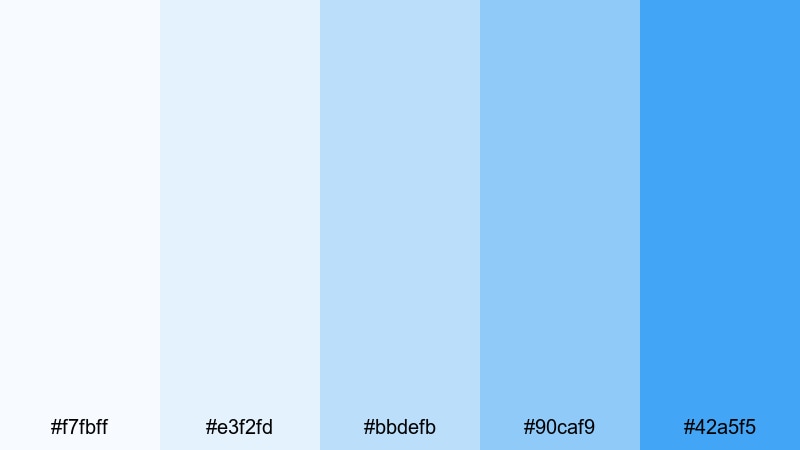
- HEX Codes: #f7fbff, #e3f2fd, #bbdefb, #90caf9, #42a5f5
- Mood: Clean, precise, and highly professional with a cool clinical edge.
- Use for: Ideal for surgery explainer videos, hospital intros, and clinical app dashboards.
This palette layers crisp whites and cool hospital blues to create a spotless, high tech operating room feel. The lighter tones (#f7fbff, #e3f2fd) are perfect for backgrounds, while the deeper blues (#90caf9, #42a5f5) draw attention to instruments, data, or key labels.
Use this scheme for procedure walk throughs, surgical device promos, and logos or lower thirds where accuracy and sterility are part of the story. In thumbnails and YouTube intros, it instantly communicates a serious medical theme without feeling harsh or intimidating.
Pro Tip: Enhance Your Medical Visuals With Filmora
In Filmora, you can keep the Sterile Surgical Suite palette consistent from your opening title to the final call to action. Set your main brand blue (#42a5f5) as the accent color for text, shapes, and transitions, then balance it with soft whites in your background overlays and info cards.
Save your customized title, lower third, and end screen templates inside Filmora so every new surgery explainer or hospital reel matches the same clean medical look. This helps build a recognizable visual identity across YouTube, social clips, and in hospital lobby screens.
AI Color Palette
If you already have a style frame or brand guide using this medical blue scheme, you can turn it into a video wide look with Filmora. Filmora's AI Color Palette feature lets you sample colors from a reference image and automatically apply that palette across your entire timeline.
Import one strong reference shot with your preferred whites and blues, then let AI Color Palette match the rest of your clips. It is an efficient way to unify surgery b roll, doctor interviews, and animated overlays under the same trusted medical aesthetic.
 secure download

HSL, Color Wheels & Curves
Even within a strict medical blue palette, you can fine tune the mood in Filmora. Use HSL to slightly desaturate background blues for a softer, more premium feel, while keeping accent blues vivid for buttons and key CTAs. Color wheels help you keep skin tones natural while coolizing shadows toward blue to maintain that clinical mood.
Curves controls let you add gentle contrast to surgery footage or app screen recordings so whites stay bright but not blown out. For deeper guidance on balancing tones, Filmora's color correction tools show how to combine HSL, wheels, and curves for a polished, broadcast ready healthcare look.
secure download1000+ Video Filters & 3D LUTs
Once your medical colors are dialed in, Filmora can push the style even further. Use Filmora's video filters and 3D LUTs to give your Sterile Surgical Suite palette a cinematic, documentary, or broadcast news finish while keeping the core blues and whites intact.
You can stack subtle filters to add clarity, sharpen details on instruments, or cool down the entire frame slightly for a more clinical vibe. Save your favorite combinations as presets so every future surgery explainer or hospital training video locks into the same clean medical identity in seconds.
secure downloadBright Clinic Waiting Room
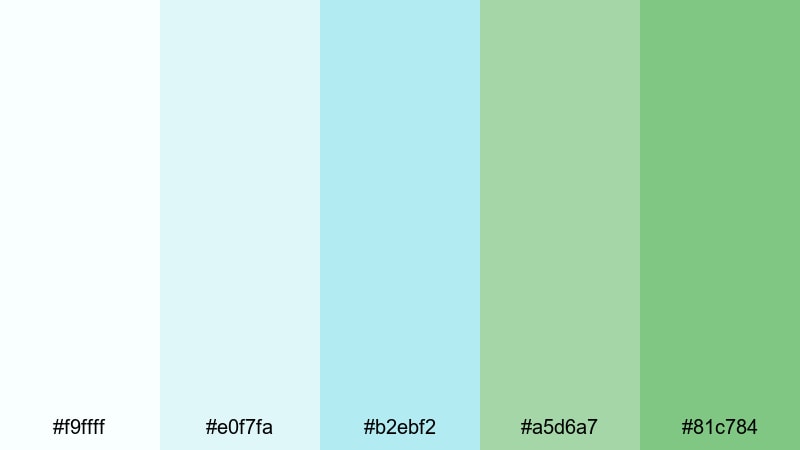
- HEX Codes: #f9ffff, #e0f7fa, #b2ebf2, #a5d6a7, #81c784
- Mood: Fresh, airy, and welcoming with a gentle clinical polish.
- Use for: Perfect for patient onboarding videos, clinic website hero sections, and friendly explainer graphics.
Soft aquas and leafy greens refresh the typical hospital look, turning it into something more welcoming and human. The near white background color (#f9ffff) keeps layouts clean, while the gentle teals and greens guide the eye to forms, buttons, or key tips.
This is a strong choice for healthcare YouTube thumbnails, landing pages, and step by step onboarding videos where you want clinical authority but also warmth. Use the greens for icons and progress bars, and keep the lightest tones behind text for maximum readability.
Lab Coat Neutrals
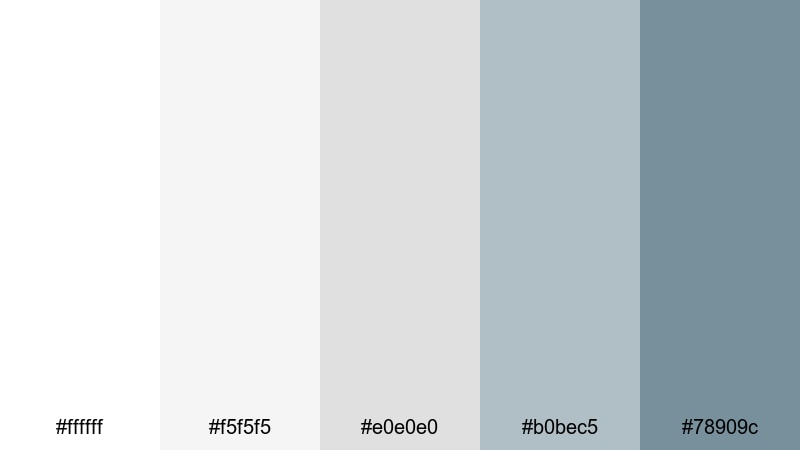
- HEX Codes: #ffffff, #f5f5f5, #e0e0e0, #b0bec5, #78909c
- Mood: Minimal, neutral, and trustworthy with subtle lab sophistication.
- Use for: Great for pharmaceutical brand intros, case study videos, and serious medical research presentations.
Inspired by lab coats, stainless steel, and paperwork, this grayscale palette feels objective and data driven. The whites and light greys are ideal for charts, tables, and lower thirds, while the cooler blue greys (#b0bec5, #78909c) add depth without distracting from content.
Choose this palette when your footage is text or stat heavy, like clinical trial summaries, white paper breakdowns, or academic webinar intros. It provides a calm visual baseline that works for overlays, infographics, and UI screens where clarity matters most.
Minimal Operating Theater
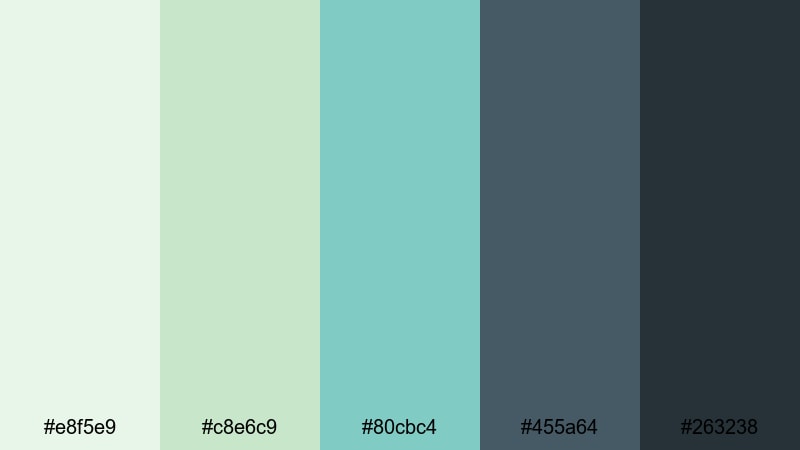
- HEX Codes: #e8f5e9, #c8e6c9, #80cbc4, #455a64, #263238
- Mood: Controlled, focused, and modern with cool surgical confidence.
- Use for: Use for operation walk-throughs, medical device demos, and high-end hospital promos.
Cool greens and teal hints evoke surgical scrubs and sterile equipment, while the dark slate tones (#455a64, #263238) function as strong foundations for titles and metrics. The balance of light and dark gives you plenty of contrast options inside one cohesive medical palette.
Use the paler greens behind procedure diagrams or motion graphics, and shift to the darker shades for dramatic intros or end screens. On YouTube, this look helps your medical device reels and explainer shorts stand out as modern and premium.
Calming Wellness Medical Color Palettes
Healing Spa Recovery
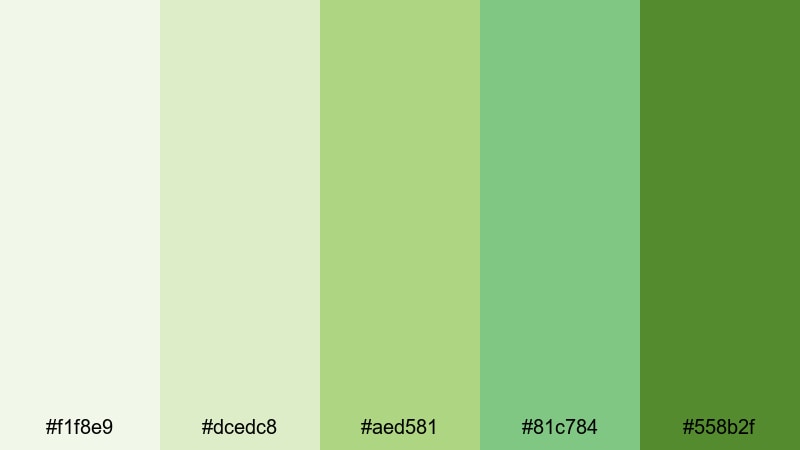
- HEX Codes: #f1f8e9, #dcedc8, #aed581, #81c784, #558b2f
- Mood: Restorative, organic, and hopeful with gentle wellness energy.
- Use for: Ideal for recovery stories, physiotherapy content, and holistic health brand videos.
Shades of fresh green move from pale and airy to rich and botanical, echoing plants, nature walks, and gentle rehabilitation spaces. The lightest hues give your backgrounds a soft glow, and the deeper green (#558b2f) anchors headings, CTAs, and emphasis text.
This palette is great for testimonial videos, recovery journeys, or wellness clinic branding where you want medical credibility with a spa like twist. Use it in YouTube thumbnails, Instagram Reels titles, and on screen tips to connect medical care with natural healing.
Pediatric Comfort Ward
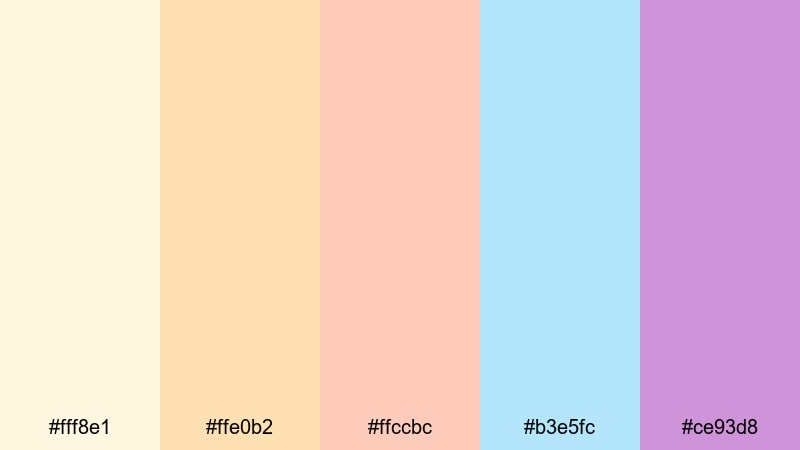
- HEX Codes: #fff8e1, #ffe0b2, #ffccbc, #b3e5fc, #ce93d8
- Mood: Playful, gentle, and comforting with a child friendly feel.
- Use for: Best for pediatric hospital promos, family education clips, and kid focused health channels.
Soft peaches, sky blues, and lavender purples transform clinical topics into something more friendly and reassuring. The warm pastels keep things cozy, while the cool blue (#b3e5fc) and lavender (#ce93d8) add variety for icons, badges, or illustrated characters.
Use this palette when designing thumbnails, lower thirds, and animations for pediatric clinics or family health education. It helps you talk about vaccines, checkups, and hospital visits in a way that feels approachable to kids and reassuring to parents.
Gentle Rehabilitation Light
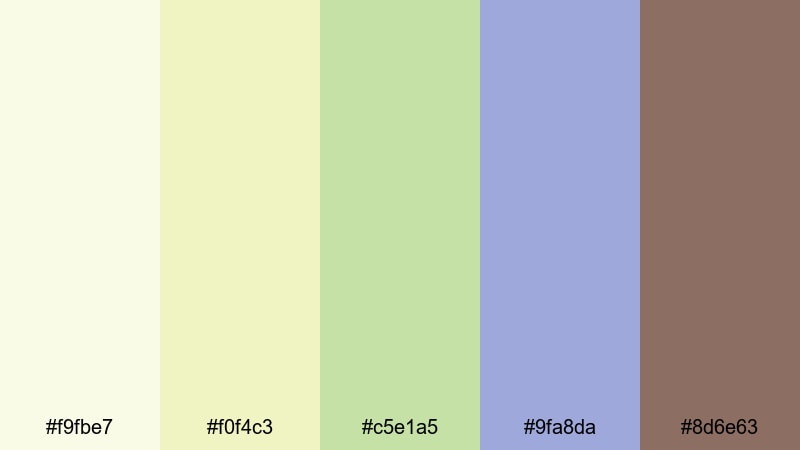
- HEX Codes: #f9fbe7, #f0f4c3, #c5e1a5, #9fa8da, #8d6e63
- Mood: Soft, optimistic, and balanced with a rehab center calm.
- Use for: Great for physical therapy series, long form patient journeys, and wellness vlog aesthetics.
Gentle yellow greens blend with muted periwinkle and a warm brown accent to create a balanced, optimistic atmosphere. These tones feel like morning light in a rehabilitation center, ideal for stories about gradual progress and long term care.
Apply the lighter greens and yellows to progress bars, step lists, and simple diagrams, while reserving the periwinkle (#9fa8da) and brown (#8d6e63) for chapter titles or quote highlights. This palette suits longer YouTube videos and documentary style edits where viewers spend more time on screen.
Mindful Telehealth Session
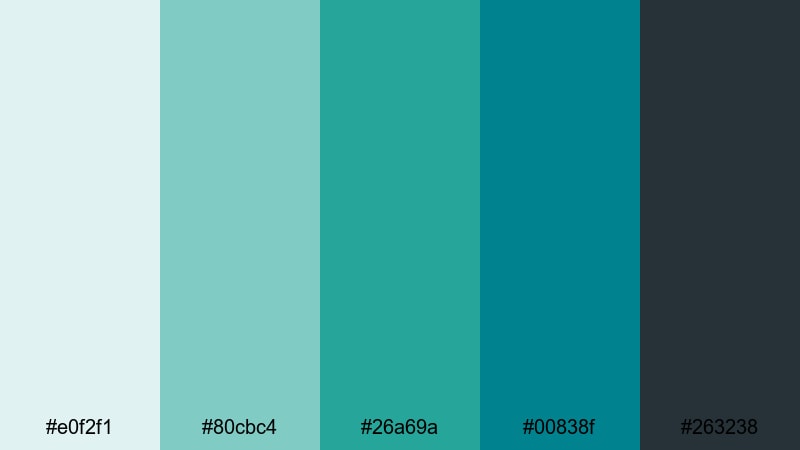
- HEX Codes: #e0f2f1, #80cbc4, #26a69a, #00838f, #263238
- Mood: Balanced, contemporary, and reassuring with digital calm.
- Use for: Perfect for telehealth platforms, mental health apps, and remote care explainer videos.
Cool teals paired with deep charcoal create a clean, screen ready medical aesthetic. The mid teals (#80cbc4, #26a69a) feel fresh and modern for buttons, chat bubbles, and notification badges, while the dark base (#263238) keeps text and icons crystal clear.
This palette is ideal for UX mockups, product demos, and animated explainers about online consultations or mental health support. In thumbnails and hero images, it conveys both technology and care, which is powerful for telemedicine brands and SaaS platforms.
High Tech Medical Color Palettes
Futuristic Diagnostic Display
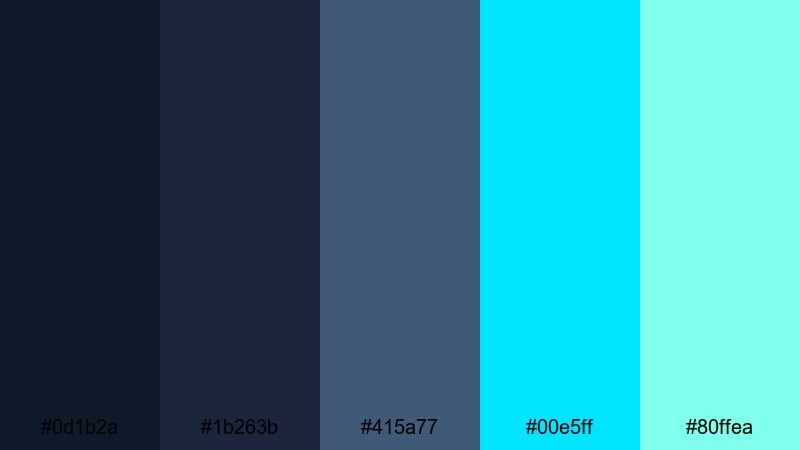
- HEX Codes: #0d1b2a, #1b263b, #415a77, #00e5ff, #80ffea
- Mood: Cutting edge, analytical, and cinematic with sci fi flair.
- Use for: Use in AI healthcare explainers, radiology reels, and high tech device marketing.
Dark navy foundations give your frames a cinematic, almost sci fi backdrop, while the neon cyans (#00e5ff, #80ffea) glow like holographic diagnostics. This contrast instantly reads as high tech and data rich, perfect for futuristic medical storytelling.
Use the deep blues behind graphs, HUD elements, and MRI overlays, and let the neon tones highlight key readings, KPIs, and animated UI details. This palette is especially strong for AI, robotics, and imaging tech campaigns on YouTube and social.
Neon Vital Signs
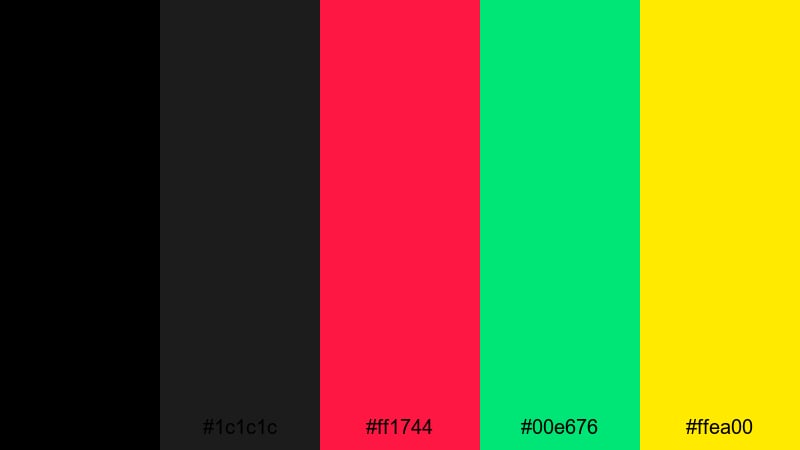
- HEX Codes: #000000, #1c1c1c, #ff1744, #00e676, #ffea00
- Mood: Intense, urgent, and high energy like a glowing ICU monitor.
- Use for: Great for animated infographics, motion graphics of heart rates, and dramatic emergency montages.
A deep black base combined with neon red, green, and yellow perfectly recreates the feel of ICU monitors and ECG lines. The saturated accent colors are designed to jump off the screen, making them ideal for motion graphics and alert overlays.
Use the black and dark grey for backgrounds, then animate neon lines, pulses, and icons over the top in intros and cutaway sequences. In thumbnails, a single bright heartbeat line or pulse icon against black is enough to convey urgency and emergency care themes.
Digital Health Dashboard
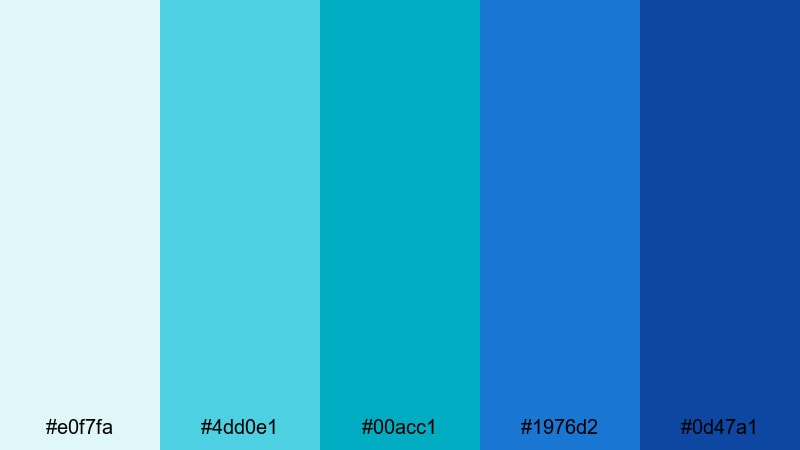
- HEX Codes: #e0f7fa, #4dd0e1, #00acc1, #1976d2, #0d47a1
- Mood: Efficient, data driven, and crisp with a software first feel.
- Use for: Perfect for health SaaS demos, KPI dashboards, and animated UI walkthroughs.
Teals and structured blues give this palette a clean, analytical personality that suits dashboards and reports. The lighter shades work well as card and panel backgrounds, while the darker blues (#1976d2, #0d47a1) can handle headings, charts, and CTA buttons.
Use it for explainer videos where you show product screens, step by step workflows, or analytics animations. It keeps your UI elements legible and modern, whether you are designing slides, app previews, or YouTube product demos.
Precision Imaging Suite
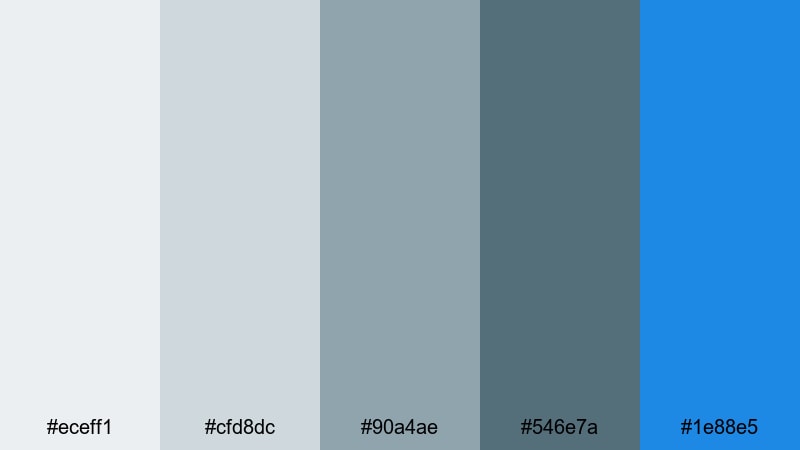
- HEX Codes: #eceff1, #cfd8dc, #90a4ae, #546e7a, #1e88e5
- Mood: Refined, technical, and composed with diagnostic clarity.
- Use for: Ideal for MRI or CT scan explainers, device overviews, and radiology branding.
Cool greys form a neutral, lab like base, with a precise blue accent (#1e88e5) that immediately signals medical imaging and technology. The progression from very light to deep grey gives you a full hierarchy for backgrounds, frames, and typography.
Use the greys to keep focus on complex images like MRI slices or X ray overlays, and save the blue for key data points, logos, or callouts. This palette suits radiology centers, imaging device brands, and scientific YouTube channels that need visuals as sharp as their data.
Emergency And Alert Medical Color Palettes
ER Triage Alert
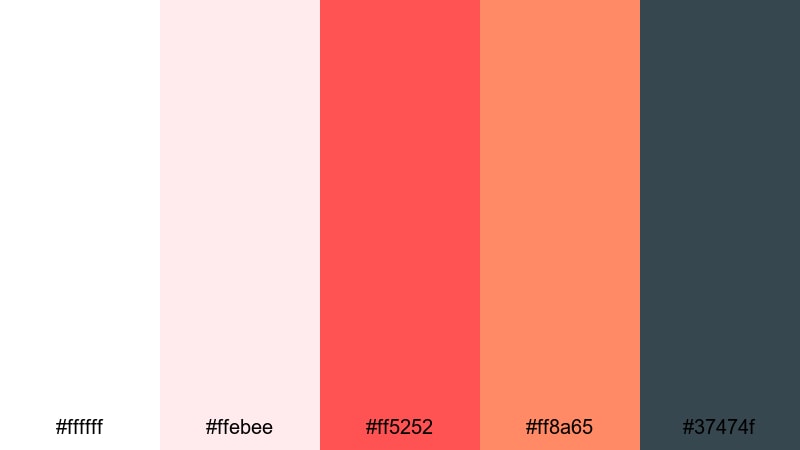
- HEX Codes: #ffffff, #ffebee, #ff5252, #ff8a65, #37474f
- Mood: Urgent yet controlled, mixing clinical white with strong alert tones.
- Use for: Best for emergency room intros, safety protocol clips, and quick response explainers.
Clean white and soft blush reds rise into bold triage red (#ff5252), supported by a warm orange accent (#ff8a65) and a grounded dark grey (#37474f). The palette communicates urgency but tempers it with enough softness to remain watchable for educational content.
Use the light reds for backgrounds on safety tips, the strong red for warnings and callouts, and the dark grey for titles and subtitles. This combination works well in emergency procedure explainers, hospital staff training videos, and alert banners in your thumbnails.
Paramedic Night Shift
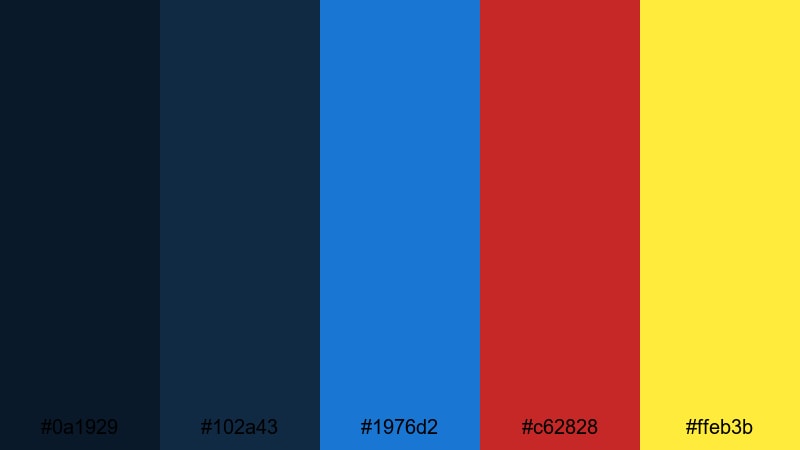
- HEX Codes: #0a1929, #102a43, #1976d2, #c62828, #ffeb3b
- Mood: Dramatic, heroic, and intense like a late night ambulance call.
- Use for: Great for documentary intros, action packed rescue scenes, and training simulations.
Deep midnight blues frame the scene like a city at night, while siren red (#c62828) and warning yellow (#ffeb3b) flash with emergency intensity. The medium blue (#1976d2) bridges the gap, adding a stable, professional tone for text and badges.
Apply the dark blues as your full screen backgrounds, then animate streaks or glows of red and yellow to mimic ambulance lights. This palette is ideal for cinematic rescue documentaries, crisis reenactments, and high impact training materials.
Critical Response Signals
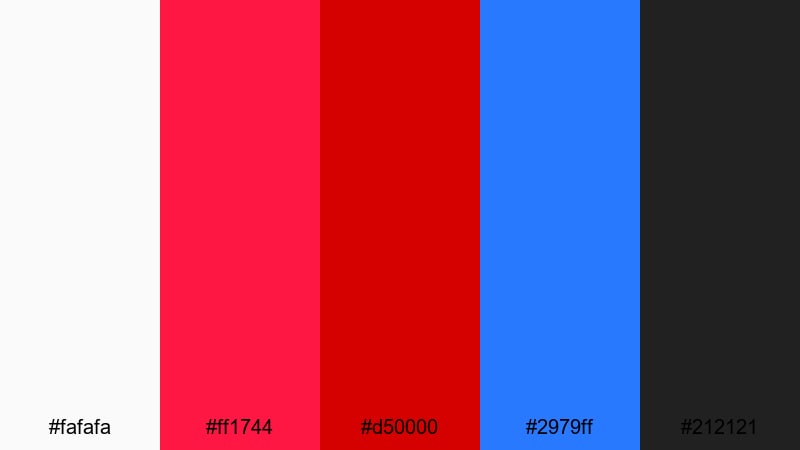
- HEX Codes: #fafafa, #ff1744, #d50000, #2979ff, #212121
- Mood: High contrast, decisive, and commanding with life or death urgency.
- Use for: Use for alert banners, crisis communication videos, and emergency broadcast style graphics.
Bright white and deep black create a stark frame for bold emergency reds and a clear signal blue (#2979ff). The strong reds (#ff1744, #d50000) are impossible to ignore, making them perfect for headlines, ticker bars, and urgent notification graphics.
Use this palette when your content must be noticed instantly, such as emergency alerts, critical updates, or public safety campaigns. In thumbnails, a single red bar or warning icon against white and black will stand out immediately in crowded feeds.
Tips for Creating Medical Color Palettes
When you design medical color palettes for video or digital design, aim for a balance between clarity, trust, and emotional tone. Medical colors should support your message, keep information readable, and match your brand across every frame.
- Use a light, neutral base (white, soft grey, or very pale blue) for backgrounds so text and data stay easy to read.
- Limit your strong accent colors (like alert reds or neon greens) to key elements such as CTAs, warnings, or interactive UI components.
- Check contrast between text and background using dark text on light backgrounds or light text on dark panels, especially for subtitles and captions.
- Match your palette to the medical context: cooler blues and teals for clinical content, greens and neutrals for wellness, and high contrast reds for emergency themes.
- Keep brand consistency by reusing the same HEX codes for logos, titles, lower thirds, and end screens across all your Filmora projects.
- Use gradients or layered shades from the same color family to add depth without introducing too many different hues.
- Test your palette on multiple devices (desktop, tablet, mobile) to ensure small text, icons, and charts remain legible.
- In Filmora, build reusable presets for titles, transitions, and elements with your chosen colors so your medical videos stay on brand with minimal effort.
Medical color palettes do more than look good; they shape how viewers feel about your expertise, your care, and your brand. Cool clinical blues, calming wellness greens, and decisive emergency reds each send a different signal, especially when combined in thoughtful ways.
Use these 15 Medical palettes as ready made foundations for your thumbnails, intros, explainers, and UI demos. Then refine them inside Filmora to match your exact footage, logo, and channel style so every new video feels consistent and professional.
Experiment with different combinations, save your favorite looks as presets, and let your medical visuals support the clarity and trust your content delivers.
secure downloadNext: Nautical Color Palette
