

 100% Security Verified | No Subscription Required | No Malware


 ChatGPT
 Perplexity
 Gemini
 Claude
 Grok
Grok
Onyx sits between deep charcoal and true black, carrying a sense of mystery, confidence, and sophistication. It pulls the eye without shouting, which is why Onyx is so powerful for cinematic grading, luxury branding, moody thumbnails, and stylish title cards. In color psychology, it is associated with focus, depth, and authority, making it ideal for creators who want their visuals to feel intentional and modern.
This guide brings you 15 curated Onyx color palettes with ready-to-use HEX codes, tailored for video creators, designers, and Filmora users. Use them to style your YouTube intros, cinematic B-roll, thumbnails, overlays, and UI-inspired graphics, while keeping a consistent, professional look across your entire project.
In this article
Moody Cinematic Onyx Color Palettes
Midnight Studio Noir
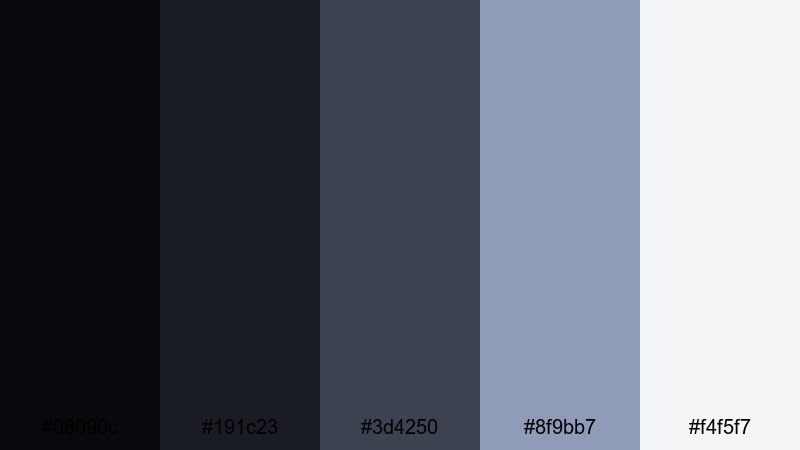
- HEX Codes: #08090c, #191c23, #3d4250, #8f9bb7, #f4f5f7
- Mood: dark, cinematic, and introspective with a subtle studio glow
- Use for: Perfect for dramatic film trailers, storytelling vlogs, and moody title cards that need depth without losing clarity.
Midnight Studio Noir blends deep Onyx blacks with cool slate blues and a gentle mist of pale highlight. It feels like a quiet, carefully lit studio at night where every shadow has a purpose and every highlight guides the viewer to what matters on screen.
Use the darker tones for backgrounds, lower thirds, and letterboxing, while the lighter hex values carry text, logos, and icons so your titles stay readable even over dark footage. This palette works beautifully for narrative edits, cinematic vlogs, podcast thumbnails, and any intro where you want intensity without sacrificing clarity.
Pro Tip: Build a Cinematic Onyx Look in Filmora
To keep this Midnight Studio Noir palette consistent, turn your timeline into a controlled Onyx environment in Filmora. Use the darkest HEX shades for solid-color backgrounds, overlays, and frame bars, then sample the mid-tones for subtitles and chapter labels so everything feels part of the same visual world.
You can store these colors as presets in your text and shape templates, then reuse them across intros, B-roll sequences, and social cutdowns. This way, every asset in your project shares the same Onyx base and cool blue-gray atmosphere, making your channel look instantly more cinematic and intentional.
AI Color Palette
If you have a reference frame or a mood board image that captures your ideal Midnight Studio Noir look, Filmora's AI Color Palette feature can automatically carry that grading across your edit. Just pick your best-graded clip as the reference, and apply its Onyx shadows and cool highlights to the rest of your footage.
This is especially useful for multi-camera shoots or vlogs filmed in different locations. AI Color Palette helps unify exposure and color so every shot shares the same dark, introspective mood, saving you from manually tweaking every single clip.
 secure download

HSL, Color Wheels & Curves
After matching the overall look, refine your Onyx tones with Filmora's HSL sliders, color wheels, and curves. Slightly deepen the blues in the shadows, lift the highlights around faces, and mute any distracting colors so the focus stays on your subject. A gentle S-curve can add contrast while keeping skin tones natural inside this dark palette.
If you are new to color grading, the Filmora color tuning guide is a helpful starting point for learning how curves and color wheels affect shadows, midtones, and highlights. From there, you can create custom presets that lock in your signature Onyx style across future projects.
secure download1000+ Video Filters & 3D LUTs
Once your base Onyx palette is in place, you can push it toward a specific genre using Filmora's video filters and 3D LUTs. Apply a cinematic LUT to enhance contrast and color depth, or layer subtle film grain and vignette filters to make your Midnight Studio Noir scenes feel like they belong on the big screen.
Because filters and LUTs can be applied to adjustment layers, you can control the strength of the effect over multiple clips at once. This makes it easy to test different Onyx looks on your trailers, shorts, and vertical videos without having to rebuild your color grade from scratch.
secure downloadUrban Alley Shadows
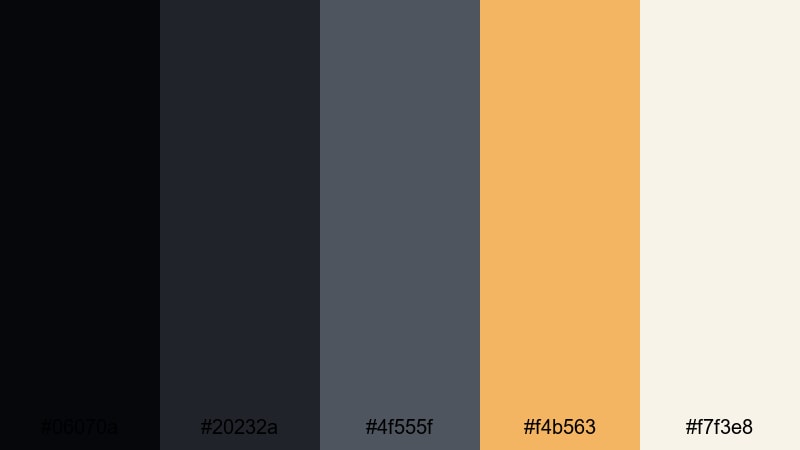
- HEX Codes: #06070a, #20232a, #4f555f, #f4b563, #f7f3e8
- Mood: gritty yet warm, like city streets lit by vintage sodium lamps
- Use for: Ideal for street documentaries, night photography edits, and thumbnails that mix realism with a hint of warmth.
Urban Alley Shadows anchors your frame in deep Onyx blacks and concrete grays, then warms it up with a sodium-lamp amber and a soft off-white. It feels like walking through a city backstreet at night, where the air is cool but the lights glow warmly on the pavement.
Use the darker tones for background plates, text boxes, or shadows, and let the amber accent highlight key words in your titles or important elements in your thumbnails. This palette works well for street photography edits, travel vlogs, documentary-style intros, and any branding that wants a realistic city edge with a subtle, cinematic warmth.
Stormlit Cityscape
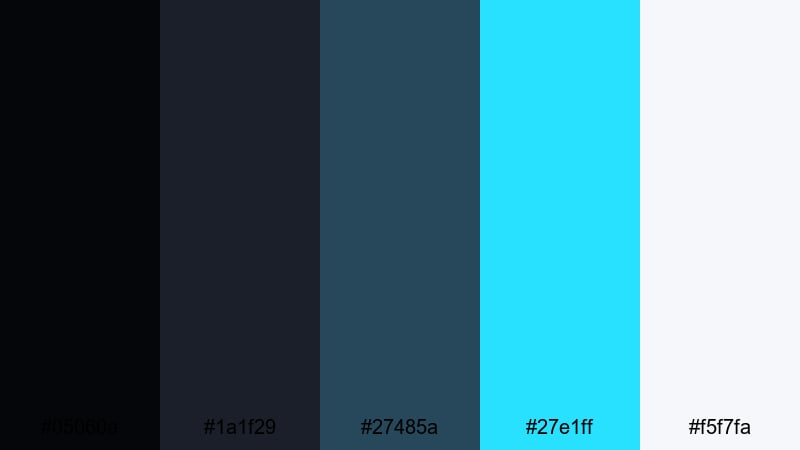
- HEX Codes: #05060a, #1a1f29, #27485a, #27e1ff, #f5f7fa
- Mood: tense and electric, like a city waiting under storm clouds
- Use for: Great for techy B-roll, cyberpunk edits, and motion titles where cool highlights need to cut through deep shadows.
Stormlit Cityscape layers inky Onyx blues under teal storm clouds and a sharp cyan accent. The result is intense and electric, like a skyline right before a storm, illuminated by screens and neon signs.
Drop the darker values into your backgrounds and borders, then use the cyan accent for animated lines, glitch effects, and key title phrases so they slice through the darkness. This palette is ideal for tech reviews, cyberpunk-inspired edits, futuristic channel branding, or motion graphics where you want cool, cutting highlights against dramatic shadows.
Cyber Night Grid
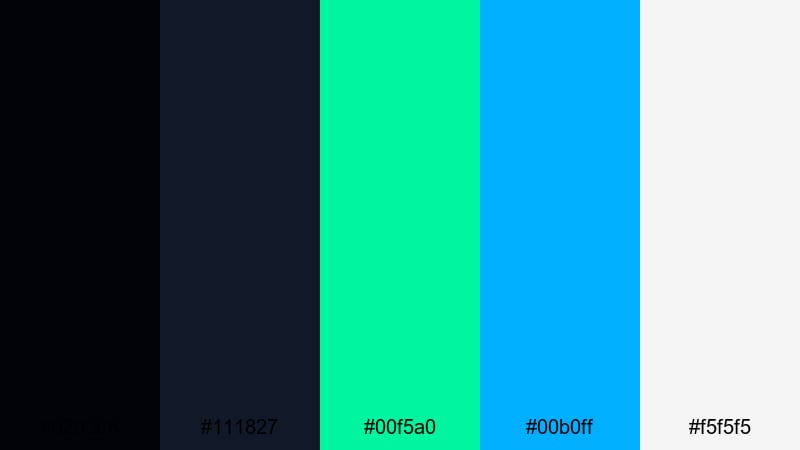
- HEX Codes: #020308, #111827, #00f5a0, #00b0ff, #f5f5f5
- Mood: high-energy, futuristic, and neon-charged
- Use for: Use for gaming intros, glitch transitions, and bold lower thirds in esports or tech content.
Cyber Night Grid is built on a dense Onyx base, punched through with neon aqua and electric blue. It feels like a futuristic HUD floating over a dark city, full of motion and energy.
Use the bright accents for animated gradients, countdown timers, and glowing outlines around text or avatars. The pale white is perfect for UI labels and stats, so your overlays remain readable even when there is a lot of action on screen. This palette works especially well for gaming intros, esports highlight reels, and techy motion graphics packs.
Minimal & Modern Onyx Color Palettes
Onyx Glass UI
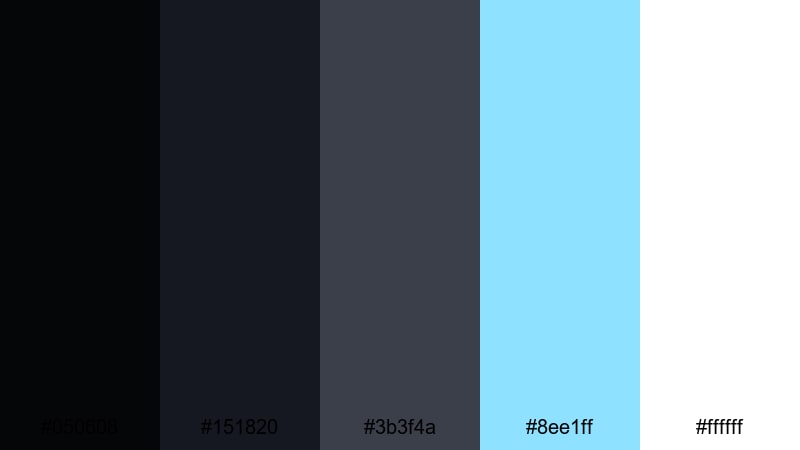
- HEX Codes: #050608, #151820, #3b3f4a, #8ee1ff, #ffffff
- Mood: sleek, clean, and slightly futuristic
- Use for: Best for app-style overlays, clean product explainer videos, and modern YouTube channel branding.
Onyx Glass UI mimics a frosted glass interface floating over a dark background. Layered Onyx grays provide depth, while the crisp cyan and pure white add a tech-forward sharpness that still feels approachable.
This palette is great for lower thirds styled like app windows, text bubbles, and modern product callouts. Use the mid-tone grays for panels and cards, keeping the darkest shade for the canvas behind them. The cyan accent draws attention to buttons, progress bars, and key stats in your explainers and channel branding.
Monochrome Edit Suite
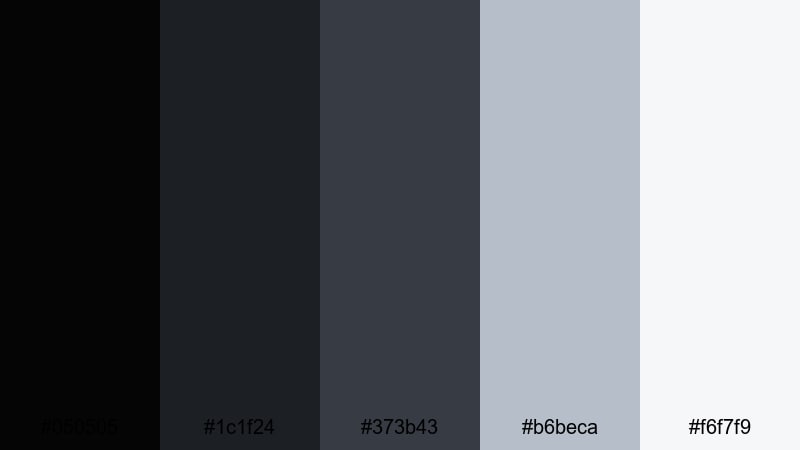
- HEX Codes: #050505, #1c1f24, #373b43, #b6beca, #f6f7f9
- Mood: professional, restrained, and editorial
- Use for: Perfect for tutorial channels, workflow demos, and portfolio reels that need a timeless, distraction-free look.
Monochrome Edit Suite stays fully within the Onyx grayscale spectrum, moving from rich black to soft studio white. It feels like a high-end post-production interface, where nothing colorful distracts from the content itself.
Use the darkest shades for backgrounds and frames, with mid-grays for shapes, UI elements, and subtle dividers. Reserve the lightest tones for text and logo marks to ensure maximum readability. This palette is ideal for tutorials, screen recordings, and portfolio reels where you want a timeless, editorial look that supports your work instead of competing with it.
Clean Tech Onyx
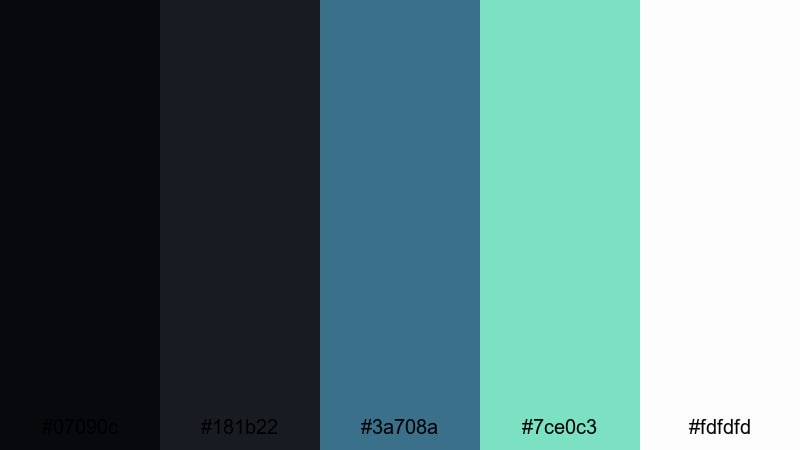
- HEX Codes: #07090c, #181b22, #3a708a, #7ce0c3, #fdfdfd
- Mood: calm, modern, and slightly optimistic
- Use for: Great for startup promos, SaaS explainers, and tech review channels needing a friendly but polished scheme.
Clean Tech Onyx pairs soft dark backgrounds with teal and mint highlights, grounded by a bright white base. The mood is modern and optimistic, like a sleek dashboard that is powerful but not intimidating.
Use the darker shades as a canvas for your explainer animations or UI mockups, then bring in the blue-green accents for graphs, call-to-action buttons, and important bits of copy. This palette works especially well for startup promo videos, SaaS explainers, and review thumbnails that need to feel both trustworthy and fresh.
Slate Workspace Glow
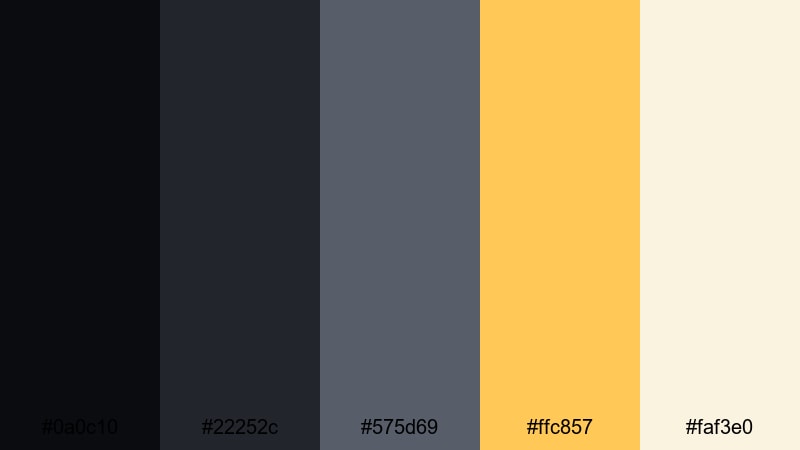
- HEX Codes: #0a0c10, #22252c, #575d69, #ffc857, #faf3e0
- Mood: focused, balanced, with a hint of creative warmth
- Use for: Use in productivity content, desk setups, and educational videos that mix calm focus with subtle energy.
Slate Workspace Glow combines structured Onyx and slate grays with a gentle golden highlight and creamy off-white. It feels like a tidy desk under a warm desk lamp, inviting focus while still feeling friendly.
Use the grays for backgrounds, frames, and interface-style elements, and let the golden accent guide attention to key words, icons, or subscription CTAs. This palette is perfect for productivity vlogs, study-with-me layouts, top-down desk shots, and educational thumbnails where you want calm concentration with a spark of creativity.
Luxurious Metallic Onyx Color Palettes
Black Tie Gala
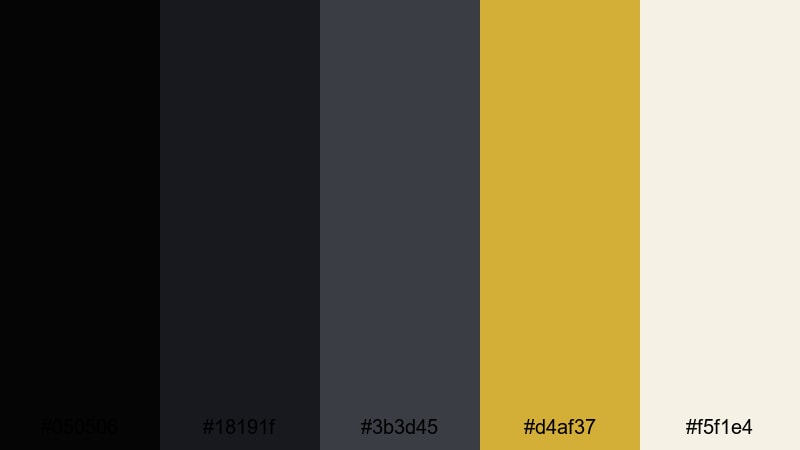
- HEX Codes: #050506, #18191f, #3b3d45, #d4af37, #f5f1e4
- Mood: opulent, formal, and high contrast
- Use for: Perfect for event promos, brand intros, and luxury product videos needing a black-and-gold statement.
Black Tie Gala sets deep Onyx and charcoal against rich metallic gold and a soft ivory. It immediately evokes tuxedos, spotlights, and velvet ropes, making your visuals feel premium and event-ready.
Use the darkest values for backgrounds and vignette effects, while the gold becomes your accent for logo reveals, borders, and animated flourishes. The ivory tone helps text and product descriptions stand out in thumbnails, lookbooks, and high-end event promos where you want maximum elegance and contrast.
Onyx Gold Marquina

- HEX Codes: #050608, #121318, #2c3038, #e0c68f, #faf7f0
- Mood: refined, stone-inspired, and architectural
- Use for: Great for interior design reels, real estate tours, and luxury brand bumpers.
Onyx Gold Marquina draws inspiration from black marble and architectural showrooms. Cool Onyx blacks and grays form a stone-like base, while the soft gold and warm white flow through like elegant veining.
Use the darker tones behind your footage or as letterboxing bars, then bring in the gold for animated line work, logo frames, and section titles. The warm white is ideal for clean, spacious typography in real estate tours, interior design reels, and brand bumpers that need to feel refined and high-end.
Crystal Onyx Champagne
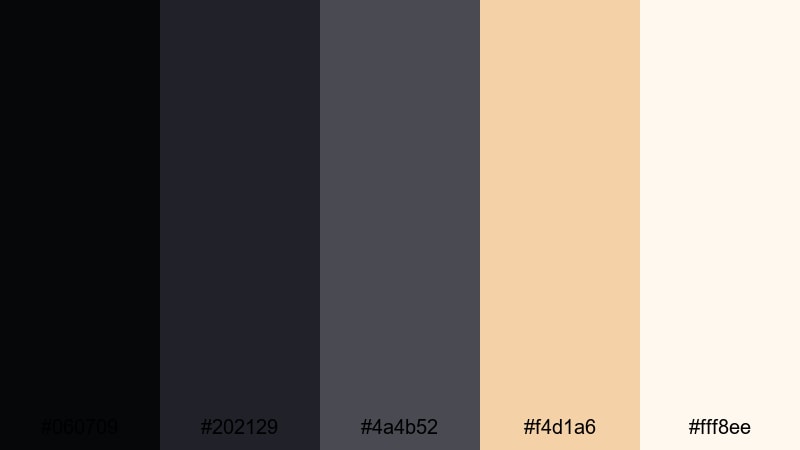
- HEX Codes: #060709, #202129, #4a4b52, #f4d1a6, #fff8ee
- Mood: softly glamorous and celebratory
- Use for: Use for wedding highlights, fashion lookbooks, and launch teasers where elegance is key.
Crystal Onyx Champagne pairs smoky dark grays with sparkling champagne and ivory tones. It feels glamorous yet soft, like candlelight on polished glass during a celebration.
Use the deeper shades to ground your frames and gently vignette your footage, then introduce the champagne hue for accents on names, dates, and product details. The ivory shade is ideal for titles and lower thirds in wedding highlights, fashion lookbooks, launch teasers, and any content that aims for refined celebration rather than loud glitter.
Velvet Ruby Onyx
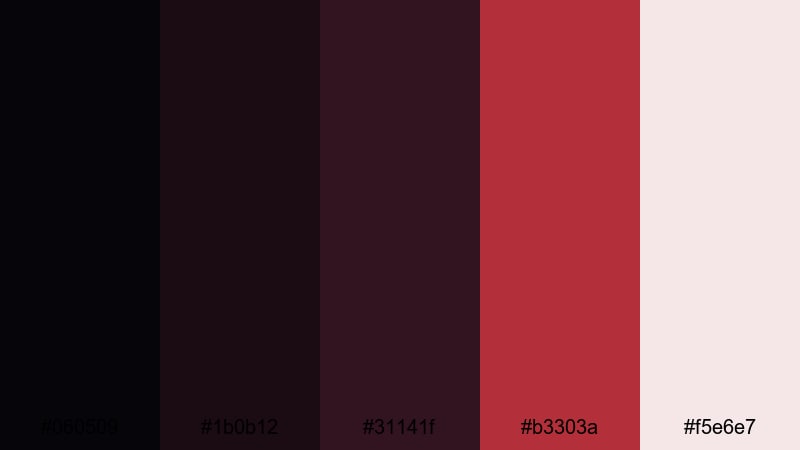
- HEX Codes: #060509, #1b0b12, #31141f, #b3303a, #f5e6e7
- Mood: dramatic, passionate, and luxurious
- Use for: Ideal for music videos, perfume ads, and cinematic trailers that need rich, emotional color.
Velvet Ruby Onyx blends inky blacks with velvety wine and ruby hues, softened by a pale blush. It feels sensual and dramatic, like a spotlight on red velvet curtains in a dark theater.
Use the darker reds and blacks to flood your backgrounds and create deep, emotional contrast. The brighter ruby is perfect for key frames, lyric highlights, or product details that must feel intense and luxurious. Finish with the blush tone for legible text and subtle overlays in music videos, fragrance ads, and cinematic story trailers.
Soft & Atmospheric Onyx Color Palettes
Foggy Loft Morning

- HEX Codes: #08090b, #212329, #6a717c, #cfd5dd, #f7f8fb
- Mood: calm, introspective, and slightly nostalgic
- Use for: Perfect for cozy vlogs, study-with-me videos, and lifestyle edits with a soft cinematic tone.
Foggy Loft Morning transitions from gentle Onyx shadows into misty grays and diffused whites. It feels like early light streaming through a big window, filling the room with quiet and space to think.
Use the darker tones for soft borders, text backgrounds, or subtle overlays that keep your shot grounded. The lighter grays and whites work well for headings, journaling notes on screen, and chapter titles. This palette is well-suited to cozy vlogs, study sessions, lifestyle edits, and any content that benefits from a calm, reflective atmosphere.
Muted Onyx Pastel Fade

- HEX Codes: #07080b, #252731, #8a90a0, #f0c1cf, #fdeeea
- Mood: soft, dreamy, and subtly romantic
- Use for: Great for aesthetic vlogs, journaling content, and gentle transition screens with a pastel twist.
Muted Onyx Pastel Fade starts with dark Onyx bases to anchor your frame, then drifts into dusty lilac-gray and pastel pinks. It creates a dreamy, diary-like feeling that is emotional but never overly bright.
Keep the Onyx tones behind your footage or at the edges of the frame, and let the pastel shades wash over as gradient overlays, title backgrounds, or hand-written text effects. This palette is perfect for aesthetic vlogs, digital journaling videos, soft storytelling, or transition screens between more intense scenes.
Rainy Window Bokeh
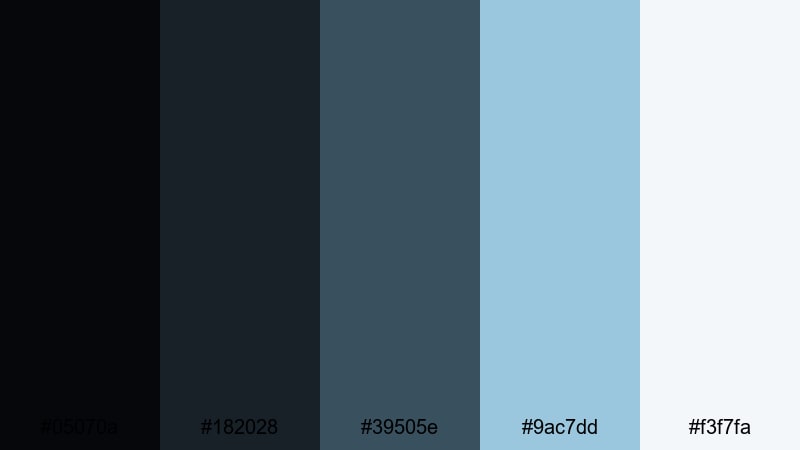
- HEX Codes: #05070a, #182028, #39505e, #9ac7dd, #f3f7fa
- Mood: melancholic yet comforting, like a rainy afternoon indoors
- Use for: Use in lo-fi music loops, study playlists, and reflective storytelling pieces.
Rainy Window Bokeh stacks layered Onyx blues under misty teal and pale sky tones. It feels like watching raindrops slide down a window while soft music plays in the background.
Use the deeper blues as your base grade for footage, then highlight with the lighter tones in text, simple shapes, and subtle overlays to suggest light leaks or window reflections. This palette is ideal for lo-fi music loops, ambient study playlists, and reflective storytelling sequences that should feel comforting, calm, and a little bit nostalgic.
Tips for Creating Onyx Color Palettes
When you build your own Onyx color palette for video and design, balancing depth, contrast, and readability is key. Onyx is powerful but can easily swallow detail, so pairing it with the right supporting colors keeps your visuals cinematic and clear.
- Always pair Onyx with at least one light neutral (ivory, off-white, or soft gray) so titles and UI elements stay readable on thumbnails, intros, and end screens.
- Use accent colors sparingly. A single gold, cyan, or pastel tone against Onyx has more impact than a crowded rainbow of highlights.
- Check contrast on mobile. Zoom out on your thumbnail or lower thirds to make sure text remains clear on small screens and darker displays.
- Match Onyx to your footage. If your video is already dark, use slightly softer grays instead of pure black to avoid losing separation between overlays and background.
- Keep branding consistent. Reuse the same 3–5 HEX codes for your logo, title cards, and lower thirds so viewers instantly recognize your channel style.
- Use gradients for softness. Blending Onyx into slate, blue, or warm gray can create depth without harsh blocks of black.
- Test different moods. Cool accents (cyan, teal, blue) make Onyx feel futuristic, while warm accents (gold, amber, blush) make it feel luxurious and welcoming.
- Save presets in your editor. Store your chosen Onyx palette as reusable styles for text, shapes, and overlays to keep future videos visually consistent.
Onyx color palettes give your projects a strong foundation, shaping mood, storytelling, and brand identity with just a few carefully chosen shades. Whether you lean into moody cinematic blacks, minimal UI-inspired grays, or soft atmospheric tones, Onyx helps your content feel focused and deliberate.
Try these 15 palettes as starting points, then adapt the HEX codes to match your own logo, footage, and niche. In Filmora, you can quickly test grades, accents, and overlays until your intros, thumbnails, and timelines all share the same signature Onyx aesthetic.
The more consistently you apply your palette, the more your audience will recognize your work at a glance. Experiment, save your favorite looks as presets, and let Onyx become the backbone of a cohesive visual style across your entire channel.
secure downloadNext: Snow Color Palette
