

 100% Security Verified | No Subscription Required | No Malware


 ChatGPT
 Perplexity
 Gemini
 Claude
 Grok
Grok
Orange red sits right between glowing embers and pure adrenaline. It combines the energy of red with the warmth of orange, so it instantly feels bold, urgent, and optimistic at the same time. In video and design, this makes orange red perfect for drawing the eye to key elements like titles, calls to action, and emotional close-ups.
Whether you are building a cinematic trailer, a cozy vlog intro, or a clean explainer graphic, the right orange red color palette can shape how viewers feel about your story and your brand. Below are 15 ready-made orange red color palettes with HEX codes, designed for creators and Filmora users who want fast, consistent color across thumbnails, intros, overlays, and full video edits.
In this article
Bold & Cinematic Orange Red Color Palettes
Sunset Trailer Punch
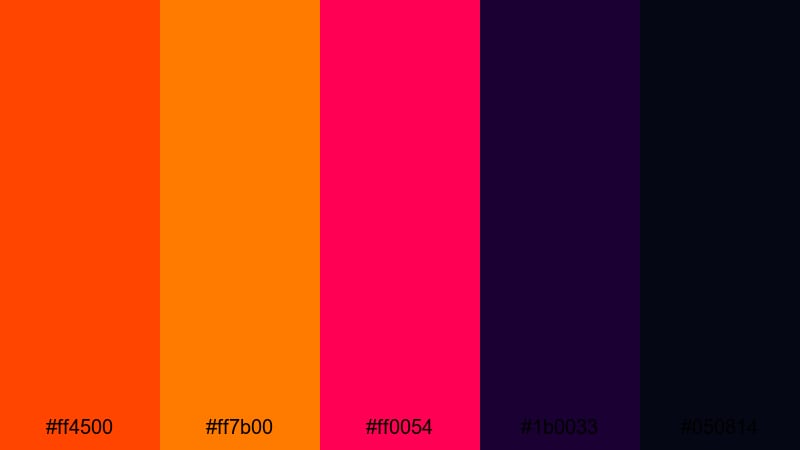
- HEX Codes: #ff4500, #ff7b00, #ff0054, #1b0033, #050814
- Mood: Intense, dramatic, and high-energy like a summer blockbuster.
- Use for: Perfect for movie-style trailers, high-impact intros, and bold YouTube thumbnails that need to grab attention instantly.
Sunset Trailer Punch is built for drama. The hot orange red (#ff4500) and glowing sunset orange (#ff7b00) clash beautifully with neon pink (#ff0054) and deep midnight tones (#1b0033, #050814). Together, they feel like a sky on fire over a city skyline, ideal when you want visuals that hit hard in the first second.
Use this palette for cinematic trailers, music video teasers, or hero thumbnails where your title and subject must pop against a dark background. In Filmora, you can pair these colors with bold typography, light leaks, and flare overlays to get that explosive, premium movie-poster vibe across your whole channel.
Pro Tip: Build a Cinematic Orange Red Look in Filmora
To keep an intense palette like Sunset Trailer Punch under control, start with a contrasty base grade in Filmora. Use the bright orange red for titles, callouts, and accent shapes, while letting the deep purples and blacks dominate your backgrounds and letterbox bars.
Once you find a look you love, save it as a custom preset in Filmora so every intro, b-roll cut, and YouTube Short can share the same orange red signature. This gives your channel a unified, cinematic identity without manually recreating the grade for each video.
AI Color Palette
If you have a reference frame or thumbnail that already nails this fiery look, you can use Filmora's AI Color Palette feature to spread that same color style across the rest of your footage. Simply sample the source clip, then let AI match the tones in other shots.
This is especially powerful for trailer-style edits or multi-camera shoots, where colors can shift between angles. With AI Color Palette, your orange reds stay consistent from intro to end screen, even when footage comes from different cameras or lighting setups.
 secure download

HSL, Color Wheels & Curves
To polish your orange red shots further, jump into Filmora's HSL, color wheels, and curves controls. You can push oranges slightly toward red for a hotter feel, deepen blues in the shadows to make neon accents stand out, or use curves to add contrast in just the midtones while protecting highlights on faces.
Combining these tools with Filmora's dedicated color correction tools helps you dial in a cinematic balance: fiery highlights, rich shadows, and skin tones that still look natural next to bold orange reds.
secure download1000+ Video Filters & 3D LUTs
If you want a blockbuster-grade finish without manual tweaking, start from Filmora's built-in looks. Filmora's video filters and 3D LUTs make it easy to push your orange reds toward a Hollywood teal-and-orange look, a neon cyberpunk style, or a moody, desaturated trailer mood.
Apply a LUT globally, then layer subtle filters on top for flares, vignettes, and soft bloom. This helps your Sunset Trailer Punch palette feel cohesive across intros, lower thirds, B-roll montages, and end screens with very little setup time.
secure downloadAction Poster Inferno
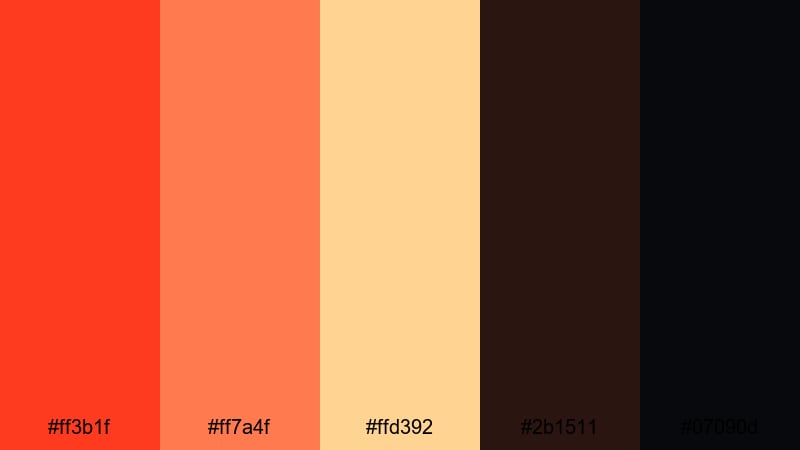
- HEX Codes: #ff3b1f, #ff7a4f, #ffd392, #2b1511, #07090d
- Mood: Explosive, heroic, and adrenaline-packed.
- Use for: Use this palette for action thumbnails, gaming highlight reels, and posters where you want bold contrast and a fiery focal point.
Action Poster Inferno mixes a blazing orange red core (#ff3b1f, #ff7a4f) with toasted gold highlights (#ffd392) and deep shadow browns (#2b1511, #07090d). It feels like a classic action movie poster, with a bright central hero and dark, smoky edges.
It is ideal for gaming channel art, reaction thumbnails, or cinematic fight scenes. Use the light gold for text or UI panels, and reserve the darkest tones for backgrounds so your subject and orange reds stay front and center in every frame.
Neon Ember Highlights
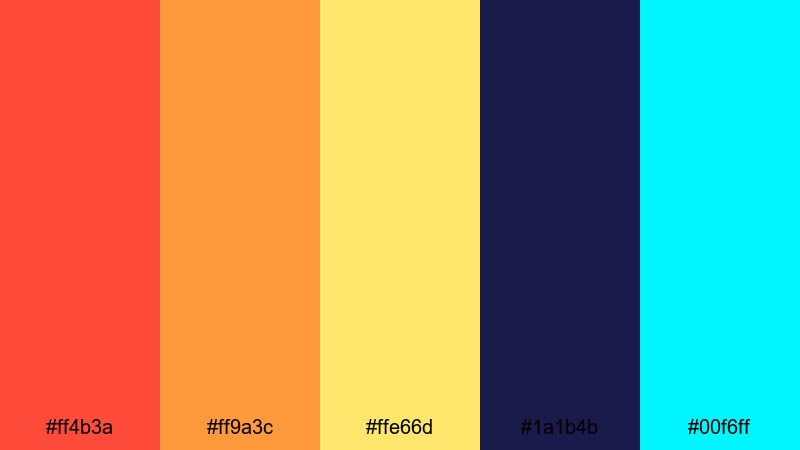
- HEX Codes: #ff4b3a, #ff9a3c, #ffe66d, #1a1b4b, #00f6ff
- Mood: Edgy, electric, and nightlife inspired.
- Use for: Best for music videos, festival recaps, and gaming content that mixes warm flares with cool neon accents.
Neon Ember Highlights throws hot orange reds and glowing yellows (#ff4b3a, #ff9a3c, #ffe66d) against deep indigo (#1a1b4b) and electric cyan (#00f6ff). The result feels like a city lit by LED billboards and club lights.
Use it for music videos, festival recaps, or streamer overlays where warm flares meet cool neon HUD elements. In thumbnails and intro titles, the cyan and yellow make perfect accent lines or icons around your main orange red logo.
Stadium Spotlight Surge
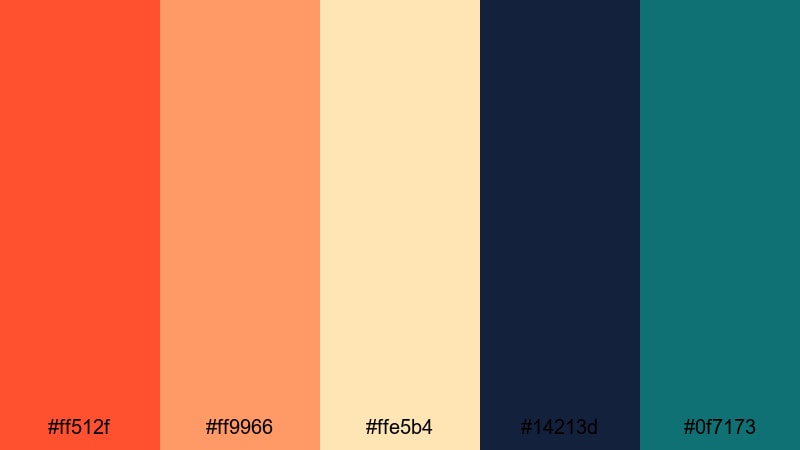
- HEX Codes: #ff512f, #ff9966, #ffe5b4, #14213d, #0f7173
- Mood: Triumphant, energetic, and competitive.
- Use for: Great for sports edits, event recaps, and hype reels where you want bold highlights and dramatic crowd shots.
Stadium Spotlight Surge balances vivid orange reds (#ff512f, #ff9966) with pale floodlight cream (#ffe5b4) and strong cool tones (#14213d, #0f7173). It instantly recalls stadiums, jerseys, and lit scoreboards.
Use it in sports highlight reels, esports announcements, or competitive challenge videos. The teal and navy work well for lower thirds, timer bars, and score graphics, while the orange reds highlight players, trophies, and calls to action.
Soft & Cozy Orange Red Color Palettes
Campfire Story Glow
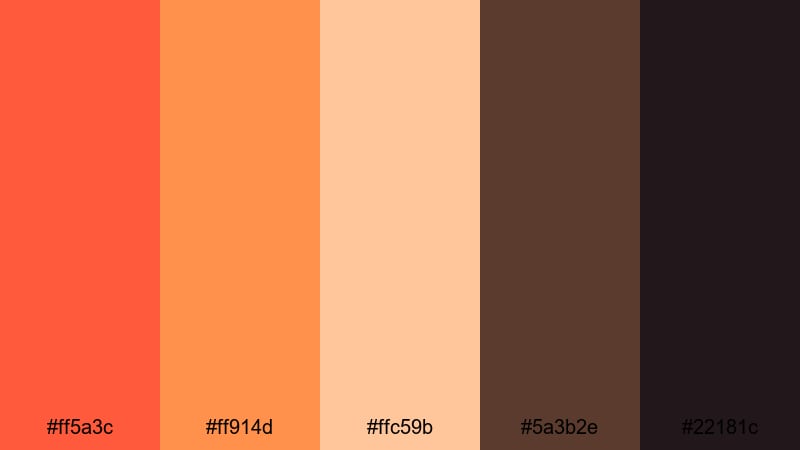
- HEX Codes: #ff5a3c, #ff914d, #ffc59b, #5a3b2e, #22181c
- Mood: Warm, intimate, and nostalgic like nights around a fire.
- Use for: Use for vlogs, family moments, and travel diaries where you want cozy, storytelling warmth in every frame.
Campfire Story Glow mixes ember orange reds (#ff5a3c, #ff914d) with creamy highlights (#ffc59b) and toasted browns (#5a3b2e, #22181c). It feels like a quiet evening around a firepit, with soft light on faces and darker surroundings.
Use it for family vlogs, camp or cabin trips, and storytelling shorts. In Filmora, you can combine this palette with soft vignettes and gentle fades to black to keep attention on faces and emotion rather than on busy backgrounds.
Harvest Kitchen Warmth
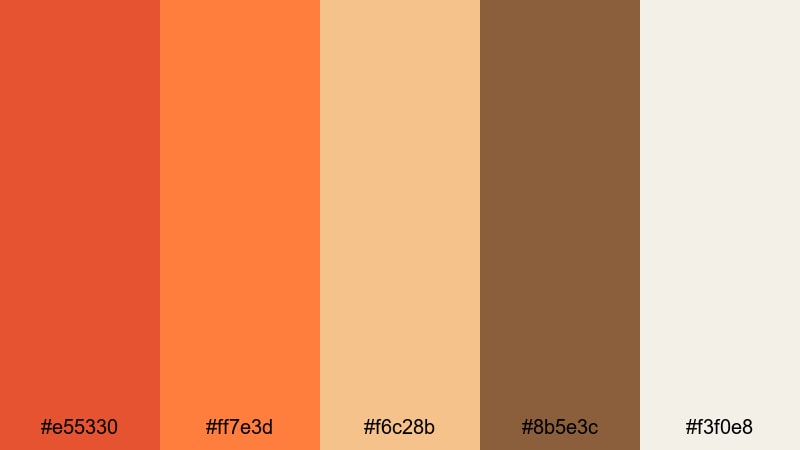
- HEX Codes: #e55330, #ff7e3d, #f6c28b, #8b5e3c, #f3f0e8
- Mood: Homey, inviting, and rustic.
- Use for: Perfect for cooking videos, lifestyle vlogs, and product shots that need a welcoming, homemade vibe.
Harvest Kitchen Warmth blends soft orange reds (#e55330, #ff7e3d) with caramel browns (#8b5e3c) and creamy neutrals (#f6c28b, #f3f0e8). It feels like sun through a kitchen window, with wood, ceramics, and food as the main characters.
This is great for recipe videos, slow living content, and farmhouse-inspired branding. Use the off-white tones as your base for backgrounds or text, and let the orange reds highlight key ingredients, utensils, or important on-screen tips.
Terracotta Latte Hues
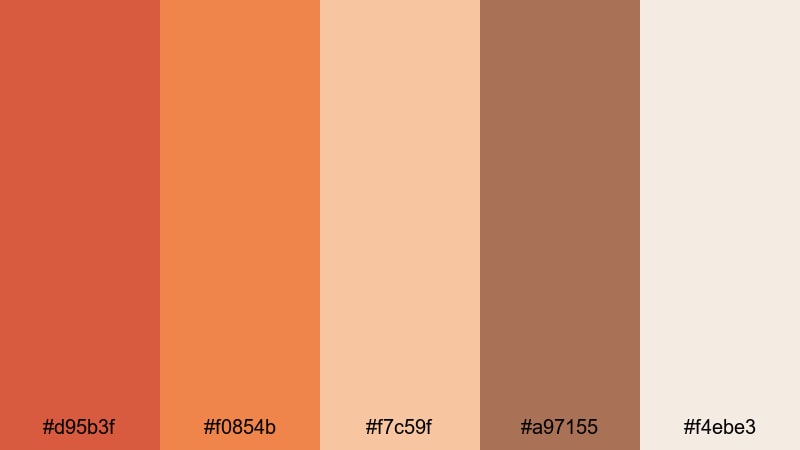
- HEX Codes: #d95b3f, #f0854b, #f7c59f, #a97155, #f4ebe3
- Mood: Calm, grounded, and artisan.
- Use for: Use this palette in brand intros, studio tours, and DIY videos where you want a crafted, design-forward warmth.
Terracotta Latte Hues pairs earthy orange reds (#d95b3f, #f0854b) with latte creams and clay browns (#f7c59f, #a97155, #f4ebe3). It has a hand-crafted, boutique feel that suits creatives and makers.
Use it for studio tours, DIY tutorials, or small business promos where you want warmth without harsh saturation. The lighter creams make great backgrounds for on-screen text, while the terracotta tones can brand your logo, buttons, and chapter markers.
Golden Peach Hearth
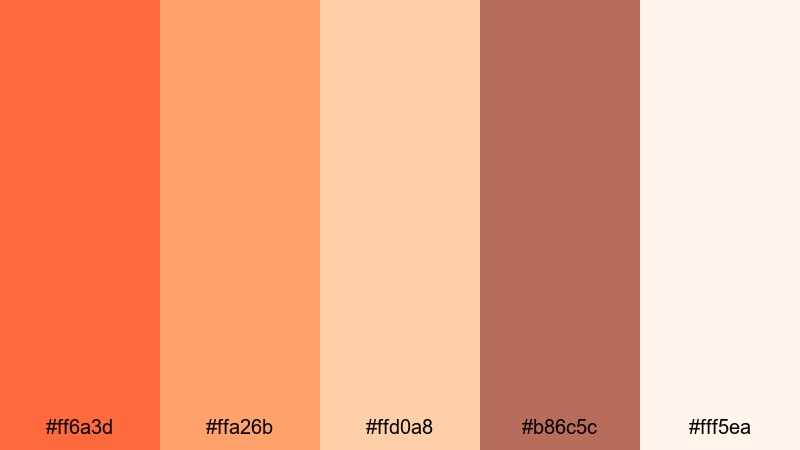
- HEX Codes: #ff6a3d, #ffa26b, #ffd0a8, #b86c5c, #fff5ea
- Mood: Gentle, peachy, and comforting.
- Use for: Best for intros, reels, and Instagram stories that need soft warmth without feeling too intense or saturated.
Golden Peach Hearth softens orange red into peach and cream (#ff6a3d, #ffa26b, #ffd0a8, #fff5ea), tied together with a mellow brown (#b86c5c). It gives your visuals a dreamy, flattering glow.
Use it for aesthetic reels, product unboxings, or self-care content where you want everything to feel gentle and inviting. The creamy white is perfect for minimal lower thirds, while the peach tones make standout buttons and sticker-style graphics on vertical videos.
Modern Minimal Orange Red Color Palettes
Coral Accent Grid
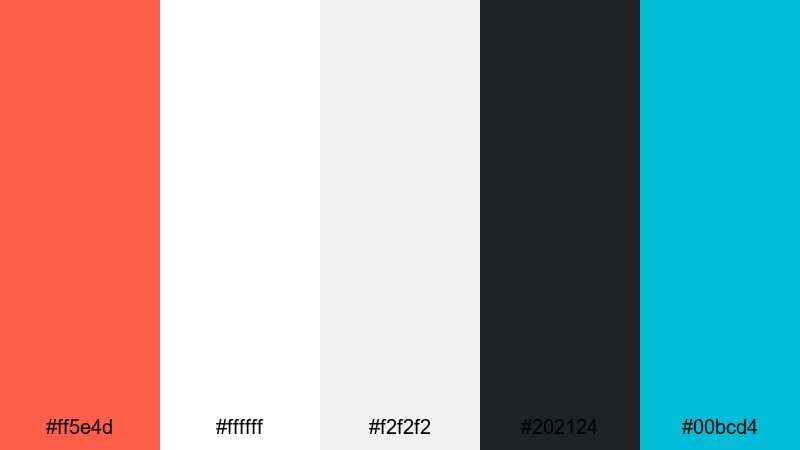
- HEX Codes: #ff5e4d, #ffffff, #f2f2f2, #202124, #00bcd4
- Mood: Clean, crisp, and design driven with a bold pop of coral.
- Use for: Ideal for modern channel branding, UI-style overlays, and minimalist explainer videos.
Coral Accent Grid uses a strong coral orange red (#ff5e4d) as the hero against clean whites and grays (#ffffff, #f2f2f2, #202124), plus a sharp aqua accent (#00bcd4). It feels like a modern app interface or brand style guide.
Use this palette for tutorials, SaaS demos, and UI breakdowns where clarity matters. Keep backgrounds light and neutral, then use coral for buttons, icons, and section titles so your calls to action are impossible to miss on screen.
Urban Loft Ember
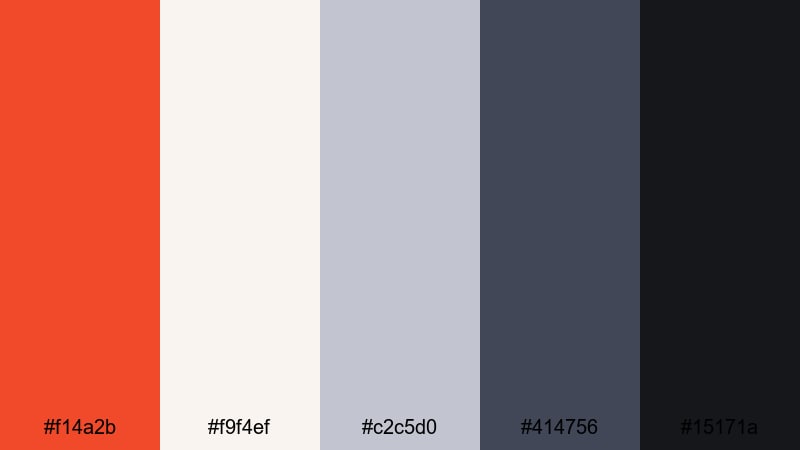
- HEX Codes: #f14a2b, #f9f4ef, #c2c5d0, #414756, #15171a
- Mood: Stylish, urban, and understated with a warm focal tone.
- Use for: Use for tech content, portfolio reels, and talking-head videos where you want a polished studio aesthetic.
Urban Loft Ember puts a muted orange red (#f14a2b) against soft off-whites and cool grays (#f9f4ef, #c2c5d0, #414756, #15171a). It feels like a modern studio or loft with brick, metal, and big windows at golden hour.
Use it for personal branding, portfolio edits, and tech explainers. The orange red can highlight your logo, subscribe buttons, or key bullet points, while the grays and blacks give you a professional frame for interview-style shots.
Clean UI Signal
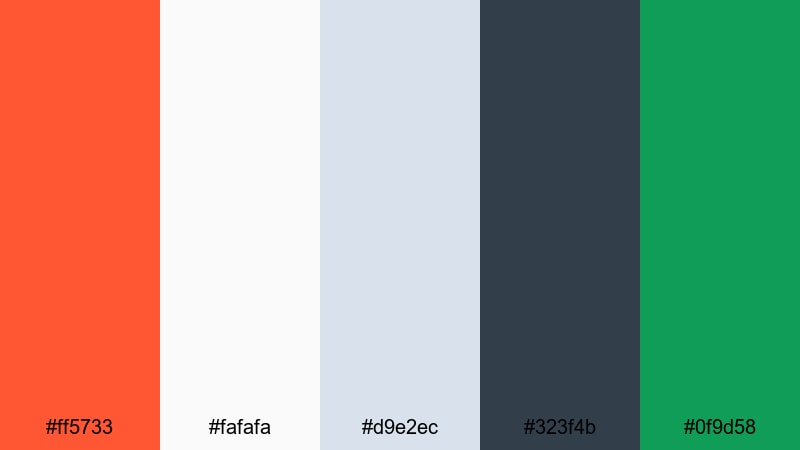
- HEX Codes: #ff5733, #fafafa, #d9e2ec, #323f4b, #0f9d58
- Mood: Fresh, digital, and efficient with clear call-to-action energy.
- Use for: Perfect for app demos, tutorial overlays, and lower-thirds where clarity and contrast matter.
Clean UI Signal combines a signal orange red (#ff5733) with light interface neutrals (#fafafa, #d9e2ec), a dark navy-gray (#323f4b), and a focused green accent (#0f9d58). It feels like a modern dashboard or productivity app.
Use this palette to design clean lower thirds, progress bars, and notification pop-ups in your tutorials. Orange red can indicate actions or warnings, while green is ideal for success states like completed steps or subscription confirmations in your on-screen graphics.
Retro & Sunlit Orange Red Color Palettes
Vintage Soda Pop
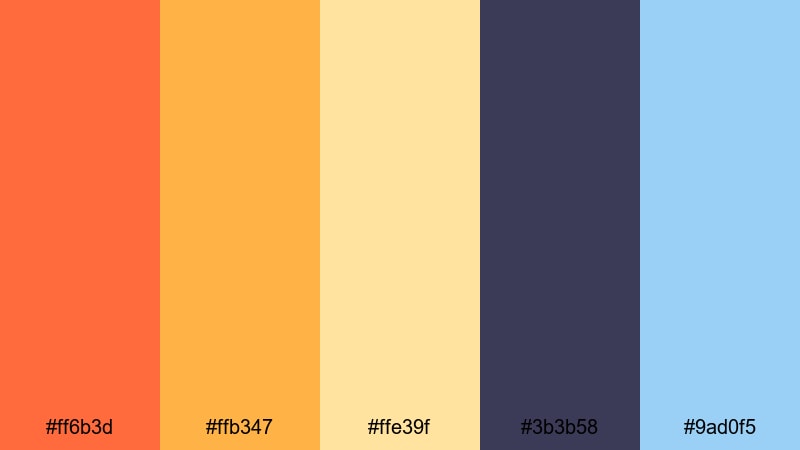
- HEX Codes: #ff6b3d, #ffb347, #ffe39f, #3b3b58, #9ad0f5
- Mood: Playful, fizzy, and nostalgic like an old diner ad.
- Use for: Great for retro intros, product promos, and lifestyle edits with a fun, throwback flavor.
Vintage Soda Pop mixes juicy orange red (#ff6b3d) with creamy yellows (#ffb347, #ffe39f) and cool blues (#3b3b58, #9ad0f5). It instantly suggests vintage posters, soda labels, and neon diner signs.
Use it for retro intros, playful ads, or throwback lifestyle edits. Let the orange red and yellow carry text and product shots, while the blues give you contrast for backgrounds, frames, and simple motion graphics transitions.
Analog Roadtrip Dust
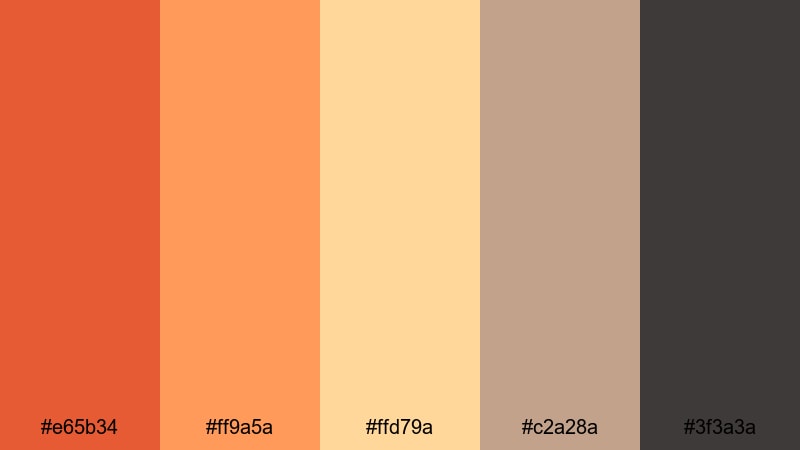
- HEX Codes: #e65b34, #ff9a5a, #ffd79a, #c2a28a, #3f3a3a
- Mood: Sun-faded, dusty, and adventurous.
- Use for: Use this palette for travel vlogs, documentary-style edits, and slideshows that feel like they were shot on old film.
Analog Roadtrip Dust brings faded orange reds (#e65b34, #ff9a5a) together with sun-bleached neutrals (#ffd79a, #c2a28a) and a worn charcoal (#3f3a3a). It feels like postcards and film photos from long drives and quiet motels.
Use it in travel vlogs, photo slideshows, and documentary intros. Combine this palette with subtle film grain and slow crossfades in Filmora to reinforce the analog, nostalgic feeling.
Retro Arcade Sparks
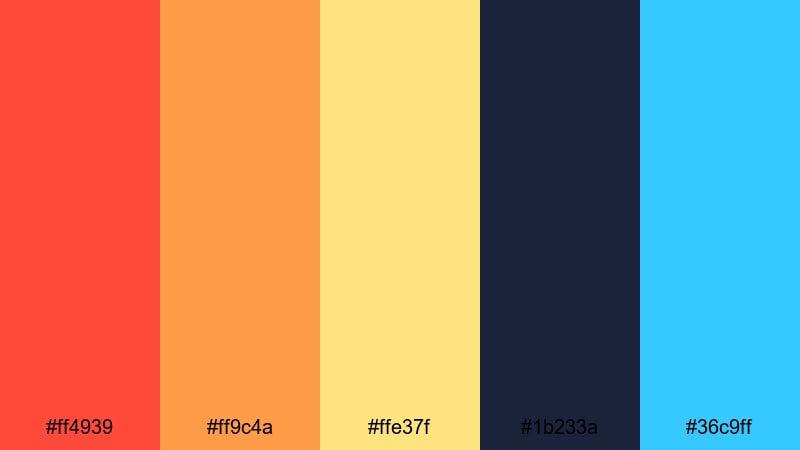
- HEX Codes: #ff4939, #ff9c4a, #ffe37f, #1b233a, #36c9ff
- Mood: Energetic, playful, and game-night bright.
- Use for: Best for gaming intros, highlight montages, and energetic motion graphics with a retro arcade twist.
Retro Arcade Sparks pairs punchy orange red (#ff4939) and golden yellow (#ff9c4a, #ffe37f) with midnight blue and neon cyan (#1b233a, #36c9ff). It feels like an 80s arcade cabinet lit by pixel explosions.
Use it for gaming intros, highlight reels, and animated overlays like score counters or level-up banners. The dark blue is perfect for background panels, letting the orange and cyan UI elements glow like arcade lights.
Seventies Orange Bloom
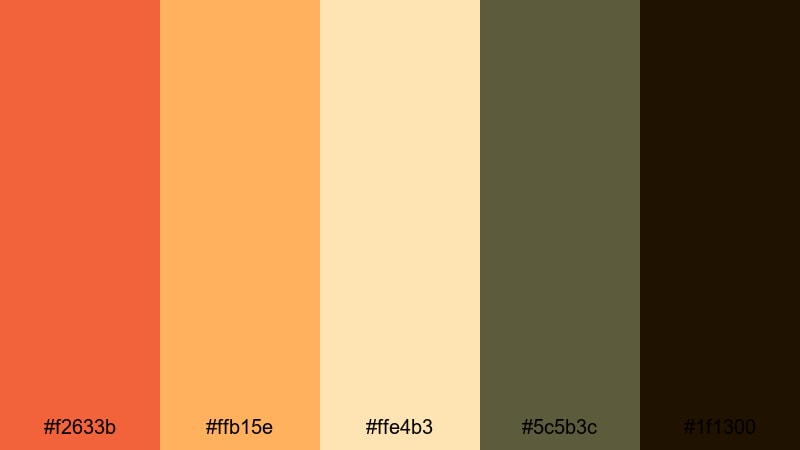
- HEX Codes: #f2633b, #ffb15e, #ffe4b3, #5c5b3c, #1f1300
- Mood: Groovy, sunlit, and vintage chic.
- Use for: Ideal for fashion reels, lookbooks, and branding that leans into a warm retro mood.
Seventies Orange Bloom mixes burnt orange red (#f2633b) with honeyed yellows (#ffb15e, #ffe4b3) and earthy olives and browns (#5c5b3c, #1f1300). It feels like vintage posters, film grain, and sun-faded textiles.
Use this palette for fashion lookbooks, brand teasers, and retro-inspired lifestyle content. The darker tones give strong frames or borders for vertical videos, while the oranges and yellows can style text, logos, and simple pattern overlays.
Tips for Creating Orange Red Color Palettes
Orange red is powerful, so balancing it with the right supporting colors is key for readable, professional video design. Use these tips to build or adapt palettes that fit your brand and footage.
- Pair orange red with deep cool tones (navy, teal, charcoal) when you want a cinematic, high-contrast look for trailers and thumbnails.
- For cozy vlogs and lifestyle content, soften orange red with creams, beige, and warm browns to keep skin tones flattering and gentle.
- Always check text readability: place bright orange red text on dark backgrounds, or use white text on an orange red panel with enough contrast.
- Limit your accent colors to one or two additional hues (like cyan or mint) so orange red stays the hero and your overlays do not feel chaotic.
- Match your palette to your footage by adjusting saturation: lower saturation for documentaries and retro looks, boost it for gaming and music videos.
- Keep branding consistent by using the same HEX codes in your logo, lower thirds, end screens, and social media thumbnails.
- Test your palette on different devices (phone, tablet, desktop) to be sure the orange red does not shift toward neon or muddy brown on lower-quality screens.
- In Filmora, create and reuse presets for your color grading so every edit uses the same orange red mood without rebuilding it from scratch.
Orange red color palettes can turn neutral footage into something bold, emotional, and instantly recognizable. From blockbuster trailers to cozy kitchen vlogs, the right combination of fiery tones and supporting colors helps shape your story and strengthen your brand identity.
Use these 15 palettes as ready-made starting points: drop the HEX codes into your graphics, titles, and overlays, then fine-tune the grade in Filmora to match your footage. With AI-powered color tools, HSL controls, and LUTs, you can keep your orange red aesthetic consistent across intros, thumbnails, social clips, and long-form videos.
Experiment with a few different palettes, save your favorite looks as presets, and let orange red become a signature part of your visual style in Filmora.
secure download