

 100% Security Verified | No Subscription Required | No Malware


 ChatGPT
 Perplexity
 Gemini
 Claude
 Grok
Grok
Purple Gray is a chameleon color: soft enough for romance, cool enough for tech, and deep enough for cinematic drama. It sits between warm mauve and cool charcoal, which makes it perfect for creators who want their videos, thumbnails, and branding to feel stylish, modern, and slightly mysterious without going full black or neon.
In video editing and design, Purple Gray works beautifully for YouTube thumbnails, channel intros, lower thirds, and cinematic color grading. The palettes below give you ready-made Purple Gray color combinations with HEX codes you can drop straight into Filmora, whether you are building a vlog aesthetic, a wedding highlight look, or a moody short film.
In this article
Soft and Romantic Purple Gray Palettes
Lilac Mist Wedding Glow
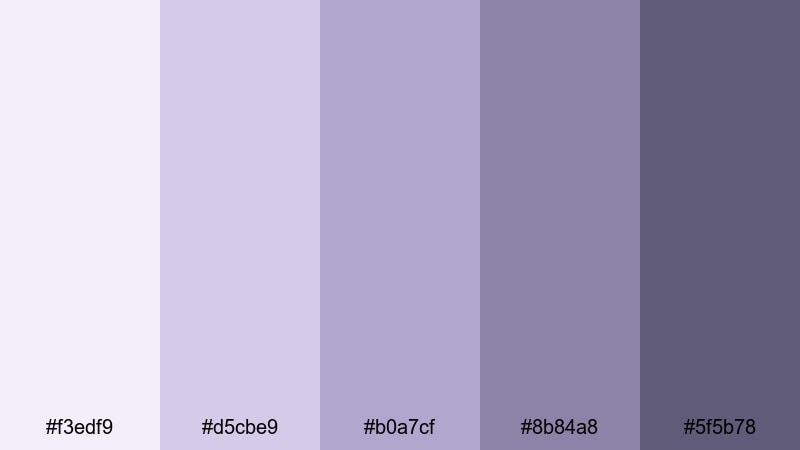
- HEX Codes: #f3edf9, #d5cbe9, #b0a7cf, #8b84a8, #5f5b78
- Mood: Gentle, romantic, and dreamy.
- Use for: Use for wedding highlight videos, engagement reels, or romantic title cards that need a soft, cinematic haze.
This palette layers pale lilac and powdery Purple Gray with deeper muted plum, like a misty morning over a bridal bouquet. It feels tender and cinematic, perfect for capturing slow-motion veil shots, first looks, and intimate details in soft-focus.
Use the lighter HEX tones for backgrounds, overlays, and lower thirds on wedding videos, and the darker Purple Gray shades for text, drop shadows, and outro cards. In Filmora, this palette works beautifully across your thumbnail frame, opening title, and color grading so the entire love story feels cohesive from the YouTube homepage to the final credit screen.
Pro Tip: Build a Cinematic Purple Gray Wedding Look in Filmora
To keep a Lilac Mist vibe across an entire wedding or engagement edit, start by sampling these HEX codes for your titles, subtitle bars, and call-to-action buttons in Filmora. Then echo the same Purple Gray tones in subtle vignettes and overlays so your footage, graphics, and text feel like one continuous visual story.
You can also create a reusable style by saving your titles, lower thirds, and end screen built with this palette as custom presets. That way, every new wedding highlight, Instagram reel, or teaser trailer you cut in Filmora automatically matches the same dreamy Purple Gray branding.
AI Color Palette
If you already have a moodboard or a still frame with this Lilac Mist Wedding Glow look, you can let Filmora do the color-matching work for you. Filmora's AI Color Palette feature can analyze your reference image and apply similar Purple Gray tones across other clips in your project.
Import a frame from your favorite romantic scene, set it as your reference, and then match the rest of the edit. Your ceremony, reception, and portrait shots will share a unified lilac haze without you manually tweaking every clip, which is ideal when delivering multiple edits for the same couple.
 secure download

HSL, Color Wheels & Curves
Once your base Purple Gray look is in place, fine-tune it using HSL, color wheels, and curves in Filmora. Slightly desaturate the shadows and add a hint of lavender into the midtones to get that soft, romantic glow, while keeping skin tones warm and natural. Guides like Filmora's color grading tips with HSL and curves can help you push the look toward either dreamy pastel or deeper cinematic romance.
Use curves to lift the blacks a little for a hazy, filmic feel, then cool the highlights just enough to let the lilac tones shimmer without washing out white dresses or flowers. This gives you a polished, magazine-style wedding aesthetic that still feels organic and emotional.
secure download1000+ Video Filters & 3D LUTs
To speed up your workflow, combine this Lilac Mist palette with Filmora's library of filters and LUTs. Filmora's video filters and 3D LUTs make it easy to get a cohesive Purple Gray grade that feels cinematic, then refine it with your exact HEX-based branding.
Layer a soft pastel or romantic LUT over your footage, then tweak the intensity so the effect supports your palette instead of overpowering it. This approach lets you keep consistent colors across long-form wedding films, vertical reels, and teaser clips without reinventing your look for every project.
secure downloadBlush Smoke Story
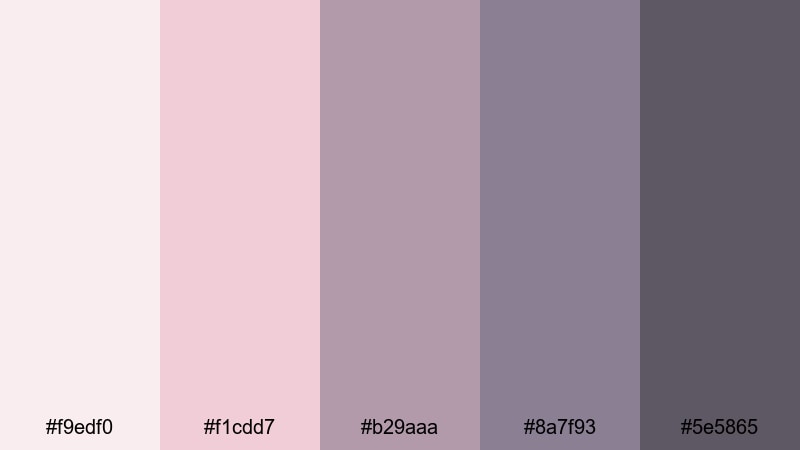
- HEX Codes: #f9edf0, #f1cdd7, #b29aaa, #8a7f93, #5e5865
- Mood: Soft, nostalgic, and intimate.
- Use for: Use for personal storytelling vlogs, heartfelt confessionals, or cozy podcast visuals with a warm, cinematic tint.
Blush Smoke Story blends muted pinks with smoky Purple Gray, like a faded photograph from an old journal. It feels warm, close, and personal, ideal for stories about growth, healing, or late-night reflections.
Use the soft blush tones for backgrounds behind your talking-head shots or podcast title cards, and reserve the darker grays for text, icons, and waveform graphics. In Filmora, this palette looks great in YouTube thumbnails for emotional vlogs, chapter cards, and subtle overlays that sit over your footage without distracting from your face or voice.
Lavender Veil Portrait
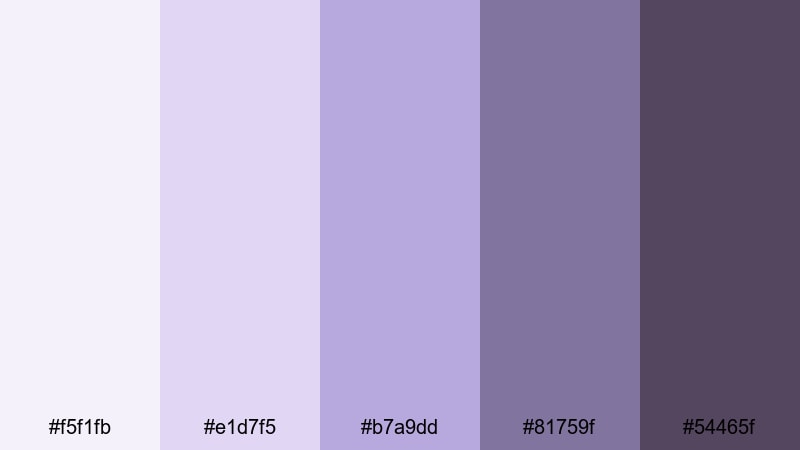
- HEX Codes: #f5f1fb, #e1d7f5, #b7a9dd, #81759f, #54465f
- Mood: Elegant, calm, and polished.
- Use for: Use for beauty tutorials, portrait thumbnails, and branding intros that need a refined but approachable look.
Lavender Veil Portrait combines airy lavender tints with deeper Purple Gray shadows, creating an editorial, beauty-magazine feel. It is calm yet confident, perfect when you want your face, makeup, or outfit to be the star.
Use the lightest tones for clean backgrounds, gradient frames, or border designs around your portrait thumbnails, while darker shades anchor text, logo locks, and call-to-action buttons. This palette works beautifully as a channel brand kit in Filmora: apply it across intro animations, lower thirds for your name and socials, and end screens for a consistent, polished creator identity.
Dewy Orchid Morning
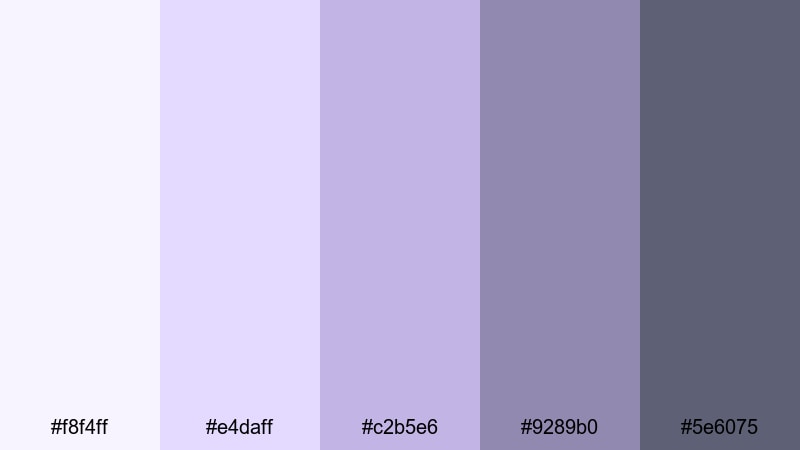
- HEX Codes: #f8f4ff, #e4daff, #c2b5e6, #9289b0, #5e6075
- Mood: Fresh, hopeful, and airy.
- Use for: Use for morning routines, study-with-me videos, and soft motivational edits that need a light and hopeful atmosphere.
Dewy Orchid Morning feels like soft sunlight filtered through a sheer curtain: pale orchid, gentle lavender, and balanced Purple Gray shadows. It is ideal for content that starts the day on a calm, optimistic note.
Use the brighter tones in your timer graphics, checklists, and chapter markers for morning or study-with-me videos. Let the mid and dark Purple Gray shades hold your body text, progress bars, or subtle background shapes in Filmora. This palette also fits minimalist productivity channels that want just a hint of color instead of bold primaries.
Modern Minimal Purple Gray Palettes
Urban Concrete Orchid
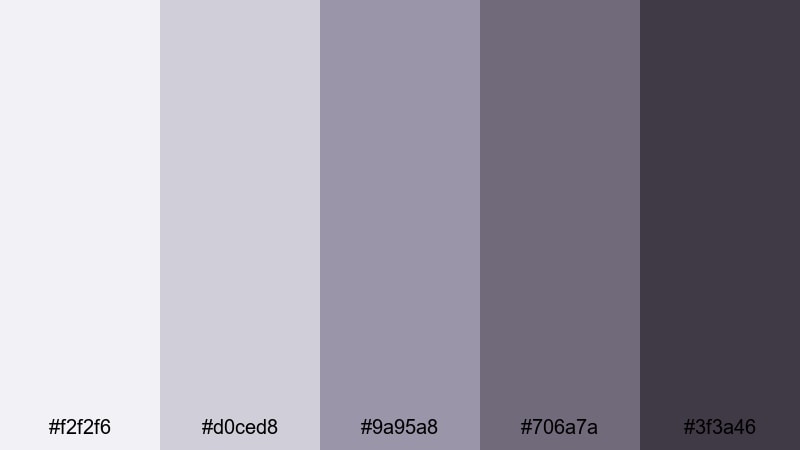
- HEX Codes: #f2f2f6, #d0ced8, #9a95a8, #706a7a, #3f3a46
- Mood: Sleek, urban, and understated.
- Use for: Use for tech reviews, city b-roll sequences, or modern title cards that pair well with clean motion graphics.
Urban Concrete Orchid brings together cool cement grays and a muted Purple Gray accent, like a city skyline at dusk. It is restrained and minimalist, making your footage and products feel sharp and on-trend.
Use the light grays for clean UI-inspired backgrounds and lower thirds in your tech reviews, and save the darkest Purple Gray for bold, legible headlines on thumbnails. In Filmora, this palette is ideal for motion graphic elements such as sleek bars, split screens, and subtle line animations around your product shots.
Minimal Studio Fog
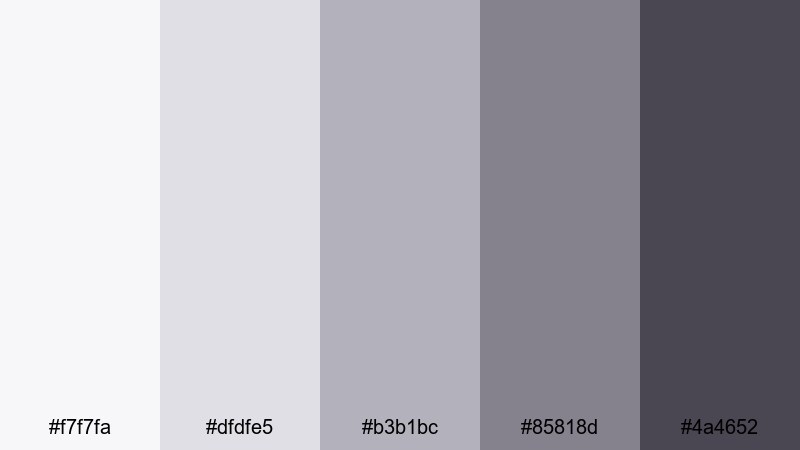
- HEX Codes: #f7f7fa, #dfdfe5, #b3b1bc, #85818d, #4a4652
- Mood: Clean, neutral, and professional.
- Use for: Use for tutorials, explainer videos, and UI overlays where neutral purple gray tones support clear, focused storytelling.
Minimal Studio Fog is all about subtlety: foggy whites, gentle mid grays, and refined Purple Gray shadows. It keeps the attention on your information and voice, not flashy colors.
Apply the lightest tones as backgrounds behind on-screen text, diagrams, and callouts in Filmora, and use the mid grays for icons, lines, and highlight boxes. The darkest shade works well for high-contrast titles and chapter headers in explainers, online courses, and screen-recording tutorials.
Interface Chrome Plum
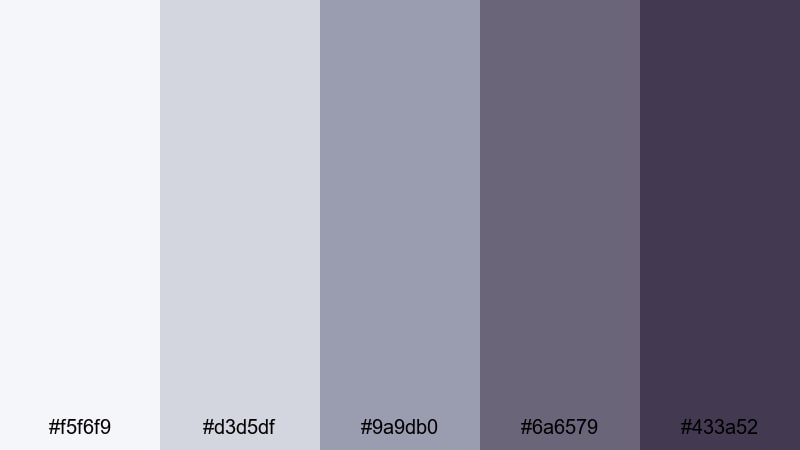
- HEX Codes: #f5f6f9, #d3d5df, #9a9db0, #6a6579, #433a52
- Mood: Techy, efficient, and confident.
- Use for: Use for app mockups, UI-style overlays, product demos, and channel branding that leans into a modern tech aesthetic.
Interface Chrome Plum feels like a polished dashboard: soft chrome grays blended with a solid plum-tinted Purple Gray base. It suggests precision and efficiency, which is great for tech and productivity content.
Use the lighter colors for panels, buttons, and progress indicators in your overlays, while the deepest shade becomes your brand accent for logos, key phrases, and strong CTAs. In Filmora, this palette is perfect for compositing UI-style elements over your screen recordings or product b-roll so everything looks like one cohesive interface.
Sleek Neon Twilight
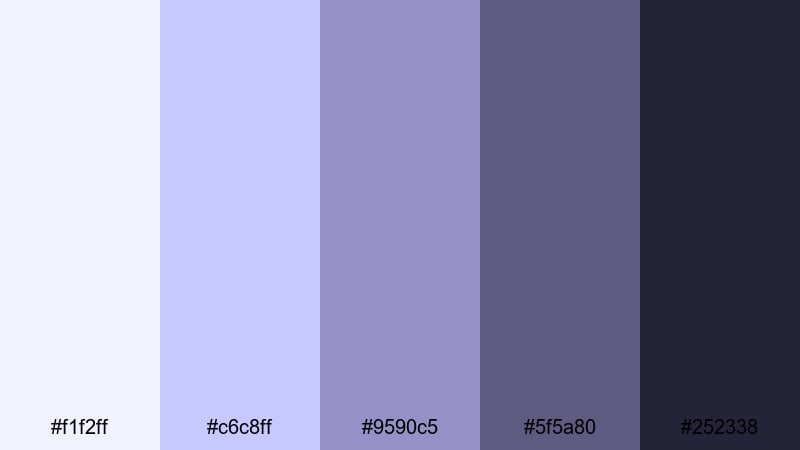
- HEX Codes: #f1f2ff, #c6c8ff, #9590c5, #5f5a80, #252338
- Mood: Modern, edgy, and focused.
- Use for: Use for channel intros, product launches, and motion-graphics-heavy sequences that need a subtle neon edge.
Sleek Neon Twilight plays with cool lavender highlights against deep twilight Purple Gray, giving a futuristic but still minimal feel. It suggests tech, gaming, or innovation without going overboard with bright neon.
Use the lighter shades as glows, gradients, and highlight lines in your Filmora intros and logo reveals, and let the near-black Purple Gray sit behind text for maximum readability. This palette suits launch teasers, shorts, and high-energy intros where you want sharp focus and a hint of cyber-inspired style.
Moody Cinematic Purple Gray Palettes
Velvet Night Alley
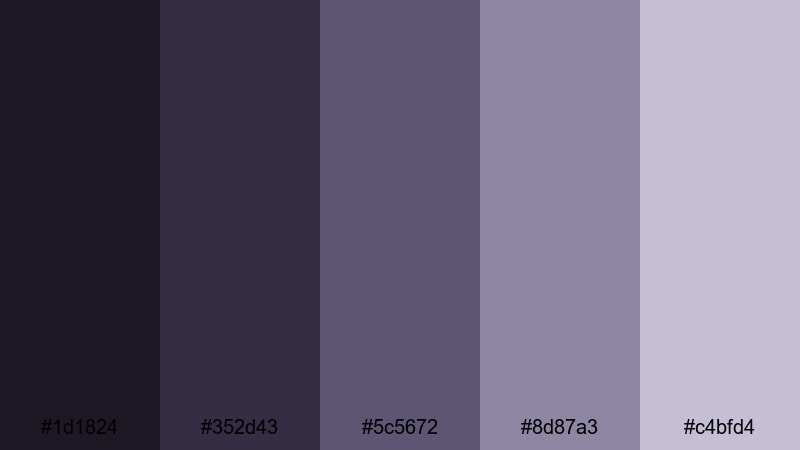
- HEX Codes: #1d1824, #352d43, #5c5672, #8d87a3, #c4bfd4
- Mood: Moody, cinematic, and mysterious.
- Use for: Use for short films, narrative edits, and dramatic b-roll where you want rich shadows and a noir-inspired grade.
Velvet Night Alley layers inky purples and smoky Purple Gray highlights, like a wet street lit by a few distant signs. It is atmospheric and dramatic, ideal for stories with tension, mystery, or emotional depth.
Use the darkest tones for backgrounds, letterbox bars, and title cards in your Filmora projects, and let the mid-to-light grays appear in overlays, credits, and accent shapes. This palette shines in narrative shorts, performance videos, and moody travel films where shadows are a key part of the storytelling.
Stormy Script Title
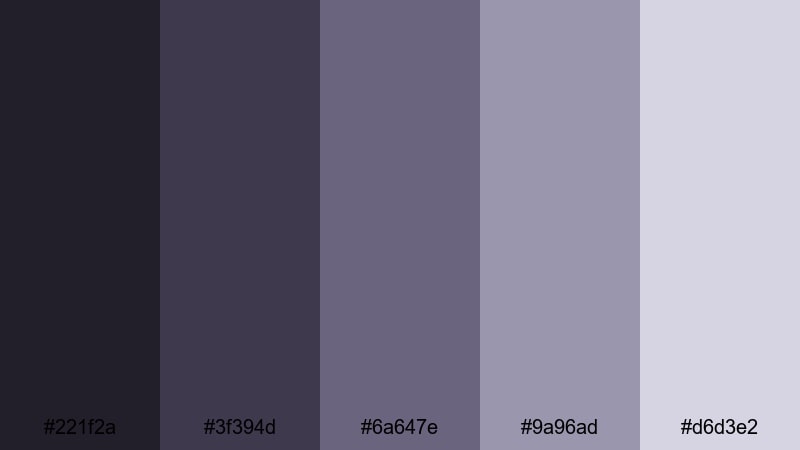
- HEX Codes: #221f2a, #3f394d, #6a647e, #9a96ad, #d6d3e2
- Mood: Dramatic, tense, and cinematic.
- Use for: Use for opening titles, credit rolls, and trailer-style teasers that need stormy tension and strong contrast.
Stormy Script Title moves from dark storm-cloud purples into misty gray lights, capturing the feeling of an approaching storm. It offers strong contrast that makes titles and typography look bold and intentional.
Use the deeper tones as backgrounds behind script fonts or bold serif titles, and apply the lighter grays for secondary text and subtle glows. In Filmora, this palette is powerful for trailer-style openers, dramatic transitions, and end cards that leave a lingering emotional note.
Noir Violet Spotlight
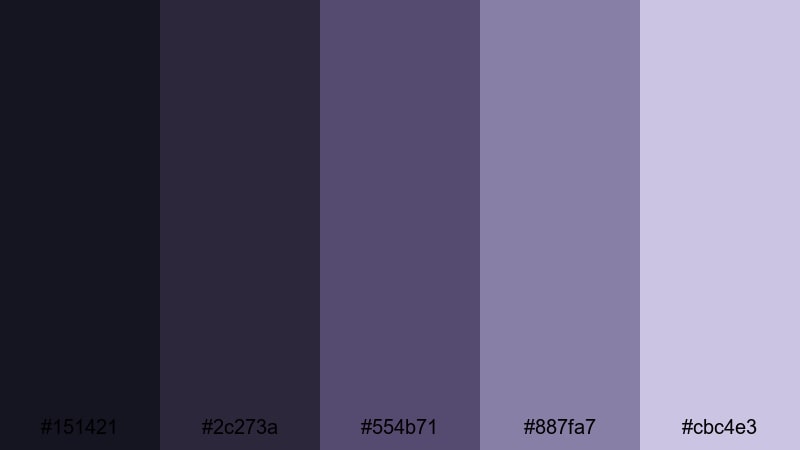
- HEX Codes: #151421, #2c273a, #554b71, #887fa7, #cbc4e3
- Mood: Cinematic, stylish, and intense.
- Use for: Use for performance reels, music videos, and fashion lookbooks that lean into moody spotlight lighting.
Noir Violet Spotlight feels like a single beam of light on a stage: inky blacks, deep violets, and soft lilac reflections. It is stylish and intense, making performers, dancers, or models look instantly more dramatic.
Use the darkest shades as a backdrop for silhouettes and performance shots, and let the lighter tones tint lens flares, text, and graphic frames. In Filmora, this palette works especially well with slow-motion shots, crossfades, and layered light leaks to create a moody, editorial music video or fashion reel.
Overcast City Romance
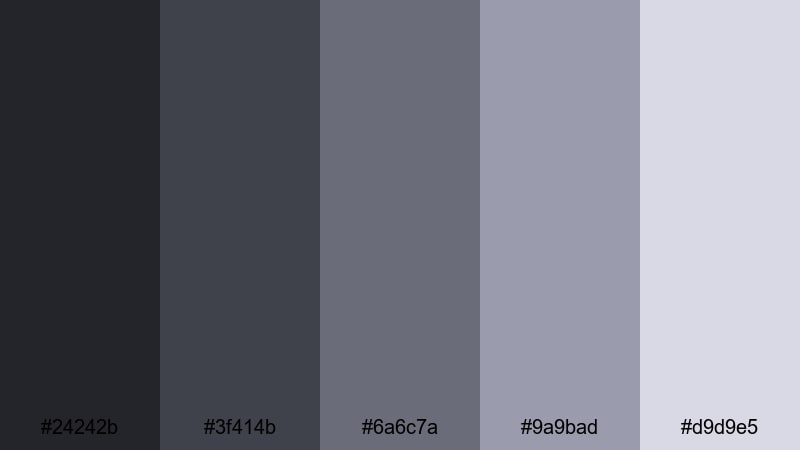
- HEX Codes: #24242b, #3f414b, #6a6c7a, #9a9bad, #d9d9e5
- Mood: Bittersweet, reflective, and cinematic.
- Use for: Use for cityscape montages, travel diaries, and reflective breakup or glow-up edits.
Overcast City Romance captures rainy sidewalks, reflections on glass, and long walks under gray skies. Cool Purple Gray undertones keep everything cohesive while still feeling grounded in reality.
Use the darker tones for timelapse city b-roll, train window shots, and skyline silhouettes, while the lighter grays handle your titles, captions, and subtle shapes. In Filmora, this palette is great for breakup edits, reflective glow-up videos, or travel films where you want the city to feel emotional, not just busy.
Playful Pastel Purple Gray Palettes
Pastel Macaron Dreams
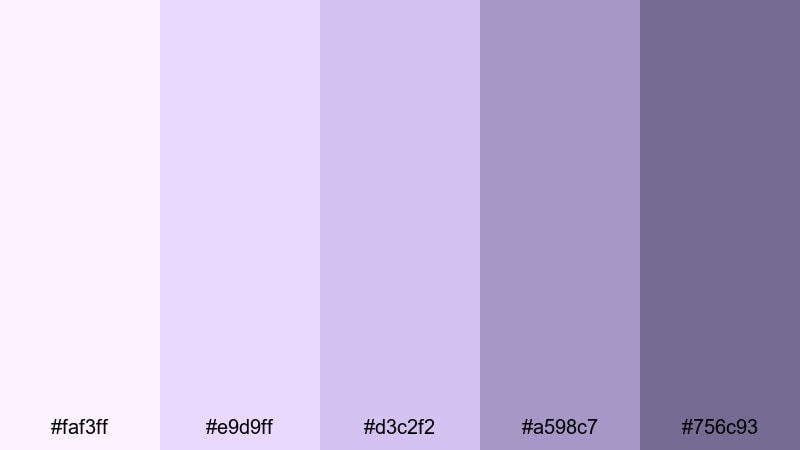
- HEX Codes: #faf3ff, #e9d9ff, #d3c2f2, #a598c7, #756c93
- Mood: Playful, sweet, and soft.
- Use for: Use for lifestyle vlogs, stationery hauls, and unboxings where you want a cute, candy-inspired atmosphere.
Pastel Macaron Dreams stacks soft lilacs and lavender pastels over a gentle Purple Gray base, like a box of macarons on a clean desk. It feels cozy, cute, and approachable, great for everyday lifestyle content.
Use the lightest hues for background blocks, borders, and sticker-like shapes in your Filmora edits, and rely on the deeper Purple Gray for readable text and contrast. This palette fits stationery hauls, cozy desk tours, study vlogs, and any kawaii-adjacent branding you want to bring to your thumbnails and intros.
Soft Pixel Arcade
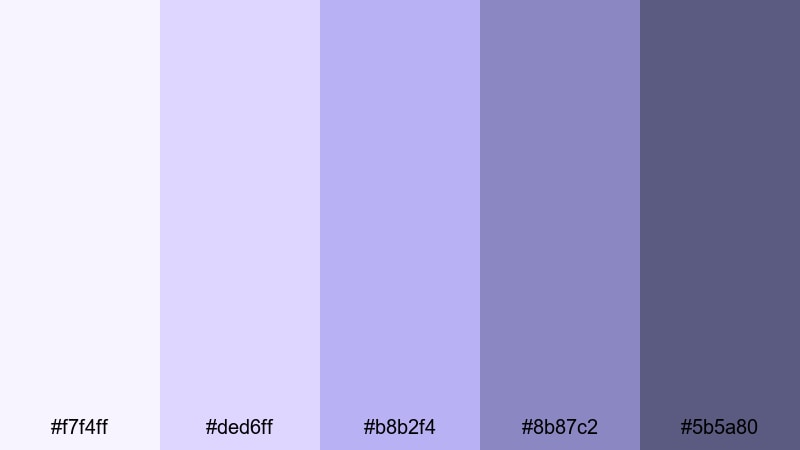
- HEX Codes: #f7f4ff, #ded6ff, #b8b2f4, #8b87c2, #5b5a80
- Mood: Retro, fun, and slightly nostalgic.
- Use for: Use for gaming intros, retro-inspired edits, and playful lower thirds that reference arcade aesthetics.
Soft Pixel Arcade takes classic arcade purples and softens them into pastel and Purple Gray tones, like an 8-bit world through a dreamy filter. It balances retro nostalgia with a modern, creator-friendly look.
Use the lighter tones to tint pixel-style transitions, score counters, and HUD overlays in Filmora, while the deeper Purple Gray shades keep text and icons readable. This palette is great for cozy gaming channels, retro challenge videos, and highlight reels that lean into soft, nostalgic fun instead of aggressive neon.
Cloudberry Bubble Stream
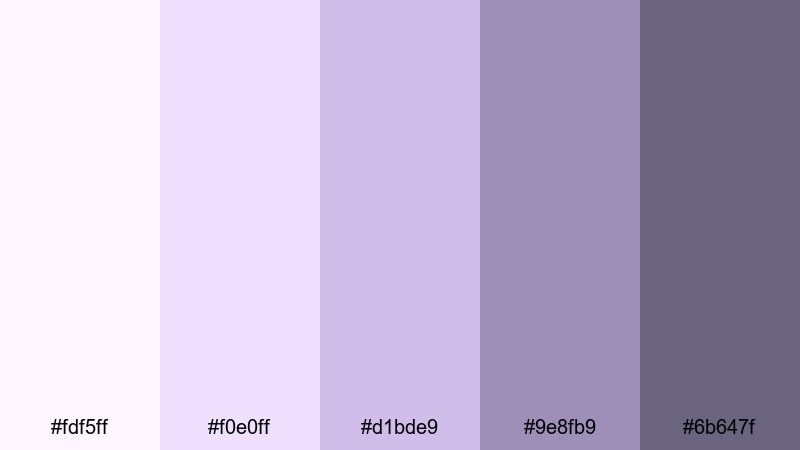
- HEX Codes: #fdf5ff, #f0e0ff, #d1bde9, #9e8fb9, #6b647f
- Mood: Lighthearted, whimsical, and airy.
- Use for: Use for streaming overlays, VTuber layouts, and social stickers that need a bubbly pastel vibe.
Cloudberry Bubble Stream mixes cloudy whites, berry pastels, and soft Purple Gray shadows for a floating, bubbly aesthetic. It is playful without being overly bright, which makes it easy on the eyes during long streams.
Use the palest tones for panels, chat boxes, and background shapes in your streaming scenes, while the mid and dark Purple Gray colors define borders, text, and avatar frames. In Filmora, this palette translates nicely into animated stinger transitions, alert animations, and TikTok or Shorts overlays that match your VTuber or streamer branding.
Tips for Creating Purple Gray Color Palettes
Purple Gray is flexible, but it still needs thoughtful pairing to stay readable and on-brand. These tips will help you mix Purple Gray with other shades for thumbnails, intros, overlays, and full video grades that look professional in Filmora.
- Balance light and dark: pair at least one very light Purple Gray with one deep shade so text, icons, and logos always have enough contrast.
- Add a clear accent color: introduce one non-gray color (like blush pink, orchid, or chrome blue) for buttons, highlights, and key actions, and keep the rest mostly neutral.
- Test text readability at thumbnail size: export a frame from Filmora and shrink it; if your titles disappear, darken the background or brighten the text color.
- Match your footage temperature: cooler Purple Gray palettes work better with daylight and screen recordings, while warmer, lilac-leaning grays suit skin tones and romantic films.
- Keep branding consistent: reuse the same 3 to 5 HEX codes across intros, lower thirds, and end screens so your audience instantly recognizes your channel.
- Use gradients sparingly: soft Purple Gray gradients can look premium, but limit them to backgrounds or large shapes so small text stays sharp and clear.
- Check on multiple devices: quickly preview your edits on both phone and desktop to make sure your Purple Gray shadows are not too dark or too washed out.
- Save presets in Filmora: once you dial in a great Purple Gray look, save your titles, color corrections, and overlays as presets so every new video matches in seconds.
Purple Gray color palettes can make your channel feel romantic, minimalist, cinematic, or playful, depending on how you combine them with light, contrast, and accent colors. With the HEX codes above, you can design thumbnails, intros, and overlays that look coordinated before you even touch your footage.
Filmora makes it easy to carry a Purple Gray aesthetic across entire projects, from color grading and filters to custom titles and motion graphics. Try a few of these palettes on your next vlog, short film, or stream overlay to see which mood fits your personality and niche the best.
Once you find a palette you love, turn it into your signature look in Filmora and reuse it across YouTube, TikTok, Instagram, and live streams so your brand feels unified wherever people discover your content.
secure download