

 100% Security Verified | No Subscription Required | No Malware


 ChatGPT
 Perplexity
 Gemini
 Claude
 Grok
Grok
Red Orange sits right between passionate red and optimistic orange, so it immediately feels warm, energetic, and a little bit dangerous. It is the color of flames, sunsets, and neon signs, which is why it works so well when you want to grab attention and keep viewers focused on the screen.
For video creators and brands, a well-chosen Red Orange color palette can power up YouTube thumbnails, intros, lower-thirds, overlays, and logos. Below you will find ready-made Red Orange color combinations with HEX codes that work beautifully in Filmora, so you can color-match titles, filters, and graphics across your whole edit.
In this article
Bold & Cinematic Red Orange Color Palettes
Inferno Title Burst
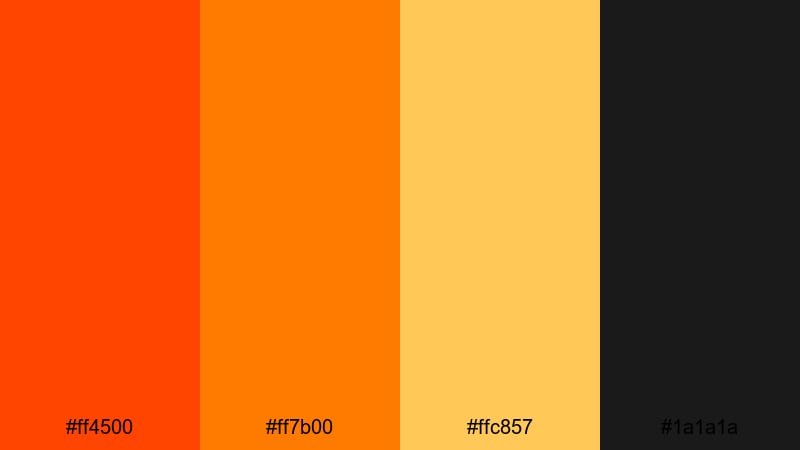
- HEX Codes: #ff4500, #ff7b00, #ffc857, #1a1a1a
- Mood: Fiery, intense, and high-energy with strong contrast.
- Use for: Perfect for explosive YouTube intros, action trailers, and bold gaming thumbnails.
Inferno Title Burst throws blazing Red Orange against deep charcoal for a look that feels like sparks flying off the screen. The hot mid-tones and bright gold highlight color are framed by near-black, so your titles, callouts, and logos feel urgent and cinematic.
Use this palette for high-impact video openers, full-screen title cards, and motion graphics where you want maximum drama. In Filmora, it works especially well for glitch or impact transitions, animated lower-thirds on gaming videos, and high-contrast YouTube thumbnails that need to compete in a busy feed.
Pro Tip: Build a Cinematic Red Orange Inferno in Filmora
To keep this inferno look consistent, apply the darkest tone (#1a1a1a) to your background plates or letterbox bars, then reserve the brightest Red Orange and gold for text and key UI elements. In Filmora, you can set these HEX values directly in text, shapes, and backgrounds so your intro, b-roll captions, and end screens all share the same visual fire.
Combine bold Red Orange title cards with subtle overlays on your footage, and add a soft vignette in the same dark tone to frame the action. This gives your entire edit the feel of a cohesive blockbuster trailer instead of separate, disconnected scenes.
AI Color Palette
If you have a reference frame or thumbnail design that nails this Inferno Title Burst palette, you can use Filmora's AI Color Palette feature to spread that same Red Orange energy across the whole video. Filmora analyzes the colors in your reference and automatically matches other clips, so your flames, titles, and mid-shots all share the same dramatic warmth.
This is especially useful for multi-camera projects or a mix of screen recordings and live footage. Instead of manually color-correcting each shot, you let AI match everything to your chosen fiery look in just a few clicks.
 secure download

HSL, Color Wheels & Curves
Once your base palette is in place, use HSL sliders in Filmora to fine-tune the Red Orange range. You can deepen the reds in shadows, push oranges slightly toward amber in mid-tones, and desaturate highlights for a more cinematic, less cartoony look. Filmora's color wheels help you keep skin tones natural while still letting the fire elements glow.
If you want to go deeper into shaping contrast, a simple S-curve in the curves panel gives your inferno palette extra punch without crushing detail. For more ideas on grading, check out Filmora's color correction and grading guide and adapt those principles to your Red Orange theme.
secure download1000+ Video Filters & 3D LUTs
To push this Inferno Title Burst palette even further, you can stack Filmora's warm filters and cinematic LUTs on top of your grade. A subtle film LUT plus a warm-toned filter can transform bright Red Orange into a more polished, big-screen look while still keeping the core HEX colors recognizable in your graphics.
Filmora's video filters and 3D LUTs make it easy to try different moods: from crunchy, high-contrast action looks to softer, hazy firelight. Apply them to adjustment layers so every clip in your timeline instantly reflects the same Red Orange style.
secure downloadSunset Trailer Flames
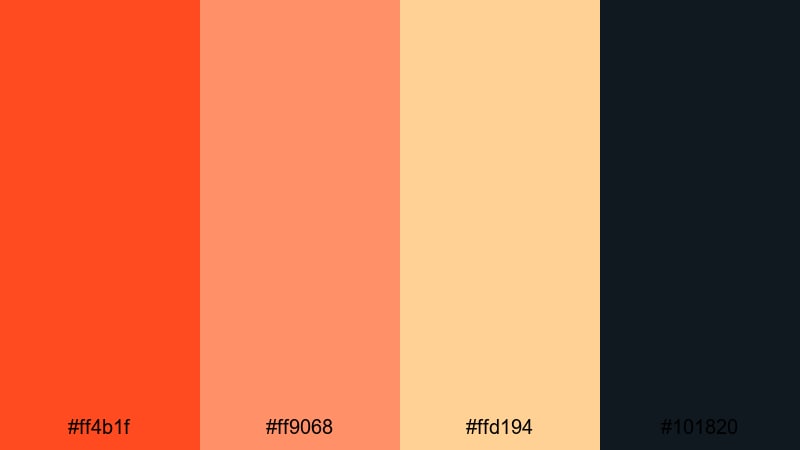
- HEX Codes: #ff4b1f, #ff9068, #ffd194, #101820
- Mood: Dramatic and warm, like a glowing sunset fading into night.
- Use for: Great for cinematic travel vlogs, dramatic story edits, and title cards that need depth.
Sunset Trailer Flames captures that moment when the sky is on fire but the city is already getting dark. Deep, glowing Red Orange gradients melt into soft gold and are grounded by a nearly black navy, adding depth and sophistication.
Use this palette when you want your travel vlogs, dramatic story recaps, or B-roll sequences to feel filmic rather than flat. In Filmora, apply the darker tone to backgrounds or overlays, use the warm Red Orange for titles and call-to-action buttons, and save the pale gold for accent lines and subtle UI elements on thumbnails.
Adrenaline Stream Alert
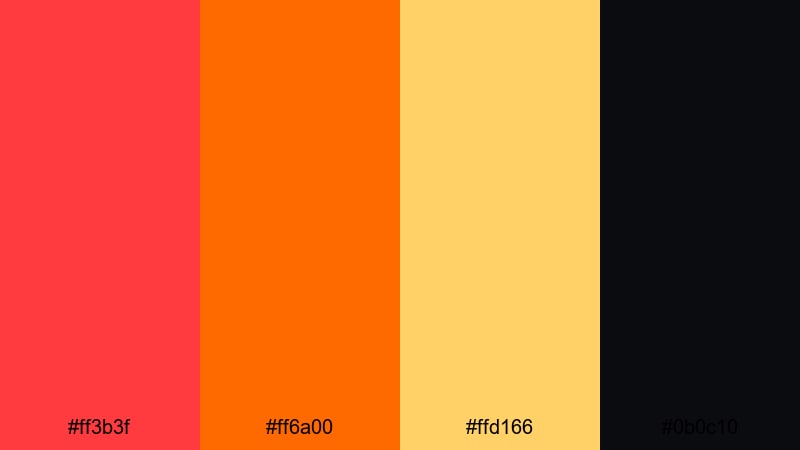
- HEX Codes: #ff3b3f, #ff6a00, #ffd166, #0b0c10
- Mood: Energetic and urgent, tuned for hype and alerts.
- Use for: Ideal for live stream alerts, subscriber pop-ups, and esports highlight thumbnails.
Adrenaline Stream Alert is built for speed and impact. Punchy Red Orange and amber tones blast out from a near-black background, creating instant contrast that is impossible to ignore on any screen size.
It is perfect for animated stream alerts, subscriber pop-ups, kill feed-style overlays, and esports highlight thumbnails. In Filmora, use the dark shade for panels or frames, then animate bold Red Orange text and icons inside them so your viewers never miss a notification or call-to-action.
Action Hero Spotlight
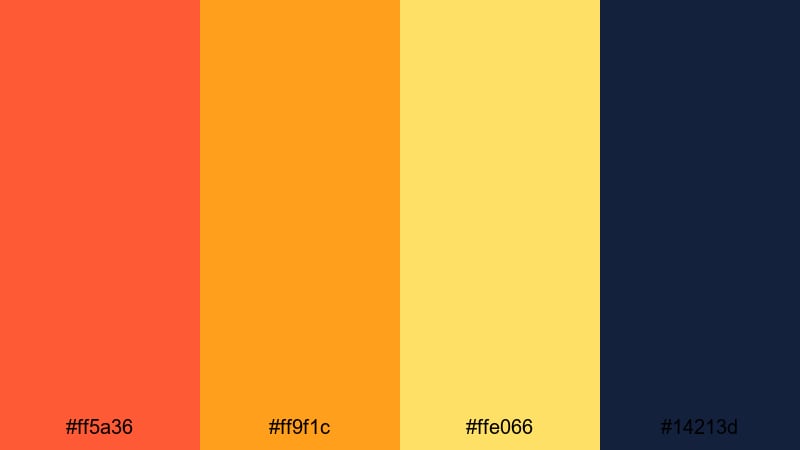
- HEX Codes: #ff5a36, #ff9f1c, #ffe066, #14213d
- Mood: Heroic and bold with blockbuster energy.
- Use for: Use this palette for movie-style intros, character reveals, and dynamic channel branding.
Action Hero Spotlight mixes searing Red Orange with golden highlights over a deep blue base. The complementary relationship between orange and blue instantly feels like a movie poster or superhero opening sequence.
Drop this palette into your Filmora project for character intros, cinematic title sequences, or channel banners. Use the dark blue (#14213d) as your base, lay Red Orange on key props and typography, and reserve the pale gold for accents and glow effects around your main subject.
Soft & Warm Red Orange Color Palettes
Golden Ember Glow
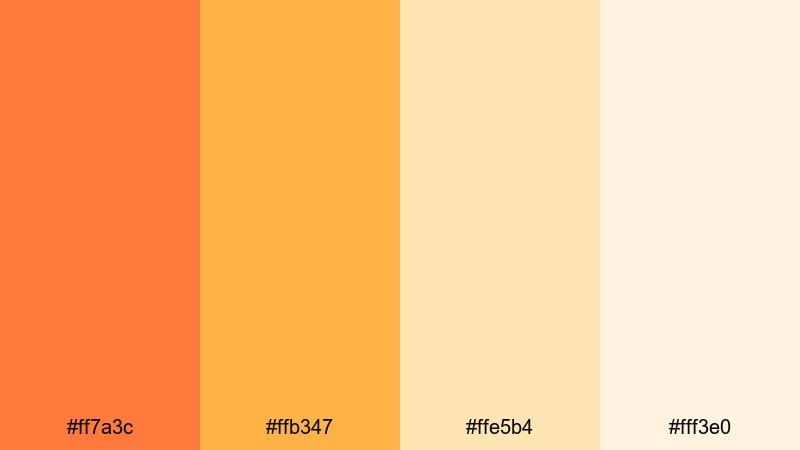
- HEX Codes: #ff7a3c, #ffb347, #ffe5b4, #fff3e0
- Mood: Gentle, cozy warmth with a soft, glowing feel.
- Use for: Perfect for lifestyle vlogs, cozy home videos, and warm brand intros.
Golden Ember Glow trades harsh contrast for a soft, radiant warmth. The Red Orange sits in a gentler range, blending into honey and cream tones for a soothing, ember-like look rather than a blazing fire.
Use this palette for lifestyle vlogs, interior shots, home decor reels, or warm brand intros that should feel approachable and inviting. In Filmora, apply the lighter tones to backgrounds and overlay graphics, then use the deeper Red Orange sparingly for titles, buttons, and key on-screen prompts.
Campfire Storytime
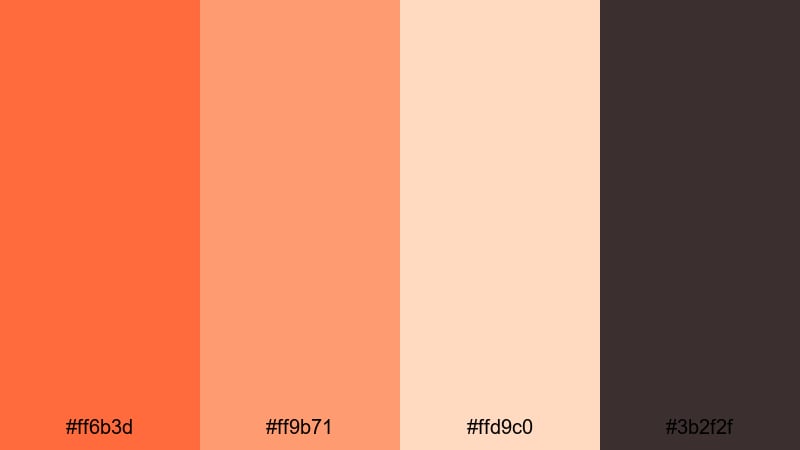
- HEX Codes: #ff6b3d, #ff9b71, #ffd9c0, #3b2f2f
- Mood: Nostalgic, intimate, and story-driven.
- Use for: Great for storytelling edits, podcast visuals, and long-form cozy videos.
Campfire Storytime mixes glowing Red Orange and peach tones with smoky browns to mimic real firelight. It suggests warmth and intimacy, as if the viewer is sitting by a campfire listening to a story.
This palette is ideal for long-form storytelling, podcast episodes on YouTube, or diary-style vlogs. In Filmora, use the dark brown (#3b2f2f) as a background for chapter cards and lower-thirds, then highlight key quotes and timestamps in the brighter Red Orange so they feel like sparks in the dark.
Harvest Morning Light
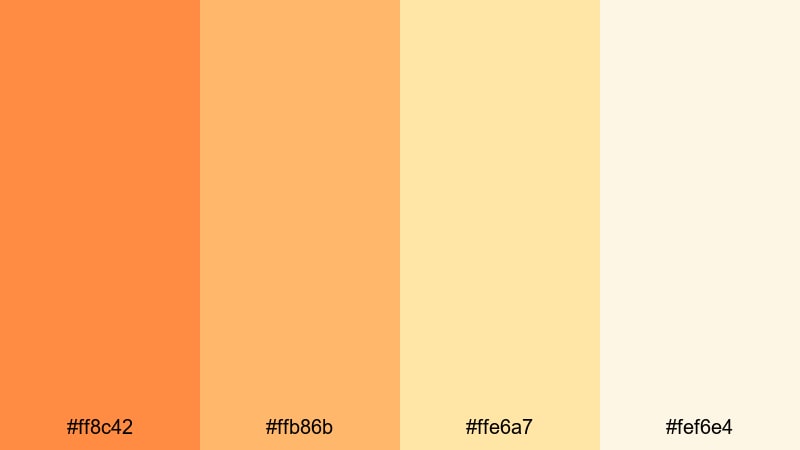
- HEX Codes: #ff8c42, #ffb86b, #ffe6a7, #fef6e4
- Mood: Optimistic and fresh with gentle autumn warmth.
- Use for: Ideal for food videos, morning routines, and outdoor lifestyle content.
Harvest Morning Light feels like a calm autumn sunrise. Soft Red Orange blends seamlessly into golden and cream tones, creating a bright but gentle atmosphere that never overwhelms the shot.
Use it for food videos, brunch scenes, morning routines, and nature walks. In Filmora, apply the lighter colors to titles, background panels, and iconography, while keeping the mid-range Red Orange on key text or buttons to guide the viewer's eye through your story.
Candlelit Cozy Corner
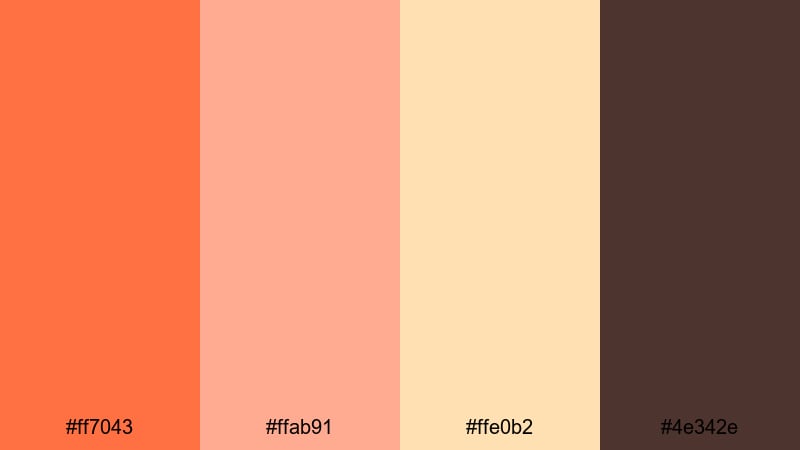
- HEX Codes: #ff7043, #ffab91, #ffe0b2, #4e342e
- Mood: Calm, intimate, and slightly nostalgic.
- Use for: Use for study-with-me videos, book content, and slow, aesthetic reels.
Candlelit Cozy Corner surrounds Red Orange with muted peach and a reassuring dark brown, echoing the glow of candles in a small, quiet room. It feels personal and reflective, perfect for slow, aesthetic content.
Apply this palette to study-with-me sessions, reading vlogs, and calm reels on social media. In Filmora, keep the background closer to the deep brown, then use the soft Red Orange and peach for delicate titles, timestamps, and subtle animated stickers that do not steal attention from your footage.
Modern & Minimal Red Orange Color Palettes
Red Orange Brand Punch
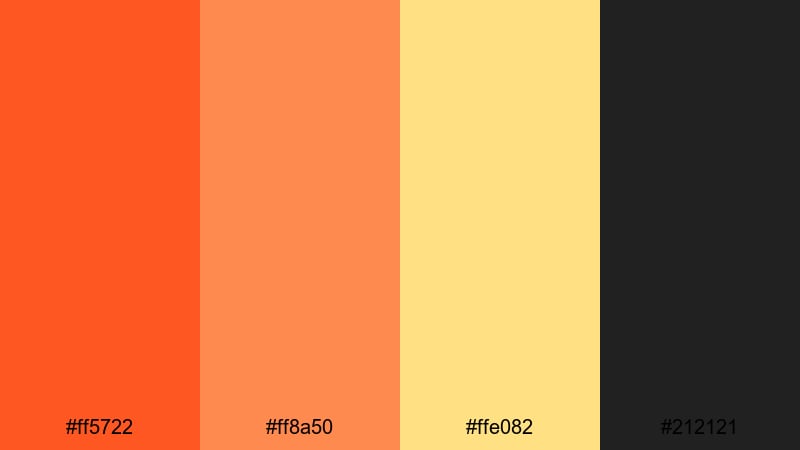
- HEX Codes: #ff5722, #ff8a50, #ffe082, #212121
- Mood: Confident, clean, and brand-ready.
- Use for: Great for logo stings, channel branding, and minimalist title animations.
Red Orange Brand Punch is all about sharp, confident energy. Vibrant Red Orange accents stand out clearly against deep charcoal and muted gold, giving your visuals a modern, start-up-ready feel.
Use this palette for logo animations, channel intros, and minimalist title sequences. In Filmora, combine flat-color backgrounds in #212121 with bold Red Orange text and a touch of gold on dividers or icon outlines, so everything feels intentional and on-brand.
Clean Creator Energy
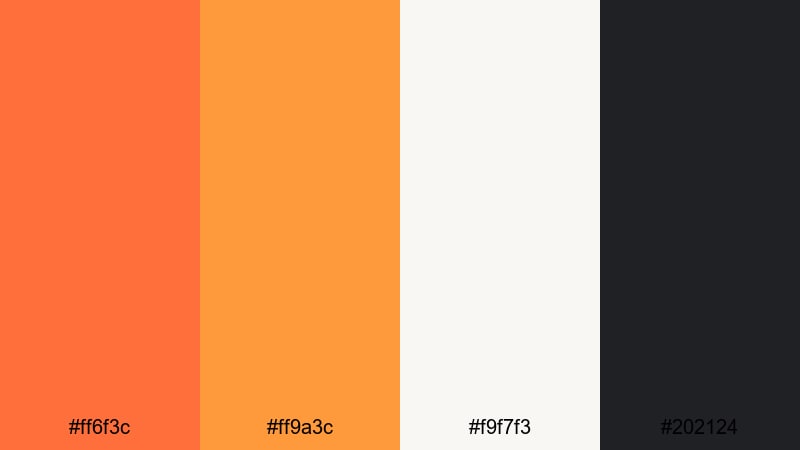
- HEX Codes: #ff6f3c, #ff9a3c, #f9f7f3, #202124
- Mood: Fresh, productive, and creator-focused.
- Use for: Perfect for productivity channels, tutorials, and clean infographic motion graphics.
Clean Creator Energy pairs crisp Red Orange with off-white and a soft, almost black charcoal. The result is a workspace-inspired palette that feels organized, productive, and modern.
It is especially strong for tutorial content, Notion-style dashboards, and infographic animations made in Filmora. Use the light background tone for slides and frames, then highlight buttons, progress bars, and key numbers in the Red Orange shades so viewers instantly understand what matters.
UI Notification Heat
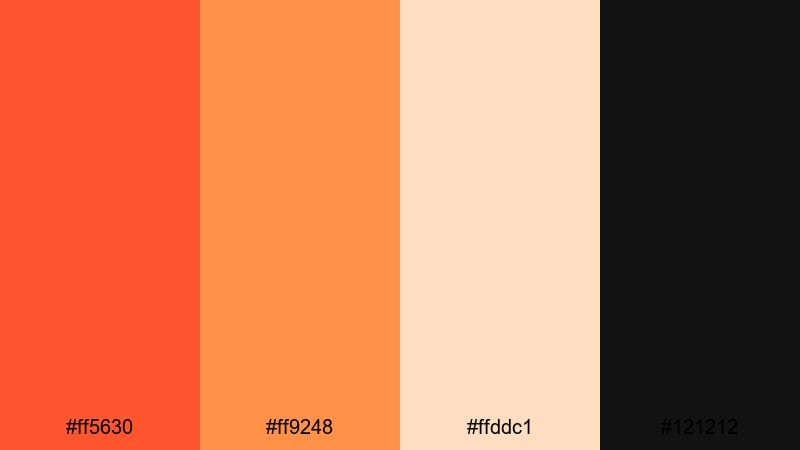
- HEX Codes: #ff5630, #ff9248, #ffddc1, #121212
- Mood: Alert, sharp, and digitally focused.
- Use for: Ideal for app-style overlays, notification pop-ups, and UI-inspired motion design.
UI Notification Heat is designed around digital alerts and badges. Hot Red Orange and amber instantly signal urgency, while the peach and deep black create a clear, UI-like structure.
Use this palette for app mockups, notification-style overlays, progress HUDs, and tech explainers. In Filmora, combine the #121212 tone with animated cards and use Red Orange to mark new messages, warnings, or subscriber milestones across thumbnails and end screens.
Vintage & Retro Red Orange Color Palettes
Seventies Sunset Reel

- HEX Codes: #ff7f50, #ffb347, #ffe4b5, #5d4037
- Mood: Retro, warm, and laid-back.
- Use for: Great for retro travel edits, nostalgic montage sequences, and stylized title cards.
Seventies Sunset Reel leans into muted Red Orange and butterscotch tones paired with cream and chocolate brown. It instantly calls back to old film photos and vintage postcards of beaches and road trips.
Use this palette when you want a retro finish without heavy grading. In Filmora, combine it with a light grain effect, add soft rounded shapes and simple typography, and keep transitions gentle, so your travel edits and montage sequences feel nostalgic and sun-faded.
Retro Soda Pop
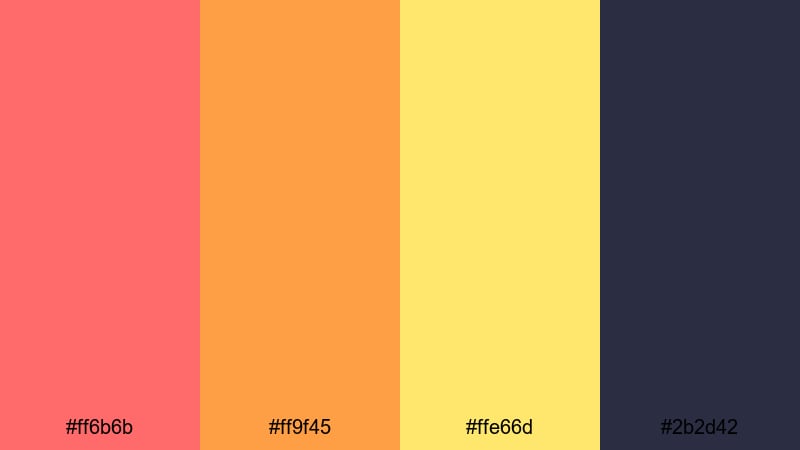
- HEX Codes: #ff6b6b, #ff9f45, #ffe66d, #2b2d42
- Mood: Playful and nostalgic with a fizzy pop-art feel.
- Use for: Perfect for fun product videos, pop-culture edits, and upbeat social content.
Retro Soda Pop feels like vintage soda labels and pop-art posters. Bubblegum Red Orange, juicy tangerine, and lemon yellow sit on a deep inky blue, creating a bright but controlled retro contrast.
Use it for product close-ups, merch teasers, or playful pop-culture edits. In Filmora, make bold shapes and animated stickers in the bright tones, place them over #2b2d42 backgrounds, and use simple, punchy typography to keep everything feeling like a classic ad with a modern twist.
Neon Drive-In Glow
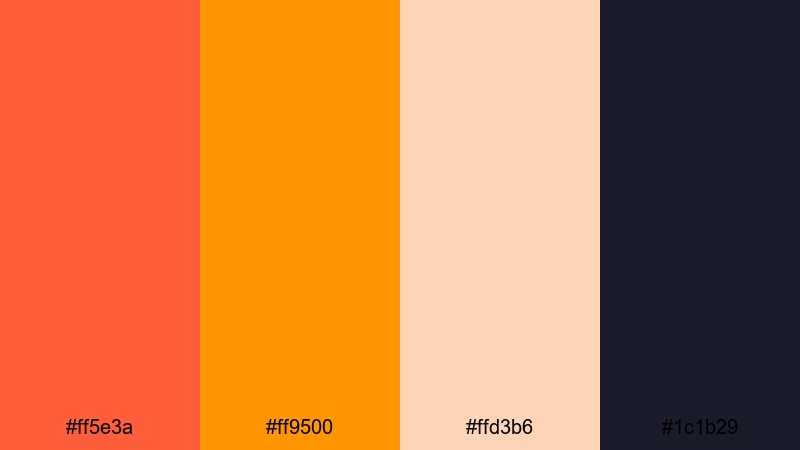
- HEX Codes: #ff5e3a, #ff9500, #ffd3b6, #1c1b29
- Mood: Moody retro with neon warmth.
- Use for: Ideal for synthwave edits, late-night city b-roll, and nostalgic title sequences.
Neon Drive-In Glow suggests midnight city lights and old drive-in theaters. Glowing Red Orange and neon orange are softened by peach, then anchored by a moody midnight violet.
Use it for synthwave edits, night city b-roll, or retro title sequences with neon outlines. In Filmora, combine this palette with glow effects, light leaks, and slow zooms, and let the darkest shade fill your backgrounds so the Red Orange elements feel like real neon signs in the distance.
Analog Tape Warmth
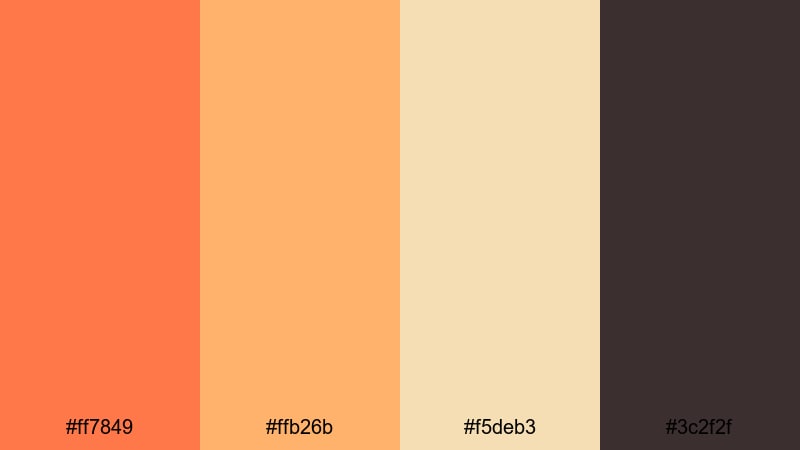
- HEX Codes: #ff7849, #ffb26b, #f5deb3, #3c2f2f
- Mood: Warm, grainy, and analog-inspired.
- Use for: Use for film-inspired edits, diary-style vlogs, and nostalgic family footage.
Analog Tape Warmth wraps your footage in soft Red Orange and caramel tones, supported by wheat and dark brown. It mimics the warmth and slight fade of old VHS tapes or Super 8 film.
Apply this palette to diary-style vlogs, family montages, or any footage you want to feel like a memory. In Filmora, layer a subtle grain filter, add gentle vignette, and color your titles and frames using these HEX codes so your whole edit feels cohesive and analog-inspired.
Tips for Creating Red Orange Color Palettes
Red Orange is powerful, so combining it with the right supporting colors is essential for clear, cinematic, and on-brand visuals across video, thumbnails, and motion graphics.
- Pair Red Orange with deep neutrals (charcoal, dark navy, deep brown) to control brightness and create strong contrast for titles and logos.
- Use lighter creams, beiges, and peaches as backgrounds so Red Orange accents for text and icons remain readable on both desktop and mobile screens.
- Limit the number of saturated colors per frame; let one main Red Orange shade lead, with 1 to 2 supporting warm or neutral tones.
- Choose complementary cool tones (dark blue, teal, or violet) when you want a cinematic look, especially for hero shots and trailer-style intros.
- Keep brand consistency by reusing the same HEX codes for channel art, lower-thirds, end screens, and social thumbnails made in Filmora.
- Match your palette to the original footage: push warmer for sunsets, food, and interiors, and slightly desaturate for serious documentaries or tutorials.
- Always test your Red Orange combinations on small elements like subtitles or buttons to confirm legibility against video backgrounds.
- Save your favorite color presets in Filmora so you can quickly apply the same Red Orange tones to new projects and maintain a recognizable visual style.
Used well, Red Orange palettes can define your channel identity, shape how viewers feel about your stories, and make every frame look intentional. From fiery intros to cozy vlogs and retro edits, these 15 palettes give you ready-to-use HEX codes that translate cleanly into Filmora titles, filters, overlays, and thumbnails.
Open a new project in Filmora, pick the palette that fits your mood, and start building matching backgrounds, lower-thirds, and end screens. As you experiment with AI tools, HSL controls, and LUTs, you will quickly discover how much a focused Red Orange color scheme can elevate your edits.
Whether you lean toward bold cinematic flames or soft ember glows, saving your favorite combinations as presets in Filmora will help you keep every future video on-brand and visually cohesive.
secure downloadNext: Cyber Color Palette
