

 100% Security Verified | No Subscription Required | No Malware


 ChatGPT
 Perplexity
 Gemini
 Claude
 Grok
Grok
Rosewood sits between red and brown, a deep, sophisticated hue that instantly suggests warmth, romance, and cinematic drama. It feels more grown-up than bright red but more emotional than neutral brown, which makes it perfect for visual storytelling. Rosewood tones can make a frame feel intimate and nostalgic, or bold and theatrical, depending on how you combine them.
For video creators and designers, rosewood is a powerful choice for YouTube thumbnails, channel intros, wedding highlight films, brand kits, and social posts. Below are 15 ready-made rosewood color palettes with HEX codes so you can match titles, overlays, and color grading in Filmora and keep your visuals consistent across thumbnails, vlogs, shorts, and branded content.
In this article
Romantic Rosewood Storytelling Palettes
Blush Velvet Rosewood
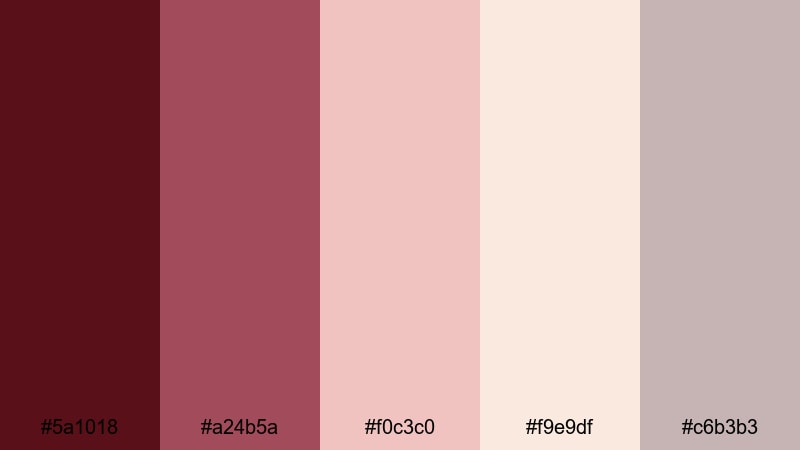
- HEX Codes: #5a1018, #a24b5a, #f0c3c0, #f9e9df, #c6b3b3
- Mood: Soft, intimate, and tender with a velvety warmth.
- Use for: Beautiful for wedding highlight films, romantic vlogs, and dreamy storytelling thumbnails.
Blush Velvet Rosewood gently layers deep rosewood with blush pinks and creamy neutrals, like candlelight on velvet fabric. It feels delicate rather than loud, making it perfect when you want romance without over-saturating skin tones or backgrounds.
Use this palette to design cohesive wedding titles, lower thirds, and thumbnail frames in Filmora. Pair the darkest rosewood for text or borders, keep the blush tones for backgrounds and callouts, and let the light creams act as clean space for logos and intros. It works beautifully across banners, chapter cards, and Instagram Reels covers so every touchpoint carries the same soft love-story mood.
Pro Tip: Enhance Your Rosewood Visuals With Filmora
To keep this Blush Velvet Rosewood feeling consistent, start by building a simple style guide inside Filmora. Use the rich #5a1018 or #a24b5a for titles and key graphics, then save those text presets so you can reuse the exact colors on intros, end screens, and shorts without guessing each time.
When editing romantic vlogs or wedding films, match your overlays, frames, and transitions to the same HEX codes. This gives your entire edit a curated rosewood signature, whether viewers see it as a YouTube thumbnail, in the recommended feed, or embedded on a website.
AI Color Palette
If you have a still frame or mood board that perfectly captures this Blush Velvet Rosewood look, you can turn it into a video-wide style in a few clicks. Filmora's AI Color Palette feature analyzes the color mood of a reference clip or image and applies a matching palette to your other shots.
Import your hero clip with the ideal rosewood tones, open AI Color Palette, and apply that style to interview angles, B-roll, or cutaway shots. This keeps the blush highlights and warm shadows consistent from scene to scene, even if they were filmed under different lighting.
 secure download

HSL, Color Wheels & Curves
Once you have a base rosewood look, you can refine it using Filmora's HSL sliders, color wheels, and curves. Nudge reds and oranges slightly toward rosewood to avoid harsh neon reds, deepen shadows in the RGB curves to create a velvety contrast, and use the midtone color wheel to keep skin tones flattering. For more guidance, you can follow Filmora's color correction and grading tutorials and adapt the steps to your rosewood palette.
These tools help you keep the blush highlights from looking washed out while protecting detail in dark rosewood areas. A gentle S-curve, warm midtones, and slightly desaturated reds often produce a polished, cinematic rosewood mood that feels premium.
secure download1000+ Video Filters & 3D LUTs
If you want to get to a polished rosewood style faster, Filmora's video filters and 3D LUTs make it easy to test different looks. Start with a warm, cinematic LUT, then fine-tune to keep your rosewood hues rich but not oversaturated.
You can stack soft glow filters on top of your grading to enhance the dreamy feeling of Blush Velvet Rosewood, or add subtle film grain to make romantic montages feel timeless. Save your favorite combination as a custom preset and reuse it across wedding projects and love-story edits for a consistent visual identity.
secure downloadCandlelit Rosewood Evening

- HEX Codes: #4c0f16, #8b3339, #f2b79b, #ffe8c7, #2a1b1a
- Mood: Cozy, cinematic, and warmly nostalgic.
- Use for: Great for slow-paced date-night vlogs, intimate interviews, and lifestyle B-roll with a soft glow.
Candlelit Rosewood Evening mixes deep wine shadows with peach and cream highlights, mimicking the feel of a restaurant or living room lit only by candles. It is warm and nostalgic, perfect for evenings, conversations, and reflective content.
Use the darker tones for backgrounds and frames around your footage, then let the peach and cream tones guide your text, icons, and thumbnail typography. This palette works especially well in Filmora when you add a subtle vignette and soft light overlays to match the candlelit atmosphere.
Vintage Letterbox Rosewood
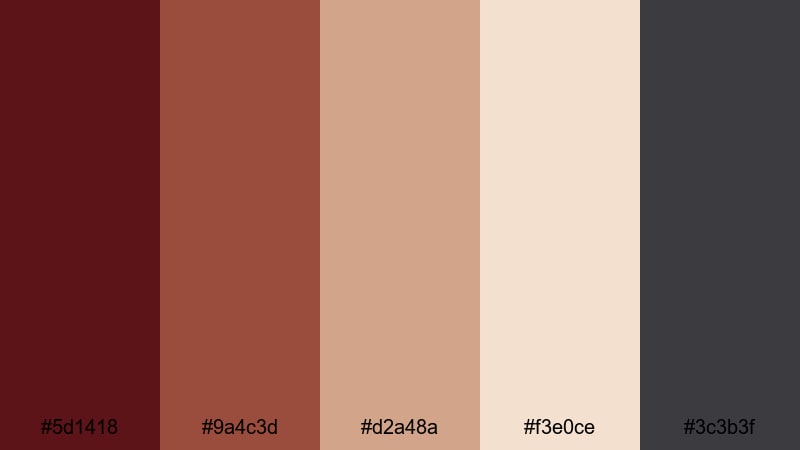
- HEX Codes: #5d1418, #9a4c3d, #d2a48a, #f3e0ce, #3c3b3f
- Mood: Nostalgic, cinematic, and slightly faded like an old film print.
- Use for: Perfect for travel diaries, memory montages, and voiceover-driven story edits.
Vintage Letterbox Rosewood leans into muted rosewood and sepia neutrals, echoing old film stock and printed photographs. The colors feel gently faded, which adds instant nostalgia without making footage look dull.
Combine this palette with letterbox bars, grain overlays, and slower cross-dissolve transitions in Filmora. Use the darker gray for bars and text, the rosewood for accents and timestamps, and the light creams for background cards in your titles and chapter screens.
Soft Vignette Rosewood Glow
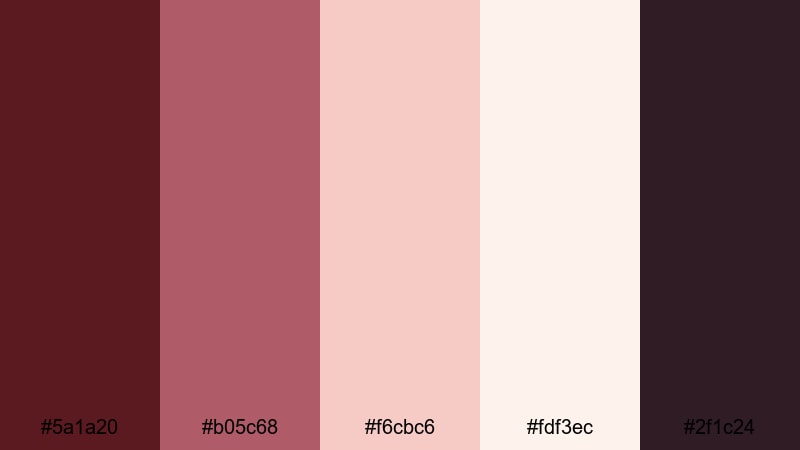
- HEX Codes: #5a1a20, #b05c68, #f6cbc6, #fdf3ec, #2f1c24
- Mood: Dreamy, gentle, and ethereal with a warm halo.
- Use for: Ideal for dreamy reels, skincare or lifestyle content, and soft-focus montage scenes.
Soft Vignette Rosewood Glow moves from deep rosewood at the edges to blush and ivory in the center, just like a natural vignette. It gives your visuals a halo effect that flatters faces and products.
Use the lighter hues in product close-ups and skincare tutorials, and let the darker rosewood anchor corners, borders, and overlay shapes in Filmora. This palette is also strong for thumbnails where you want dreamy portraits with soft, warm edges and clean, readable text.
Poetic Rosewood Sunrise
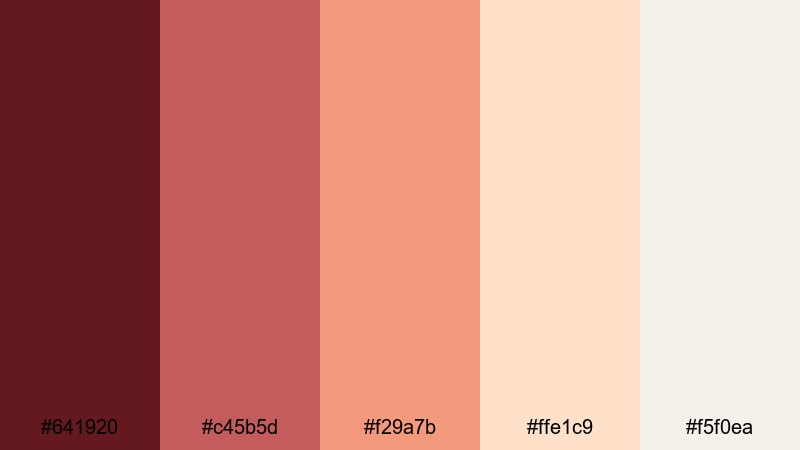
- HEX Codes: #641920, #c45b5d, #f29a7b, #ffe1c9, #f5f0ea
- Mood: Hopeful, uplifting, and softly radiant.
- Use for: Works well for sunrise time-lapses, reflective monologues, and inspirational YouTube intros.
Poetic Rosewood Sunrise shifts from grounded rosewood shadows to coral, peach, and soft cream, like the sky warming up at dawn. It carries an emotional, hopeful feeling that suits reflective or motivational content.
Use the deeper tones for early-morning silhouettes and lower thirds, while the corals and peaches can guide light leaks, background shapes, and title cards in Filmora. This palette is excellent for inspirational channel intros and morning routine vlogs that need a gentle but energizing color story.
Cinematic Rosewood Drama Palettes
Noir Rosewood Spotlight

- HEX Codes: #3a0509, #741720, #f0d2c0, #f7f6f3, #151218
- Mood: Dramatic, high-contrast, and theatrical.
- Use for: Perfect for trailers, performance videos, and punchy channel intros that need strong focus.
Noir Rosewood Spotlight contrasts inky rosewood and nearly black tones with bright skin-tone highlights, just like a single spotlight on a dark stage. It is intense and controlled, helping your subject stand out sharply.
Use the darkest tones for backgrounds, letterbox bars, and logo reveals in Filmora, then keep the warm neutrals on faces and hands. This palette works well for dramatic thumbnails, performance edits, and any teaser where you want titles and characters to pop from a dark frame.
Crimson Stage Rosewood

- HEX Codes: #5b0f12, #a7212a, #ffb15c, #ffe2b8, #221012
- Mood: Bold, energetic, and performance-ready.
- Use for: Great for music videos, dance edits, sports highlights, and dynamic title cards.
Crimson Stage Rosewood turns the energy up with vivid crimson reds and golden spotlight tones. It feels like stage lights, confetti, and applause all at once.
Use the bright crimson and gold for dynamic typography, transitions, and highlight callouts in Filmora. Reserve the darkest tones for background panels and overlays, especially in fast-cut sequences where you need strong contrast for readability on mobile screens.
Midnight Alley Rosewood
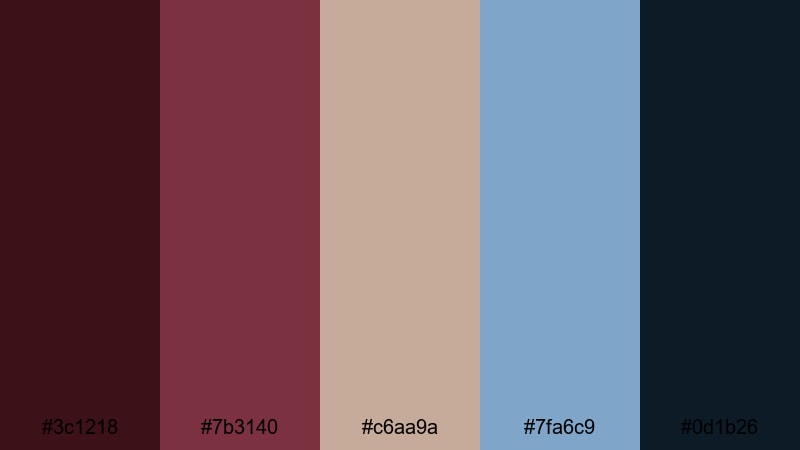
- HEX Codes: #3c1218, #7b3140, #c6aa9a, #7fa6c9, #0d1b26
- Mood: Moody, urban, and slightly mysterious.
- Use for: Ideal for night city b-roll, street photography edits, and narrative short films.
Midnight Alley Rosewood blends deep burgundy shadows with muted neutrals and cool blue accents. The result feels like a city alley after rain, with neon reflections and hidden stories.
Let the blues tint your highlights and signage, while the rosewood and charcoal anchor shadows and graphic elements. This palette is strong for narrative short films, urban vlogs, and moody YouTube banners designed in Filmora.
Stormlit Rosewood Horizon
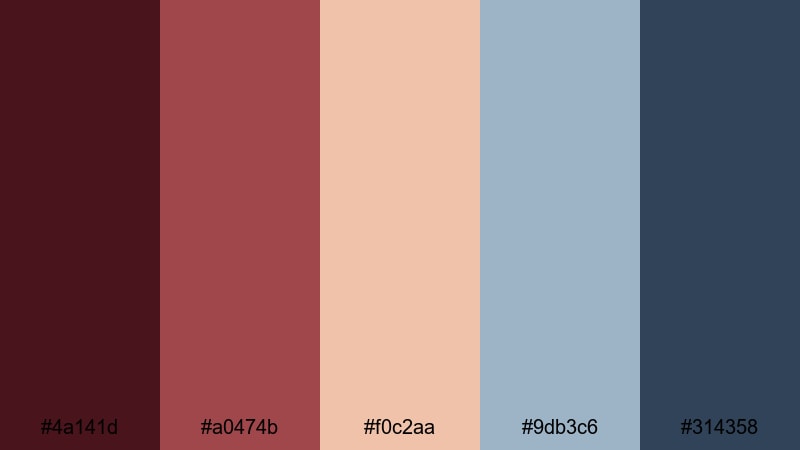
- HEX Codes: #4a141d, #a0474b, #f0c2aa, #9db3c6, #314358
- Mood: Epic, atmospheric, and emotionally charged.
- Use for: Great for travel films, drone shots, and narrative sequences with tension and release.
Stormlit Rosewood Horizon combines stormy blues and slate tones with glowing rosewood and peach highlights. It captures the feeling of a sky clearing after heavy rain, where everything looks sharper and more emotional.
In Filmora, use this palette for travel and drone footage by pushing skies into the cooler blues and keeping foregrounds warm with rosewood accents. This contrast adds depth to titles, maps, and transitions, making your journey feel cinematic and dramatic.
Epic Trailer Rosewood

- HEX Codes: #520b11, #a02832, #ffc857, #f7f1e6, #121622
- Mood: Heroic, bold, and trailer-ready.
- Use for: Perfect for cinematic teasers, game content, and impactful YouTube channel branding.
Epic Trailer Rosewood turns deep reds and gold into blockbuster energy. The rich rosewood, bright gold, and dark charcoal make every frame feel like a movie poster.
Use gold and light neutrals for logos and headlines, with the darkest shade as a backdrop in Filmora. This palette is ideal for gaming intros, channel trailers, and motion graphics where bold typography and logo stings carry your brand.
Modern Rosewood Branding Palettes
Minimal Rosewood Accent
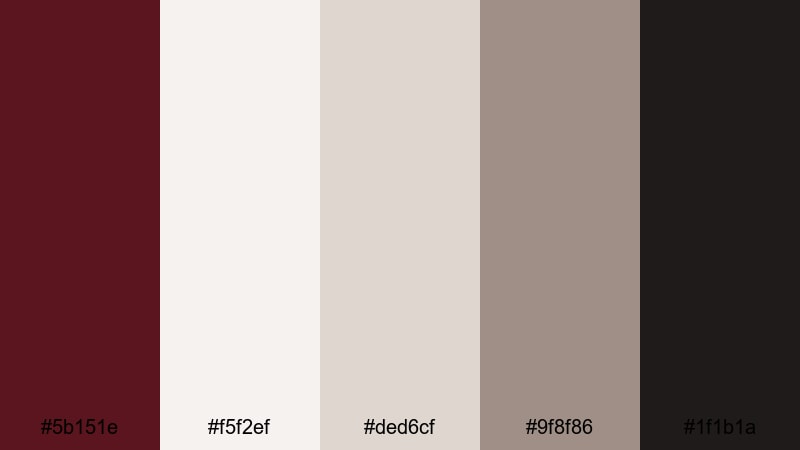
- HEX Codes: #5b151e, #f5f2ef, #ded6cf, #9f8f86, #1f1b1a
- Mood: Clean, modern, and subtly luxurious.
- Use for: Great for channel branding, UI overlays, lower thirds, and minimalist thumbnails.
Minimal Rosewood Accent uses rosewood sparingly against off-whites and soft grays. It feels modern and understated, like a designer brand that relies on negative space rather than loud color.
Let rosewood appear in your logo mark, buttons, and key lines, while the neutrals hold most backgrounds and text blocks in Filmora. This palette is perfect for educational channels, tech reviews, and minimalistic tutorial thumbnails that still feel warm and human.
Rosewood Studio Neutrals
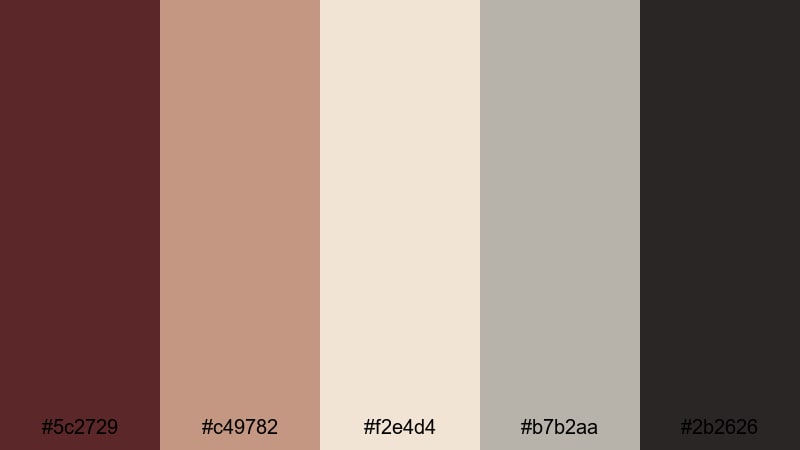
- HEX Codes: #5c2729, #c49782, #f2e4d4, #b7b2aa, #2b2626
- Mood: Professional, grounded, and studio-polished.
- Use for: Ideal for educational channels, talking-head content, and branded intros or outros.
Rosewood Studio Neutrals balances gently warm rosewood with tans and studio grays. It feels like a well-lit studio set, calm and controlled but not sterile.
Use the mid-tone tans on backgrounds and overlays for talking-head videos, with rosewood for titles, progress bars, and chapter markers. The neutral grays help keep text readable, especially in YouTube intros, outros, and lower thirds built in Filmora.
Digital Rosewood Pop
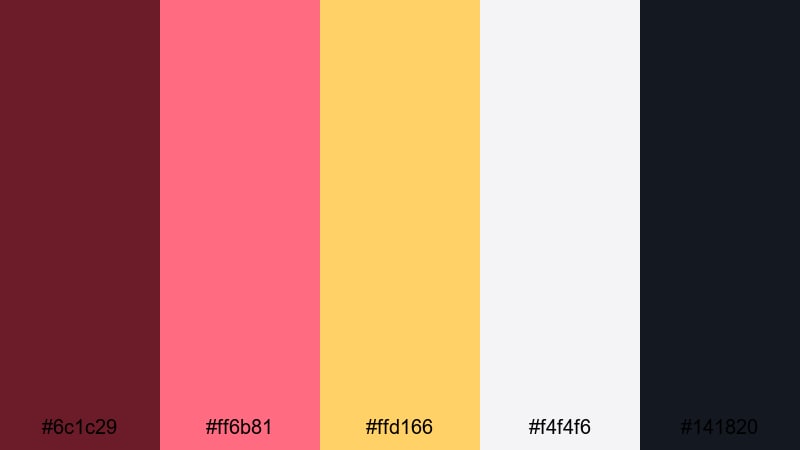
- HEX Codes: #6c1c29, #ff6b81, #ffd166, #f4f4f6, #141820
- Mood: Playful, energetic, and creator-friendly.
- Use for: Perfect for vlogs, shorts, gaming overlays, and eye-catching social thumbnails.
Digital Rosewood Pop mixes deep rosewood with neon-style pink and sunny yellow, all balanced by crisp light and dark neutrals. It is optimized for attention in busy feeds and small screens.
In Filmora, use the bright pink and yellow for sticker-style callouts, subscribe buttons, and meme text, anchored by rosewood and charcoal backgrounds. This palette is ideal for creators who want fun, energetic branding across YouTube, TikTok, and Instagram.
Luxe Rosewood Signature
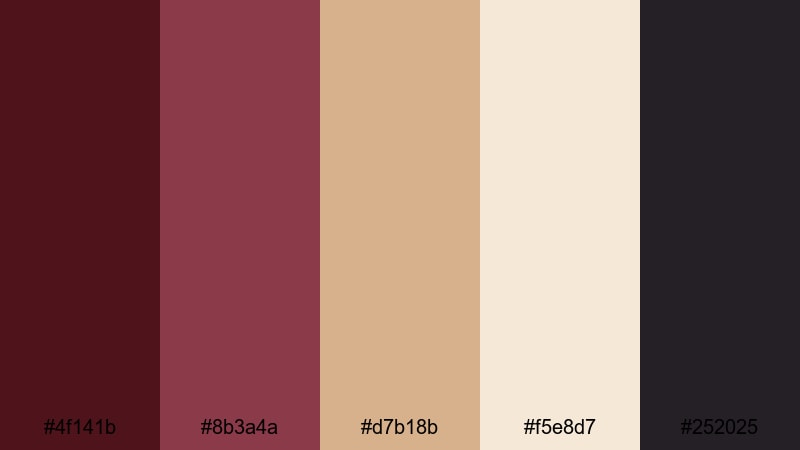
- HEX Codes: #4f141b, #8b3a4a, #d7b18b, #f5e8d7, #252025
- Mood: Elegant, premium, and brand-forward.
- Use for: Great for beauty, fashion, and high-end product videos or logo animations.
Luxe Rosewood Signature combines rich rosewood with champagne and ivory, creating a premium, editorial feel. It looks like luxury packaging translated into a color palette.
Use the champagne and ivory as clean backgrounds for product shots and testimonial frames in Filmora. Let the deeper rosewood and charcoal carry your logo, dividers, and headings. This palette works especially well for beauty channels, jewelry lookbooks, and fashion campaigns.
Earthy Rosewood Creator
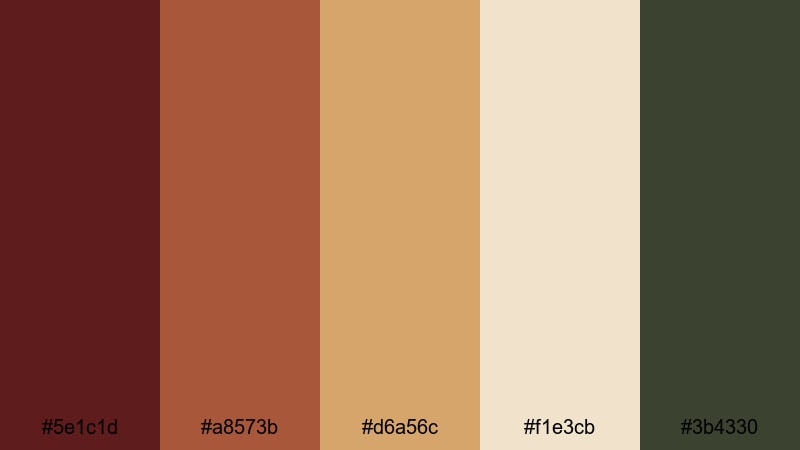
- HEX Codes: #5e1c1d, #a8573b, #d6a56c, #f1e3cb, #3b4330
- Mood: Grounded, natural, and creative.
- Use for: Ideal for travel creators, slow living channels, and sustainable brand content.
Earthy Rosewood Creator blends bold rosewood with terracotta, sand, and olive green. It feels organic and handcrafted, great for nature-focused and lifestyle storytelling.
Use the warm tones for overlays, maps, and location tags, while the olive and deep green serve as subtle accents for eco messages, callouts, and lower thirds. In Filmora, this palette is a natural fit for slow living channels, outdoor vlogs, and small brands that want authenticity rather than high gloss.
Tips for Creating Rosewood Color Palettes
Rosewood is versatile, but it really shines when balanced with the right highlights, neutrals, and accents. Use the tips below to adapt these palettes or build your own rosewood combinations for video and design.
- Pair rosewood with light neutrals (ivory, cream, pale gray) to keep text and UI overlays readable on thumbnails and mobile screens.
- Use the darkest rosewood or charcoal shade for backgrounds and frames, and the lightest tones for titles, logos, and buttons.
- Limit bright accent colors (yellows, neon pinks, blues) to 10 to 20 percent of your design so rosewood remains the hero color.
- Match your color palette to content mood: softer blush and cream for romance and lifestyle, stronger contrast and gold for trailers and game content.
- In Filmora, save your favorite HEX values as text and shape presets so your rosewood branding stays consistent across intros, lower thirds, and end screens.
- When color grading footage, keep skin tones natural by adjusting HSL for reds and oranges instead of pushing everything too far into rosewood.
- Check your palettes on different devices by exporting a test frame or thumbnail; adjust contrast and brightness if rosewood shadows look too dark on phones.
- For brand systems, define a primary rosewood, one supporting neutral, and one accent color, then use tints (lighter) and shades (darker) of each instead of adding too many new hues.
Rosewood color palettes can instantly shift your content from casual to cinematic, from generic to branded. Whether you choose a soft blush rosewood for love stories or a bold crimson rosewood for trailers and gaming intros, these combinations help you build a recognizable visual identity.
Try dropping these HEX codes directly into Filmora for your titles, overlays, and color grading. Save your favorite setups as presets, then reuse them across vlogs, shorts, and campaigns so every video feels like part of the same rosewood-driven universe.
The more intentionally you use color, the more your audience will recognize your style at a glance. Experiment with these 15 rosewood palettes, adjust them with Filmora's tools, and refine them into a signature look that belongs only to you.
secure download